Customer Ratings & Reviews
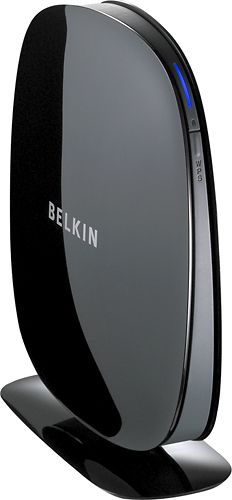
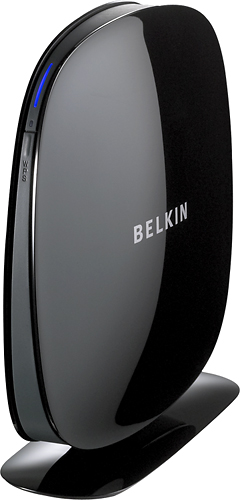
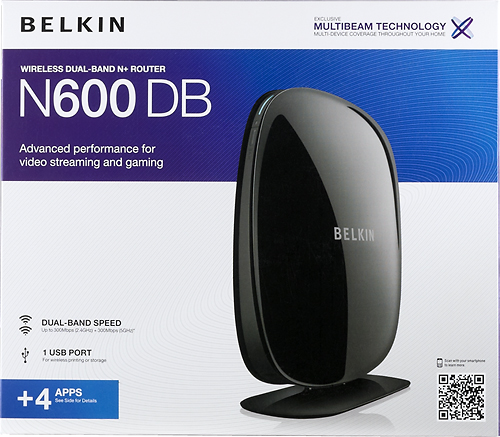
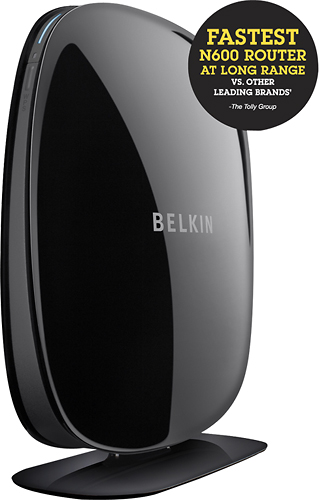
- Model:
- F9K1102
- SKU:
- 2089307
Rating by feature
- Ease of Use
Rating 4.2 out of 5 stars
Customers are saying
Customers have good things to say about the N600 Dual-Band Wi-Fi Router's ease of use, performance, and range. Many appreciate its affordable price and straightforward setup process, noting positive experiences with signal strength and coverage. While some users reported occasional difficulties with streaming, the overwhelmingly positive feedback highlights the router's overall value and effectiveness.
This summary was generated by AI based on customer reviews.
Ok I guess
||Posted .This reviewer received promo considerations or sweepstakes entry for writing a review.It's a good router but it doesn't work with my system it keeps shutting down my wireless network
No, I would not recommend this to a friendBrand response from BelkinStaff
Posted .Hi Shekinah. We understand your sentiments. Allow our Support Team to assist you with challenges that you're experiencing with the unit. You may email us at BelkinCares@belkin.com with your contact details and the link to this review.

Terrible connection and speed
||Posted .This reviewer received promo considerations or sweepstakes entry for writing a review.Speed on this router is really slow. It only spupport to 50mpbs
No, I would not recommend this to a friendCan hardly play live
||Posted .This reviewer received promo considerations or sweepstakes entry for writing a review.Every time I'm playing live it always says I have connection problems
No, I would not recommend this to a friendBrand response from BelkinStaff
Posted .Hi, Chris,
The router is capable of providing high-speed Internet connection for multi-video streaming and online gaming. It is recommended to connect your device to the 5 GHz network since this is commonly used for usage that requires uninterrupted throughput.
We can try setting a fixed channel for the 5 GHz network. Please email us your contact information at BelkinCares@belkin.com so that our Escalation Engineers can help you through the process. Indicate the link to this review for our reference.
Regards,
Kristine
Belkin Support
Stopped working in a short time
||Posted .This reviewer received promo considerations or sweepstakes entry for writing a review.Quit working so I returned it. I will never buy that brand again.
No, I would not recommend this to a friendBrand response from BelkinStaff
Posted .Hi Meanie23,
This is not the experience that we want you to have with our product. We hope we had a chance to figure out why it didn’t work as expected. Let us know if you need a hand with any Belkin products at BelkinCares@belkin.com. Please include your contact details and the link to this review for reference.
Regards,
Rechel
Belkin Support
Not good
||Posted .This reviewer received promo considerations or sweepstakes entry for writing a review.Quit working 1 month after I purchased it, returned for a different brand
No, I would not recommend this to a friendBrand response from BelkinStaff
Posted .We appreciate your candor in giving us your feedback on the Belkin N600 Dual-Band Wireless-N+ Router. Should you decide to own another Belkin product and need help, please do not hesitate to email us at BelkinCares@belkin.com.
Regards,
Belkin Support
www.support.belkin.com
Setup auto-update bricked router; FAIL
||Posted .This reviewer received promo considerations or sweepstakes entry for writing a review.Setup auto-update bricked router; maijor FAIL. Had to return.
No, I would not recommend this to a friendnot happy with router service
||Posted .This reviewer received promo considerations or sweepstakes entry for writing a review.ROUTER STOPPED WORKING IN ABOUT A MONTH AFTER PURCHASE.
No, I would not recommend this to a friendBrand response from BelkinStaff
Posted .Hi Strongville. Thank you for the feedback. Allow our Support Team to work with you with the challenges that you're experiencing with the unit. Send us an email at BelkinCares@belkin.com with the steps that you've already taken and the link back to this review.
lasted a week
||Posted .This reviewer received promo considerations or sweepstakes entry for writing a review.Returned and purchased a Netgear, which still works fine.
No, I would not recommend this to a friendNot recommended
||Posted .This reviewer received promo considerations or sweepstakes entry for writing a review.Would not recommend to anybody. It is a piece of dudu.
No, I would not recommend this to a friendthis thing sucks
||Posted .This reviewer received promo considerations or sweepstakes entry for writing a review.i should have kept the one i sas comcast paying for !
No, I would not recommend this to a friend- Pros mentioned:Range, Speed
For a wirless router, it does the job perfectly
Posted .This reviewer received promo considerations or sweepstakes entry for writing a review.This wireless router is simply the best for a medium sized home and such. It has all what most people needed. For the range and connecton reliability, it is superior and it has a built-in a print server that works very well. I have a Linksys set before this one and it actually costs multiples times as much and this one Belkin device replaces all three of them. I had a wireless router ($54.99), print server ($60 used), and range extender ($79.99) all linksys brands. The linksys print server is not compatible with all of our computers and it often times pauses during the print process. The Linksys router as well as the range extender drops connections each at their own time from time to time which is frustrating. The Linksys's connection runs at about 40-70 Mbps with the range extender at wireless N. The experience with Belkin N600 is very different. Even without a range extender, the speed for it runs at 52 -114 Mbps, and it's built-in wireless print server does not have any incompatibility issues and allows the printer to print quickly without pauses. It has not dropped a connection once. Compared to Linksys, you're not paying solely for the brand. With Belkin, the money actually goes into the internet connection that is faster with a more dependable connection as well as further range and features that is actually handy.
I would recommend this to a friend - Pros mentioned:Ease of use, Performance
Good product
Posted .This reviewer received promo considerations or sweepstakes entry for writing a review.Very easy setup, intuitive software, sleek design, and useful information shown on box. Bought on sale less than a week ago, so it is too soon to say anything about realiability, but so far it's good.
I would recommend this to a friend - Pros mentioned:Ease of use
Easy set up. Poor speed.
Posted .This reviewer received promo considerations or sweepstakes entry for writing a review.Easy set up. Works well. Have excellent coverage throughout the house. Speed really lacks though. I can only get about a third of the speed that my ISP is delivering. Support does not have any answers. Will most likely return for something else.
No, I would not recommend this to a friend - Pros mentioned:Ease of use, Range, Speed
Good value, easy-to-install router
Posted .This reviewer received promo considerations or sweepstakes entry for writing a review.I purchased this Belkin router to replace an old Motorola cable modem/router issued to me by Comcast. It was easy to install and configure, and has more features (e.g. allows for a separate, guest wireless connection). It has good range and seems faster than my previous router. I highly recommend it.
I would recommend this to a friend - Pros mentioned:Ease of use, Speed
Still searching for the best gaming router...
Posted .This reviewer received promo considerations or sweepstakes entry for writing a review.Bought this router on my search for the ultimate easy to use gaming router. Im still on this hunt or else going to get a degree in networking just so I can make a router function the way I want. At first this router was th answer to my prayers, it was fast, it was easy to use, and my NAT didn't say strict on my xbox. This seemingly seamless functionality died as soon as we booted up the second xbox and added a couple computers. Granted it is faster and the router doesn't crash when there are a few machines running at once, but there is still some pretty bad lag from time to time, which I was hoping would go away. Probably should have put out the extra money for a true gaming router. Overall, it will do for now but I will be trying to find something or expand my knowledge about networking to get the functionality I want out of my network.
No, I would not recommend this to a friend - Pros mentioned:Ease of use, Range, Speed
Great router for the money!
Posted .This reviewer received promo considerations or sweepstakes entry for writing a review.Bought this router on sale and works great. It took me about 5 minutes to set it up and then setup all my devices. iPad, xbox, computers, phones all work perfect and fast. Range is good and travels through my entire 3000+ square foot single story ranch home. People having trouble have computer/modem/Internet issues or just don't know what they are doing. Honestly it was extremely simple to set up...highly recommend.
I would recommend this to a friend - Pros mentioned:Ease of use, Performance
Works Great
Posted .This reviewer received promo considerations or sweepstakes entry for writing a review.I really like Belkin products. They are very dependable. This router works just as it is supposed to and is very quick and easy to install.
I would recommend this to a friend - Pros mentioned:Ease of use, Range
Great Wireless Router For The Price
Posted .This reviewer received promo considerations or sweepstakes entry for writing a review.This router works great and has excellent range within my home. Easy to setup and have not had any issues with it at all.
I would recommend this to a friend - Pros mentioned:Ease of use, Performance
Good first router
Posted .This reviewer received promo considerations or sweepstakes entry for writing a review.As a freshman, this was a good product for the several wireless devices my roommate and I own. It was easy to setup, the only trouble however was I needed to first register the product with my school. It is very reliable while on the internet, but it is sometimes slow to load when I first turn on my machine. Overall I enjoy the product, and recommend it to college students living in the dorms.
I would recommend this to a friend - Pros mentioned:Price
Worked fine for a while...
Posted .This reviewer received promo considerations or sweepstakes entry for writing a review.Bought this a little over 2 years ago when I needed an inexpensive router for a small space (not my current one). It worked well here in my 2-bedroom apartment for a while, but then the wireless connection started dropping more and more often (the light on the front would turn orange and stay that way no matter what I tried - reset the router, modem, both). At this point I've tried everything I've read and can think of to fix the problem but I really think it's router and not the modem or cable internet, especially since if I run an ethernet cable directly from my laptop to the cable modem I'm able to access the internet. I may have to buy a new router and hope it helps.
No, I would not recommend this to a friendBrand response from BelkinStaff
Posted .Hi scoaster90,
Thank you for sharing us your experience with your Linksys router. To avoid this from happening again, we'd suggest you change the wireless channel on your router to avoid possible interference in your network. Download the Wifi Analyzer App. It helps you to find a less crowded channel for your wireless router. If the wireless connection remains unstable after performing the above steps, you may need to upgrade your router’s firmware.
Should you need further assistance, send us an email at BelkinCares@belkin.com with your contact details, location, and the link to this review so that we can get one of our support representatives help you.
Regards,
Belkin Support
http://www.belkin.com/us/support