Customer Ratings & Reviews
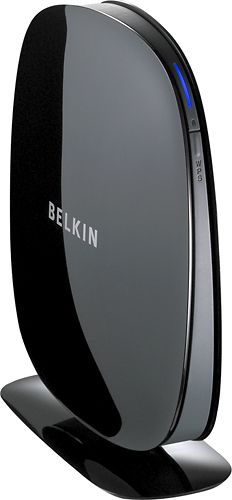
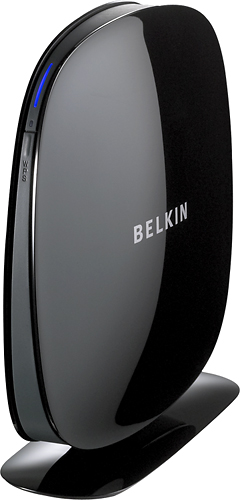
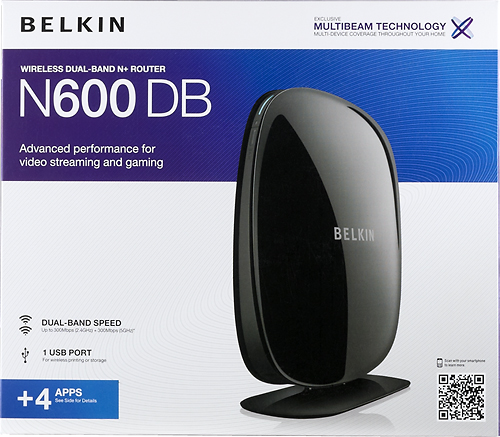
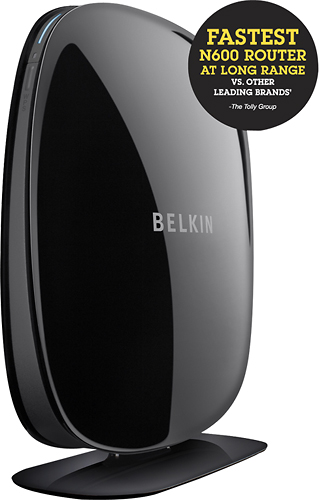
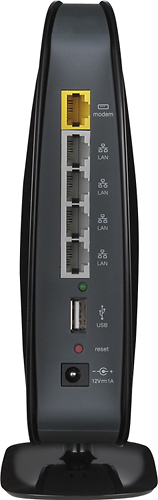
- Model:
- F9K1102
- |
- SKU:
- 2089307
Customer reviews
Rating 4.2 out of 5 stars with 2037 reviews
(2,037 customer reviews)Rating by feature
- Ease of Use4.2
Rating 4.2 out of 5 stars
Customers are saying
Customers have good things to say about the N600 Dual-Band Wi-Fi Router's ease of use, performance, and range. Many appreciate its affordable price and straightforward setup process, noting positive experiences with signal strength and coverage. While some users reported occasional difficulties with streaming, the overwhelmingly positive feedback highlights the router's overall value and effectiveness.
This summary was generated by AI based on customer reviews.
- Pros mentioned:Speed
Rated 4 out of 5 stars
Great Speed - Set Up Not for Amateurs!
Posted .This reviewer received promo considerations or sweepstakes entry for writing a review.I have noticed a definite increase in speed over my network and a dramatic decrease in lost connectivity. However, the setup process is not intuitive and often confusing. For some reason this router also seems to cause the wireless hardware in laptops to turn off occasionally when the laptop is put to sleep or shut down, requiring it to be turned back on by pushing the wireless button on the function keys. It happens rarely with all three laptops in my home, but it is something that never happened with my previous wireless routers. I am disappointed that my printer does not seem to work with it although it has a USB port for printers. Although the router software tells me the printer is connected, it does not seem to be able to set it up and gives no error message to explain why.
I would recommend this to a friend - Pros mentioned:Ease of use, Speed
Rated 5 out of 5 stars
Such A Great Buy
Posted .This reviewer received promo considerations or sweepstakes entry for writing a review.I first purchased Cisco Linksys E1200 wireless router it was the worst giving me very slow speeds. Took it back to Wal-Mart a week later. Later that day I made a visit to my local Best Buy store. I asked a Best Buy sales rep what will be the best wireless router that's going to give me the best speeds he recommended this product. Easy installation took me like 15 min to set it up. I did have to call customer service. I couldn't figure out how to personalize my users name an password that call took about 20 min. Over all I'm very satisfied with this product. Did a speed test a few hours after I set up my great Belkin. My speeds where PING ms 15, DOWNLOAD 23.08Mbps UPLOAD 6.23Mbps. When I had my Cisco Linksys E1200 my speeds was like 3G speeds. If your looking for a great an fast router buy this product. Also my Internet provider is Comcast.
I would recommend this to a friend - Pros mentioned:Ease of use, Range, Speed
Rated 5 out of 5 stars
Excellent router, easy to use.
Posted .This reviewer received promo considerations or sweepstakes entry for writing a review.This is an excellent router for the money. Easy to set up and use. I have a 2,800 sq. ft. house and receive great signal any place in the house.
I would recommend this to a friend - Pros mentioned:Ease of use, Range, Speed
Rated 5 out of 5 stars
Great for gaming!
Posted .This reviewer received promo considerations or sweepstakes entry for writing a review.This works great in our apartment- reaching every where and making my sons gaming computer work quickly even when I'm on the other computer. Very easy to set up.Highly recommend it!
I would recommend this to a friend - Pros mentioned:Ease of use
Rated 4 out of 5 stars
No 300 Mbps connections
Posted .This reviewer received promo considerations or sweepstakes entry for writing a review.My Belkin - Play N600 router suffered from numerous instances of not being able to connect wireless devices to it so I took it back and Best Buy exchanged it for the new N600. It was easy to setup and runs great for the most part. I do have three issues though. The first is that after a self healing reboot, the router assigned my desktop computer the router's IP address. I simply unplugged it for a few seconds and when it came back up, everything was fine. Second, When I am downloading from the internet while simultaneously transfering files to my NAS, the transfer speeds noticably degrade. For example, downloads from newsgroup servers normally come in around 15 Mpbs, while transfers from a wireless computer on my network to my NAS is usually about 35 Mbps. When I do both at the same time using 2 different wirelessly connected computers, the speeds drop to around 5 Mbps and 18 Mbps respectively.The bigger issue is that none of my wireless devices will connect at 300Mbps. The highest connection rate I get is 144 Mbps. With my N600 play router, the wireless signal had to be set to 20/40Mhz to connect at 300Mbps, but even with the setting at 20/40Mhz, I can't get anything to connect at 300Mhz. I hope a firmware is released soon to correct this.
I would recommend this to a friend - Cons mentioned:Streaming
Rated 3 out of 5 stars
Set up should be simple - not always so
Posted .This reviewer received promo considerations or sweepstakes entry for writing a review.I have two of these Belkin products: a wireless router set up as a wireless access point, and a wireless range extender. The set up is fairly straight forward but these products haven't been working as optimally as I had hoped. The WAP signal and the range extender both emit signal strengths that vary and fluxuate. The WAP works well enough and provides stable as well as fast access whether the bar strength is full or partial. The WRE signal strength is more suspect. The extender, located just on the other side of a window from an outdoor patio (yes, one can look over and see the physical device located about 5 feet away), and the signal strength will go from 2-4 bars out of 5. I'm able to stay connected but I'm more doubtful of streaming movies wirelessly to the point of preferring to connect a internet enabled device to an ethernet cable instead. If I could have known this information beforehand, I would have skipped the purchase of the WRE.
No, I would not recommend this to a friend - Pros mentioned:Speed
Rated 5 out of 5 stars
Quite a step up from the free Xfinity router
Posted .This reviewer received promo considerations or sweepstakes entry for writing a review.We were using the free router that Xfinity provides, but our house is large and we have gaming cosoles and computers on both floors and on opposite ends of the house. The Xbox was lagging, the wireless computers were slow. I bought this router today, set it up easily, and things are much faster now. Streaming Netlix on the wireless PCs is fast, and no game lagging on the PS3 or Xbox 360. They even put the name and passphrase on a little card so you don't have to squint over the back of the router and read the key code. It comes with a guest name and passcode as well for visiting friends that need a wi-fi connection. The USB port for your printer is great, so now we can all print from anywhere in the house. Love it!
I would recommend this to a friend - Pros mentioned:PerformanceCons mentioned:Streaming
Rated 5 out of 5 stars
Belkin N600 perfect choice for multiple devices
Posted .This reviewer received promo considerations or sweepstakes entry for writing a review.Before purchasing this product, please keep in mind that you must be experienced or know someone who can set up this wireless router properly. Steps are different from just having one device using this vs multiple devices. I have 2 PC, 3 Xbox, and 1 laptop all running at the same time without a problem. I tested out video streaming on 3 Xbox (same time) while streaming on a computer. Stream only buffed 2 times. Wireless internet reaches pretty far in the house. My old linksys did not do this at all.
I would recommend this to a friend - Pros mentioned:Speed
Rated 5 out of 5 stars
Awesome product!!!
Posted .This reviewer received promo considerations or sweepstakes entry for writing a review.I have had this router for a little over a month now. I use it for my laptop, wifi printing, both of our cell phones and wifi calling through our phones. I can be on the phone using wifi calling and be on the laptop printing wirelessly. Its awesome. Runs great! Never slow no matter how many items I run through it at once. The setup was super easy!! I am a mechanic and electronic lover. This is my first (long overdue) wireless setup. It was worried about the difficulty of setup, but it pretty much did everything for me!!! Super easy and very happy with this router and my new toshiba laptop!
I would recommend this to a friend - Pros mentioned:Ease of use
Rated 5 out of 5 stars
Works Great
Posted .This reviewer received promo considerations or sweepstakes entry for writing a review.I have been looking at this product for quite a while and knew it would be the one to buy if I need a wireless router. The time finally came when I needed to get one for my daughter's apartment so I bought it. Super easy to install and can handle the bandwidth without any problem.
I would recommend this to a friend - Pros mentioned:Ease of use, Range
Rated 5 out of 5 stars
Perfect for 5 months so far.
Posted .This reviewer received promo considerations or sweepstakes entry for writing a review.I replaced my old router (netgear) because it just kept dropping the wifi signal. It was very easy to setup the new one and by keeping the same name on it all of my peripherals came back online immediately. Currently have up to 8 items running on wifi constantly and use 3 of 4 ethernet ports. It has not failed since day one and what else can you ask of a router. Range is adequate throughout my entire 2 story house with no droput areas all the way out to the cars in the driveway.
I would recommend this to a friend - Pros mentioned:Performance
Rated 4 out of 5 stars
Good Upgrade
Posted .This reviewer received promo considerations or sweepstakes entry for writing a review.I purchased this router as an upgrade. I definitely get a wider and stronger signal than my old router. Very satisfied with performance. Could have an easier navigation screen on my laptop to maintain my wireless network.
I would recommend this to a friend - Pros mentioned:Performance
Rated 5 out of 5 stars
Good router with excellent performance
Posted .This reviewer received promo considerations or sweepstakes entry for writing a review.I bought this router in the hope that I could connect my PS3 and my Xbox 360. I'd had problems with a previous router. The Belkin N600 was recommended on another website for gaming systems. I found that it was fairly easy to set-up and it detected my computer right away. Also had no problem connecting my game consoles. I've had the router about two weeks and the performance has been great.
I would recommend this to a friend Rated 5 out of 5 stars
A Great Addition to my Wireless Networking Setup
Posted .This reviewer received promo considerations or sweepstakes entry for writing a review.I have verizon fios internet at my home. Verizon does not have a modem/router that runs on wireless N speeds as of yet. So enter this Belkin N600 dual band router with 4 port switch and usb port. The set up on this router can be either very simple if you have some wireless networking knowledge or a bit difficult if you don't. Either way if you follow the set up instrusctions you should be able to get through it just fine. A couple of the really nice features that I like about this router are, it is very compact, it broadcasts dual band multi-beam technology and the administration of the router is easy to work with. Also the 4 apps that it comes with are an added bonus. Using the router setup/administration screen is fairly easy. I like that you can set up various different security settings, from wep, to wpa2-psk or you can just press a button on the router and set up the wps security setting. Another great feature is the guest security setting. If you have friends come over and need to use your network, they can sign onto the guest ssid that is being broadcast and put in the password that you setup. That way they do not have any access to your network or anything you have on your network, pretty cool. This is a great wireless n router with dual band technology. I would highly recommend this router to anyone out there, you won't be sorry.
I would recommend this to a friend- Pros mentioned:Ease of use, Speed
Rated 5 out of 5 stars
Love it!!
Posted .This reviewer received promo considerations or sweepstakes entry for writing a review.I went to Best Buy to look for a new wireless router because our Netgear was constantly losing signal, etc. We live in a small townhouse with 3 floors, so this should not be happening. I bought the Belkin N600 Dual-Band Wireless-N+ Router as a gamble. I opened the box, it literaly has 3 steps that are so simple to follow that my 5 year old could have done it. Now, we have fast internet with a very strong signal. Great purchase!
I would recommend this to a friend Rated 5 out of 5 stars
Easy setup - Great range
Posted .This reviewer received promo considerations or sweepstakes entry for writing a review.Have purchased a total of 3 of these Belkin N routers now over the past year. Set one up at the office, one at my partner's house and now one at my own house to replace an old one. The one at my home is the one that gets pushed the hardest. With all the computers, phones, tablets, blu ray players and etc, running online all over the house from the whole family and have not had any issues yet. The self healing option is interesting and seems to cut out ip conflicts my partner was having. USB ports are nice as we stream media from a external drive connected to the router at home. Over all though, a router is a router but this one does what I ask of it and doesn't give me any grief. That's the most important thing.
I would recommend this to a friend- Pros mentioned:Speed
Rated 5 out of 5 stars
Solid WiFi router
Posted .This reviewer received promo considerations or sweepstakes entry for writing a review.We have 1 bedroom apartment and this router covers it very well with 60 MB per second on 4 streams (of hd video). The only issue we had was some time in late September 2014 when most of Belkin routers updated automatically by Belkin and were not able to find and connect to DNS servers of IPS providers. I just put Google DNS and it solved the problem. Most likely Belkin already solved this problem and became even better and robust.
I would recommend this to a friend - Pros mentioned:Ease of use, Range
Rated 4 out of 5 stars
Good router with easy setup
Posted .This reviewer received promo considerations or sweepstakes entry for writing a review.Purchased this router after mine suddenly died. This router was easy to set up and was running well 15 minutes after getting it home. Range is excellence as I have it in the front of the house and I can get reception on the back porch.
I would recommend this to a friend - Pros mentioned:Speed
Rated 5 out of 5 stars
I installed this router by myself and it was easy.
Posted .This reviewer received promo considerations or sweepstakes entry for writing a review.I purchased 2nd home in NH and had to install internet access to it such that I can work from this home remotely. Installation was very easy and I have about 2600 sq ft (basement and 1st/2nd floor) home. There is no issue so far to get sufficient signal wherever I go with my laptop. I can use laptop at the deck as well. I'm using Cisco router at my primary home. Compared to this, I'm really happy to buy this product.
I would recommend this to a friend - Pros mentioned:Ease of use, Range
Rated 4 out of 5 stars
Easy to Set up
Posted .This reviewer received promo considerations or sweepstakes entry for writing a review.Very easy to follow steps to install. I had it running in less than five minutes, if that. It covers both floors of my house with full strength service. I've been using for about a month and have had no problems.
I would recommend this to a friend