Customer Ratings & Reviews
- Model:
- B0DHLQT3CG
- SKU:
- 6625859
Rating by feature
- Value
Rating 4.6 out of 5 stars
- Quality
Rating 4.5 out of 5 stars
- Ease of Use
Rating 4.6 out of 5 stars
Customers are saying
Customers commend the Outdoor 4 security camera for its easy setup and satisfactory image quality. The strong battery life and effective motion detection are also appreciated. However, some customers have reported connectivity issues with the cameras. The night vision detection and recording are also well received.
This summary was generated by AI based on customer reviews.
Blink Outdoor 4 Poor Performance
||Posted .This reviewer received promo considerations or sweepstakes entry for writing a review.I would not recommend this camera system to anyone. The system requires a sync module plugged in within near proximity to the cameras in order to work. I have ARLO at my office that work amazing and REOLINK LTE for remote applications. Both of these cameras systems I would recommend.
No, I would not recommend this to a friendBrand response from Amazon Devices Customer Support
Posted .Dear JeremyA,
Thank you for taking the time to share your feedback about the Blink Outdoor 4 camera system. I'm sorry to hear that it hasn't met your expectations, especially when compared to other security camera systems you've used successfully.
I understand your frustration with the sync module requirement. The Blink system is designed to use a sync module to manage communication between the cameras and your network, which does require the module to be within range of the cameras. I can see how this might be limiting for certain setups, particularly if you're looking for more flexibility in camera placement or remote applications.
Your experience with other camera systems that better suit your needs is valuable feedback for us. We recognize that different security camera solutions work better for different environments and use cases, and we appreciate you sharing what has worked well for you at your office and in remote locations.
If you'd like to explore whether there might be ways to optimize your Blink system's performance or discuss alternative Amazon security solutions that might better fit your specific requirements, our customer support team would be happy to help. However, we completely understand if you've found systems that work better for your particular needs.
Thank you again for your honest feedback. It helps us understand how our products perform in real-world applications.
Outdoor security camara
||Posted . Owned for 1 week when reviewed.This reviewer received promo considerations or sweepstakes entry for writing a review.Have not installed yet. Little information on how to mount.
No, I would not recommend this to a friendCameras
||Posted . Owned for 2 weeks when reviewed.This reviewer received promo considerations or sweepstakes entry for writing a review.Think we got some bad ones. They don’t work like they are suppose to or not for me. Tried to change grid and that doesn’t work. When there’s motion, there’s no light and you can’t see anything. Know someone that has them and they don’t have this problem. Oh well.
No, I would not recommend this to a friendBrand response from Amazon Devices Customer Support
Posted .Hello RobertpeggyS,
Thank you for taking the time to share your experience with the Blink Outdoor 4 cameras. I'm sorry to hear that you're encountering issues with motion detection lighting and grid changes not working as expected.
It's frustrating when products don't perform as they should, especially when you know others who are having a better experience with the same cameras. These issues you're describing—lack of infrared illumination during motion events and grid adjustment problems—aren't typical behavior for the Blink Outdoor 4, which suggests there may be a technical issue with your specific units or their configuration.
I'd like to help get this resolved for you. Here are a few troubleshooting steps that might help:
Check the Night Vision settings in the Blink app to ensure infrared is enabled for each camera
Verify camera placement and ensure the motion detection zones are properly configured
Try removing and re-adding the cameras to the Sync Module Core to refresh the connection
Ensure your Sync Module Core firmware is up to date through the Blink app
If you've already tried these steps or would prefer direct assistance, I encourage you to contact Blink Customer Support at 1-800-456-7962 or through the Blink app. They can run diagnostics on your system and determine if a replacement is warranted, especially since these cameras come with a limited warranty.
Your feedback is valuable in helping us identify when products aren't meeting expectations, and I appreciate you bringing this to our attention.
Not working
||Posted .This reviewer received promo considerations or sweepstakes entry for writing a review.Sync module did not work, could not connect to any cameras
No, I would not recommend this to a friendBrand response from Amazon Devices Customer Support
Posted .Hi JakeH,
Thank you for your feedback on the Blink Outdoor 4. I am sorry to hear the Sync Module Core is not connecting. If your Blink Outdoor 4 camera won't connect to the Sync Module Core, it's usually a signal, power, or Wi-Fi issue; try power cycling the Sync Module & camera, checking Wi-Fi (2.4GHz only!), moving the camera closer, and ensuring the Sync Module has a strong signal, but if problems persist, a firmware-level reset of the Sync Module might be needed by holding its reset button during power-up. If these steps do not help and you are still experiencing issues, you can reach out to Amazon Customer Support 24/7 at 1-888-280-4331.
Camera Upset
||Posted . Owned for 1 month when reviewed.This reviewer received promo considerations or sweepstakes entry for writing a review.Theses cameras don’t work, I just recently tried to install after my purchase and since they don’t work it to late to return for something else PLEASE HELP!!!!
No, I would not recommend this to a friendBrand response from Amazon Devices Customer Support
Posted .Hi RobertM,
Thank you for your feedback on the Blink Outdoor 4 camera. I am sorry to hear you are having trouble with the set up. If you contact Amazon customer service they can assist with steps to install cameras. you can reach Customer Support 24/7 at 1-888-280-4331. I hope this helps.
Returned
||Posted .This reviewer received promo considerations or sweepstakes entry for writing a review.Core Module does not have local back, so returned.
No, I would not recommend this to a friendOffline
||Posted . Owned for 2 weeks when reviewed.This reviewer received promo considerations or sweepstakes entry for writing a review.Second set that I had gotten. Could not keep the camera connected. The cameras kept going off line and tech support kept having me return them.
No, I would not recommend this to a friendBrand response from Amazon Devices Customer Support
Posted .Hello, JohnB. Thank you for your feedback on the Blink Outdoor 4. I'm sorry to hear you're experiencing connectivity issues with your camera. Persistent offline problems can be frustrating, especially when you're trying to maintain reliable home security coverage.
Based on common connectivity issues with the Blink Outdoor 4, here are several troubleshooting steps that may help resolve the problem. First, ensure your camera has fresh lithium batteries, as low battery power can cause connectivity issues even before the app displays a low battery warning. Check that your camera is within range of your Sync Module or Wi-Fi router—the Blink Outdoor 4 works best within 100 feet of the Sync Module with minimal obstructions. If your camera is far from the module, consider relocating the Sync Module closer or using a Sync Module XR (sold separately) which extends range up to 400 feet.
Verify your Wi-Fi network is operating on the 2.4GHz band, as Blink cameras are not compatible with 5GHz networks. If your router broadcasts both frequencies with the same network name, try creating a separate 2.4GHz network specifically for your Blink devices. Power cycle both your camera (remove and reinsert batteries) and your Sync Module (unplug for 30 seconds, then reconnect). If the camera continues going offline, try removing it from your system and re-adding it through the Blink app to establish a fresh connection. If these steps don't resolve the connectivity issues, Blink Customer Support is available to provide personalized troubleshooting assistance at 1-833-392-5465. They can review your specific setup and may be able to identify issues that require hardware replacement or advanced troubleshooting. I hope this information helps restore reliable connectivity to your Blink Outdoor 4.
Low quality product
||Posted .This reviewer received promo considerations or sweepstakes entry for writing a review.The sync module stopped working after a month and a half and the cameras wouldn't work at all at this point.
No, I would not recommend this to a friendBrand response from Amazon Devices Customer Support
Posted .Hello, SeanF. Thank you for taking the time to leave a review on the Blink Outdoor 4 Wireless Camera System. I am sorry to hear about the experience you are having with the device and have some recommendations to try and help. First, I recommend looking at your sync module's LED indicators. If your Sync Module displays a solid blue and a blinking green LED, this indicates the Sync Module is offline and attempting to reconnect to the previously configured Wi-Fi network. Several reasons why your Sync Module may have gone offline include power interruptions (such as outages or being unplugged for a prolonged period of time), updated Wi-Fi settings (such as a new password), or signal interference from devices like pods and extenders. After confirming the information above, if the issue persists, attempt the following troubleshooting steps: Power-Cycle Your Router: Unplug your router from the power outlet, wait 30 seconds, and then plug it back in. Power-Cycle the Sync Module: Disconnect the Sync Module from power for 10 seconds, then plug it back in. After rebooting, a solid blue and solid green LED indicates the Sync Module has successfully reconnected to the network. Re-enter Wi-Fi Password: Refresh the Sync Module's Wi-Fi connection by re-entering your Wi-Fi password. If you have any questions or need help with the device, I recommend contacting Blink Customer Support at 1-833-392-5465. Thank you again, have a great day!
Cameras drain batteries fast
||Posted .This reviewer received promo considerations or sweepstakes entry for writing a review.Not satisfied with this product. Battery life very short. Have to replace to often. Live feed looks frozen unable to distinguish it from snap shot or not. Can’t really recommend this product
No, I would not recommend this to a friendBrand response from Amazon Devices Customer Support
Posted .Diana,
Thank you for sharing your detailed feedback about the Blink Outdoor 4 camera system. I'm sorry to hear that you're experiencing issues with battery life and live feed performance.
Regarding battery life, here are some tips that might help extend it:
Adjust motion sensitivity settings
Reduce clip length
Adjust camera placement to minimize false triggers
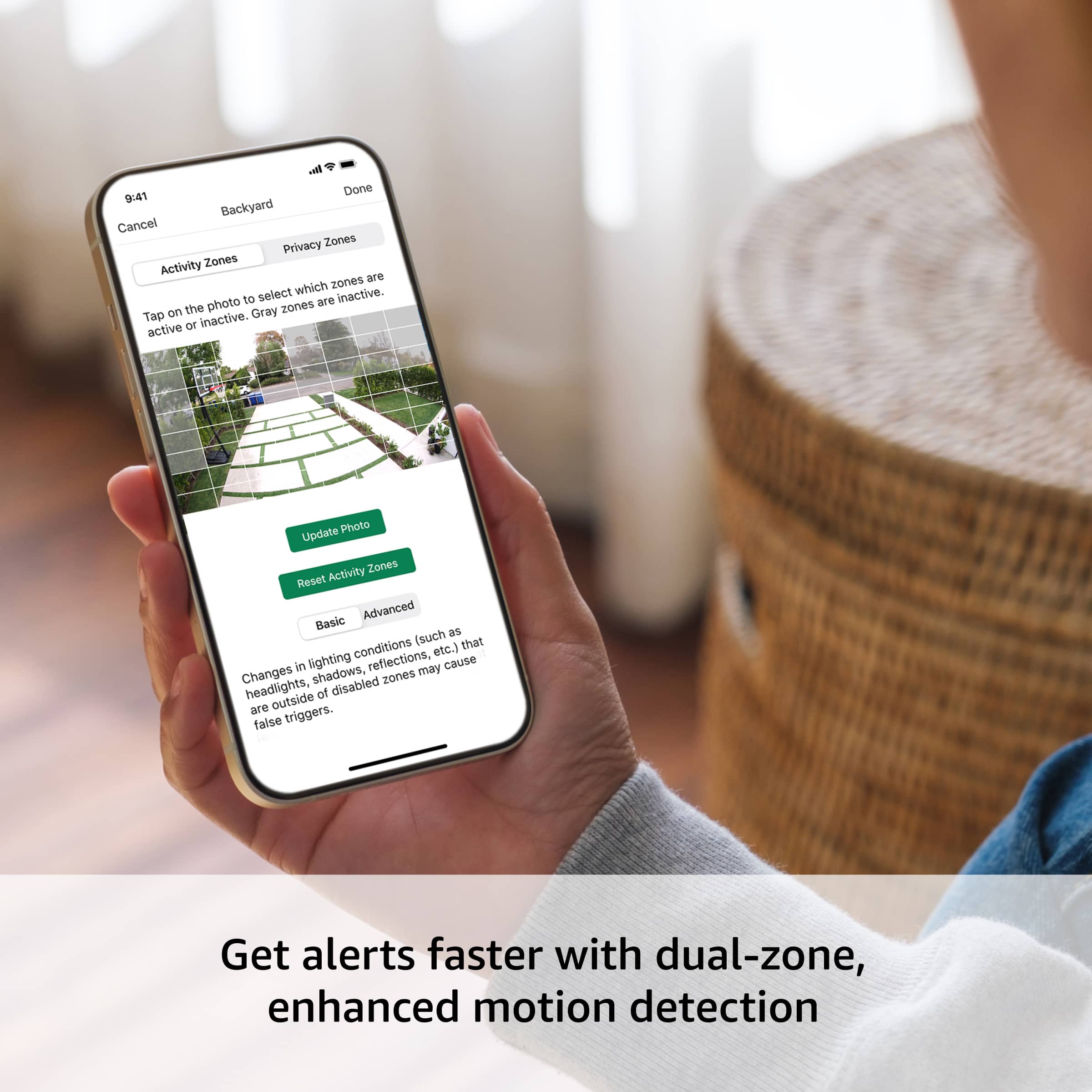
Use "Activity Zones" to focus only on important areas
For the live feed freezing issue, this could be related to:
WiFi signal strength
Internet connection speed
Camera placement
If you'd like to troubleshoot these issues, our technical support team can help optimize your settings. Please contact Blink Support at 1-833-446-5465
Too many alerts
||Posted .This reviewer received promo considerations or sweepstakes entry for writing a review.Hard to get the sensitivity to work correctly in constant notifications on the phone are just annoying
No, I would not recommend this to a friendBrand response from Amazon Devices Customer Support
Posted .Hello JosephK,
Thank you for your feedback on the Blink Outdoor 4. I am sorry to hear the about the constant notifications. To minimize alerts on a Blink Outdoor 4, you should adjust the motion sensitivity, set up "Activity Zones" to block areas, and use "Snooze" for temporary disabling of notifications. For a more permanent solution, you can disable all motion alerts for a specific camera by turning off motion detection, but this will prevent all motion-based clips and notifications from being generated. I hope this information is helpful, thank you.
Camera
||Posted . Owned for 2 months when reviewed.This reviewer received promo considerations or sweepstakes entry for writing a review.I can't afford to pay additional charges to us a product. You have a good product. I didn't try these out.
No, I would not recommend this to a friendBrand response from Amazon Devices Customer Support
Posted .Dear Customer,
Thank you for your feedback about the Blink Outdoor 4 camera system. I want to clarify that the Blink system actually comes with free basic features with no additional charges required:
Live view
Motion alerts
Two-way audio
Local storage with included Sync Module
While there is an optional Blink subscription plan for extended features, it's not required for basic security functions. Since you mentioned not trying the cameras, we encourage you to:
Test the free features first
Contact our support team for setup help
Return within the return window if still not satisfied
We want you to get the most value from your purchase without unexpected costs.
Blink
||Posted .This reviewer received promo considerations or sweepstakes entry for writing a review.Cameras would not stay connected, worst cameras I’ve ever installed.
No, I would not recommend this to a friendBrand response from Amazon Devices Customer Support
Posted .Dear BradA,
We're very concerned about the connectivity issues you're experiencing with your Blink Outdoor 4 cameras. Connection problems can be extremely frustrating, especially with security devices, and this isn't the experience we want for our customers.
Let us help resolve these issues:
Often, connectivity can be improved by adjusting the Sync Module placement
Our latest firmware updates address many common connection issues
Our technical support team can provide advanced troubleshooting
Please contact our support team at 1 888-280-4331 for immediate assistance. We want to help get your system working reliably.
Crappy service
||Posted . Owned for 3 months when reviewed.This reviewer received promo considerations or sweepstakes entry for writing a review.One was defective and the manager said I had to return all four for a replacement. More work to get the cameras down and reprogram them than they are worth. Never shopping at Best Buy again
No, I would not recommend this to a friendDefective
||Posted . Owned for 1 week when reviewed.This reviewer received promo considerations or sweepstakes entry for writing a review.Defective item. Cannot to connect. Called customer service didn't solve the problem. Told me to return.
No, I would not recommend this to a friendBrand response from Amazon Devices Customer Support
Posted .Hi Dzeus,
Thank you for taking the time to share your experience with the Blink Outdoor 4 camera system. I'm truly sorry to hear that your device was defective and wouldn't connect, and I understand how frustrating it must have been to go through troubleshooting with customer service only to be told to return it.
A security camera system should work right out of the box, and it's disappointing that yours didn't meet that basic expectation. You deserved a functioning product, and I apologize that this wasn't your experience.
Since you've already been advised to return the unit, please bring it back to Best Buy with your receipt for a full refund or exchange. If you'd like to give the Blink system another try, we'd be happy to replace it with a new unit—sometimes a defective device is simply a one-off manufacturing issue. However, if you'd prefer to explore other options or receive a refund, we completely understand and respect that decision.
If you have any questions about the return process or need further assistance, please don't hesitate to contact us at 1-888-280-4331.
Thank you for giving us the opportunity to address this, and we apologize again for the inconvenience.
Lost Purchase
||Posted . Owned for 1 month when reviewed.This reviewer received promo considerations or sweepstakes entry for writing a review.Oddly enough my purchase was put somewhere other than my house. Best Buy refused to replace my order or refund my money. They told me to file a police report and it was my problem. You can only get over on me once. The terrible level of customer service and things wrong with this will cost them more than the $160 they essentially stole from me. I won’t buy from them ever again and hope others read my review and question where to shop.
No, I would not recommend this to a friendWifi cameras
||Posted .This reviewer received promo considerations or sweepstakes entry for writing a review.I tried to connect them to my wifi and they wouldnt connect.
No, I would not recommend this to a friendBrand response from Amazon Devices Customer Support
Posted .Good Morning -user818380,
I'm sorry to hear you're having connectivity issues with your Blink Outdoor 4 cameras. Since these cameras typically have a straightforward setup process, it would be helpful to try some basic troubleshooting steps:
Make sure your WiFi network is 2.4GHz (Blink cameras don't support 5GHz networks)
Check that your Sync Module is properly connected first
Position the cameras closer to your router/Sync Module during initial setup
Try resetting the Sync Module and cameras
If you're still experiencing problems our customer support team is available 24/7 to assist you. you can reach them at 1 888-280-4331.
Thanks for your feedback, it helps improve our products for all our customers.
Won’t hold a charge
||Posted . Owned for 3 months when reviewed.This reviewer received promo considerations or sweepstakes entry for writing a review.Barely lasts a week and a half with brand new batteries
No, I would not recommend this to a friendCould be my WiFi
||Posted . Owned for 2 weeks when reviewed.This reviewer received promo considerations or sweepstakes entry for writing a review.Bought these to put in my garage. Batteries are dead after a 2-3weeks. Quality is horrible on them. The live recording is super laggy
No, I would not recommend this to a friendBrand response from Amazon Devices Customer Support
Posted .Hello, Ls3v. Thank you for taking the time to leave a review on the Blink Outdoor 4 Camera system. I am sorry to hear about the issue you are experiencing and have some recommendations to try and help solve the issue. You can improve the picture quality of your Blink cameras by adjusting the video settings to Best in your app and ensuring they are within range of your Wi-Fi router. The camera-to-Wi-Fi signal strength plays an important part in how your video quality is rendered, since that data is downloaded directly from the Blink servers to the camera. I recommend making sure your cameras have strong signal strength and positioning the sync module core where the cameras will receive the best signal. Weak signal strengths between Blink devices and the Wi-Fi network can increase battery consumption. If you have any other questions, please contact Blink Customer Support at 1-833-392-5465. Thank you again for leaving a review, and have a great day!
Regret buying
||Posted .This reviewer received promo considerations or sweepstakes entry for writing a review.Not user friendly like my previous security camera. Will probably find a different system/company/product….
No, I would not recommend this to a friendBrand response from Amazon Devices Customer Support
Posted .Hello, MarizaM. Thank you for taking the time to leave a review on the Blink Outdoor 4 Wireless Camera System. I am sorry to hear about the experience you are having with the device. I recommend contacting Blink Customer Support, as they can help with any questions about the device or how the system operates. You can reach Blink Customer Support at 1-833-392-5465. Thank you again, have a great day!
Needs memory card slot
||Posted . Owned for 2 weeks when reviewed.This reviewer received promo considerations or sweepstakes entry for writing a review.Not what I expected in the security cameras. Needs to have a memory card slot
No, I would not recommend this to a friendBrand response from Amazon Devices Customer Support
Posted .Dear MarkE,
Thank you for your feedback. While the Blink Outdoor 4 doesn't have a direct memory card slot in the camera itself, it does offer local storage through the included Sync Module Core, which has a USB port for connecting an external USB drive. This allows you to store your recordings locally without requiring a subscription.
If you need help setting up local storage with a USB drive, our support team would be happy to assist you at 1-888-280-4331