Customer Ratings & Reviews
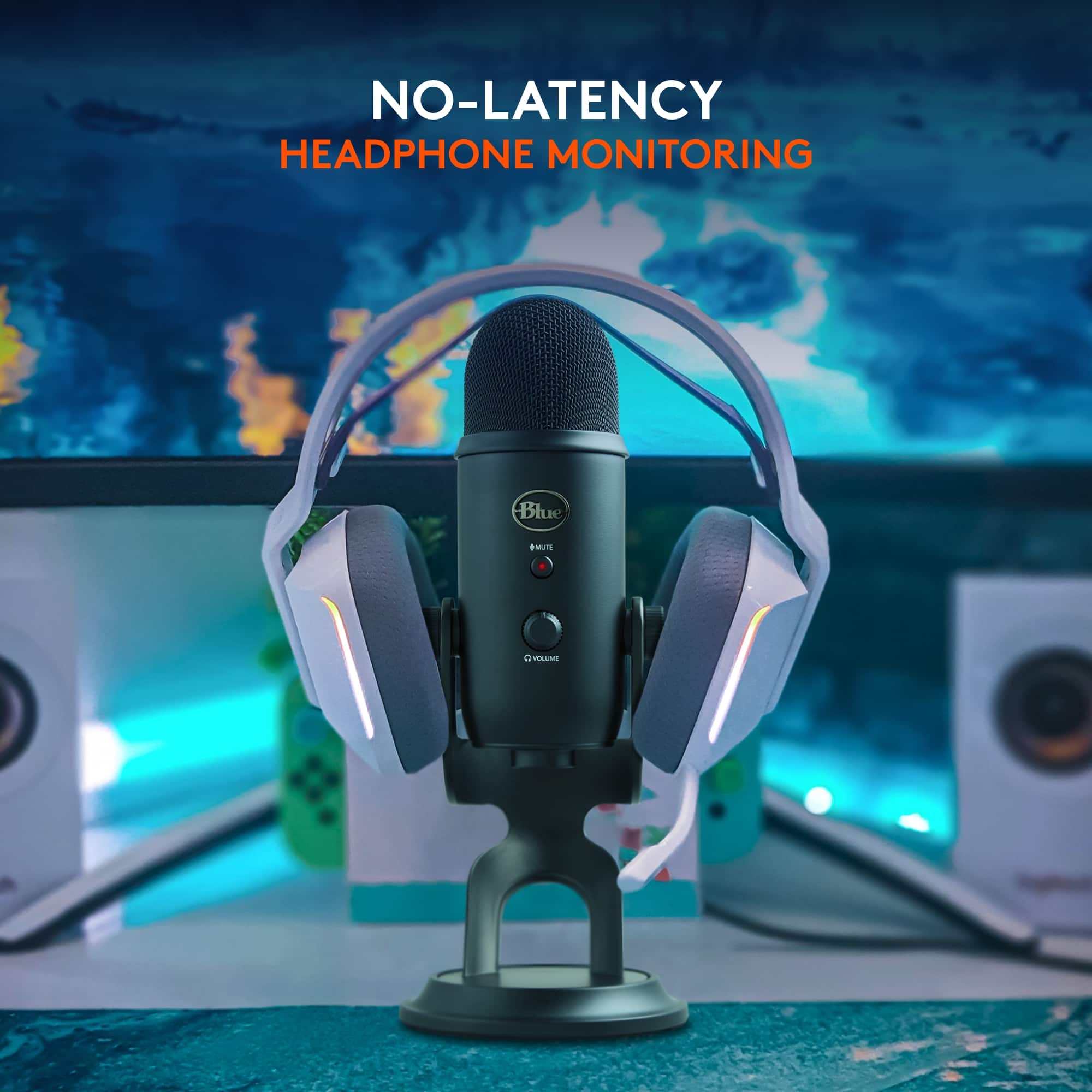
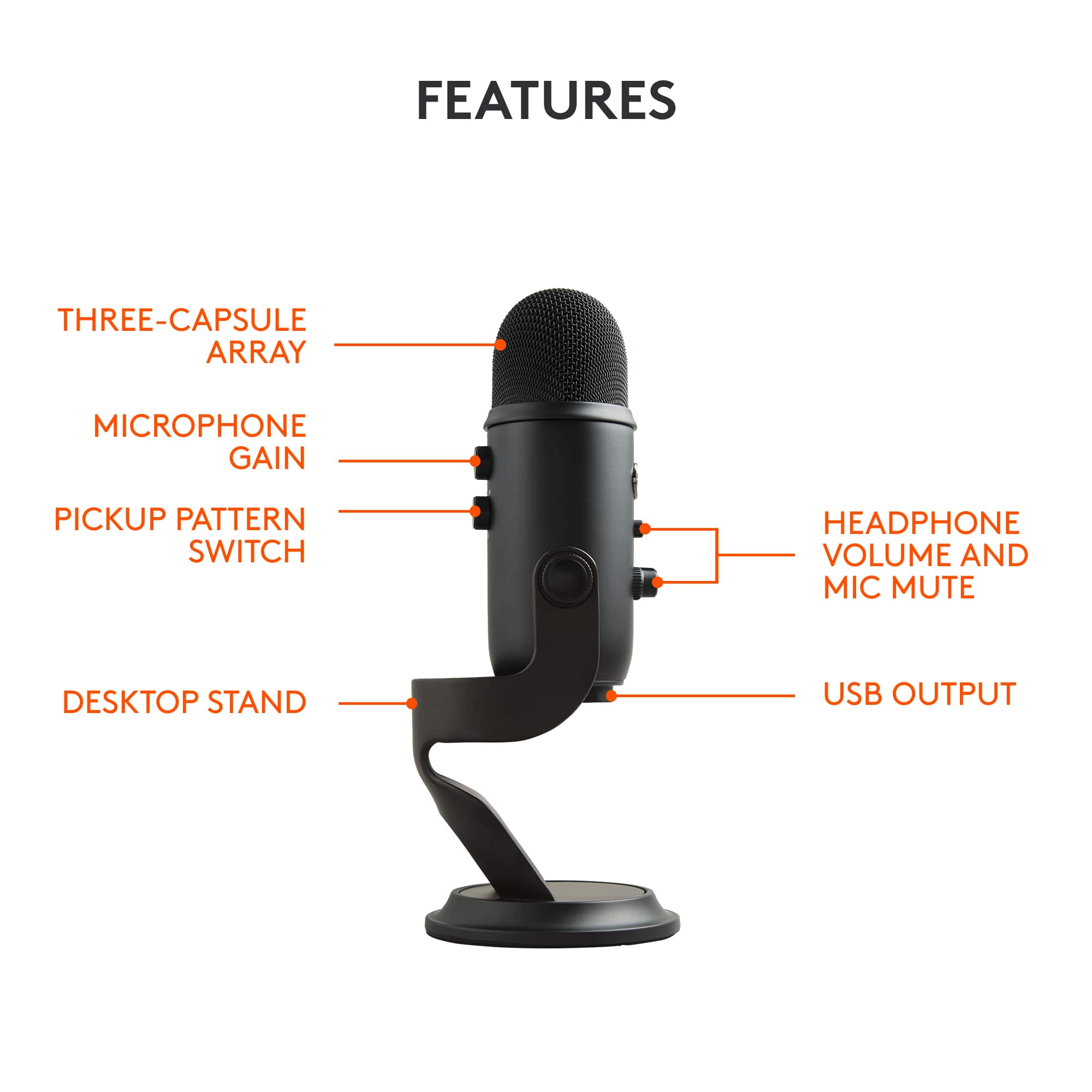
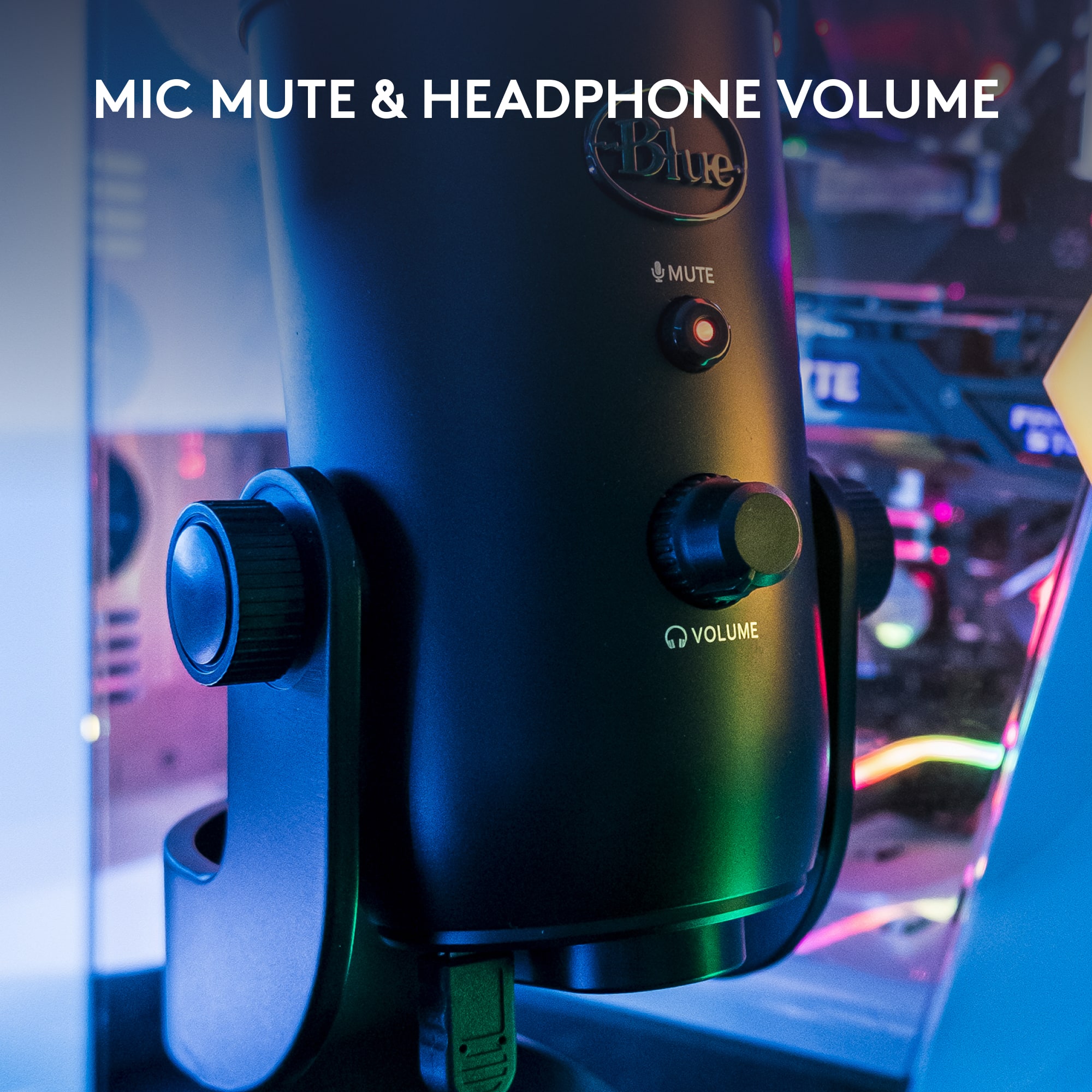

- Model:
- 988-000100
- SKU:
- 4758301
Rating by feature
- Value
Rating 4.6 out of 5 stars
- Quality
Rating 4.8 out of 5 stars
- Ease of Use
Rating 4.7 out of 5 stars
Customers are saying
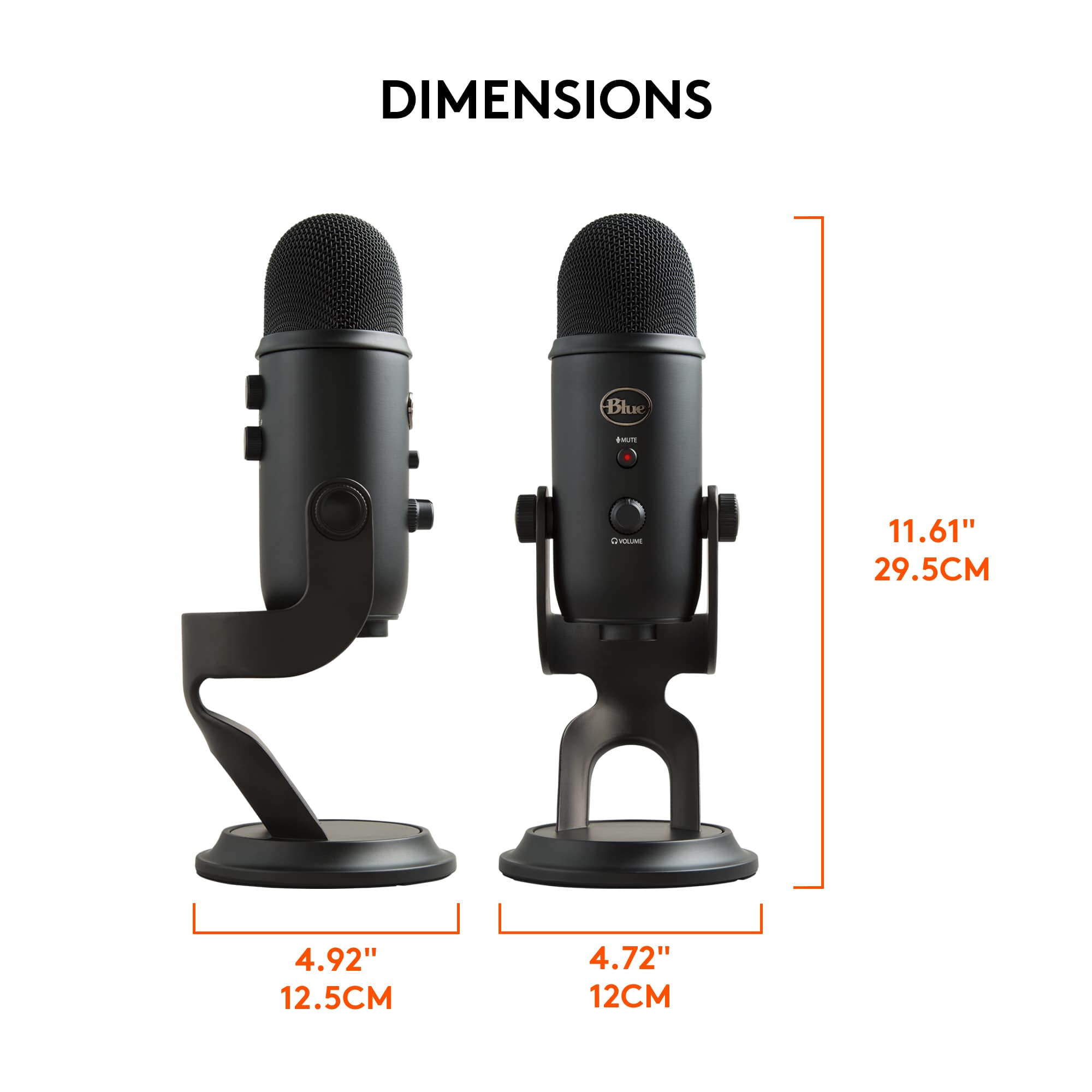
Customers admire the product's excellent sound quality and ease of use, along with its reasonable price, perfect sensitivity, and good compatibility, particularly as a USB microphone. However, some customers have noted that its size is rather large and its weight can be an issue. A few users have also experienced connectivity problems.
This summary was generated by AI based on customer reviews.
- Pros mentioned:Ease of use, Sound quality
You Won't Regret It!!
||Posted . Owned for 3 weeks when reviewed.This reviewer received promo considerations or sweepstakes entry for writing a review.I've been eyeballing this mic for a while and got it on sale at BB. Very impressed with the ease of use and especially the sound. I purchased this for my daughter to use mainly for narrating her online content but couldn't resist trying it out. I have to say it stands up with my Shure SM7B, Rode NT1 and Rode PodMIc. The mic has a great feel, sturdy and well made. Had to really crank down the knobs to hold the pitch of the mic in the stand but not a deal breaker. This mic is a solid player for a USB choice and for someone getting in the game who doesn't have a lot of cash. Honestly, I think it has a good look. If you are looking for something easy to use, great sound and quality out of the box don't think twice.
I would recommend this to a friend - Pros mentioned:Ease of use, Sound quality
Office friendly
||Posted . Owned for 1.5 years when reviewed.This reviewer received promo considerations or sweepstakes entry for writing a review.Good quality microphone. It’s pretty easy to use and great for online meetings!
I would recommend this to a friendBrand response from Logitech
Posted .We’re so happy to hear your experience has been positive. Your feedback helps us stay focused on what matters most—our users. Thanks for supporting Logitech!

- Pros mentioned:Ease of use, Sound quality, Usb
Best USB mic available!
||Posted . Owned for 1 month when reviewed.This reviewer received promo considerations or sweepstakes entry for writing a review.Super easy to use. Just plug it into your USB port and start broadcasting! Excellent sound quality, convenient on/off button on front and multiple patterns from cardioid to omnidirectional covers everything you need to record voice, instruments or one on one conversations. This is so much better than using the mic on your computer.
I would recommend this to a friend - Pros mentioned:Sound qualityCons mentioned:Size
Plug and Play
||Posted . Owned for less than 1 week when reviewed.This reviewer received promo considerations or sweepstakes entry for writing a review.It was an easy setup and I recorded my first audio with great sound. I will need to manage placement as it is a bit larger than I expected but for the price, it is worth it. I feel I will have this for years to come.
I would recommend this to a friendBrand response from Logitech
Posted .Hey! We’re thrilled to hear that our product is working well for you. Your feedback helps us improve and grow. Thanks for being a valued user.
- Pros mentioned:Ease of use, Sound quality
Great Mic, love it. Has great settings
||Posted . Owned for 1 month when reviewed.This reviewer received promo considerations or sweepstakes entry for writing a review.A great Mic. I love it. I mean I am not disappointed in any way. I live streamed and record with it as a trucker in my truck. It works great. Took me a few minutes to get used to the volume controls, but it works great, plug n play no fussing with downloading software. I play the guitar also and it comes in crystal clear. I only turn the volume just a bit like an eighth of a turn. This thing rocks. I kept the original foam packing to put it back when done. No static, crystal clear sound. I also use it with OBS for streaming, I mean I'm very happy with it. It is nice and balanced n of heavy duty weight.
I would recommend this to a friendBrand response from Logitech
Posted .Thank you for your positive review of the Blue Yeti microphone. We appreciate you highlighting its exceptional sound quality and ease of use.
- Pros mentioned:Sound qualityCons mentioned:Size, Weight
Fantastic Microphone
||Posted .This reviewer received promo considerations or sweepstakes entry for writing a review.The Yeti microphones are an absolute joy to have in our studio. They really enhance the level of sound on our videos. However, they are rather large. The setup is easy enough, and the instructions have words and pictures (helpful for some folks that seemingly can't read). If you follow the pictures, you're golden. I bought two of these thinking I would need more than one for the setup we chose. We didn't. We just needed one, based on the mode that allows one microphone for two people having an interview. Great product all around, just wish it was a little lighter.
I would recommend this to a friend - Pros mentioned:Ease of use
I love it.
||Posted . Owned for 1 month when reviewed.This reviewer received promo considerations or sweepstakes entry for writing a review.Ease of Use (5/5): One of the standout features of the Blue Yeti is its simplicity. With a USB connection, it's plug-and-play, eliminating the need for additional audio interfaces. The controls on the microphone itself are intuitive, featuring a mute button, headphone volume control, and a knob for selecting recording patterns. Compatibility (5/5): The Blue Yeti is widely compatible with both Windows and Mac operating systems, making it accessible to a broad user base. Its USB connectivity makes it convenient for users who don't want to invest in additional audio equipment.
I would recommend this to a friendBrand response from Logitech
Posted .Thank you for your insightful review of the Blue Microphones - Blue Yeti Professional. Its ease of use and broad compatibility are definite strengths, making it a great choice for many creators. We appreciate you sharing your feedback!
- Pros mentioned:Sensitivity
I Love My Yeti! Multiple Modes to Meet All My Reco
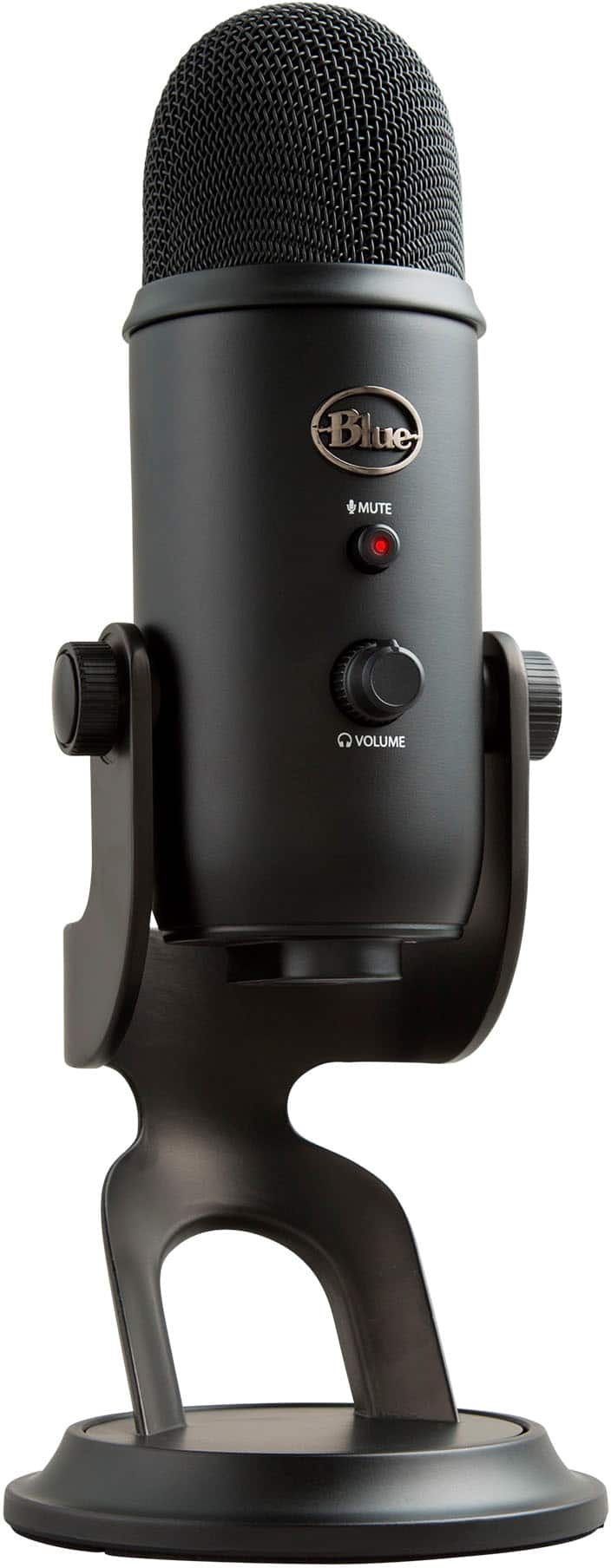
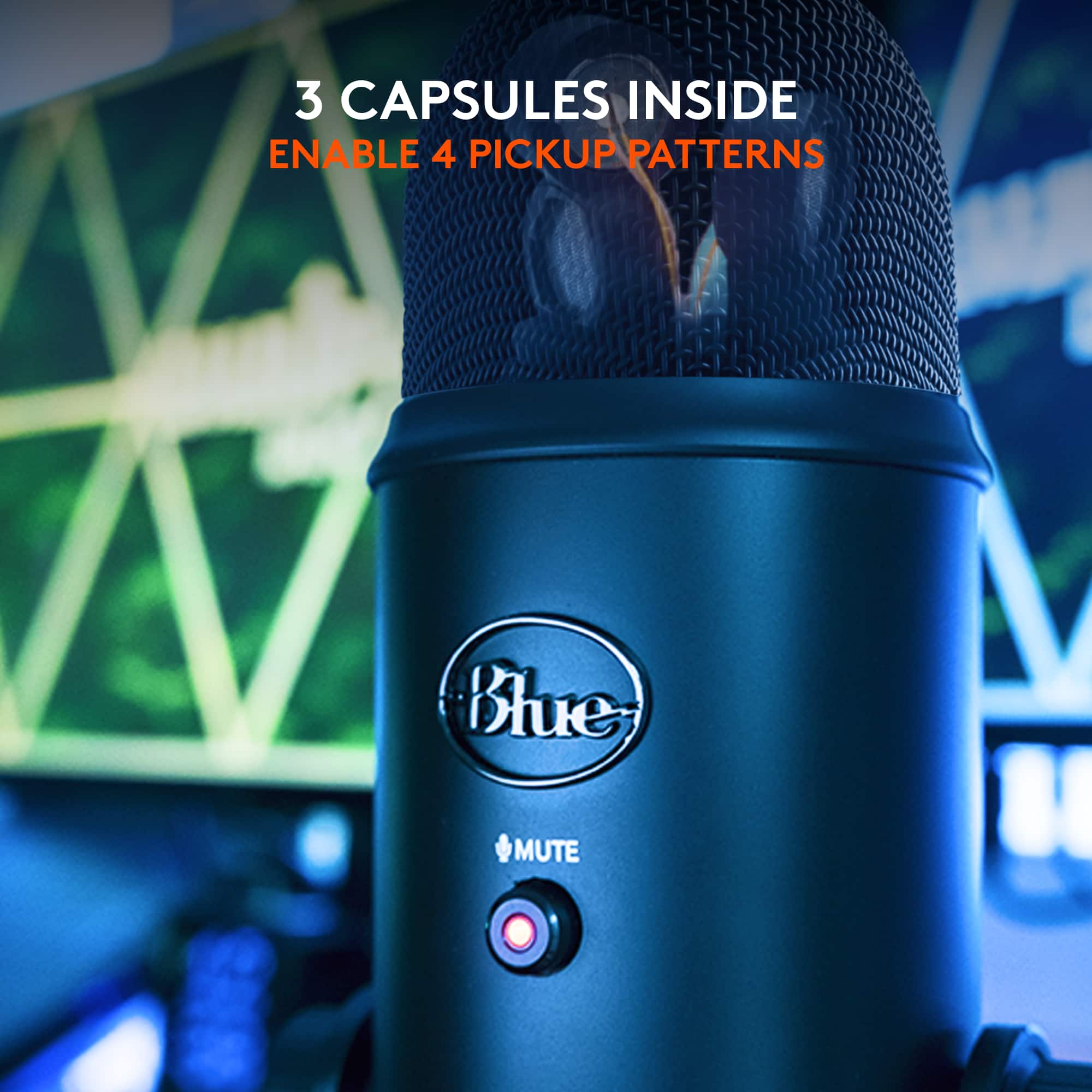
||Posted .This reviewer received promo considerations or sweepstakes entry for writing a review.I do a lot of audio recording so I needed to have something more focused on vocal work. My Snowball was great but due to being omni-directional it wasn't best suited to individual sound sources. This Yeti has 4 different modes; omni-directional, stereo, cardioid, and bi-directional. It's so easy to switch between the different modes with the built in dial. I love how the most important features are built into the hardware of the mic so I don't have to do a lot in my audio software. There are additional controls on the mic for gain, volume, and mute. The mute button is lit with a red led. It's easy to install. All I had to do is plug the micro USB into the bottom and into my laptop. It installed itself to my internet connected Windows 8 system within minutes. The only thing I had to tweak was the input/output settings of my pc audio. This is something I'm accustomed to, otherwise you can find tutorials online on how to do this. I was recording within minutes of opening the box. It's incredibly sensitive as well. I have to say; Blue makes some darn good mics. I think it's worthwhile to invest in a wind screen after using it and seeing the input in my audio program. I'll be getting a wind screen for it next. This mic cuts back on a lot of the work I had to do with the other mic by recording precisely in the directions I need it to. Sometimes I want the ambient sound that omnidirectional recording provides, and other times I can save time I would have spent in editing by using cardioid, stereo, or bidirectional, not having to edit out/eliminate the background sound. The design of the mic also allows you to adjust it in the stand or turn it facing down when it's not in use. The pegs on the side twist to tighten and hold it in the desired position. I noticed, like many others, that the upright position puts some minor stress on the micro USB port. It's not enough stress for me to see it as an issue but I'll certainly treat it with care and unplug the cord when it's not in use to reduce stress on the port. The swivel design of the mic makes it really easy to get to the USB and headphone jack. It can also be taken off the base and screwed into a boom stand because there's a screw port on the bottom. Placing it in a boom stand would likely reduce some of the bending of the cords but I will be using it as came, in its original stand, as a tabletop mic. I love the Blue Yeti and highly recommend it to others. With the 4 different directional recording modes it's appropriate for just about any type of audio recording; I can't think of anything else I could possibly need. I'm all set now... Although I love my Snowball and got a ton of use out of it, I should have just saved up for the Yeti right off the bat. I wasn't sure before, but now having used it, I feel it's well worth it for both hobbyists and professionals alike. It's great for podcasts, voice overs, interviews, music, and more. If I have any issues with it over time, I will certainly update my review, but my Yeti has been working great for all my audio needs.
I would recommend this to a friend - Pros mentioned:Ease of use, Sound quality
Blu mic
||Posted . Owned for 3 weeks when reviewed.This reviewer received promo considerations or sweepstakes entry for writing a review.I love this microphone. I was even able to connect it to my iPhone via lightning connector. The audio is crisp, and even can adjust to different settings to pick up audio from different areas of the room therefore giving you a new perspective.
I would recommend this to a friendBrand response from Logitech
Posted .Thank you for the fantastic review! We're so glad to hear you love your Blue Yeti microphone. It's great to know that the crisp audio and multi-pattern settings are providing you with a new perspective on capturing sound. We also appreciate you sharing its successful connection to your iPhone—that's great feedback!
- Pros mentioned:Ease of use, Sound quality
Great versatile mic for speech and music.
||Posted . Owned for 1 month when reviewed.This reviewer received promo considerations or sweepstakes entry for writing a review.Using this at our church during COVID. Remarkably versatile. Improvement in sound of speech was immediately noticeable. Much stronger and clearer than the laptop mic or phone mics. Used it for recording some music, with singers sitting 5 feet in front, and me playing guitar 5 feet back to stay socially distanced. Took a few takes for us to get the adjustments right, but with a simple gain knob right on the microphone, and 4 different mic patterns selectable just as easily, we figured out the perfect balance pretty quickly. Then we recorded a song using a backing track coming over a sound system. Took us two tries to get the settings right, but excellent quality in the end. My Martin sounds great through this mic. Got us into the neighborhood of recording studio quality while being super simple and easy. If you remember to bring some over ear headphones, getting the settings right is much quicker and easier. Great value for the price, I feel like we got about 6 different setups in one package.
I would recommend this to a friend - Pros mentioned:Sound qualityCons mentioned:Size
Yeti is just ok, Hyper X Quadcast S is better!
||Posted . Owned for less than 1 week when reviewed.This reviewer received promo considerations or sweepstakes entry for writing a review.Overall review/pro and con at bottom Ok I'm not a mic expert but I am wrting this to help people make an informed decision on buying Mics. So I bought he Yeti along with 2 other mics and compared them all using Nvidia Geforce Experience recording and obs studio w/ and w/out the standard obs filter plugins. I even tested them out with the third party reaper filter plugins for obs studio. The Samson Meteor Mic ($70)and the Hyper X Quadcast S ($160) are the other mics I compared to the yeti. I'm going to tell you how each mic did in comparison then give you the reason why I gave the Yeti a 3 star rating. Also keep in mind I am using a gaming laptop with an occasional loud fan. The Meteor says its for streaming, gaming and practical means. However it picks up a lot of background noise even with the obs stuio plugins. Even the reaper plugins didnt make much difference. I can hear keyboard sounds, my pc's fan, my chair, faint echos of family down the hall. I think this mic was intended for a regular laptop (no fan) in a quiet place. The yeti was the one mic I kept seeing every where for gaming and practical means. Unlike the samson metoer, it has 4 polar modes knob and a gain control know. The polar modes helps the mic best suit the situation like for interviews, streaming, multi voices, and instruments. All this means is the mic only picks up audio from either one or multiple sides. For example the streaming option only picks up from one side greatly helping reducing background noise. I tested it w/out any plugins and it does okay. Its much better than the Samson Meteor. Then I tested the mic w/ the standard obs plugins and then the reaper. The reaper plugins helped the audio the most especially with the noisegate plugin which doesnt let audio record unless it it reachess a certain loudness. It minimize the background sounds even more so. I even tested the mic up closer with the mic tilted it sounds really good, but you have to adjust the gain knob so you are not too loud. The test with Geforce Experience has no filter plugin, but the audio still sounded really warm had some base. I was still able to hear some background noise though. The last mic I test and compared ws the Hyper X Quadcast S. This mic is intended for gaming but can be used for other means use as interviews, podcast etc. I found this mic to be more forgiving than the other two mics. So this mic has the same 4 polar options knob, gain knob, and mute button. However, there is a few things that this mic does different that is noticeable. Buttons/knobs are smooth and quiet. Its lighter and slightly smaller than the yeti. Its has rgb lighting that the yeti does not. In relation to the mute button, you just tap the top of the mic and them mic mutes and at the same time the rgb lights turn off indicating the mic is mute. Yeti just has a light for mute indication. The Hyper X has an anti shaking mechnism which reduces sounds and unwanted noise. Yeti has no such thing. The hyper x even has an internal pop filter inside of it. Yeti does not. Upon testing in obs, the hyper x does really great at reducing background noise. I think better than the yeti. The reaper plugins have to be re-adjusted. For instance there is a reaper plugin filter called reapfir that you can use to subtract noise when you pc is at idle such pc fans. You have to let what ever mic currently plugin record idle sound without doing anything in order for it to work. With the gain knob all the way up, the hyper x didn't pickup the fan what so ever unless you put it really close to my pc's fan like touching. The yeti I notice was able to pick up my pc's fan without being close. I dont know if this has to do the yeti not having a pop filter or slightly being worse at filtering background noise or what. This is when I noticed the gain knob on the yeti was better than the hyper x but that can also be a bad thing filtering out sounds. Then I noticed the noisegate reaper plugin had to be re-adjusted because the hyper x wasnt picking audio as senstive as the yeti. Which is good because I dont want the background noise but I had to adjust the noise gate so my voice can be heard. When I test it out with the Nvidia Geforec experience recording, it sounded like a studio recording like a youtube content creator. Keep in mind the geforce experience has no filters. Overall give the 3 stars because although it has better gain control, the hyper x quadcast s does a better job at filtering out background noises even without plugin filters. The yeti lacks a pop filter, and anti-shaking mount. Despite being able to tilt foward, the hyper x quadcast s picks up audio better. Pros/cons Samson Meteor Pro -portable -for practical uses like interviews -basic mute button -basic gain knob -light Con -not for gaming/fan audio gets recorded -no polar modes -no anitshake mount -no rbg light Yeti Pro -polar modes -tilt mic -grain control knob Con -heavy -no rgb lighting -polar mode knob on back/makes sounds adjusting -no pop filter -no anti shake mount Hyper x quadcast s Pro -light -rbg lights/works with mute -knobs/buttons are super quiet/ visibly in front -gain knob -polar mode knob -antishake mount -internal popfilter -better at reducing background noise than yeti -more forgiving with audio Con -can tilt but only back -gain knob not as loud as yeti
I would recommend this to a friend - Pros mentioned:Ease of use, Sound quality
Fantastic microphone
||Posted . Owned for 4 months when reviewed.This reviewer received promo considerations or sweepstakes entry for writing a review.Super easy to use microphone, simple to setup, great quality audio for gaming and streaming.
I would recommend this to a friendBrand response from Logitech
Posted .Thanks for taking a moment to share your experience. We’re so glad the product is working well for you. Your support means a lot and helps us keep improving.
- Pros mentioned:Ease of use, Sound qualityCons mentioned:Size
Great sound quality!
||Posted .This reviewer received promo considerations or sweepstakes entry for writing a review.Sound quality is very good and the microphone has multiple options for picking up sound: stereo, bidirectional, omnidirectional and "cardioid" making it very versatile. The one negative thing is it is a rather large and heavy microphone, but that also means it isn't going to tip over or fall with just a slight bump, like some smaller microphones might do.
I would recommend this to a friend - Pros mentioned:Ease of use, Price, Sound quality
Great podcasting mic!
||Posted . Owned for 6 months when reviewed.This reviewer received promo considerations or sweepstakes entry for writing a review.I bought this for my son who wanted to get into podcasting. It's simple to use, sounds great, and was a much easier 'Step 1' solution for him than having a separate audio interface, microphone, monitoring, etc. He also uses it for things like VOIP call and online gaming and it seems to work well for those to.
I would recommend this to a friend - Pros mentioned:Ease of use, Sound qualityCons mentioned:Size
large but effective
||Posted . Owned for 3 weeks when reviewed.This reviewer received promo considerations or sweepstakes entry for writing a review.hook up is easy. this is fairly large as far as peripherals on desktop. I use mine as mic but speakers as direct connect from monitor to pc (and this occasionally causes problems because the yeti "speaker" setting tries to take primary in some applications). will likely try to swap that connection and see if it resolves the issue. pickup is good so I don't have to yell to be heard in my meetings anymore
I would recommend this to a friend - Pros mentioned:Ease of use, Sound quality
Buy Blue and You Won't Get the Blues
||Posted .This reviewer received promo considerations or sweepstakes entry for writing a review.Blue Microphones and Headphones are the "go to" for quality and performance. Prior to this purchase, I splurged on a pair of Blue headphones and have never regretted my decision. Unlike many headphones on the market, these were made to last. I needed to do some high quality voice recording and I tried a musician level microphone and a analog/digital converter. This set-up is complicated and I wasn't happy with the results. I decided to go with a USB microphone and Blue was the obvious choice. It's well made, metal housing not plastic, and has a variety of features. One the is really handy is the pattern selection switch. It makes the microphone very versatile. The mic is hooked up and I use for all applications from Zoom to recording. In addition to upgrading my microphone, I also upgraded my camera. Zoom calls look and work much better if you upgrade from the standard laptop cameral/microphone. Pick Blue for your microphone.
I would recommend this to a friend - Pros mentioned:Ease of use, Sound quality
Perfect
||Posted . Owned for 3 weeks when reviewed.This reviewer received promo considerations or sweepstakes entry for writing a review.The Blue Yeti microphone stands out as an exceptional piece of audio equipment in its price range. With its robust build quality, sleek design, and versatile polar patterns, it caters to both beginners and experienced users. The sound clarity and depth it delivers are truly impressive, making it a popular choice for podcasters, streamers, and musicians. Its plug-and-play usability is a bonus, eliminating the need for complicated setups. Overall, the Blue Yeti offers outstanding value for its cost, solidifying its reputation as a top-tier microphone in the market.
I would recommend this to a friend - Pros mentioned:Sound quality
Excellent for Voiceover on Final Cut Pro Video
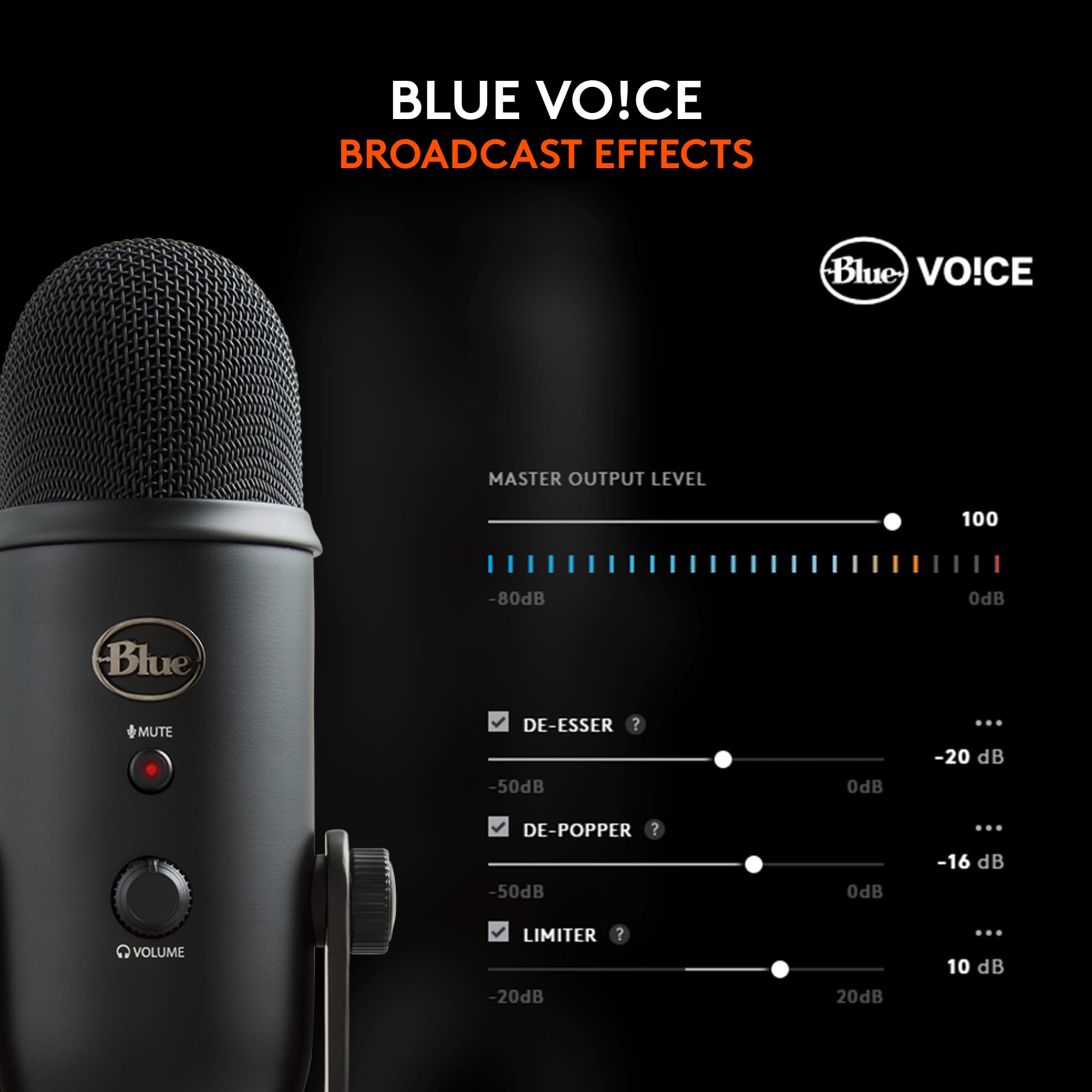
||Posted .This reviewer received promo considerations or sweepstakes entry for writing a review.Very pleased with the microphone. It was used as a voiceover for Final Cut Pro videos using the cardiod setting. The software allows a number of different preset voice adjustments you can select from a menu. Readily accepted by my iMAC.
I would recommend this to a friendBrand response from Logitech
Posted .Thanks for your review! It’s great to know our product is living up to your expectations. Your support helps us stay focused.
- Pros mentioned:Sound quality
Clear and clean response!
||Posted . Owned for 3 weeks when reviewed.This reviewer received promo considerations or sweepstakes entry for writing a review.Such clear and clean pickup. Using this mic for singing. Sturdy heavy base, easy hookup to pc desktop computer. Works well with Audacity. This is the first mic I've bought.
I would recommend this to a friendBrand response from Logitech
Posted .Thank you for sharing your wonderful experience with the Blue Yeti microphone. We truly appreciate your feedback and are delighted to hear it’s serving you well for singing and recording with ease.
- Pros mentioned:Sound quality
Worth it
||Posted . Owned for 9 months when reviewed.This reviewer received promo considerations or sweepstakes entry for writing a review.I think this mic is very good and professional. It allows you to increase the volume on the mic and it has different setting for different modes. I believe this product is worth it
I would recommend this to a friendBrand response from Logitech
Posted .Thanks for sharing your experience—it’s always a pleasure to hear from happy customers. We’re delighted that our product is serving you well and making a difference in your day-to-day routine. We appreciate your trust in Logitech.