Customer Ratings & Reviews
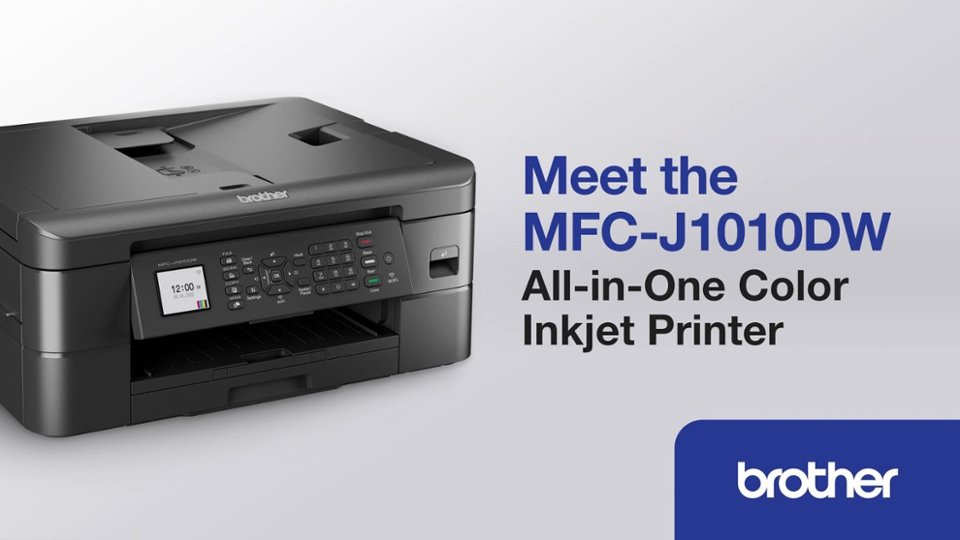
- Model:
- MFCJ1010DW
- SKU:
- 10752985
Rating by feature
- Value
Rating 4.6 out of 5 stars
- Quality
Rating 4.5 out of 5 stars
- Ease of Use
Rating 4.5 out of 5 stars
to a friend
Copythat!!!…
Posted .This reviewer received promo considerations or sweepstakes entry for writing a review.Perfect for my home,easy set up,took very little time to set-up on my computer &Iphone
I would recommend this to a friendmrs
Posted .This reviewer received promo considerations or sweepstakes entry for writing a review.my daughter loves it she it works great and she happy with it.
I would recommend this to a friendJ1010DW
Posted .This reviewer received promo considerations or sweepstakes entry for writing a review.Excellent purchase good value easy to connect to wifi
I would recommend this to a friendGreat for home office!
Posted .This reviewer received promo considerations or sweepstakes entry for writing a review.Works great! Quality is good considering the price point. Great for home office!
I would recommend this to a friendNot the best Brothers printer
Posted .This reviewer received promo considerations or sweepstakes entry for writing a review.My third brothers printer over the years, it is not the best. Prints extremely slow and I have been having a hard time finding the LC401 ink cartridges. It is out of stock on brother’s website. Local office supply stores are out of stock or available 20 + miles away for pick up. Ordered a few online and unfortunately ups delivered to wrong address so have to buy again. I print for work so I used a 4 pack of ink cartridges every month. I might just buy a different printer that has ink cartridges more readily available or a generic version. Also the previous brother printer app was I think more user friendly. Printing quality has been very good just like my previous Brother printers.
No, I would not recommend this to a friendBrand response from Brother
Posted .We would like to take this opportunity to thank you for your feedback. We are sorry to hear that you are not satisfied with your Brother MFCJ1010DW. At Brother, customer satisfaction is something we take seriously. Your feedback is important to us and will be reviewed to help us improve our future products.
You are a valued customer to us. We would like to hear more details to be able to better assist you. Our Brother customer support team is available to assist you directly at www.brother-usa.com/brother-support
Good printer
Posted .This reviewer received promo considerations or sweepstakes entry for writing a review.It works faster than the HP printer I returned. So far so good
I would recommend this to a friendPleased overall.
Posted .This reviewer received promo considerations or sweepstakes entry for writing a review.So far we’re pleased with this printer. Takes up less desk space than the HP we replaced. I’m not very tech savvy and set up was fairly easy although the small screen made it hard to read directions and entering info was tedious. Working well now that it’s up and running. A bit noisier than the HP but hopefully it will hold up better.
I would recommend this to a friendBrother printer
Posted .This reviewer received promo considerations or sweepstakes entry for writing a review.Didn’t work as seamlessly as advertised with AirMAC OS. Still having issues with it being recognized on the local network after it goes offline while sleeping. Other features make it worth the cost.
I would recommend this to a friendBrother All-in-one
Posted .This reviewer received promo considerations or sweepstakes entry for writing a review.So far it's working great. It's very quiet, which we like a lot.
I would recommend this to a friendGreat printer, excellent scanning
Posted .This reviewer received promo considerations or sweepstakes entry for writing a review.Excellent printer for the price. Setup was easy, the scans so far have been perfect and clear. Printing is a little slow, but for the price, it seems quite reasonable.
I would recommend this to a friendSurvey of purchase.
Posted .This reviewer received promo considerations or sweepstakes entry for writing a review.I'm very happy with my purchase of this brother printer. Just not with getting an email stating that my purchase would be delayed and then getting another email an hour later stating that my purchase is on the way. Someone needs to make up their minds
I would recommend this to a friendGreat printer
Posted .This reviewer received promo considerations or sweepstakes entry for writing a review.I love the one I have. This will be my 3rd one. Love love love it
I would recommend this to a friendHappy Printer
Posted .This reviewer received promo considerations or sweepstakes entry for writing a review.Good affordable all-in-one printer Ink is reasonably priced and good quality Brother has been my last four products and much better and easier to use than others
I would recommend this to a friendbrother
Posted .This reviewer received promo considerations or sweepstakes entry for writing a review.great printer for the price. Only problem i've encountered is the little tray that is supposed to catch the printed sheets fails to come out and the paper falls on the floor
I would recommend this to a friendSAVE YOURSELF MONEY AND BUY A DIFFERENT MACHINE!
Posted .This reviewer received promo considerations or sweepstakes entry for writing a review.First, I want to say that this machine is easy to use. Software is good, fax and scanning are fine. And the printer is INEXPENSIVE to purchase, right? But this thing gobbles up ink! We never print in color and yet we've had to change the color cartridges-twice! (the Brother tech told me that this machine uses small amounts of color ink when printing/maintenance)The black ink doesn't last like other printers we've had or that I've used at work. We will be tossing this printer in the trash because we've calculated that it will be more cost effective to buy another printer that uses much less ink than keep on paying to replace the Brother ink. Stay away.
No, I would not recommend this to a friendBrand response from Brother
Posted .Thanks for taking the time to review your experience with the Brother MFCJ1010DW. We appreciate your feedback. I understand you are planning to return the Brother MFCJ1010DW. If you still have the machine, we’d like an opportunity to help. Please contact us directly at:
https://www.brother-usa.com/support/MFCJ1010DW
NOTE: The Brother MFCJ1010DW is designed to stop ALL printing operations when any of the ink cartridges have reached their end-of-life. This is to ensure the life of the printhead and to maintain premium print quality. Some ink from all the ink cartridges is used in periodic cleaning cycles. This helps to prevent issues such as printhead clogs and poor print quality. There is no way to bypass this feature.
If one or more color ink cartridges are low but not at the end of their usable life and you want to minimize the use of color ink, change the settings in the Brother software to print with black ink only (grayscale). If you print with black ink only, the other ink cartridges must have ink for the printer to print. When an ink cartridge is depleted, you must replace it before you can print.
If you print with black ink only, the printer may still use small amounts of ink from all the ink cartridges for occasional servicing tasks. Brother recommends that you replace any low ink cartridges to avoid any interruptions in printing.
Below is a link for how to put the Brother MFCJ1010DW in black and white mode.
Answer Link: https://help.brother-usa.com/AgentWeb/api/contextmanager/v.32407050004/workspaceContext/workspace/processedPrint/Answer/176522
Terrible Printer
Posted .This reviewer received promo considerations or sweepstakes entry for writing a review.Three printers died within seven months. This one is pathetic. After printing out less than twenty pages, it informed me that the 'black ink was low'. It would neither scan nor fax anything. I purchased this printer from Best Buy and they do not even sell the ink cartridges. Another complete waste of money and will be thrown in the trash.
No, I would not recommend this to a friendBrand response from Brother
Posted .We understand you're experiencing issues with your Brother MFCJ1010DW machine. We'd like to help. Please contact our Customer Service department and we will work with you to resolve these issues. Brother Customer Support Team is available to assist you direct: www.brother-usa.com/brother-support
Brother printer
Posted .This reviewer received promo considerations or sweepstakes entry for writing a review.It’s a little more than I need. But it is working fine. I loaded it on my section of the computer, thought It would be on the total computer but my wife had to do something to get it on her section.
I would recommend this to a friendUpgrade
Posted .This reviewer received promo considerations or sweepstakes entry for writing a review.Bought to replace my 9 year old MFC-J475DW which is basically the same with lots of upgrades. No brainer to upgrade for $80.
I would recommend this to a friendThe Bible
Posted .This reviewer received promo considerations or sweepstakes entry for writing a review.I am happy with it. Does what I need. If you want more, I can keep talking by the sun social. Goody. I got my 50 characters.
I would recommend this to a friendGreat printer
Posted .This reviewer received promo considerations or sweepstakes entry for writing a review.Works great. Love this printer. I wish it was a bit more compact but it is still small enough.
I would recommend this to a friend