Customer Ratings & Reviews
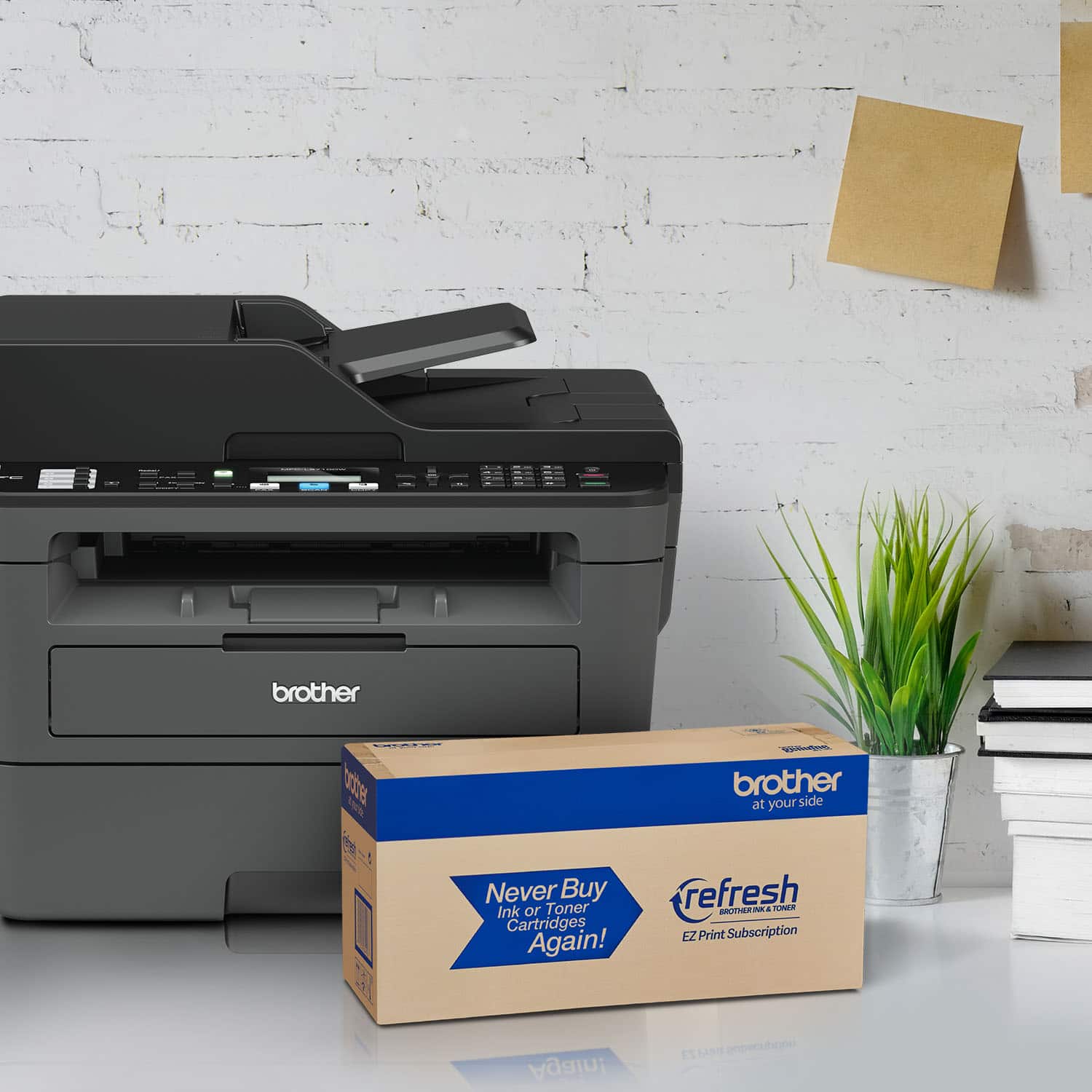
- Model:
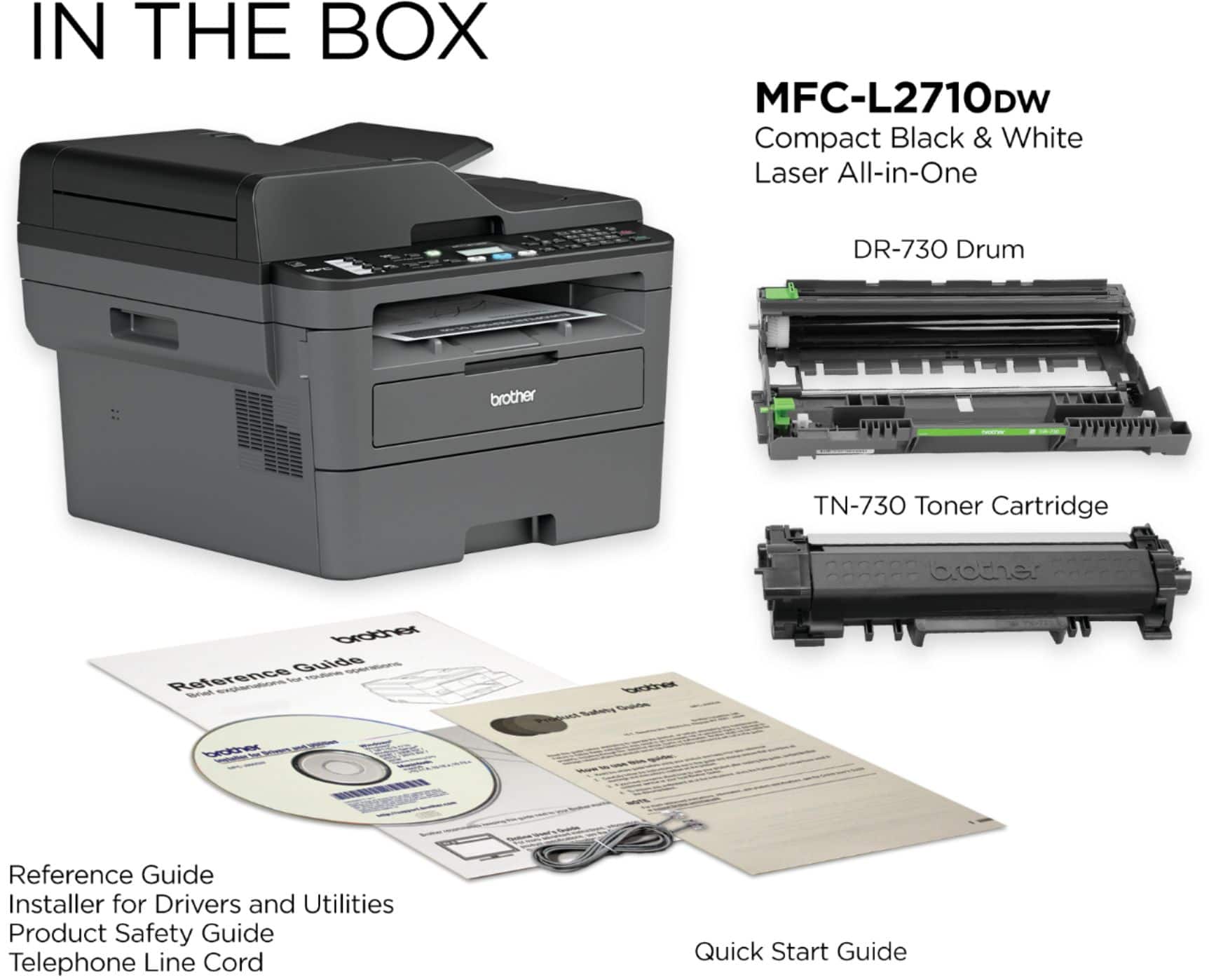
- MFC-L2710DW
- SKU:
- 6138321
Rating by feature
- Value
Rating 4.6 out of 5 stars
- Quality
Rating 4.6 out of 5 stars
- Ease of Use
Rating 4.4 out of 5 stars
Customers are saying
Customers commend the MFC-L2710DW for its excellent print quality, ease of use, and reliability. Many appreciate its wireless functionality, affordable price, and straightforward setup. Positive feedback also highlights the printer's compact size and quiet operation. While some users found the software needed improvement, the overall experience is largely positive.
This summary was generated by AI based on customer reviews.
Probably should have paid $50 more for the 2750.
||Posted . Owned for 1 month when reviewed.This reviewer received promo considerations or sweepstakes entry for writing a review.Not as user-friendly as our old Brother MFC, but that model is no longer available. I did not notice in the specs that two-sided scanning is not possible, which is a slight nuisance. Both the control panel as well as the computer controls are less easy to navigate.
No, I would not recommend this to a friendworks well
||Posted . Owned for 6 months when reviewed.This reviewer received promo considerations or sweepstakes entry for writing a review.Definitely a good unit so far it's been effective for use.
I would recommend this to a friendGreat for home and small business!
||Posted . Owned for 1 week when reviewed.This reviewer received promo considerations or sweepstakes entry for writing a review.I bought this printer for home use and for my small business.
I would recommend this to a friendgreat copier,fax,scanner, could improve on user di
||Posted . Owned for 3 weeks when reviewed.This reviewer received promo considerations or sweepstakes entry for writing a review.great copier,fax,scanner, could improve on user directions
I would recommend this to a friendGreat product
||Posted . Owned for 2 weeks when reviewed.This reviewer received promo considerations or sweepstakes entry for writing a review.Very good product, great value for the price paid.
I would recommend this to a friendLaser printer
||Posted . Owned for 1 month when reviewed.This reviewer received promo considerations or sweepstakes entry for writing a review.Good could be better. Need more instructions for use.
I would recommend this to a friendLooks like a good value
||Posted . Owned for 1 month when reviewed.This reviewer received promo considerations or sweepstakes entry for writing a review.Printer seems a good value and toner replacement seem reasonable
I would recommend this to a friendGreat
||Posted .This reviewer received promo considerations or sweepstakes entry for writing a review.Just love it and for what i need it is just perfect.
I would recommend this to a friendPerfect for office
||Posted .This reviewer received promo considerations or sweepstakes entry for writing a review.this was a perfect replacement item for our office.
I would recommend this to a friendMISSING SIMPLE FUNCTIONS
||Posted . Owned for 1 month when reviewed.This reviewer received promo considerations or sweepstakes entry for writing a review.This printer will NOT scan 2 sides of a page. It will NOT print PDF previews, I have to save the file and then print. WHAT A PAIN !!
No, I would not recommend this to a friendBrand response from Brother
Posted .We would like to take this opportunity to thank you for your feedback. We are sorry to hear that you are not satisfied and having issues with your Brother MFCL2710DW. At Brother, customer satisfaction is something we take seriously. Your feedback is important to us and will be reviewed to help us improve our future products.
Unfortunately, the Brother MFCL2710DW is not able to duplex scan, but on the other issue for the print PDF. We would like to hear more details to be able to better assist you. Our Brother customer support team is available to assist you directly at www.brother-usa.com/brother-support.
simple/efficent
||Posted . Owned for 3 weeks when reviewed.This reviewer received promo considerations or sweepstakes entry for writing a review.it does everything that I need....thats why I purchased it
I would recommend this to a friendok
||Posted . Owned for 1 month when reviewed.This reviewer received promo considerations or sweepstakes entry for writing a review.seems to be working well..too bulky would have liked a smaller size.. toner that arrived isnt a full amount in it and no instruction booklet came with packing
I would recommend this to a friendBrand response from Brother
Posted .We understand you are missing the instruction booklet for your Brother MFCL2710DW machine. Manuals for the MFCL2710DW can be found on our support page using the link below:
https://support.brother.com/g/b/manualtop.aspx?c=us&lang=en&prod=mfcl2710dw_us_eu_as
Brother printer was problematic
||Posted . Owned for 1 year when reviewed.This reviewer received promo considerations or sweepstakes entry for writing a review.I didn't have this printer long before I had an issue. It started making a noise when I tried printing and then I would get an error message. I had Geek Squad come out and they got it working, but could not stop the noise it would make when it printed. I settled for that at first but decided that it might stop working up the road. So I had Best Buy (I had a protection plan with Best Buy) replace my purchase with a different printer.
No, I would not recommend this to a friendoperating manual for MFC L2710DW printer?
||Posted . Owned for 3 weeks when reviewed.This reviewer received promo considerations or sweepstakes entry for writing a review.Because I did not receive an operating manual and cannot find one on-line I have not been able to use the scanner in my printer. I would very much like to have help learning how to use it.
I would recommend this to a friendBrand response from Brother
Posted .We are sorry to hear that you are experiencing difficulties the Brother MFC-L2710DW and we'd like to help. In an effort to reduce use of natural resources and avoid waste, we have decided to eliminate printed manuals/user guides from many of our products. You can find manuals and FAQs on our support website, or contact Brother Customer Service directly at https://www.brother-usa.com/support/mfcl2710dw
Works well when connected
||Posted . Owned for 3 weeks when reviewed.This reviewer received promo considerations or sweepstakes entry for writing a review.If connected with a cable, this printer is wonderful; however, no matter what I try, I cannot print to it wirelessly. I have downloaded the proper files and have researched but nothing seems to help
I would recommend this to a friendBrand response from Brother
Posted .Hi, we understand you are experiencing an issue with your network connection. We'll be happy to help. Below are some important points to assist you.
https://support.brother.com/g/b/faqend.aspx?c=us&lang=en&prod=mfcl2710dw_us_eu_as&faqid=faq00002806_010
If you continue to have issues, our Brother Customer Support Team is available to assist you direct:
https://www.brother-usa.com/brother-support
Printer
||Posted . Owned for 3 weeks when reviewed.This reviewer received promo considerations or sweepstakes entry for writing a review.Printer works fine and toner reasonably priced. Only issue is when printing a lot of pages at once it jwms and says no paper even though paper bin is full.
I would recommend this to a friendBrand response from Brother
Posted .We are sorry that you are experiencing jam issues with your Brother MFCL2710DW machine and we understand your disappointment. If you continue to have issues, our Brother Customer Support Team is available to assist you direct: www.brother-usa.com/brother-support
paper jammed.
||Posted . Owned for 1 year when reviewed.This reviewer received promo considerations or sweepstakes entry for writing a review.got this for my office use, printers works fine at times but got issues with the paper loader, error message keeps showing as paper jammed.
No, I would not recommend this to a friendBrand response from Brother
Posted .We understand you're experiencing paper jam issues with your Brother MFCL2710DW machine. We'd like to help. Please contact our Customer Service department and we will work with you to resolve this issue. Brother Customer Support Team is available to assist you direct: www.brother-usa.com/brother-support
Feel cheated
||Posted .This reviewer received promo considerations or sweepstakes entry for writing a review.This Brother MFC states you get up to 3 thousand copies from a toner cartridge. Less than 200 copies done and I’m already getting low toner message. Don’t believe what you read!
No, I would not recommend this to a friendBrand response from Brother
Posted .We understand that you are unhappy with the toner yield of the Brother MFC-L2710DW printer. Stated page yields for genuine Brother cartridges are based on the ISO/IEC 19752 testing standards. The number of pages that can be printed with a cartridge is affected by several factors, including paper size, number of pages per print job, amount of print on each page, font size, and print content. Print jobs with large text fonts, graphics, charts, and/or large amount of solid coverage will use much more toner and, naturally, will shorten the life of the toner cartridge. For more information, feel free to contact Brother Customer Service directly at https://www.brother-usa.com/support/mfcl2710dw
Printer review.
||Posted . Owned for 1 month when reviewed.This reviewer received promo considerations or sweepstakes entry for writing a review.I am not very happy with my printer. First, it was difficult to get it to work. I got help from one of their customer service reps, she got it to work for me. I printed a few pages the first day, wasn't happy about how the pages came out. A few days later, I tried to print something and it wouldn't work. It seems as though I am going to have to call them again to get it to work again. I don't think anyone should have to go through such a hard time to just hook up a printer. Not happy at all.
No, I would not recommend this to a friendBrand response from Brother
Posted .We are sorry to hear that you are experiencing connection issues with your Brother MFC-L2710DW printer and we'd like to help. We have many helpful resources on our support website which should help. If the problem persists, feel free to contact Brother Customer Service directly at https://www.brother-usa.com/support/mfcl2710dw
Product and Support BEYOND POOR
||Posted . Owned for 3 weeks when reviewed.This reviewer received promo considerations or sweepstakes entry for writing a review.Product works partially. Unable to scan witn USB. NO SUPPORT from Brother except hundreds of pages of manual made for 15 different printers. Best Buy is worthless for support. Must pay for support if printer is not "BROKEN". APPLE helps me for 3 hours we gave up. Between Brother and BEST BUY do not buy the Brother products and certainly not from Best Buy.
No, I would not recommend this to a friendBrand response from Brother
Posted .We understand the scan feature is not working properly on your Brother MFCL2710DW machine. We'd like an opportunity to guide you through adjusting the scan settings. Our Brother Customer Support Team is on stand-by to provide quality products and service to our customers via online, email or live chat: www.brother-usa.com/brother-support