Customer Ratings & Reviews
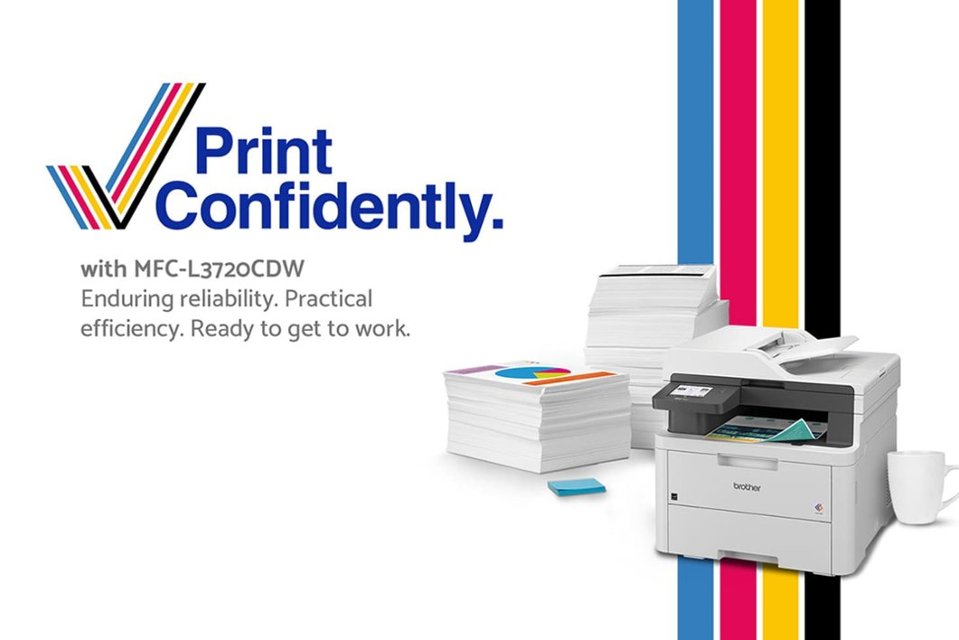
- Model:
- MFC-L3720CDW
- SKU:
- 12638422
Rating by feature
- Value
Rating 4.5 out of 5 stars
- Quality
Rating 4.7 out of 5 stars
- Ease of Use
Rating 4.5 out of 5 stars
Customers are saying
Customers are satisfied with the excellent print quality and the overall reliable performance of this printer. Users frequently highlight how simple the setup process is and appreciate the convenience of its multiple connectivity options. Additionally, the device is praised for its quiet operation, compact size, and responsive full-color touchscreen.
This summary was generated by AI based on customer reviews.
Brother Printer
||Posted . Owned for 1 month when reviewed.This reviewer received promo considerations or sweepstakes entry for writing a review.Pleased with the printer. It has the attachments for printing checks, envelopes, forms and other special items that I use.
I would recommend this to a friendGoo copy-print machine
||Posted . Owned for 9 months when reviewed.This reviewer received promo considerations or sweepstakes entry for writing a review.This has been a really good machine for home use. It has been really dependable.
I would recommend this to a friendEverything in one!
||Posted . Owned for 1 month when reviewed.This reviewer received promo considerations or sweepstakes entry for writing a review.Fast and efficient, just what I was needing in the workspace.
I would recommend this to a friendOutstanding print quality
||Posted . Owned for 1 month when reviewed.This reviewer received promo considerations or sweepstakes entry for writing a review.Brother printers are always top notch, in addition being the Best Buy member, it was flawless delivery and setup.
I would recommend this to a friendBrother products are the best
||Posted . Owned for 1 month when reviewed.This reviewer received promo considerations or sweepstakes entry for writing a review.Brother products are the best. The ADF is great to have for scanning.
I would recommend this to a friendDon't get a Brother printer
||Posted . Owned for 6 months when reviewed.This reviewer received promo considerations or sweepstakes entry for writing a review.I purchased this in September 2024 and by March 2025 I was tossing it in the garbage. They would not honor the warranty without me experimenting with replacing all 4 drum units (though all 4 still had 86% life) and then if that did not fix the problem they would honor the warranty. That "experiment" would cost me as much as buying a new printer so financially made no sense. So, in summary, this printer last me only 6 months in an office with minimal printing and Brother was not the least bit helpful.
No, I would not recommend this to a friendBrand response from Brother
Posted .Thanks for taking the time to review your experience with the Brother MFCL3720CDW. We appreciate your feedback. I’m sorry to hear your experience with Brother Customer Service was poor and that you are planning to throw away the Brother MFCL3720CDW. If you still have the machine, we’d like an opportunity to help. Please contact us directly at:
https://www.brother-usa.com/support/MFCL3720CDW
Disappointing
||Posted .This reviewer received promo considerations or sweepstakes entry for writing a review.This printer is advertised as a wireless printer, but it does not have the capability to be a network printer. It would be fine for just one person, but not for an office with multiple staff members.
No, I would not recommend this to a friendBrand response from Brother
Posted .Thanks for taking the time to review your experience with the Brother MFCL3720CDW. We appreciate your feedback. I’m sorry to hear that you are having wirerless connection issues with the Brother MFCL3720CDW. I sincerely apologize for any inconvenience this issue may have caused you. We can help with that.
Please be advised, the Brother MFCL3720CDW is able to connect wireless.
I have included a link to the FAQ answer that should assist you. Please follow all the steps listed in the following link:
Answer Link: https://help.brother-usa.com/AgentWeb/api/contextmanager/v.32505160004/workspaceContext/workspace/processedPrint/Answer/185360
If you still have difficulties please contact Brother Customer Service at:
https://www.brother-usa.com/support/MFCL3720CDW
- Pros mentioned:Connectivity, Print quality

Brother Printers Continue To Amaze
|Posted .This reviewer received promo considerations or sweepstakes entry for writing a review.I have never met a Brother printer that I didn't like and the MFC-L3720CDW is no exception. Between the print quality, the accessibility of all of the important functionality, the common-sense layout of the controls, the multi-page scanning ability, the simple copy ability, and the compact form factor of the entire device, this Brother color laser printer is a must have for any small business owner, especially if you're working from home. If you handle a large number of documents, this will replace at least 3 of your devices (your standalone bulk scanner and copy machine and whatever you're currently using to print now). The handling of smaller form factor items like labels for shipping and envelopes is pristine. There's very little noise while it's operating and the printer itself is very responsive. The best part: the printer JUST WORKS. From AirPlay to Bluetooth to Windows to Apple... it's all ready go to. I have never had to fuss so little with a printer in my life. The connectivity to file systems (e.g. Google Drive or Dropbox, or even a stand-alone FTP server) along with the incredibly helpful app mean that you're pretty much good to go out of the box within 15-20 minutes. My sum total of two complaints: 1. Why can't this use the same toner as the previous models? It's practically a given that most of the market will be updating from the enormously popular hl-l3270cdw (which in and of itself is a fantastic printer!) Even an adapter would have been handy... it's just so silly and wasteful for a company that already does a ton to ensure you can recycle your print materials. 2. Why oh why must these things be packaged in hard foam? Again, Brother's environmental goals are well-known (https://www.brother-usa.com/environmental-programs) -- and yes, I get it, printers are heavy and fragile, but the amount of protective packaging was overkill and a partner program to help reduce the amount of tossed foam and packing material would be very, very welcome for the end-user who realistically won't be tossing the printer off a roof unless they really mean to. All told: stop shopping, you've found your all-in-one printer/scanner/copy workhorse.
I would recommend this to a friend Kris Parikh
||Posted . Owned for 8 months when reviewed.This reviewer received promo considerations or sweepstakes entry for writing a review.MFC-3720CDW has been a real lemon. I hardly had 40 pages printed and I had to replace ink cartridge twice. I have been trying to return for last 6 months no luck. The geek squad guy who had come to our place to repair MFC 8910 DW told us rather than replace a drum on 8910 we should buy a new color printer. He ordered and I am stuck with it. He also took away MFC8910 DW. I am a full service member for years. I am not happy with this geek squad purchase for me.
No, I would not recommend this to a friendNo even 1, but 0 Stars!
||Posted . Owned for 3 weeks when reviewed.This reviewer received promo considerations or sweepstakes entry for writing a review.No even 1, but 0 Stars! After 8 years, My very basic HP printer stopped working. As a teacher I wanted to try something new and reliable to keep me going when I need it the most. Consequently, on Jan 14th, I ordered a Brother brand, a very sophisticated I heard, but this printer would not connect permanently to Wi-Fi, neither stays ON for a long period of time. So when I need to print I have to get up from wherever I am to turn it on again, then wait and set it up to Wi-Fi because it disconnects whenever it wants. I received it on January 20th, so after trying for two weeks without success, my daughter suggested to give it another chance. She patiently spent time trying to make it work, she even tried one way and another from website, but same happened; now on Feb 11th no even 30 days, I read that time to return it has passed. Therefore, VERY, VERY disappointed!
No, I would not recommend this to a friendBrand response from Brother
Posted .We would like to take this opportunity to thank you for your feedback. At Brother, customer satisfaction is something we take seriously. We would love to hear from you with more details to be able to better assist you. Our Brother Customer Support Team is available to assist you direct: www.brother-usa.com/brother-support
- Pros mentioned:Connectivity, Print quality
Sooo much better than inkjet technology! Love it!!
|Posted .This reviewer received promo considerations or sweepstakes entry for writing a review.The Brother MFC-L3720CDW printer is a phenomenal piece of technology that I would highly recommend to anyone in need of a high-quality, reliable printer. This device has quickly become one of my favorite printers due to its many fantastic features and overall excellent performance. First off, let's talk about the print quality - it's astounding. Whether you're printing documents with text or full-color images, this machine delivers sharp, crisp output every time. And if speed is important to you (it certainly is for me!), then you'll be happy to know that this printer can churn out up to 25 pages per minute - lightning-fast! Another great thing about this device are its connectivity options. You can easily connect via Wi-Fi, Ethernet or USB - whatever suits your needs best. Plus, there's even support for mobile devices like smartphones and tablets so you can easily print from anywhere at any time without having to worry about being near your computer. One feature that really stands out on the Brother MFC-L3720CDW is its intuitive touchscreen display which makes navigating menus and settings an absolute breeze. Even people who aren't tech-savvy will find it easy to use thanks to the simple interface. And let's not forget about convenience either - this machine comes equipped with automatic duplex printing which means you'll save money on paper while helping the environment by reducing paper waste. Finally, perhaps one of the most compelling aspects of this printer is its durability and build quality. It feels solidly built and designed for reliability over a long period of time which gives peace-of-mind knowing that it won't break down anytime soon. All in all, I'm thoroughly impressed with how well-designed and functional the Brother MFC-L3720CDW printer truly is – making it definitely worth investing in today!!!!!!!!!
I would recommend this to a friend waste of time ordering
||Posted . Owned for 1 month when reviewed.This reviewer received promo considerations or sweepstakes entry for writing a review.I wouldn't know. The shipment was canceled by the seller and I never got the product.
No, I would not recommend this to a friendHorrible photo quality
||Posted . Owned for 2 weeks when reviewed.This reviewer received promo considerations or sweepstakes entry for writing a review.Worst photo quality ever. Tried all the Brother recommendations but it didn’t make a difference. Couldn’t return it fast enough.
No, I would not recommend this to a friend- Pros mentioned:Print quality
Multi Function Printer for Home or Office use
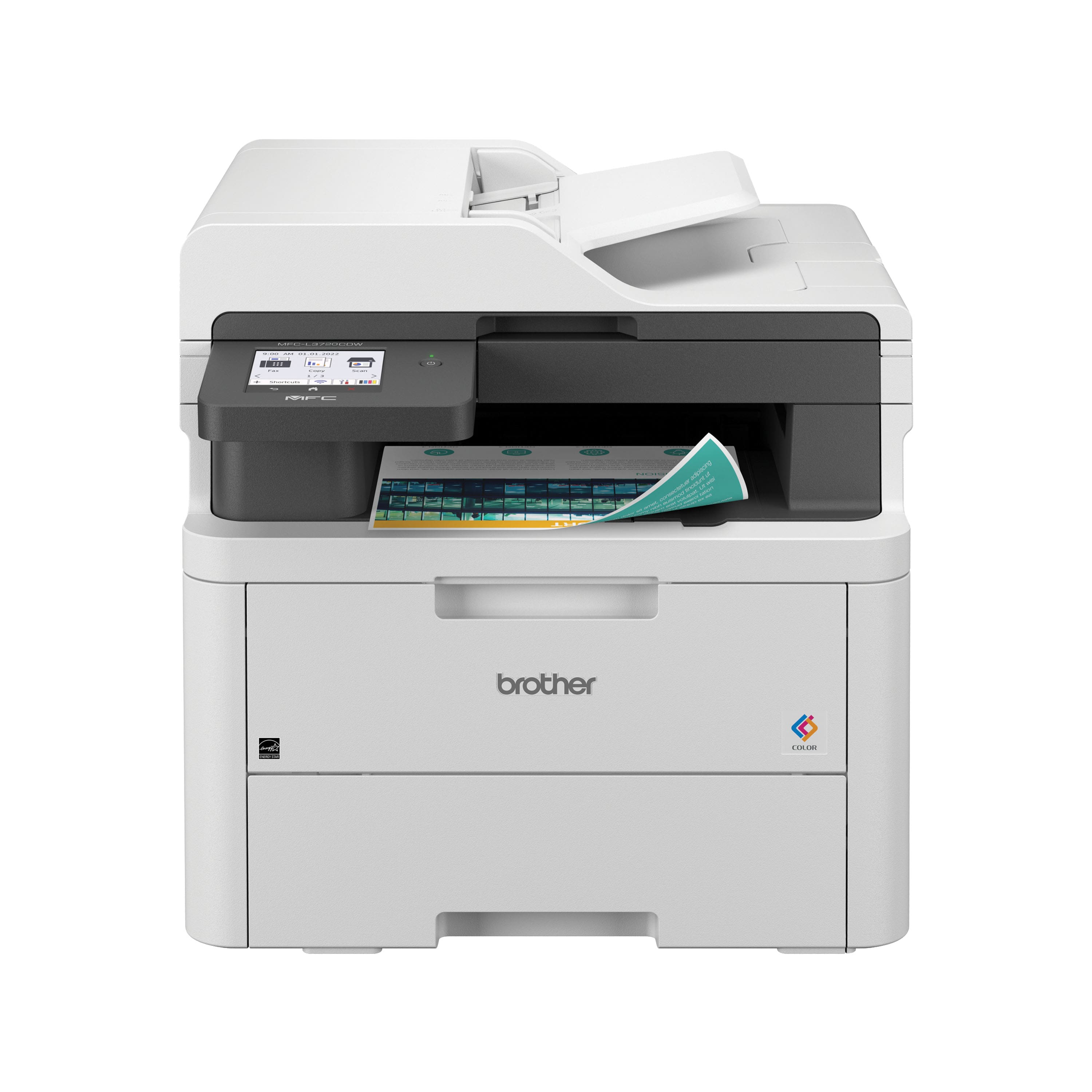
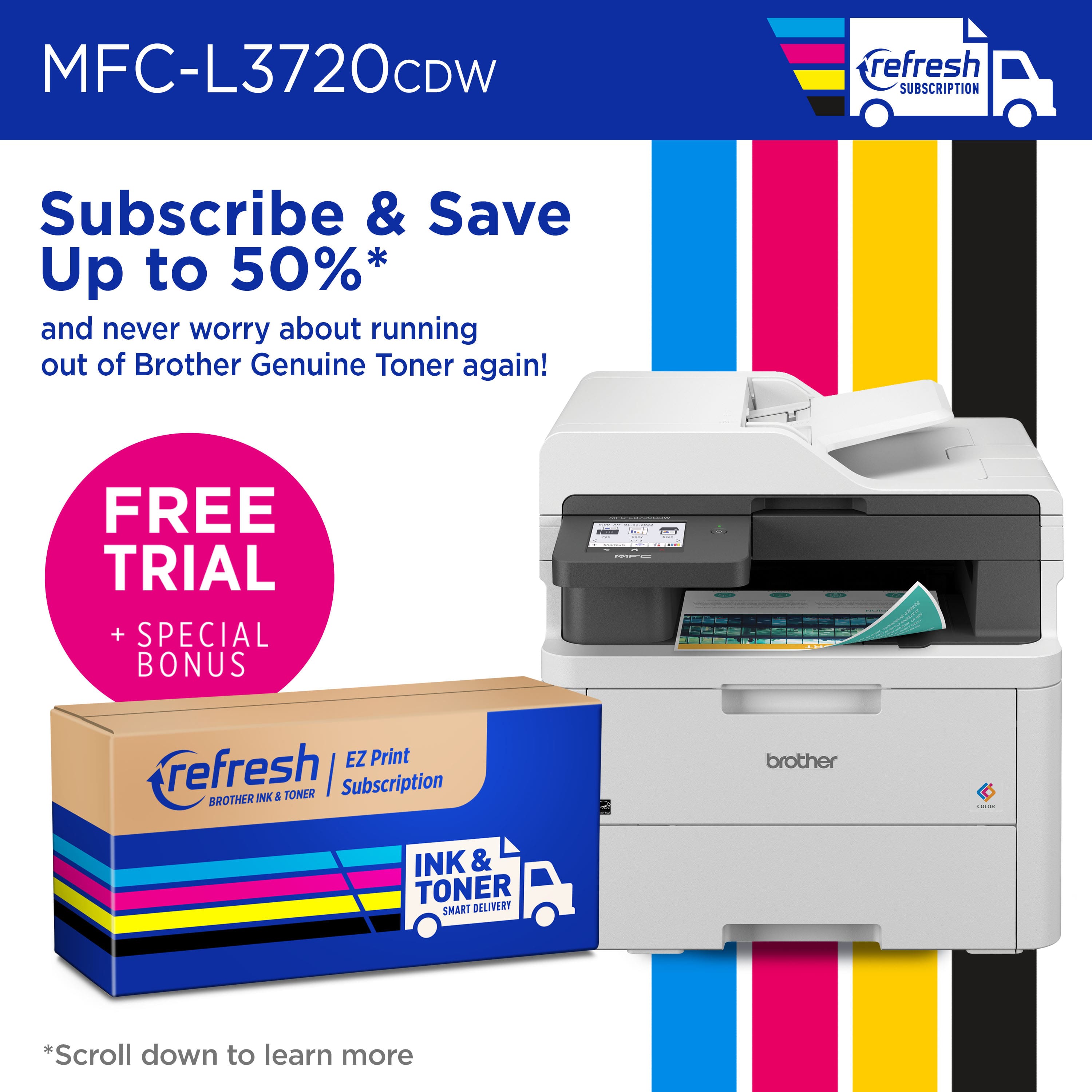
|Posted .This reviewer received promo considerations or sweepstakes entry for writing a review.I’ve always loved Brother printers. I’ve had a brother inkjet or laserjet printer for the longest time. They are long-running, easy-to-operate, economical, cheap to print, well-built, reliable printers. I currently have a Brother MFC9130CW and a Brother HL2270DW; both printers are over ten years old and still churning. However, the MFC9130CW was getting a bit long in the tooth and needed replacement parts, and I needed a newer, faster, more capable multi-function printer. When the opportunity to replace the MFC9130CW came about, I jumped at it. The new MFCL3720CDW is an excellent replacement. It has all the features that I would want and more. First, it is actually ‘smaller’ than the older unit, but not much smaller and a bit lighter. The design is reminiscent of the classic multi-function printers and is highly minimalistic regarding buttons. There is only one, and that is to turn it on. Once you’ve unboxed the MFCL3720CDW printer and removed the myriad of packing tape and other protective items, including the brackets on either side of the toner cartridges, you are ready to turn on the printer. Loading the paper with paper is easy, and it holds, by my estimate, 250 sheets. The printer setup is easy. One may choose to use an app by scanning the QR code and continuing to set up the printer via your mobile phone, or if you were like me, I just swiped over to the wireless connections page on the 3.5-inch touch screen control panel and signed into my wifi. That was it, and I was ready to print. By default, Windows 11 did print to this printer without installing drivers, but one can go to Brother’s website at support.brother.com and download the installer for your computer. The advantage of using the software is you get more control over your printers, including status checks, firmware updates, and even the ability to scan using the printer’s fantastic scanner. The overall print and scan speeds of this printer are fantastic. This is a duplexing printer, which means you can print on both sides, saving paper. The initial print is out within 3 seconds and will churn about 13-20 pages a minute. The specifications say 19 pages a minute, but I found that depending on what you are printing, it can slow down, especially on heavy-color full-sized image pages. That said, the print speed is not shabby and is much faster than the outgoing MFC9130CW. The scanning speeds are fast, crisp, and clear. I had no issues scanning 30-page documents using the auto document feeder. The scanner does feature the ability to copy and fax using the built-in fax modem (for those who use fax, it's a nice must-have feature). The copy feature also has an “ID” card copy feature, which scans two sides of an ID card to put it on one page. If you are looking for a multi-function printer that can also duplex scan, then the MFCL3780CDW model (one higher than this) has that feature. Given my past experiences with Brother, the interfaces on the administrative end are no different from before. You can log into the printer's IP address in your computer browser (the password is printed on a sticker on the back of the printer) and log in to change settings. If you installed the Brother printer drivers, many settings are available in the Brother Utilities app, but some advanced features are only available by logging straight into the printer. I, for one, appreciate the ability to make advanced changes. I like the option of scanning files directly to the network drive for later sorting; this feature can be enabled from the web control panel. There are a lot of advanced features, and unless you know what you are looking for, or have networking experience, it's probably best to stay out of this web control panel. The Brother MFCL3720CDW is a business-class machine. If you run an office out of your home or need to print lots of your children’s school notes, this is the printer to have. From my past experiences, the toner prices are affordable and extremely long-lasting. Buy a genuine Brother toner cartridge refill, and you will not be disappointed. I have never used a 3rd party toner on my printers, and you should not, as the print quality can vary. Brother recently introduced a ‘refill’ service called “Brother Refresh EZ Print Subscription,” and this printer comes with a 4-month trial that can be enabled when registering your printer. There are 3 different subscription levels for the amount of printing you use. The idea is to pay for a subscription that covers your supplies when the printer senses you are running low on toner, orders it and sends you a fresh set of toners for replacement. The Refresh toners are new, but judging by my past experience, my toners last me about 2500-3000 pages before needing replacement. While the primary consumable is the toners, there is also the Waste Toner Box, which needs replacement after a certain number of pages printed or years of use. While the parts are readily available, if your use case could use on-demand toner replacements without the hassle of driving to the store or ordering it online, the service is something you must consider. The subscription prices I’d say, are comparable to buying a full set of toners if you print regularly to justify the subscription. The good thing is that this is a service that can be canceled anytime. My final thoughts about this printer are that you should get this Brother MFC-L3720CDW if you are looking for a new printer, copier, scanner, or fax unit for your home or office. This fast printer prints bright colors and is easily used from a mobile device. Brother support is fantastic, and this printer is supported by all modern operating systems, including MacOS, ChromeOS, and Linux.
- Pros mentioned:Print quality
Highly recommended color printer
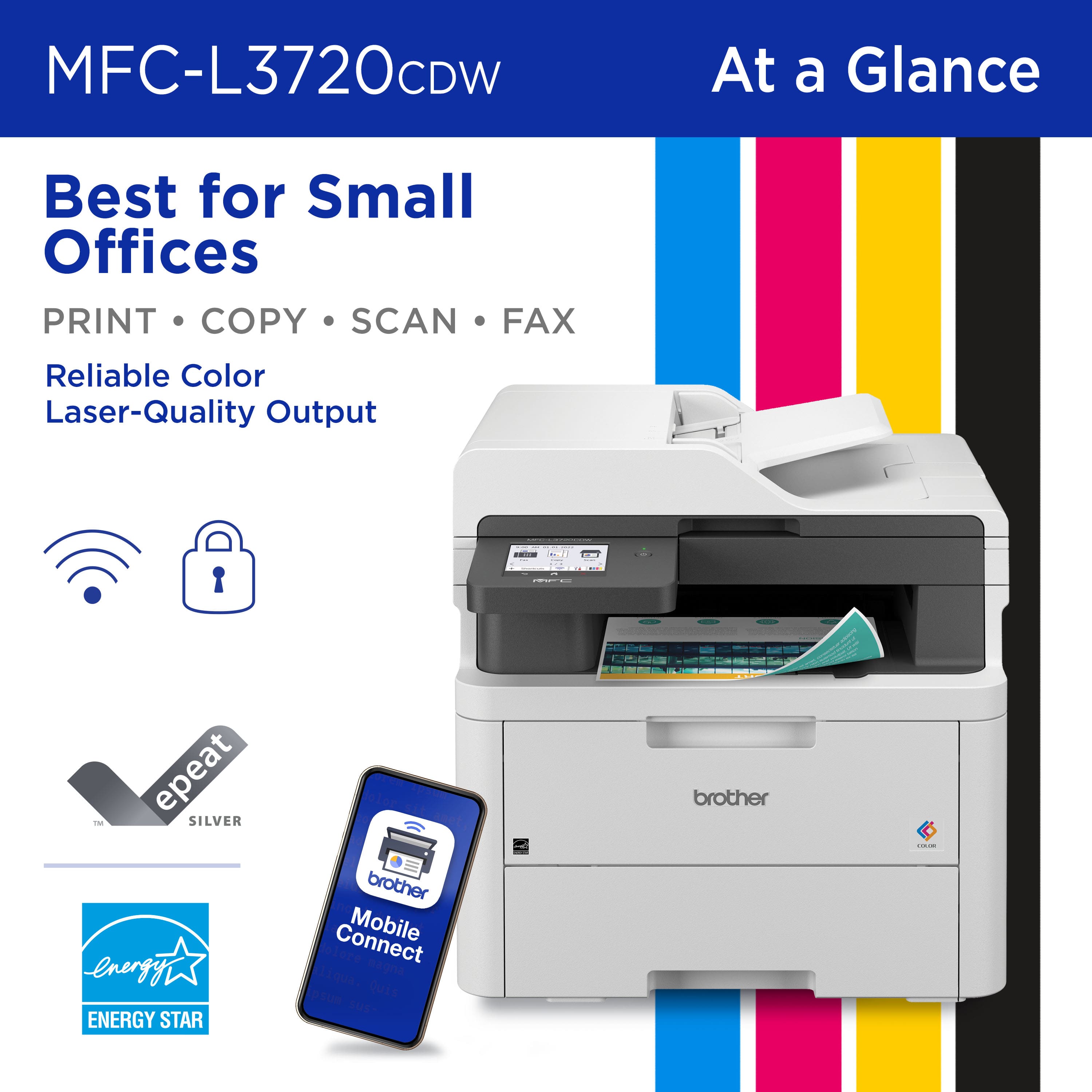
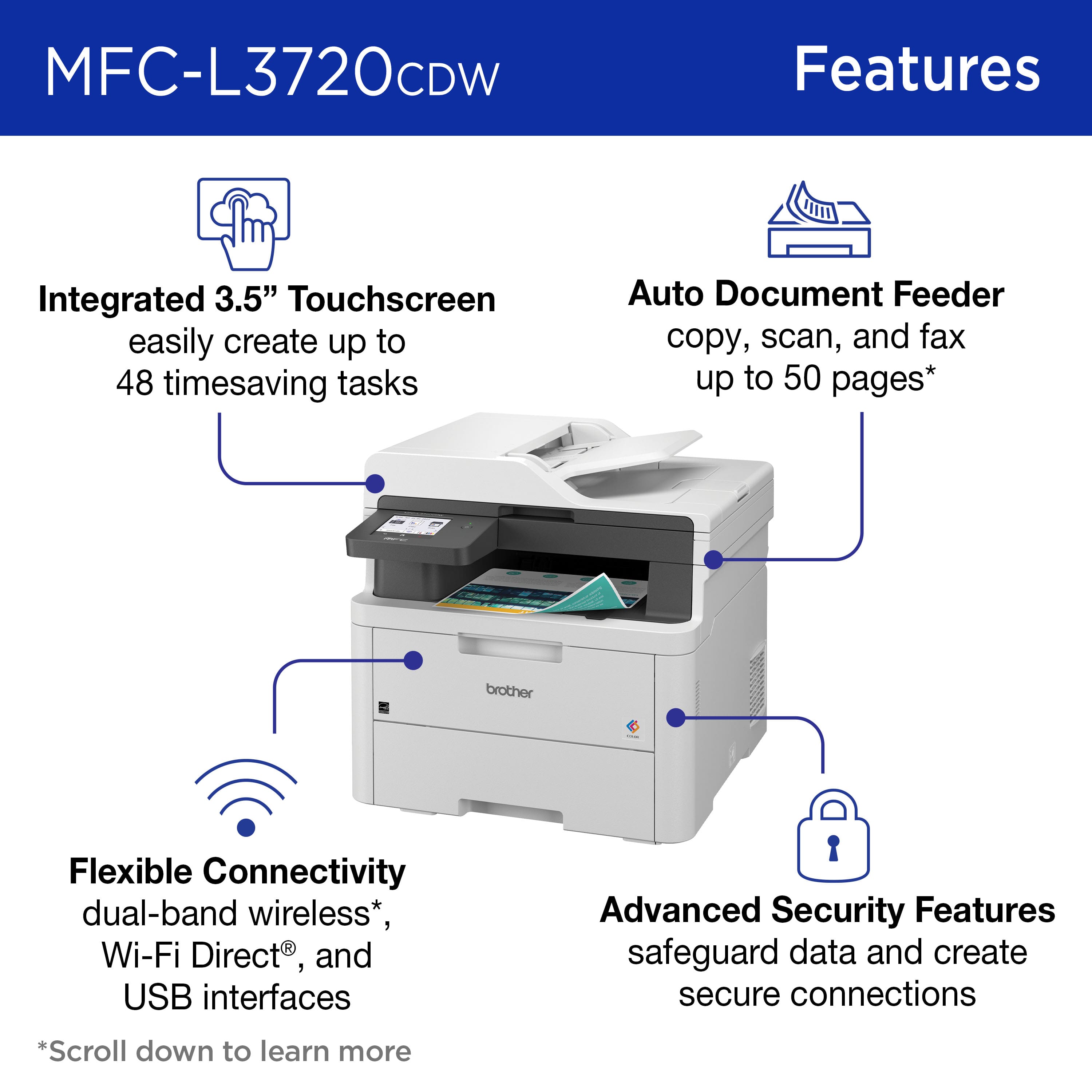
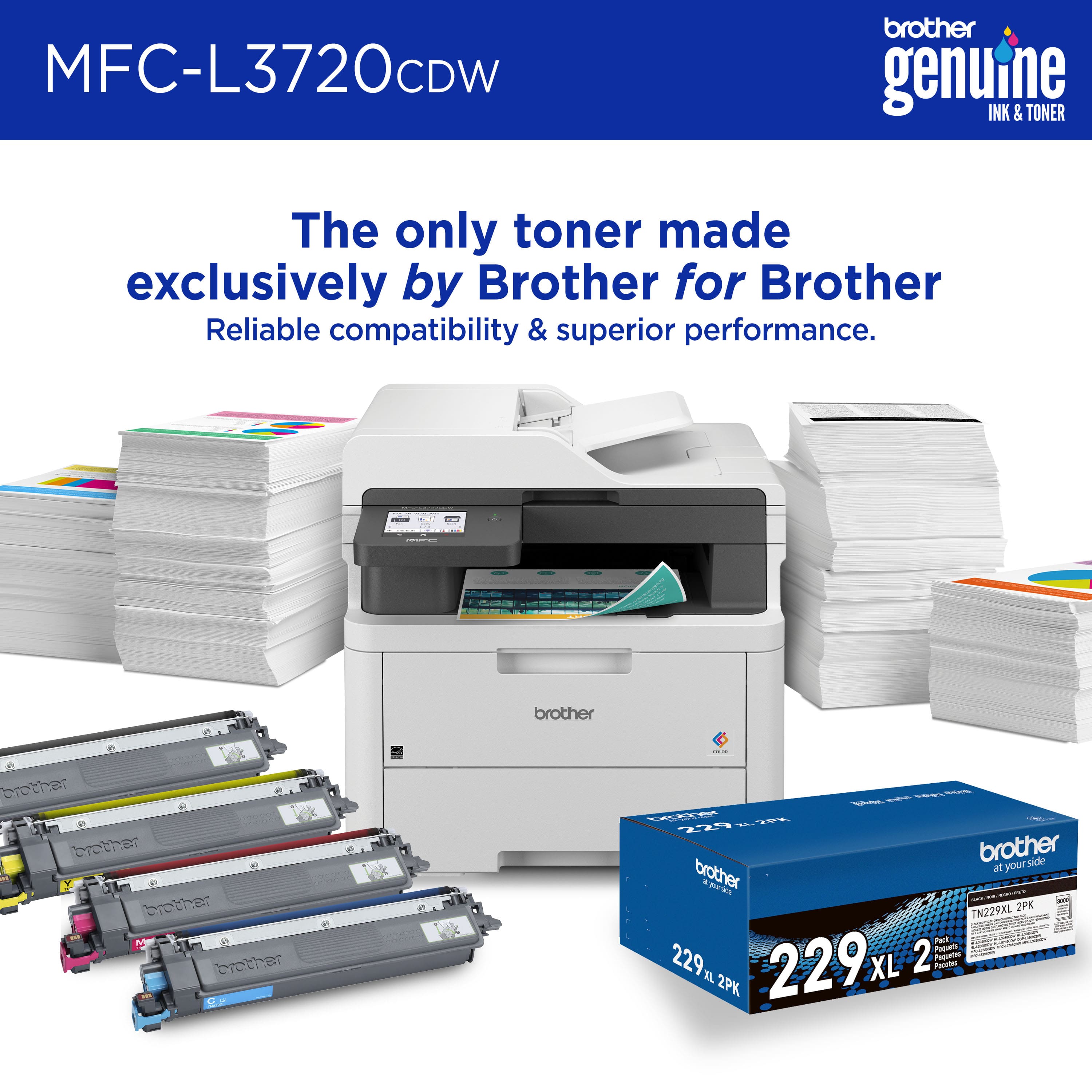
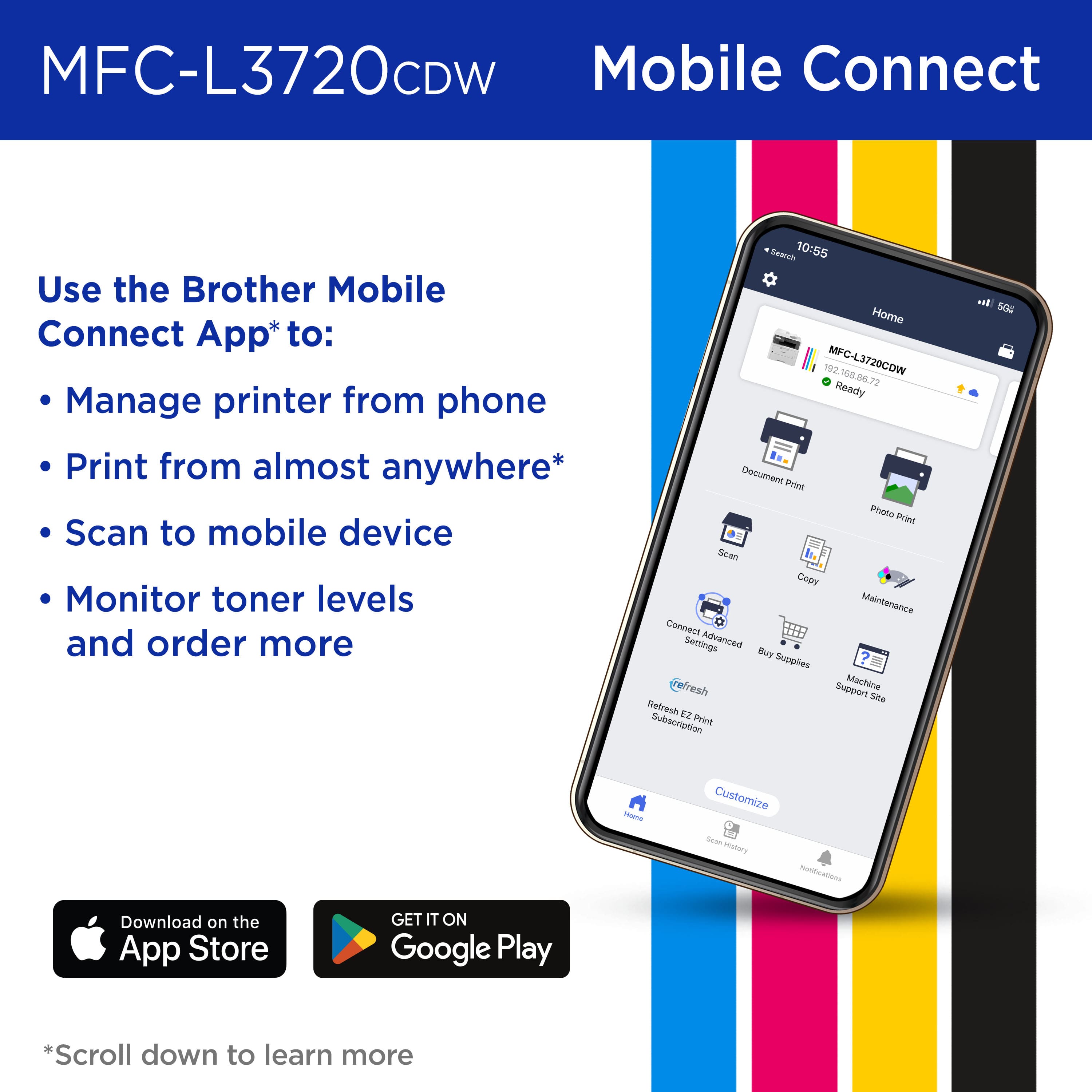
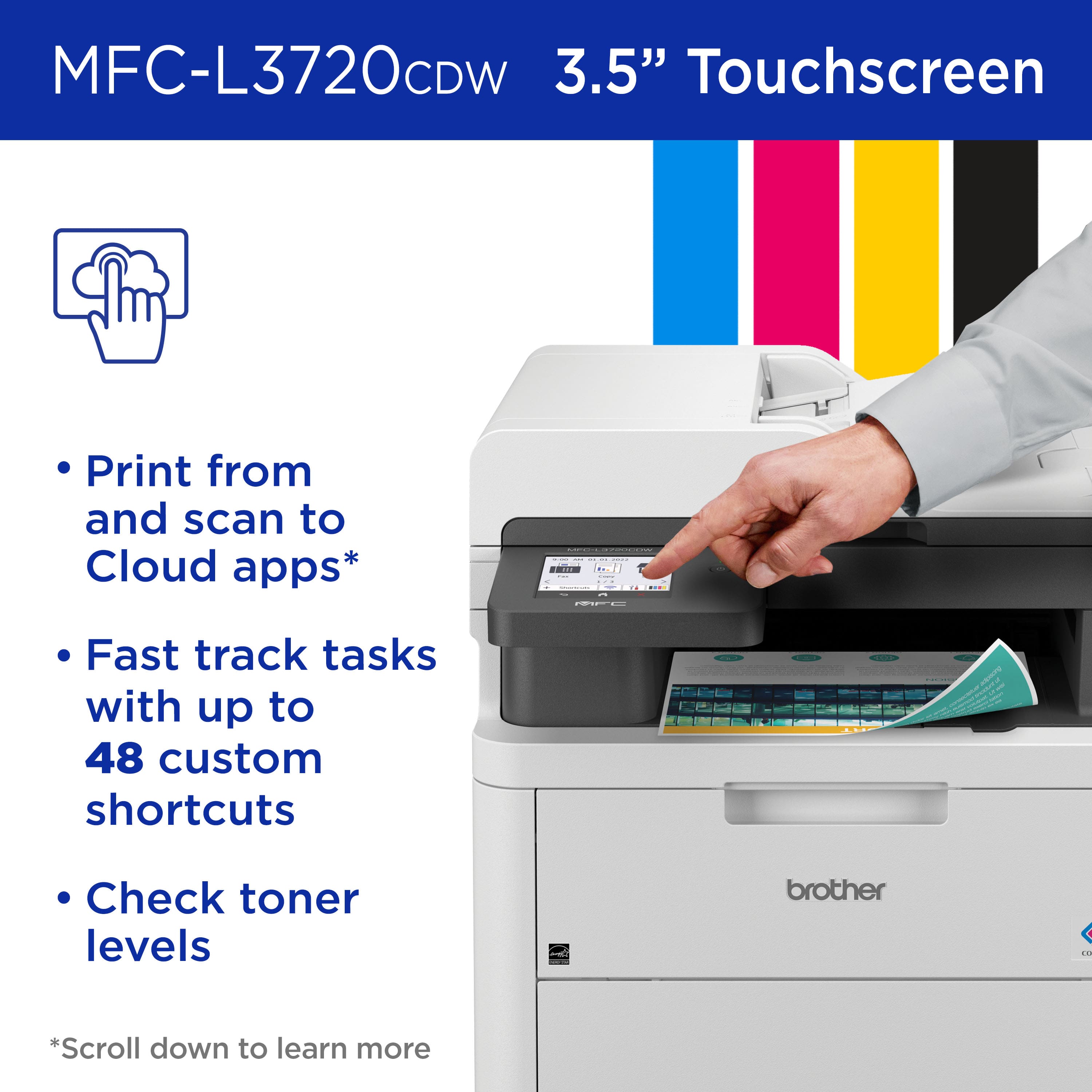
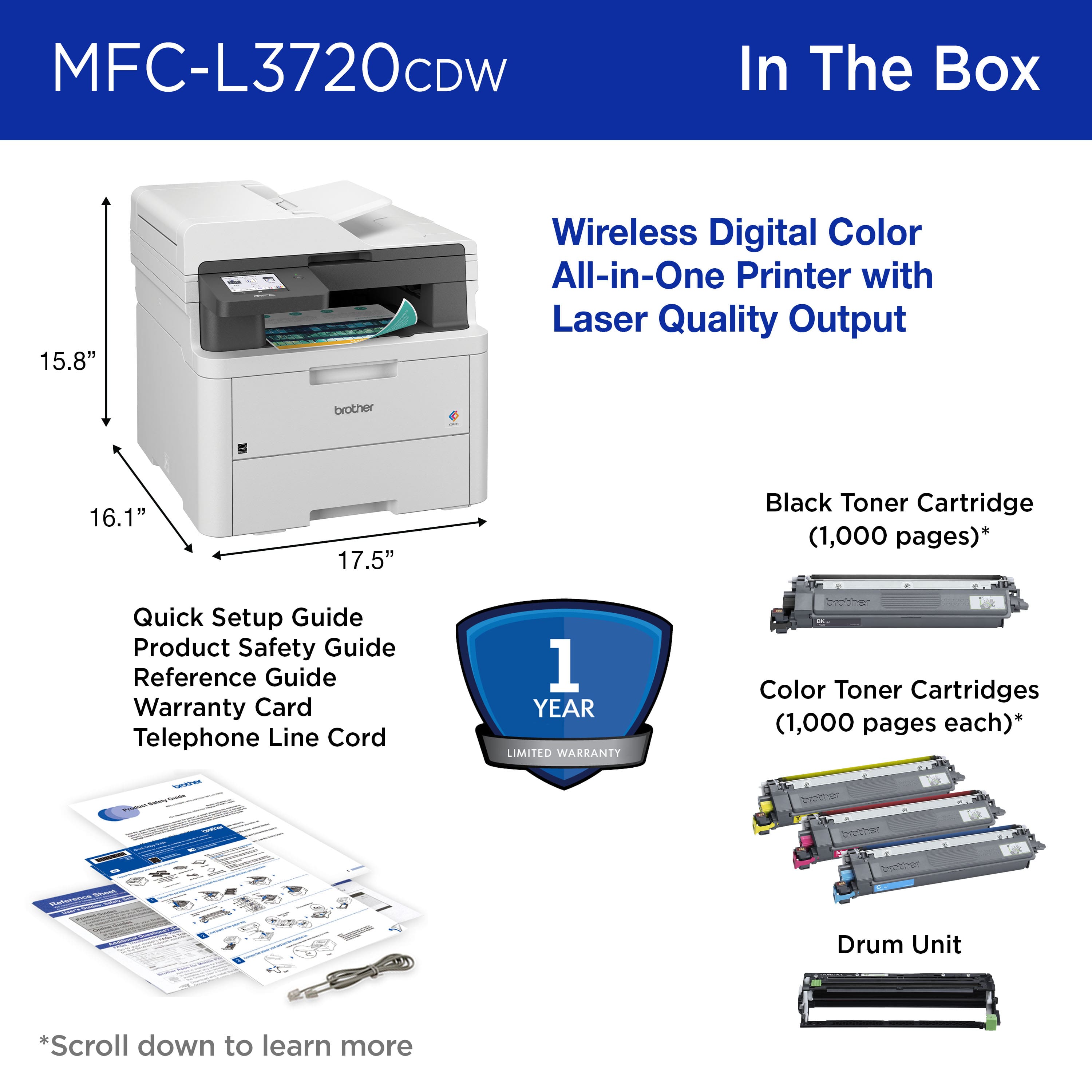
|Posted .This reviewer received promo considerations or sweepstakes entry for writing a review.Brother - MFC-L3720CDW color printer This printer is a Wireless Digital Color All-in-One Printer that also Copies, Scans, Faxes (when connected to a phone line), and prints in Duplex (double sided); it also prints from mobile devices such as smartphones. It has 512 MB of memory standard onboard for handling print jobs. It has an automatic document feeder on top that handles 50 sheets as well as a glass platen for manual scanning and copying of anything. Note: the document feeder will not scan double-sided originals automatically. That is a feature on a higher priced model. It employs LED light and not laser technology but produces very sharp “laser-quality” output on paper. It is rated at print speeds of 19 per minute and scan of up to 29 per minute. It holds a 250-sheet capacity paper tray and adjusts for letter or legal size. It has a front panel single sheet manual feed slot. It does not have an Ethernet network port but connects via built-in dual-band wireless (2.4GHz & 5GHz) and Wi-Fi Direct or connects locally to a single computer via USB 2.0 port using a USB printer cable to a computer. It is odd that Brother does not offer the option of direct network cable connection to a home Ethernet equipped router on all their printers. The printer works with Apple AirPrint. It works with Mopria Print and Scan for Android devices. It works with Brother iPrint&Scan which allows installing a Windows or Mac driver to computers and then scanning from the printer to your computer. It uses Brother TN229 or TN229XL higher capacity replacement toner cartridges. The Brother web site lists tons of specifications and one that caught attention is that the use of the “Quiet Mode” when printing and copying reduces power consumption from a normal 500 watts down to 310 watts. The printer powers down to a Sleep mode using 7 watts and then a Deep Sleep mode which uses less than 1 watt. It weighs 44 pounds with toner cartridges installed, something to be aware of when moving or initially unpacking and deciding where to place it. Quiet Mode also reduces noise while working from 46 down to 43 dB. I switched it to always use Quiet Mode. Brother has a free “Brother Mobile Connect app” that allows printing from a smart device from anywhere and also monitors toner levels and allows ordering toner cartridges as needed. That app worked fine also; one can print anything on a smart phone or tablet back to your home Brother printer from anywhere if there is a connection to the internet via WiFi or via a cellular wireless network. The printer has a 3.5" color touch screen which enables copying and printer functions and printer settings such as Quiet Mode; it also allows connecting to cloud-based apps such as Google Drive, Dropbox, Evernote, OneDrive, Box, OneNote, and SharePoint Online. It was tested with Google drive and it worked to retrieve and print a document using the touch screen. Brother also has a Web Based Management option to change some printer settings from a Windows, Apple, Android or iOS mobile device. It was used for printing web pages, Word and Excel documents, as well as Smartphone originated photos and it does an excellent job with all web pages, Word and Excel documents and a very good job with photos. Response is fast from waking up from sleep modes and ejects the first page in less than 20 seconds from when the printer receives the print command and starts flashing the LEDs and activates the touch screen illumination. As indicated, Quiet Mode was selected as default to save on power usage and is used for all print and copy jobs. The Brother iPrint&Scan was installed and used and it works fine to send scanned documents to a computer for use, emailing or modifying. This worked well in our tests of scanning documents which appeared in a computer folder. The option to scan a document to a USB memory drive plugged into the printer also worked fine. This printer has many features and is not difficult to set up and start using. The fax function was not utilized since I have been refusing to receive faxes as part of my work for over 15 or more years since everyone is also able to scan and email whatever they wish to send. I am not about to start using faxes in my home now. I highly recommend this printer to anyone who wants to start printing in color.
I would recommend this to a friend - Pros mentioned:Print quality
A great color printer for home or small business
|Posted .This reviewer received promo considerations or sweepstakes entry for writing a review.After owning a Brother black and white laser printer, I decided it was time to upgrade to a laser printer. This is a great option if you don’t need a top-of-the-line color laser printer or print hundreds of pages weekly. We don’t print a lot out on a weekly basis, but it’s nice to have a laser printer when inkjets are unreliable. Setup The setup requires downloading a Brother app on your iOS or Android device to get the printer set up on your network. The app setup did take a little bit of time to get completed, but I was able to get it setup in about 15 minutes. You can also use a computer to get the printer set up if you don’t want to deal with the mobile app. Aside from the app/connectivity setup, getting the printer plugged in and ready was easy. I like how easily the toner cartridges can be added and removed without too much hassle. Adjusting the paper tray took less than a minute for 8 ½ x 11 paper. Hardware The printer itself feels very high quality for the price. I was able to lift this myself and it does have a decent amount of weight to it, so you may want to ask for help if you don’t feel comfortable lifting it yourself. The touchscreen on this is full color and very responsive. It’s easy to navigate through the options and there’s no lag when pressing buttons and seeing the next menu. If you’re familiar with a Brother printer’s screens, it’s just about the same as other models. My black and white printer’s touchscreen was very small, but I expected that for the price point of that model. I don’t make as many mistakes tapping the options on the screen of this color printer. Print quality The print quality of this thing is great. I printed out some full color fliers and saw no issues with the print itself. I have not tested anything else such as photo papers or anything outside of your standard 8 ½ x 11 pages. I have no complaints about the quality. Mobile App Other than getting the printer initially set up via the mobile app, this has some useful features such as viewing toner levels, the ability to print to your printer from home without a wi-fi connection, printing a document or photo from your phone, starting a scan from the app itself, and access to the EZ Refresh subscription if you chose to start the free 4-month trial. The only criticism I have with this app is going to all settings on the app. It opens a website in the app that looks a little unflattering. Unless I was in a pinch, I most likely would use a computer to view all settings. EZ Refresh Subscription Brother offers a free 4-month EZ Refresh subscription that allows you to order toner which has several pages that you’re allowed to print per month. I chose the Occasional plan, which allows printing up to 75 pages per month for $9.99. There are higher plans that range from $19.99 – 29.99, but we can’t justify updating this since we don’t print 75 pages a month. There is also a rollover feature, which I will find out in a few weeks how many pages will roll over with my subscription. This isn’t a requirement to having the printer, but is a nice feature to potentially save you money on buying toner. Shipments of toner won’t go out until the levels are low. Brother also states that the Refresh Subscription does not work unless you have Refresh Subscription toner cartridges installed in your printer which they send to you. I’m guessing that if you decide to cancel this that you can still use the cartridges, this is most likely a way to make sure you don’t get other cartridges installed ahead of your subscription. I’ll determine in the next several months if the EZ Subscription is worth it to me and there is a possibility I might cancel after the 4-month trial is up. Overall, I am satisfied with this printer. It prints vivid colors and has amazing quality for what I need. If you need a great color laser printer for home or your small business, you can’t go wrong with this model.
I would recommend this to a friend - Pros mentioned:Connectivity, Print quality
Excellent Print Quality; High Build Quality
|Posted .This reviewer received promo considerations or sweepstakes entry for writing a review.This is a color laser printer with duplex (2 sided) printing, copy, scan, and fax capability. Setup was straightforward and easy. After basic removal of packing materials, it can be setup with a computer or mobile device. You have to download the Brother app and it walks you through setup and connection, which can be wireless or by USB cable. I used wireless to connect to my local area network, and there were no issues connecting or staying connected. The printer has a 3.5 inch color touchscreen that is easy to understand and navigate. Various settings can be changed both from this touchscreen or from the app, depending on the type of job being performed. The auto document feeder can hold up to 50 sheets, and the paper tray holds up to 250 sheets and there is a slot for individual sheet feeding. This printer's operations run smoothly and relatively quietly. All the functions, auto document feeder, paper feeding, duplex printing, run flawlessly. The color laser printing is very high quality and the speed is decent. It advertises a print speed of up to 19 ppm (pages per minute) and it easily does that. I printed a 10 page document that it completed in about 30 seconds. There's a couple of functions this printer does that I find especially useful. When copying a document, 2 single sided pages can be copied to one 2 sided page. Not all duplex printers will do that. Another function is with the use of the mobile app. Besides initiating printing from the mobile app on your phone, document scans can be done from the printer to the mobile app on your phone. If you needed a paper document you didn't have on your phone, you could have it sent to your phone from the printer. Overall, I found that this printer has all the functions that a home or small business office would need, has excellent print quality, and high build quality. There was one negative that could easily be fixed. Brother ships this machine with "starter" toner cartridges, meaning they're not full and will need to be replaced sooner than a standard cartridge would. I wish they would stop that practice. Not all printer manufacturers ship with "starters". On a final positive note, I had an occasion to contact their Customer Service through online chat and they were very responsive and helpful. I'd give them a "10" for that.
I would recommend this to a friend - Pros mentioned:Print quality
Brother once again provides a stellar product
|Posted .This reviewer received promo considerations or sweepstakes entry for writing a review.To get it out of the way, you aren't locked into a subscription, but that is the primary focus of this printer's capabilities and what Brother is bringing to the table for home and small business owners. 75 pages /mo is $9.99/mo. 200 pages /mo is $19.99/mo 500 pages /mo is $19.99/mo Even at it's most expensive, $20/mo is nothing if you are running a business out of your home or small office and need to have the peace of mind that you aren't going to be running out of toner mid-print. The included 4-month subscription is a nice add-on and something I plan to use once I just how many pages I get out of each cartridge. Unboxing went smoothly enough, it is a little heavy and awkward depending on the surface height you place it at, so likely a 2-person job just to be on the safe side. Wireless and USB setup was a breeze, all handled via the Brother app which made it a pain-free process. Just follow the prompts and put in your WiFi info when asked. Print quality is excellent whether black and white or color. Photos came out looking amazing, but this is largely dependent on the paper stock you are using, so keep that in mind that your results will vary if you aren't using the correct paper for the intended use. Being able to scan documents via multiple formats is an unexpected feature that I have quickly fallen in lock with. Not only do you have your typical jpg/png and PDF, but spreadsheet (Excel) and other options, too. Not having to use a program to convert something or import it do that is a great time saver as I work with spreadsheets based off of scans all the time. This alone would yield a 5-star rating for my usage case goes, the fact it does everything else so well is the cherry-on-top. The interface is simple but effective. You get a full color screen that had no dead-spots or areas that in my experience were problematic requiring a second/third push or a firmer press to get the point across. Each touch was recorded and the action was instant. The onboard interface is also much more appealing to use than the app, and thus more intuitive. So while setup was simple via the app, I will most likely be operating via the touchscreen going forward. Your mileage may vary. Brother is a trusted name and has a very strong reputation in the printer realm. None of that is put into question with the L3720CDW. And even if you forgo the subscription and do the toner purchases yourself, you will definitely be happy with your purchase. Easy recommendation for anything looking for a top-performing MFC.
I would recommend this to a friend - Pros mentioned:Overall performance, Print quality
pastor
Posted .This reviewer received promo considerations or sweepstakes entry for writing a review.We are very pleased with the printer purchased for our church office. It prints quickly and efficiently for bulletins and flyers which is our primary purpose of the printer. The color cartridges were easy to install and the printer works well for our needs.
I would recommend this to a friend - Pros mentioned:Ease of use, Print quality
Laser = Worth the upgrade
|Posted .This reviewer received promo considerations or sweepstakes entry for writing a review.I have always shied away from laser printers, simply because of the initial upfront cost. You can get an inkjet printer for so cheap these days. The catch with that of course is the cost of ink after you buy the printer. And if you print a lot…you need a lot of ink and out goes any savings you might have had buying an ink printer over a laser printer. Other brands seem to be focused on making themselves more techy, rather than improving their products. The last few non-laser printers I’ve had have all had issues, all related to the ink cartridges or cartridge carrier. With all of those headaches, I decided I was finally ready to try laser, and I can tell you, now that I have, I won’t be going back. This Brother printer is pretty big and definitely heavy, but how often do you move a printer once it’s set up anyway? It prints beautifully and it’s just so freaking fast! I can print 100 pages in the amount off time my ink printer would have taken to print 10 pages (that’s an estimate, don’t hold me to it, but it IS fast!) I don’t print a ton, so this will last a LONG time. The extra benefit of that is not only not having to worry about running out of ink but also that if the printer sits unused for a while, I also don’t have to worry about the ink drying up or clogging in the cartridges. When that happens, I either can’t print at all or end up with streaks and smudges on the pages. I do wish there was an extra tray for paper (considering the size, seems like it could have been done). However, it’s a small thing and does not take away from the easy setup, low maintenance that is this printer. It’s worth it to pay a little more upfront to save a lot more later.
I would recommend this to a friend