Customer Ratings & Reviews
- Model:
- MFCJ1360DW
- SKU:
- 12061660
Rating by feature
- Value
Rating 4.6 out of 5 stars
- Quality
Rating 4.5 out of 5 stars
- Ease of Use
Rating 4.5 out of 5 stars
to a friend
Awful. Stick with HP.
||Posted .This reviewer received promo considerations or sweepstakes entry for writing a review.Literally one day after my BesBuy return window closed, the scanner stopped working right. It's only on the feeder window, but I need that. It appears to be overexposing on one side. Contacted Brother Support which was awful. They were condescending and jerks. I am A+, Network+, Linux+ and CISSP certified and worked in technology for three decades. OF COURSE I CLEANED THE GLASS... They said someone would email me within 24 hours. Three days later, I get an email saying they can't reproduce it. So I'm supposed to give them my phone number and a time to call. I did that three days ago and have heard nothing from them. What piece of garbage and crappy way to treat your customers. I'm sure it's their desire, but I'm about to toss it in the trash and go back to HP.
No, I would not recommend this to a friendBrand response from Brother
Posted .Thanks for taking the time to review your experience with the Brother MFCJ1360DW. We appreciate your feedback. I’m sorry to hear your experience with Brother Customer Service was poor. If you’ll give us another chance, we’d like to make things right. Please contact us directly at:
https://www.brother-usa.com/support/MFCJ1360DW
Scanning option impossible to set up
||Posted .This reviewer received promo considerations or sweepstakes entry for writing a review.This unit is impossible to set up the scan option, which was the main reason I purchased it. Item will be returned. It really put me in a bind, being unable to scan items before a big deadline. I raced around to buy a cord to connect my pc to this unit, since the wifi-scan option wasn't functioning. Their customer service assistance is virtually non-existant. Very disappointed.
No, I would not recommend this to a friendBrand response from Brother
Posted .I’m sorry to you are experiencing issues scanning with your Brother MFCJ1360DW machine. If you’ll give us another chance, we’d like to make things right. Please contact the Brother USA support team at:
https://www.brother-usa.com/support
Not Best for 90-somethings.
||Posted . Owned for 2 weeks when reviewed.This reviewer received promo considerations or sweepstakes entry for writing a review.Much harder to set up than my previous HP printer. Prints very slowly!
No, I would not recommend this to a friendBrand response from Brother
Posted .Thanks for taking the time to review your experience with the Brother MFCJ1360DW. We appreciate your feedback. I’m sorry to hear that you are having setup and slow print issues with the Brother MFCJ1360DW. I sincerely apologize for any inconvenience this issue may have caused you. We would love to hear from you with more details to be able to better assist you. Our Brother Customer Support Team is available to assist you direct: www.brother-usa.com/brother-support/MFCJ1360DW
Versatile printer.
||Posted . Owned for 1 week when reviewed.This reviewer received promo considerations or sweepstakes entry for writing a review.Versatile but large printer. Also, help was needed to do set up.
I would recommend this to a friendBrand response from Brother
Posted .We would like to take this opportunity to thank you for your feedback. We are sorry to hear that help was needed to do set up with your Brother MFCJ1360DW. At Brother, customer satisfaction is something we take seriously. Your feedback is important to us and will be reviewed.
Thank you for being a Brother customer. Please know that we will be here, should you need to contact us in the future. Please contact us directly at:
https://www.brother-usa.com/support/MFCJ1360DW
Dr. Hidalgo
||Posted .This reviewer received promo considerations or sweepstakes entry for writing a review.Very disappointed for the lack of specific instructions for setting up computer connection. The screen printer small and uncomfortable to place the information. This model have been designed for younger people and ignore the importance of other customers!
No, I would not recommend this to a friendBrand response from Brother
Posted .Thanks for taking the time to review your experience with the Brother MFCJ1360DW. We appreciate your feedback. I’m sorry to hear that you are having some issues with the Brother MFCJ1360DW. I sincerely apologize for any inconvenience this issue may have caused you. We’d like an opportunity to help. Please contact us directly at:
https://www.brother-usa.com/support/MFCJ1360DW
Scammer Issye
||Posted . Owned for 2 weeks when reviewed.This reviewer received promo considerations or sweepstakes entry for writing a review.I am not able to use the scanner. It just does not work, but the printer works fine. I will need to have the Geek Squad deal with the scanner issue.
No, I would not recommend this to a friendBrand response from Brother
Posted .Thanks for taking the time to review your experience with the Brother MFCJ1360DW. We appreciate your feedback. I’m sorry to hear that you are having unable to scan from computer issues with the Brother MFCJ1360DW. I sincerely apologize for any inconvenience this issue may have caused you. We can help with that. I have included a link to the FAQ answer that should assist you. Please follow all the steps listed in the following link:
Answer Link: https://help.brother-usa.com/AgentWeb/api/contextmanager/v.32511070001/workspaceContext/workspace/processedPrint/Answer/185179
If you still have difficulties, please contact Brother Customer Service at:
https://www.brother-usa.com/support/MFCJ1360DW

Compact and Impressive
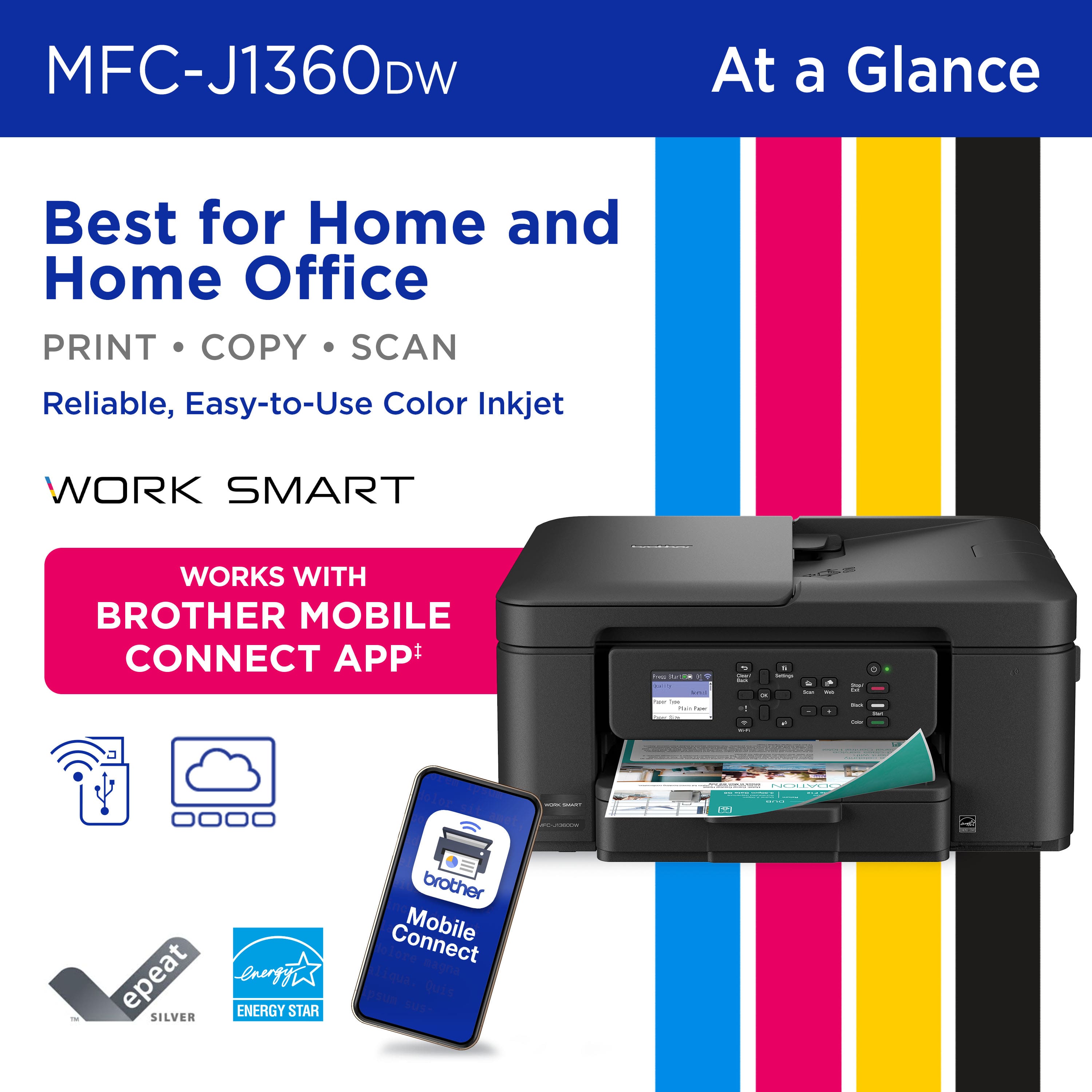
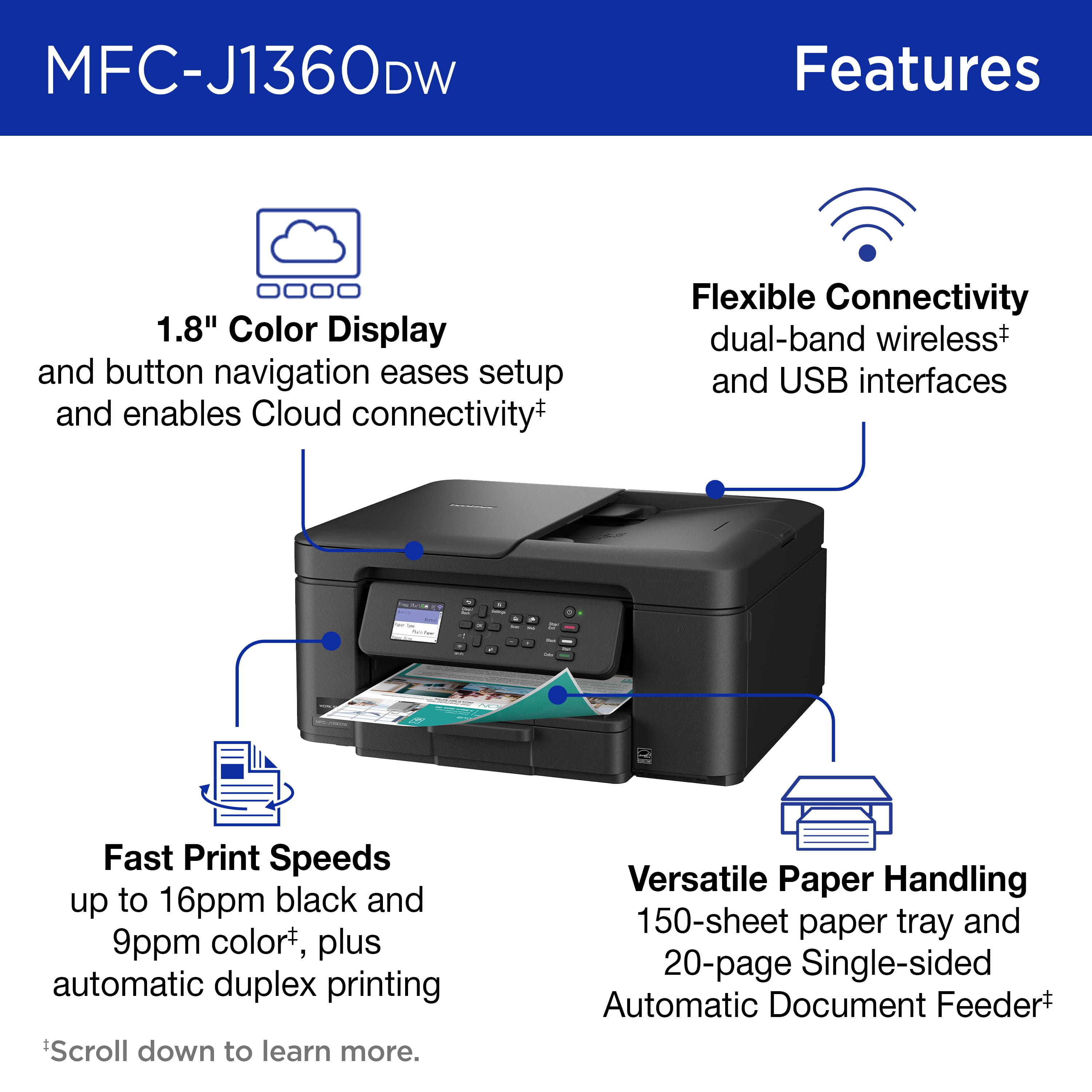
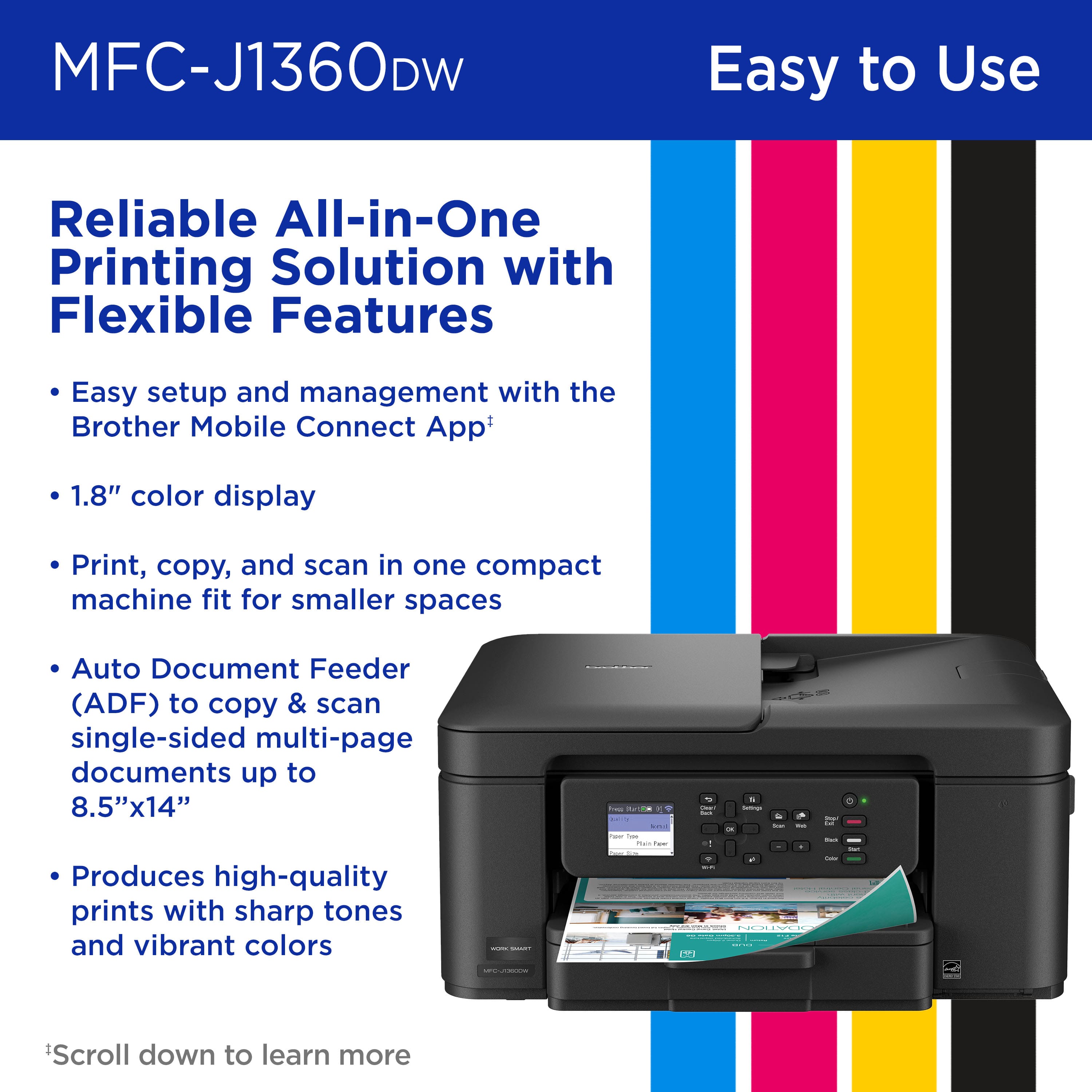
|Posted .This reviewer received promo considerations or sweepstakes entry for writing a review.I have been using the Brother Work Smart 1360 Wireless Color Inkjet All-in-One Printer (MFC-J1360DW) for a few days, and I am genuinely impressed with its performance. The setup process was straightforward, with prompt connectivity, allowing me to commence printing without delay. The output quality is exceptional, producing sharp and crisp prints. Additionally, I appreciate that the printer operates significantly more quietly compared to some other printers I have used in the past. This multifunction printer effectively consolidates printing, copying, and scanning capabilities within a single, compact unit that fits on my work desk. The 1.8-inch color display facilitates navigation. The inclusion of a 20-sheet Automatic Document Feeder further simplifies the processes of scanning and copying multiple pages, thereby adding to the overall convenience of this device. The multiple connection options are also great. I can use wireless, USB, AirPrint, or the Brother Mobile Connect app, which makes printing and managing jobs right from my phone simple. It is fast, so it keeps up with my work without delays. Overall, this printer is a solid choice for both home and home office use. It is efficient, reliable, and packed with valuable features. I could not be happier with it.
I would recommend this to a friendNot Good
||Posted . Owned for 3 weeks when reviewed.This reviewer received promo considerations or sweepstakes entry for writing a review.While it looked like a good printer and was recommended by others, it did not work with my computer. I have an older model, Windows 7, and was assured by TWO stores it would work. It did not. Brother wanted $100 to give me the necessary driver downloads! NOT a good deal. If I ever buy a new computer I'll consider the brand, but I had to bring this back to where I bought it.
No, I would not recommend this to a friendBrand response from Brother
Posted .Thanks for taking the time to review your experience with the Brother MFCJ1360DW app. We appreciate your feedback. If you still need assistance, please contact the Brother USA support team at: https://www.brother-usa.com/support
not user friendly
||Posted . Owned for 1 week when reviewed.This reviewer received promo considerations or sweepstakes entry for writing a review.not very user friendly, too many steps to scan items. I had to have geek install.
No, I would not recommend this to a friendBrand response from Brother
Posted .Thanks for taking the time to review your experience with the Brother MFCJ1360DW we appreciate your feedback and are working on improving the experience of each customer. If you still need assistance, please contact the Brother USA support team at: https://www.brother-usa.com/support
Cannot use with a EERO wifi extender.
||Posted .This reviewer received promo considerations or sweepstakes entry for writing a review.No where does the instructions say that wifi cannot be installed with a EERO wife extender. Therefore if you have such extender then you have to install a wired connection. This Brother model does not have a plug in for a UBC cord to be connected. But the information about the unit does not tell you that.
No, I would not recommend this to a friendBrand response from Brother
Posted .Thanks for taking the time to review your experience with the Brother MFCJ1360DW we appreciate your feedback and are working on improving the experience of each customer. If you still need assistance, please contact the Brother USA support team at: https://www.brother-usa.com/support
Printer
||Posted . Owned for 3 weeks when reviewed.This reviewer received promo considerations or sweepstakes entry for writing a review.I can't print from my phone. The first time I tried to print from my phone after geeks left, my phone was not connected.
No, I would not recommend this to a friendBrand response from Brother
Posted .Thanks for taking the time to review your experience with the Brother MFCJ1360DW. We appreciate your feedback. I’m sorry to hear that you are having unable to print from mobile issues with the Brother MFCJ1360DW. I sincerely apologize for any inconvenience this issue may have caused you. We can help with that. I have included a link to the FAQ answer that should assist you. Please follow all the steps listed in the following link:
Answer Link: https://help.brother-usa.com/AgentWeb/api/contextmanager/v.32510100001/workspaceContext/workspace/processedPrint/Answer/178479
Answer Link: https://help.brother-usa.com/AgentWeb/api/contextmanager/v.32510100001/workspaceContext/workspace/processedPrint/Answer/178477
If you still have difficulties, please contact Brother Customer Service at:
https://www.brother-usa.com/support/MFCJ1360DW
Frustrating
||Posted .This reviewer received promo considerations or sweepstakes entry for writing a review.we tried to get it to work but all we got were pages of very faint pink, no black or blue. we spent a long time on line with Brother support and they criticized us for not following their directions, which we did several times. called Best Buy and it like Brother were off shore and was not supportive. we gave up and returned it.
No, I would not recommend this to a friendBrand response from Brother
Posted .Thanks for taking the time to review your experience with the Brother MFCJ1360DW. We appreciate your feedback. I understand you are planning to return the Brother MFCJ1010DW. If you still have the machine, we’d like an opportunity to help. Please contact us directly at:
https://www.brother-usa.com/support/MFCJ1360DW
Worked for only 2 weeks
||Posted . Owned for 3 weeks when reviewed.This reviewer received promo considerations or sweepstakes entry for writing a review.I love brother and my former pronter lasyed 8 yesrs. Bought this one and it only worked 3 weeks! Took it back and they could motvgrt it to eork either. Disposable!
No, I would not recommend this to a friendBrand response from Brother
Posted .Thanks for taking the time to review your experience with the Brother MFCJ1360DW. We appreciate your feedback. I understand you are planning to return the Brother MFCJ1360DW. If you still have the machine, we’d like an opportunity to help. Please contact us directly at:
https://www.brother-usa.com/support/MFCJ1360DW
Don't buy this printer from Best buy
||Posted .This reviewer received promo considerations or sweepstakes entry for writing a review.Stopped working after a few weeks. Best buy has a very short return policy. Avoid buying these types of items from BestBuy.
No, I would not recommend this to a friendBrand response from Brother
Posted .Thanks for taking the time to review your experience with the Brother MFCJ1360DW. We appreciate your feedback. I’m sorry to hear that your Brother MFCJ1360DW is not working. I sincerely apologize for any inconvenience this issue may have caused you. We would love to hear from you with more details to be able to better assist you. Our Brother Customer Support Team is available to assist you direct: www.brother-usa.com/brother-support/MFCJ1360DW
Brother Work Smart Color Inkjet Printer
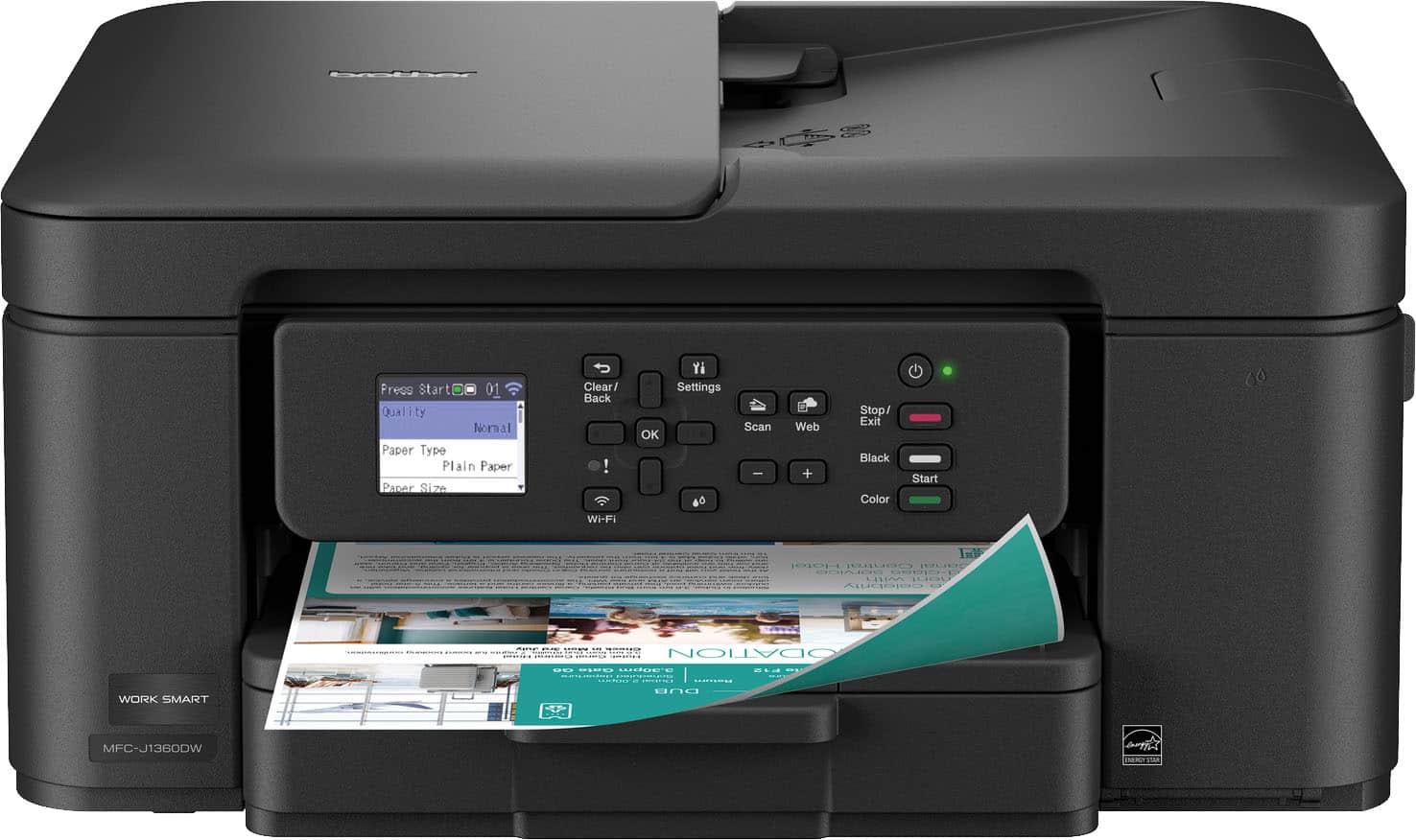
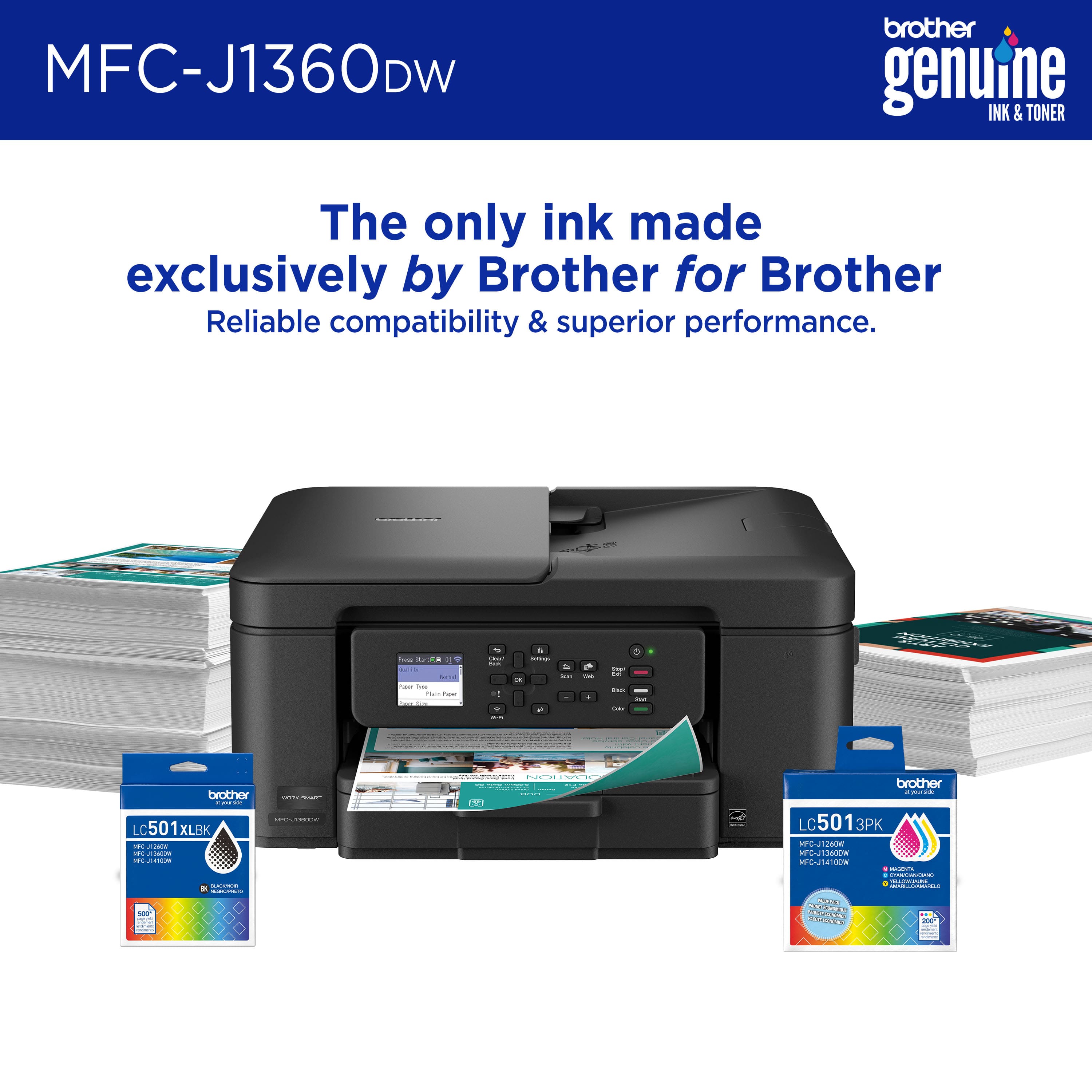
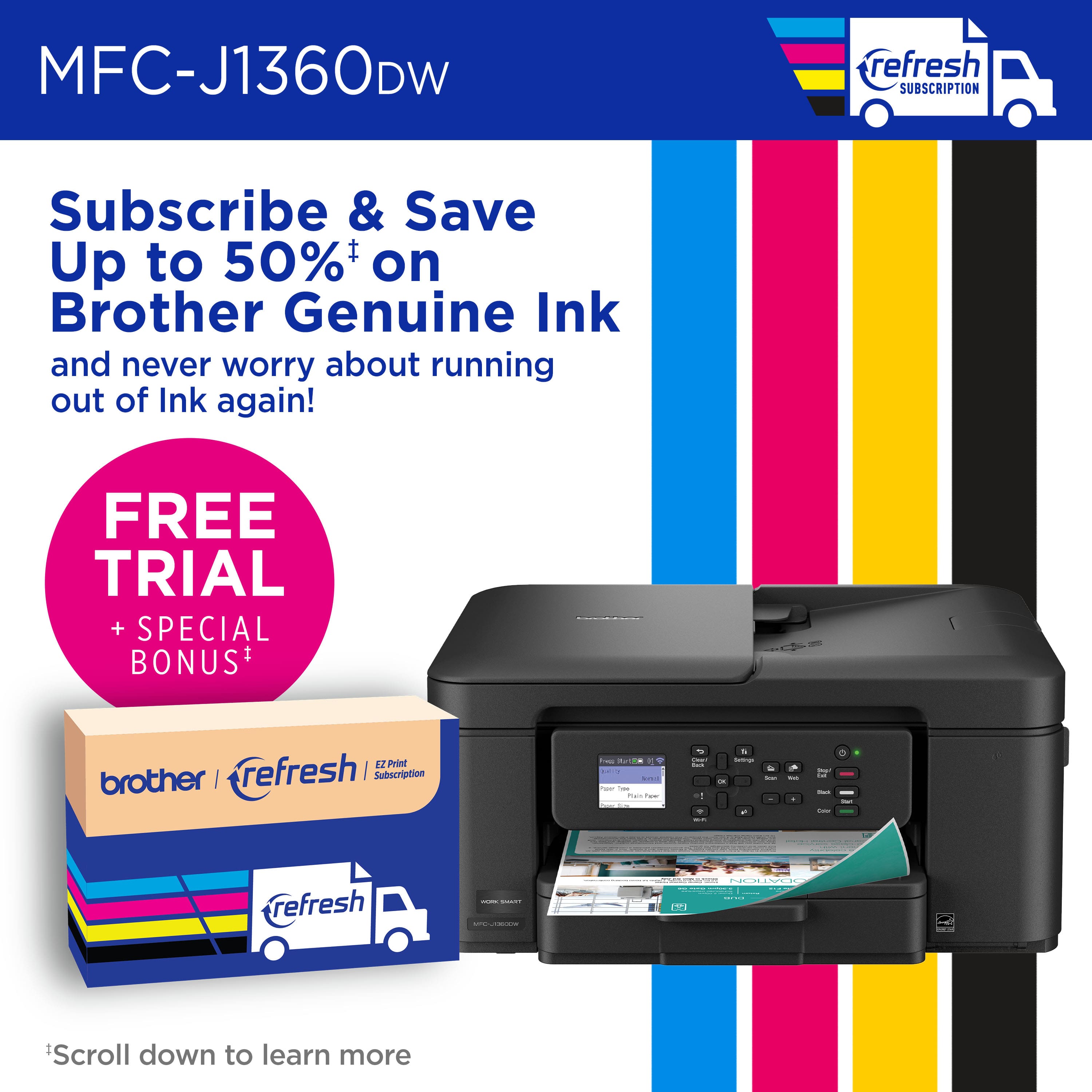
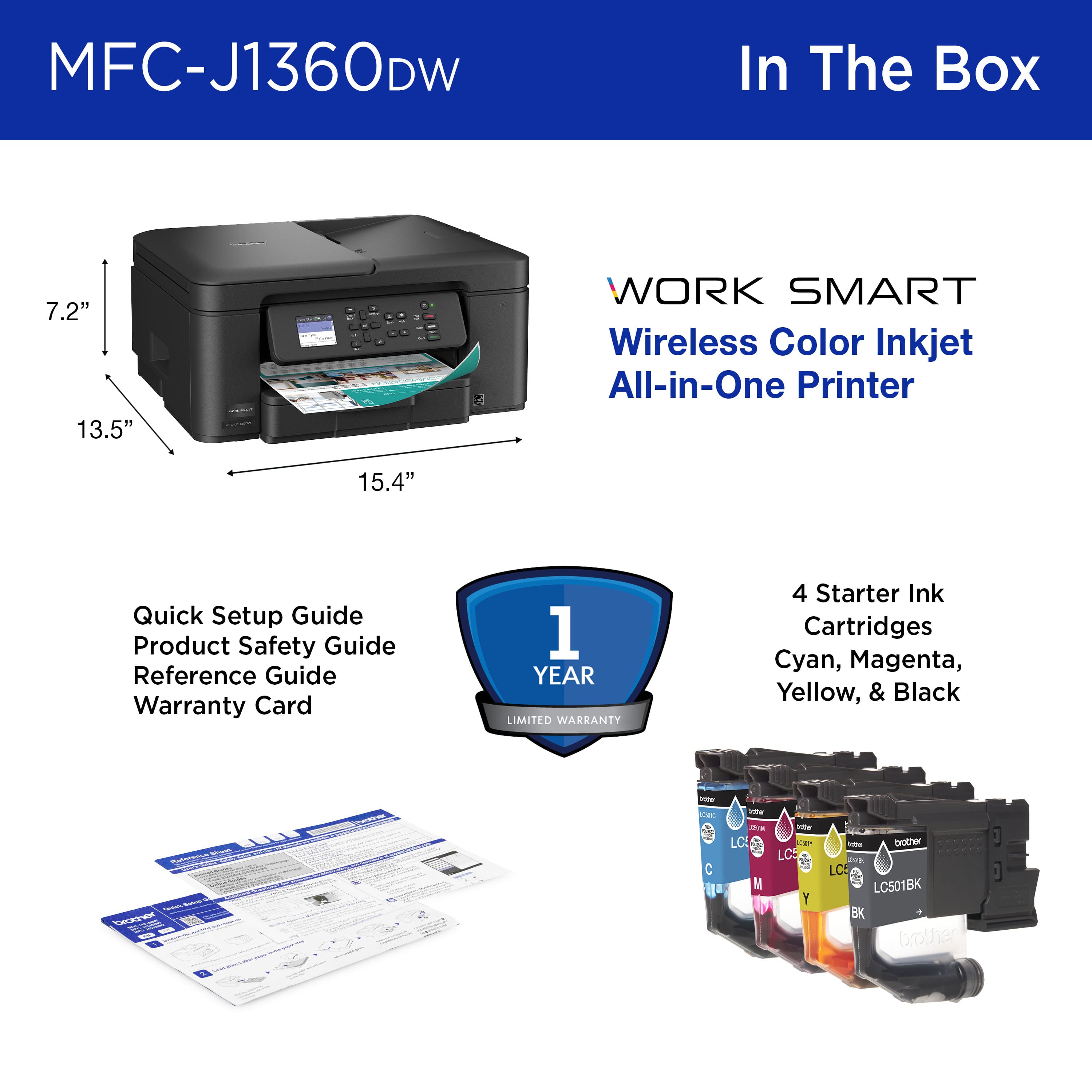
|Posted .This reviewer received promo considerations or sweepstakes entry for writing a review.Unpacking was easy, set up took about 10 minutes and there were no problems. After setting up the printer for wi-fi, I was able to print from all the computers and laptops I own. Hit a snag setting up wi-fi direct, slowed down and it went off without any further problems. This printer is an all in one, but it is designed for home or small home office use. It has a small footprint of 7.2 inches high and 15.4 inches wide with a depth of 13.5 inches. It comes with LC501 ink cartridges One of each color. As these are starter cartridges I would suggest your refills at the same time. You could also sign up for the Refresh Subscription, a trial in included with each printer. The printer also has 1.8-inch liquid crystal display color display on the pop-up display panel. The input paper tray holds up to 150 sheets of standard printer paper. The printer will hold up to 8 ½ X 14 paper. The tray is adjustable for small sizes paper and photo cards. While making copies the display is only 2 digits, thus giving a maximum of 99 copies per cycle. This printer also has an automatic duplexing feature for printing on both sides of the page.
I would recommend this to a friendBEST Color Inkjet for under a $100. Prove me wrong
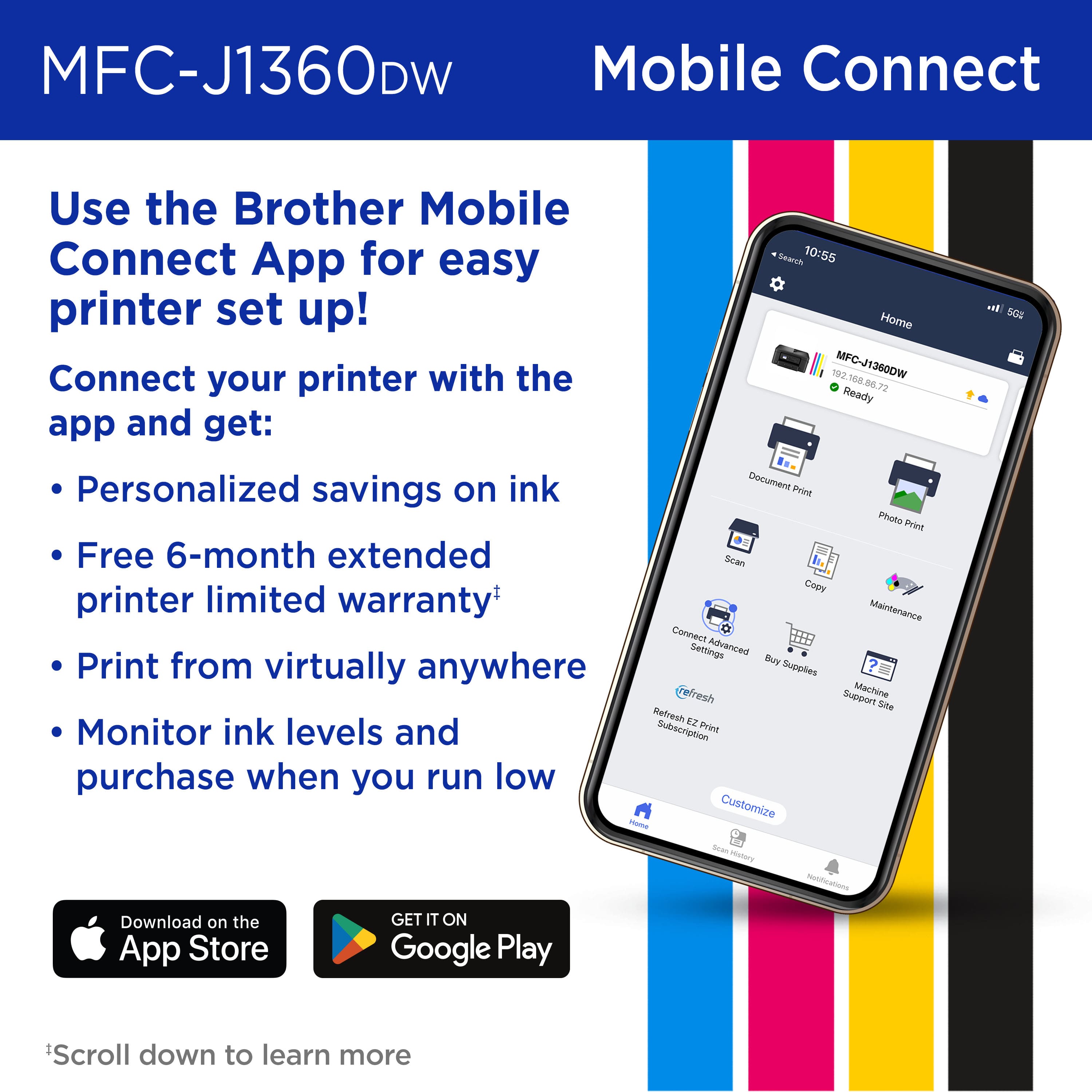
|Posted .This reviewer received promo considerations or sweepstakes entry for writing a review.The Brother MFC-J1360DW is a new all-in-one printer that many families and small businesses can use every day: the printer. This compact printer can handle printing, copying, and scanning wirelessly. Unboxing the Brother MFC-J1360DW I was happy to see it is a small unit with a small footprint; I appreciate its size. It’s not a giant machine that takes over your whole desk. It has a simple, no-nonsense design to fit in just about anywhere (home office, dorm room, or in a small business). Up in front is a small, 1.8-inch color screen. It’s not very fancy and is limited in functionality, but it makes navigating the features and configuration possible without needing a manual. The unit has a solid feel to it, but still light enough to move around. Pros This printer is an "all-in-one", need to print a school essay? Done! Make a copy of a grocery receipt? Yup! Scan in an old photo to edit on your computer? Check! It does all these tasks well, eliminating the need for separate machines and saving you money. One of its best features is its wireless connectivity. After a simple setup, you can print directly from your laptop, phone, or tablet that shares the same Wi-Fi connection. You can even have it print something directly from your Google Drive without turning on the computer. A smart way to save money is to print on both sides of a sheet of paper. A terrific feature is automatic double-sided printing. You just tell the printer to do it, and it will automatically flip the paper and print on both sides. This saves paper, money and the environment. This little printer is plenty fast. It prints out black and white pages very quickly, faster than I expected! Color pages will be slower but that is expected – and it’s still plenty fast. The ink cartridges are inserted separately, which is great! This means cost to replace cartridges is less money since you are only replacing a color that is depleted. The black cartridge, which gets the most use, is significantly larger than the color cartridges and lasts quite a bit longer. Cons A ‘Pro’ I mentioned also has a ‘Con’ to it. This is the one thing to be careful about. If you sign-up for replacement cartridges, you will get a discount – but you may be surprised when they get delivered to your home. The printer uses four separate color cartridges (black, cyan, magenta, yellow). Like recurring subscription fee, the printer has intelligence to order new cartridges when they get low. Pretty cool, but I prefer to have full control over purchases. Simple enough to decline this feature if you don’t want it though. I mentioned in the ‘Pros’ section that there is a feature to print on both sides automatically. Which is great! But that feature doesn’t extend to copying… It has a 20-page automatic document feeder for scanning a stack of papers one after the other. Unfortunately, the feeder can only scan one side of a page at a time. If you have double-sided documents to scan, you’ll have to flip and restack them yourself (collating properly) and run them through again. But at this price point, I really can’t complain about this small inconvenience. Not much worth mentioning about the LCD screen. It is basic and barebones: While the small color screen is useful, it looks and feels a little old-fashioned. Especially when we are all used to big, beautiful screens on our phones. Navigating through some menus is tedious and slow, but for basic functions, it’s fine. The home screen of the LCD is sort of confusing too. I don’t understand why a better static screen isn’t displayed. Instead, you always see the setup menu, which is silly, and you may end up going round and round the menus trying to figure out where the home screen is (hint: I did this). Also, the panel can tilt upwards, but only a little. If you aren’t careful, you may pull too hard on it and break it (thinking it’ll tilt up further for better viewing). Best thing to do is to set the print up and push the panel back flush and out of the way. Summary I like the small Brother MFC-J1360DW printer. I’ve found it to be a reliable, fast printer with a bonus of scanning and copying. It may not be the flashiest or the most feature-rich, but it excels at the core features. Its ability to print, copy, and scan – and can do so wirelessly. Its space-saving design and paper-saving double-sided printing make it an excellent choice for a home, student, or small office. It punches well above its weight class, and simply amazing for the price point that you can bring it home for. It's a definite “BUY” from me. I don’t see how you can complain about this color printer. For less than the price of going out to dinner (these days), you can have a well-made, quality printer that makes no excuses, and performs like a little champ!
I would recommend this to a friendDuplex Printing is great!
|Posted .This reviewer received promo considerations or sweepstakes entry for writing a review.This printer is replacing an older printer that started its life as a stark white color and quickly yellowed and stained into a ghastly table topper. I unboxed this black beauty to revel in its aesthetic. My favorite innovation in recent years with inkjet printers is that the cartridges have been moved to a dedicated side panel no longer requiring one to lift the scanner glass and peel the entire machine apart to change the ink. Brother has created one of the oddest looking print cartridges I’ve seen with a partly ray-gun like appearance, but they are easy to insert and clearly marked to ensure alignment in the correct slot. The compact nature this printer is also appreciated making me feel like I don’t have to hide this thing in a corner somewhere trying to disguise it from view. My first impression of using the printer is that it takes an awfully long time to complete the initial setup. I applaud Brother’s efforts for linking the setup experience to the mobile app and then forcing me through nozzle checks then nozzle cleaning then alignment, but when I sat down to plug in the printer I did not think I would spending the next 45 minutes in setup mode. And that only got it working on my phone, next I had to add the printer to my Windows 11 PC. I did not run into any errors or problems but the whole setup is just tedious. Once I got past the initial setup, printing is fast, quiet and prints come out looking great. That white monstrosity I’m replacing uses bottles for ink, not cartridges, so I’m not sure how I’m going to like going back to cartridges, but I was surprised to find how much I love the auto duplex printing. Brother is now following HP’s lead of subscription based ink cartridges which I actually love because it saves my local retailers from having to stock every printer cartridge known to man. There’s still a part of me that wishes printer manufacturers would standardize on a single form factor for all cartridges moving forward. The printer includes a tiny 1.8” color display that feels cramped. I would have preferred Brother to have replaced most of the physical buttons with a larger touch screen instead of what is a needlessly complex series of the screen showing you a button to press, finding the button, pressing the button, then looking back to the screen to see what button to press next. This could have been avoided with a larger touch screen.
I would recommend this to a friendBrand response from Brother
Posted .We would like to take this opportunity to thank you for your feedback. At Brother, customer satisfaction is something we take seriously. Your feedback is important to us and will be reviewed.
Thank you for being a Brother customer. Please know that we will be here, should you need to contact us in the future. Please contact us directly at:
https://www.brother-usa.com/support/MFCJ1360DW
Avoid this printer
||Posted .This reviewer received promo considerations or sweepstakes entry for writing a review.Setup software is awful and the WiFi Direct option does not work well.
No, I would not recommend this to a friendBrand response from Brother
Posted .Thanks for taking the time to review your experience with the Brother MFCJ1360DW. We appreciate your feedback. I’m sorry to hear that you are having a few issues with the Brother MFCJ1360DW. I sincerely apologize for any inconvenience this issue may have caused you. We would love to hear from you with more details to be able to better assist you. Our Brother Customer Support Team is available to assist you direct: www.brother-usa.com/brother-support/MFCJ1360DW
Great budget printer with lots of features
|Posted .This reviewer received promo considerations or sweepstakes entry for writing a review.I've always been a big fan of Brother printers. The combination of reasonable prices and great quality are a no brainer. And in line with that perception, the Brother Work Smart 1360 Wireless is a great budget printer. I was surprised with features on offer for such an inexpensive and compact all-in-one. You can use the printer via a USB printer cable is you want, but to take advantage of all the features of the printer you'll need to set up a Brother account. Setting up the printer was super easy by following the directions in the Brother app and the small LCD panel on the printer. Once I got the printer set up, I was impressed with the features it has for such a compact all-in-one. I'm not sure how they crammed duplex printing and a document feeder into such a small package. I have also been impressed with the speed of the printer. It is rated at 16 ppm, and I have no reason to doubt it. As with most printers purchased today, it comes with starter ink cartridges. Translated, that means there isn't much ink in them. That was a disappointment, but it's the current printer model...sell the printer at cost, or even at a loss, then make up the difference with the ink. However, Brother does offer a very reasonable ink subscription service. In fact, according to my math, the yearly cost of this service is considerably cheaper per print than purchasing ink cartridges. That is, if you print a decent amount. You'll have to figure out if the subscription service works for you. All in all, this is a really good printer for the money, with fast print times, excellent features, and good quality. In my opinion, it is a perfect printer for a home office.
I would recommend this to a friendDecent Little Machine
|Posted .This reviewer received promo considerations or sweepstakes entry for writing a review.This Brother - Work Smart 1360 Wireless All-in-One printer is a decent choice for home/student/small-business use. It offers everything you couldever need for those casual users. Out of the box, you have a perfectly serviceable printer. And not justa printer, this is your ubiquitous all-in-one, printer, copier, and scanner. Typical consumer grade quality. Nothing wrong with that. You don't need to stand out to work well. And this unit, it does not stand out, but it works great. Set up was... Well, as expected. Download the app, create an account, connect to the Internet... LOad some paper, run some test prints, and you are good to go. The front panel offers a 1.8 inch color screen that is controlled by the buttons on the panel. That said, the reason I gave four-stars instead of five, was because the contros were... Not bad, but not necesarilly intuitive. I mean, really no problem, but could be a litle more responsive. Manufacturer claims nine PPM color printing, and a respectable 50 PPM in black-and-white. Not bad. The print quality was very good, with the B&W being slightly better than the color, but that is too be expected. End of the day, a solid choice.
I would recommend this to a friend