Customer Ratings & Reviews


- Model:
- MFC-J497DW
- SKU:
- 6239806
Rating by feature
- Value
Rating 4.5 out of 5 stars
- Quality
Rating 4.4 out of 5 stars
- Ease of Use
Rating 4.4 out of 5 stars
Customers are saying
Customers highly value the excellent print quality and ease of use of the Work Smart Series MFC-J497DW Wireless All-In-One Inkjet Printer. Many appreciate its affordable price, wireless capabilities, and compact size, finding it easy to set up and reliable for their needs. The printer's ability to fax and its quiet operation are also frequently praised. However, some users have reported occasional paper jams.
This summary was generated by AI based on customer reviews.
- Cons mentioned:Paper jam
Every other page jams
||Posted . Owned for 3 months when reviewed.This reviewer received promo considerations or sweepstakes entry for writing a review.I cannot even print a two page document without a paper jam. I have gone through a ream of wasted paper and each time must clear the paper and then unplug and replug the printer into the power outlet because there is not other way to reset it. It is HORRIBLE!
No, I would not recommend this to a friendBrand response from Brother
Posted .Hello, Printer jams can be frustrating. Here's a FAQ that may help:
https://help.brother-usa.com/app/answers/detail/a_id/141157?R3ModelID=MFCJ497DW
Ignore this review
||Posted .This reviewer received promo considerations or sweepstakes entry for writing a review.I didn't use it, so I returned it because my friend convinced to get a laser printer over inkjet.
No, I would not recommend this to a friendGood Printer with crude instructions and setup!
||Posted . Owned for 6 months when reviewed.This reviewer received promo considerations or sweepstakes entry for writing a review.Setup instructions are crude, ie setting dates! Printer is slow but accurate. I have a Brother MFC for normal use and it's great!
No, I would not recommend this to a friendConnectivity issues
||Posted .This reviewer received promo considerations or sweepstakes entry for writing a review.Initially worked well, but having frequent connectivity issues, which was why it was purchased.
No, I would not recommend this to a friendBrand response from Brother
Posted .We are sorry that you are experiencing connection issues with your Brother MFCJ497DW machine and we understand your disappointment. Our Brother Customer Support Team is on stand-by to provide quality products and service to our customers via online, email or live chat:
www.brother-usa.com/brother-support
Not so great
||Posted . Owned for 1 year when reviewed.This reviewer received promo considerations or sweepstakes entry for writing a review.This printer uses a lot of ink. The quality is ok but it is a bummer to keep running out of ink so fast.
No, I would not recommend this to a friendBrand response from Brother
Posted .Hi, we understand the Brother MFC-J497DwW runs out of ink quickly. We'd like to help. Click the link below to assist you.
https://support.brother.com/g/b/faqend.aspx?c=us&lang=en&prod=mfcj497dw_us_eu&faqid=faq00002475_001
If you continue to have issues, our Brother Customer Support Team is available to assist you direct:
https://www.brother-usa.com/brother-support
NOT BAD FOR THE PRICE
||Posted . Owned for 1 month when reviewed.This reviewer received promo considerations or sweepstakes entry for writing a review.JUST HAD FOR MONTHS...LITTLE HARD TOSET UP..PRINTING OK.JAMS SOMEWHAT..NOT LIKE MY OLD LEXMARK.SORT OFCHEAP PLASTIC
No, I would not recommend this to a friendBrand response from Brother
Posted .Hi, I understand you are experiencing some jamming. Please make sure you are using the correct paper weight. Here is FAQ that may help with jamming. https://help.brother-usa.com/app/answers/detail/a_id/141157?R3ModelID=MFCJ497DW
Please let us know if you have any additional question by contacting support. https://www.brother-usa.com/support/mfcj497dw
Ok for the price
||Posted . Owned for 2 months when reviewed.This reviewer received promo considerations or sweepstakes entry for writing a review.Great featured pruning machine but the problem is it's paper get jammed too often. But brother is one of the best brand.
I would recommend this to a friendPoor customer Service
||Posted .This reviewer received promo considerations or sweepstakes entry for writing a review.Bought printer, it would not work with print preview enabled. Called customer support and they said it was a Windows 10 related issue. The printer I replaced with this one print preview worked just fine. Never had a problem till I bought this. I took it back bought reliable Canon TS 8520 print preview works just fine. Not willing to admit that bug is their fault.
No, I would not recommend this to a friendWISH I COULD RATE ZERO STARS!!
||Posted . Owned for 1 month when reviewed.This reviewer received promo considerations or sweepstakes entry for writing a review.piece of crap. purchased for wireless printing capabilities. stopped printing from iphone after 1 use & stopped printing from android after 3 uses. kept getting error message: "cant find printer" or "printer unavailable". this happened also when trying to install printer to PC using brother software. best buy sucks also. most stores are extending their warranty to 60 or 90 days due to pandemic. 14 day warranty from best buy? this sucks they don't guarantee what they sell? not shopping here ever again. best buy only in sales to sell warranty. WISH I COULD RATE ZERO STARS!!
No, I would not recommend this to a friendBrand response from Brother
Posted .Hi, Oh no! That's not what we like to hear. We can understand your frustration. We see you are experiencing an issue with the wireless connection with your Brother MFC-J497DW from your mobile devices. We'd like to help. Below is a link to a FAQ that will help.
https://support.brother.com/g/b/faqend.aspx?c=us&lang=en&prod=mfcj497dw_us_eu&faqid=faq00100066_004
If you continue to have issues, our Brother Customer Support Team is available to assist you direct:
https://www.brother-usa.com/brother-support
Would not recommend
||Posted . Owned for 1 week when reviewed.This reviewer received promo considerations or sweepstakes entry for writing a review.It’s so slow. The print quality and color is not good ! If you need something for an occasional letter it’s fine but if you need to print out large quantities of documents with color graphics this is not a good choice. It jams easily and is a pain to use! If a printer can be stressful this is it !
No, I would not recommend this to a friendBrand response from Brother
Posted .Hi Lila, I understand you are experiencing an issue with the machine jamming. Here is a FAQ that may help. https://help.brother-usa.com/app/answers/detail/a_id/141157?R3ModelID=MFCJ497DW
Print Speeds, stated as pages per minute (PPM), reflect measured values based on Brother's particular testing conditions and are for reference only. Actual print speed may vary depending on printing conditions such as computer configuration, operating system, document complexity, printing frequency, connection method, application software and other factors. To determine your machine's specified print speed, please visit www.brother-usa.com. Here is a FAQ that may help.
https://help.brother-usa.com/app/answers/detail/a_id/155828/session/L3RpbWUvMTU3NDE3NDczMy9zaWQvMkRuNDFodW8=?R3ModelID=MFCJ497DW
Depending on the current settings in the printer driver, you can make changes to the settings to improve print quality. Here is a FAQ that may help. https://help.brother-usa.com/app/answers/detail/a_id/156166?R3ModelID=MFCJ497DW
If you still have the issue, please let us know by Email or Live Chat so we can explore other options.
https://www.brother-usa.com/support/mfcj497dw
Slow and ink issues
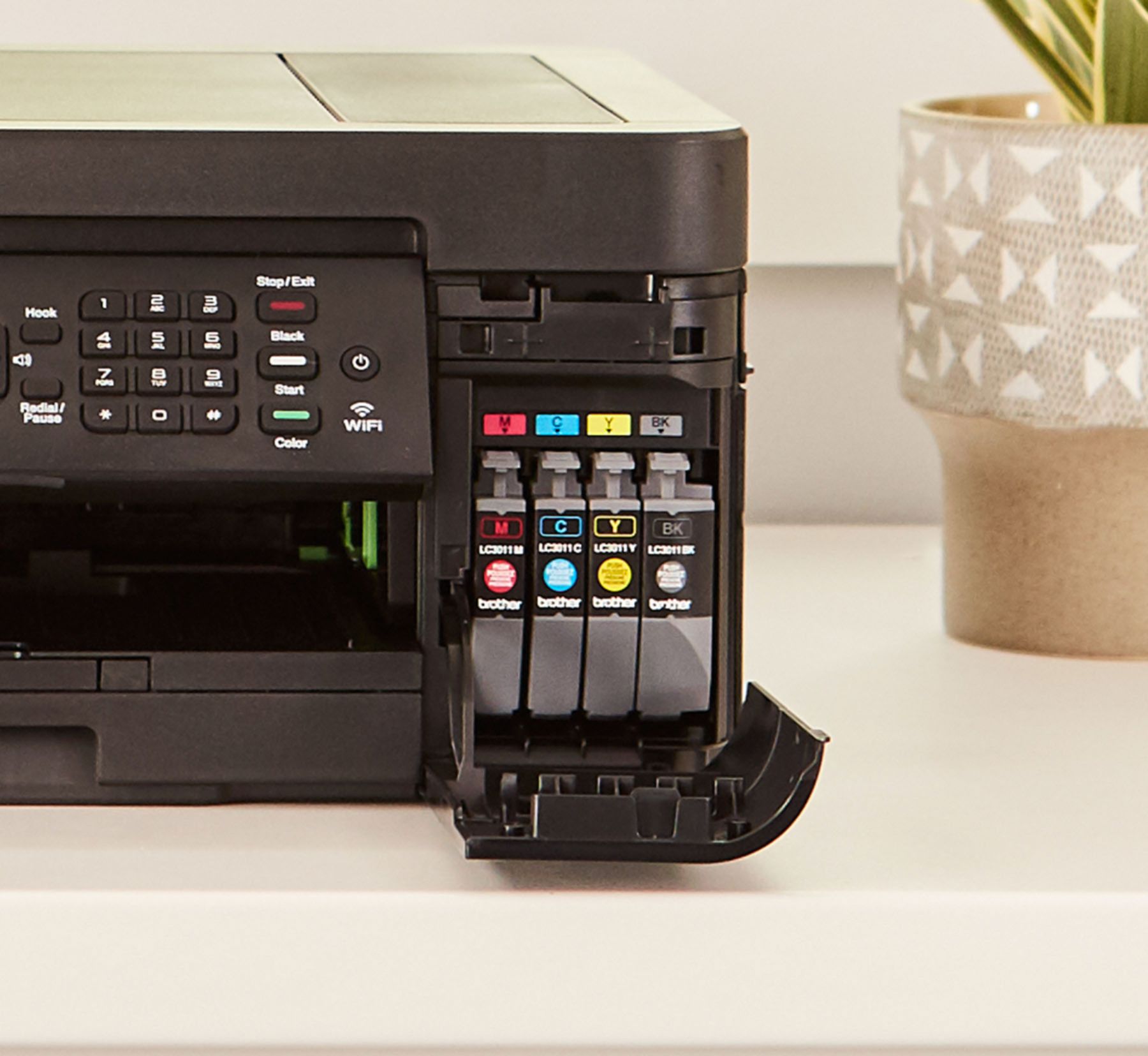
||Posted .This reviewer received promo considerations or sweepstakes entry for writing a review.If you want to print out pictures in grayscale or color, the print takes forever to complete. Also, if you run out of color ink but have enough black ink to print grayscale, the printer still will not allow you to print. All 4 ink cartridges must be installed for the printer to do anything, even if you just want to scan a document. There should at least be a way to bypass but there isn't.
No, I would not recommend this to a friendBrother
||Posted . Owned for 3 months when reviewed.This reviewer received promo considerations or sweepstakes entry for writing a review.Makes a lot of noise while printing and is not easy to reset to default settings
No, I would not recommend this to a friendBrand response from Brother
Posted .We are sorry to hear that your Brother MFCJ497DW machine is making noises. We know this is frustrating. We'd like to help. Below is a FAQ that may help you:
https://help.brother-usa.com/app/answers/detail/a_id/156531
About the reset, please see the link below:
https://support.brother.com/g/b/faqend.aspx?c=us&lang=en&prod=mfcj497dw_us_eu&faqid=faq00000460_503
If you continue to have issues, our Brother Customer Support Team is available to assist you direct: www.brother-usa.com/brother-support
Printer broke
||Posted . Owned for 3 weeks when reviewed.This reviewer received promo considerations or sweepstakes entry for writing a review.Worked real good for about 2 weeks . I need a note printer but do not know how to get a nother one
No, I would not recommend this to a friendBrand response from Brother
Posted .We understand your Brother MFC-J497DW is not working. Please contact Brother Customer Service directly at https://www.brother-usa.com/contact-us so we can help.
Good features but slow
||Posted . Owned for 3 weeks when reviewed.This reviewer received promo considerations or sweepstakes entry for writing a review.The printer has all the functionality you would want but everything takes a little longer than expected
I would recommend this to a friendBrand response from Brother
Posted .Hi, Print Speeds, stated as pages per minute (PPM), reflect measured values based on Brother's particular testing conditions and are for reference only. Actual print speed may vary depending on printing conditions such as computer configuration, operating system, document complexity, printing frequency, connection method, application software and other factors.
https://help.brother-usa.com/app/answers/detail/a_id/155828?R3ModelID=MFCJ497DW
If you still have the issue, please let us know by Email or Live Chat. https://www.brother-usa.com/support/mfcj497dw
Yikes
||Posted . Owned for 1.5 years when reviewed.This reviewer received promo considerations or sweepstakes entry for writing a review.Very slow printing. Like slower than a printer from 1997. Price point was good though.
No, I would not recommend this to a friendDid not even last a year
||Posted . Owned for 1.5 years when reviewed.This reviewer received promo considerations or sweepstakes entry for writing a review.Very unhappy. Printed fine. When I needed a new cartridge, I bought a Brother cartridge but the printer gave me error messages saying it did not recognize the cartridge. So I opened another brand new Brother cartridge and tried that, and I got the same error message. Brother tech support was no help. I spent several hours on this and finally said "screw it" and bought a new printer. So not only the cost of the printer was wasted, but the cost of 2 new Brother cartridges that I bought. I will never purchase another Brother product.
No, I would not recommend this to a friendBrand response from Brother
Posted .Hi, Oh no! That's not what we like to hear. We are sorry that you are experiencing issues with the ink not being detected and our customer experience did not meet your expectation. We understand your frustration. Check the following points below to resolve the issue:
https://support.brother.com/g/b/faqend.aspx?c=us&lang=en&prod=mfcj497dw_us_eu&faqid=faq00002607_003
If you continue to have issues, our Brother Customer Support Team is available to assist you direct:
https://www.brother-usa.com/brother-support
- Pros mentioned:Price
Cheap printer
||Posted .This reviewer received promo considerations or sweepstakes entry for writing a review.Not a great purchase, employee recommended. Not the best but good price
No, I would not recommend this to a friendBrand response from Brother
Posted .Thank you for taking the time to review the Brother MFC-J497DW printer . I appreciate your feedback to help improve of our service and your opinion is very important to us. If there's anything else we can help you with, please don't hesitate to contact us for support.
O K printer
||Posted .This reviewer received promo considerations or sweepstakes entry for writing a review.The printer is cheaply made. My bad, I did not check printing speed. Printing is very slow.
No, I would not recommend this to a friendBrand response from Brother
Posted .Hi, We understand you are experiencing an issue with your machine printing slow. Review the link below to optimize the print speed.
https://help.brother-usa.com/app/answers/detail/a_id/155828
If you continue to have issues, please contact our customer support team:
https://www.brother-usa.com/brother-support?_ga=2.15838334.978435276.1592922664-2005029213.1584449811
- Pros mentioned:Print quality
Slow printer
||Posted . Owned for 2 months when reviewed.This reviewer received promo considerations or sweepstakes entry for writing a review.This printer does an ok job but it’s very slow the colors are good
No, I would not recommend this to a friendBrand response from Brother
Posted .I'm sorry you are having a issue with MFC-J497DW printing slow. Print Speeds, stated as pages per minute (PPM), reflect measured values based on Brother's particular testing conditions and are for reference only. Actual print speed may vary depending on printing conditions such as computer configuration, operating system, document complexity, printing frequency, connection method, application software and other factors. To determine your machine's specified print speed, please visit www.brother-usa.com. Here is a FAQ that may help also.
https://help.brother-usa.com/app/answers/detail/a_id/155828?R3ModelID=MFCJ497DW
Not happy
||Posted . Owned for 1 month when reviewed.This reviewer received promo considerations or sweepstakes entry for writing a review.Too many connection issues. Trouble shooting is not that helpful. Considering going back to HP.
No, I would not recommend this to a friendBrand response from Brother
Posted .Hi Kay, I am sorry you are unable with your Brother MFC-J497DW. Please contact us by Email or Live Chat so we can work on this together. https://www.brother-usa.com/brother-support