Customer Ratings & Reviews


- Model:
- MFC-J497DW
- SKU:
- 6239806
Rating by feature
- Value
Rating 4.5 out of 5 stars
- Quality
Rating 4.4 out of 5 stars
- Ease of Use
Rating 4.4 out of 5 stars
Customers are saying
Customers highly value the excellent print quality and ease of use of the Work Smart Series MFC-J497DW Wireless All-In-One Inkjet Printer. Many appreciate its affordable price, wireless capabilities, and compact size, finding it easy to set up and reliable for their needs. The printer's ability to fax and its quiet operation are also frequently praised. However, some users have reported occasional paper jams.
This summary was generated by AI based on customer reviews.
good for the price
||Posted .This reviewer received promo considerations or sweepstakes entry for writing a review.it is working fine. I bought it and give it out as a gift.
I would recommend this to a friendGood home printer
||Posted . Owned for 8 months when reviewed.This reviewer received promo considerations or sweepstakes entry for writing a review.It’s a great printer for school or home documents.
I would recommend this to a friendSupper!( slow ) works but takes ages
||Posted .This reviewer received promo considerations or sweepstakes entry for writing a review.Works buts super slow and forget about it if u need it in color for me not worth it unless your one of the people that print and forget about it so u can get it later lol because that's exactly what I have to do . Or I get frustrated waiting for my 4 pages to print
No, I would not recommend this to a friendBrand response from Brother
Posted .Thank you for taking the time to review the Brother MFC-J497DW printer. I appreciate your feedback to help improve of our service and your opinion is very important to us. I want to help with getting this issue resolved with the speed of the printer. Please visit the following URL to reach out to me so we can further investigate this issue: 1-877-BROTHER (877-276-8437) Available Monday -Friday 9AM – 9PM EST
https://www.brother-usa.com/support/MFCJ497DW
Huge
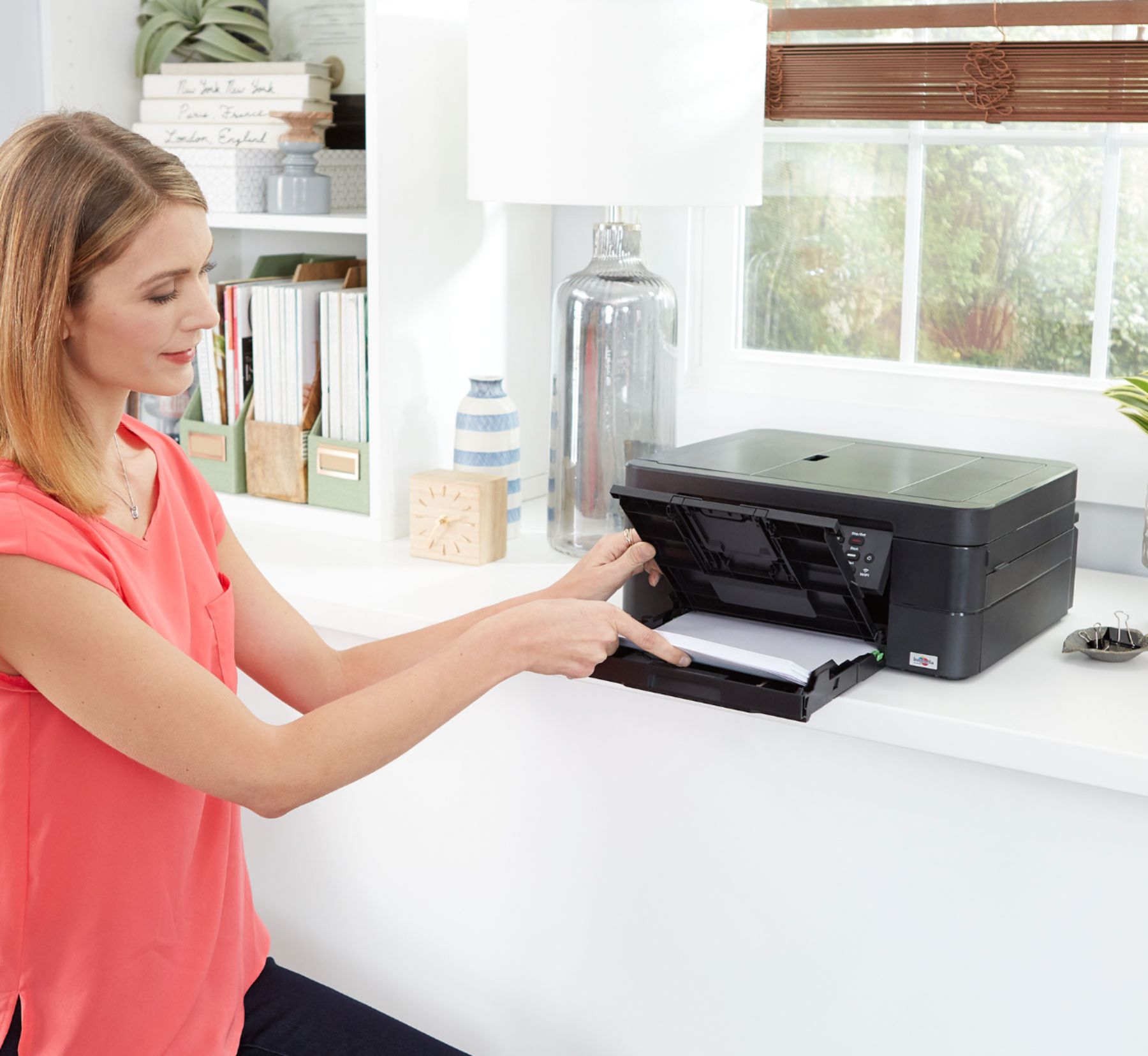
||Posted . Owned for less than 1 week when reviewed.This reviewer received promo considerations or sweepstakes entry for writing a review.It’s a lot bigger than it looks so I ended up returning it. My fault for not looking at the dimensions. It’s very bulky looking and heavy. It also wouldn’t work with my chrome book. It did hookup to my older laptop, though. Printed just fine.
No, I would not recommend this to a friendBrother - Work Smart Series MFC-J497DW
||Posted . Owned for 9 months when reviewed.This reviewer received promo considerations or sweepstakes entry for writing a review.I have not been able to connect this printer to my computer yet. I own a business and a printer is essential. I had to buy another printer as this one never worked.
No, I would not recommend this to a friendBrand response from Brother
Posted .Hello, we understand you're experiencing issues setting your Brother MFC-J497DW. We'd like to help. Here is a link with steps that may help. https://help.brother-usa.com/app/answers/detail/a_id/150551
If you still continue to have an issue with setting up the machine, please contact Brother Customer Support.
https://www.brother-usa.com/contact-us
Doesn’t support AirPrint and won’t connect to PC
||Posted . Owned for 3 weeks when reviewed.This reviewer received promo considerations or sweepstakes entry for writing a review.I was very excited to use it but the printer did not connect to my computer even though they are in the same WiFi network. It came with a CD for installation which is useless, and finally it doesn’t support AirPrint so I can’t use my phone with it. I’ve had it for not one month and I haven’t been able to use it. I assumed Best Buy had a 30 day return policy like all other retailers but to my disgusting surprise it is 15 days. I’m stuck with this junk now and I may have to throw it in the dumpster. Don’t waste your money.
No, I would not recommend this to a friendBrand response from Brother
Posted .Hello, I understand you are experiencing a issue with connecting to the PC. The MFC-J497DW does support Airprint. Your Apple device must be running iOS 4.2 or later. The version can usually be found in the device's settings. Here is a FAQ that may help.
https://help.brother-usa.com/app/answers/detail/a_id/156536?R3ModelID=MFCJ497DW
Here's a additional FAQ with steps for connecting the printer to your PC. If you're operating system is not Windows 10, please choose you correct operating system and follow the steps.
https://help.brother-usa.com/app/answers/detail/a_id/120508?R3ModelID=MFCJ497DW
If you continue to have the issue, please contact us by Email or Live Chat so we can work on this together. https://www.brother-usa.com/support/mfcj497dw
Slower than 1995 printers
||Posted .This reviewer received promo considerations or sweepstakes entry for writing a review.Took literally 15 or more minutes to print one page with some color. Then when the page finally printed, it printed messed up! Left out a whole paragraph which was shown in the preview. Do not buy! My printer in 1995 was waaaaay faster than this. Waste of money.
No, I would not recommend this to a friendDid not last long
||Posted .This reviewer received promo considerations or sweepstakes entry for writing a review.We had this printer for 1 year and 2 months but it was not heavily used because it was a secondary printer while we used up the ink in the printer we were replacing. Once we started using it more, it seemed to be working fine. We used up the starter ink cartridges and put in new high yield cartridges about 2 months ago and now it has failed and no longer prints. After going through all the paper clearing steps the conclusion from support is that it needs to be repaired, but it is out of warranty even though it has really had minimal use.
No, I would not recommend this to a friendJams a lot!
||Posted . Owned for 6 months when reviewed.This reviewer received promo considerations or sweepstakes entry for writing a review.Purchased for business use since it scans! If I could locate the receipt I would definitely return it. It literally jams on every print!
No, I would not recommend this to a friendBrand response from Brother
Posted .Hi, we understand your are experiencing an issue with the Brother MFC-J497DW jamming. We'd like to help. Using the recommended paper can prevent paper jams. Click the link below to assist you.
https://support.brother.com/g/b/faqend.aspx?c=us&lang=en&prod=mfcj497dw_us_eu&faqid=faq00000495_054
If you continue to have issues, our Brother Customer Support Team is available to assist you direct:
https://www.brother-usa.com/brother-support
nonexistent tech support
||Posted . Owned for 1 month when reviewed.This reviewer received promo considerations or sweepstakes entry for writing a review.I tried upgrading my current Brother MFC to a new Bluetooth model. Yellow, would not show on the test page. I cleaned printer heads multiple times. Tech support was no help. I asked, if the cartridges were shipped with low ink, and was told yes. They were starter cartridges. As a customer, I did not care for the treatment by customer service. I returned the printer, to the store.
No, I would not recommend this to a friend- Pros mentioned:Print quality
brother printer
||Posted .This reviewer received promo considerations or sweepstakes entry for writing a review.would have loved this item had it worked. had owned one before and was very pleased with it.
I would recommend this to a friend It was awful! I was so disappointed
||Posted . Owned for 3 weeks when reviewed.This reviewer received promo considerations or sweepstakes entry for writing a review.I was so disappointed! I plugged it in with excitement because everyone told me brothers was the best put it to the settings i needed and then the most horrible sound came out when it started to print! Then the print came out and it was light and just no quality to it! My disappointment was beyond words so i took it back and best buy was great about the return process!
No, I would not recommend this to a friend- Cons mentioned:Paper jam
I hate this printer!!
||Posted .This reviewer received promo considerations or sweepstakes entry for writing a review.This printer is so complicated and the paper jams everytime. Wish I could get a refund!
No, I would not recommend this to a friendBrand response from Brother
Posted .Hi Tina, We greatly esteem your relationship with our company and are very sadden for the inconveniences you have suffered as a result of the Brother MFC-J497DW printer. I would like to get this issue taken care. I ask that you please reach out to our customer support via chat, email, or phone by using the following URL so we can continue to assist you. Brother does offer FREE support for the life of this machine: https://www.brother-usa.com/brother-support
Cheaper printer
||Posted . Owned for 3 weeks when reviewed.This reviewer received promo considerations or sweepstakes entry for writing a review.The ink doesn’t last long and then when you replace the ink it prints with lines in it. Cleaning the printing heads hasn’t worked to get rid of the lines.
No, I would not recommend this to a friendBrand response from Brother
Posted .Hello, stated page yields for genuine Brother cartridges are based on the ISO testing standards. The number of pages that can be printed with a cartridge is affected by several factors, including paper size, number of pages per print job, amount of print on each page, font size, and print content (graphics, charts, etc.). Print jobs with large text fonts, graphics, charts, and/or large amount of solid coverage (black or any given color) will use much more ink and will shorten the life of the ink cartridge. If you continue to have lines related issues, our Brother Customer Support Team is available to assist you direct: www.brother-usa.com/brother-support
Slow and jams
||Posted . Owned for 3 weeks when reviewed.This reviewer received promo considerations or sweepstakes entry for writing a review.My printer is new. Only used once and it took a long time. Additionally, it jammed. I just tried using it a second time and it is jammed. Buyer consider another model or product.
No, I would not recommend this to a friendBrand response from Brother
Posted .We know jams can be frustrating. I'd like to help. Below is a link to a FAQ I believe will help clearing the printer jams.
https://support.brother.com/g/b/faqend.aspx?c=us&lang=en&prod=mfcj497dw_us_eu&faqid=faq00000495_054
Updating your machine firmware and install the latest driver should assist with the printer being slow to print. Click the link to update your printer.
https://support.brother.com/g/b/faqend.aspx?c=us&lang=en&prod=mfcj497dw_us_eu&faqid=faq00100499_000
Don't Buy!!
||Posted . Owned for 2 months when reviewed.This reviewer received promo considerations or sweepstakes entry for writing a review.DO NOT BUY! I bought this because of a decent Consumer Reports rating and the fact that I could not find the newer version-they were sold out. This printer jams every time I try to print anything two-sided. It is a total waste of time. It has not even lasted 60 days before I am likely going to have to replace it. I may stay away from Brother printers as this was my first non-HP printer. My HP's usually last for 2-4 years. You get what you pay for here, stay away.
No, I would not recommend this to a friendBrand response from Brother
Posted .We are sorry to hear that you are experience with the Brother MFC-J497DW has not been favorable so far and we'd like to help. Paper jams can be caused if you are using the wrong paper type or if the paper is inserted in the tray incorrectly. If the issue persists, feel free to contact Brother Customer Service directly at https://www.brother-usa.com/support/mfcj497dw
Nix to generic compatible ink cartridges
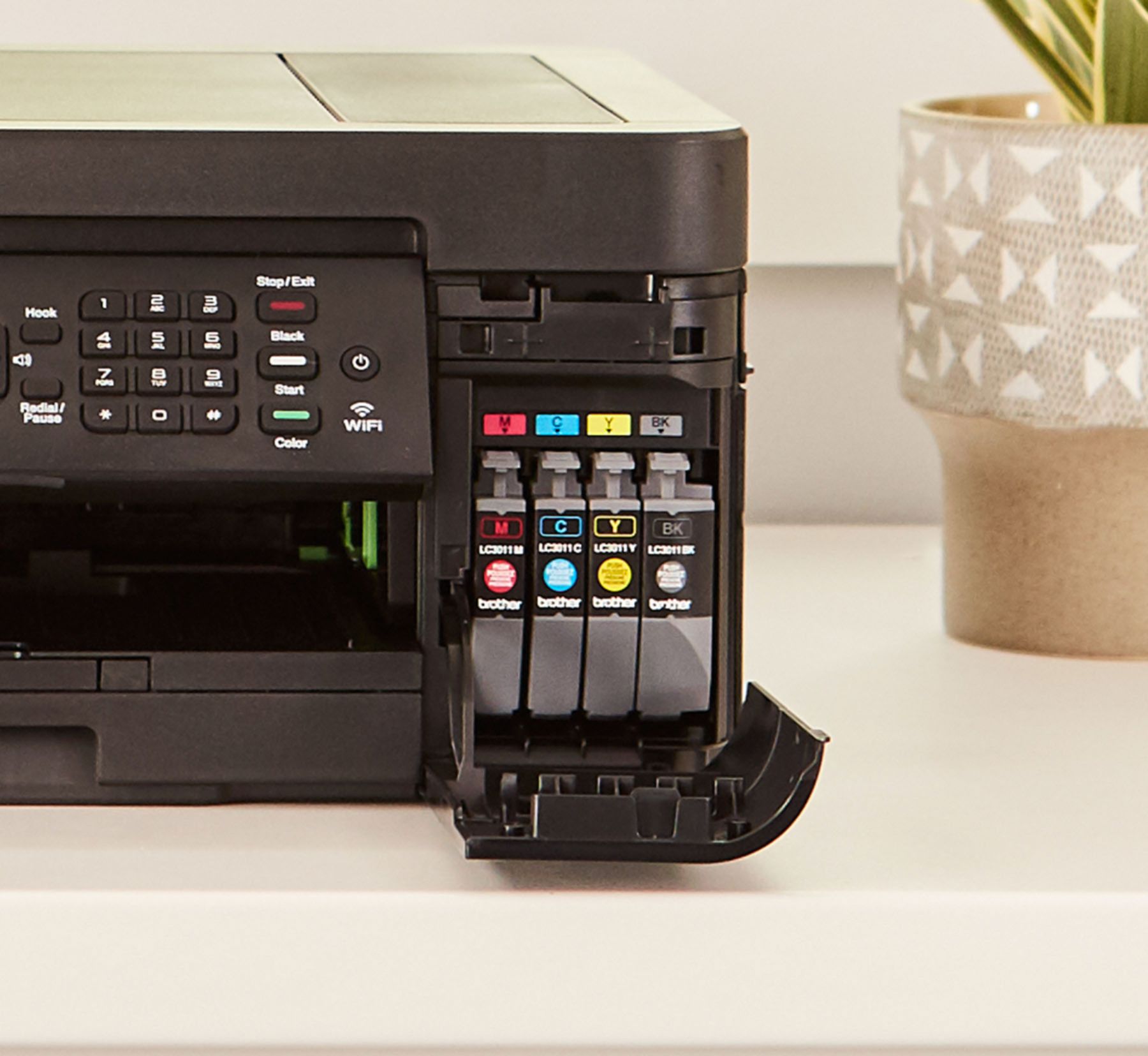
||Posted . Owned for 9 months when reviewed.This reviewer received promo considerations or sweepstakes entry for writing a review.Made the fatal mistake of allowing Brother to install a firmware update on the printer, with the result that my 3rd party printer ink cartridges are no longer recognized. Stuck with a printer that won't printer, and $50 of now useless ink cartridges. Tossed them all in the trash. My 5th and final Brother printer.
No, I would not recommend this to a friendBrand response from Brother
Posted .Brother strongly recommends that customers use only Brother Genuine cartridges for optimal results. Using non-Brother supplies on your Brother MFC-J497DW may affect the hardware performance, print quality and machine reliability. The Brother limited warranty may not apply to problems caused by the use of third-party supplies.
A disappointment!
||Posted . Owned for 3 weeks when reviewed.This reviewer received promo considerations or sweepstakes entry for writing a review.It is so different from the Brother printer that it replaced that I can't get used to it. An instruction manual would have been nice.
No, I would not recommend this to a friendBrand response from Brother
Posted .We are sorry to hear that your experience with the Brother MFC-J497DW printer has not been favorable so far and we'd like to help. Manuals and user's guide are available online at support.brother.com: https://support.brother.com/g/b/manualtop.aspx?c=us&lang=en&prod=mfcj497dw_us_eu
If you still experience problems, feel free to contact Brother Customer Service directly at https://www.brother-usa.com/support/mfcj497dw
Awful!!!!
||Posted . Owned for more than 2 years when reviewed.This reviewer received promo considerations or sweepstakes entry for writing a review.This printer is awful! I've had it for 2 years. I was never able to fax anything and now it won't print with all new ink cartridges and after cleaning the printer heads. I bought this because I had good experience with another brother printer. It lasted for 10+ years. This one is terrible! I wouldn't recommend it to my worse enemy!
No, I would not recommend this to a friendBrand response from Brother
Posted .We are sorry to hear that your MFC-J497DW is no longer printing and you have performed troubleshooting steps and that you are unable to send faxes. We believe the additional steps below should help you in printing and sending faxes:
Printing blank: https://help.brother-usa.com/app/answers/detail/a_id/156138
Problems sending faxes: https://help.brother-usa.com/app/answers/detail/a_id/128645
If you continue to have issues, our Brother Customer Support Team is available to assist you direct: www.brother-usa.com/brother-support
- Pros mentioned:Ease of use, Print quality
Great printer. Great support.
Posted .This reviewer received promo considerations or sweepstakes entry for writing a review.Reliable and easy to use printer. Good quality printing for the price. Easy to set up and use. Plus brother support is excellent. I highly recommend this printer.
I would recommend this to a friend