Customer Ratings & Reviews





- Model:
- 49024BBR
- SKU:
- 5796796
Rating by feature
- Value
Rating 3.7 out of 5 stars
- Quality
Rating 4.1 out of 5 stars
- Ease of Use
Rating 4.0 out of 5 stars
Customers are saying
Customers praise the keyboard quality, battery life, and ease of use of this wireless keyboard. They also appreciate the sturdy hinge and improved stability it offers compared to the original keyboard. While some find it adds weight to their Surface Pro, the secure fit and smooth typing experience are frequently highlighted as positive aspects. Overall, the positive feedback on key features outweighs the concerns about added weight.
This summary was generated by AI based on customer reviews.

Terrific BT Keyboard!
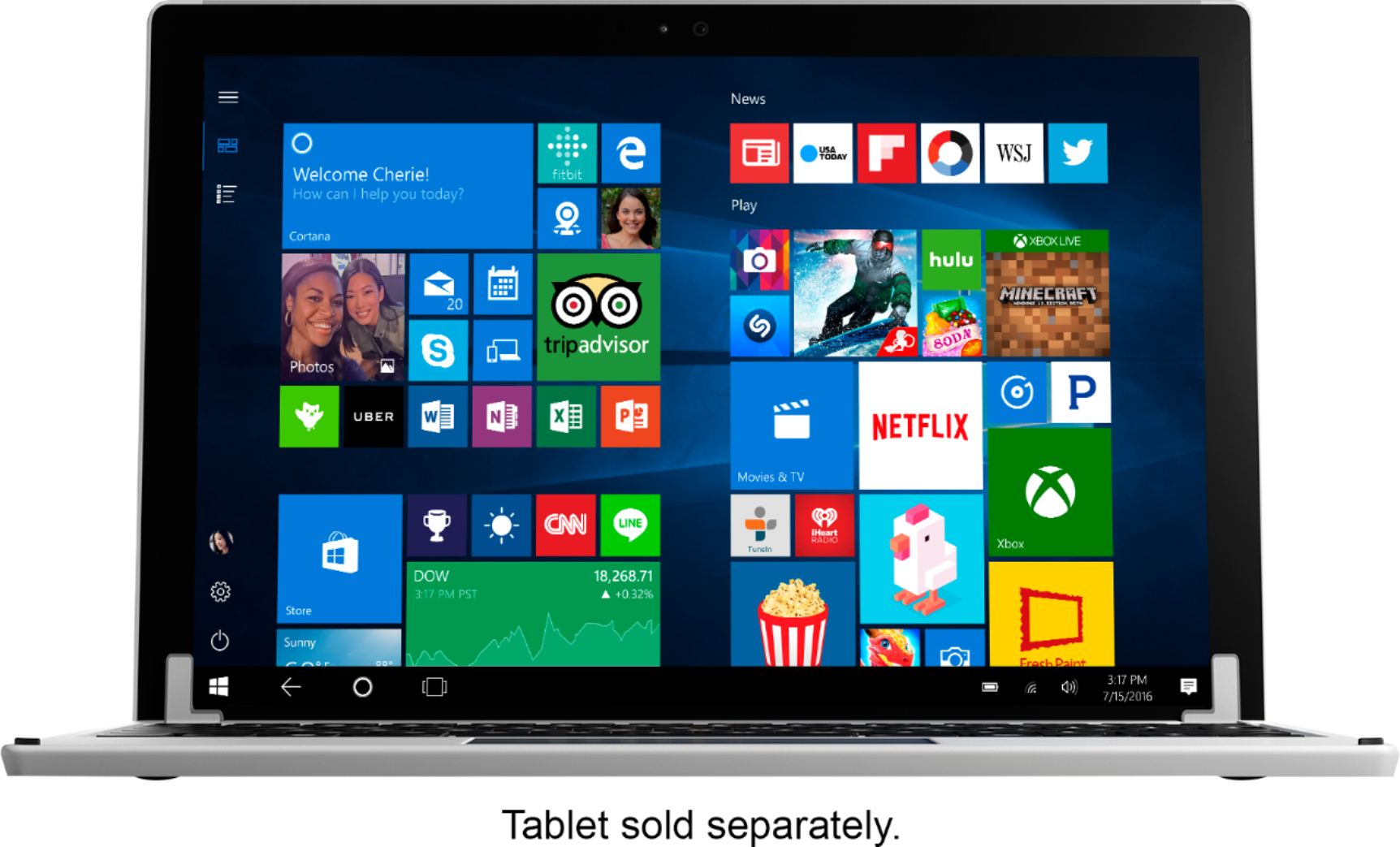
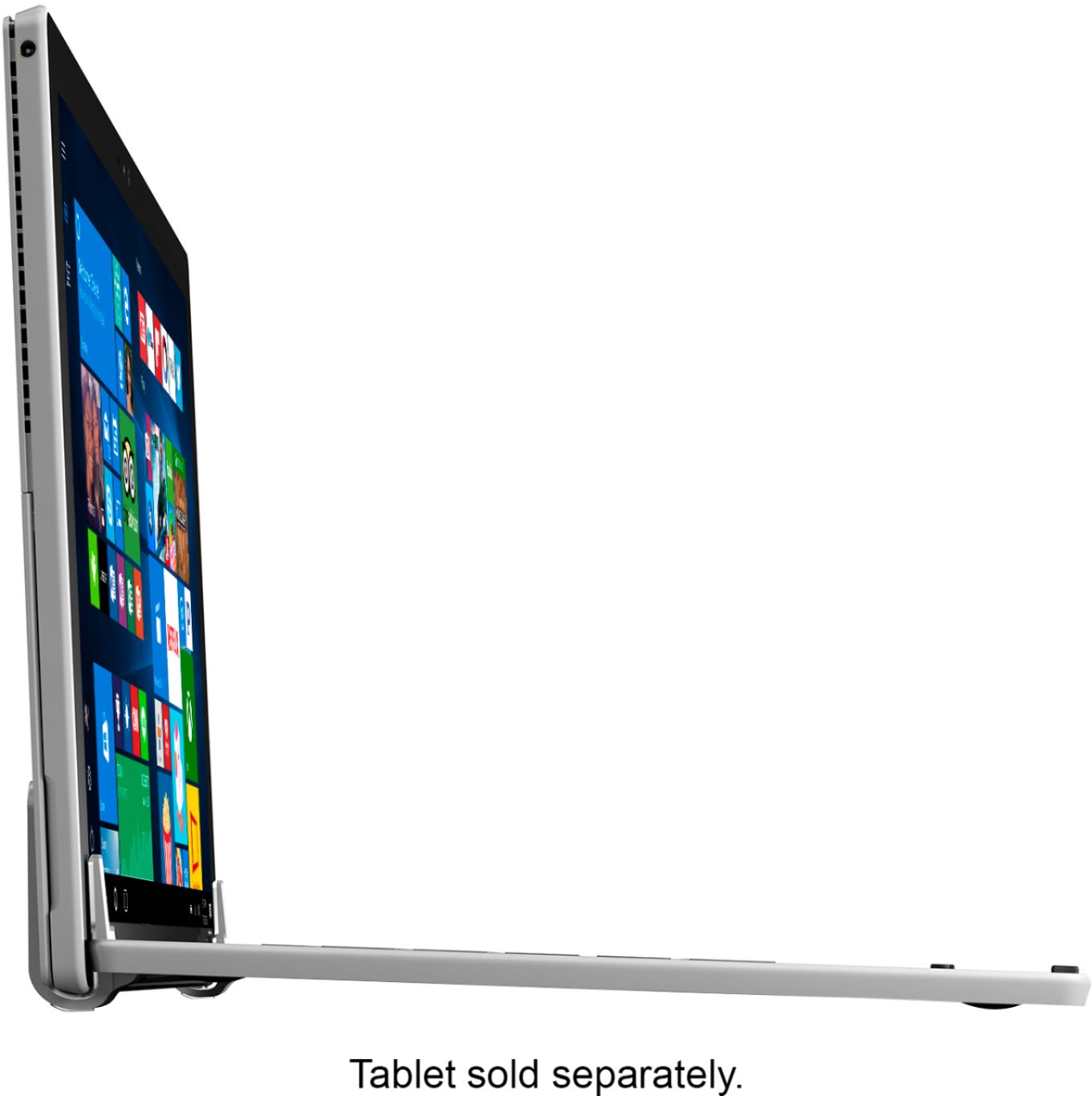
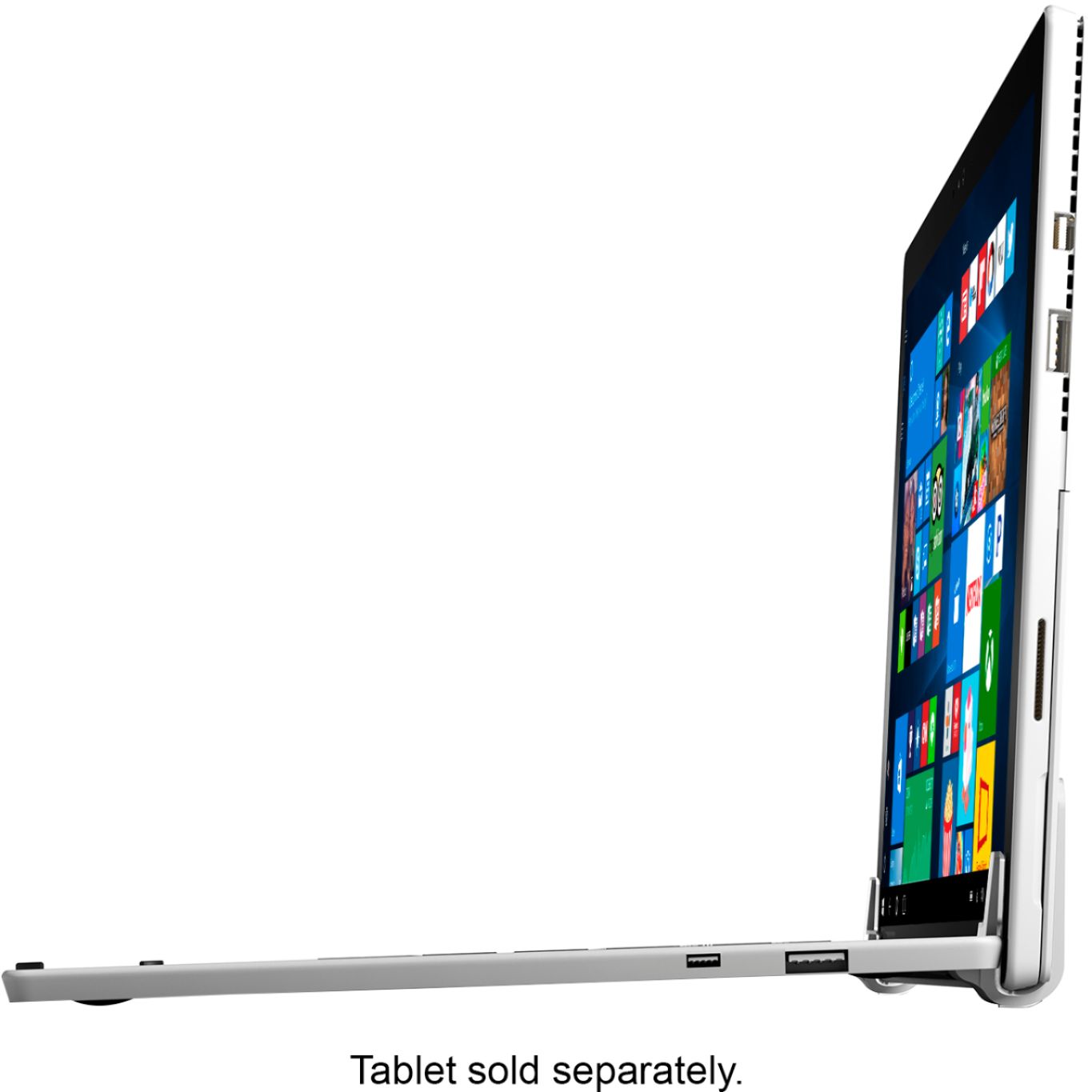
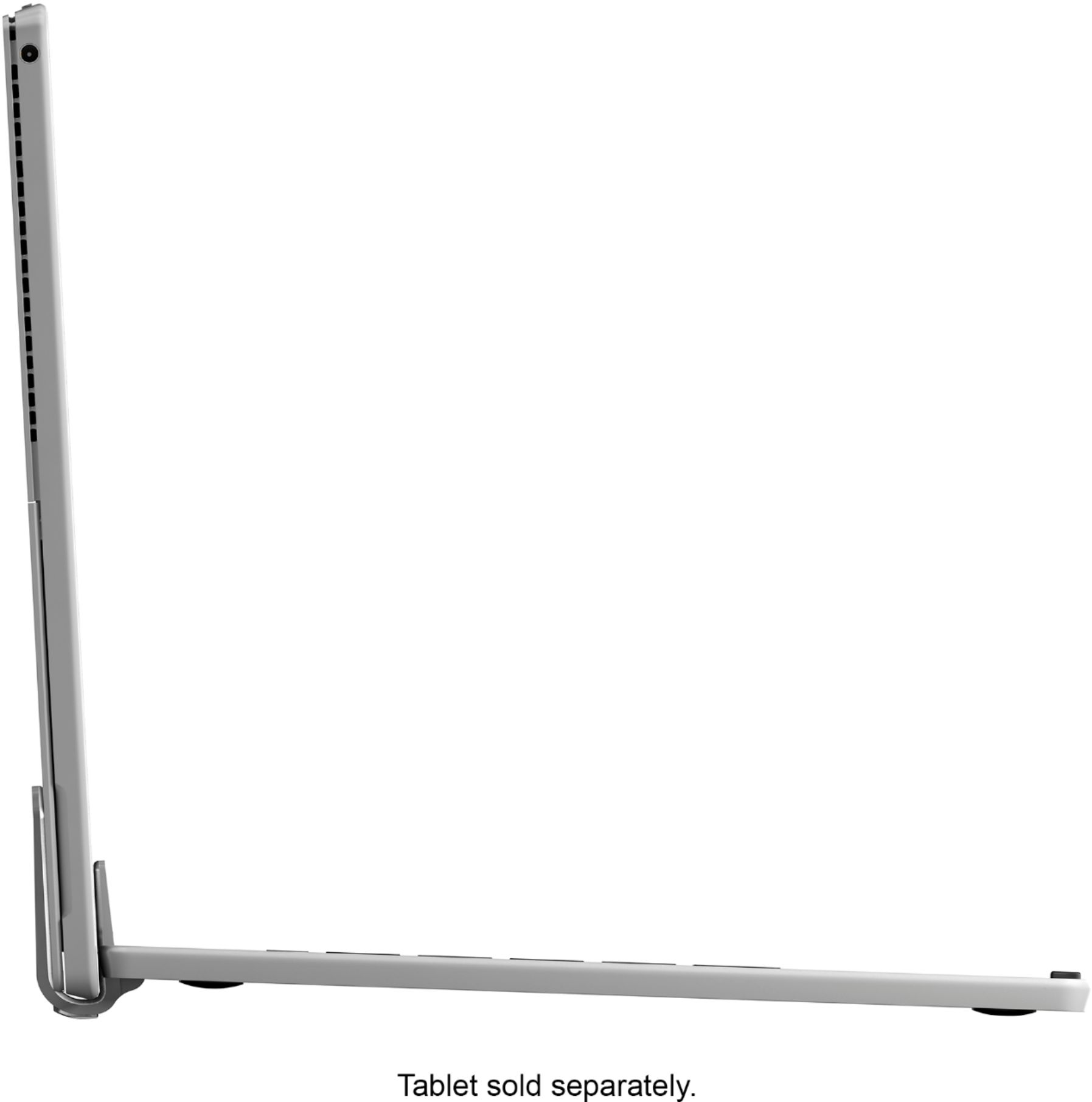
|Posted .This reviewer received promo considerations or sweepstakes entry for writing a review.I am incredibly pleased with the Brydge 12.3 Wireless Keyboard. I am using it with a Surface Pro 4. Setup was quick and easy. It only took a second to pair with my SP4. Once paired, it functions almost flawlessly. Fit and finish are excellent. This looks and feels like a premium keyboard. I appreciate the little touches, like the fact the bevels match those of the SP4. And there is a nice cutout in the center of the front profile to make opening the Surface easier. The palmrests are comfortable. The trackpad, while a little smaller than I would have hoped, functions smoothly and responds appropriately to controls. Keys are backlit via manual controls. You pick whether you want backlighting on or off. You also set the brightness level. I actually prefer this setup instead of automatic settings. Although it pairs via BT, in function, it acts and feels like a laptop. For instance, when I close the "lid" (the SP4), the Surface goes into hibernation. When I open the lid, the Surface wakes. The Surface is easy to remove from the grippy hinges built into the Brydge, but it is also firmly locked in. There is no hint of looseness when I pick everything up by either the tablet or the keyboard. While in the hinges, the screen can be folded back flat, but it cannot rotate all the way around. If you want to use the Surface as a tablet, just take it out of the keyboard. In fact, since it's paired via BT, you can remove the Surface entirely and still use the keyboard to type. This can come in handy in some circumstances. The keyboard is a little on the heavy side, but it needs to be in order to counter the full weight of the Surface. It is not excessive. But if you were to compare it to an Apple computer, think more MB Pro instead of MB Air. I enjoy the standard MS Type Keyboard I purchased with the Surface, but this Brydge Keyboard is much more versatile. And it finally gives a complete answer to whether you can easily use a Surface on your lap - yes, you can. In all respects, other than a few controls like powering it one and such, it functions just like a regular, high-quality keyboard. The keys have a satisfying sound as you type. I was instantly able to type quickly and with very few errors. I did not detect any lag whatsoever. The keys are nicely spaced and have good travel depth. I wish it had a dedicated power button to make it a little more intuitive, but it works well enough. The base is stable. The feet are grippy and lend to the overall solid feeling of the keyboard. There are little raised nubs at the front corners to help softly cradle the screen when you close the Surface. I only have one small negative - one of my keys (the "h") sticks a little and then clicks back up a bit more loudly than the others. But that's the only thing that makes me remember this isn't a high-end OEM keyboard. And it doesn't happen every time. After using the Brydge, I don't see myself going back to any other keyboard with the Surface.
I would recommend this to a friend- Pros mentioned:Battery life, Keyboard quality
Great Keyboard, Fantastic Looks
|Posted .This reviewer received promo considerations or sweepstakes entry for writing a review.This beauty of a keyboard transforms your Surface device into a full functioning laptop (look wise), all while creating a stylish presence as well. Keyboard feels good, very sturdy, and the backlit keys were a must. I had no connection issues, nor did I have any battery issues (claimed up to 3 months on a single charge). All in all this is a premium product that literally creates a new type of Surface device. Would definitely recommend it!
I would recommend this to a friend - Pros mentioned:Ease of use, Keyboard quality
Best Keyboard for Surface Pro
|Posted .This reviewer received promo considerations or sweepstakes entry for writing a review.This keyboard is by far the best keyword for the surface pro, no questions asked. It super light, clips on easily and really good to type. I love the feedback and as I am a programmer I am really picky about the keyboards. It converts your SP into the surface book. I have been using it for about a week and I really love it. I have seen comments on the internet about the discoloration it may be causing, I have not come across it on my SP4. However that is a big concern and I will keep a lookout for that. Other than that this allows you to type very easily and comfortably and feels like a real keyboard. Plus the aluminium chassis is love
I would recommend this to a friend - Pros mentioned:Ease of use, Keyboard quality
Great Keyboard
|Posted .This reviewer received promo considerations or sweepstakes entry for writing a review.This is a nice keyboard option for my surface pro 3. It was very easy to set up, it connected immediately. It makes my surface look and feel more like a laptop than a tablet. It is not too heavy. The surface wakes up instantly when opened. The keyboard attaches to the surface easily and securely. The keyboard is backlit, which is a nice feature, and it can be turned on and off. Keys are nicely spaced, to make typing easier. I did not like having to take the shims that came installed on the keyboard hinges out to replace with another set to fit my surface pro 3. The ones installed were for the surface pro 4. Mine fit, but it was a very snug fit, making it easy to put the surface in and take out. Aside from this small issue, the keyboard is great.
I would recommend this to a friend - Pros mentioned:Hinge, Keyboard qualityCons mentioned:Weight
Nice BT keyboard, wish it wasn't so heavy
|Posted .This reviewer received promo considerations or sweepstakes entry for writing a review.This is a nice keyboard that pairs (via BT) well with the Surface. The keys have good register, are back lit and are just generally a pleasure on which to type. However, this keyboard is quite heavy. I'm guessing it doubles the weight of the Surface. I wonder if something could have been done to bring the weight down of the final product? Regardless, I do think the weight helps with the stability of the laptop form and would also help to prevent tipping. The hinges are first class.
I would recommend this to a friend Good and bad design
||Posted .This reviewer received promo considerations or sweepstakes entry for writing a review.i really wanted to to like this bluetooth keyboard it made my surface feel like a real laptop. But it actually cracked my surface screen. so i had to disable the touch screen just to use it.
No, I would not recommend this to a friend- Pros mentioned:Battery life, Keyboard quality
Study and dependable keyboard for Surface Pro
|Posted .This reviewer received promo considerations or sweepstakes entry for writing a review.I use my Surface Pro 4 extensively for my schoolwork, my work travels and at leisure time. This keyboard is very sturdy. I switched it with my Type cover. Nothing wrong with Type cover, but sometimes you need a real solid keyboard. This keyboard connects to Surface using Bluetooth instead of the connection pins at the bottom of the Surface. It is easy to pair and comes with backlight. Very comfortable to use as well. Using this keyboard, my Surface Pro looks like the Surface Book. They battery is rechargeable and it lasts around 3+ months on a single charge. I do not turn it off at all. There is a button to find out the battery status of the keyboard. The keyboard hinges to the Surface and does not block any screen area. The touchpad can be sensitive, but it is all customizable. Overall, this is a solid keyboard and would definitely recommend to anyone who is looking for a replacement or even to just get one as a standalone.
I would recommend this to a friend - Pros mentioned:Keyboard quality
Great Build and Design
|Posted .This reviewer received promo considerations or sweepstakes entry for writing a review.Have a Surface Pro 3, I do use an external keyboard quite often. Until now it has been a detached bluetooth keyboard. I tried the Brydge 12.3 and was very impressed with the keyboad design (it will be familiar as its similar to a company named after a fruit) and the build is very solid. The setup and connection were a piece of cake with Windows 10 and the response and usabilty have been great! I do have my Surface is an otterbox case (I did drop it and crack the screen costing $275) so that is a little bit of a struggle. but i am able to make it work. However, if you have a similar case, just know it wont simply slide into the tablet holders on the keyboard. Overall I am very impressed with this keyboard and would recommend it.
I would recommend this to a friend - Pros mentioned:Battery life, Keyboard quality
About time someone else took this step
|Posted .This reviewer received promo considerations or sweepstakes entry for writing a review.One thing awesome about the Surface Pro is the ability to carry with you to a meeting with a light weight type cover. However, at home, I prefer the weighted keyboard so I can use it as a laptop on my lap. The problem with using simply the kickstand has been solved thanks to the guys at Brydge. It truly turns your Surface Pro into a laptop with a great aluminum unibody to match the Surface. With the attached USB port, you can charge Brydge to its fullest potential and teh battery lasts for several months. The keys themselves feels natural and I'm able to type up to 87 words per minute with minimal errors (my fault, not the bluetooth connection) So after all, this is a great to have if you like to use this for travel or bedside as a laptop device.
I would recommend this to a friend - Pros mentioned:Keyboard quality
Not ready for prime time yet.
|Posted .This reviewer received promo considerations or sweepstakes entry for writing a review.The Brydge 12.3 keyboard is stylish, well finished, and compliments the look of the Surface Pro 4. I was really excited to get this and use it, putting my laptop away for ever. This is not going to be the case. There are some issues with these units. If you look around at the reviews you’ll find a lot of reviews that state the auto sleep/wake function does not work. Mine was exactly like this, no auto sleep/wake. I found that by pulling the Surface out of the hinge clamps about 1/8 inch it now worked. So the issue is the Brydge keyboards sensor is in the wrong place, by 1/8 of an inch on the one I received. I contacted the manufacture to see if they have a downloadable driver that will allow for custom sensitivity of the sensor. It’s only off by 1/8 inch and I don’t think it’s just a magnetic sensor. I believe it is actually a magnetic hall effect sensor. That sensor should be adjustable so if your Surface doesn’t auto sleep/wake like it should you can go into the configuration and turn up the sensitivity to make it work correctly. Unfortunately there is no driver available. The next issue I see is the hinge placement. The hinges are very tight, overly so. They put a lot of stress on the glass of the surface. Not so much when you place the Surface in the hinge, that seems about right. However when you open and close the Surface you can see the distortion in the display as the glass is being pushed on very hard. The hinges have about twice the stiffness that is required to keep the Surface in position. I’m not sure if they expect the hinges to get weaker over time and so there tight right now. I would suggest they redesign the hinge to hold the Surface by the edge of the frame, like some cases do. I will not feel good about stressing my Surface display this way. I see too many online reviews of cracked glass on the edge where the hinge of a Brydge keyboard attached. Not to blame the Brydge keyboard for the cracked screens, but it is obviously applying a lot of pressure on that point. Any imperfection in the glass will end up breaking. My next issue is overall response time. The keyboard goes to sleep and has to wake up if you don’t use it for a few minutes. I don’t think this is bad, save the battery. The keys work well when they wake up. The track pad is a complete different story. When waking the track pad it takes about 5 seconds before it starts to fully respond. Not to say it doesn’t respond for 5 seconds, it jerks around the screen while you’re trying to do something and then catches up and works well after that. The right and left click buttons on the track pad are just horrible. Trying to right or left click, the cursor moves off what you’re doing and clicks in the wrong spot. At no point was I able to figure out how to stop it from doing that. Again this is a place where a good driver for the keyboard would allow you to turn off the cursor movement on the click corners. That way the cursor wouldn’t move while trying to click on something. I finally gave up on the track pad and just used my finger on the screen. Lastly, it doesn’t come with a charger. Really? A cable, VERY short, but no charger. You’re forced to use another devices charger to charge the keyboard. The instructions are not clear if they intend for you to charge the keyboard from the Surface of not. If that’s the case in order to charge the keyboard you would need to plug it into the Surface and then plug in the Surface. I have tested this, when the Surface goes to sleep the output of the USB port is shut off. So just hooking up the Surface charger and plugging in the keyboard charger will not work if the Surface in not on. For the cost of this unit they should include a short cable, if your unit has the hard drive in it, and a long cable and charger. On my Surface Pro 4 the charger has a USB charging port. This seemed like a good spot to plug in the keyboard. However I discovered that the USB port has no output if the Surface is not hooked up. Seems like Microsoft made this USB port to be used only while you’re actively charging your Surface. Your charger may act differently, I have no way of knowing. While I waited for my keyboard to arrive I noticed that my local Best Buy had 4 of these units on the shelf. ALL of them were open box returns. This says something about the keyboard. Brydge has made some really nice keyboards for iPads. They have missed the mark on this one for the Surface. Time for them to go back and redesign this unit. I did contact the manufacture about the driver issue. They assured me the issue was a defective unit and not drivers. I was informed they would replace the unit but more than 2 weeks have passed and no replacement. There have been 5 emails with the company. On each occasion they have said they want to replace the unit. But to date they have yet to actually send a new one. If one ever shows up I’ll update this review, or write a new one if need be. The communication with the manufacture has been good. The follow through has not happened. I can not, in all good consciences, support someone buying this keyboard. And that’s a shame because I really wanted to like this unit.
No, I would not recommend this to a friend - Pros mentioned:Keyboard quality
I wish I had thought of it
|Posted .This reviewer received promo considerations or sweepstakes entry for writing a review.This is one of those ideas that you put your palm to your forehead and wonder why you didn't think of it. I love my Surface Pro 3, and while it works fine as a laptop when it's actually, you know, on my lap, the kickstand has a tendency to dig into my legs and the screen doesn't stand on it's own. In addition, I've never really become friends with the Surface Pro keyboard--I like the feel just fine, I just click multiple keys simultaneously way too often (the newer model that came out with the Surface Pro 4 appears to be an improvement). Enter the Brydge 12.3 keyboard. The keyboard holds your Surface firmly and turns it into a gorgeous laptop. The keyboard ships with rubber shims for the Surface Pro 4, so don't try to force your Surface Pro 3 into the keyboard like I did before you read the directions. You'll need to replace the shims with the included, and wider, SP3 version if that's the model you have. Pairing was simple...after I read the directions. Once connected, I found the keyboard a joy to type on. In fact, I'm not exaggerating when I say it is probably the best chiclet style keyboard I've ever typed on. Keyboards are a matter of taste, so go to Best Buy and try it yourself. I like the trackpad gestures Brydge included. There are the typical pinch type gestures, but there are also gestures for viewing open apps, showing the desktop, and invoking Cortana. In addition, the keyboard has helpful pre-assigned keys for opening your default email app, showing open apps, and, of course, volume and brightness. An added bonus is that the keys are backlit. The Brydge 12.3 Surface Pro keyboard costs only a little more than the Microsoft Surface keyboard, but it turns your Surface into a bonafide laptop. The only downside I can see over the Microsoft keyboard is slightly decreased battery life due to Bluetooth having to be turned on. But if you ask me, the battery life penalty is more than worth it. Lastly, build quality is excellent. I'm positive the Brydge 12.3 will outlive your Surface Pro.
I would recommend this to a friend As Good As it Gets
|Posted .This reviewer received promo considerations or sweepstakes entry for writing a review.Microsoft Surface Pro has probably the best design for a Windows tablet by far but it does not work well on your lap when using MS standard keyboards built for it. Brydge 12.3 not only has a matching design but it can do what Microsoft's can't: once it's paired, the Surface really feels and looks like a laptop. It's so much more comfortable, especially on the lap. It's sturdy and high quality with excellent tactile feedback. The keys are spaced just right and even easier to type. The addition of back-lit keys makes it even better. Paring it the first time took much longer than I expected for some reason but once it did, it worked perfectly without any lags. It does not feel loose at all and can hold the Surface as if it was really part of it. My wife actually thought I had purchased a new laptop. Even after she picked it up she had a hard time believing it was the Surface with the Brydge Keyboard. When closed, the Surface will hibernate just like a standard laptop and will wake up when opened. I don't see myself using MS keyboards with the Surface anymore. My only complaint is that the righ/left "buttons" on the touch pad requires slightly more force than the one on MS keyboards but it is not a deal breaker. As a Surface Pro 3 owner, I would say that the only opportunity Brydge missed was that it didn't add place for the Surface pen. That would have made many of us extremely happier. Many people probably would love if it had added some USB ports but then it wouldn't be paired via Bluetooth and would drain battery from the Surface. I don't think I was ever excited by a keyboard before but the Brydge 12.3 just got me talking about it just as I did when I first bought my Surface Pro. It is just that good in my opinion even with the addition of some weight and thickness. Highly recommended.
I would recommend this to a friendCauses pressure marks
||Posted .This reviewer received promo considerations or sweepstakes entry for writing a review.I was so excited for this keyboard with the sleep look, but the keyboard is actually pinching the surface and it leaves pressure marks.
No, I would not recommend this to a friend- Pros mentioned:Keyboard quality
Excellent Product - Get One Now!
|Posted .This reviewer received promo considerations or sweepstakes entry for writing a review.If you are looking for a keyboard for your surface pro, this is it. It has a very premium feel to it and matches the SP4 very well design wise. It has a back lit keyboard which can be manually adjusted for brightness which is great. Sometimes the default brightness on these keyboards can be too much from my past experiences, and leaves you with no way to adjust it. The keyboard does have a little weight to it, so be aware of that, but it is well worth it. Setup is quick and pairs with the SP within seconds. Highly Recommended.
I would recommend this to a friend - Pros mentioned:Battery life
Good keyboard option - Less interesting than OEM
|Posted .This reviewer received promo considerations or sweepstakes entry for writing a review.This keyboard does what it intends to do well. Its got good key travel and a decent touchpad, but for its size and relative bulk, I just wish it did something else! If you're looking for a way to extend the functionality of your Surface Pro tablet into a lap-capable laptop, this thing works great. Its capable of supporting the Surface Pro 3, Surface Pro 4, AND the newly announced 2017 Surface Pro tablets... It has great backlighting and excellent battery life. The keyboard, as mentioned, does add significant bulk to the tablet and honestly, without it augmenting power or adding LTE or storage to the device, I don't see the benefit (besides lap-ability) vs the native Microsoft offering. If this thing was a hotspot too and an extended battery for the Surface Pro that would be amazing! Even so, its a good product for what it claims to do. Simple and well designed with premium materials. Not much more you could ask for, but if you want to eschew the bulk of it, Microsoft's own type cover with fingerprint reader adds a security feature and will seem more like a tablet cover for tabletop typing use cases.
I would recommend this to a friend - Pros mentioned:Keyboard quality
Good keyboard for SP4/SP3
|Posted .This reviewer received promo considerations or sweepstakes entry for writing a review.I previously had a blue type cover 4 with my Surface Pro 4 - this is a nice replacement for that. Honestly, I keep getting the feeling I'm typing on a MacBook keyboard (which is not a bad thing). The keys travel very well, and it immediately responds as soon as the Surface Pro 4 is powered on. My main complaint would be that the keyboard is not backlit. If it was backlit, it would be a five-star product. In the meantime, highly recommended. I have been tempted to buy a Surface Book, but with this, I don't need to.
I would recommend this to a friend - Pros mentioned:Keyboard quality
Nice Keyboard Solution for the Surface Tablet
|Posted .This reviewer received promo considerations or sweepstakes entry for writing a review.This is an impressive solid and sturdy Bluetooth keyboard solution for the Microsoft Surface tablets. I have a Surface Pro 3 and the Brydge is definitely an improvement over the standard Surface tablet keyboard. They keys are spaced perfectly and they feel natural when typing. The touchpad is also much nicer than the standard Surface keyboard. The Brydge is nicely put together and not too bad on the overall weight. The Surface tablet fits firmly in the hinges. The tablet bounces a tiny bit when you are touching the screen but the hinges appear to be constructed well and look like they will hold up over time. The Brydge comes with a spare set of hinge inserts which is nice. Pairing the keyboard was very easy and I did not have any issues. If you are looking for a better keyboard for your Surface tablet then the Brydge is definitely your answer.
I would recommend this to a friend Horrible Product. Not durable.
||Posted .This reviewer received promo considerations or sweepstakes entry for writing a review.This product’s hinge broke after only 6 months of normal use. This is my second keyboard this has happen to.
No, I would not recommend this to a friend- Pros mentioned:Ease of use
Love It
|Posted .This reviewer received promo considerations or sweepstakes entry for writing a review.Late getting my review out due to vacation but here goes. Was glad to receive my Brydge 12.3 Wireless Keyboard for my Surface Pro 4. I for one am not a big fan to the flat-type keyboards attached to the Surface Pro, however, attaching this wireless (Bluetooth) keyboard make my Surface Pro more portable and more like a true laptop, and very lightweight. The keys are very responsive and it connected very easily to the Surface Pro and to a separate laptop that was at my work desk.
I would recommend this to a friend - Pros mentioned:Battery life, Keyboard quality
This is exactly what I've been waiting for!
Posted .This reviewer received promo considerations or sweepstakes entry for writing a review.I had heard about the Brydge 12.3 a while back, and I was pretty excited for it. I didn't want to pre-order it online as I wanted to see it in person and play around with it prior to purchasing. This thing blew me away! It's very well built! It's made with high quality aluminum, not flimsy plastic like other keyboards out on the market. It has backlit keys are always a great feature for keyboards. The track pad is pretty spot on, and supports multi touch gestures built into the surface. Apparently the battery life will last a few months with moderate use, I can't attest to that yet, but I don't doubt this product in the least. Bottom line is, as soon as I got to see it in person and actually use one, I was sold. Bring your SP3/4 to BB and try it out for yourself! This is leaps and bounds better than the type cover, and at such a similar price point! Very happy with my purchase so far!
I would recommend this to a friend