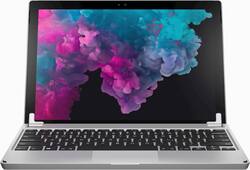
Brydge - Wireless Keyboard for Microsoft Surface Pro 7, 6, 5 and 4 - Silver
- Key Specs
- Model Compatibility: Microsoft Surface Pro 4, Microsoft Surface Pro 5, Microsoft Surface Pro 6, Microsoft Surface Pro 7
- Interface(s): Bluetooth (Refers to the types of connections that devices use to interact and communicate with each other.)
- Illuminated: true
- General
- Brand: Brydge
- Model Number: 49024BBR
- Product Name: Wireless Keyboard for Microsoft Surface Pro 7, 6, 5 and 4
- Color: Silver
- Material: Aluminum
- Compatibility
- Brand Compatibility: Microsoft
- Model Compatibility: Microsoft Surface Pro 4, Microsoft Surface Pro 5, Microsoft Surface Pro 6, Microsoft Surface Pro 7
- Maximum Compatible Display Size: 12.3 inches
- Connectivity
- Wireless: true
- Interface(s): Bluetooth (Refers to the types of connections that devices use to interact and communicate with each other.)
- Features
- Touchpad: true
- Adjustable Tilt: true
- Illuminated: true
- Included
- Number Of Keys: 78
- Palm Rest Included: false (null)
- Dimensions
- Product Height: 0.29 inches (The out of box height of the item. Height is measured as the vertical distance from the bottom of the item to the top as it would be primarily used or placed.)
- Product Width: 7.8 inches (The out of box width of the item. Width is measured as the horizontal distance from one side of the item to the other as it would be primarily used or placed.)
- Product Weight: 23 ounces (The out of box weight of the item.)
- Other
- UPC: 019962499241
Replace the keyboard of your Microsoft Surface Pro 7, 6, 5 or 4 with this silver Brydge keyboard. It conveniently lets you open the screen at your preferred viewing angle without a kickstand, and its backlit keys increase visibility in low light working environments. This Brydge keyboard is lightweight, so it doesn't add extra bulk to your device.
- Designed for use with Microsoft Surface Pro 7, 6, 5 and 4: Brings you a laptop-like experience and matches the design of your tablet.
- High-grade aluminum body: Durable and lightweight construction with premium feel.
- 0 to 160° viewing angle: The patented hinge allows you to adjust your iPad to a desired angle.
- 78 keys with three backlight levels: A full QWERTY keyboard with dedicated iOS special function keys giving you the functionality of an iPad and the productivity of a laptop.
Whats Included
- Brydge Wireless Keyboard for Microsoft Surface Pro 7, 6, 5 and 4
- Extra set of rubber hinge shims (for Surface Pro 3)
- Micro-USB charge cable
- Quick Start Guide
Q: Can this work as a detached keyboard or must it be attached to the tablet to work?
A: It Works through Bluetooth and can be detached and still work.
Q: Will this work for a Surface Book 2?
A: You can connect a surface book to the keyboard through Bluetooth however you can not place the surface book in the slots for the device to sit.
A: No. The keypad has to be removed but it’s easy to take the table off the hinges.
A: Yes this keyboard can be used with the Surface Pro 3. I’ve had it for a few months now and I would definitely recommend it.
Q: Does the keyboard come in dark brown as the Surface Pro 7 I just purchased is black or dark brown?
A: No, it does not come in dark brown.
Today's top picks
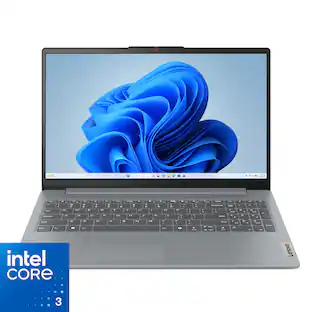 $299.99The price was $499.99
 $529.99The price was $749.99
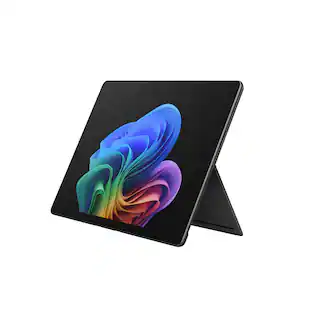 $1,099.99The price was $1,599.99
 $369.99The price was $529.99
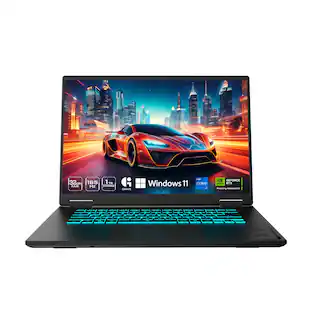 $1,099.99The price was $1,299.99
 $1,199.99The price was $1,299.99
 $999.99The price was $1,599.99
 $649.99The price was $849.99
 $549.99The price was $849.99