Customer Ratings & Reviews


- Model:
- 93096308
- SKU:
- 6289101
Rating by feature
- Value
Rating 4.2 out of 5 stars
- Quality
Rating 4.3 out of 5 stars
- Ease of Use
Rating 4.0 out of 5 stars
Customers are saying
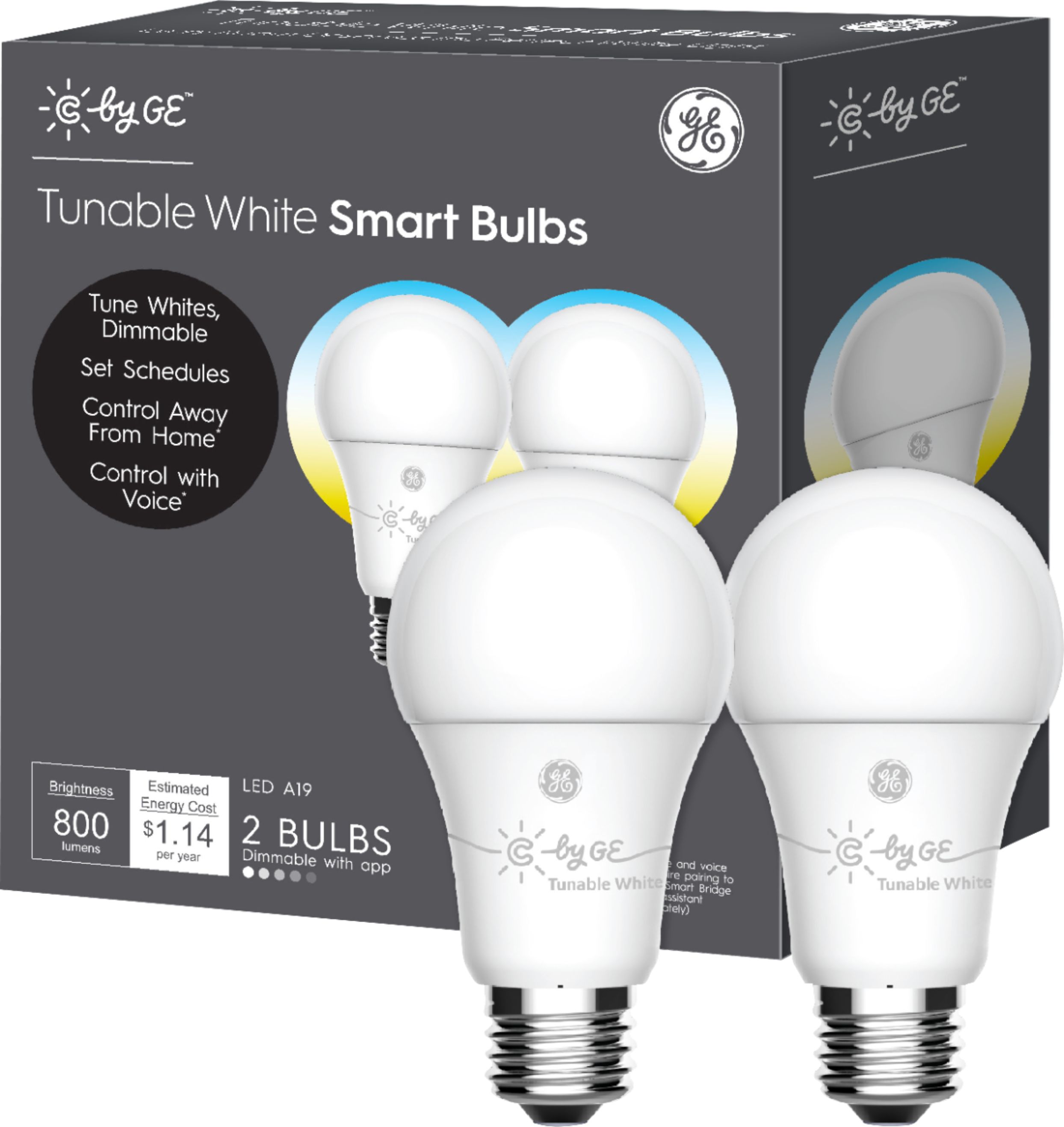
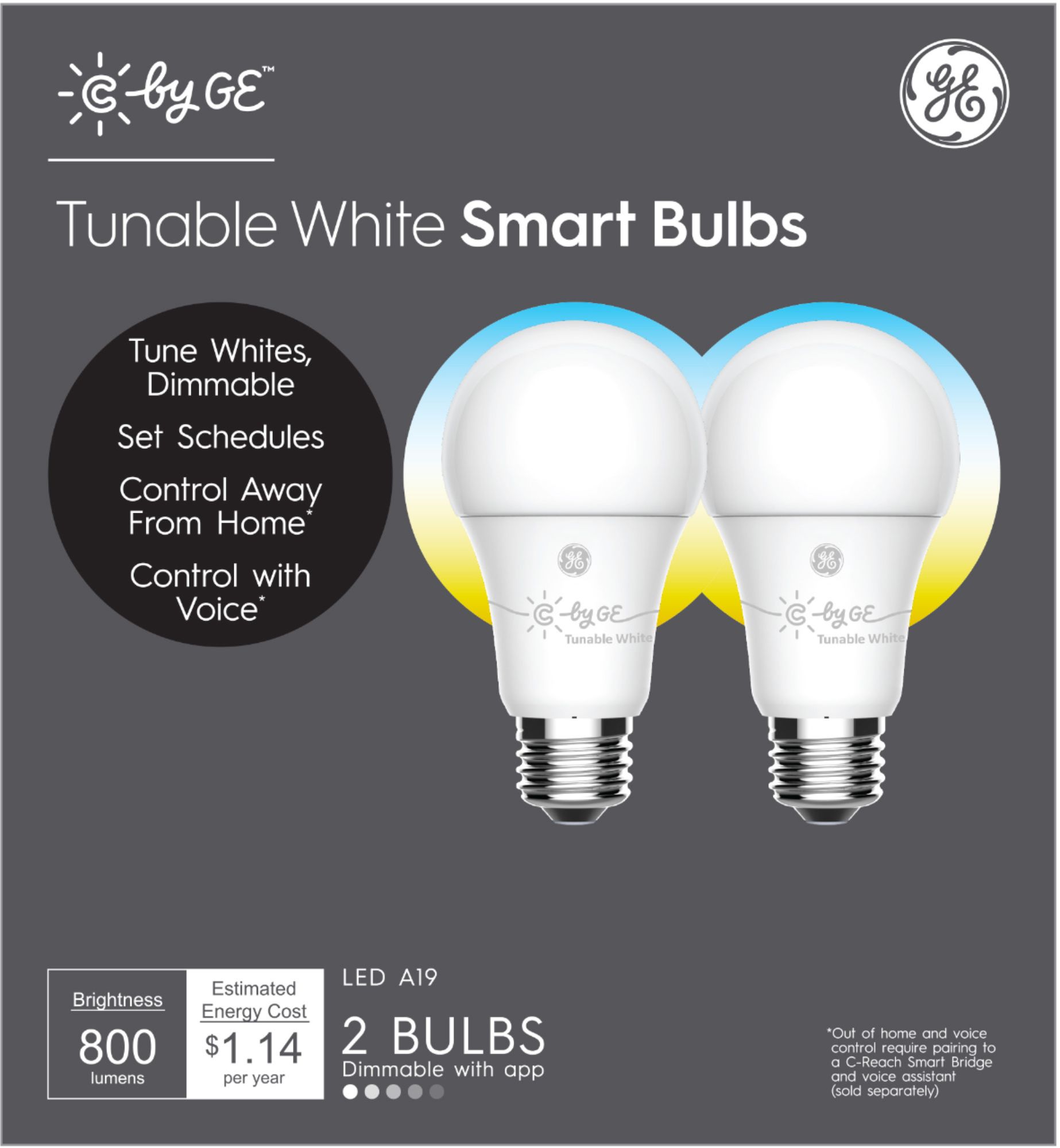
Customers admire the A19 Bluetooth Smart LED Bulb's ease of use, brightness, and affordability. Many appreciate its compatibility with smart home assistants like Google Assistant and Alexa, enabling convenient setup and control. However, some users experienced connectivity issues and challenges with voice control and the app. A few also found the reset process cumbersome.
This summary was generated by AI based on customer reviews.

Cool light bulbs!
|Posted .This reviewer received promo considerations or sweepstakes entry for writing a review.So far we really like these light bulbs. We installed them in our master bedroom. It’s funny to us just how effective light is in assisting with our various moods of the day. Installation is a cinch. Just take them out of the box and put them in the fixtures. Setup is a snap with the Google Home app. Make sure the lights are actually on before you try setup! These are our first lights that can be voice activated and it really a cool nuance to ask Google to turn on your lights, lol! These lights have three different tones designed to be used at different times of the day. Any of the tones can be dimmed. It was surprising at how effective the bright white is in the morning at making you more alert and putting a little pep in your step. We use the middle tone in the late afternoon as we begin to wind down from our day and the yellowest tone at night after the sun goes down. It really does help unwind before going to bed. The only thing that prevents me from giving 5 stars is the time settings. It would be nice to be able to set the tone to switch automatically at the various times of the day. It does in a sense, which I will try to explain. You can program the lights to come on at a certain time of the day and in a certain tone, but if the lights are on and that time comes it does not make the tone change automatically and you have to change manually. If the lights are off, they will turn on at the time and tone you set them too. It would be nice if in the morning when I turned on the lights myself they would turn on at bright white automatically but they do not. I have to turn on the lights and then change the tone in the app. All in all, these lights are pretty cool and I would recommend.
I would recommend this to a friendGood App controlled lights, but . . .
|Posted .This reviewer received promo considerations or sweepstakes entry for writing a review.GE C Sleep Smart Lights: Whether you like these lights or not depends on your expectations. I was hoping to have some bedroom lights that I could control with my voice . . . a 21st century clapper, with more features. I do have a JBL-Link 20, with the Google Assistant, but no dice. Won’t link up (at least not yet). Google Home is supposed to work, but perhaps the JBL-Link is missing an ingredient. Still trying. On the other hand, using the C by GE APP, I got remote control and 3 light brightness adjustments and on/off control. Worked perfectly every time. Just not what I was looking for. I will add the version that includes the Google Assistant Module and try again. I’ll comment on this review when I learn more. Overall, instructions online are good, but more explanation of the APP vs. Google control would be immensely helpful. The APP provides a nice suite of control, scene and scheduling features — but no voice control. The Google Home control gets you the voice, but I can’t add much else. Summary: (for my setup) Not successful with Google Assistant (JBL-Link version). Works well with the App. Good instructions. Easy RESET but DO NOT DELETE bulbs unless they are LINKED and ON. Complex if you try to reset any other way.
I would recommend this to a friend- Pros mentioned:Brightness
Best Smart Bulb for the Home
|Posted .This reviewer received promo considerations or sweepstakes entry for writing a review.The C-Sleep A19 Bluetooth Smart LED Bulbs are just right for my home office and den. I plan to get more for other rooms in my home. The Google integration is really simple to setup and it works well. I appreciate being able to control lights with my voice instead of having to get up or even grab my phone. The light transition is a really nice feature. It's so seamless, sometimes I don't notice it. The bulbs provide a great illumination in the room. When I want to watch a movie, I can set the brightness of the bulb to provide the perfect accent behind the TV without creating light pollution on the screen. I can't wait to add more to other rooms in the home.
I would recommend this to a friend - Pros mentioned:Brightness
Great option
|Posted .This reviewer received promo considerations or sweepstakes entry for writing a review.Never thought I’d be a fan of smart light bulbs but I’ve come around. These work of course. Bright light when you need it but what I love more is that these offer a softer option for when you’re trying to whine down before bed. Unfortunately it doesn’t come with a smart base but that’s not a dealbreaker.
I would recommend this to a friend - Pros mentioned:Price, Setup
For Goole home users
Posted .This reviewer received promo considerations or sweepstakes entry for writing a review.Plain and simple. There is nothing new packing to that's tell you what to say to change the bulb from warm to soft. Spent hours trying to find it because this is the reason I brought them in the first plavem. I know alot of people is having trouble with this and are unsatisfied just because of that reason. Set up is simple. Twist it in, turn it on, go to google home app and setup new device. To change color temp say ok Google set lights to soft or ok Google set lights to daytime. There you go. They need to put this info on all websites that sell these bulbs. Hopes that helps. Also got these at a great price. Will be putting all around my house. Peace
I would recommend this to a friend - Pros mentioned:Ease of use
Good smart light without a seperate hub
|Posted .This reviewer received promo considerations or sweepstakes entry for writing a review.These Belkin lights are relatively simple to use and integrate well for those with a Google Home. Beware that you need to set up the light in the home app and NOT the Belkin app if you intend to use with a Google Home. Resetting the bulbs is almost impossible.
I would recommend this to a friendBrand response from GE Lighting Expert
Posted .Hello, Daniel. We just wanted to make sure if you are referring to our C by GE bulbs, not Belkin bulbs. These are two different smart bulbs. For any clarification, feel free to reach out to our C by GE Service team (844-302-2943).
Thank you.
GE Lighting Customer Service
- Pros mentioned:Price, Setup
Great if you only need basic controls
Posted .This reviewer received promo considerations or sweepstakes entry for writing a review.So this product is great IF all you're looking for is basic voice control for lights. If you're invested in the Google Home ecosystem, setup is a complete breeze and you can have the bulb set up in less than half a minute without requiring a hub. HOWEVER, the disappointment lies in the fact that there is virtually no automation options - like scheduled lighting - when paired to a Google Home, only voice control. The product description isn't clear on this and can be a little misleading. For any such automation, you have to pair via bluetooth with your mobile device using the C by GE app. You're trading full capability for convenience when pairing with Google. Even with the C by GE app, the automation options seem a bit limited. One example: when paired to the app instead of smart home, you can schedule your lights for specific times of day but you can't sync it with any alarms set by your smart home. All control is via the app which requires you to pull out your phone. My ideal scenario is to be able to set an alarm via smart home and the lights to gradually come on an hour before the alarm goes off. Other, more popular smart light brands can do this (granted, with a hub). Overall the quality of the lights themselves, the price, and ease of setup with Google make this a really tempting option. I highly recommend this brand if you only need one or two bulbs, when investing in a hub would not be worth it, and if you only need basic smart home control. But if you're looking for smarter automation and are willing to pay a bit of a premium for it, stick to the other brand.
I would recommend this to a friendBrand response from GE Lighting Expert
Posted .Hi Chris! We are always looking for ways to build and improve our products, so we really appreciate you taking the time to both provide your feedback and recommend our product. We are glad you are enjoying your new lights. You are correct. Our bulbs are "Made for Google" so they can pair directly to any Google Home device or you can set them up in our app and link your account to Google Home with the use of a Smart Bridge device just as you would with Alexa. When pairing our smart bulbs directly to Google Home, there are certain functionalities that you will lose or gain. Rather than Automations, you have what is called "Routines" instead. These however are not Automated and require a voice command such as "Good Morning," "I'm Home," "I'm Leaving," etc. These can be used remotely as well. But like you said, this does require you to pull out your phone. If you ever have any questions feel free to call us at 1-844-302-2943, email us at [email protected] or live chat with us on cbyge.com. - C by GE Customer Support
- Pros mentioned:Brightness
Great Idea but Disappointing Implementation
|Posted .This reviewer received promo considerations or sweepstakes entry for writing a review.First, setup can be tricky. While each light connected easily to Google Home without a hub, it did not allow for the scenes and effects because it required the C by GE app to create them. However, the only way to add the bulb to the app is by resetting it, which is no easy task. To reset a bulb, you need to turn it on for 5 to 10 seconds, turn it off for 2 seconds and then turn it on again and repeat this cycle TEN times. If you miss the timing, bad luck. You have to start it all over again. When you are done then you find out that you cannot control the light with Google Home anymore unless you reset the bulb again following the steps I already described which will disconnect from the Ge app. Alexa? It will not work with it unless you have a hub. This was one of the most frustrating device setup and reset I have experienced in years, if not ever. I have used two other brands for smart lights. One with a hub and another without it and my experience has been a lot better with those than with this C by GE. The different color temperatures are great and can be very bright or dim if you wish. No complaints about that. I wanted to like these smart bulbs but I am disappointed. Maybe with the hub it would work better but in that case, GE should make it clear that it is required. They have potential but I would not recommend them at this point.
No, I would not recommend this to a friendBrand response from GE Lighting Expert
Posted .Hello, jailoliv. Sounds like there is some confusion on set ups while using the apps. You do not need both the C by GE and the Google Home app, just one. For further assistance, we recommend reaching out to our C by GE team (844-302-2943 or [email protected]).
Thank you.
GE Lighting Customer Service
- Pros mentioned:Brightness
Very Cool (and Warm) Bulb
Posted .This reviewer received promo considerations or sweepstakes entry for writing a review.Once set up, I was impressed by its brightness, and it's ability to show 6 different colors on the Kelvin scale, including warm white, bright white, and daylight (although Google Home has some of the colors mis-labeled, but they are all there). One glitch during setup was that my phone was on our Guest wifi network, while the Google Home Mini devices were on our Primary wifi network - two different wifi names! Be sure to make your phone connect to the one Google Home is on, so everything is talking across the same wifi connection. When Google Home finally found the new device, it took time for things to work. The bulb's On and Off in my Google Home app didn't even work for a minute or two, then it did. Changing the the six colors didn't work for a few minutes, then it did. Once everything warmed up it worked pretty good. After connecting, try saying "Hey Google, change Bedroom Lamp to Cool White". The six colors Google shows in app are ivory, daylight, cool white, warm white, incandescent, and candlelight.
I would recommend this to a friend Average overall
|Posted .This reviewer received promo considerations or sweepstakes entry for writing a review.I had high hopes for these lights but they do not add to much convenience to your life. As a light bulb, they work great. As a smart device it is mostly average. The device comes with two lights, there is nothing else in the box. The instructions are on the back and consist of installing, turning it on, opening the Google Home app and discovering the devices. Setup is pretty simple through the Google Home app. Once it is set up, I tried quite a few commands to see how much voice control I might have. The things that worked were “turn on/off lights”, “dim lights to 50%” and that’s about it. I was curious if I could control the mood as the box shows various settings for the circadian rhythm. I could not find any voice control to control that. If it is automatic I could not see any visible difference but without any kind of meter I could not measure the temperature of the light at various times of the day. To me, it looked the same at all times. As I stated, as a light source, they are pretty good, they are bright and can be controlled via voice if you really wish to. If you are expecting much control over the lights, I would look elsewhere as there does not seem to be much control at all.
No, I would not recommend this to a friendBrand response from GE Lighting Expert
Posted .Hello, psyclopps. There is additional information on the www.cbyge.com for voice commands and features. More features and options are being created for the products, as well.
Thank you.
GE Lighting Customer Service
Not worth it with Alexa, better with Google Home
|Posted .This reviewer received promo considerations or sweepstakes entry for writing a review.Smart Light Bulbs seem to be all the rage nowadays. Whether it is a smart dimmer to control multiple lights, light bulbs with speakers, maybe even one day the light bulb will have Alexa built in. Today isn't that day, and I didn't realize this Light Bulb needed a $50 bridge to work with Alexa. Ironically I "googled" this light bulb and it said Alexa supported so I pulled the trigger. Apparently Google Home doesn't need a special hub and pairs directly. Otherwise, the bulbs work fine like any other LED bulb on the market, but I would say if your home is Alexa like mine, its not worth buying these bulbs while they require another bridge and point of failure/frustration. You're better off waiting for one that works natively, or get one of the light switches/dimmers that support Alexa natively.
No, I would not recommend this to a friendPretty good entry-level product
|Posted .This reviewer received promo considerations or sweepstakes entry for writing a review.So this is a solid 3.5! Ok, so one thing you need to ensure you understand is "Bluetooth" its in the name, this thing can only communicate via Bluetooth. Which means whichever device you want to pair it with has to be close by. Given that, once you pair it up with your Google home, it works well. I've had some instances of Google not able to find the light, but given some time it seems to just work when tried again. The C by GE app is another way to control this, but it suffers with the same "problem" - bluetooth. You turn on the app, and it takes almost a full minute to find the device. And this has no voice control. Another weird thing with this app - you can only log into one device with your GE Id. If you log on to another device, it logs you out of the previous one. A bit of a pain. Overall, it does what it needs to, but nothing great.
No, I would not recommend this to a friend- Cons mentioned:Connectivity
I’m not a fan of these.
|Posted .This reviewer received promo considerations or sweepstakes entry for writing a review.In the day and age where everything can be controlled via WiFi through Alexa, Google or HomeKit, these bulbs run through the app and on Bluetooth. Granted, they can be used with voice assistants but I prefer using HomeKit. These were kind of difficult to setup, which could be because of my phone and possibly the amount of Bluetooth devices I have paired with my phones, but I much prefer a WiFi setup. These are still pretty entry level and although the premise is good, i’ll stick with some of the other brands available that offer me the flexibility that I like for my smart home setup.
No, I would not recommend this to a friend - Pros mentioned:Brightness, Setup
Inexpensive way to automate outdoor lighting
Posted .This reviewer received promo considerations or sweepstakes entry for writing a review.I bought 4 of these for my outdoor lighting. It was simple to set up using the C by GE app. I was able to set the colors to red and green for the holidays with an automated schedule to turn on at dusk and off at dawn. After Christmas, I set the colors back to white but with the same schedule. I love these lights!
I would recommend this to a friend - Pros mentioned:Ease of use
Awesome bulb
Posted .This reviewer received promo considerations or sweepstakes entry for writing a review.I have a google home mini, and these bulbs work right out of the box. No hub or anything extra is required (for google home mini integration). I put 3 bulbs in my bedroom's main fixture (controlled by a switch), Added the bulbs to my google home, and was able to tell google to turn the lights on and off. You need to make sure your switch remains on when you want google to control your lights. With these particular bulbs, you can tell google to switch to different modes (soft white, cool white, and bright white).
I would recommend this to a friend Great Smart Bulb w/ BT Option
Posted .This reviewer received promo considerations or sweepstakes entry for writing a review.I got one bulb to test and I admit I should have went with the bulk pack. Initially, I wanted to test the automatic and color temp features. My sleep schedule differs from the sun so being able to wake to "sunlight" and wind down at night was exciting. I would say that even though the bulbs are marketed for sleep, they shine in being useful in dark areas of the home where you would want Sunlight color during the day but Warm color at night to wind down. The app is working well and I have only utilized the Bluetooth feature as I don't want a hub. I can change between the Sunlight, Warm White, and Warm color tones depending on the time of day or with the choice in the app. One glitch I encountered so far was when I set the "mood" for the room, the bulb turned on at the correct time with Warm instead of Sunlight. Another important note is that the fade off goes to 5% and then shuts off so there is a slight jump between those points but still enjoyable to have lights set to fade down and then turn off to encourage going to sleep at an optimal time. Gen 1 bulbs were reported with problems but so far the Gen 2 bulb and App have been working well minus the glitch above. While using Bluetooth there might be a slight delay as the bulb reconnects to the app but that is to be expected and I the delay is minor. One brief moment the app couldn't find the bulb but restarting the app fixed the issue. The setup was easy to do. I enjoy the energizing Sunlight color in the morning and the relaxing dim-able Warm color at night. I got my bulb on sale and it is worth it to me. For the glitches though, I am hesitant to buy at full price.
I would recommend this to a friendBrand response from GE Lighting Expert
Posted .Hello, David. For any clarification on function or glitches, we recommend to reach out to our C by GE team ([email protected]) for more information. We would also like to hear more of what you refer to with "Gen 1 bulbs were reported with problems" and where this information came from.
Thank you.
GE Lighting Customer Service
You need to have a Google Home Mini...
|Posted .This reviewer received promo considerations or sweepstakes entry for writing a review.I received these light bulbs to review, but was not told that I needed a Google Home Mini to make them work. They remain in the box. I have no idea how they work.
No, I would not recommend this to a friendBrand response from GE Lighting Expert
Posted .Hello, MurphyR. You do not have to have the Google Home Mini for these bulbs to function. There is actually a C by GE app that can control the bulbs with other options/features. Feel free to check out the www.cbyge.com webpage for additional information.
Thank you.
GE Lighting Customer Service
- Pros mentioned:Ease of use
Works great
Posted .This reviewer received promo considerations or sweepstakes entry for writing a review.Got an Alexa mini for Christmas from my son And daughter in law and he bought me the c buy GE lights, installed them and after only 4 days I can sew why everyone loves them. So easy to link to Alexa and I just walk in and talk to her and the lights work perfect.
I would recommend this to a friend - Pros mentioned:Brightness
Lights are bright
Posted .This reviewer received promo considerations or sweepstakes entry for writing a review.Lights can change to 3 colors. Love the white lights! It's really cool
I would recommend this to a friend - Cons mentioned:Connectivity
Bulbs aren’t smart enough
Posted .This reviewer received promo considerations or sweepstakes entry for writing a review.Never worked. Bought this bulb 3 years back and after years of hardship I still can’t get this bulb work. Tried contacting support and Best Buy but no response yet
No, I would not recommend this to a friend