Customer Ratings & Reviews
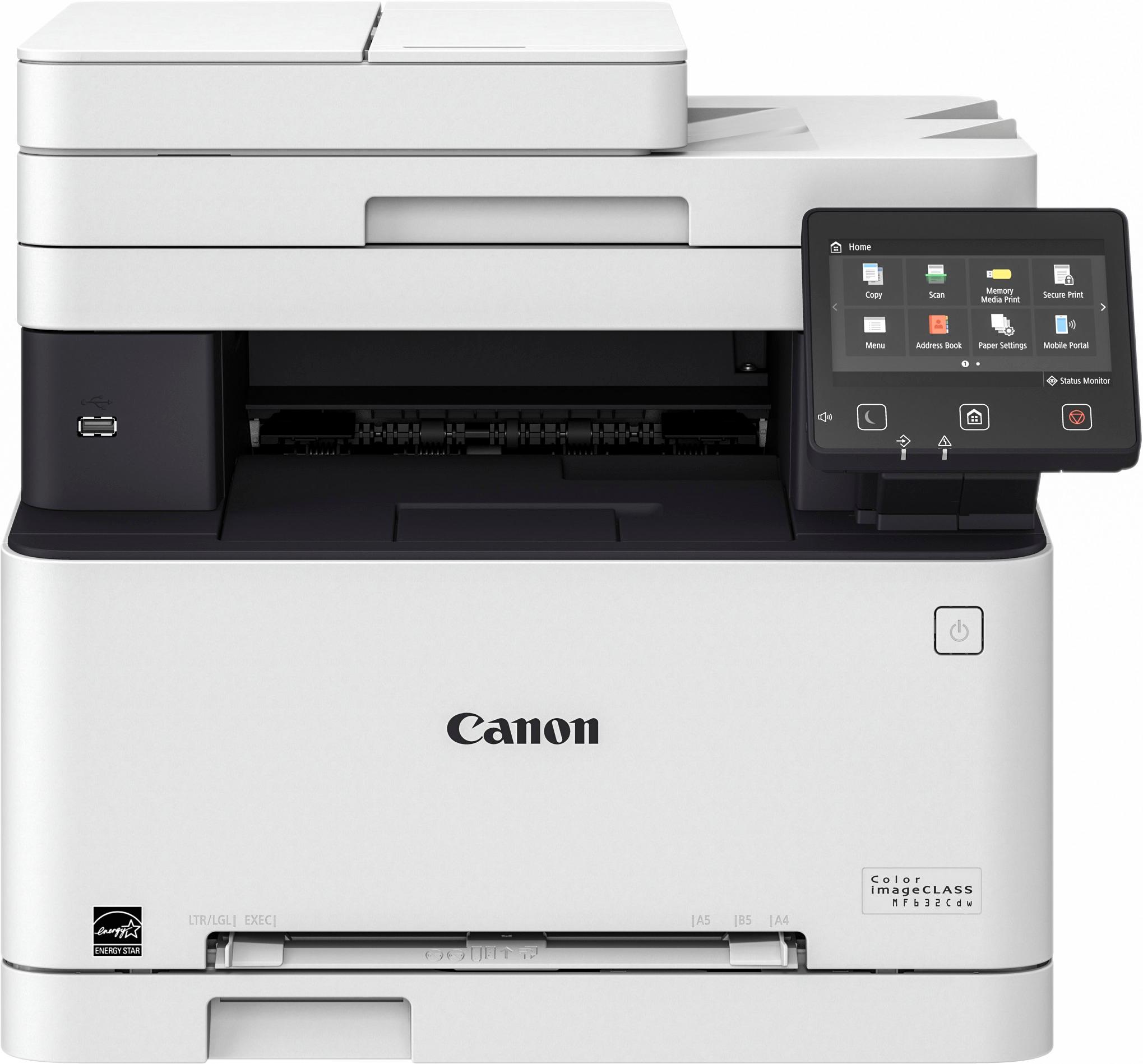
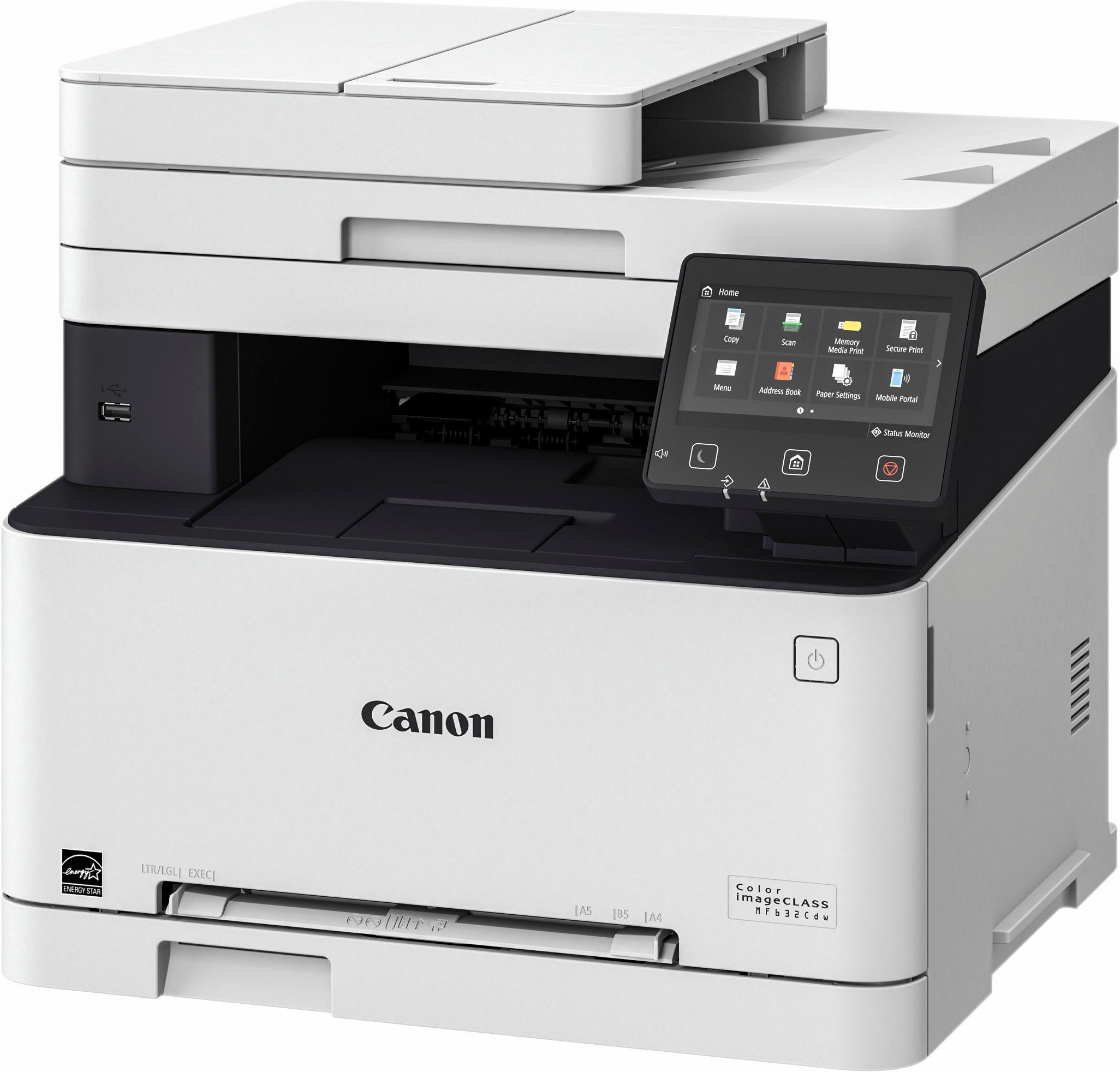
- Model:
- 1475C011A
- |
- SKU:
- 5746102
Customer reviews
Rating 4.5 out of 5 stars with 992 reviews
(992 customer reviews)Rating by feature
- Value4.3
Rating 4.3 out of 5 stars
- Quality4.3
Rating 4.3 out of 5 stars
- Ease of Use4.2
Rating 4.2 out of 5 stars
Customers are saying
Customers find value in the Color imageCLASS MF632Cdw Wireless Color All-In-One Printer for its exceptional print quality, easy setup, and affordable price. Users appreciate the convenience of wireless printing and the vibrant colors it produces. While some users find the printer to be bulky and heavy, the majority are pleased with its performance and reliability.
This summary was generated by AI based on customer reviews.
Rated 2 out of 5 stars
Easy, but on-going set up
||Posted .This reviewer received promo considerations or sweepstakes entry for writing a review.I do not like the print quality of this brand. Set-up was an on-going process. I will be exchanging this item for an HP.
No, I would not recommend this to a friendRated 2 out of 5 stars
Very Hard to understand the set up
||Posted .This reviewer received promo considerations or sweepstakes entry for writing a review.This Product manual did not give a lot of information on how to set it up, or how this load envelopes.
No, I would not recommend this to a friendRated 1 out of 5 stars
Not good!
||Posted .This reviewer received promo considerations or sweepstakes entry for writing a review.Unfortunately I can’t recommend. So much trouble on wireless network. It always has an error, always having to power on/off. Used for a home office print 15 pages of a week and it never works without issues. This brand/model also has no compatibility with wireless scan programs. The printer I have that is 1/3 of the price is far better!
No, I would not recommend this to a friendRated 2 out of 5 stars
It's a good start
||Posted .This reviewer received promo considerations or sweepstakes entry for writing a review.It could definitelly perform better, the price its fair, it looks pretty sharp
No, I would not recommend this to a friendRated 2 out of 5 stars
Had to exchange the 1st one because it was damaged
||Posted .This reviewer received promo considerations or sweepstakes entry for writing a review.Haven't used it yet, but it's not damaged. It came recomended
No, I would not recommend this to a friendRated 1 out of 5 stars
Terrible product
||Posted .This reviewer received promo considerations or sweepstakes entry for writing a review.I have used Canon printers for many years. This is the worst printer I have ever had. Constantly re-sets printer parameters (color/double sided printing).
No, I would not recommend this to a friendRated 1 out of 5 stars
Terrible
||Posted . Owned for 1 year when reviewed.This reviewer received promo considerations or sweepstakes entry for writing a review.There is always an error on the screen, and the Ethernet port died after a few months. Stick with HP products if you can.
No, I would not recommend this to a friendRated 1 out of 5 stars
Horrible set up and use directions
||Posted .This reviewer received promo considerations or sweepstakes entry for writing a review.Wish I had purchased a Brother printer instead. Instructions are far to complicated for copying, printing and scanning and there is little info on the cannon web site for this make modle
No, I would not recommend this to a friendRated 1 out of 5 stars
Presented as including full duplex -- but not
||Posted .This reviewer received promo considerations or sweepstakes entry for writing a review.Poor advertising and selling info on this product indicated it had full duplex ability for scanning and printing. Not sp at all.
No, I would not recommend this to a friendRated 1 out of 5 stars
Horrible streaks
||Posted . Owned for 9 months when reviewed.This reviewer received promo considerations or sweepstakes entry for writing a review.If there was a way to get my money back i would. But it acts up after the point of no return.
No, I would not recommend this to a friendRated 1 out of 5 stars
Even with the assistance of Greek Squad, no print
||Posted .This reviewer received promo considerations or sweepstakes entry for writing a review.We spent a lot of time on the phone and learned that there has been a lot of problems with this product. We are returning it tomorrow.
No, I would not recommend this to a friendRated 1 out of 5 stars
Doesn't work properly
||Posted .This reviewer received promo considerations or sweepstakes entry for writing a review.Doesn't print two sided to two sided, the scanner is extremely slow. Seems like a total waste of money and will be returned ASAP.
No, I would not recommend this to a friendRated 1 out of 5 stars
Returned Product
||Posted .This reviewer received promo considerations or sweepstakes entry for writing a review.Paper feed tray never worked properly. Construction of the paper tray was very cheap and flimsy. Returned product to Best Buy.
No, I would not recommend this to a friend- Pros mentioned:Print quality
Rated 5 out of 5 stars
Easy Set Up, Great Quality, and Duplex Printing!!
Posted .This reviewer received promo considerations or sweepstakes entry for writing a review.Super easy set up, just connect to wifi and that's it. Took all of five minutes. (I won't be using the fax function so can't comment on that) Fast printing, even with full color images. Great quality, even on regular paper. I can't wait to see how it looks using better quality paper! AirPrint compatibility is great for the iPhone. My MacBook and iMac both found the printer with no problem. Didn't even need to install drivers manually. Chose this printer over older models because I frequently print 10+ page research articles for grad school and loved that this newer model does duplex printing. Bought it on sale for $199, and for that price I could've gotten a smaller, more compact home printer (even though this is the smallest of this line of Canon printers). This is definitely more for a small office, but I couldn't resist upgrading at this price! The quality, speed, and wireless compatibility more than makes up for how much desk space this takes up.
I would recommend this to a friend - Pros mentioned:Print quality
Rated 5 out of 5 stars
Far Better than Expected!
Posted .This reviewer received promo considerations or sweepstakes entry for writing a review.I have had a MF Laser printer for about 8 years and it started to give me issues. As I was looking around to see what it might take to fix my old one, I happened to run across the Canon MF632cdw at a very reasonable price. When I figured out what it was going to take to restore my old one, I found myself think NEW! I made the purchase 4 days ago and did the setup (with the help of Canon Tech Support) in about an hour. Experience told me to take advantage of help when it is offered and not guess if your are doing it right! The Canon Tech Line is first class. If you don't need the FAX Function, this the right machine for you. My old printer had the FAX function but I never used it. When I went VOIP, it just never wanted to work correctly. The printing and scanning works great on my Windows 7 OS. I did make sure all of my software updates were in place on the computer and router before I started the printer setup. Since I went the wireless route, the router needs to be up to date with the Firmware. I managed to set up my smartphone and wife's desktop on my own. They were both very easy after my initial instructions from Canon Tech. I am hard pressed to find any CONS at this point. They may develop over time, but for now, I am very pleased with every aspect of this printer. Her are some of my PROS: Small foot print, fast first print, duplex printing, scanning is easy and quick, touch pad is easy to read (larger than most) and when you change a toner cartridge you are changing the drum! Yes the 045 units are not cheap but, if you check the prices for Factory Product in other brands you will find they are about the same. I plan to move up to the longer life 045 H when it is time to make a replacement.
I would recommend this to a friend - Pros mentioned:Ease of use, Print quality
Rated 5 out of 5 stars
First Laser Printer
Posted .This reviewer received promo considerations or sweepstakes entry for writing a review.Excellent Print & Scan Quality, Great Speed. After years of using low cost inkjet printers,this one is solid & powerful. It was on sale for 174$. It is little heavy but easy to setup & ease to use.
I would recommend this to a friend - Pros mentioned:Ease of use, Print quality
Rated 5 out of 5 stars
Excellent printer. Value for money
Posted .This reviewer received promo considerations or sweepstakes entry for writing a review.I got this printer before few weeks. This printer was very easy to setup. Everything so far is good with respect to printing. I am yet to try Copying and Scanning but i believe it will work fine. I am able to print both from my Laptop as well as Mobile phone using the Canon PRINT Business app. Pros: Value for money Fast Easy setup Wifi enabled Cons: No NFC but it is ok as it has Wifi connectivity. No mention about the right app on Google play store. Had to search a bit before finding the Canon PRINT Business app.
I would recommend this to a friend - Pros mentioned:Print quality, Wireless
Rated 5 out of 5 stars
Awesome Printer
Posted .This reviewer received promo considerations or sweepstakes entry for writing a review.I was tired of inkjet printers so I decided to take the leap into the world of laser printers. The print and scan quality are outstanding. Setting up Wifi printing was a breeze as well. After reading several reviews about problems setting up the scanner I saved myself some trouble and called Canon. Their customer service was fantastic and it only took about 3 minutes to set the scanner up. Thus far I'm very pleased with the purchase and wish I would have gotten a laser printer years ago!
I would recommend this to a friend - Pros mentioned:Print quality
Rated 2 out of 5 stars
Decent Printer but Canon software is horrible
Posted .This reviewer received promo considerations or sweepstakes entry for writing a review.Let this serve as a warning to anyone who wants to get this printer and uses MacOS Sierra (latest version). If you don't care about scanning on your system then this is a pretty good printer. I had no issues setting it up wireless and printing from all wireless devices. I then decided to set the printer up on the wired ethernet and did not have any issues. Everything worked and printed well from computers to mobile devices. I went to Canon's website to grab the latest drivers and software for the printer as of this writing. The biggest problem is if you install Canon's MF Scan Utility you cannot get a scan preview. The machine and software attempt to preview scan but it just locks up and hangs there forever until you cancel the operation on the printer touch screen. You can perform a scan after you cancel the preview, and it will work, but forget about getting a preview so you can adjust size, exposure, or choose your scanning options to get the best available scan. I fought with this for two days. It drove me insane!! The odd thing is, the Mac will natively scan using this machine, and scan preview WILL WORK IF the Canon software is NOT installed. (The problem there is, you don't have very much control of the scan with MacOS Sierra native options and you could not scan over 150dpi. Canon's software allows up 600dpi scans and some other low level options which are still anemic for this day and age). Their scanning software is not very robust and worse than scanning software I have used almost 20 years ago, but it would be functional if the preview worked. I have time machined my system multiple times to go back to the pre-install point of Canon's MF scan utility software and every time it no longer does a scan preview if that software is on my system. (Absolutely inexcusable for someone who scans as much as they print). Emailed Canon support and they were absolutely useless to the point where I laid out everything I did, the problems encountered, and exactly what was wrong, for the rep to email me back and ask me three different questions (in separate emails) I already covered in my initial email to Canon support. I was actually getting mad because he wouldn't have asked me those questions if he READ the email. Then after some back and forth tells me there is no known fix to the issue. This is almost a deal breaker for me. I still have time to return the machine and possibly go with an HP machine I was side by side comparing with the Canon. There are some things I like about both machines. If anyone who buys this printer is using MacOS Sierra and gets scan preview to work WITH Canon's MF Scan Utility software installed, please leave a review and let me know how you did it. (Installing just their drivers does not give you a problem, but also does not add any functionality either). I am hoping that Canon fixes this in a future software release, but as of their latest (4-18-17) download which was an update to a 3-27-17 download this is a no go!!!
No, I would not recommend this to a friend - Pros mentioned:Print quality
Rated 5 out of 5 stars
Best printer
Posted .This reviewer received promo considerations or sweepstakes entry for writing a review.To some extent, ink jet printers are good. But, if you start using more, they tend to fail. My previous ink jet failed and ordered this latest color laser for my home office. Even though more expensive and much bigger in size, it is all worth it. Even full color document is printed out in a second. That's amazing. Duplex printing, big paper and time saver. Scans and copies directly to my NAS. Cool. Glad I picked this printer over tank ink jets.
I would recommend this to a friend