Customer Ratings & Reviews
- Model:
- D570
- |
- SKU:
- 5848300
Customer reviews
Rating 4.4 out of 5 stars with 1276 reviews
(1,276 customer reviews)Rating by feature
- Value4.5
Rating 4.5 out of 5 stars
- Quality4.5
Rating 4.5 out of 5 stars
- Ease of Use4.3
Rating 4.3 out of 5 stars
Customers are saying
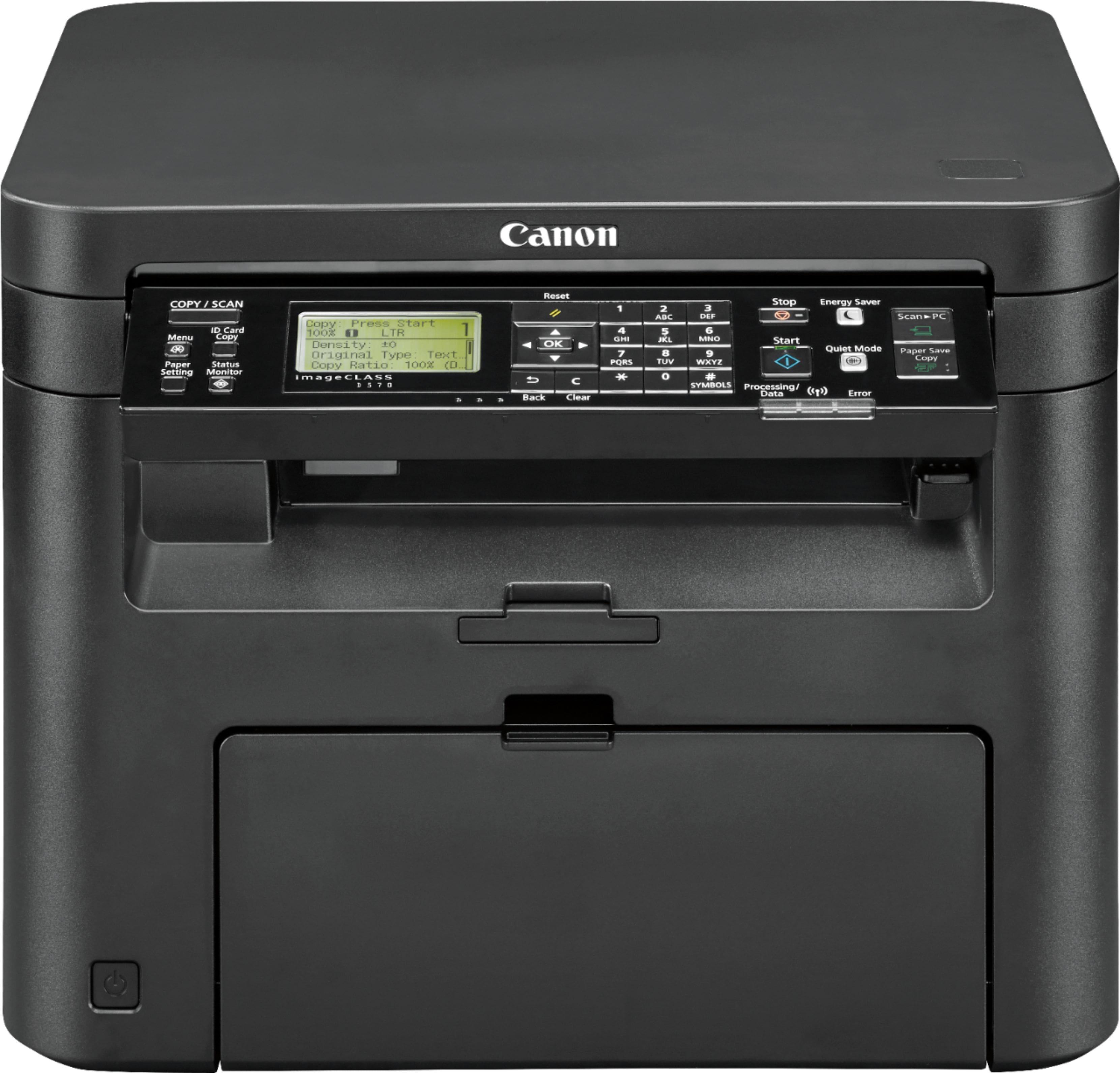
Customers often highlight the Canon imageCLASS D570's excellent print quality, ease of use, and compact size. Many appreciate its wireless functionality and the generally straightforward setup process, finding it a good value for the price. However, some users express dissatisfaction with the paper tray design and find the instructions less than helpful.
This summary was generated by AI based on customer reviews.
- Pros mentioned:Price, Print quality, Setup
Rated 5 out of 5 stars
Great buy!
Posted .This reviewer received promo considerations or sweepstakes entry for writing a review.Really good b&w all-in-one printer for the price. Easy setup. Fast printing. Does everything that other printers costing hundreds more do.
I would recommend this to a friend - Pros mentioned:Print quality
Rated 5 out of 5 stars
This unit would be hard to beat for the price!
Posted .This reviewer received promo considerations or sweepstakes entry for writing a review.Larger than my old inkjet but no more cleaning nozzles every time I want to print a page. I probably don't print but 10 pages/month so a cartridge should last a long time. Don't miss color printing at all. Easy wireless setup. Printing both sides is handier than I thought it would be. Printer only cost $20 more than it would have cost to replace the inkjet cartridges in the old printer and the print is crisper, faster, and quieter.
I would recommend this to a friend - Pros mentioned:Print quality, Wireless
Rated 5 out of 5 stars
Love this printer!!
Posted .This reviewer received promo considerations or sweepstakes entry for writing a review.I love this laser printer/scanner/copier. It does what I need it to do - it took a bit to set it up - at first I couldn't get it to connect - but after a few hours of complaining I did it. So if I can so can you. It works flawlessly - is much faster than my previous laser printer and works with my Chromebook . I only have a Chromebook anymore,I have no need for all that useless window crap.
I would recommend this to a friend - Pros mentioned:Print quality
Rated 5 out of 5 stars
Good Printer
Posted .This reviewer received promo considerations or sweepstakes entry for writing a review.So far, i give it 5 stars. Set up took all of 20 minutes. The longest part was setting up the profile on the printer..language, country, etc. Wireless set up was simple. I will say that i had a Brother Wireless Printer before, so I knew how to use WPS for set up. Print quality is good. Phone set up is easy with Canon print app. My computers, PC and Chromebook all connected easily. My only complaint is that it doesn't have a scan or copy feeder for multiple pages. My fault as I didnt read the description closely enough.
I would recommend this to a friend - Pros mentioned:Ease of use, Print quality
Rated 5 out of 5 stars
Rooibos Tea
Posted .This reviewer received promo considerations or sweepstakes entry for writing a review.Functional for my needs and does not break the bank. Excellent print quality and easy to set up. I also purchased an additional ink cartridge as the one that comes with it is just a complimentary one and will run out earlier than the full cartridge
I would recommend this to a friend - Pros mentioned:Ease of use, Print quality
Rated 5 out of 5 stars
Black and white all-in-one laser is the way to go
Posted .This reviewer received promo considerations or sweepstakes entry for writing a review.The print quality and speed is excellent. It was very easy to unpack and set up. It is replacing an old color ink jet printer. Since we have saved so few color prints going to a black and white laser printer just makes sense, and this one is a great deal.
I would recommend this to a friend - Pros mentioned:Print qualityCons mentioned:Instructions
Rated 5 out of 5 stars
Good Printer Poor instructions
Posted .This reviewer received promo considerations or sweepstakes entry for writing a review.Print quality is good but the instructions are very poor. once I watched some you tube videos I was able to figure it out. It has stayed connected to mi WiFi network without any problems. Also prints envelopes easily with second feed tray
I would recommend this to a friend - Pros mentioned:Setup
Rated 5 out of 5 stars
Printer
Posted .This reviewer received promo considerations or sweepstakes entry for writing a review.Very nice work, This Canon printer is an excellent addition to my home office. It includes all the features that I need for my office including print, scan, copy and fax. The set up was super easy and quick! I love the Bluetooth wireless print option as well as AirPrint for my Apple products.
I would recommend this to a friend Rated 4 out of 5 stars
Setup Instructions are very bad or lacking.
Posted .This reviewer received promo considerations or sweepstakes entry for writing a review.I don't like the setup instructions or lack thereof. It comes with a software CD. I don't have a CD drive so I had to download the drivers and software from Canon web site. There are no instructions on what to install first, but I opted to install the drivers first then the software. There aren't any documentation explaining what are the different drivers, such as FR, PCL, PS, or other variants. What most people would want is the FR. The WIFI setup on the printer unit itself has a bug. While entering the WIFI password, the symbol category got disabled, so I couldn't continue completing the password and finish the setup. I tried several times only to end up at the same place. I then run the firmware update thinking it would hopefully solve my issue. I already had the latest firmware. As a last effort I give another shot before calling support. I got stuck at the same point and just walked away in frustration. Came in to my office in the morning and saw the LCD panel still lit up, so I checked it. It was at the same place I left it only now the symbol category is available. So, I was able to complete the WIFI setup and got it working. There's no documentation to show you how to work the scanner software to select the right printer. Just have to play with it to figure it out yourself. I think non technical people would have issues with setting this up. One plus I found is that there's a Linux device driver. I download on my Linux box and can print from there too. So, I'm happy with that.
No, I would not recommend this to a friend- Pros mentioned:Ease of use, Print quality
Rated 5 out of 5 stars
Ink Jet Printer
Posted .This reviewer received promo considerations or sweepstakes entry for writing a review.This printer is very fast, efficient,and was easy to install. It is our first ink jet printer and we really like it.
I would recommend this to a friend - Pros mentioned:Ease of use, Print quality
Rated 4 out of 5 stars
Good Value
Posted .This reviewer received promo considerations or sweepstakes entry for writing a review.Easy install. Quick printing. Nice features.
I would recommend this to a friend - Pros mentioned:Print quality
Rated 5 out of 5 stars
Nice little printer/scanner
Posted .This reviewer received promo considerations or sweepstakes entry for writing a review.basic printing worked out of the box once all packing strips/pulls removed. No additional software needed for both Win11 and MacOS. Avoided WiFi password by using ethernet cable to connect. Scan setup required the CD for installation of all bits&pieces. Works great. Toner states 10% left. Will let it run out so that we can see if thats true or not.
I would recommend this to a friend - Pros mentioned:Ease of use, Print quality
Rated 5 out of 5 stars
Very Happy....
Posted .This reviewer received promo considerations or sweepstakes entry for writing a review.Love it!!! Easy to use and isnt noisy...fast and clear print
I would recommend this to a friend - Pros mentioned:Ease of use
Rated 5 out of 5 stars
amazing printer
Posted .This reviewer received promo considerations or sweepstakes entry for writing a review.I appreciate how easy this was to set up—SO much easier than my last printer! Great customer service and tech support too. The print quality is...inkjet (my last was a laser, so I'm spoiled). But it's good enough for my needs now. And the price is right. It's low profile and nice looking too.
I would recommend this to a friend - Pros mentioned:Print quality
Rated 5 out of 5 stars
Canon D570 is a great B&W laser quantity printer.
Posted .This reviewer received promo considerations or sweepstakes entry for writing a review.Canon D570 is my first laser printer. Its quality is superb and I save money in B&W. Previously it was Canon ink-jet color exclusively, but D570 is instantly quick and better for a great many print jobs. After about 30 printers over the years the D570 is doing great for me.
I would recommend this to a friend - Pros mentioned:Ease of use
Rated 5 out of 5 stars
Canon Laser D570 Print and Copy
Posted .This reviewer received promo considerations or sweepstakes entry for writing a review.I was able to connect my PC to this printer right out of the box, easy peasy using Bluetooth tech. 10 - 15 minutes and I was printing and making copies using button on front of printer. So, beautiful functional Canon Printer all for just under a C-Note$, End Story
I would recommend this to a friend - Pros mentioned:Ease of use
Rated 5 out of 5 stars
Canon Laser Printer--What a Blast to Use!!!
Posted .This reviewer received promo considerations or sweepstakes entry for writing a review.My recent purchase of the Canin-ImageClass wirleless al-in-one black and white Laser printer was a no-brainer! Canon is a leader and makes an outstanding printer. Easy to install and I'm up and running in my home office printing and scanning documents.
I would recommend this to a friend Rated 5 out of 5 stars
Pretty good — once you figure it out
Posted .This reviewer received promo considerations or sweepstakes entry for writing a review.This is actually a pretty good printer/scanner but you really need to take some time to figure things our first, like making sure you’ve downloaded the necessary drivers and updates on the mfr’s website. Also, the controls for scan quality are software-based — not keypad-based. The keypad controls copier image quality. The printer has a number of nice physical features like an unfolding paper tray lip to prevent paper from just shooting out onto the floor once documents are printed or copied. If I could improve one thing it would be the scanning speed, which is a little slow. If I could improve two things it would be scanning speed and for the manufacturer to provide all software in the included DVD so that folks can take care of downloading the necessary tools in one fell-swoop. (But then again, I realize not everyone may have a DVD/CD player.). If I could add a feature, it would be to have faxing capability - but that’s probably too much to ask for these days. Overall, this has been a pretty good printer for basic needs. If you get frustrated easily with technical things, though, you may want to also consider other options.
I would recommend this to a friend- Pros mentioned:Print quality
Rated 4 out of 5 stars
Slow and easy
Posted .This reviewer received promo considerations or sweepstakes entry for writing a review.Easy wireless setup and prints are very sharp and clear. A bit loud when printing. Not a fast printer, but if you’re not in a hurry, it does a good job at a reasonable price.
I would recommend this to a friend - Pros mentioned:Print quality
Rated 5 out of 5 stars
Very pleased
Posted .This reviewer received promo considerations or sweepstakes entry for writing a review.I only needed a printer for documents and song lyrics and didn’t need color. So far it does what I need it to do. Can print from the laptop or phone.
I would recommend this to a friend