Customer Ratings & Reviews

- Model:
- 5805C022
- SKU:
- 6535602
Rating by feature
- Value
Rating 4.5 out of 5 stars
- Quality
Rating 4.5 out of 5 stars
- Ease of Use
Rating 4.4 out of 5 stars
Customers are saying
Customers are delighted by the decent print quality and the product's overall ease of use, with many finding the setup quick and straightforward. They also appreciate its reliable overall performance and versatile wired and wireless connectivity options. However, some users have noted concerns regarding the external paper tray and the mechanically noisy operation.
This summary was generated by AI based on customer reviews.
- Pros mentioned:Overall performance
Printer
||Posted .This reviewer received promo considerations or sweepstakes entry for writing a review.Love this printer for my small business! It’s made such a huge change and big savings.
I would recommend this to a friend - Pros mentioned:Print quality
Good little printer for the photography office
||Posted . Owned for 3 weeks when reviewed.This reviewer received promo considerations or sweepstakes entry for writing a review.Setup was a little tricky with network connection and air print, but the instructions were pretty good. Large ink tanks is like taking the printing monkey off your back. Full page glossy prints on photo paper look good and everything else has worked as expected.
I would recommend this to a friend - Pros mentioned:Print quality
Good purchase
||Posted . Owned for 3 weeks when reviewed.This reviewer received promo considerations or sweepstakes entry for writing a review.Very good printer. I'm satisfied with the prints & the quality.
I would recommend this to a friend - Pros mentioned:Print quality
Great printer
||Posted . Owned for 2 weeks when reviewed.This reviewer received promo considerations or sweepstakes entry for writing a review.Great printer. Does use alot of ink like all the others ive bought and it prints really fast.
I would recommend this to a friend 4 out 5
||Posted . Owned for 1 month when reviewed.This reviewer received promo considerations or sweepstakes entry for writing a review.I like this printer, but when it comes to double sided printing, it’s now good enough, you need to take the paper out and flip it and put it back in.
I would recommend this to a friend- Pros mentioned:Ease of use
Pixma Megatank g 3270 all in one
||Posted . Owned for less than 1 week when reviewed.This reviewer received promo considerations or sweepstakes entry for writing a review.Terrific photos color easy to use but the color it’s really bad no matter how you correct the foto
No, I would not recommend this to a friend Canon G3270
||Posted . Owned for 1 month when reviewed.This reviewer received promo considerations or sweepstakes entry for writing a review.I loved the product, the price quality is unbeatable ideal for students 100% recommended.
I would recommend this to a friend- Pros mentioned:Print quality, SetupCons mentioned:Noise level, Paper tray

Capable, if somewhat basic economy printer
|Posted .This reviewer received promo considerations or sweepstakes entry for writing a review.The G3270 is a capable printer for anyone looking to leave cartridges behind, but unfortunately does omit some of the features you might expect from an all-in-one device at this price point. The setup process for the printer is very simple. The paper trays are all permanently affixed and simply slide and/or fold out, and there are only a few pieces of tape holding everything in place. There are only two major assembly steps: installing the print heads and loading the ink tanks. Both simply require you to drop the requisite parts into their corresponding slots. Everything is keyed so that there shouldn't be any risk of accidentally mixing up which one goes where, and gravity does all the work getting the ink out of the bottles so there's no mess to worry about if you're less than perfect. WiFi setup is handled via an app, making up for the somewhat basic control panel. All in all, you should be able to get up and running in just a few minutes (though it may take longer to fully prime the pumps responsible for delivering the ink.) As far as printing goes, quality is quite good on both standard and photo paper (though the latter, as expected, makes a significant difference in terms of color quality and overal clarity.) Text is sharp and can be produced relatively quickly. And with tanks this big, you should be able to do plenty of large jobs without exhausting the supply. The scanner is also quite sharp and offers very high quality results. The top mounted paper tray also means it has no issues working with banner paper for larger displays, and its ability to print borderless media appears absolutely flawless. This, however, is when some of the printer's less impressive attributes started to show. To start, it is mechanically quite noisy while operating. I don't know if the ink delivery system is adding to it or if there are just some loud stepper motors driving the print carriage, but it can be a bit distracting while it's going. I also found while testing the copier that the control panel is pretty non-user friendly. It is not adjustable at all and the tiny LCD screen used for feedback and settings is only really easily readable when viewed head on - which isn't likely to occur unless you're fairly short or you've placed the printer up unusually high. Finally, it doesn't have a lot of the features that I've started to just come to expect as standard for something that takes up this much space. There's no built in duplexer for dual-sided printer, no automatic document feeder for the scanner, and only a single paper tray. As such I'd say this is much better suited for occasional home use than an office setting.
No, I would not recommend this to a friend - Pros mentioned:Connectivity, Ease of useCons mentioned:Noise level
Just purchased 1 month ago
||Posted . Owned for 1 month when reviewed.This reviewer received promo considerations or sweepstakes entry for writing a review.So far so good. I purchased this 1 month ago. I don't print that much, so I keep it powered off. I had to donate my last printers from (2012) and (2017) because the driver no longer work on my new computer. Setup is Easy. With easy to follow directions. no extra wires needed. I was able to set it up in 20 minutes so I can print wirelessly from my computer and smart phone. The start up speed is less than 3 minutes from Powering on. It can be pretty loud when starting up and when printing. Colors and graphics are good. Make sure the print head is clean. I had to do it 2-3 times because the text was a little pixelated at some point. Cons: - Loud - sometimes have trouble reading that paper is in the feed. It will take a couple of tries, but does print. - Big and bulky (smaller than my original printers) Pro: - Wireless - Can print high quantity - Can print and copy documents Good for small home office.
I would recommend this to a friend - Pros mentioned:Print qualityCons mentioned:Paper tray
Good at Home Wi-Fi Printer
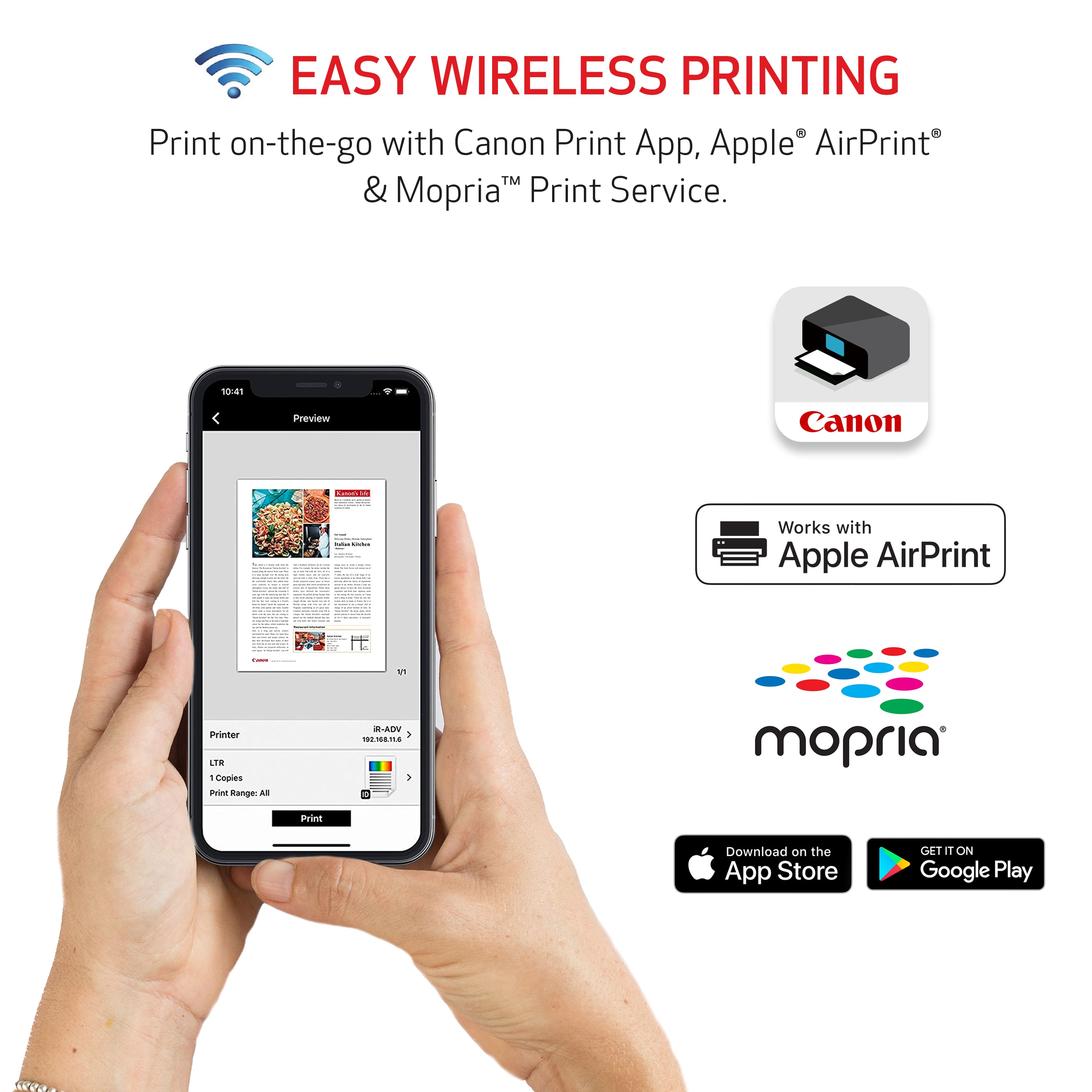
|Posted .This reviewer received promo considerations or sweepstakes entry for writing a review.As someone who is constantly printing documents for work, The Canon PIXMA MegaTank G3270 Wireless All-In-One with the MegaTank ink technology is a game-changer, with its refillable ink tanks, I no longer have to worry about what specific ink cartridge I have to purchase. In fact, the printer comes with enough ink to print up to 6,000 black and white pages or 7,700 color pages, which should be more than enough for at least 2 years. In terms of print quality, the PIXMA MegaTank G3270 produces sharp and vibrant images with the colors accurate and true to life, making it perfect for printing photos and graphics. Another feature I appreciate is the Wi-Fi connectivity, but the setup process is not the best, in that if I didn't have a USB-B plug (Not Included) on hand from my old printer, I'm not sure I would have been able to set up the printer. Cannon tells you to download their app and follow the steps but those steps are basically just turn on the printer and hope the app finds the printer, which it didn't. So since I had a USB-B cord I was able to download the drivers from Canon’s website and then I was able to set the printer up and then the app was able to work where I can print off Wi-Fi. The G3270 also boasts a respectable print speed of up to 10.8 images per minute for black and white prints and 6 images per minute for color prints. This is a solid choice for those who don't need to print a lot of pages. One minor downside to this printer is that it doesn't have an automatic document feeder. This means that when scanning or copying multiple pages, you have to manually feed each page through the scanner. However, for the price and features, this is a minor nitpick. Overall, I think the Canon PIXMA MegaTank G3270 Wireless All-In-One SuperTank Inkjet Printer is a serviceable printer for those who need to print from home.. With its impressive print quality, wireless connectivity, and cost-saving ink system, it's an excellent investment for both personal and professional use.
I would recommend this to a friend - Pros mentioned:Print quality
A worthy intro to ink tank printers
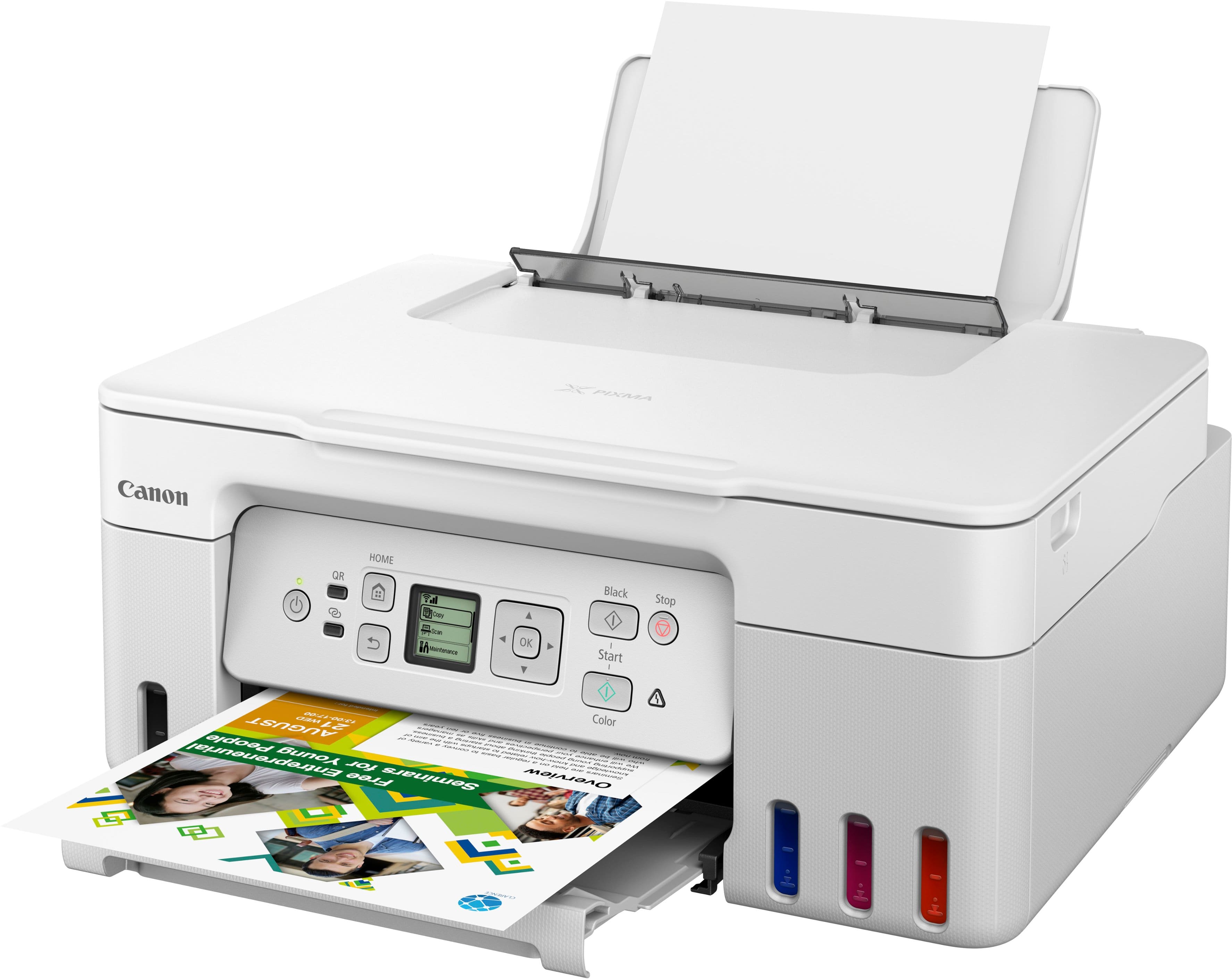
|Posted .This reviewer received promo considerations or sweepstakes entry for writing a review.Ink tank printers can be a compelling option for those who print a lot of documents or photos. They offer a number of advantages over traditional inkjet printers, including lower operating costs and better print quality. Not to mention a longer time between changing out consumables. But there are also some considerations to keep in mind when going this route; many ink tank printers are slower to print than traditional cartridge printers and the initial cost can be higher than traditional ink cartridge printers as well (as most brands sell the printer at a reasonable price only to make the back-end profits on replacement cartridges). Canon has produced a worthy introduction to ink tank technology with the Pixma G3270. This was my first encounter with both ink tanks and with Canon printers in general and I have to say that so far I have been very impressed. The build quality is quite high, and the printer looks sturdy yet somehow still streamlined. There’s no paper tray to load as it is a top feed rear tray design. This means you’ll have to leave a little more room behind and on top wherever you locate it, but it also means a straighter paper path. I welcome the trade off myself; I think this means less jams and better print quality for photos. And the print quality is exceptionally good, while still being quite fast – even at highest quality. High gloss, matte and even borderless prints are produced with vibrant colors and great edge to edge coverage. The included ink bottles are not like the usual ‘starter cartridges’ provided with some printers. These are high quality pigment-based inks and there’s enough to fill the tanks. That’s enough for thousands of pictures or even more of text pages! The straight paper path does mean that the Pixma 3270 can only print on one side of the page, but Canon has done a neat job of still making this feature available. In the print driver you can select double sided printing and after the one side is printed both the driver and the printer’s screen give clear and concise instructions on how to stack and reload the paper and you simply press the OK button to print the other side. I thought this was a really thoughtful touch by Canon! (Oh, one more positive about the rear paper path; it allows you to do banners if you have the use case…) Loading the ink was easy (there are step by step instructions online) and despite my concerns turned out to be a cleaner experience that replacing a few cartridges in my day. At least a couple of times I’ve had to scrub ink off my fingers but filling the tanks was simple and totally clean. Surprisingly, this all comes at a price that puts them squarely in the range of competitive ink cartridge printers. Long term, this could save you a lot of money as the tanks last incredibly long and the replacement bottles are considerably cheaper than cartridges. A few things to keep in mind; in order to get the most out of this printer, it has to be used. Both in terms of getting the savings value and keeping it running. Because of the separation of the ink tank and the print heads, some ink tank printers can be more prone to clogs if they sit unused for a long time. I haven’t been with the Pixma for a long enough time to give a good opinion on this but the research I did showed that as long as you print a couple of color docs or a test page once a week, this shouldn’t be a problem at all. But if you normally use a laser printer for the majority of your documents and only want an ink jet printer for occasional photographs, this may not be the printer for you. However, if you can benefit from ink tank technology, I couldn’t recommend a better intro than the Canon Pixma 3270. It continues to impress, and I think it will for a long time!
I would recommend this to a friend - Pros mentioned:Print quality
Inkjets have come a long way
|Posted .This reviewer received promo considerations or sweepstakes entry for writing a review.This is my first tank Inkjet printer. I can’t remember the last time I used my existing Inkjet printer. I mostly rely on a laser, because it just always works. I would use my inkjet intermittently and whenever I would need to use it, it would seem it was clogged, and I would expend virtually all the ink to unclog it. Now, I need to print some photos, and rather than going out and buying new ink cartridges for my decade+ old Inkjet printer, I decided to see what new printers have to offer. More ink, theoretically lower cost, higher resolution, hopefully faster speed. Also, none of my existing printers have integrated wifi, a feature I have wished I had for awhile. My laser printer is connected to my network, but connecting to it is not always simple, especially with chromebooks, and it limits where I can place it in my home since it needs to plug into the network. Upon arrival, I took this printer out of the box. There is a card in the box with a link to a website. From that website you follow the installation instructions. I installed it from a Windows laptop, so it downloaded some Canon software from the Microsoft store and then it had step by step instructions to install the printheads, and then each bottle of ink. There was a little more to it than a standard inkjet printer. First you install two printheads, which look identical to the ink cartridges of old. Then you dump each of 4 ink bottles into matching ports. Then it takes about 5 minutes to presumably prime the ink and get it from the reservoirs to the printhead Once that was done, I printed their test print to regular paper and it printed fine. Next, I decided to print a photo. I used photo paper I had from, a long long time ago. Glossy photo paper. Again, no idea how long I have owned that paper, but I do know it has been a long time, more than 5 years at least. I found a photo to print, and printed it at 5x7. I didn’t select 8x10, because I didn’t want to wait all day for it. I am used to my old inkjet. I selected glossy photo paper as the paper type from the printer settings. I was surprised when the print finished very quickly. I am not sure how long it took, because I didn’t actually time it, but it was pretty fast, couldn’t have been a minute, and the photo looks good. I am impressed. I haven’t even aligned the print heads at this point, and am not sure I need to. All has gone well up until now. A couple of things I didn’t mention. After following the installation instructions, the printer is installed in Windows twice. When I go look at installed printers, it is listed two times. Not sure why. I certainly didn’t install it two times. After printing that first photo. I got an error message saying the photo I was holding in my hand had failed to print. A few minutes later the printer started to become active again. I wasn’t sure what it was doing? It sounded like it did some more ink priming, and then, it started printing. It printed the photo a second time. Maybe it assumed, since it had “failed the first time” it should try again? This time, it printed to standard paper, since that is what was loaded in the printer. As expected, the colors were a lot duller than when using photo paper. As I had not selected a paper type for this second print, I presume it was still using the photo paper option. Even though it seemed finished, about five minutes later it moved again. Looking at the LCD display, it said it was downloading. I would have thought any updates would have been done while it was setting itself up and priming its ink for 5 minutes. Once whatever it was downloading was complete, it moved again, and the LCD said update was successful. Printing from Chrome One of the reasons I wanted a wifi printer was to hopefully make it easier to use with Chrome. I opened my Chromebook. I selected add a printer. The Canon printer was listed. I selected Add. I then tried printing a photo from Google Photos. It didn’t have as many print options in the settings as were available in Windows, even after selecting more. I couldn’t find a way to change the paper type, for example. I printed a photo and it finished very quickly, and looked good. See attached photo of a lake. Printing from Mac Mac was similar to Chrome. I went to printers and the Canon printer was listed there. I added it as a printer. I printed another test photo. This time, I decided to time it, and I decided to print the full 8x10. I again used the Epson Glossy Photo Paper. The Mac printer settings also did not appear to have settings to select paper type. The print took 1 minute 10 seconds. It also looked good. See attached photo of some berries. Each time, after doing a print, some seconds after the print is complete, the printer does something. Maybe parking the print heads or something. So, the printer prints well. The printer is fast. Time will tell I guess if this is any different than my old inkjet as far as the printheads getting clogged and the printheads look like they can be replaced, but at a cost similar to the ink cartridges of yore. I may try to print something periodically just to keep that from happening. What I do really like about it though is the potential to be more environmentally friendly if the heads can be kept from clogging. I have bags of old printheads that I have saved for recycling, but never sent in. One concern I might have about this new tank style printer is if I ever had to transport my printer. Like when my kids take a printer back and forth to college. I worry that if the printer got flipped on its side, or flipped upside down if the ink could end up everywhere. I am glad I chose to get this, it was definitely time, and would recommend it.
I would recommend this to a friend - Pros mentioned:Print quality
Missing One Very Important Feature
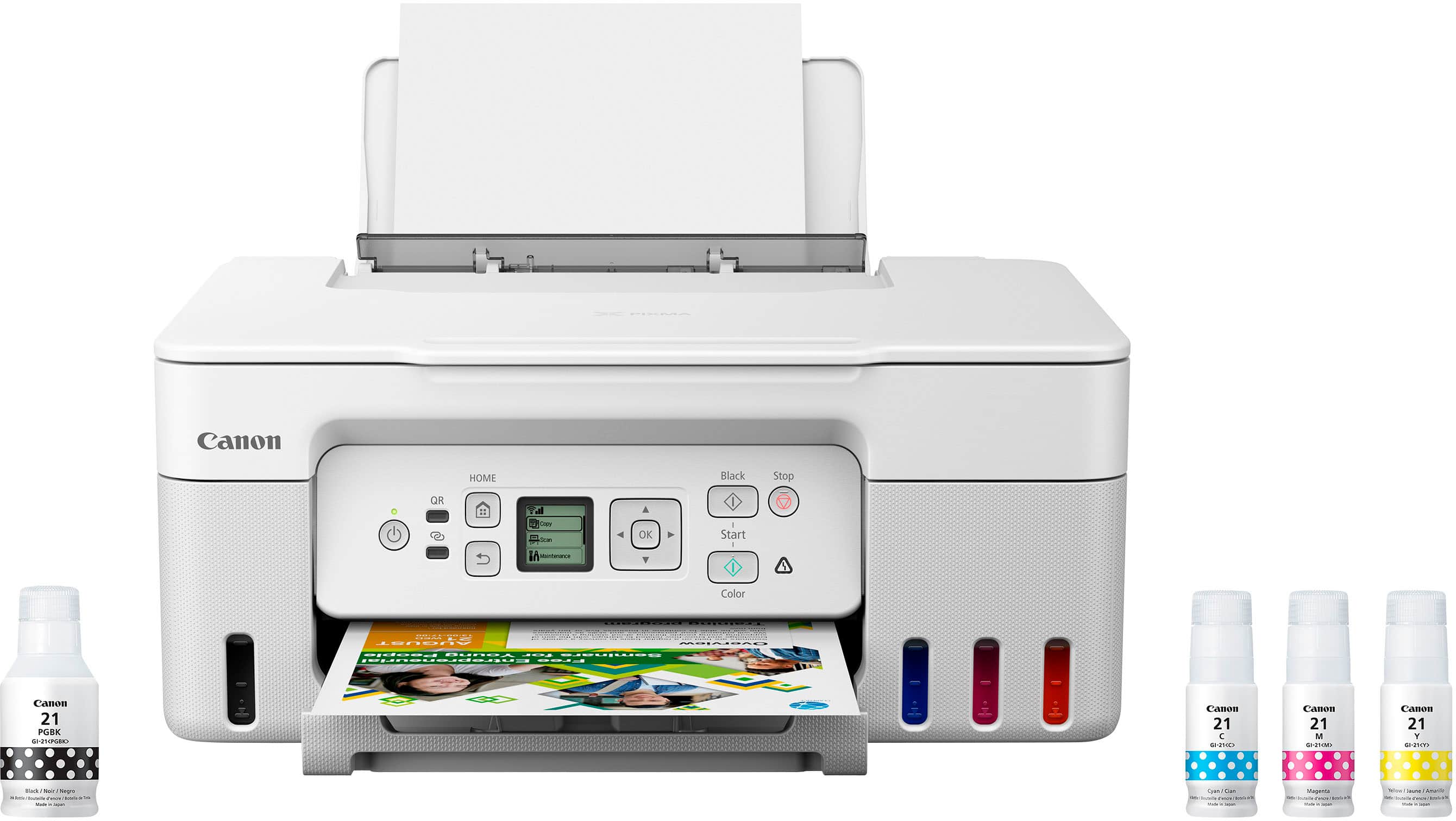
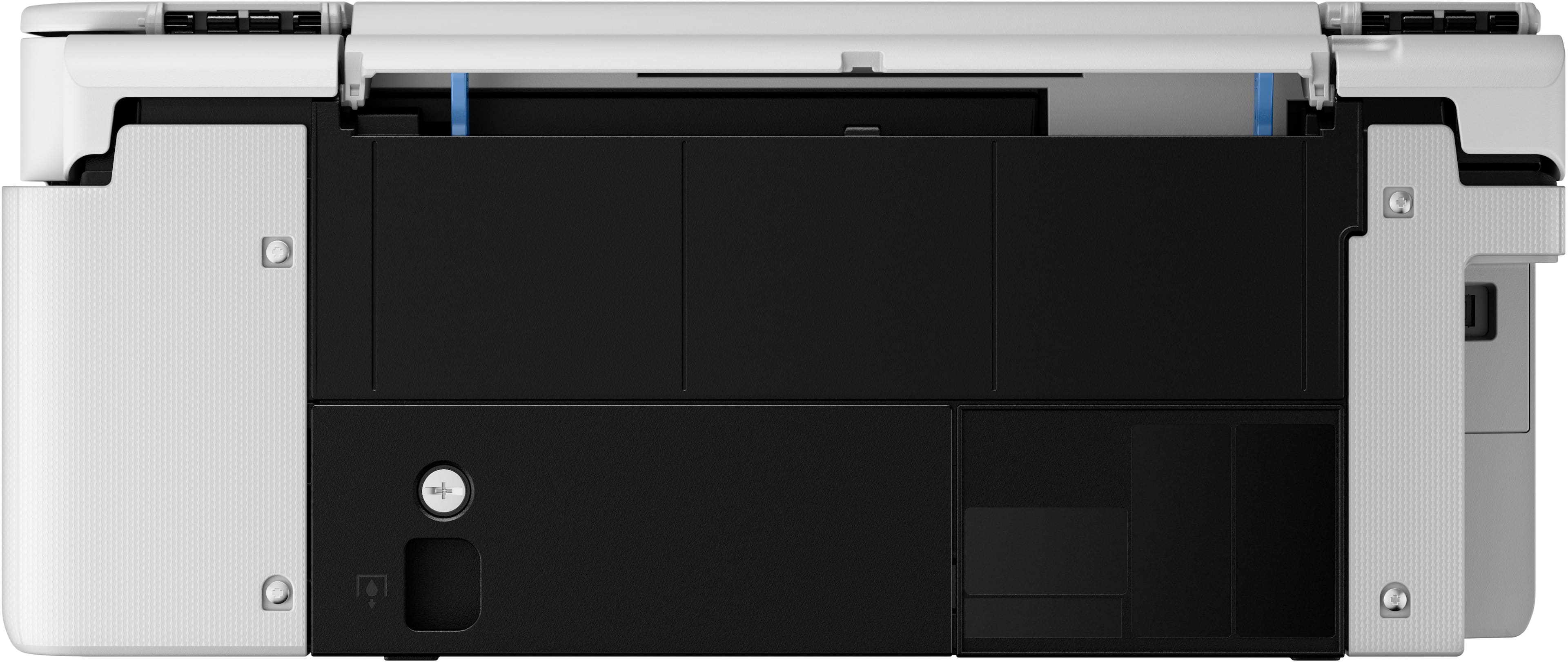
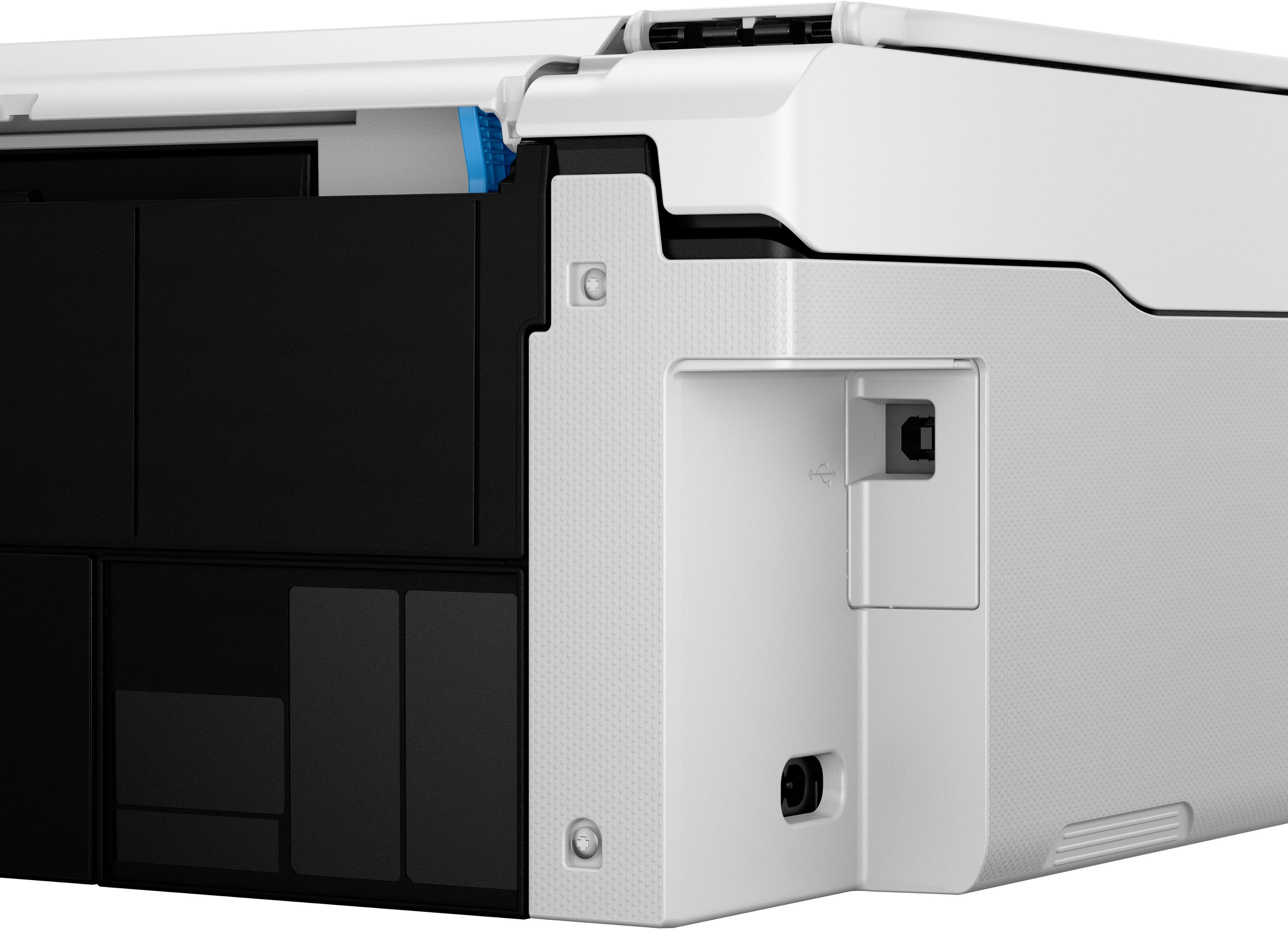
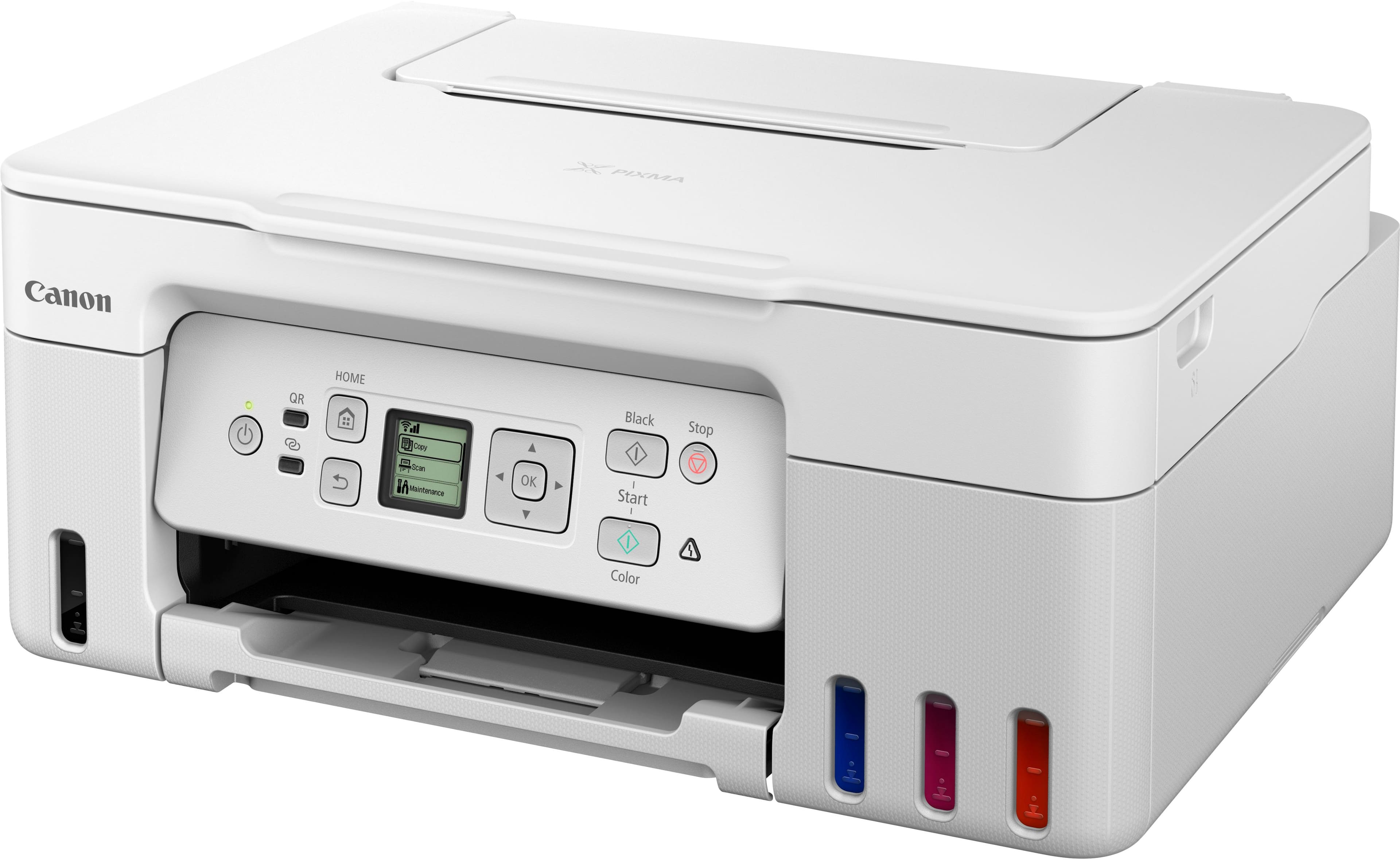
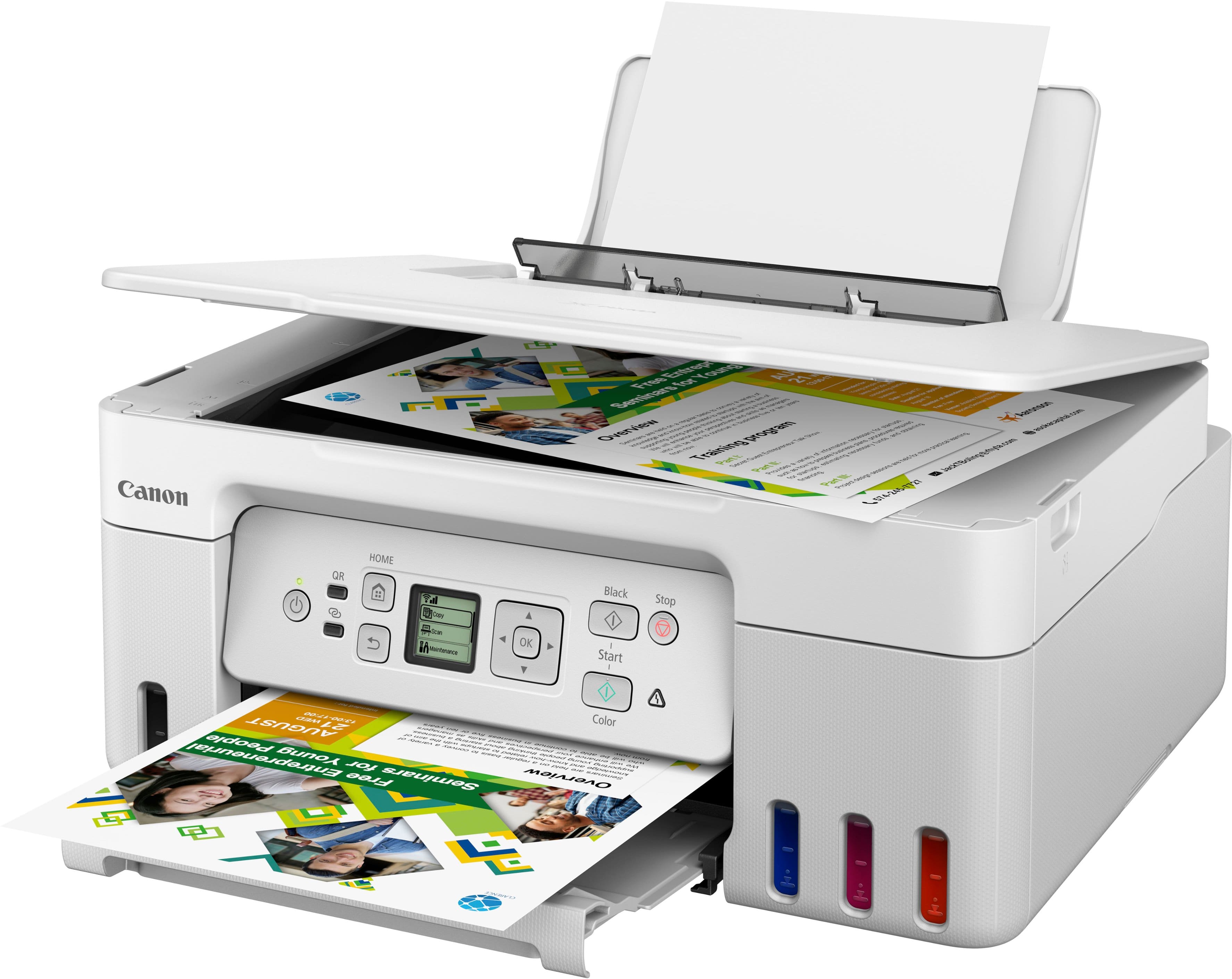
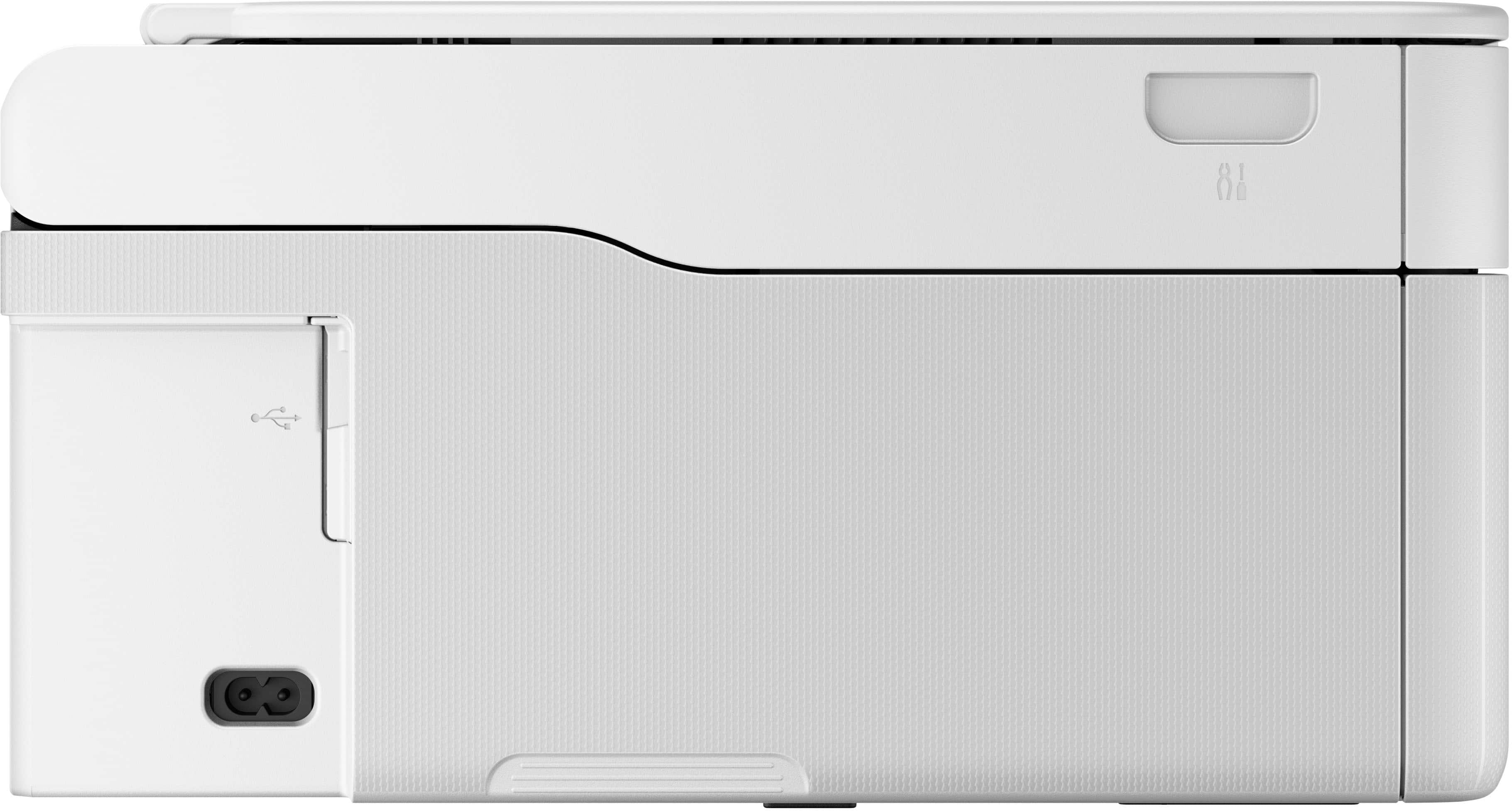
|Posted .This reviewer received promo considerations or sweepstakes entry for writing a review.Since my first home computer in 1998, I think this is the seventh printer that has been in my life at home. Over that time I have developed a number of opinions on what I like and don’t like…and your opinion may vary. The Canon G3270 MegaTank ink jet printer shows up with some awesome features and some that make me scratch my head. It is described by Canon as an All-In-One printer, but it lacks facsimile capability, however that will matter to very few people. Since there is no document feeder, the scanner can scan only up to letter-size documents on its flatbed scanner, but it can print on paper up to legal-size in length. It can scan multiple small items (such as business cards) in a single pass making some jobs go faster. First, some boring statistics; it’s about 16 1/2 inches wide, 13 1/2 inches deep (22 inches deep with the trays open so that the printer can be used), 7 inches high (12 inches to the tip of the paper with letter-size paper loaded in the rear tray), and weighs a little over 13 pounds. The power cord is detachable and about 5 feet long. It does not come with a USB cable to make a wired connection to a computer. The input jack on the printer is USB-type B and is a “hi-speed” connection. The only accessories the printer comes with besides a power cord are four bottles of ink, 3 colors and 1 black - oh yeah, the two print heads are separate and have to be installed but this is easy to do. I’m going to start with some observations about the manual and set-up. The online manual can be downloaded and is 472 pages long, but most of the pages are only about half full of text or illustrations. I found it odd that the diagrams showing the physical parts of the printer and telling what they are, didn’t come until page 153 rather than at the beginning of the manual which is where one would expect to find them so that you know what they are talking about in the sections regarding operation and connection of the printer. This manual is also completely “written” in English except for the section on WEEE (Waste Electrical and Electronic Equipment) Regulations for Europe and there are many different language versions, in this section only - again, odd. Set-up of the printer is accomplished by scanning a QR code from an enclosed card and using your mobile device to walk through the steps after downloading the Canon PRINT app. One interesting thing I found during this process was that it states to squeeze the ink from the bottles into the ink tanks when filling the printer. These bottles are impossible to squeeze but will slowly drain into the printer tanks by themselves if left for a couple minutes. Other than that, set-up was pretty painless. The location and angle of the control panel makes using the printer much easier the higher the printer is located. If your location is down low by the floor, it can be hard to see and operate because the black and white LCD display does not tilt. And it is very small at 1.35” x 1.35”, which results in a very small font to squint at for a lot of menu items. It is not very user-friendly for older folks or those with less than stellar vision. But, this little display can show menus in 32 different languages! The G3270 has a provision that will wake up the printer to print a job when a file is sent to it, even if the printer has been turned off - that is pretty cool. And there is a setting to automatically power it off after it sits idle for a user-selectable period of time. And for people where their smart phone is their only computer, Canon has what they call “Wireless Direct Connection” which allows you to connect your phone (or tablet or computer) to the printer wirelessly withOUT the necessity of having a router or Wi-Fi network. There is a “Transport Mode” which caps the print heads so they don’t dry out, but it appears the printer may possibly spill ink unless it is kept upright because Canon recommends moving it in a sealed plastic bag. Speaking of ink, Canon recommends using the printer at least once a month to help keep the print heads from drying out and clogging, yet the manual states that “To keep printer's performance, Canon printer performs cleaning automatically according to its condition.” An interesting feature to prevent a user from accidentally filling an ink tank from the wrong bottle is that the neck of the ink bottles have differing “grooves” or “keys” molded into them so that they will fit on only the correct ink tank in the printer. This printer also has something I have never seen before (but maybe other manufacturers use a similar feature), and that is a “Maintenance Cartridge” that collects waste ink from the head cleaning procedure. This cartridge has to be replaced at some point when it gets filled up and there is a warning that appears on the display to alert you to this. This is not an overly expensive piece. There is a “Quiet Mode” so the noise the printer makes is less intrusive, but it appears from the manual that all it does is slow down the printing process which reduces the noise, yet the paper handling mechanism noise is not dampened in any way. The rear paper tray will hold up to 100 sheets of paper or 10 envelopes in a stack. Since this printer is designed for the world market, the supported media sizes are quite extensive including many paper and envelope sizes that a user in the United States will not encounter. While the common business envelope size #10 is supported, another common envelope size encountered in the U.S. is #6-3/4 (which is 3 5/8” x 6 1/2”), which I could not find in the list of supported media sizes. If you are scanning from a book, the document cover can be removed from the machine to get it out of your way and make it easier to position the book on the scanner glass. The clarity of printed text and the color rendition of copies were very good. No one should have any qualms about the quality of work this machine will output, and honestly, I think that is to be expected nowadays from a reputable manufacturer and from anything but the very cheapest of printer. The ink refills for the MegaTank line of Canon printers are very reasonably priced and should be a pleasant surprise to those used to paying for replaceable cartridges. The one thing about the Canon G3270 that keeps me from rating it any higher than three stars (“average”, in my mind) is the simple fact that it is designed for only single-sided printing. It never crossed my mind that in this day and age that a printer at this price point would not be capable of two-sided printing. I guess some of what you save in ink costs will be used up by having higher paper costs. For a high volume user, and isn’t that really the market an ink tank printer is designed for, not being able to print on both sides of a piece of paper automatically can be a deal breaker for some consumers.
I would recommend this to a friend - Pros mentioned:Print quality
Nice quality, but a tiny screen and glitchy setup
|Posted .This reviewer received promo considerations or sweepstakes entry for writing a review.The Canon PIXMA MegaTank G3270 is an all in one wireless printer that prints using actual ink, from ink bottles. There are 4 reservoirs that you initially have to fill up and also a couple of print heads that you need to install. Now, being new to this technology, I am hoping those ink reservoirs are well sealed with no chance of them leaking on the desktop. Also, I was a lot more diligent about filling up the printer with ink than I ever was with a cartridge style printer, I just didn't want to have ink on my counter, staining it forever. That being said tho - the life and durability of the ink completely outweighs the performance of the cartridge based printers. Canon claims that you can get 6000 pages out of the black ink bottle and 7700 pages out of the combined black and color ink bottles. That is very, very impressive when you consider that you only get a couple of hundred prints out of the traditional cartridges. Researching the price to refill the printer when the ink depletes, is a lot less expensive this way, than with cartridges too. It will cost around $52 to replace the ink for another 6000+ prints. Very economical in that case. Setting up the printer - I'm sorry, but Canon, that screen is far too small, far too feint, and really tough to read. You need to check the screen for initial set up, and it wasn't easy to read. There is plenty of space on that front panel to have opened up that screen size by an inch all the way around. During set up, the printer lost connection with the companion app, would tell me it couldn't find a printer and I'd have to restart both the app and the printer. This was annoying as well. The printer was around 25ft from the router, and there shouldn't have been any reason for it to drop connection. Once it was finally set up, I can say that I was very impressed with the first print that came out. First of all, I wasn't expecting edge to edge printing, right out of the gate. In my pictures, there are two prints of the front of my Camaro. The top print was with the default settings (fine detail, gloss photo paper setting - even tho I didn't have any gloss photo paper installed) and the print was nice and vibrant with great coverage. The second print was on the 'standard' setting, it's a little more washed out, but still a good quality print. I sent these wirelessly directly from my iPhone 12 Pro and it printed with no issues. I've sent a 17 page PDF from my phone and it printed effortlessly as well. So once it's set up, it seems to work as expected, showing up on the network, printing directly from the Canon 'PRINT' app, or directly from the Photos folder on my phone, it works just fine both ways. This printer also has the common functions of copying and scanning wirelessly as well. So far, so good with this printer, only had it for a few days, with sporadic printing, but the quality of the prints is great, edge to edge printing is a great feature and it has a nice compact size to go with it. I do feel that the display needs some work, it's not something you look at or check on constantly, but for that initial set up and the visibility of it, it needs to be larger, in color and more defined. That would have given the printer five stars. Overall, great quality printing, edge to edge functionality, massive amount of prints per ink refill and a great form/function for the desktop. Aside from the glitchy set up, I would recommend this printer!
I would recommend this to a friend - Pros mentioned:Print quality
Crafty Mom
Posted .This reviewer received promo considerations or sweepstakes entry for writing a review.This Canon Pixma printer was a GAME CHANGER for my daughter’s birthday party. I printed decorations, stickers, pictures, activity sheets, and the quality blew me away. The colors were bright and vibrant, lines were clean, and everything looked so polished and professional. It handled multiple prints back-to-back with no issues, which is huge when you’re in full party prep mode. Setup was easy, it worked great with my designs, and it brought all my crafty ideas to life. If you’re a craft mom, party planner, or love DIY projects, this printer is 100% worth it. I’ll be using it for every party and project from now on!
I would recommend this to a friend - Pros mentioned:Overall performance, Print qualityCons mentioned:Paper tray
Clear prints
||Posted . Owned for 3 weeks when reviewed.This reviewer received promo considerations or sweepstakes entry for writing a review.The printer has worked good. There hasn't been any problems. The prints seem to come out well. The only downside is that all it has is a rear tray, no tray the paper can lay in.
I would recommend this to a friend - Pros mentioned:Overall performance, Print quality
It's solid.
||Posted . Owned for 1 month when reviewed.This reviewer received promo considerations or sweepstakes entry for writing a review.This is a solid printer. Good on Best Buy because it was delivered undamaged and on time. The quantity with which this can print for each bottle of ink is thousands of pages, so this is a great pick for students, this is coming from a nursing student. A nursing student who prints an obscene amount of skills sheets and assessments by the way. Heads up, you'll find the best instructions to set up this printer and everything on youtube. Oh and this is pretty good at printing pictures, put on the border setting-trust me on that. It's good for printing pictures on a budget, but I mainly use it to print out documents. Overall, I don't regret my purchase:)
I would recommend this to a friend - Pros mentioned:Print quality
Quiet, capable, and good-looking printer
|Posted .This reviewer received promo considerations or sweepstakes entry for writing a review.We own a home-based business and print a pretty high volume of documents throughout the week, necessitating a high capacity tank style printer, If you're anything like me every time you print a bunch of color documents you have a pit in your stomach knowing that the tiny cartridges are going to run out soon. And then you get to go by $100 worth of ink for it only to have the same anxiety creep in as you print more. I'm glad Canon and (most) printer manufacturers have recognized this and now give us options for higher volume printing. This machine specifically has outstanding print quality, however the software and setup definitely need some work. Setting up a printer is generally a super easy task on your phone, get it all hooked up, test print, and you're ready to go. Unfortunately setting this one up resulted in several errors that I could not get resolved. The display on it is absolutely tiny and is monochrome. That's fine, but the confusion increases when you try to troubleshoot why it's not connecting to the phone app and the display offers zero guidance. Once you get it all set up of course it's fine and you likely will not really need the front display anymore, but that initial process is unnecessarily frustrated in my opinion. Also we've owned several Canon printers over the years, and I'm disappointed to see that even on this model, the factory setting is for it to sleep and not wake up until you press the button again. It's particularly irritating when you're upstairs and you have to go all the way downstairs and wake your printer from it's nap. I honestly don't know how much power printers use in standby, but I'm pretty sure it's a negligible amount. I guess if you're off the grid with solar panels and batteries, you'd want it to sleep immediately, but from a workflow perspective it's very difficult to stop what you're doing and go have to fiddle with the printer. I like that the paper loads from a back tray, vertically, instead of the slide out tray in the front. We switch various weight papers frequently and it makes it really easy to do with the back feeder design. As for longevity I'm not sure since I just got this printer, but I have no reason to believe that it would be inferior to other Brother and Epson printers, which is to say very reliable. Should you buy it? I would say absolutely yes, despite the setup issues and the cheap looking display. After all, once it's set up and in service, it should produce crisp prints for years to come without the need to use the tiny display much, if at all. It's quiet, fast, and produces really clear and sharp text/images.
I would recommend this to a friend - Pros mentioned:Print quality
Bye bye cartridges
|Posted .This reviewer received promo considerations or sweepstakes entry for writing a review.I wanted to try a cartridge-less printer so decided to go with the Canon Pixma G3270 to upgrade our old printer. First thing was to setup the printer which was more work than I expected. There is no quick setup guide included in the box so you have to go online to get started. Connection issues made the process even longer. Filling the ink wells is easy enough with the bottles having keyed tops. They empty into the wells once attached no need to squeeze them or anything and take roughly 25-30 seconds to empty. The black well is on the left with the three color wells being on the right. You can only fill one color at a time has there’s not enough space to fit two bottles at once. Next installing the print heads was not a straightforward deal as where they go is not clearly shown or explained. Connecting to our Wi-Fi network was easy enough with wpa. The controls are easy to use but the lcd screen is to small to me. It’s roughly the size of a smartwatch screen. The text to background contrast is not the best making it a little hard to read for me. Overall it took me roughly 45 minutes to get the printer ready to print. Started with print head alignment then printed a simple b&w text page then a small full color drawing both of which came out good. The color pic was pretty accurate even though I used plain white printer paper. Using Canons windows app to print a pdf from my laptop then scan it back was straight forward. The things I don’t like is having to go online for setup, the tiny lcd screen and the menu could be more user friendly. Same can be said about checking ink levels. Yes there are windows on the front of the printer but they are tinted and not clear so depending on lighting or viewing angle it can be hard to see the exact level. And you can’t check it with the app. Overall I like the G3270 as it does what we need in a personal use home printer. Most of my issues will probably be easier to deal with after more use.
I would recommend this to a friend - Pros mentioned:Overall performance, Print quality
Great Printer
||Posted . Owned for 7 months when reviewed.This reviewer received promo considerations or sweepstakes entry for writing a review.Very good printer. The quality and speed is very impressive. I like the ink tank and not having to worry about buying an entire cartridge with just one color goes out. The scanner also does a great job with documents and photos. We use our printer for work and personal products and k have no complaints at the moment.
I would recommend this to a friend