Customer Ratings & Reviews

- Model:
- 6992B002
- |
- SKU:
- 7919046
Customer reviews
Rating 4.4 out of 5 stars with 5351 reviews
(5,351 customer reviews)Rating by feature
- Value4.3
Rating 4.3 out of 5 stars
- Quality4.2
Rating 4.2 out of 5 stars
- Ease of Use4.3
Rating 4.3 out of 5 stars
Customers are saying
Customers have good things to say about the PIXMA MX922's print quality, ease of use, and wireless functionality. Many appreciate its convenient fax capabilities and straightforward setup process. However, some users noted that the printer can be noisy and that the paper tray could be improved. A few also mentioned occasional issues with reliability and slow warm-up times.
This summary was generated by AI based on customer reviews.
- Pros mentioned:Wireless
Rated 5 out of 5 stars
Great. Wireless Printer
||Posted .This reviewer received promo considerations or sweepstakes entry for writing a review.I am so happy with my Wireless printer PIXMA MX922
I would recommend this to a friend Rated 5 out of 5 stars
Great Printer - compared to HP
||Posted .This reviewer received promo considerations or sweepstakes entry for writing a review.Sales man from Canon on the floor at the Thousand Oaks store was great. Refills are much less expensive. The unit is well made and does things I like. Scan to PDF and with Wi Fi drops it on my desk top.
I would recommend this to a friend- Cons mentioned:Noise level
Rated 2 out of 5 stars
not as quiet as earlier Canon
||Posted .This reviewer received promo considerations or sweepstakes entry for writing a review.I bought new Pixma 922 AIO printer on price and how well the older system (Pixma 870) had worked for so long. I find this unit, loud, makes an amazing amount of mechanical movements and the plastic material greatly inferior to the 870. Never had print issues before... Features and price brought me in, but man oh man...I will spend more next time.
No, I would not recommend this to a friend Rated 5 out of 5 stars
Great copier
||Posted .This reviewer received promo considerations or sweepstakes entry for writing a review.Copier is great, scanner works when I figure it out fax without land line hasn't been figured out yet.
I would recommend this to a friendRated 1 out of 5 stars
Not happy with product
||Posted .This reviewer received promo considerations or sweepstakes entry for writing a review.Cannot get the printer to connect to an apple pro. Have tried several times with no luck.
No, I would not recommend this to a friend- Pros mentioned:Print quality, Wireless
Rated 5 out of 5 stars
Best Printer I have ever owned! (5 STARS)
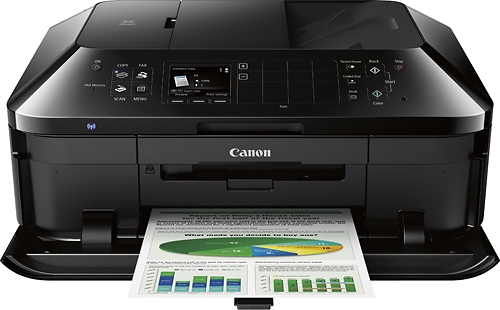
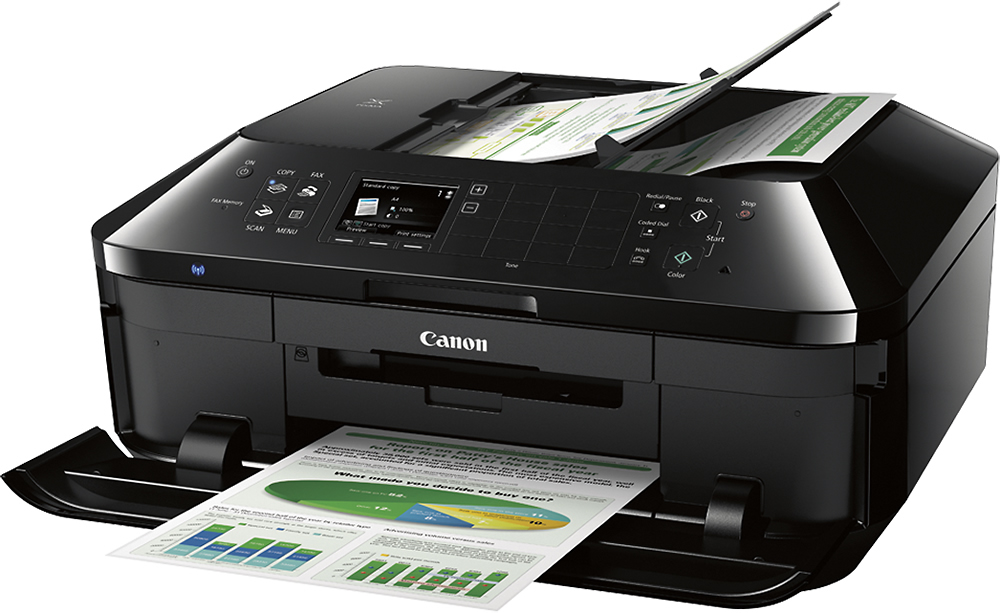
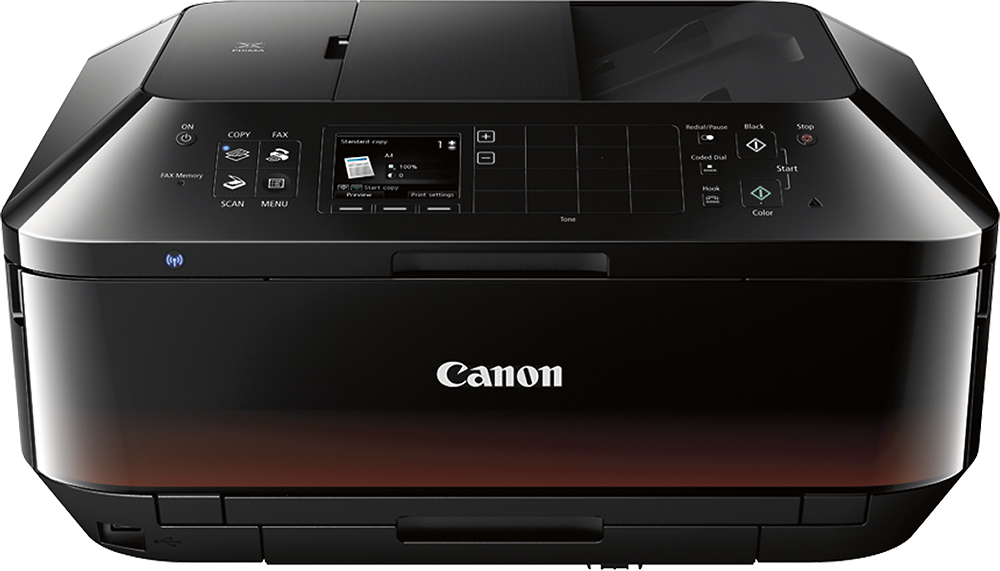
Posted .This reviewer received promo considerations or sweepstakes entry for writing a review.This printer does so much more than just print. I want to point out a few key features I like. The ability to print from my cell phone (Android) does iPhones too, right to the printer. These is amazing. The printer has two separate paper trays. I keep standard paper in the lower tray and 4x6 photo paper in the upper tray. So convient not to have to swap out the papers. The next thing I was amazed about was the photos are photo quality. I just ran water over one I printed last night to see what it would do to it. Nothing! Perfect! One thing that was confusing to me was there are 5 ink tanks. 2 black tanks? This is simple to explain. One black is used with the three color tanks for color and photos. The other black tank is for standard black text as long as you choose B&W for text printing. Nice feature! There are a lot more features. Few notes to prospective buyers: The red on the bottom of the door in some photos you see on the web is there, but not as pictured. It is a lot more subtle. See my phot of actual printer. I always wondered if the door auto opened and closed. Here is the answer. It auto opens when you print. Once you remove the paper or photo you printed, you close the door if you like. Hope this helps you decide. I love it!
I would recommend this to a friend - Pros mentioned:Print quality, WirelessCons mentioned:Paper tray, Warm-up time
Rated 4 out of 5 stars
Didn't want an all-in-one, but am gald I got it.
||Posted .This reviewer received promo considerations or sweepstakes entry for writing a review.I already have a scanner so did not think I wanted an all-in-one, but the price was right on this one so I bought it. Now I am glad that I did since it is SO MUCH more handy to pop in whatever I need to email someone - even multiple sheets - and I don't have to go over to where I keep my regular scanner and change out pages as it scans. The print quality so far has been good, but I have not done any photos yet. The reviews that mention the long warm-up are pretty much on track, but unlike what I thought at first, it is not doing a long cleaning each time - - at least not according to what I read online. I delayed the wireless setup and then had a little trouble getting my wireless set up until I read I would have to put the disc back in to do it. Now my biggest problem with wireless are the apps on my phone. I can't get the print option to come up on pdf or doc files, but that has to do with the apps I use. Photos and emails print just fine from my phone using the wireless option. Also nice when someone emails info that I need to print right away and am not on the computer that has my personal email. Since I do a lot of "test" or draft printing on scratch paper in gray-scale, fast, I really do miss the option on my ip4000 to have two different letter size paper sources, since for me it means frequent opening the bottom tray and putting the paper I want to use before I print. Also since a #10 evenlope will not fit theupper tray, printing an envelope means taking the paper out of the bottom try, putting in the envelope, printing then putting your paper back in if you wish to print a letter for that envelope. Now if you do a lot of smaller items and photos, you might not mind the restrictions on the upper tray, but that is the reason it gets a 4 not a 5. I don't have a land line, so can't comment on the fax. I've also not used the disc print, but with European drivers and a homemade carrier was able to get that on my old printer, so I expect this to do as well - but will seldom use it. In general, I think I am going to like the printer, but will I get 13 years out it like my old iP4000? Let's say I hope the Canon reputation holds.
I would recommend this to a friend - Pros mentioned:Print qualityCons mentioned:Paper tray
Rated 4 out of 5 stars
A competent all-in-one with a small footprint
||Posted .This reviewer received promo considerations or sweepstakes entry for writing a review.Disclaimer: this review is made after only 3-weeks of ownership/use. Clearly future issues could arise which would influence this review if they were to be known in advance. First, began researching for new inkjet all-in-one printer about 3-months ago to replace older HP 7520 (good printer by the way - didn't have issues with it). While my subscription to CU strongly suggested another HP (same model line as my outgoing printer, but a modern one) I opted to look beyond HP. The PIXMA 922 is a recommended printer in CU's ratings. What I found when I went looking for customer reviews was I saw more issues with things like jamming and ink issues with the HP and Epson printers that were in my final round of choices. I found less of these reports amongst consumers for the 922 and its predecessor. Let's get the what's not so great issues out of the way first. I don't need a nightlight. Can anyone make an electronic device with a blue LED light that doesn't light up a whole room at night? It seems to be the nature of things these days with all sorts of consumer electronics. Second, the software installation could have been better. While I like the idea of installing the latest software right up front (the included CD directs your computer to the Canon website and doesn't install software directly from the CD, which may then need to be updated) the installation process was a bit slow and less than enlightening. There were a number of separate applications which could be installed, but very little information provided about what they were, what they did and why I might need them installed. In the end I wound up searching the web for descriptions and taking a guess at whether or not I really wanted or needed the specific software. For me personally I only need the software/drivers that make the thing work.. I don't need picture software, etc. It would be nicer if they set-up the software installation into two groups: one that just makes the all-in-one work (print, scan, copy, fax, etc.) and another group containing 'extras'. Third in the not so great section is a WTF moment... at the end of the installation it asked if I wanted to be part of a plan that would send to Canon user information to better help them understand my usage of the all-in-one. I normally don't opt into these things anyway, but I'm not opposed to them on principal. But this time they wanted to collect information for something like 10-years. Absurd. A real turn off. If they really want to get my opinion and usage information why don't they e-mail me for it on a regular basis? They have my e-mail after I register the product and that would seem to be a less intrusive route. Lastly, the main paper tray seems flimsy to me. Like it should be treated carefully. And there isn't any real backplate to it so paper installed in the tray doesn't really sit squeezed into place. It may work just fine for all I know in the long-term, but it doesn't exude confidence. However, there is plenty I find to like about this all-in-one and thus far I'm very happy with my selection. It was well packaged: safe and secure. Set-up of the physical device was easy, straight-forward and the printed guide clear and concise. Everything went together smoothly. The software, once my choices were made, has worked as it should and I really appreciate the ability to initiate a scan from my computer (one of those features my previous printer couldn't do). Regarding the actual functions I have tried everything except the faxing part as I don't have a phone line for such. The copy, scan and print functions all work as they should. The document feeder works as advertised (both sides), but I haven't yet tried two-sided printing. A paper saver to be certain, but I think there is probably where folks run into the issue of jamming more than anywhere else. Originally printing on standard copier paper (like I use with my HP laser printer) I found the quality of the text and graphics to be such as they usually are on standard copier paper: ok at best. I did run out and purchase a higher quality (HP brand - go figure) inkket-oriented paper, which I have used in the past to much better results; especially with text. This different paper helps keep the ink from bleeding into the little valleys that exist on paper. It helps keep the text more crisp looking and a 500-page ream for $8 is quite reasonable and I highly recommend purchasing such. While I have a dedicated picture printer I will make use of this 922 as well for quick prints. My text prints show generally good quality, but I find the colors (especially red) a bit muted. However, there are plenty of possible adjustments which can be made via the software to help get prints to be where you want them. This was not possible on my previous HP printer and I very much welcome this addition. With some adjustments and fiddling I have every confidence I will be able to get the prints to match my expectations. Lastly, time-to-print... via wi-fi (I have not made use of any other connectivity option at this time) the printer wakes up and receives the data quickly. However, the printer goes through all sorts of machinations before it actually prints the document. I know this is common with inkjet printers, but this 922 feels even slower than my much older HP. But after the first page is printed and the printer remains awake the time to print any subsequent pages is much, much quicker. Clearly quicker than was my older HP. The printer gods giveth and the printer gods taketh away....
I would recommend this to a friend - Pros mentioned:Ease of use, Print quality, Wireless
Rated 4 out of 5 stars
Nice replacement printer
||Posted .This reviewer received promo considerations or sweepstakes entry for writing a review.I use the direct print to CD/DVD feature a lot and my previous printer went on the blink. There are very few printers that still have this feature then I came across this printer. It's a nice printer, fax and scanner combo. It's a little on the big side and a little slow so I only gave it four stars. Other than that it is an all around nice printer. It scans nice, the print quality is good on both paper and cd/dvd's. As with most all in one printers, setup takes a little longer, however it was easy and simple. The fact that you can connect three ways (usb, ethernet and wireless is a plus) This printer is easy to use and for the price it's a bargain.
I would recommend this to a friend - Pros mentioned:Ease of use, Fax, Price
Rated 5 out of 5 stars
Great photo prints!
||Posted .This reviewer received promo considerations or sweepstakes entry for writing a review.Bought this mainly for the printer and the price was very good, but I like having the scanning ability, fax and copy as well. Easy to use.
I would recommend this to a friend - Pros mentioned:Print quality, Wireless
Rated 5 out of 5 stars
Great printer for our house
||Posted .This reviewer received promo considerations or sweepstakes entry for writing a review.I did quite a bit of review before deciding on a printer and I'm very happy with the decision I made. This is being used in our home and gets a fair amount of use. It has performed as expected for printing, scanning and copying (haven't hooked up the fax). It was very easy to get set up with the CD and without and works well with our wireless network. It is a bit on the big side, note the dimensions, but fits in for what we need.
I would recommend this to a friend - Pros mentioned:Ease of use, Print qualityCons mentioned:Paper tray
Rated 4 out of 5 stars
Nice print quality
||Posted .This reviewer received promo considerations or sweepstakes entry for writing a review.Likes: individual ink tanks, print quality is crisper than prior Canon printer (mx800 series), easy to set up, built in tray for printable CDS / DVDs. Dislikes: fax line discriminatory sometimes disrupts calls and won't release land line without power in off printer, only one paper tray, no rear feed for alternate paper size like legal paper Major dislike: no more refilling tanks at home
I would recommend this to a friend - Pros mentioned:Print quality, Wireless
Rated 4 out of 5 stars
Good replacement for an old PIXMA 860
||Posted .This reviewer received promo considerations or sweepstakes entry for writing a review.After about 6 years the ol' PIXMA 860 gave up. It was flawless, now what to chose. So many on the market but I found what I like so let's narrow it down. Wireless - yes, Good color basic pics - yes, Good color and text printing from various programs - yes, Individual ink cartridges - Mandatory! So far printing has been good, scanning is good also. The not so good. Took forever to setup the wireless. Could be the router but I still had to cable it first to make the hand shake then it worked ok. States in manual you can do it straight wireless, I couldn't get there. Adding additional computers on network took some more time ... hour-ish?? When you hit print and it has been sleeping for a while it has to yawn and wake up slowly but it gets there. Once awake it transfers there fairly quick. I think my 860 was faster wake up. Read as energy compliant. It has 2 trays for paper the bottom one is for your standard print paper. I had to fold over a piece of tape to get a hold of it. Not large hands but easier to pull it out with. No real issues. Scans fairly fast and crisp. More settings you can change. Don't load all the software just what you need to scan and print, unless you need photo type software then load away. Again overall good machine for around $100 on sale, good printing and scanning and the ink seems to last failry well.
I would recommend this to a friend - Pros mentioned:Ease of use, Print qualityCons mentioned:Noise level
Rated 5 out of 5 stars
Excellent product overall
||Posted .This reviewer received promo considerations or sweepstakes entry for writing a review.My previous Canon Pixma printer/scanner/fax wouldn't turn on one day and I learned that there was a defect in that model and it was better to replace it. I purchased the Pixma MX 922 since I was already familiar with how to use it and have found it to be an excellent product. I keep a microfiber cloth nearby to keep it looking good since it is glossy black, and at times it sounds a bit clunky, but based on the quality of what I print out, the high paper capacity, and the ease of use, I am glad that I purchased it.
I would recommend this to a friend - Pros mentioned:FaxCons mentioned:Warm-up time
Rated 4 out of 5 stars
Excellent printer
||Posted .This reviewer received promo considerations or sweepstakes entry for writing a review.This printer works great for my home based needs. I know others that also use it in their business. It is capable of double sided printing. The fax setting works great, scanning is a breeze. The only thing that I would change is the large size. Although, that would not allow for the full size scanner bed which is one of the features I like. It does tend to take a little bit to warm up and start printing.
I would recommend this to a friend - Pros mentioned:Ease of use, Price, Print quality
Rated 4 out of 5 stars
Great for college
||Posted .This reviewer received promo considerations or sweepstakes entry for writing a review.Bought this for my son's dorm room. Ergonomics lets it fit yonder bed. Wifi resolves connect. Easy to setup. Ink cartridges surprisingly less expensive and longer lasting than comparable Epson that it replaced. Photo quality top tier. Priced right. Great customer support. Quick printing.
I would recommend this to a friend - Pros mentioned:Ease of use, Print quality, Wireless
Rated 4 out of 5 stars
Very good printer for the money
||Posted .This reviewer received promo considerations or sweepstakes entry for writing a review.the printer was easy to setup and provides quality printing products. All of the computers, tablets and cellphones in the house can access it quickly and turn it on if it is currently turned off. The scanning software could be easier to use though. Overall, we are happy with the printer.
I would recommend this to a friend - Pros mentioned:Ease of use, Print quality, Wireless
Rated 5 out of 5 stars
Excellent printer for home or small office
||Posted .This reviewer received promo considerations or sweepstakes entry for writing a review.I have been using Canon printers for at least several years. Canon printers are excellent quality printers, reliable and easy to set up and use. This Pixma MX922 all-in-one is no exception!! The Pixma MX922 has been on the market for at least several years now. The user screen is easy to use and is operated by small push buttons, so the screen is not a touch screen like some of the newer Canon printers. Nonetheless, the display screen is very simple to use I think. It can be set in the menu options for silent operation, but it is quiet enough by default. The supplied ink cartridges are full cartridges, not samples. At times, printing can take a minute or two while the printer head aligns, cleans. initializes, etc. Print quality is outstanding and the separate ink cartridges are easy to replace and economical to replace as needed. The scan quality by default at 300dpi is outstanding and easy to use as well. I have not set up the FAX functions yet, but I am sure that will be a snap when I do, if ever. The upper paper tray holds a generous paper supply of 250 sheets and the paper holder platform pops out automatically to hold prints! Nice feature! There is also a top paper tray for custom photo paper sizes too! I love the wireless wi-fi connectivity, so it can be placed anywhere within the wi-fi area without a cable! Also, Best Buy had this in stock when I couldn't find it any where else! I have two of these and very glad I purchased these. Canon is great quality and reliability when I need it. The replacement ink cartridges are easily found almost anywhere. This printer also accepts quality generic compatible ink replacement cartridges which are a bit cheaper. Overall, I am very pleased with my Canon Pixma MX922! I have recommended this printer to friends too. They love it!
I would recommend this to a friend - Pros mentioned:Ease of use, Print quality, Wireless
Rated 5 out of 5 stars
Cannon Wireless printer
||Posted .This reviewer received promo considerations or sweepstakes entry for writing a review.Good price, excellent print / fax / copy results. Easy to install and use. I'm new to wireless printing, but works well with my smart phone and laptop. Ink cartridges seem to last longer with Cannon than they did on my old HP.
I would recommend this to a friend - Pros mentioned:Print qualityCons mentioned:Warm-up time
Rated 5 out of 5 stars
The best home printer ever.
||Posted .This reviewer received promo considerations or sweepstakes entry for writing a review.So far, my Canon MX922 printer/scanner/fax has been an awesome printer. The printing is sharp, clear and fast. I have printed several photos directly from my cell phone and the came out great. The wireless function has worked time after time, unlike my other all-in-one printer. The second paper tray for photo paper or small envelopes is a welcomed feature. I like having "physical" buttons on the front panel. When the touch screen on my other printer failed, it was useless until it was repaired. The only drawbacks, and they are minor, is the warm-up time if the printer has been sitting a while. Also, the shiny black exterior is a dust. magnet. All said, it is a great printer for all my home needs.
I would recommend this to a friend