Customer Ratings & Reviews
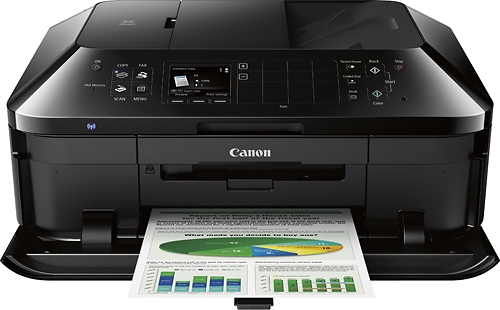
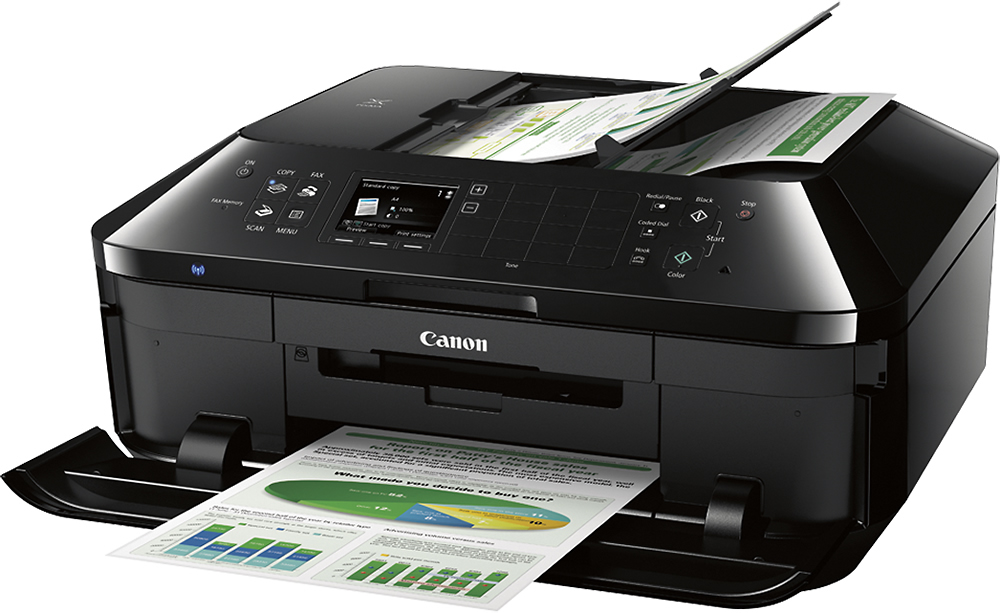
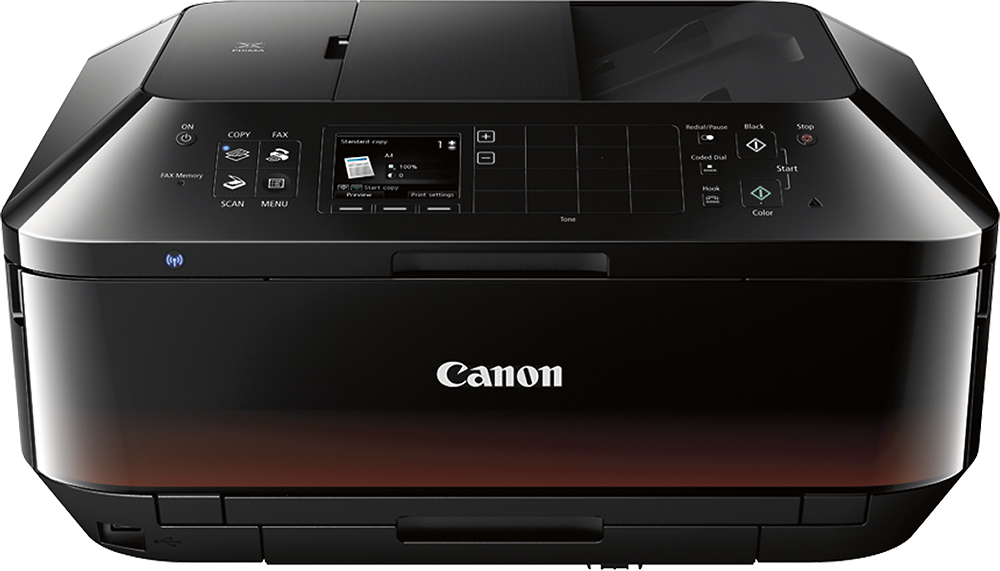

- Model:
- 6992B002
- |
- SKU:
- 7919046
Customer reviews
Rating 4.4 out of 5 stars with 5351 reviews
(5,351 customer reviews)Rating by feature
- Value4.3
Rating 4.3 out of 5 stars
- Quality4.2
Rating 4.2 out of 5 stars
- Ease of Use4.3
Rating 4.3 out of 5 stars
Customers are saying
Customers have good things to say about the PIXMA MX922's print quality, ease of use, and wireless functionality. Many appreciate its convenient fax capabilities and straightforward setup process. However, some users noted that the printer can be noisy and that the paper tray could be improved. A few also mentioned occasional issues with reliability and slow warm-up times.
This summary was generated by AI based on customer reviews.
- Pros mentioned:Fax, Print qualityCons mentioned:Reliability
Rated 3 out of 5 stars
NOT THE MOST RELIABLE IN THE LONG RUN...
||Posted .This reviewer received promo considerations or sweepstakes entry for writing a review.It works well when it works. Great pictures. Two sided printing. Cheap generic great quality ink available. Fax machine. BUT from experience, it does not last. We have 4 in the office. They tend to break down but sometimes start again. Keep your receipt because some of the printers do not work right out of the box.
I would recommend this to a friend - Pros mentioned:Print qualityCons mentioned:Noise level
Rated 5 out of 5 stars
Excellent Printer for the Money
||Posted .This reviewer received promo considerations or sweepstakes entry for writing a review.Bought this multi-function to replace a much older model and am impressed with the feature list. I run it wireless for printing documents & occasional photos, and scanning. As with earlier models, the Pixma print quality is excellent and print speed fast enough for my needs. The printer occasionally takes a while to get going (calibrations etc.) and the door crashes open rather loud (a little damping or a rubber stopper wouldn't go amiss!) Well worth the money.
I would recommend this to a friend - Pros mentioned:Print qualityCons mentioned:Noise level
Rated 4 out of 5 stars
Good but noisy tray door and slow at times
||Posted .This reviewer received promo considerations or sweepstakes entry for writing a review.This is a later version of the model I previous owned which failed (print head) after 2.5 years. It prints well but the tray door automatically slams done hard and loud. The printer sometimes takes a long time to prepare for printing and is noisy in the process. With that said, it does a good job of printing and if it will last longer then the 2,5 years of the earlier version i'll be completely satisfied with it.
I would recommend this to a friend - Pros mentioned:Ease of use
Rated 5 out of 5 stars
Fits my needs plus.
||Posted .This reviewer received promo considerations or sweepstakes entry for writing a review.Found the MX922 easy to use and the on screen menu and tutorial very helpful for a computer illiterate like me.I do miss the memory card reader,but have been able to work around it.Quality of text is very good.Will start using photo tools soon.
I would recommend this to a friend - Pros mentioned:Wireless
Rated 5 out of 5 stars
Great Wireless Color Printer
||Posted .This reviewer received promo considerations or sweepstakes entry for writing a review.Best wireless printer for the money. Read lots of reviews and agree that this is a good printer if you are looking for a wireless printer. The only thing I wish is that is was compatible with my iPad and Macbook Air for wireless printing
I would recommend this to a friend - Pros mentioned:Print quality
Rated 4 out of 5 stars
Great print/slow loading
||Posted .This reviewer received promo considerations or sweepstakes entry for writing a review.All my prints have come out crisp. However it takes forever to process PDF files. Not bad though!!
I would recommend this to a friend - Pros mentioned:Price
Rated 5 out of 5 stars
Overall good deal
||Posted .This reviewer received promo considerations or sweepstakes entry for writing a review.Found this a very good deal when it was on sale and found it good for an everyday home use. Only problem is I am still having trouble trying to connect my wife's chrome book to it
I would recommend this to a friend - Pros mentioned:Ease of use, Print quality, Wireless
Rated 4 out of 5 stars
Easy to set up
||Posted .This reviewer received promo considerations or sweepstakes entry for writing a review.easy to set up really good print quality easy to connect to wireless
I would recommend this to a friend - Pros mentioned:Print quality
Rated 4 out of 5 stars
great for price
||Posted .This reviewer received promo considerations or sweepstakes entry for writing a review.Wireless aspect seems to lag takes forever to print sometimes. Other than that a great printer compared to one's I've had in past. Lots of extra included for personalizing photos.
I would recommend this to a friend Rated 5 out of 5 stars
Not bad
||Posted .This reviewer received promo considerations or sweepstakes entry for writing a review.After struggling with making a choice and shopping around, I finally went back to purchase the HP printer that I thought I wanted. A Canon rep was there and showed us this. I really hate talking to sales people but I was polite and listened to her, determined to find the one I origianlly saw and liked. I finally found it and after looking it over once again, I decided it did not measure up to the canon. So I bought the Canon, got it home and hooked it up, LOVE IT!!! Still trying to figure out functions but that may come a little at a time.
I would recommend this to a friend- Pros mentioned:Ease of use
Rated 5 out of 5 stars
Great Printer for the Money
||Posted .This reviewer received promo considerations or sweepstakes entry for writing a review.This printer was easy to setup and install on my network. I had absolutely no issues with it so far. The photo printing capability is excellent and well as the day to day printing. I would recommend this printer to friends and family.
I would recommend this to a friend - Pros mentioned:Print quality
Rated 4 out of 5 stars
Excellent printer with difficult setup
||Posted .This reviewer received promo considerations or sweepstakes entry for writing a review.This is a fantastic printer despite so many bad reviews which I believe are do to lack of technical knowledge. It took me a couple hours to setup everything in the printer to use all of it's features which is not necessary for everyone but we are one of the few that still use the fax feature along with a few other things. I was pretty shocked when I first seen this printer in person as it is huge compared to what I was expecting after researching it on several different sites. So I would have to say the biggest cons of the printer is the size followed by the extensive setup which canon could make a little easier and less time consuming for the average person but if your a tech guy like myself and think I need to setup every single thing then plan on spending a couple hour's on it. Once you have it setup in your network and download the apps for all your phone's, tablets, and laptop's this printer really shines when it comes to printing from any device and my wife even uses it without any problems which makes my life so much easier! Lol We haven't printed any pictures but just normal prints come out very nice and all in all it's a very good printer that you can currently buy very cheap which is one of the reasons I chose the canon when we had to upgrade from our old Lexmark that we loved so this printer has a lot to live up to but so far has been up to the challenge and if you have the room I recommend you give this one a try.
I would recommend this to a friend - Pros mentioned:Ease of use
Rated 5 out of 5 stars
Great Machine
||Posted .This reviewer received promo considerations or sweepstakes entry for writing a review.The Cannon Pixma MX 922 is easy to set up and connect to WiFi . It has great picture quality. Easy to understand operating instructions. There are many fun things you can do with your photos. Easy ink replacement and is quiet during operation.
I would recommend this to a friend - Pros mentioned:Print quality
Rated 4 out of 5 stars
Canon Copier
||Posted .This reviewer received promo considerations or sweepstakes entry for writing a review.Great for our home office and has all the features for copy and fax and scan and photos and wireless printing. Works great from my phone or tablet or laptop.
I would recommend this to a friend - Pros mentioned:Print quality
Rated 4 out of 5 stars
works OK so far
||Posted .This reviewer received promo considerations or sweepstakes entry for writing a review.Bought to be able to print from my smart phone and chromebook. It works!!! It could have had better directions, took awhile to set up, but we are happy with print quality.
I would recommend this to a friend - Pros mentioned:Ease of use, Print quality
Rated 4 out of 5 stars
Great Overall Printer
||Posted .This reviewer received promo considerations or sweepstakes entry for writing a review.Ink last a lot longer than the HP we had - Office Jet 6600 - which was my main concern. Prints well, pictures come out great. Scan is easy to use a well. Double sided printing is a plus.
I would recommend this to a friend - Pros mentioned:Print qualityCons mentioned:Paper tray
Rated 5 out of 5 stars
Canon Pixma 922 printer
||Posted .This reviewer received promo considerations or sweepstakes entry for writing a review.This is my 2nd Canon Pixma printer. The first ONLY lasted 10 years! It had a heavy workout and did much printing for work as well as my photography business. I replaced it with this newer model because it seemed to be slowing down. The new one has some modifications. The jury is still out for whether I like the second internal paper tray for small size photo paper. I miss the external feed for heavier papers. Same great print quality, and I'm using it for my photo business.
I would recommend this to a friend - Pros mentioned:Print quality, Wireless
Rated 5 out of 5 stars
Great wireless printer
||Posted .This reviewer received promo considerations or sweepstakes entry for writing a review.Great wireless printer and easy to set up. I set up 4 lap tops to print to it and I am not an IT person. Prints great, and easy to move around.
I would recommend this to a friend Rated 4 out of 5 stars
Great all in one device
||Posted .This reviewer received promo considerations or sweepstakes entry for writing a review.For anyone looking for a printer, scanner and fax combination, this is a unit that packs all of these features into a very well though out device at a very competitive price. I have not had the unit long enough to fully evaluate the ink utilization as compared to the HP Inkjets that I have previously purchased and the directions are minimal but the set up and feature selections are extremely intuitive and can be navigated with very little effort. Although I received some resistance at first, a manager stepped to the plate and allowed a price match which is one of the reasons I always consider Best Buy before making my audio video purchases.
I would recommend this to a friendRated 4 out of 5 stars
After set up, a good machine
||Posted .This reviewer received promo considerations or sweepstakes entry for writing a review.We've had the MX922 for a couple of months now. Wireless et up via the provided instructions was tedious and confusing but the machine, post set-up, works fine. Print, copy, scan all work without any difficulty though fairly slow -- especially "copy" which sometime takes minutes for a single page to process. We have not yet had the need to fax. Wireless printing works well from all of the desktop/laptop computers on the network but had to download software for all in order to connect. None of the handhelds are able to airprint (ipads, iphones, ipods) and support sites were not able to help - all devices report "no printer found".
I would recommend this to a friend