Customer Ratings & Reviews








- Model:
- CIRC001
- |
- SKU:
- 5158501
Customer reviews
Rating 4.3 out of 5 stars with 582 reviews
(582 customer reviews)Rating by feature
- Value4.3
Rating 4.3 out of 5 stars
- Quality4.4
Rating 4.4 out of 5 stars
- Ease of Use4.1
Rating 4.1 out of 5 stars
Customers are saying
Customers enjoy the Circle with Disney's ease of use, simple setup, and effective content filtering capabilities. Many appreciate the device control features, allowing for monitoring and management of children's internet usage. However, some customers find the price to be a barrier, and a few experienced performance issues, particularly with multiple users. Concerns were also raised regarding children's reactions to screen time limits imposed by the device.
This summary was generated by AI based on customer reviews.
Rated 5 out of 5 stars
Great tool for every parent!
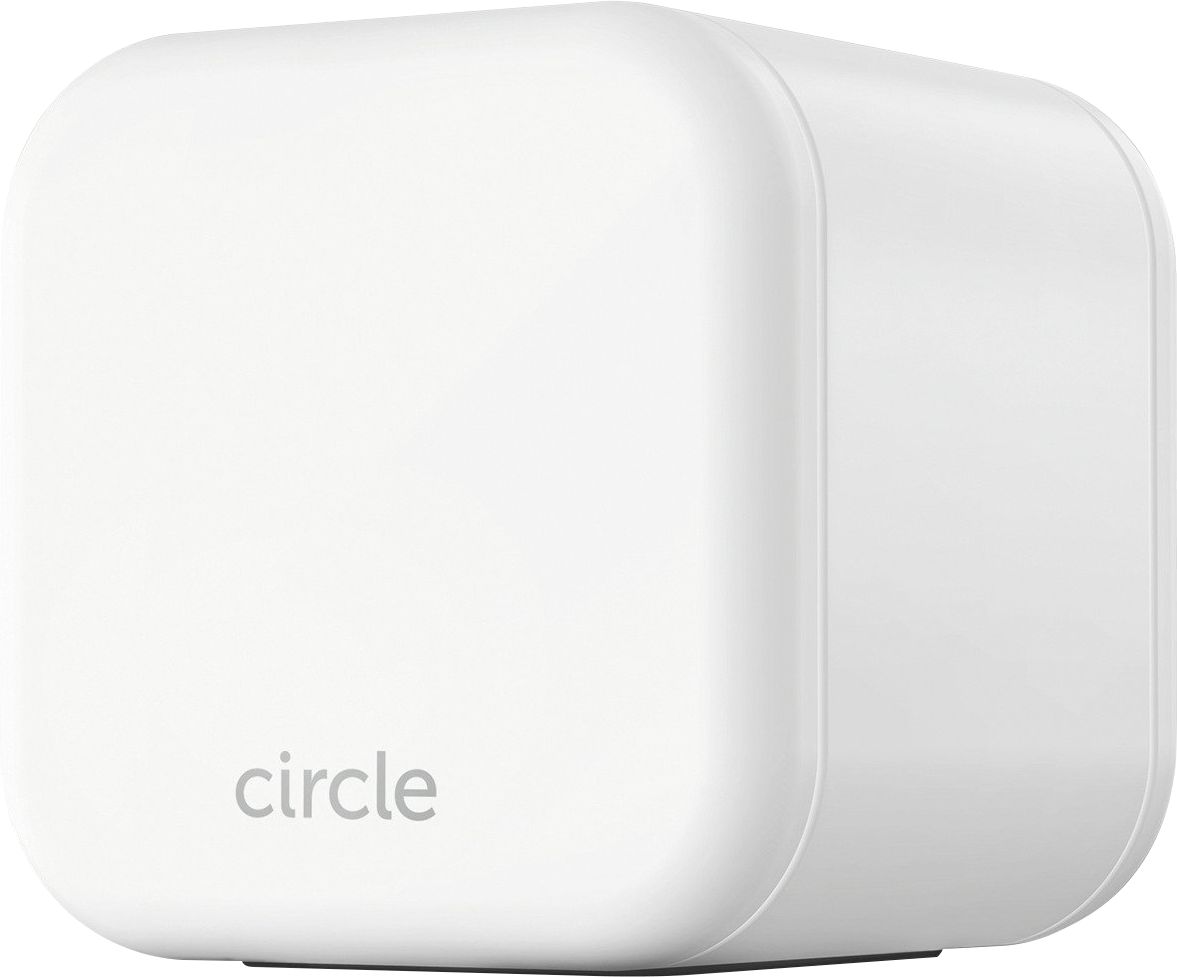
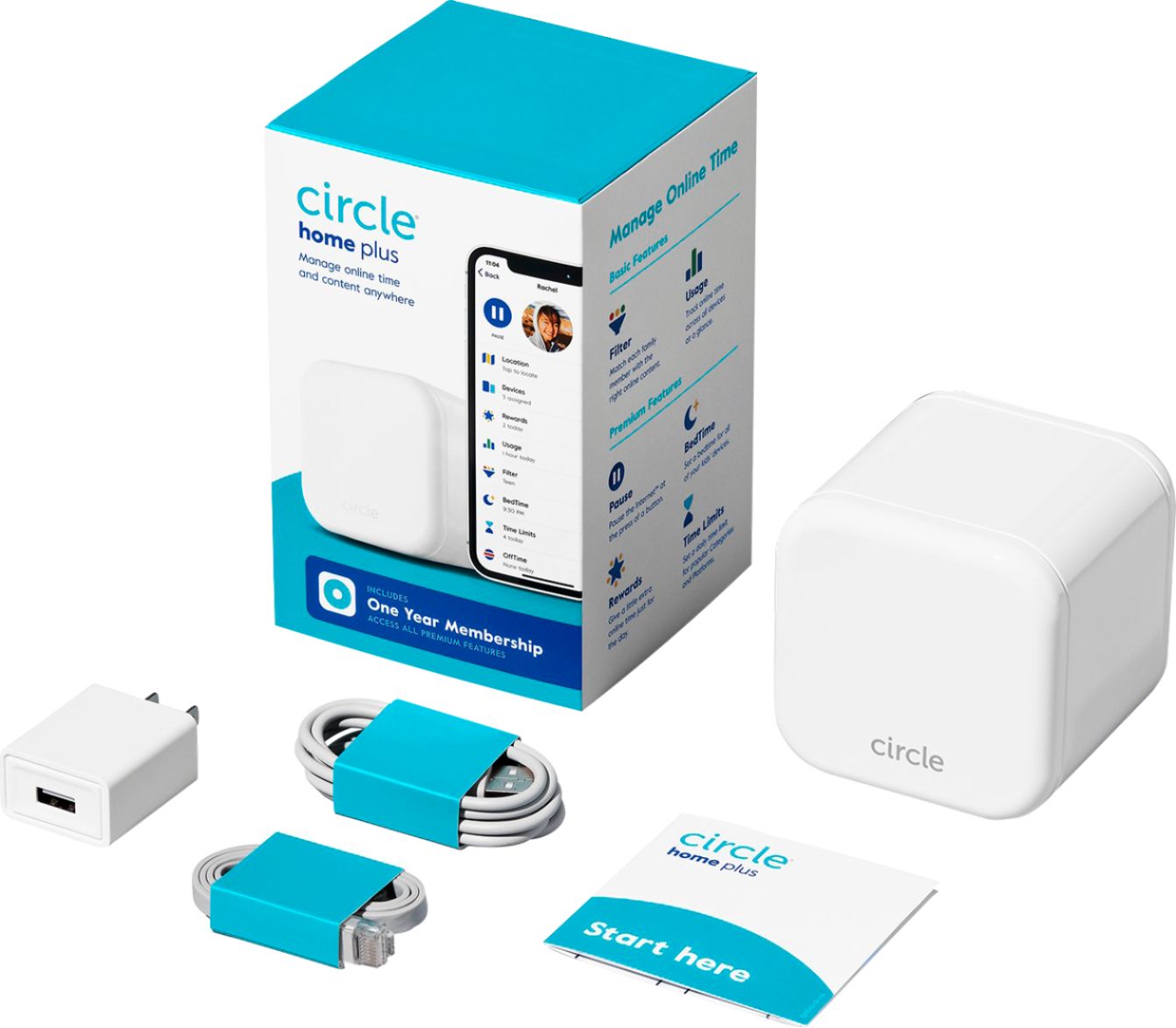
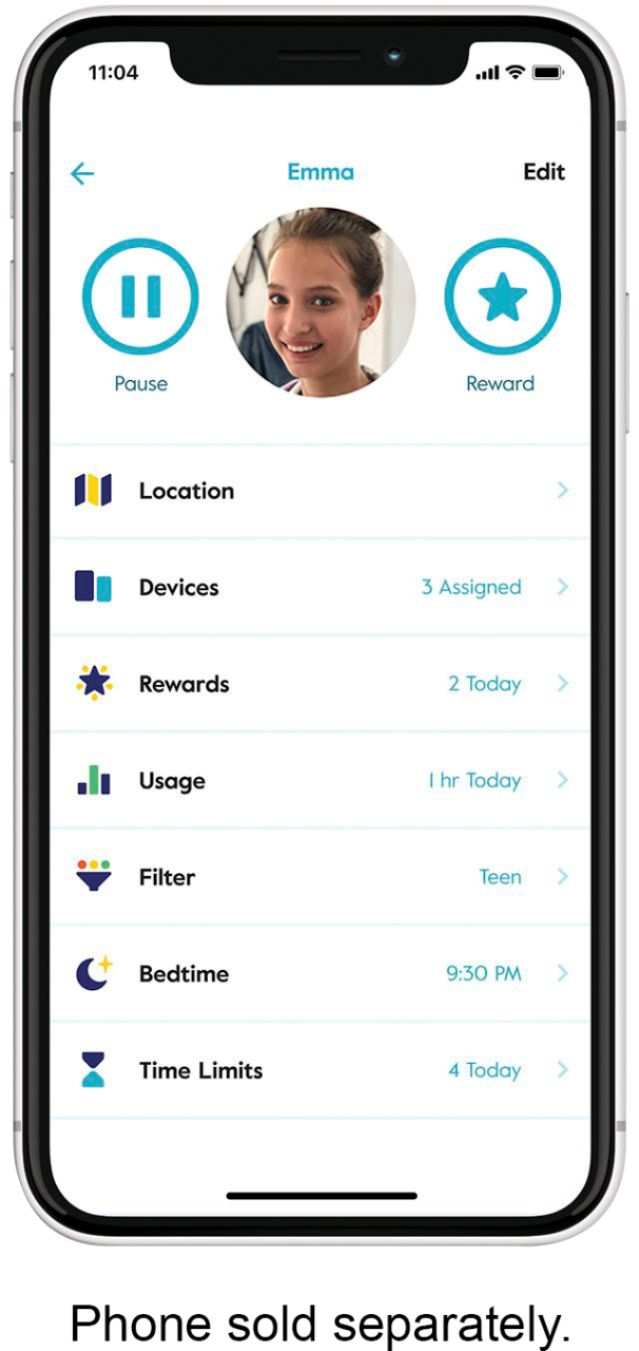
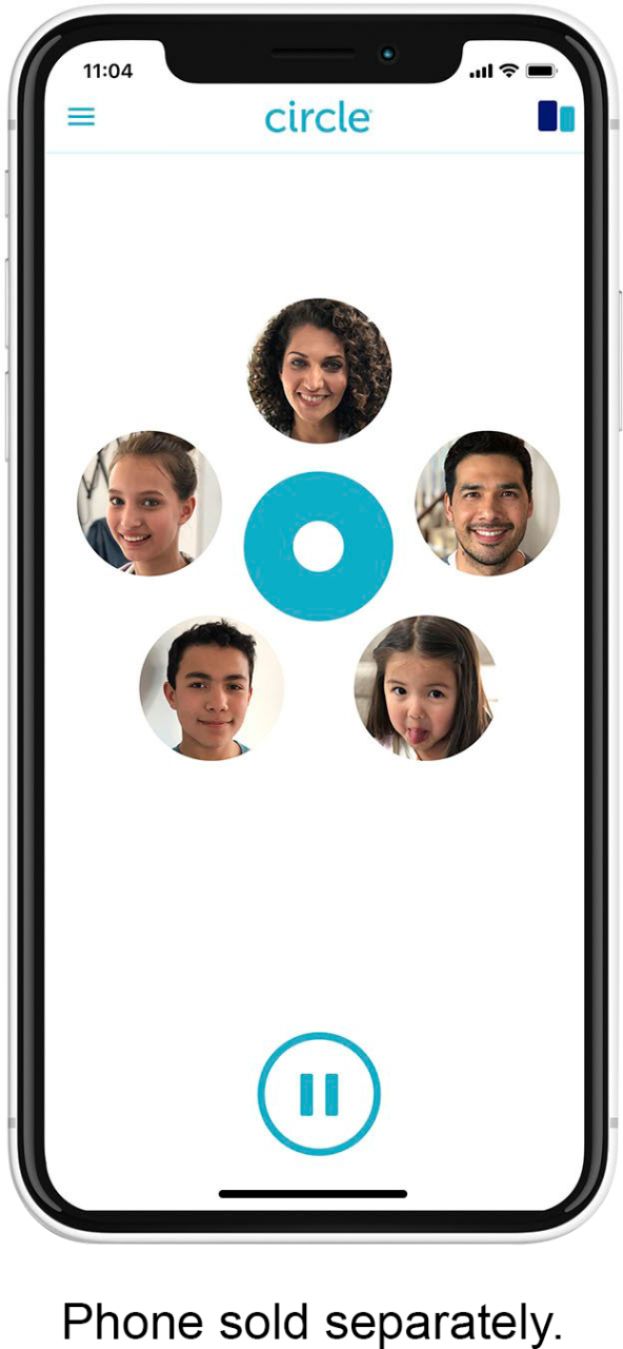
Posted .This reviewer received promo considerations or sweepstakes entry for writing a review.After using the Circle for three weeks I'm willing to give it 5-stars as it has changed, for the better, how our kids are using internet. We have three kids at home, an 8-year and two 11-year olds (twins). I purchased the Circle router after doing extensive research on the web as we wanted to know what they are watching, just as we do with TV and Movies. We also wanted to have a "start time" (7 am mornings) and "end time" (8.30 pm at night) of the wireless connection. Certain apps, like Minecraft, is time limited to 1-hour per day for the boys and it's great not to have to keep track of this as the App does it for you and shuts down access after exactly the 60 minutes. The circle does all of this and more... 1. INSTALLATION: There is no traditional user manual in the package. So, instead of looking at a printed card you only need to download the free App and follow the easy set-up instructions. Basically it took 15 minutes to set up and add all the devices in the house (couldn't believe we had that many devices...). However, this is just the beginning.... 2. CONFIGURATION: Each device must be added to either a "Personal Profile", "Home" or "Unmanaged Devices". This is quite logical and very much follows the concepts used on any Mac OS X or Windows computer. On each profile you can then set with the appropriate Filter setting, along with a start time and end day daily. There is no start and end times for weekends or separation between "play time" and "home work, but I am quite confident these two settings will be added over time as the App development work proceeds. They are the main missing features. 3. SETTING UP EXCEPTIONS: This is the most important phase in order to have a good user experience for the kids. I would strongly recommend to make the initial set up on a day when everyone will be home.. After installing Circle and adding their device to their profile, sit down with each child and ask them to go to every website, open every game and do anything/everything they want to do on their device. This way you can easily create the "exceptions" they need to the standard filter system. There is no way around this as unfortunately internet URL's was never set up with "PG 13" or "R" ratings etc. 4. UNMANAGED DEVICES & HOME PROFILE: In our family we have set my wife's and my cell phones/Tablets to be "unmanaged devices", which means there is no block or limitations. The computers in the house are on the "Home" profiles as multiple users log on to them and there is no technical way to tell which kid is using it (not Circle's fault, just technical limitations). 5. PAUSE BUTTON: The "secret sauce" in this product!!! With the "pause" button you can easily pause the internet for either all managed devices OR for an individual profile (all devices attached to this profile will pause). With this powerful tool in my iPhone I can say "dinner in 2 minutes, internet is going off when the clock hits 6:15" (for example). Prior to having Circle it was a pain to make three kids shut down and end whatever they were doing on their devices. Now everyone immediately "saves" and logs out of their activity as they know that the internet will indeed be shut off when I said it was... The Kids despise this new level of control but as a Parent I smile as I'm finally in charge again! After dinner is done, simply press "paus" a second time and internet is back on. SUMMARY - NEGATIVE POINTS: The App lacks 7-day individual scheduling of times and the ability to do multiple blocks of time during each day. SUMMARY - POSITIVE POINTS: Overall this is a tool that every Parent should have and I have been wanting for years. It gives Parents control of what is being watched, when and by whom. It also serves as a great way to get the kids away from the "Tablet Trance". I've told them the Circle device will stay "on" as long as they live at home and I'm paying for them:-) + The App is very simple and easy to use. + Pause button is a "killer app" by itself for Parents. + The Profile system is logical and nicely laid out + The hardware is compact and looks nice + It features a terrific "backup battery". Kids already tried to unplug it twice without effect as the battery kicks in. Parent will also receive notification to iPhone when device goes off line.
I would recommend this to a friend- Pros mentioned:Setup
Rated 5 out of 5 stars
Two minute setup, easy filters
Posted .This reviewer received promo considerations or sweepstakes entry for writing a review.It's a tricky balance between wanting your kids to explore the web while not falling into inappropriate things. As an IT guy, I've already looked into filtering solutions from OpenDNS, Curbi, and Net Nanny, but wasn't quite satisfied with their complexity. I wanted to find a product that I could recommend to my non-nerdy friends, and the Circle is it. This thing literally took less than two minutes to set up. I love that quickly allowed me to find and assign devices to different family members. Then, I can choose an age appropriate restrictions for my kiddo's as well as bedtimes and time limits. All this can be adjusted automatically for the weekend. Additionally, I appreciate the app I can install on my kid's devices that allow them to see how much time is left and receive push notifications warning of an approaching off-time. Super cool. The Circle is easily worth the $100.
I would recommend this to a friend - Pros mentioned:Ease of use
Rated 4 out of 5 stars
Exactly what I was looking for
Posted .This reviewer received promo considerations or sweepstakes entry for writing a review.I was looking for a device that would live in my network that would enable me to easily lock down the internet without constantly updating software on a bunch of machines. This device did the trick. it lets me customize what each member of the family can access and when. it lets me pause network access to a child if there are behaviour issues or I can also reward good behaviour. Just understand it will NOT control logins and programs used on the local machine. It was easy to set up and the app work well. The only issue I had was the android version of the app would not set up the device but I switched to an ipad for setup and it was a snap. Circle just updated the android app to 2.0.1 and it seems much more stable so I would think that issue has been cleaned up. I made a short video overview if you want to check it out. https://youtu.be/x_85WdXnSAE
I would recommend this to a friend - Pros mentioned:Setup
Rated 5 out of 5 stars
Great way to manage websites and screen time!!
Posted .This reviewer received promo considerations or sweepstakes entry for writing a review.I hesitated to purchase this based on a few reviews. The setup was very easy. Setting up each circle for each child took a little bit of time for me due to all of our devices on the wifi. The Circle made it easy to find the device by going to a site that would list the name it showed on our wifi. It's worth the few minutes to set up. My kids were sneaking time when they used the bathroom or would just disappear in their rooms. Now I can limit the time,sites, and set a bedtime and wake up time for each child. If they need more time for homework, I can quickly add time. This has been amazing for our family!!! I was lucky to find this on sale for $29.99 however I would have paid full price for all the changes it has made to our household. It hasn't slowed down our internet at all. My husband works from home and the kids have been on their devices along with myself streaming Hulu and the Circle hasn't slowed anything down. I highly recommend this device to anyone with kids who struggle with setting limits. I thought we had good control with the devices however until The Circle, I realized we could do a lot better. I know we will be using this site for many years especially with teenagers!
I would recommend this to a friend - Pros mentioned:Ease of use
Rated 5 out of 5 stars
Works Great
Posted .This reviewer received promo considerations or sweepstakes entry for writing a review.Seriously love this thing at our house. We've used it for a while now and I am able to keep tabs on the kids doing what I've asked them to do with their "screens". Also, it's so much better than using the router to manage things because it can work in any network and if the router goes bad you don't have to start over.
I would recommend this to a friend Rated 4 out of 5 stars
Solid first generation product
Posted .This reviewer received promo considerations or sweepstakes entry for writing a review.Honestly I was very skeptical that something this simple in appearance and at such a low price point could work as effectively as it does, especially as a first generation product. In terms of ease of setup and use I think it can't get much better considering how comprehensive it is in terms of the level of control it gives you. There are some areas which need to be worked out like the way "shared" devices (such as an Apple TV) are setup; right now if I set a limit to cap my kids, there is no easy way for me to bypass it when I want to watch something after they've gone to bed. Also the cumulative time limit functions have a flaw if you have devices which generate a lot of "background" Internet traffic; they area aware of it and state they're working on a solution. As long as they keep updating the features regularly I think this will be a very successful product with families.
I would recommend this to a friend- Pros mentioned:Ease of use
Rated 5 out of 5 stars
Excellent
Posted .This reviewer received promo considerations or sweepstakes entry for writing a review.Circle works just as advertised. Easy to set up and use. Takes time to identify devices in the network but once it's set up, it's easy to set controls, bed times and limits. Having an issue with my LG Smart TV though - TV cannot run apps right now but working on solving that issue. I am beta testing the Android Circle app and so far it works flawlessly. Great product.
I would recommend this to a friend - Pros mentioned:Device control, Ease of use
Rated 5 out of 5 stars
Must Have Network Device
Posted .This reviewer received promo considerations or sweepstakes entry for writing a review.This is an incredible tool for those with kids at home. It provides essential tools for policing your kid's internet usage. Very well designed interface and easy to set up. The only thing it does not do is enforce screen time on the connected devices themselves. Perhaps they will add that down the road.
I would recommend this to a friend Rated 5 out of 5 stars
Nothing comes close to circle. Outstanding
Posted .This reviewer received promo considerations or sweepstakes entry for writing a review.Truly outstanding. I have been blocking my teenagers for over a year using router settings and it is a constant hassle. I also use Microsoft Family to manage time on Microsoft devices. My kids have found some ways around microsoft family but could not beat the router easily but it was a hassle for me. Circle has changed everything. My kids, who are very smart technically (I am a CIO) are now stumped. I set this up in a matter of 30 minutes. Setup should be easier but it is easy enough. I do think most people will benefit from a friend who is technically aware for setup. There were hiccups and a few issues with setup but once the setup is done it is amazing. If there was anything close, I might give this 4 stars for the setup. Circle is the ONLY option right now that does ANYTHING close to what it does. Buy it, set it up and begin to adjust the settings. It is extremely powerful.
I would recommend this to a friendRated 4 out of 5 stars
Serves a great purpose
Posted .This reviewer received promo considerations or sweepstakes entry for writing a review.Really helps monitor online activity for my family. Added peace of mind due to filtering capabilities. Does not stop inappropriate images from appearing in google search that had to be adjusted on each device. A bit of a pain because circle does not monitor the cell usage for each device. Immediately my children discovered they can circumvent circle and continue using their devices by switching to cell data... so they will be paying the data overages on our cell bill this month.
I would recommend this to a friendRated 5 out of 5 stars
Great parental controls-no device install required
Posted .This reviewer received promo considerations or sweepstakes entry for writing a review.I am the father of 6 little ones and have used many of parental control options in the market. This one is a leader - no device install required! Pros: - no device install - works with ANY device accessing your wifi - can set time limits by category or specific app - can "pause" internet for one or several users with click of button - customer service is responsive and knowledgeable Cons: - can only configure/maintain in iOS (no website or android) - can see user history, but not specific content/Url they saw (i.e. I can see my son was on YouTube, but not the link to the exact video) - not all websites categorize properly to categories where you have time limits or restrictions - no 4g support (yet), but word is they are close to beta on this Overall, this product is neck and neck with others in the market. I hope they continue to expand and improve on it. I'd highly recommend this product.
I would recommend this to a friendRated 5 out of 5 stars
Unparalleled
Posted .This reviewer received promo considerations or sweepstakes entry for writing a review.I bought this last year the first day it was available after reading about it on a tech blog. It is better than I expected. I believe all parents should purchase this product if they have kids online at any age. We are responsible to protect our kids from junk on the web. This product is significantly more simple and effective than any I have used. It does not slow down our web experience at all. It is priceless.
I would recommend this to a friendRated 5 out of 5 stars
Godsend for tweens and teens
Posted .This reviewer received promo considerations or sweepstakes entry for writing a review.I can monitor my kids online, shut off their internet when I want, prove to them that they were in fact on Minecraft for 5 hours today, and set a bedtime so hey are not sneaking around all night online. What more could a parent ask for?!
I would recommend this to a friendRated 5 out of 5 stars
Awesome Tool for Parents
Posted .This reviewer received promo considerations or sweepstakes entry for writing a review.We have had our review for just over 3 months and quite frankly love the peace of mind that comes with it. I have been researching for ways to help control our kids device usage and love the additional layer that this provides. We have our Circle plugged directly into the cable modem / router and works flawlessly. The team is fantastic in helping out when needed and we only needed help once :) Keep up the great work !!
I would recommend this to a friendRated 5 out of 5 stars
Works well and more features coming soon!
Posted .This reviewer received promo considerations or sweepstakes entry for writing a review.Very happy with this device. Able to manager our young daughter's devices as well as our older teen boy's. Great tool for managing behavior as it's easy to turn off the internet. Makes dinner time much more interactive.
I would recommend this to a friendRated 5 out of 5 stars
Solid, easy to configure
Posted .This reviewer received promo considerations or sweepstakes entry for writing a review.The circle - even though physically it is a cube :-) is an easy to use device that makes protecting the kids an easy task
I would recommend this to a friendRated 3 out of 5 stars
All good but pause doesn't work
Posted .This reviewer received promo considerations or sweepstakes entry for writing a review.Great tool for regulating kids time online. Bedtime enforcement, monitor kids activity, regulate available apps. However, the pause feature doesn't work unless you manually toggle the wifi on the device. You can't just hit pause and the internet access is shutoff. If they could fix that - this would be a wonderful product.
No, I would not recommend this to a friendRated 5 out of 5 stars
GREAT DEVICE TO LIMIT SCREEN TIME
Posted .This reviewer received promo considerations or sweepstakes entry for writing a review.Able to put screen time limit to at least 10 devices
I would recommend this to a friend- Pros mentioned:Setup
Rated 1 out of 5 stars
Great Thought, But Slows Down Everything
Posted .This reviewer received promo considerations or sweepstakes entry for writing a review.I wanted to lock down my kids internet access via an app or something like Circle. It was a great idea and setup was straight forward for the most part. I setup everything and then my kids Netflix and YouTube Kids apps were running really slow. Found that our new router could be the cause of it and tried following the support page on Circle's website, but it was incorrect. Taking the unit back tomorrow since I like speed over this device. will find another way
No, I would not recommend this to a friend Rated 1 out of 5 stars
If other wifi networks are picked up by
Posted .This reviewer received promo considerations or sweepstakes entry for writing a review.Two minutes after turning the Internet off for the night (bed time) My 10yr old daughter discovered she can jump on the free xfinity wifi that we could not regulate. She found a work around in 2 mins. All free wifi could not be stopped or controlled by circle.
No, I would not recommend this to a friend