Customer Ratings & Reviews
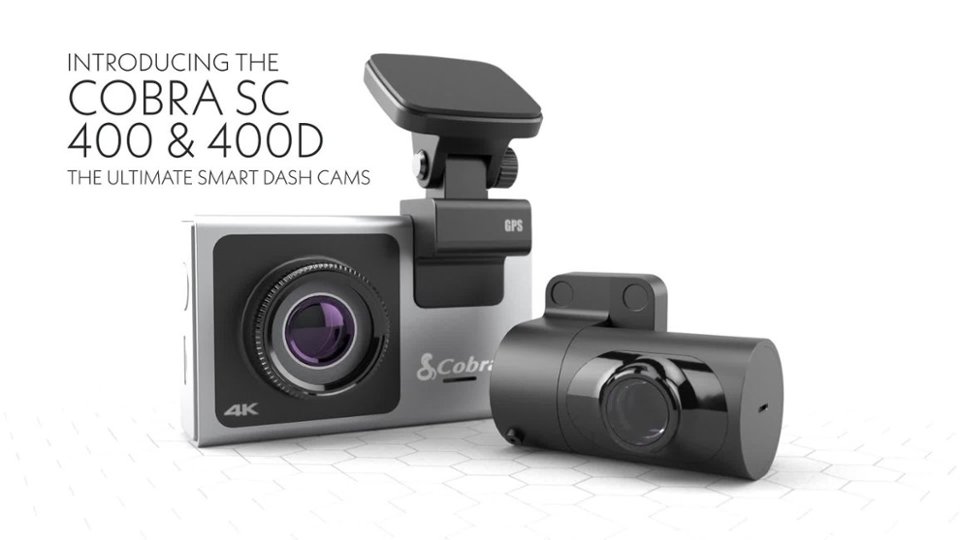

- Model:
- SC400D
- SKU:
- 6412686
Rating by feature
- Value
Rating 3.9 out of 5 stars
- Quality
Rating 4.2 out of 5 stars
- Ease of Use
Rating 3.9 out of 5 stars
Customers are saying
Customers regard the SC 400D Dual-View Smart Dash Cam highly for its exceptional camera quality and ease of use. Users appreciate its simple installation, overall performance, and ideal size, along with its good resolution and GPS feature. However, some customers have expressed concerns about the app's functionality, battery life, price, and limited voice command capabilities.
This summary was generated by AI based on customer reviews.
- Pros mentioned:Camera quality, Resolution

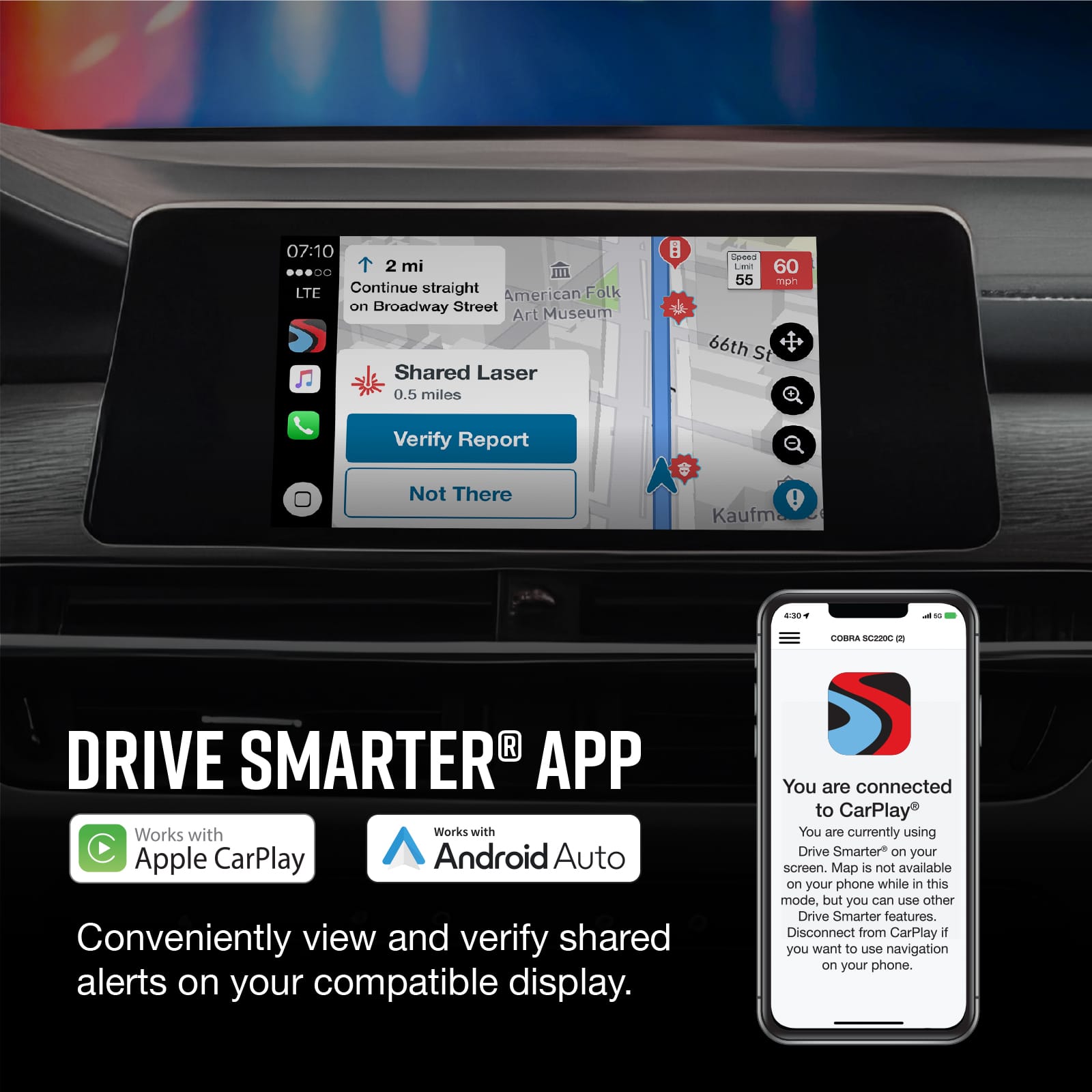
Great Camera, Poor App Execution
|Posted .This reviewer received promo considerations or sweepstakes entry for writing a review.--- SETUP --- The setup of the camera can be quick or lengthy, depending on how you want to take care of your wires. The camera comes with a cigarette lighter charger with the cable protruding from it and a USB to allow you to connect your phone or other USB powered device. The rear view camera is a separate camera that can optionally be installed and that connects directly to the front camera. --- FEATURES --- 4K recording, front and rear facing camera, 64 gig micro-SD card included, GPS, Alexa compatible, internal WiFi, touchscreen, and wireless transfer of videos or pictures to your phone. --- EXPECTATIONS and PERFORMANCE --- I’ve had a total of 4 dash cams and this one is by far the most superior. For starters, it includes everything you need to be up and running in no time. More specifically, you don’t need to buy a separate micro SD card, as a 64g one is included. By connecting the Drive Smarter app, you can be guided for the installation. I did all the steps up until I had the option to connect it to Alexa. I tried about 5 times and even though the Alexa app would recognize it, when trying to pair up, it failed every single time, so I wasn’t able to test the Alexa functionality. Regardless, I was able to use it without it. The Drive Smarter app leaves a lot to be desired. I have Norton mobile protection on my phone. Upon trying to use the app, I kept getting constant warnings that the websites the Drive Smarter app was using were unsafe and Norton insisted on me leaving that app quickly. As a result, I didn’t use the app’s GPS functionality. Even when I turned off my Norton protection, I didn’t like that I couldn’t use the Drive Smarter GPS map in landscape mode. It only allowed me to view the map while the phone was vertical. Ultimately, I used waze for navigation but I allowed the camera to record everything. I installed the rear camera to face the back of my vehicle. I can now clearly see how close a car gets to me and gives me a more clear idea of what’s behind me vs. my own vehicle's rear view camera that activates when I put it in reverse. I wish there was a way to only show the rear view camera with just a push of your finger, but that wasn’t possible. One thing that I appreciate from both cameras is that they are installed with an ultra sticky pad vs. a suction cup. My previous dash cams have all used suction cups and they will eventually fall off with heat. These sticky pads have strong adhesive. Hence, it makes them more stable and will stay on your windshield until you remove them. That being said, you are committing to the location that you install it on, but you have an additional adhesive pad per camera included. Lastly, you can transfer files to your phone by using the Drive Smarter app. It will connect wirelessly to the camera and you can see what’s been recorded and save the file to your phone. Three times, though, the app did freeze on me and I couldn’t get the camera to go back to recording mode without having to turn it off and on. The camera itself is great, but most of the bugs I encountered stemmed from using the app in some sort of way. I am glad that the app is optional and not essential to the experience. --- APPROVAL --- With 4K resolution it’s much easier to record and read license plates in vehicles even at night. If you want a quality dash cam, this is the way to go.
I would recommend this to a friend - Pros mentioned:Camera quality, Installation
Great quality and easy to use dashcam!
|Posted .This reviewer received promo considerations or sweepstakes entry for writing a review.Great dash cam, easy to use and install. Comes well packaged and its very compact. They also include a large cable to mount the rear camera. Quality on both is great, it records on 4k 30 fps. Install was easy for me, I have installed another dash cam on another car, just needed a plastic wedge to pry open some of the weather proofing in my car to route the rear camera cable hidden from view. If you don’t have experience, I would recommend looking out for some local car radio installers, they can install it for you for a good price. The camera itself comes with GPS attachment, which in turn is the part that fixes up to your windshield (they include double sided industrial grade tape and an extra one for both the cameras). This is one of my cons, while fixing it to the glass this way is sturdy enough, is kind of semi-permanent. I wish they included suction cups style ones, and I haven’t seen any of those accessories in their website, I hope they come up with some. The cameras are powered via a cigarette lighter plug (if you get the permanent hardwire kit, you can also use other features of the camera, like parking mode, hit detection while parked etc., since they need constant power). Once you plug everything and power on the camera, it takes you thru a setup, and one point it will tell you enable the “smart features” you need to download their Drive smarter app on your phone (you can skip this step, however I highly recommend it as it offers many great features). Once you download the app and launch it, you register it with your info and then it connects your phone to the camera (the camera basically creates a Wi-Fi access point, to which your phone connects). From there, the first thing it told me is that there was a firmware update for the camera, which I did. Once finished and a reboot later, it connected again and I was able to setup many other things, like Amazon Alexa integration. You can change tons of camera settings from your phone (you can change them in the camera itself using its touchscreen, but I found that doing so on the phone was easier). The video is quality is great and audio too. In low light conditions it records with great quality too. I was surprised the camera has lane shift assist, near collision detection too. Although I would not trust much on these, as the camera is mounted inside your car (generally, new cars with these driver assists have their cameras or sensors outside). You can also view your videos and photos taken by the camera via the app, no need to remove the SD card and connect it to a computer. Great feature. Lastly, it includes a GPS, so it can record your location, speed etc. I highly recommend this camera, especially these days, with some many people trying to pull insurance scams and many people without insurance, you will have proof for anything on the road
I would recommend this to a friend - Pros mentioned:Camera qualityCons mentioned:App
Invest in the 4K future with voice and warnings
|Posted .This reviewer received promo considerations or sweepstakes entry for writing a review.Clear pictures are what you’re buying with a Dashcam. The 4K picture quality lets you see license plates which might otherwise be a blur. It also provide clear, lush landscapes for those postcard moments which appear when you’re driving. On top of great picture quality, this kit includes a rear facing camera and a touchscreen for controlling it all. If you’re hands aren’t free for touching the screen (since you’re driving), your voice can be used instead. The dashcam is even integrated with Amazon’s Alexa to control your phone (and potentially your car radio) as well. The dashcam will also speak to you when needed. The over the speed limit alerts can be useful, especially if you’re OK with speeding (but not too much). You can set an alert at 5, 10, 15, or 20 miles over the speed limit. The GPS built into the camera ties into it’s onboard database of speed limits. The camera is also regularly updated from it companion app so you’ll be warned about red light cameras, speed cameras, and other attempts to make us all more responsible drivers. At the end of the day, it’s still a dashcam. That means it’s meant to capture footage that you may need if you’re even in an accident or similar disputed situation. This is where it falls down a bit. The app is great for updating the camera to ensure it’s useful to you. It’s not great at connecting to get footage off. While there’s a mode in the app which lets you playback some video with a map of the location, it doesn’t properly read the GPS data. It only shows your vehicle in the middle of the Atlantic Ocean (0,0 LatLong). Synchronizing the video to your phone is also a touted feature of the app. This, too, did not work without great difficulty. The video was still available on the card and could easily be viewed and retrieved with a PC or connected to a card reader on a phone. While this is not ideal, it will provide whatever proof is needed if/when it is needed. Hopefully, over time the app will get better and more reliable. In the mean time, you can rest easy knowing that the images you need are present and reliable. You can be confident that your investment in the camera will be worth it in the long run.
I would recommend this to a friend - Pros mentioned:Camera quality, Ease of use, Installation
Cobra - SC 400D Dash Cam (Front and Rear 4K Cams)
Posted .This reviewer received promo considerations or sweepstakes entry for writing a review.The Cobra SC-400D arrived from Best Buy in super fast turnaround. Well packaged, just like opening a new phone. All the items separated and protected. Lens / screen covers. Very intuitive to put together. I tested using a solar generator with a 12V DC outlet. Main power lead to the cam dock, Main camera / screen snaps right into the windscreen dock. Strong magnets hold it firmly, but allow for easy removal if you need to access the SD card or remove while not in the vehicle / or to plug into a laptop etc. Not having a friction hold is nice to prevent it falling down on rough terrain. Rear cam plugs into the main camera and powers on, easy. Installing the phone app and even enabling the Alex voice command is super simple even without the instructions (though they are provided). Just open Alexa app and add device then hit 'Auto Accessory' and should be listed, tap the device and done. Having recently had damaged caused to my car by another driver, the insurance adjuster recommended getting a dash cam to protect myself should anything be contested in a future similar situation etc. Having front and rear cams is very important as being hit from behind seems more likely that the front in my opinions. Both cams being high resolution is also key as a fuzz video proves nothing. Great purchase, can get cheaper once, but this is still great value for the quality and ease of operation.
I would recommend this to a friend - Pros mentioned:Camera qualityCons mentioned:App
Less than stellar experience
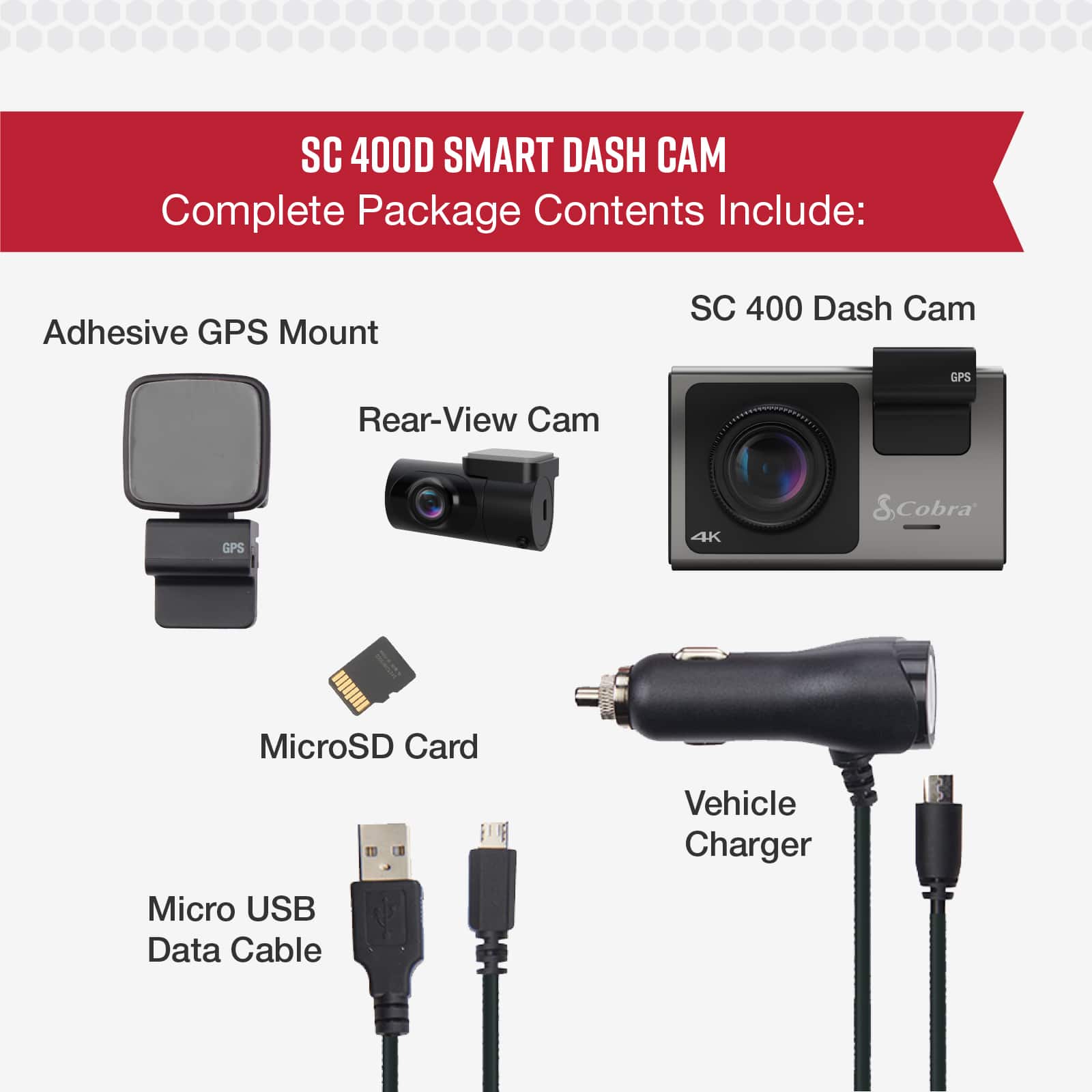
|Posted .This reviewer received promo considerations or sweepstakes entry for writing a review.The packaging of the dash camera is a good retail box with Cobra branding and an image of the camera on the front. There are various details called out and the ‘Alexa Built-in’ logo on the front. The back of the box labels the camera as ‘the ultimate smart dash cam’ and provides a diagram for the different features of the camera. Inside the box, you’ll find all the parts of the system to make it work. I surprisingly had a difficult time getting into the box and for a moment, I thought a part was missing (the magnetic mount). It ended up just being tucked under a flap that I thought I already pulled everything out of. Once you have everything pulled out of the box you should have the following: 1 - Dash Camera 1 - Rear-facing camera 1 - vehicle charger with Micro USB plug 1 - short USB-A to Micro USB cable 1 - rear camera extension cable (USB Mini to 3.5mm plug cable) 1 - magnetic mount for the main camera 2 - adhesive pads (1 large, 1 small) The first thing I noted about the main camera is how heavy it is. It’s a substantial piece of equipment. I’ve used many dash cameras through the years and this one feels and looks kind of like a point-and-shoot camera. The next thing I noticed was the types of connectors used. The main camera uses Micro USB and the rear camera uses USB Mini. I found this to be very odd considering they are pretty outdated technologies. Given the cost of this product and the fact that it is new to market, I really expected USB-C as the connecting technology. That said, the use of the older types of connectors was very disappointing to me. I was, however, impressed to see that a 64GB Micro SD card was included and already inserted into the slot of the main camera. Because of the fact that the camera (front and rear) require cables to connect, the setup can take a while if you properly dress your cables. Since I am a stickler for cable management, I took a lot of care hiding the extension cable between the main camera and rear camera. I do have to admit that I wasn’t sure if the cable would actually reach by looking at it. It was long enough (I have an SUV), but just barely. The camera/video quality is very good. It is much easier to see things like license plates and tell the make/model of a vehicle than with non-4K dash cams. Even though the quality of the video should make or break the user experience, I have to say that the app does leave something to be desired. I had some issues connecting to Alexa and even transferring video from the camera to my phone using the app. I would assume that when the app gets an update this system might be more valuable. This seems like a good system, but it does have some places where improvements could be made. It's a hefty investment for something that isn't great out of the box.
I would recommend this to a friend - Pros mentioned:Camera quality, Installation
4K Dashcam with Voice Commands!
|Posted .This reviewer received promo considerations or sweepstakes entry for writing a review.Let’s face it, dashcams are getting smarter and more important than ever as people start to commute back to work and normal life again. They provide you deterrence from theft, capture accidents as they happen, and can even save you some money in an insurance claim if you’re not at fault. The downside to many of the cheaper variety of dash cams is ultimately the picture quality, with many providing grainy or blurry footage, unable to read a license plate. In comes the Cobra SC400D, which is the first 4K dashcam I’ve ever used, and will likely be the last one I install for some time. In the box, you’ll find the Cobra SC400, a 32 GB MicroSD card pre-installed in the device, a rear camera, a windshield mount with GPS integrated power, a long USB cable for the rear camera, some extra adhesive pads, and a cigarette lighter power adapter for the main body, which also has a free USB port for charging another device. You can also just hardwire this into your car, if you have an existing compatible connection you can take advantage of. Installation requires the use of 3M style adhesive to adhere to the front and rear windshield. In my case, I installed this in a newer Ford Mustang, and the cable was more than long enough to reach the rear window, with some to spare. I appreciate the SC400 using a magnetic style mount approach, without the need to unplug a cable, or mess up your wiring while doing so. However, the reasons for needing to remove the device from the mount are minimal, as the “Drive Smarter” app allows you to grab any recordings stored on the camera while it’s powered on (using its own WiFi connection). You’ll also use the app to perform firmware updates, and also walk you through the Alexa setup process. In my case, I use Apple CarPlay during my drives and Siri for most actions I’d need. However, the voice commands for the device are extremely useful to perform certain actions without the need to use the menus on the camera. For instance, using the voice commands allows you to display the appropriate camera on the display, start a recording, lock a recording, take a photo, and even turn the screen on or off. All of these are great for on-the-fly actions during an accident, an odd event captured on camera, or if you’d like to take a look at the rear windshield to view the traffic behind you. Both cameras offer a wide viewing angle, which does a great job capturing most of the viewable area with either side, with the front camera having a slightly better view. I’d recommend a center mount point, as you’ll be unable to adjust the camera angles left or right once installed. The 4K video captured is clear enough to make out most license plates on the front camera, and depending on the angle of the rear camera and the tint, will likely capture most of the detail of the vehicles behind you. I will say, compared to the previous camera this replaced, the resolution was much clearer during the day, and provided a similar experience at night. I should also note that the rear camera is capturing in 1080P, which easily outperformed my previous 720P rear camera. Overall, I was impressed with the camera quality, the GPS integrated Mount with power, the easy installation, and the better capture quality compared to my previous 1080 resolution dashcam. It’s up to you if you decide to use the app, or Alexa, but both offer their own advantages and features to really maximize the use of the dash cam.
I would recommend this to a friend - Pros mentioned:Camera qualityCons mentioned:App
Excellent picture quality and tech savvy
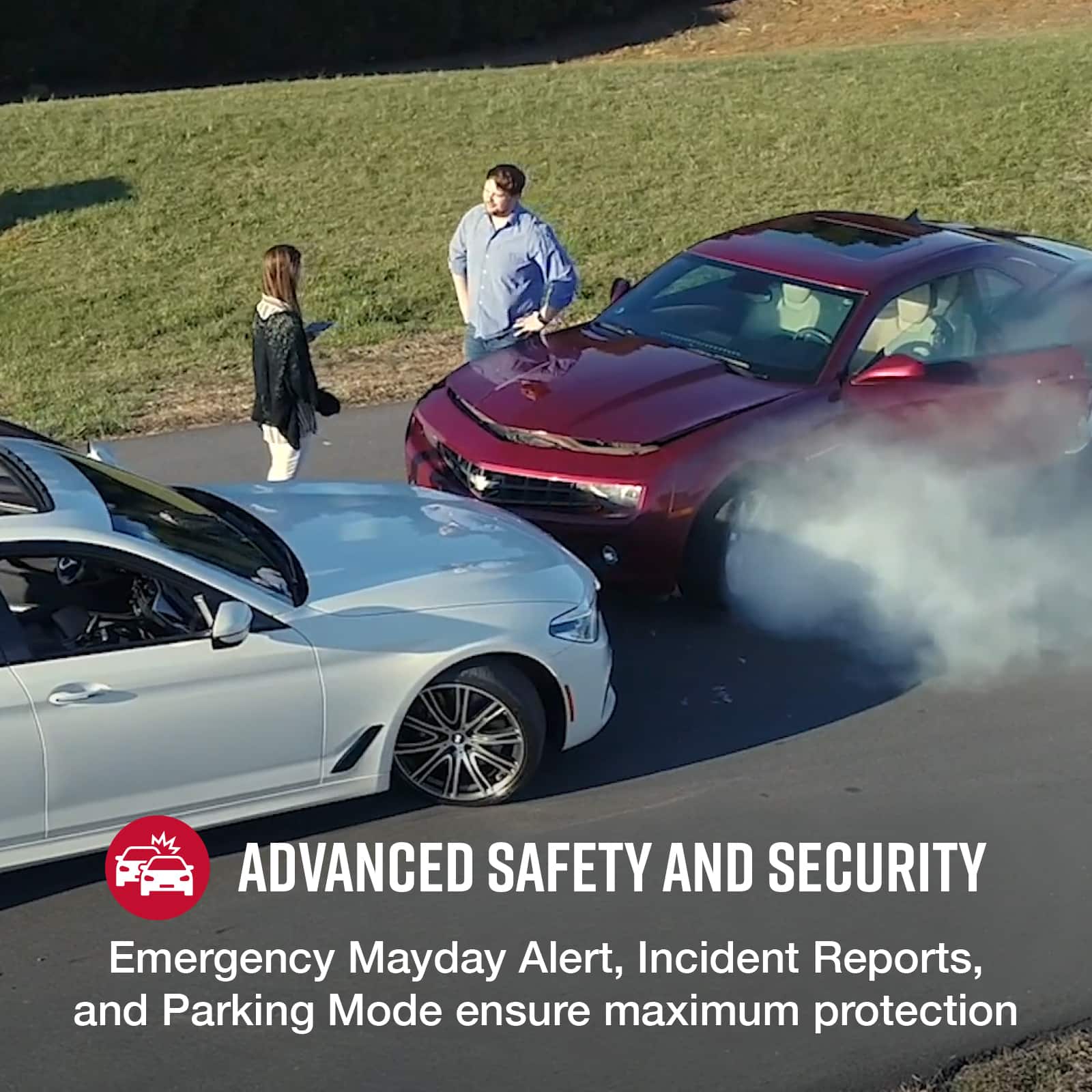
|Posted .This reviewer received promo considerations or sweepstakes entry for writing a review.This camera has impressed me thoroughly with it's clarity in 4K from the front facing camera. The picture is crisp and shows a lot of detail in the scene. The camera is about the size of a point and shoot camera or activity camera. Also the rear facing camera displays at 1080p which is pretty adequate in itself. Overall you get a great view of front and back activity in order to keep yourself safe and also to document any unfortunate happenings in traffic. There is an available option to add a 3rd camera to this so you can record in cabin activity, but you would need to purchase the 3rd camera separately. I was not realizing that I needed Alexa in my dashcam, but after using it for a few days I have been pleased with the convenience of my smart speaker assistant coming on road trips with me. Cobra did a great job adding this feature into the dash cam as it allows me to control my music, get directions, and ask my general questions all while my hands remain on the wheel. The camera has a lot of tech built into it and I've driven around a bit, and haven't had the alerts notify me yet. Items such as red light cameras, or speed cameras. Police activity and traffic alerts have not popped up on my dash cam while I have been driving around. There are also nice features like emergency alerts or parking mode alerts that will activate your camera if needed. The 3 inch touchscreen is crisp and clear, and houses the touch buttons for recording, microphone, Alexa, and settings. You can use the settings button on the dashcam and navigate it or opt for using the Drive Smarter app, which has worked well for my iPhone. The app is useful and allows for easy setup and getting to the options you want. The app acts much like a navigation app and a home app for the Cobra dash cam system options/settings. The app can feel a bit laggy and slow, but it gets the job done. I've liked that the app works well to pull video or photo stills from the device and you can load them into your smartphone photo gallery. No need to pull the micro SD card out each time, as the bluetooth connected phone and dashcam communicate well with one another. You will need some patience to connect the cameras to your choosing. The cameras will need to have wire run from the front camera to the cigarette plug lighter, and then the rear camera wire will plug into the main front dash camera. Each person and vehicle will handle the placement of these wires in different ways, but it did take me a good 30+ minutes to get cameras situated with the provided adhesive and the wires run from front to back of the car. Overall I have liked this camera system due to excellent picture quality, ease of pulling videos from the dashcam over to my phone, and for some savvy technology built into here. I also like being able to have a magnetic dock that attaches to the windshield mount. This makes for easy removal to pull the camera down from the windshield in case I need to hide it or take it out with me. Hoping this lasts for years to come.
I would recommend this to a friend - Pros mentioned:Camera qualityCons mentioned:App
Device good, app useless
||Posted . Owned for 3 weeks when reviewed.This reviewer received promo considerations or sweepstakes entry for writing a review.I bought this device about a month ago and then added the optional cabin camera. After a month including a road trip, here are my thoughts: Pros: 1) Images. The images are fantastic from all cameras. 2) Storage. Buy the largest possible card. I did, and after a multi-day road trip, the card was only half-full. Cons. 1) The app. Utterly useless. The camera somehow wants a dedicated wifi connection that you can find right away, and then your phone logs into the camera as a hotspot. Huh? Plus the app refuses to operate unless you give permission to transmit location data all the time, not just when using the app. I gave up and deleted the app. I just use local storage. The app needs to be completely redesigned to use a Bluetooth connection with your phone. 2) Mounting. The front camera is designed to mount on the windshield, but it made more sense for me to mount it to my dash. As a result, my images record upside down. I wish that the camera could adjust. Same for the rear camera. The range of adjustment on the rear camera is such that it points to the sky too much on my rear glass if I mount the expected way. It works much better flipped over, but then the images record upside down. Overall, the image quality is so good that I'm content to have upside down images on local storage only. But there's a lot of room for improvement here.
I would recommend this to a friendBrand response from Cedar Electronics Team
Posted .Thank you for your review and for choosing Cobra! Please make sure you are using the latest version of the Drive Smarter app and that your camera has the latest firmware installed. The camera is designed for easy installation, and we recommend following the mounting instructions outlined in the owner's manual. If you have any questions or concerns, please feel free to contact us at 800-543-1608. We're happy to help!

- Pros mentioned:Camera quality
Sidekick For Lonely Drives
|Posted .This reviewer received promo considerations or sweepstakes entry for writing a review.This is the first time I’ve seen a dash cam paired with a rear view camera as well! I’m excited because one of our family cars does not have a back up camera or anything to help with the rear view. It doesn’t hurt that images/video is in 4K which is awesome. I can’t even get one of my gaming systems in 4K so this seems to be light years ahead! I’m not sure we’ll use the Drive Smarter App for traffic since we use other maps for guidance but we can be easily persuaded it just depends on how well it continues to work. We do love that it is very iPhone friendly, the system came with an SD card, and it has sensors that know when the car is parked or in motion. Honestly, if I had a teenager learning to drive this would be a good tool to use to ensure that they are using their sound judgement and being cautious during practice or to go over best practices for safe driving. I drive home to South Texas quite a bit and those drives easily total 5+ hours so this will be helpful ti capture some really great scenic routes as well. Great product, I only wish the wiring wasn’t so clunky and dated. We had issues with what an eye sore the wires and adapters looked like.
I would recommend this to a friend - Pros mentioned:Camera qualityCons mentioned:App, Voice commands
Good Picture Quality, Everything Else is Bad!
||Posted . Owned for less than 1 week when reviewed.This reviewer received promo considerations or sweepstakes entry for writing a review.Good Camera Quality, Everything Else is Bad! Bought this SC 400D for my 2012 Lexus RX350 recently and got it installed by Best Buy Geek Center. Here is a long review which I hope help others. First of all, the experience with Best Buy at Denver-West Colorado was superb! The purchase and subsequent replacement (more details later) experience was great. The installation was done professionally, and the Geek Squad folks were friendly and helping. It was great experience overall at the Best Buy. Unfortunately, I do not have such good things to talk about the Cobra product and Cobra/Cedar Electronics. The camera picture quality is good but I guess that is what a 4K camera supposed to give you at $400 price tag. Now here is the large list of issues: 1. Even though they are advertising cloud storage of the videos, it is not functional. I am not sure how someone advertise something in their product which is not available. Their customer service told me it was under development with no ETD!! I would expect such functionality for a camera that costs $400. 2. The app is horrible! It has bunch of bell and whistles but most of them are non-functional. The basic function of connecting your iPhone to the camera to watch captured video is a big chore and time consuming. Every time you watch a video and the try to exit to the video selection screen, the app refreshes for a minute or more. So the only way to watch videos properly will be to get the microSD card out and use a reader in your computer, like older days! 3. The app time stamping for videos are random. So good luck in finding videos through the app! The app also supposed to give functionalities like traffic warning, radar notifications, etc. None of those work properly (and most of them do not work at all). 4. They have 5-6 basic voice commands for the camera which works most of the time but also not very reliable and you need to use specific words to get it worked. 5. I found a significant firmware bug. After using the camera for few days, I noticed that in the recorded videos the watermarking were staying on only for first 10-15 seconds after power on and the disappeared for rest of the trip. It only appeared back once I restart the car (and camera) but again it stayed only for 10-15 seconds. It was a dealbreaker for me. So I contacted their support and they could not replicate it (I doubted even if they tried). I also sent them the videos showing the issue and after that they went completely silent. So I started investigating myself. I saw that the GPS was working fine and the GPS data was stored in hidden .map files. But the watermarking was not happening. So I thought I got a bad camera or a bad firmware. Best Buy was generous to replace my camera so I could keep the wiring and just replace the camera. On this new camera I found that factory default was working fine but then I started getting same problem with watermarking. It turned out their firmware had a bug. If you turn off the Wifi in settings, then this watermarking problem happens. So you need to keep Wifi on all the time. (the reason I turned it off in the first place because I saw that their Wifi does not give you any option to change password and you have to live with their generic password!) 6. Technical support is terrible. They can not answer anything over phone and want to talk to someone to get the answers; but then they don’t respond back. So you are on your own after you get the product. 7. App support is worse. I asked some basic questions about cloud storage and no response whatsoever. 8. They also have a website for the app, drivesmarter.com. I registered there thinking that I would be able to watch the videos with GPS maps etc. (as shown in their advertisements). But that website is one of the basic ones I saw in my life! If you register there, be aware that you cannot change any information after registering! Such basic functionalities are missing! 9. Finally even they are selling the camera at this high price, there is no dedicated computer/online video viewer. You can view the videos from microSD in your computer by native apps like quicktime (in Mac) or video players (in windows). But there is no way you can watch the videos along with map and GPS. Most of the competitors at this pr=ice range provides such functionalities. These are the few issues I can think of. Hope this is good enough for you to make your decision.
No, I would not recommend this to a friendBrand response from Cedar Electronics Team
Posted .We appreciate your feedback. We're sorry to hear you ran into issues. Have you tried our latest app update? This has helped resolve many connection issues. Also, make sure to update to the latest firmware version for the SC 400D. We appreciate your feedback about our support team and will pass it along to help improve our customer service experience. If you have further questions or need help, please do not hesitate to contact us back. Thank you.
- Pros mentioned:Ease of use, Overall performance
Dash Cam
||Posted . Owned for 2 weeks when reviewed.This reviewer received promo considerations or sweepstakes entry for writing a review.Works great and very easy to install. Easy to use menu. Screen is a little small but overall very happy.
I would recommend this to a friendBrand response from Cedar Electronics Team
Posted .Thank you for the great feedback! We're glad to hear the camera was easy to install and use. As a note, your camera can also be managed seamlessly via our Drive Smarter app. If you have any questions, please feel free to contact us at 800-543-1608.
- Pros mentioned:Camera quality, Ease of use, Resolution
Cobra SC400D Dash Cam
||Posted . Owned for 3 weeks when reviewed.This reviewer received promo considerations or sweepstakes entry for writing a review.Late last year, I had a guy in front of me make a left turn from the right lane. There were no witnesses to this event, so it was my word against his. I had to cover the deductible, and the insurance covered the rest. After I got this dash cam, I went on line and ordered a suction cup mount for the front camera so I could move the camera to different vehicles. The video on a computer is clear. It has a high resolution for such small cameras (front and rear). Running the wire from the rear camera took about 15 minutes. The front camera is easily removable from the mount for safe-keeping. It does have a bump recording mode when the vehicle is parked, but you need a constant power supply. The cigarette lighter plug shuts off the the vehicle is turned off. A separate hardwire kit is available on line. You can put in up to a 256gb micro card for recording.
I would recommend this to a friend - Pros mentioned:Camera qualityCons mentioned:App, Voice commands
Pretty decent dashcam
||Posted . Owned for 3 weeks when reviewed.This reviewer received promo considerations or sweepstakes entry for writing a review.It does have a good picture quality but the app for the records could definitely use some work, the voice commands are about a 3.8/5 sometimes it’s the Alexa thinks your music is you talking but you can turn it off or not even use Alexa the radar only works in the app so which you’re better off with an actual radar detector.
I would recommend this to a friend - Pros mentioned:Camera qualityCons mentioned:Price
Best of four
||Posted . Owned for 1 week when reviewed.This reviewer received promo considerations or sweepstakes entry for writing a review.First, this is expensive. Get it on sale if all possible. Next, this is my fourth dash cam and by way way far the best quality. It’s not just 4k but quality 4k. Clear and you can read everything from the important license plate to small words on bumper stickers. The magnet to the window mount is rock solid and also charges the unit (the mount is a gps and has power plugged into it). The app also works with Escort radar detectors which I have so it means one less app and account. The *only* disappointments are that the third camera does not come in the box especially at this price.
I would recommend this to a friend - Pros mentioned:Ease of use, Installation
Cobra 400D Dual View camera
||Posted . Owned for 1 month when reviewed.This reviewer received promo considerations or sweepstakes entry for writing a review.Device has great video clarity, and is simple to install, setup, and use. You do need to download the manual yourself though. I am still learning about its functions so cant comment on that. 2 things that I don't like: its not wireless so you need to run a cable from the rear camera to the front (included). and device gets quite warm during use. But other than that, very happy I bought it. Reviewing the clips reinforced how many idiot drivers there are out there.
I would recommend this to a friend - Pros mentioned:Ease of useCons mentioned:App
Cobra 400sd
||Posted . Owned for 1 month when reviewed.This reviewer received promo considerations or sweepstakes entry for writing a review.The camera itself is very well put together. Mounting, positioning, setup all very easy. The only reason why I am giving it a little less of a rating is because of the app. The connection of the app to the camera is slow. On the app I currently cannot view my videos via app. I can only view on computer or from camera itself. Minus this one thing the camera itself is solid. Cobra did mention they are working on their app. The only other negative is the app can only be linked to one phone. I would very much have liked to have access for family members also.
I would recommend this to a friend - Pros mentioned:Camera quality, Ease of use
“Best Buy” literally …
||Posted . Owned for 2 weeks when reviewed.This reviewer received promo considerations or sweepstakes entry for writing a review.Easy setup. Great quality. Reliable features. The camera looks good nice large screen. Works on voice commands. Companion app on phones is easy and easy to transfer videos. Being modular is good here I can always add cabin camera. So net net it’s worth every penny. Buy it and it will be your Best Buy.
I would recommend this to a friend - Pros mentioned:Camera quality, Resolution
Dash cam with rear view accessory camera
||Posted . Owned for 1 week when reviewed.This reviewer received promo considerations or sweepstakes entry for writing a review.This camera has great front and back views . The front camera is a 4K picture while the back camera is 1080p. The picture is visible on the camera while a phone is viewing the picture, otherwise the camera just shows your speed and how long it has been recording. The camera is small so trying to hit an icon on the camera can be challenging. Thankfully, the emergency record button is large and on the side of the camera.
I would recommend this to a friend - Pros mentioned:Camera qualityCons mentioned:App
Great but pricey
||Posted . Owned for 2 weeks when reviewed.This reviewer received promo considerations or sweepstakes entry for writing a review.This is one of the best premium and sharp looking dash cams out there. Not an eyesore like other brands. The magnet and ability to detach from the base is a plus. Although I wished the rear cam’s wire would connect to the base on the windshield and not the front camera itself. It’s a bit annoying to have to unplug the rear cam from the front camera if I need to take the camera with me and off the base. The app is kind of buggy and slow so be prepared for that. I have never used a dash cam app that was fully responsive and free of the constant crashing. Not one so far and I’ve tried a couple brands in the past before. I haven’t tried all the features of this dash cam yet but so far so good. Be prepared to pay a premium though. Get it on sale if you can wait.
I would recommend this to a friend - Pros mentioned:Camera quality, Ease of use
User Friendly Easy install
||Posted . Owned for 1 month when reviewed.This reviewer received promo considerations or sweepstakes entry for writing a review.Easy installation and pairing with smartphones. Works in the Philippines maps and navigation though some areas for direction are not found especially in the provinces. So I still have to use Google or other navigation apps for directions or locations. For video recording, security and camera wise (since it is a Dashcam) it is excellent. It deserves 5 stars!
I would recommend this to a friendBrand response from Cedar Electronics Team
Posted .Thank you so much for the outstanding review! We are happy to hear that you are liking your dash camera. Enjoy!