Deals Worth GiftingShop now

Skip to content
Gift Ideas
Main Content

Customer Ratings & Reviews
Your price for this item is $289.99
The comparable value price is $329.99

Customer reviews

Rating 4.3 out of 5 stars with 336 reviews

Rating Filter

Rating by feature

  • Value

    Rating 3.8 out of 5 stars

  • Quality

    Rating 4.5 out of 5 stars

  • Ease of Use

    Rating 4.5 out of 5 stars

Pros mentioned filter

Cons mentioned filter

84%would recommend to a friend

Customers are saying

Customers are delighted by the K100 Air's high-quality build, satisfying key feel, and excellent battery life. Many appreciate the vibrant RGB lighting and the fast, reliable wireless connection. However, some users find the keyboard expensive and experience inconsistencies with the accompanying software. The sleek design also receives positive feedback.

This summary was generated by AI based on customer reviews.

The vast majority of our reviews come from verified purchases. Reviews from customers may include My Best Buy members, employees, and Tech Insider Network members (as tagged). Select reviewers may receive discounted products, promotional considerations or entries into drawings for honest, helpful reviews.
Page 16 Showing 301-320 of 336 reviews
  • Rated 1 out of 5 stars

    NO!

    |
    |
    Posted . Owned for 1 week when reviewed.
    This reviewer received promo considerations or sweepstakes entry for writing a review.

    This is NOT a $200+ keyboard. It's an Apple keyboard rebranded. I am shocked that Cherry MX put their name on this. The keys are awful and LOUD! I currently have multiple different Keychrons with different switches and none of the low profile ones sound this awful. The volume knob is an "infinite scroll" with zero feedback. This is the same stupid move they tried on the Logitech board similar to this (which is also a terrible board). Mine was also bowed in the middle. It did not sit flat. Seriously, do not waste your money. Anyone who enjoys this board would enjoy an Apple keyboard and if you blindfolded them - 50/50 chance they'd guess which one they were using correctly.

    No, I would not recommend this to a friend
    • Brand response from Corsair
      Posted .

      Hi,

      Sorry to hear about your experience. Please contact us in regard to the sound - we'd appreciate the opportunity to evaluate it: help.corsair.com

      -Albert CorsairGaming

  • Rated 1 out of 5 stars

    From Good, to Bad!

    |
    |
    Posted . Owned for 5 months when reviewed.
    This reviewer received promo considerations or sweepstakes entry for writing a review.

    Bought this Keyboard back in late December 2023. Loved it, up until the back space key started getting sticky. Plus, keys are really hard to remove for cleaning. Don't recommend, a waste of $200 something. I'd recommend the K57. Never had a problem with it. Shouldn't have waisted my money on this keyboard.

    No, I would not recommend this to a friend
    • Brand response from Corsair
      Posted .

      Hello,

      You shouldn't remove the keycaps. For your backspace issue, please contact our team directly on our site.

      -Art CorsairGaming

  • Rated 1 out of 5 stars

    Nope.

    |
    |
    Posted . Owned for 1 month when reviewed.
    This reviewer received promo considerations or sweepstakes entry for writing a review.

    Installed, updated drivers and software after unplugging my internet (LOL) and this keyboard disconnected several times while playing a game. Tried troubleshooting for a bit and I said “you know what? For the price I should not have to be dealing with this.” Boxed it up and returned it. Keyboards should plug in and work.

    No, I would not recommend this to a friend
    • Brand response from Corsair
      Posted .

      Hello David,

      Sorry to hear you had that experience. I agree regular keyboards should work, but this is far from that as it has a wide array of capabilities that exceed a regular "keyboard". If you're to purchase any of our keyboards and require assistance, please don't hesitate reaching out to our team at any time right on our site.

      -Art CorsairGaming

  • Rated 1 out of 5 stars

    Malfunctioning after only 6 months.

    |
    |
    Posted . Owned for 5 months when reviewed.
    This reviewer received promo considerations or sweepstakes entry for writing a review.

    I thought Corsair had quality products, but apparently not. After only about. months of using this keyboard as my daily driver for work and leisure, it has suddenly just stopped working. It will turn off at random, begin typing on its own, some keys just don't type at all, the macros delete themselves and the macro light will just blink. It is a $200+ door stop at this point. I can't stress enough to not buy this keyboard.

    No, I would not recommend this to a friend
    • Brand response from Corsair
      Posted .

      Hello,

      Sorry to hear about the issues. Our team can definitely help out with this. Please contact them right on our site at any time.

      -Art CorsairGaming

  • Rated 1 out of 5 stars

    Broke within the first two weeks.

    |
    |
    Posted . Owned for 1 week when reviewed.
    This reviewer received promo considerations or sweepstakes entry for writing a review.

    I really wanted to like this keyboard but it did have a couple issues. 1) High key actuation force 2) Not-TKL (obvious, but having used TKLs for a while the extra space it took it up on the desk was noticeable) 3) The largest issue is that one of the arrow keys BROKE within the first two weeks. I'm glad it's in the return window, but I take care of my peripherals and it's shocking that a $300 keyboard would break so soon. Bad switch implementation.

    No, I would not recommend this to a friend
    • Brand response from Corsair
      Posted .

      Hi,

      Sorry to hear about your experience. Considering our keyboards carry a 2-year warranty, please get in touch with us - we'd appreciate the opportunity to further look into this and getting this resolved. Reach out directly to our Support Escalation team at SES@corsair.com with a screenshot of this review, and our team will assist you ASAP.

      -Albert CorsairGaming

  • Cons mentioned:
    Price

    Rated 1 out of 5 stars

    Too Expensive

    |
    |
    Posted . Owned for 1 week when reviewed.
    This reviewer received promo considerations or sweepstakes entry for writing a review.

    Keyboard is fire, way too expensive. character minimum

    No, I would not recommend this to a friend
    • Brand response from Corsair
      Posted .

      Hello,

      Could you be a bit more specific on the issue? Please contact our team directly right on our site for assistance.

      -Art CorsairGaming

  • Rated 2 out of 5 stars

    Not it Chief

    |
    |
    Posted . Owned for 1 month when reviewed.
    This reviewer received promo considerations or sweepstakes entry for writing a review.

    Expensive for what you get. Its very thin and the tactile switches just feel off. Also a fingerprint magnet.

    No, I would not recommend this to a friend
    • Brand response from Corsair
      Posted .

      Hi,

      Sorry to hear about your experience. It is understandable the low-profile design and key switches may not be for everyone. The K100 AIR is perfect for minimalists who enjoy responsive, clicky switches without the excessive noise. If you ever have any questions regarding any of our products, please feel free to reach out to support via our website.

      -Albert CorsairGaming

  • Pros mentioned:
    Battery life, Key feel, Rgb lighting
    Tech Insider Network Member

    Rated 5 out of 5 stars

    The best gaming (and office) keyboard to date!

    |
    Tech Insider Network Member
    Posted .
    This reviewer received promo considerations or sweepstakes entry for writing a review.

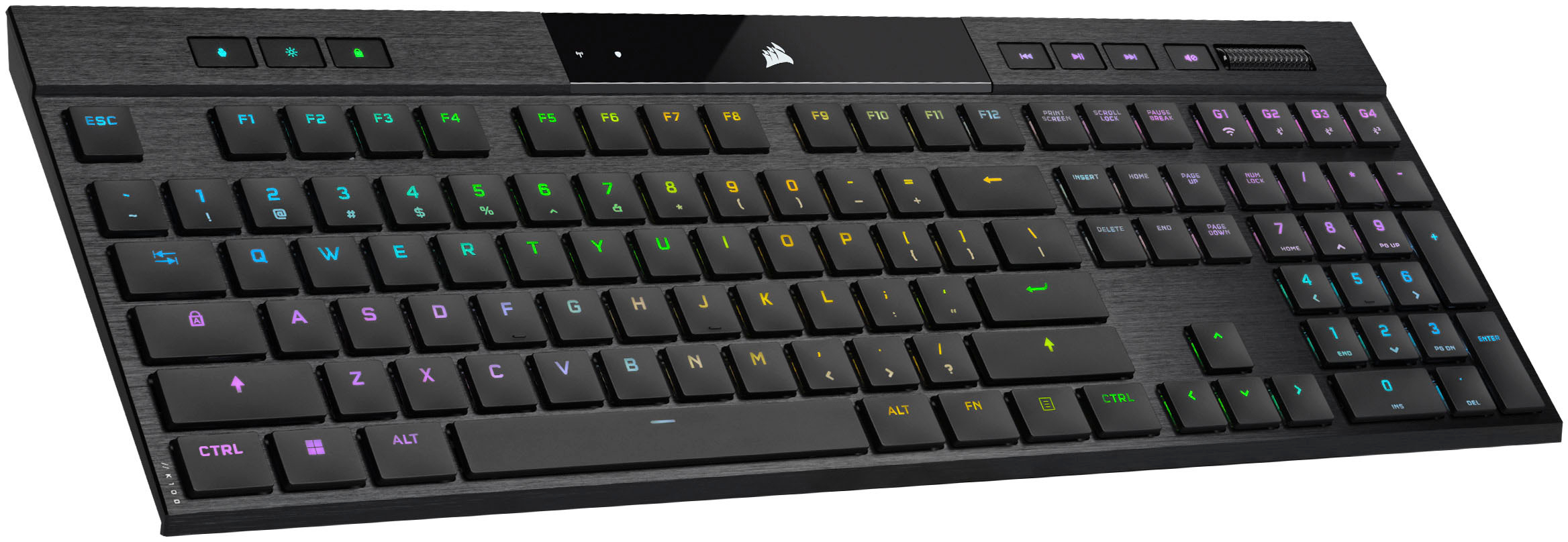
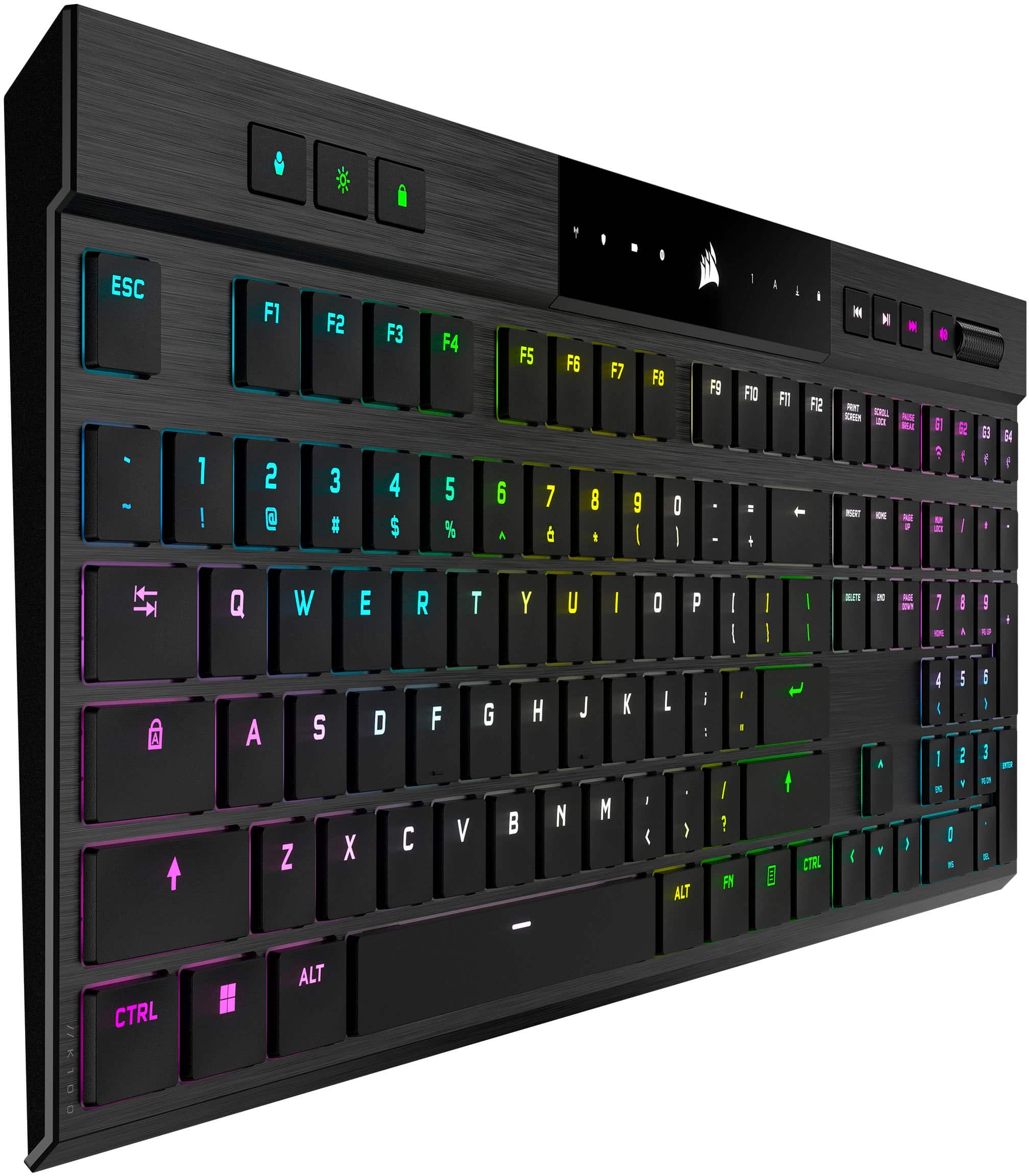
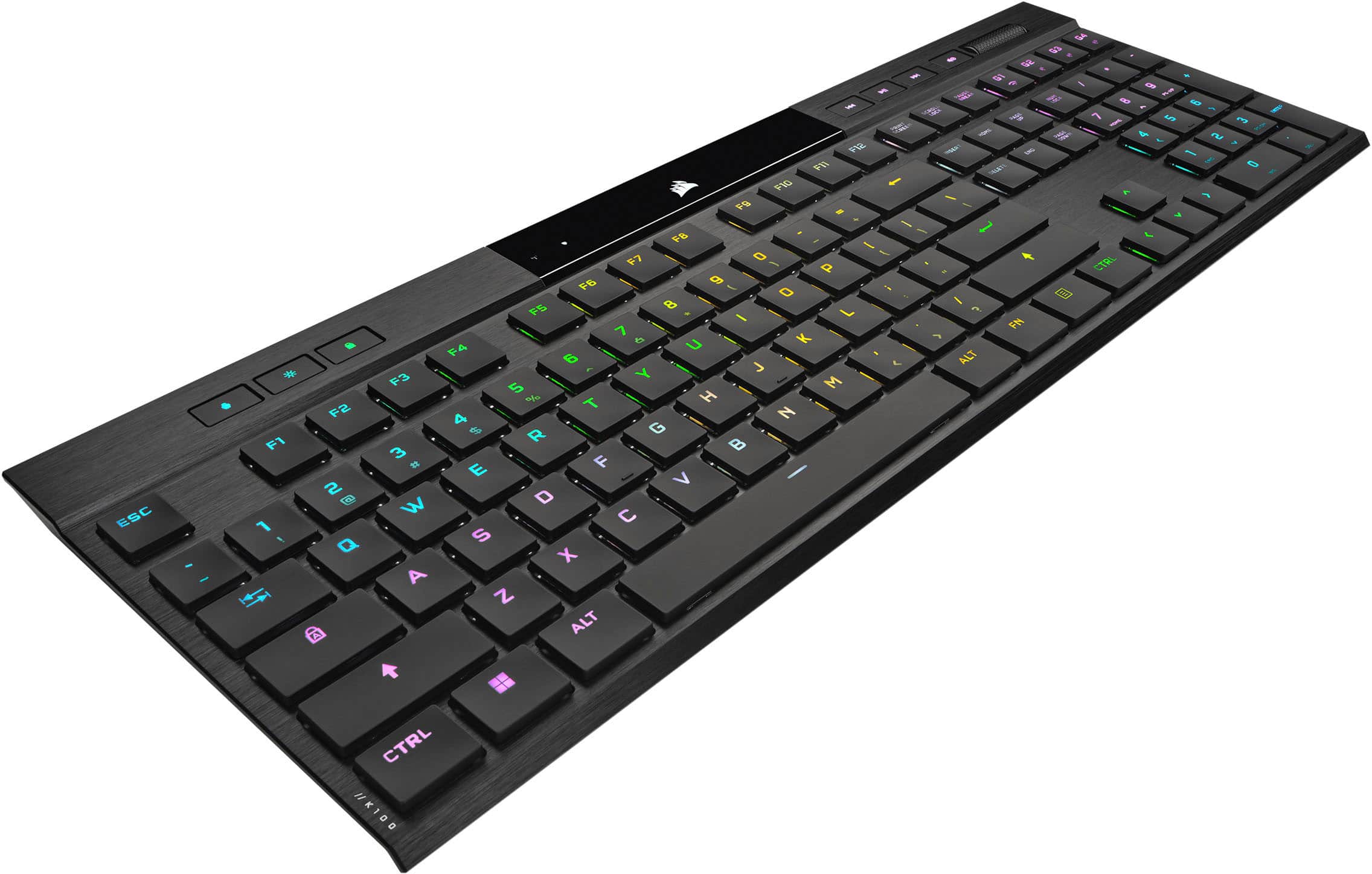
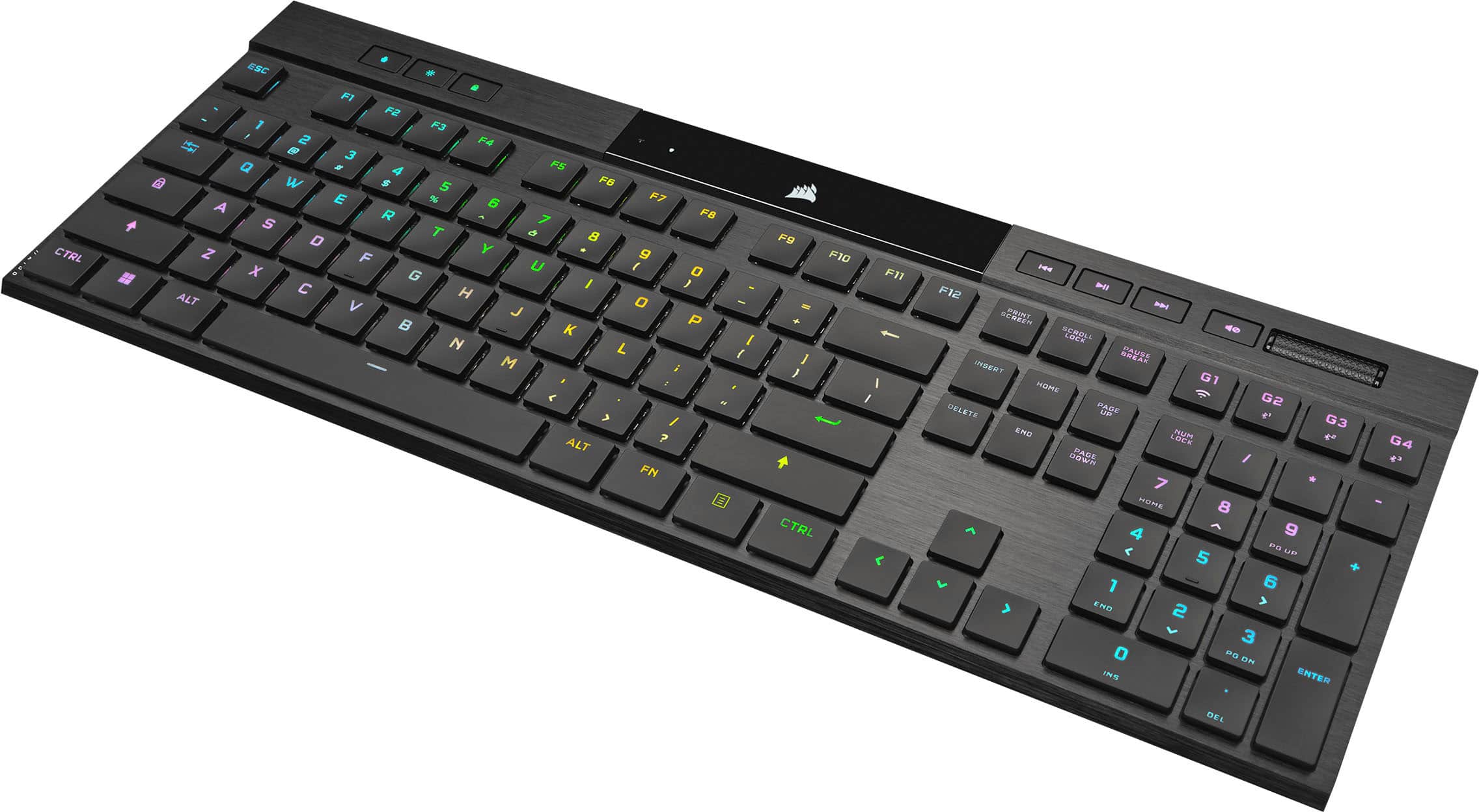
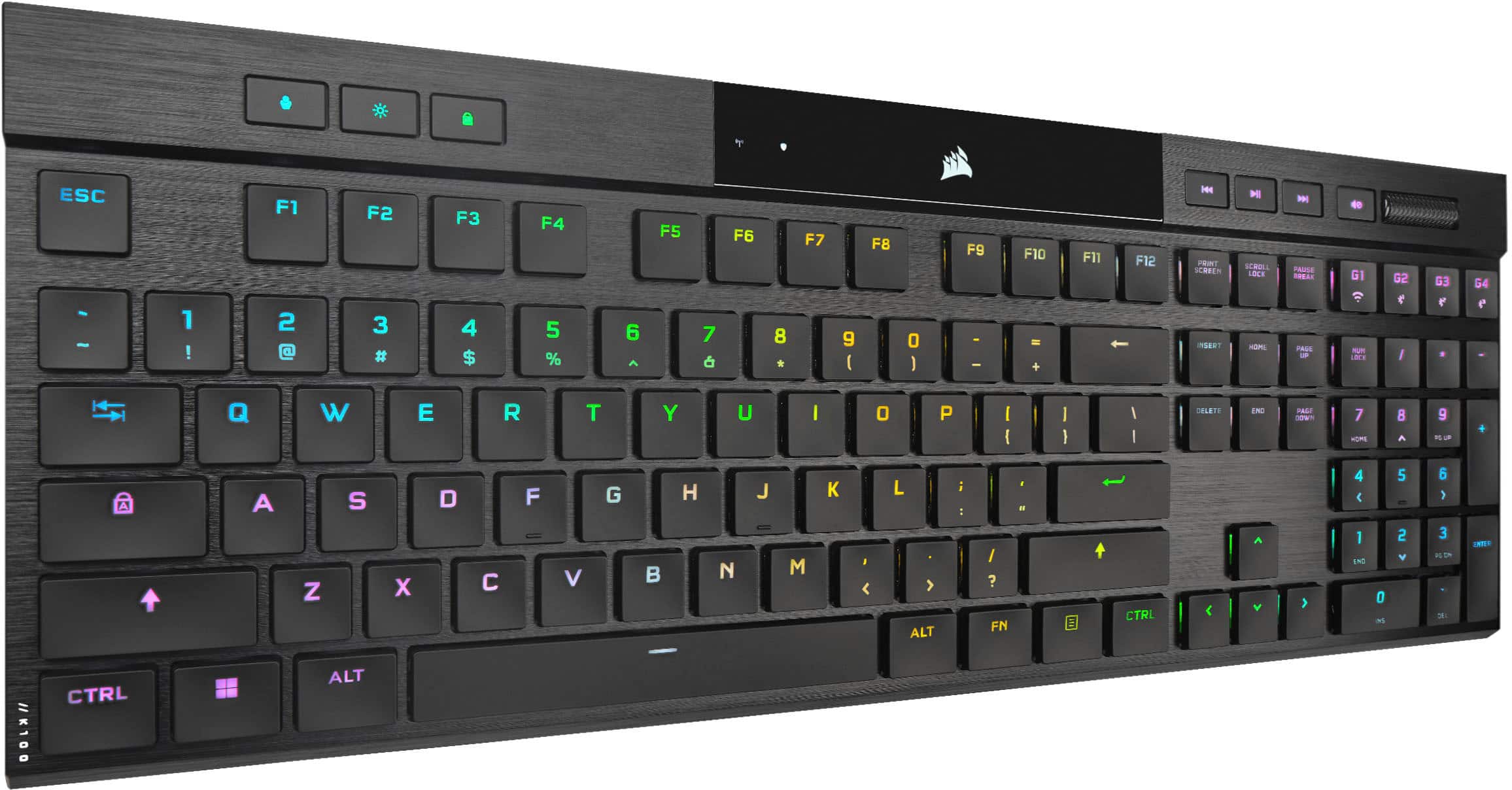
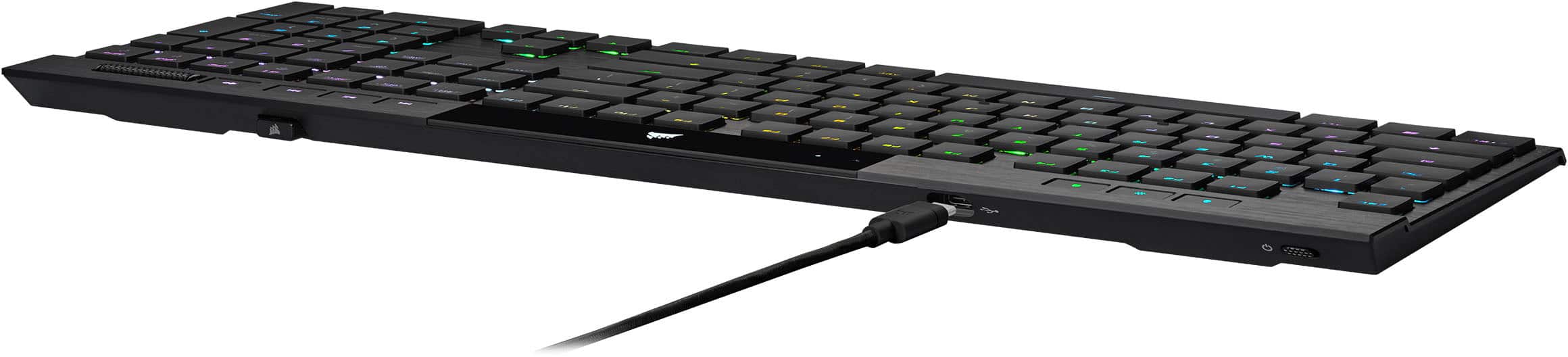
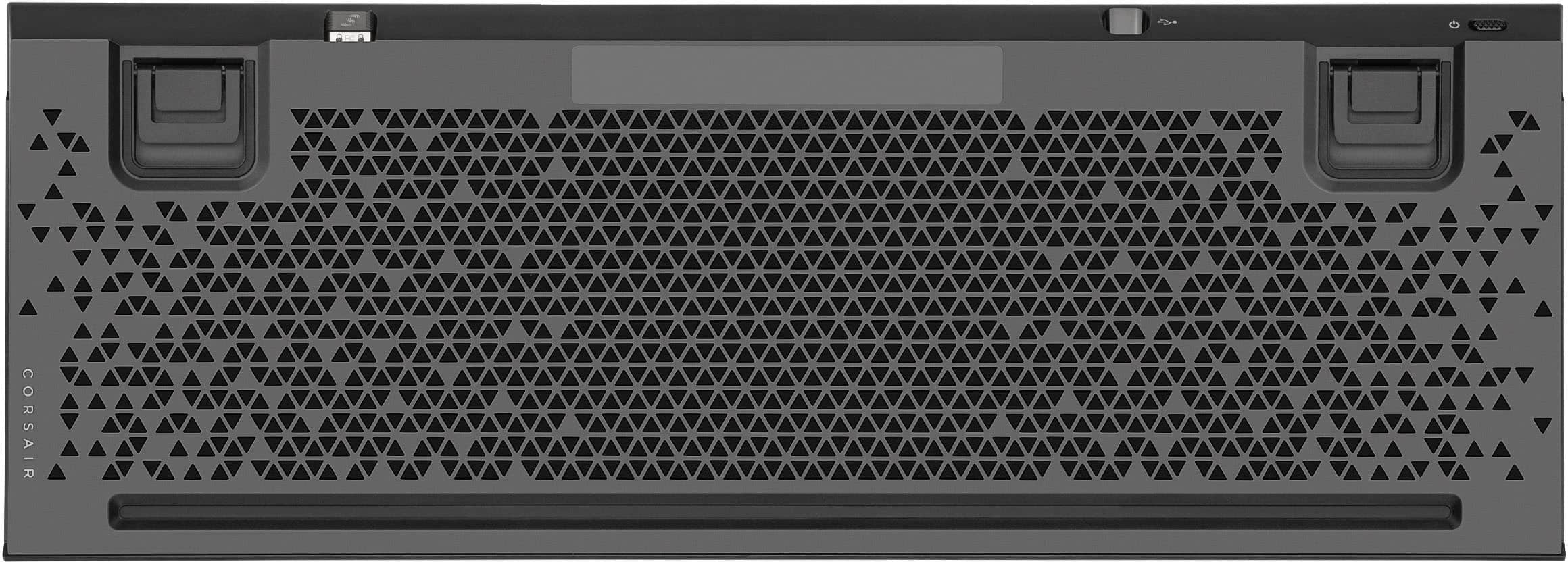
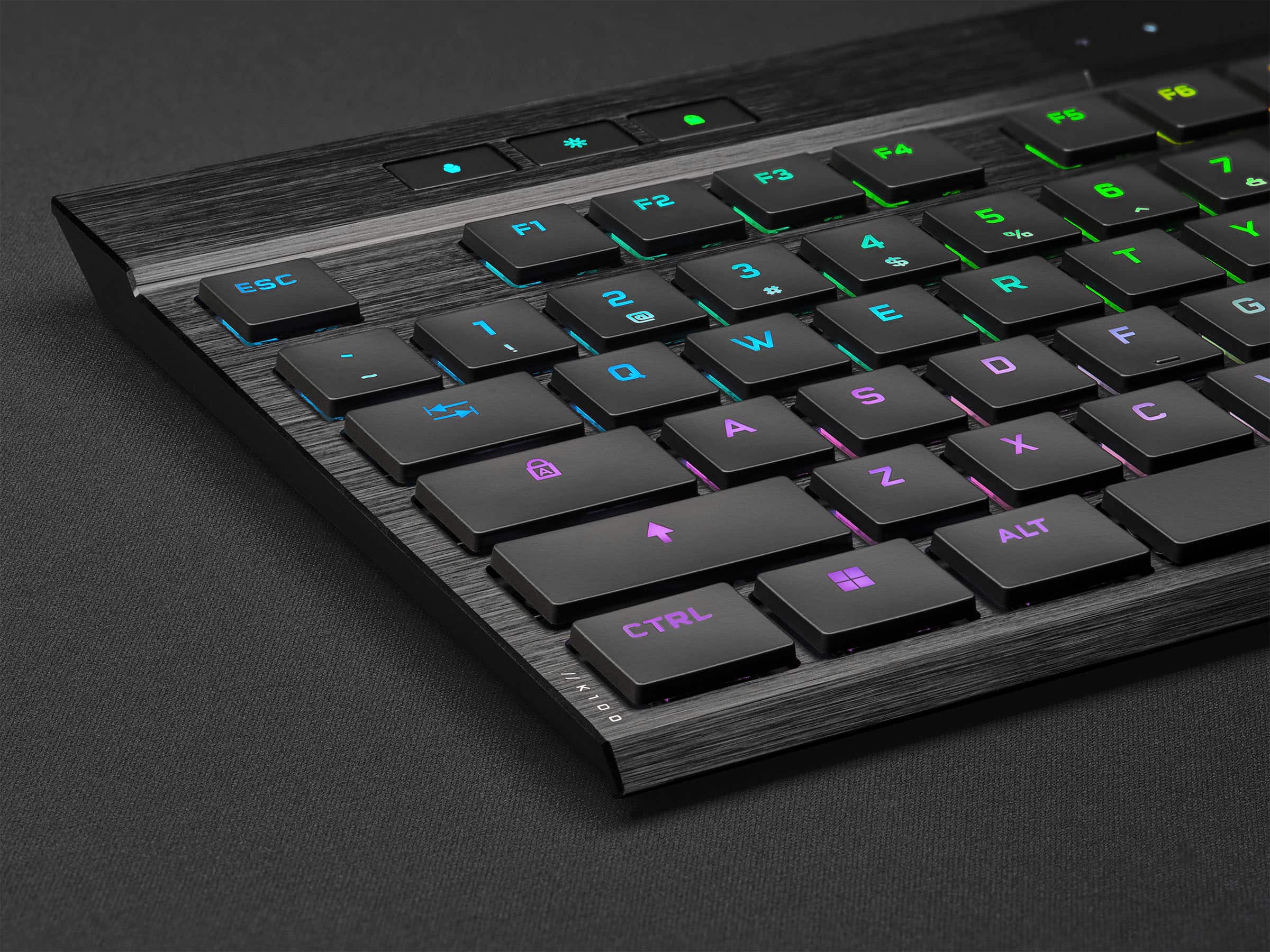
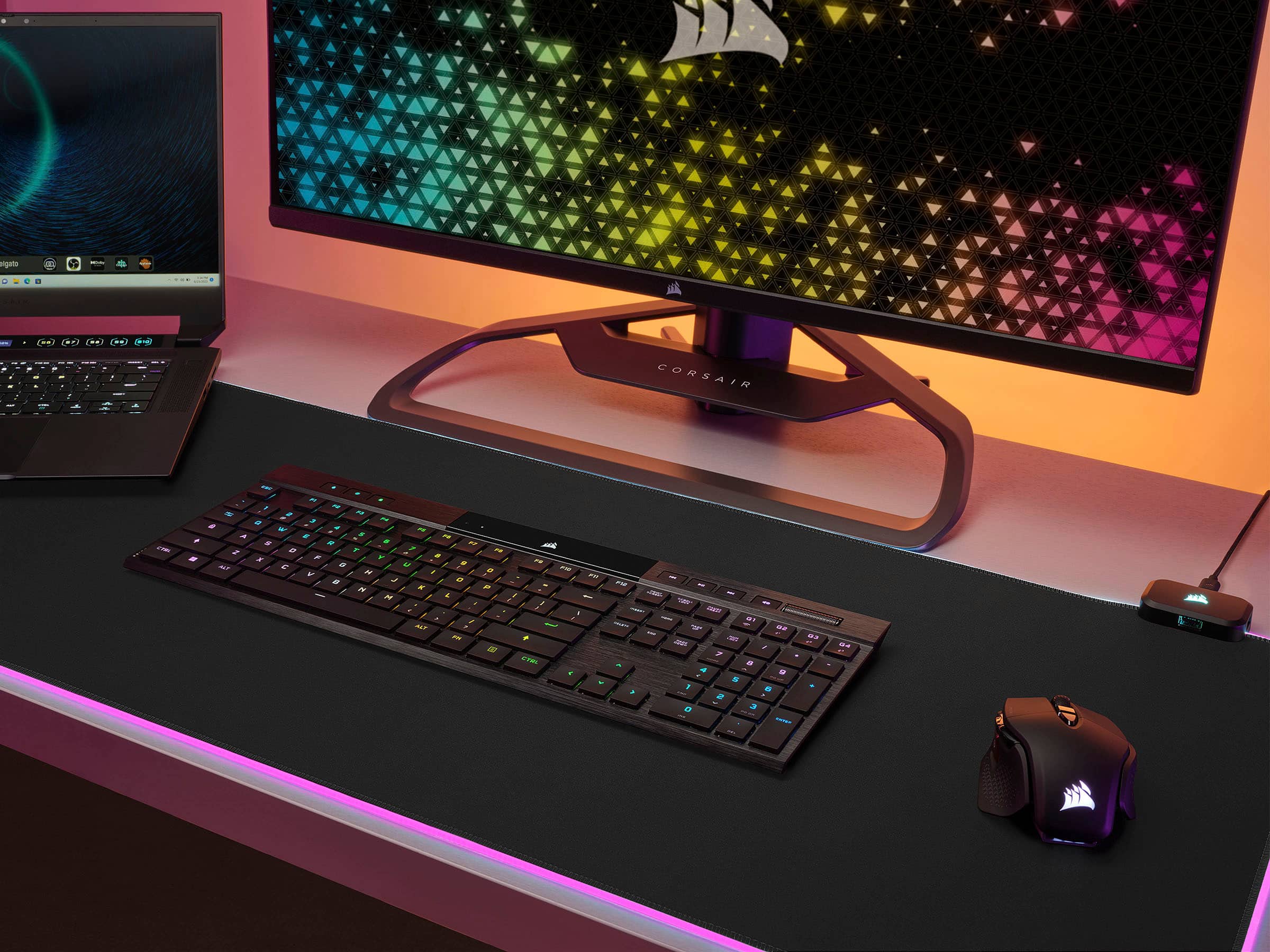
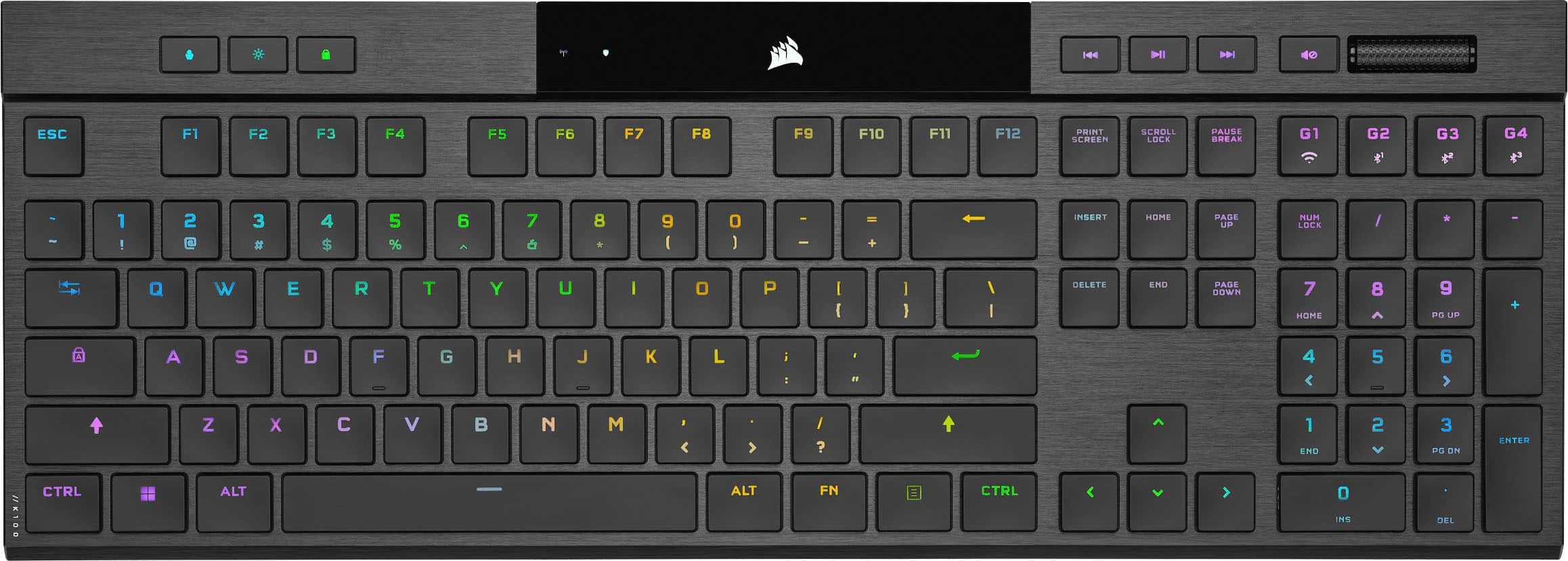
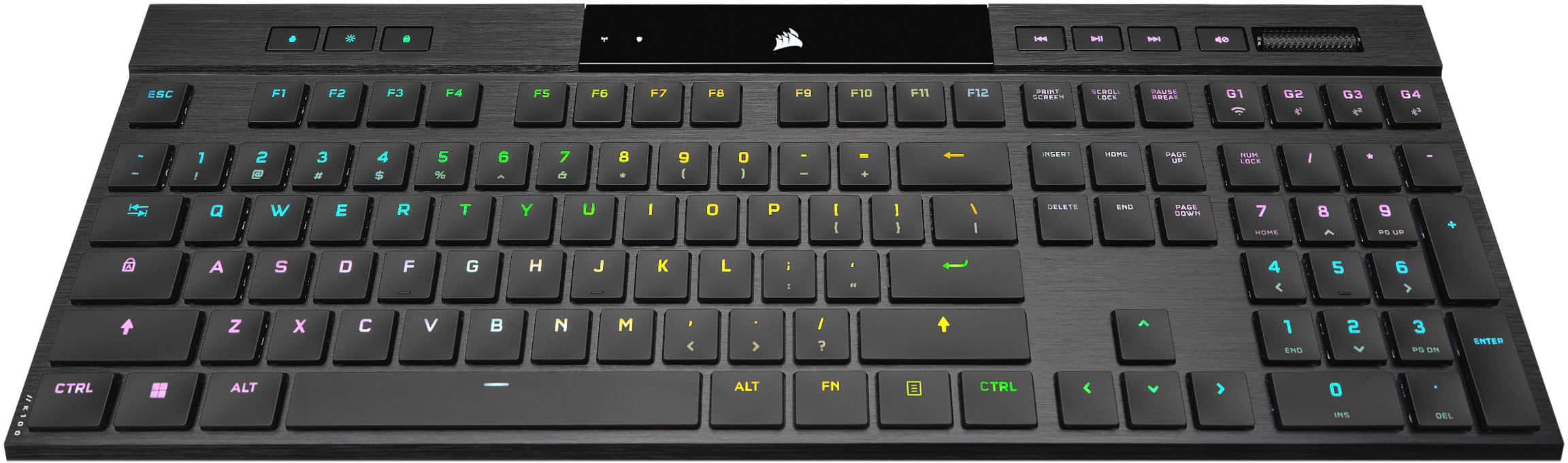
    I normally use an ergo keyboard, but the new Corsair K100 Air Wireless caught my eye. I’m a fan of low-profile keyboards, but I dislike the traditional mushy membrane keyboards and as we all know they’re just not up to the task of gaming. This keyboard has CHERRY MX Ultra Low-Profile mechanical keys that are tactile. The specs as stated are 65g actuation force, 0.8mm actuation distance and 1.8mm total travel. I haven’t tested these specs because some things must be taken at face value…but the tactile experience and key response is fantastic. The keyboard also has NKRO – which means it can register all the keys being pressed at once and has 100% anti-ghosting which really isn’t an issue given it’s a NKRO keyboard! There are 4 dedicated media keys and 4 dedicated macro keys with onboard macro recording. Through the iCUE software the individual RGB lit keys can be programmed per key. The 8MB of onboard storage allows you to have up to 50 onboard keyboard profiles and 20 layers of lighting effects! The rear supports allow for 2 tilt heights in addition to flat on the desk. Aesthetically the keyboard’s aluminum frame and integrated status lights make this the super sleek (insert your favorite extravagant sports car brand) of keyboards! The keyboard is rechargeable (3 – 5 hours depending on use) and has a stated battery life of 50 hours with the RGB lighting and up to 200 hours without it. It has an on/off switch and charges via the included USB-C cord which also enables wired functionality while charging. When using it with the high quality braided wired USB, you get the benefit of their AXON 8,000Hz hyper-polling. The faster the polling…the faster the response you’re your keystroke! In this case the advanced speed made no noticeable difference in the CPU usage. Additionally, the keyboard can connect via Bluetooth or via the “Hyper-fast sub-1ms 2.4GHz CORSAIR SLIPSTREAM WIRELESS Technology”. In other words, it works where you want it and how you want it! Oddly enough given how many cutting-edge features included, the one that made me smile most was the dongle storage on the back edge of the keyboard! No more plastic covers to pry off the back that eventually break! The embedded lights in the keyboard indicate wireless connectivity, encryption for wireless connectivity, battery indicator, macro indicator, num lock, caps lock, scroll lock and windows lock indicator. In other words just about everything you’d’ want to know at a glance. Plus the Slipstream wireless adapter is a multi-point unit that will work with more than one compatible device. The keyboard works with Windows PC and Apple Macs as well as select Xbox and PlayStation units and tablets or phones with recent versions of iOS or Android. The bottom line is that this keyboard works better than any other I’ve owned out of the box, but when you take the time to read the manual and explore all the features it transforms into a gaming (and office) multi tool that does everything and exceeds reasonable and unreasonable expectations.

    I would recommend this to a friend
  • Rated 1 out of 5 stars

    GARBAGE, DON'T WASTE YOUR MONEY

    |
    |
    Posted . Owned for 3 months when reviewed.
    This reviewer received promo considerations or sweepstakes entry for writing a review.

    Absolute trash keyboard, continues to have issues of not responding to key strokes then spamming a random key. Tried resetting keyboard multiple times and continue to check for any updates yet continue to have problems multiple times a day with this keyboard.

    No, I would not recommend this to a friend
    • Brand response from Corsair
      Posted .

      Hello Eric,

      Unfortunately sounds like you received a faulty unit. If you still have it, do feel free to reach out directly to our team on our site for assistance.

      -Art CorsairGaming

  • Rated 1 out of 5 stars

    Dont buy this from BestBuy these are outdated

    |
    |
    Posted . Owned for 4 months when reviewed.
    This reviewer received promo considerations or sweepstakes entry for writing a review.

    Recently i brought this keyboard and it always disconnects with if you use dongle. And i had to reach out to the customer care and they replaced which worked perfectly fine. Instead of buying from best buy directly buy from product store.

    No, I would not recommend this to a friend
    • Brand response from Corsair
      Posted .

      Hello,

      That's not related to purchasing from the store or another authorized vendor, seems like your dongle was just faulty. Happy to hear the team was able to help!

      -Art CorsairGaming

  • Pros mentioned:
    Key feel, Keyboard quality, Rgb lighting
    Tech Insider Network Member

    Rated 5 out of 5 stars

    Perfectly Wireless

    |
    Tech Insider Network Member
    Posted .
    This reviewer received promo considerations or sweepstakes entry for writing a review.

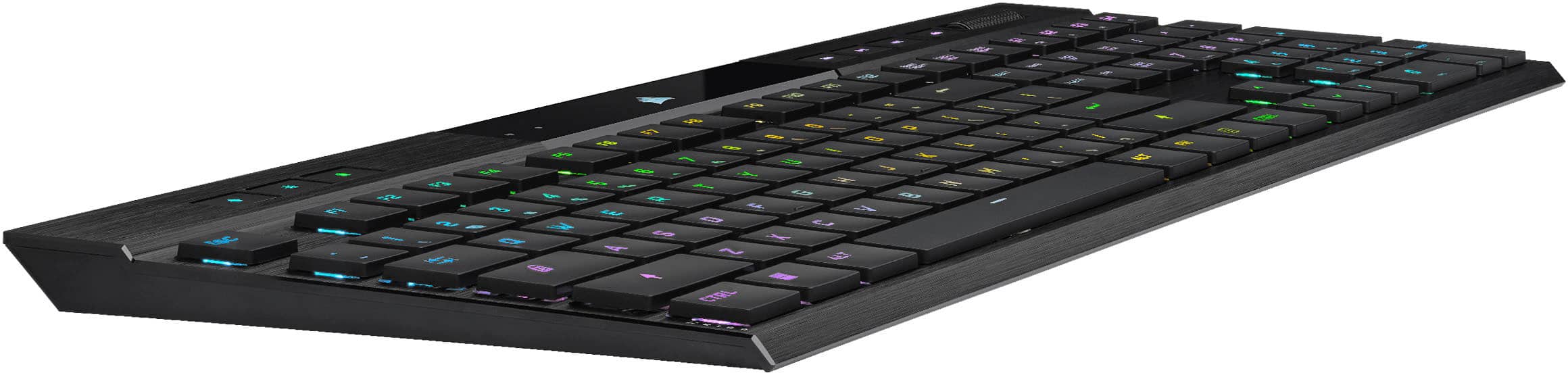
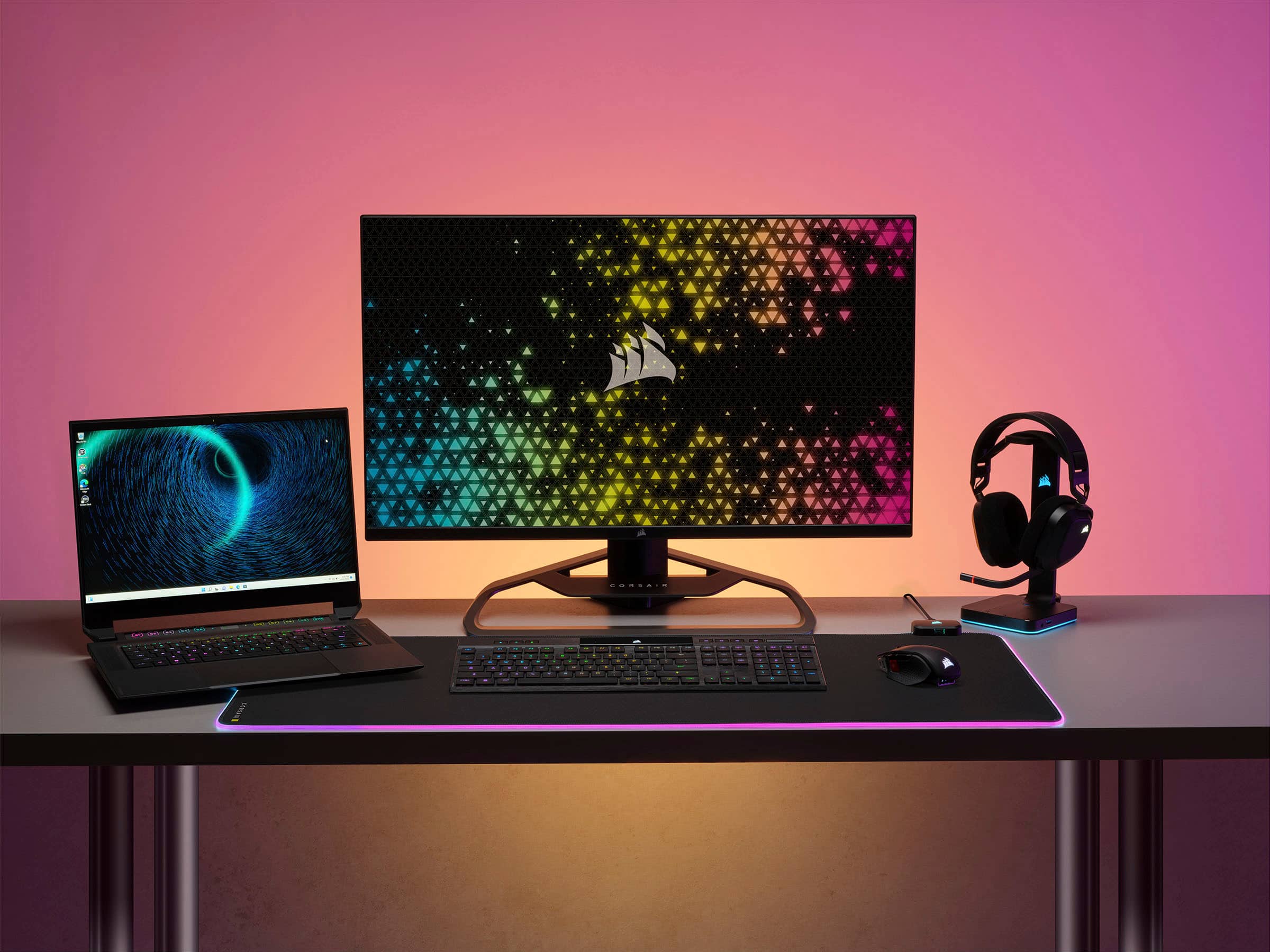
    The Corsair K100 Air Wireless keyboard may not be my introduction to the Corsair product line. I've previously used the K70 and K95, both solid gaming keyboards. However, it has quickly become my favorite after spending some time with it. I've also owned a few wireless keyboards in the past but none were actual gaming keyboards. And as someone who likes to be "cord free", the idea of a premium gaming keyboard that's also wireless was something that I had to experience. After unpackaging my new K100 Air, I was thoroughly impressed with the build quality of this unit. Despite only being 17mm thick, the K100 Air feels rather sturdy and durable for being constructed with aluminum. The thin profile is a plus since most gaming keyboards tend to be on the "clunky" side. Although it's pretty rigid, it doesn't weigh a ton. It's rather light, which makes it the perfect choice for a travel keyboard. The Cherry MX Ultra Low Profile keys feel phenomenal. I probably do more PC gaming on my laptop than my desktop, so I really appreciate the look and feel of the K100 Air because it has the look and feel of my laptop keyboard while delivering that satisfying "click" that my mechanical keyboards deliver. All of the keys feel nice and solid and don't sway under the weight of your fingertips. Gaming Keyboards and RGB go hand-in-hand and if you want to get the most out of the K100 Air, you're gonna need to install the new iCUE software. I've probably spent just as much time customizing color patterns as I have actually using the keyboard. The amount of options almost seems endless as you can configure the keys to look like and do just about anything you can imagine. One of the coolest features on the K100 Air is the ability to connect to multiple devices. I have this paired up with my gaming machine, my work machine and my PS5. Switching between devices is seamless and I get the same reliable connection on all of my devices. Usually, I would have to have 3 separate keyboards hooked up, which would all be different. Now I just move from device to device with the same keyboard, sit down and I'm ready to go. A benefit that I have now, that I never knew I was missing out on. Overall, if you're looking for the functionality of a premium gaming keyboard, coupled with the freedom of wireless connectivity, the Corsair K100 Air Wireless keyboard just might be what you've been looking for. The K100 Air is a full sized wireless mechanical keyboard that is highly customizable, low latency, and offers masterful wireless multi-tasking through the seamless switching between paired devices.

    I would recommend this to a friend
  • Rated 1 out of 5 stars

    bad keyboard

    |
    |
    Posted . Owned for 7 months when reviewed.
    This reviewer received promo considerations or sweepstakes entry for writing a review.

    poor real poor u cant bump it u cant do anything with it or its going out like it did with me not good at all it boke i paid 200 dollars and i am out of 200 dollas

    No, I would not recommend this to a friend
    • Brand response from Corsair
      Posted .

      Hello Dana,

      I'm afraid I'm not understanding what the issue here may be, do contact our team directly on our site for assistance.

      -Art CorsairGaming

  • Pros mentioned:
    Battery life, Key feel, Rgb lighting
    Tech Insider Network Member

    Rated 5 out of 5 stars

    Low-profile works surprisingly well

    |
    Tech Insider Network Member
    Posted .
    This reviewer received promo considerations or sweepstakes entry for writing a review.

    For me, the appeal of a gaming keyboard being wireless and low-profile is that it's easy to store. That's important for me since my gaming computer is hooked up to a TV instead of a desk. I was worried that this configuration would make it work less well, but that doesn't seem to be the case. There's been no connectivity issues, no input lag, and once I got used to the flat keys it just felt like gaming on my laptop. And it does all of this without sacrificing configurable RGB. One issue I've had with wireless keyboards in the past is that they have short ranges. If the receiver ever gets out of line-of-sight or the keyboard gets more than three feet away, it becomes barely functional. I appreciate that Corsair has avoided this issue without necessitating a large dongle or a Bluetooth connection, since both would be pretty awkward for my system. I can use my keyboard sitting at a comfortable distance from the 50" TV I have my computer connected to and notice no issues. Honestly, this is one of my favorite keyboards so far. It's responsive, feels nice to use, has RGB that looks good and is programmable and can be reactive, has everything else I'd expect from a gaming keyboard like macros and programmable keys, and it does all of this while being super thin and portable. Being able to stuff the thing into the gap under my TV when I'm done with it without fiddling about with wires or USB3 extension cables is a breath of fresh air after trying to use wired keyboards with my system, and to me it feels like it has a reasonable enough battery I don't have to worry about it too much. While there are probably more ergonomic solutions if you sit at a desk, I would totally recommend this keyboard for anyone who uses their gaming computer as though it's a console and part of an entertainment center.

    I would recommend this to a friend
  • Rated 1 out of 5 stars

    Defective product with poor support

    |
    |
    Posted . Owned for 1 week when reviewed.
    This reviewer received promo considerations or sweepstakes entry for writing a review.

    4 hours of use and the space bar started to stick in the down position making the keyboard completely unusable had to return it because corsair customer support for warranty work took almost 2 weeks to respond.

    No, I would not recommend this to a friend
    • Brand response from Corsair
      Posted .

      Hello Craig,

      Very unfortunate to hear about the lack of communication with our team to solve your issue. Please know you can always call in as well if issues exist, our numbers are listed directly on our site.

      -Art CorsairGaming

  • Rated 1 out of 5 stars

    Garbage. Do not buy

    |
    |
    Posted . Owned for 2 weeks when reviewed.
    This reviewer received promo considerations or sweepstakes entry for writing a review.

    This is a piece of garbage. It does not type, and then when it types, it gets stock on one letter and types it indefinitely. Do not recommend to buy an overpriced piece of garbage.

    No, I would not recommend this to a friend
    • Brand response from Corsair
      Posted .

      Hello Pooria,

      Definitely a faulty keyboard from what you describe. Please contact our team directly right on our site at any time for assistance.

      -Art CorsairGaming

  • Cons mentioned:
    Software
    Tech Insider Network Member

    Rated 4 out of 5 stars

    My New Favorite Keyboard

    |
    Tech Insider Network Member
    Posted .
    This reviewer received promo considerations or sweepstakes entry for writing a review.

    I’m not going to pretend to be a connoisseur of mechanical keyboards; my knowledge and experience here are limited. But so far, I really love the parameters of the key switches and I like the aesthetics of the overall design. [ The key switches ] The Cherry MX Ultra Low Profile switches employed feel like the polar opposite of the Cherry MX Red (linear), which I absolutely hated to use. The pre-activation travel is very short but is also masked by not being ‘soft’ travel. There’s an extremely narrow margin between having just enough pressure to activate key travel, and having enough to bottom out, to the point that if you can get the key moving, you’ve almost certainly reached the point of no return. While it has less total travel than the pre-travel of most other keyboard switches, I don’t feel like I’m missing out on tactile feedback. I’m sure this won’t suit everyone’s preference, but I happen to really like it. I think I have better typing accuracy with these switches than any others I’ve used. It felt a little unusual when gaming, but I think I’m just going to need a longer adjustment period than the three days I was allotted for testing before reviewing. [ Aesthetics ] The brushed aluminum front plate looks sharp. Corsair did a very good job of limiting the bleed-through of lighting around the edges of the keys; it’s really only visible from extreme angles. This is something either not done well or overlooked entirely by many other backlit/RGB keyboards. I can see why they decided to combine the G-keys (macro keys) with the wireless/Bluetooth keys, but it makes using both features inconvenient. Using them for wireless switching requires holding the 'Fn' key which, because of its distance, will require two-handed operation for many users (myself included). Using them as macro keys, the location above the keypad is far from ideal for use in general but downright problematic for gaming. This is by far my least favorite design choice of this model. My second least favorite design aspects are the status indicators at the middle top. They’re too small for my taste and have a sort of mottled pixelation that just does not look good. Coming in third among my disapprovals is the inconsistent lighting coverage across the cutouts of the keys. For example, in the ‘scroll lock’ key, the ‘C’ loses a significant amount of lighting compared to its neighboring ‘R’, and the ‘S’ is downright dark. It’s worth noting that the secondary function cutouts on the keys are unlit. For example, the percent sign under the number 5 key, ‘END’ under the number 1 keypad key, and the wireless icons on the G-keys are all unlit. [ Other thoughts ] This keyboard seems to be more susceptible to wireless interference and poor signal quality than other wireless keyboards and mice that I’ve used, both when using the dongle and when connecting via Bluetooth. This can result in laggy key responses or even cause events to drop entirely, like a key up event dropping causing a key press to trigger constant repeats. The ‘hardware’ profile is used instead of the ‘wireless’ profile when connected via Bluetooth which may seem counterintuitive but makes sense from a technical perspective. The iCUE software has improved since I last used it, but it still has its issues. For example, it wanted to constantly nag me about saving hardware profiles to the keyboard’s memory even when I had done so and verified them to be working. It still lacks scripting support which a top competitor implements in their software, though Corsair does provide an arguably less convenient developer SDK. On the positive side, the lighting effects configuration is pretty extensible with lots of preset animation types and options, as well as support for layers. [ Conclusion ] I’m particularly critical in my judgments; I almost always find a lot of things to nitpick about, and this keyboard proved no exception. However, it feels like a step up from any other keyboard I’ve used, thanks primarily to the Cherry MX Ultra Low Profile switches used. The short key travel won’t be for everyone, but you might be pleasantly surprised if you give it a try.

    I would recommend this to a friend
  • Rated 1 out of 5 stars

    Maybe next time?

    |
    |
    Posted . Owned for 1 week when reviewed.
    This reviewer received promo considerations or sweepstakes entry for writing a review.

    Generally a high end quality product by all accounts. However, the one I picked out of the box would not work. Had to return it to the store in disapointment.

    No, I would not recommend this to a friend
    • Brand response from Corsair
      Posted .

      Hello,

      Sorry to hear, what seems to have been the specific problem? Even if no more than 1 response will be added by you, I do recommend you initiate a ticket for support right on our site to get more information regarding the problem. Thanks!

      -Art CorsairGaming

  • Rated 1 out of 5 stars

    Feels cheap despite being VERY expensive

    |
    |
    Posted . Owned for less than 1 week when reviewed.
    This reviewer received promo considerations or sweepstakes entry for writing a review.

    If you like mechanical keyboards, this is not the keyboard for you. Aside from that, it feels very cheap. I was very disappointed. I will be returning the keyboard tomorrow.

    No, I would not recommend this to a friend
    • Brand response from Corsair
      Posted .

      Hi,

      Sorry to hear about your experience. We'd appreciate the opportunity to further hear about your experience and provide assistance - please reach out directly to our Support Escalation team at SES@corsair.com with a screenshot of this review and our team will assist you ASAP.

      -Albert CorsairGaming

  • Pros mentioned:
    Battery life, Rgb lighting
    Cons mentioned:
    Price

    Rated 5 out of 5 stars

    Almost Perfect

    Posted .
    This reviewer received promo considerations or sweepstakes entry for writing a review.

    I really love this keyboard, but it’s really expensive and I was still left wanting more. Great typing experience, love how firm the switches are and am a sucker for the chiclet style keys. The RGB lighting is stellar and Corsair is one of the few companies that have Mac support. Great layout and it’s fairly minimalistic with great battery life even with lighting on. The piece that might be great for some, but was what left me wanting more was the audible click of the keyboard. I really love the audible feedback of blue switches and after reading a few reviews and reading Corsair’s description I’d convinced myself that there’d be enough of an audible click to go along with all of the other positives I loved about this keyboard. It’s really the one thing I would change if I could. Still a great keyboard and some might be 100% satisfied, but I’m not sure it was worth the price I paid for it.

    I would recommend this to a friend
  • Rated 1 out of 5 stars

    Dont buy.

    |
    |
    Posted . Owned for 3 weeks when reviewed.
    This reviewer received promo considerations or sweepstakes entry for writing a review.

    Broke within the first two weeks of purchase. Similar results from what others experienced.

    No, I would not recommend this to a friend
    • Brand response from Corsair
      Posted .

      Hello,

      Which similar results are you referencing? Please contact our team for assistance, directly on our site.

      -Art CorsairGaming