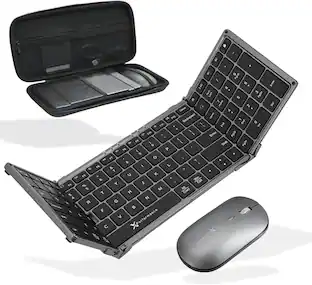
CORSAIR - K100 Air Wireless Full-Size Bluetooth RGB Mechanical Cherry MX Ultra Low Profile Tactile Switch Gaming Keyboard - Black
Customers are saying
Customers admire the exceptional build quality and satisfying key switches that define this keyboard's typing experience. Users also frequently praise the impressive battery life and the vibrant, customizable RGB lighting options. While the device offers versatile connectivity and a beautiful design, some individuals feel the price point is high and have noted occasional difficulties with software recognition when using Bluetooth. Additionally, a few users found the physical dimensions of the keyboard to be smaller than their personal preference.
Stunning, Refined, and Ultra-Thin
The K100 AIR is an unbelievably thin wireless gaming keyboard just 11mm at its slimmest point, seamlessly blending stunning design and everyday productivity in an elegant brushed aluminum frame
Fast Wireless and Wired Connection Options
Three ways to connect to up to five different devices – Via sub-1ms SLIPSTREAM WIRELESS on PC or Mac, low-latency Bluetooth on up to three host devices, or USB wired with AXON 8,000Hz hyper-polling, for hyper-fast wireless versatility.
Masterful Wireless Multi-Tasking
Quickly switch between wireless connections on your PC, Mac, and more at the press of a key, with secure AES 128-bit encryption.
CHERRY MX Ultra Low Profile Mechanical Keyswitches
Offer an incredibly short 0.8mm actuation distance with a tactile bump, for ultra-responsive gaming and typing.
Long-Lasting Wireless Battery with Per-Key RGB Backlighting
Enjoy up to 50 hours of wireless battery life with dynamic per-key RGB backlighting and adaptive brightness that automatically adjusts to lighting conditions, or go the distance with up to 200 hours with backlighting off.
Four Macro Keys
Fully programmable to perform complex macros, actions, or convenient shortcuts to maximize your productivity.
CORSAIR AXON Hyper-Processing Technology
Create and play up to 20 custom RGB lighting layers wirelessly, while transmitting keystrokes up to 8x faster.*
Dedicated Media Keys and Aluminum Volume Roller
Easily control your media at the push of a button, while the multi-function aluminum roller smoothly adjusts volume levels and is fully programmable in iCUE to perform custom actions.
Unlock Full Control with iCUE
Powerful CORSAIR iCUE software, compatible on both Windows and macOS, enables dynamic wireless per-key RGB lighting control, key remaps, macro programming, and more.
Detachable Braided USB Type-C Cable
Connect to your PC or Mac to charge the keyboard and take advantage of AXON hyper-polling.
8MB of Onboard Storage
Wirelessly Save up to 50 onboard profiles with custom macros and your own unique vibrant RGB lighting effects.
*8x Faster transmission requires a wired connection.
- Lighting TypeRGBForm FactorFull-sizeKeyboard TechnologyMechanicalKey Switch BehaviorTactileConnection TypeWireless
Reviews
Rating 4.3 out of 5 stars with 371 reviews
- Keyboard Quality (112)
- Key Feel (60)
- Battery Life (55)
- RGB Lighting (40)
- Connectivity (17)
- Price (19)
- Software (11)
- Size (3)
Customer Images
The vast majority of our reviews come from verified purchases. Reviews from customers may include My Best Buy members, employees, and Tech Insider Network members (as tagged). Select reviewers may receive discounted products, promotional considerations or entries into drawings for honest, helpful reviews.

Compare similar products

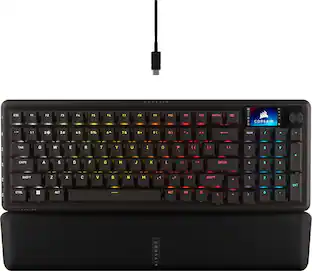
Meet the CORSAIR K100 AIR Wireless RGB Mechanical Gaming Keyboard, an ultra-thin keyboard that places outstanding performance and productivity in a sleek brushed aluminum frame. Its unbelievably thin profile – just 11mm at its slimmest point – makes the K100 AIR the stylish centerpiece of your entire desktop and workspace. Hyper-fast, tactile CHERRY MX Ultra Low Profile mechanical keyswitches deliver a responsive, satisfying mechanical keyboard experience – you will want to use the keyboard for everything.The K100 AIR offers three ways to connect to your PC, Mac, and devices for optimal, hyper-fast wireless versatility: sub-1ms SLIPSTREAM WIRELESS, Bluetooth, or USB wired. Connect to multiple devices wirelessly and switch between them with the press of a button, with secure AES 128-bit encryption. Wired mode enables CORSAIR AXON Hyper-Processing Technology to transmit keystrokes up to 8x faster than standard gaming keyboards, helping you stay one step ahead of opponents during competition. The K100 AIR offers endlessly customizable lighting and workflows for total control over your setup. Four dedicated G keys are fully programmable to perform custom actions, shortcuts, and macros to elevate your productivity. The K100 AIR shines with brilliant per-key RGB backlighting, for nearly limitless customization for up to 20 lighting layers simultaneously, powered by AXON. Unlock full control over lighting, key remapping, and more with powerful CORSAIR iCUE software. With up to 200 hours of wireless battery life and all the premium features in CORSAIR’s thinnest gaming keyboard ever, the K100 AIR enables you to play elevated.

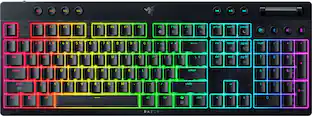
Maximum battlestation impact, minimum silhouette. Meet a wireless, ultra-slim gaming keyboard that's the full package. With Razer Low-profile Mechanical Switches, dual-wireless connectivity, a full suite of dedicated controls, and more, top-tier control has never come thinner.
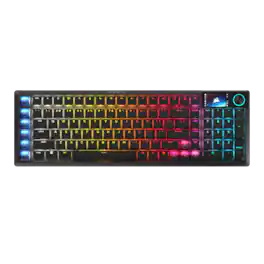
The sleek, low-profile VANGUARD AIR 99 WIRELESS keyboard delivers exceptional performance across all aspects of your life, making controlling everything seamless. Enhance productivity using Stream Deck integration and SD-keys to streamline your daily tasks. Unleash serious gaming performance with ultra-responsive OPX low-profile optical switches and 8,000Hz hyper-polling. With its elegant aluminum frame and brilliant LCD screen, it’ll be your stunning new desktop centerpiece. Enjoy exceptional typing feel and acoustics with premium gasket mounting and 5-layer sound dampening. Connect how you want, where you want. Get tri-mode connectivity (2.4GHz, Bluetooth, and USB-C) and multiplatform compatibility with PC, Mac, console, and more.
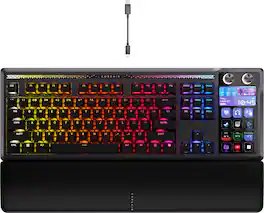
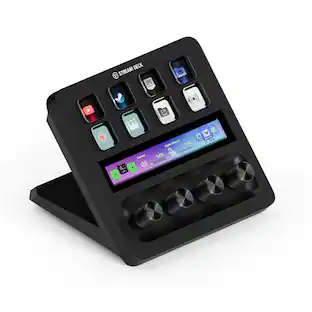
GALLEON 100 SD fuses iconic Stream Deck technology into a high-performance mechanical keyboard, giving you precise, real-time command of your entire gaming setup all from one device. Customizable shortcut keys and dials help you react faster without breaking focus, whether you're executing complex in-game combos or controlling apps like Discord and Spotify. Keep tabs on everything from hardware stats to your favorite Twitch channels on a fullcolor 5" LCD screen. The keyboard also delivers serious gaming performance with lightning-fast 8,000Hz hyperpolling, FlashTap SOCD, and smooth MLX Pulse switches. It’s more than just a keyboard—it’s a new era of input.
| Pros for CORSAIR - K100 Air Wireless Full-Size Bluetooth RGB Mechanical Cherry MX Ultra Low Profile Tactile Switch Gaming Keyboard - Black | |||
|---|---|---|---|
| Key Feel, RGB Lighting, Connectivity, Keyboard Quality, Battery Life | Build Quality, RGB Lighting, Lighting, Responsiveness, Profile | Build Quality, Noise Level, Connectivity, Key Responsiveness, Typing Experience | Build Quality, Key Feel, Noise Level, Customization, Stream Deck Integration |
| Cons for CORSAIR - K100 Air Wireless Full-Size Bluetooth RGB Mechanical Cherry MX Ultra Low Profile Tactile Switch Gaming Keyboard - Black | |||
| Price, Software, Size | There were no cons for this product— | There were no cons for this product— | There were no cons for this product— |
Specs
Are the secondary keys like "!@#$%^&*()_+{}:">?" fully illuminated? In a dark room, complete key lighting is essential if, for example, you are typing a strong password. The photos look like they are—the videos I have seen, not so much. Any insight?
Answered by CorsairHi, Yes, the secondary functions are also illuminated. If you have any additional questions, we'd be happy to assist: help.corsair.com -Albert
Does the keyboard have dedicated media keys?
Yes, the keyboard has dedicated media keys for easy control.
This question and answer was generated by AI based on customer and product data.How many onboard profiles can I save on the keyboard?
You can save up to 50 onboard profiles with custom macros and RGB lighting effects.
This question and answer was generated by AI based on customer and product data.How long does the battery last with RGB lighting on?
The battery lasts up to 50 hours with dynamic per-key RGB backlighting enabled.
This question and answer was generated by AI based on customer and product data.Can I use this keyboard with a Mac?
Yes, the Corsair K100 Air keyboard is compatible with both Windows and macOS.
This question and answer was generated by AI based on customer and product data.

Customers often buy these together
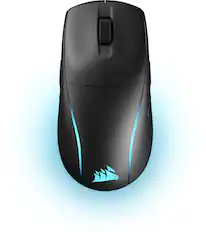
Mice
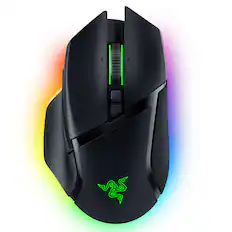
Razer - Basilisk V3 Pro Optical Gaming Mouse with HyperScroll Tilt Wheel - Wireless - Black
$99.99The price was $159.99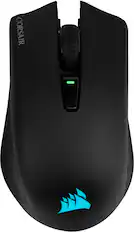
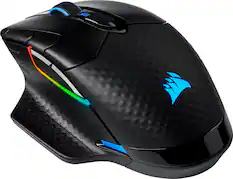
CORSAIR - HARPOON RGB Wireless FPS Optical Gaming Mouse with Bluetooth - Wireless - Black
Clearance$45.99The price was $64.99
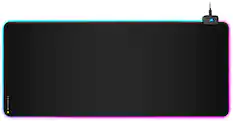
Mouse Pads

PC Gaming Headsets
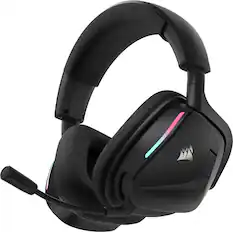
CORSAIR - VOID v2 Wireless Gaming Headset for PC, PS5, PS4, Nintendo Switch, and Mobile - Carbon
Top Deal$89.99The price was $129.99
Customers ultimately bought
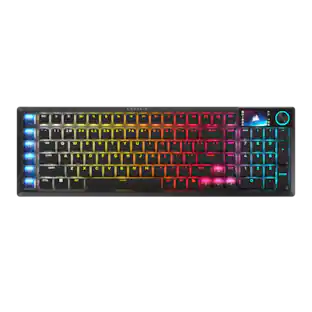 Top Deal$189.99The price was $259.99
 Top Deal$179.99The price was $229.99
 Top Deal$119.99The price was $179.99
 Top Deal$159.99The price was $179.99
 $135.99The price was $169.99

Explore tech essentials Sponsored
- Top Deal$119.99The price was $179.99
 Top Deal$99.99The price was $149.99

Discover related products
 $12.99The price was $13.99









Keep exploring
 $247.64The price was $283.49
 $91.49The price was $107.49