Customer Ratings & Reviews
- Model:
- CH-9304211-NA
- SKU:
- 10873080
Rating by feature
- Value
Rating 4.4 out of 5 stars
- Quality
Rating 4.6 out of 5 stars
- Ease of Use
Rating 4.4 out of 5 stars
to a friend
Side buttons
||Posted . Owned for 11 months when reviewed.This reviewer received promo considerations or sweepstakes entry for writing a review.The buttons on the side make very easy to misclick.
No, I would not recommend this to a friendBrand response from Corsair
Posted .Hello Davis,
If you are not familiar with it, that'd definitely be a thing. Takes a bit getting used to.
-Art
Garbage
||Posted . Owned for 6 months when reviewed.This reviewer received promo considerations or sweepstakes entry for writing a review.This is the 2nd Corsair Scimitar I've purchased and had the Left or Right click go out completely in less than 6 months. Buy a different MMO mouse.
No, I would not recommend this to a friendBrand response from Corsair Art
Posted .Hi jlparker044,
We're sorry to hear that you've had issues with the clicks going out. We would like to help out, please reach out to our support team: support.corsair.com
-Brian
Broke within a year.
||Posted . Owned for 11 months when reviewed.This reviewer received promo considerations or sweepstakes entry for writing a review.Wire shorted out within a few months. cannot move the mouse to the left. It has been a pain to get an RMA.
No, I would not recommend this to a friendBrand response from Corsair
Posted .Hi Bruce,
We apologize for the issue with the mouse movement so soon. Were you able to see if resetting the mouse helps? Unplug the mouse, hold down Left+right click, then reconnect the mouse to a different USB port. If you're still having issues with mouse tracking, please feel free to reach out to our support team: support.corsair.com
-Brian
Garbage
||Posted . Owned for 11 months when reviewed.This reviewer received promo considerations or sweepstakes entry for writing a review.Complete JUNK!...I will resume buying only Razer Mice!
No, I would not recommend this to a friendBrand response from Corsair Art
Posted .Hi Grady,
What issues did you have with the mouse? Please feel free to contact our support team if you have any questions or issues: support.corsair.com
-Brian
Don’t buy it
||Posted .This reviewer received promo considerations or sweepstakes entry for writing a review.Very slow, will be returning for a refund Son did not like at all
No, I would not recommend this to a friendBrand response from Corsair Art
Posted .Hi Krissy,
What was the exact issue? Please contact us at any time: support.corsair.com
-Art
Too much going on
||Posted . Owned for 1 week when reviewed.This reviewer received promo considerations or sweepstakes entry for writing a review.Too much going on most games don’t let you use the extra buttons
No, I would not recommend this to a friendBrand response from Corsair Art
Posted .Hi,
Which is the specific issue regarding the mouse itself? Please contact us for assistance: support.corsair.com
-Art
Scroll wheel issues with this mouse. Don’t buy!
||Posted . Owned for 7 months when reviewed.This reviewer received promo considerations or sweepstakes entry for writing a review.Scroll wheel stopped working properly after 60 days. It’s a known issue which is searchable on Reddit. Poorly engineered internals.
No, I would not recommend this to a friendBrand response from Corsair
Posted .Hi,
Sorry to hear about your experience. Considering our mice carry a 2-year warranty, we'd appreciate the opportunity to get this resolved - please reach out directly to our Support Escalation team at SES@corsair.com with a screenshot of this review and our team will assist you ASAP.
-Albert
Positive buttons/clicking, comfortable and durable
Posted .This reviewer received promo considerations or sweepstakes entry for writing a review.Have had my Corsair Scimitar mouse for about 3 years under constant use and travel and it is still working great. The 17 programable buttons are very useful, the buttons have a good positive click, and it is the most comfortable mouse I have ever had. Other than cleaning it occasionally, it does tend to collect dirt in all those spaces...etc, and the rubber pad on the right side wearing down, I will use it till it dies.
I would recommend this to a friend
Comfortable and flashy gaming mouse
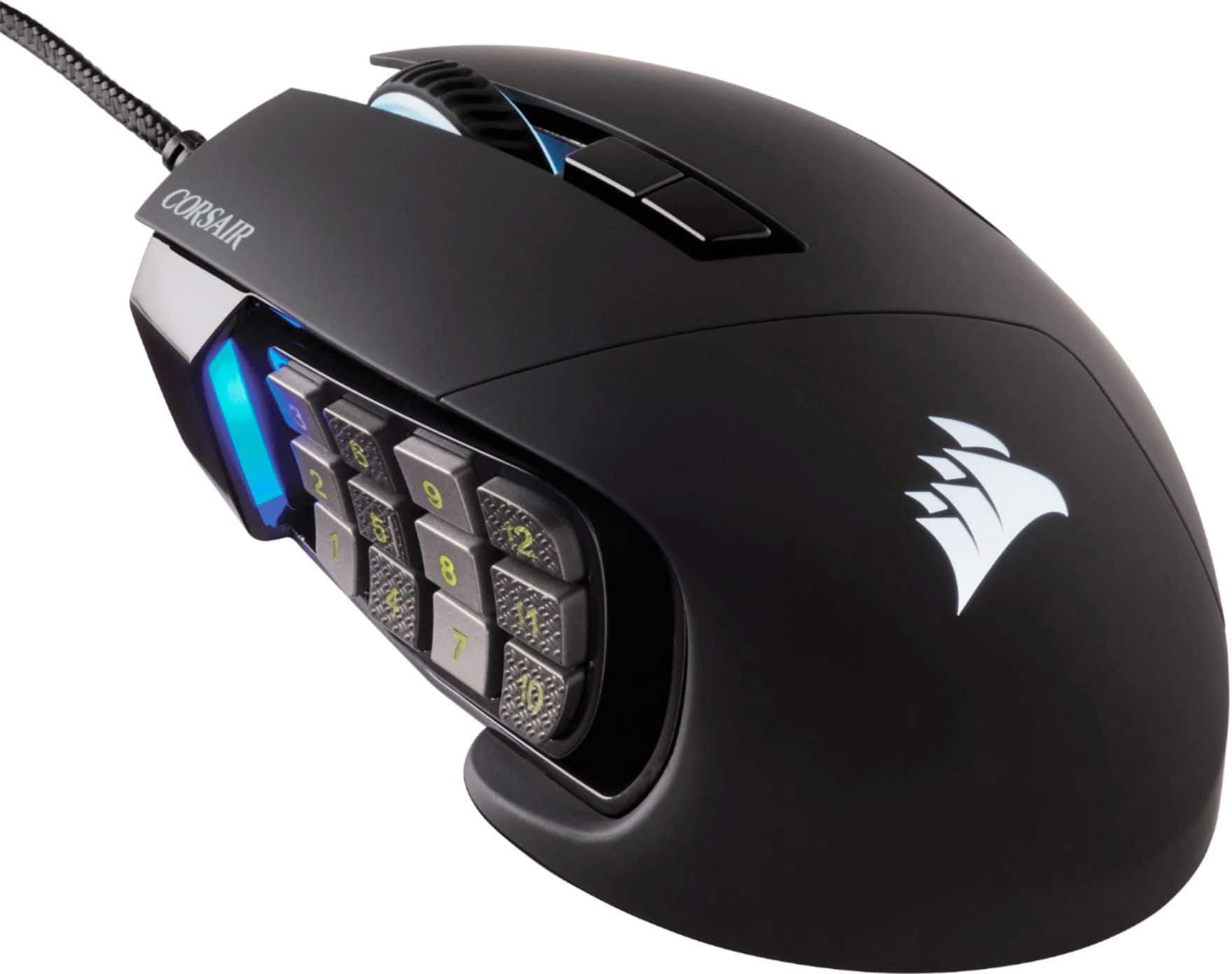
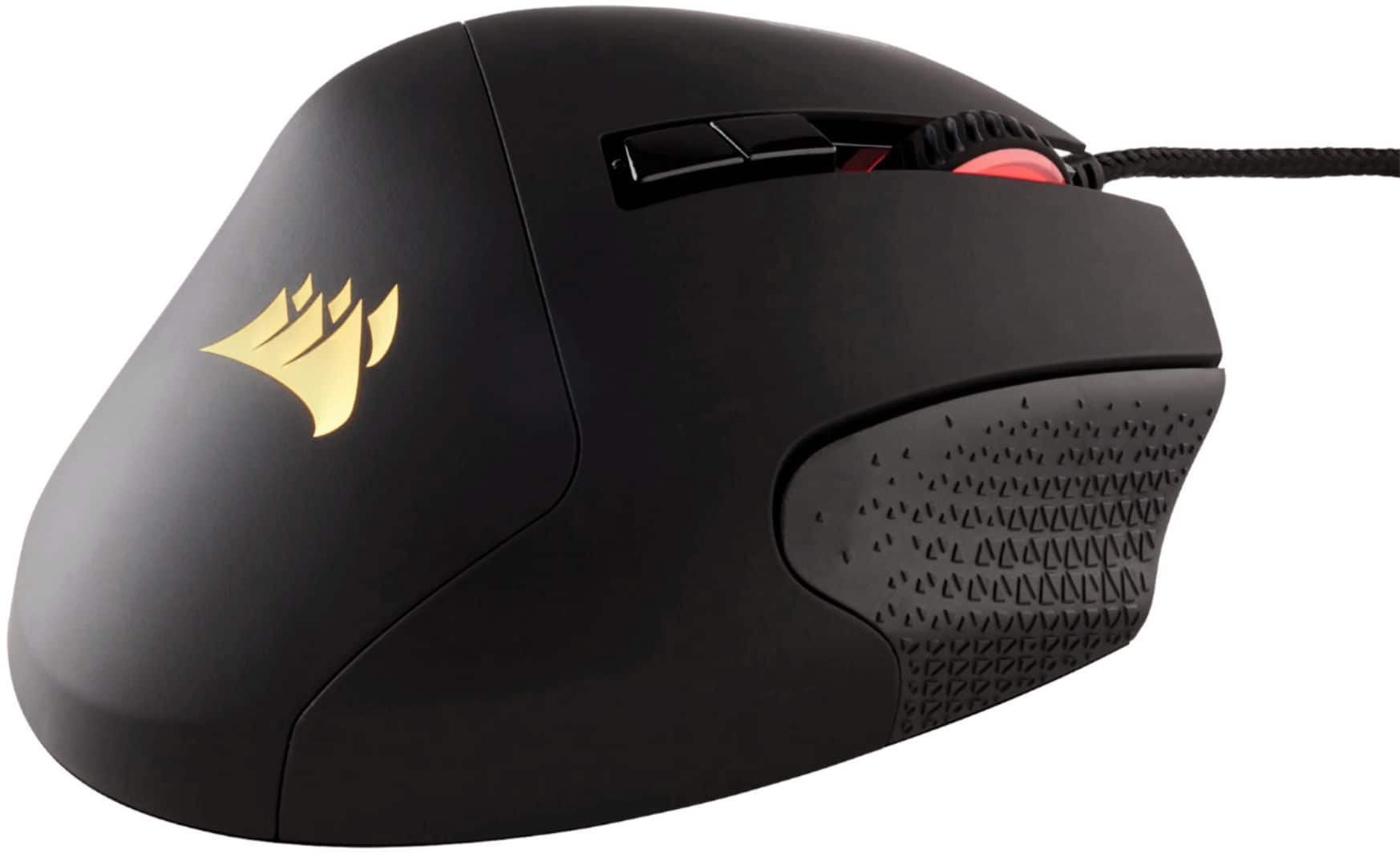
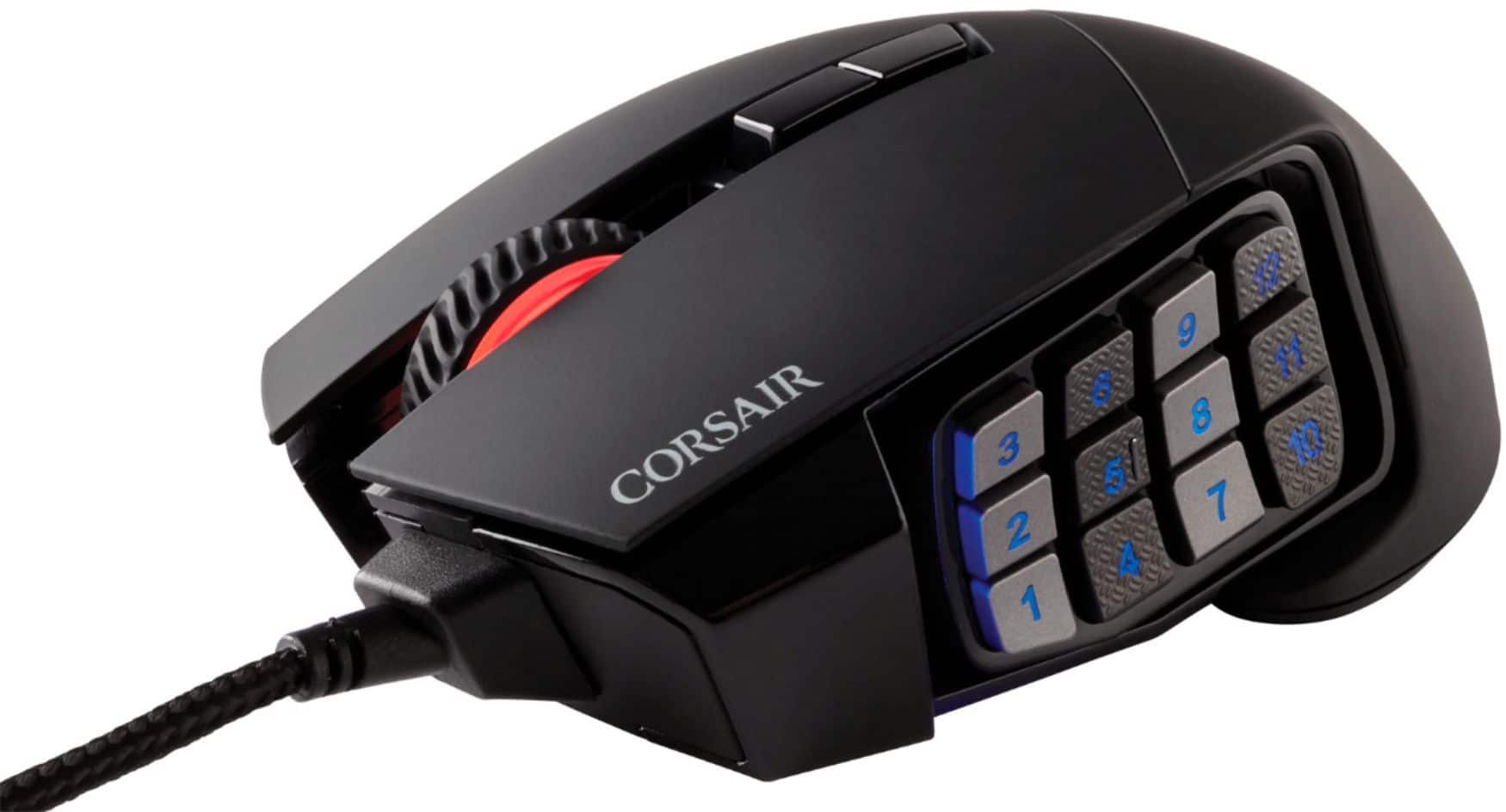
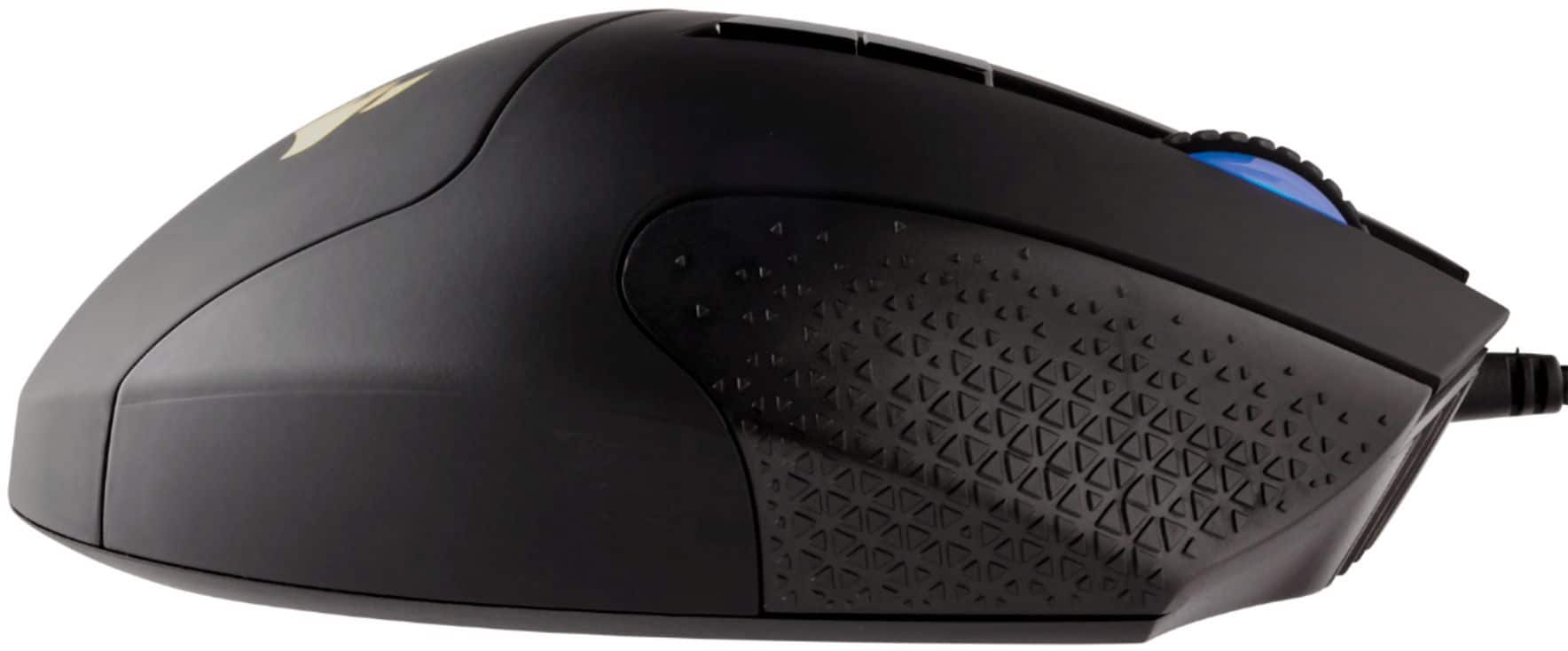
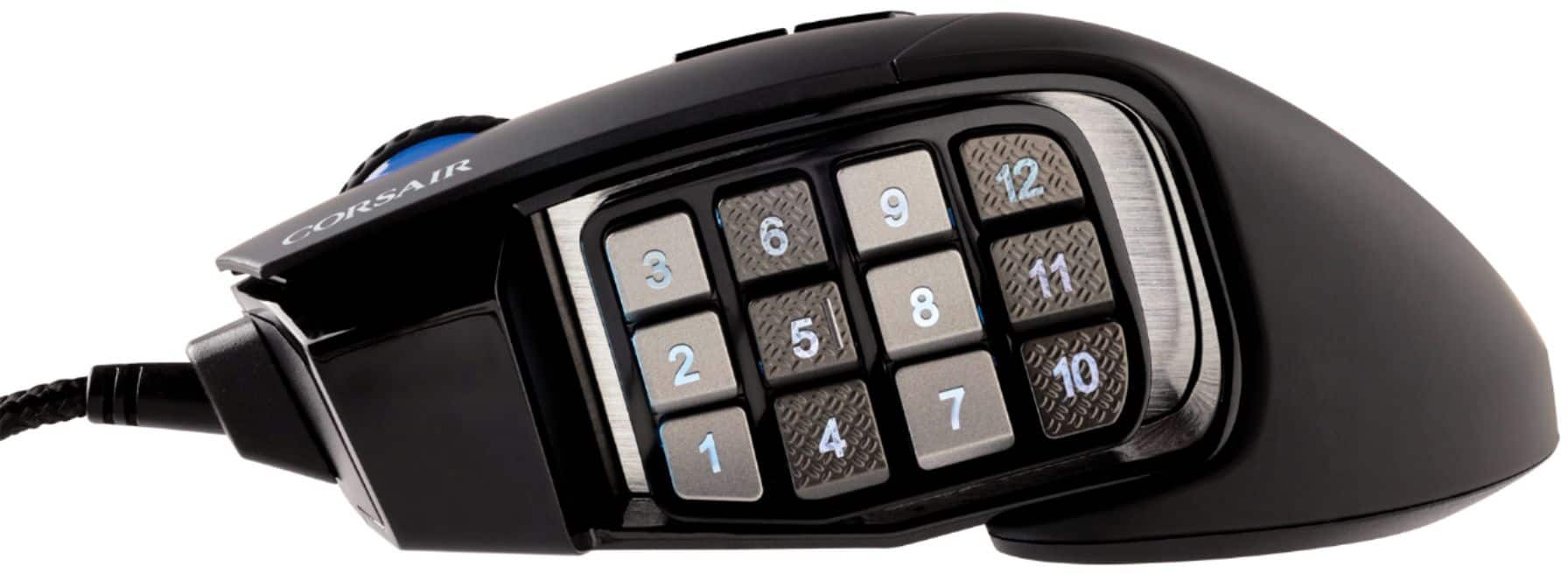
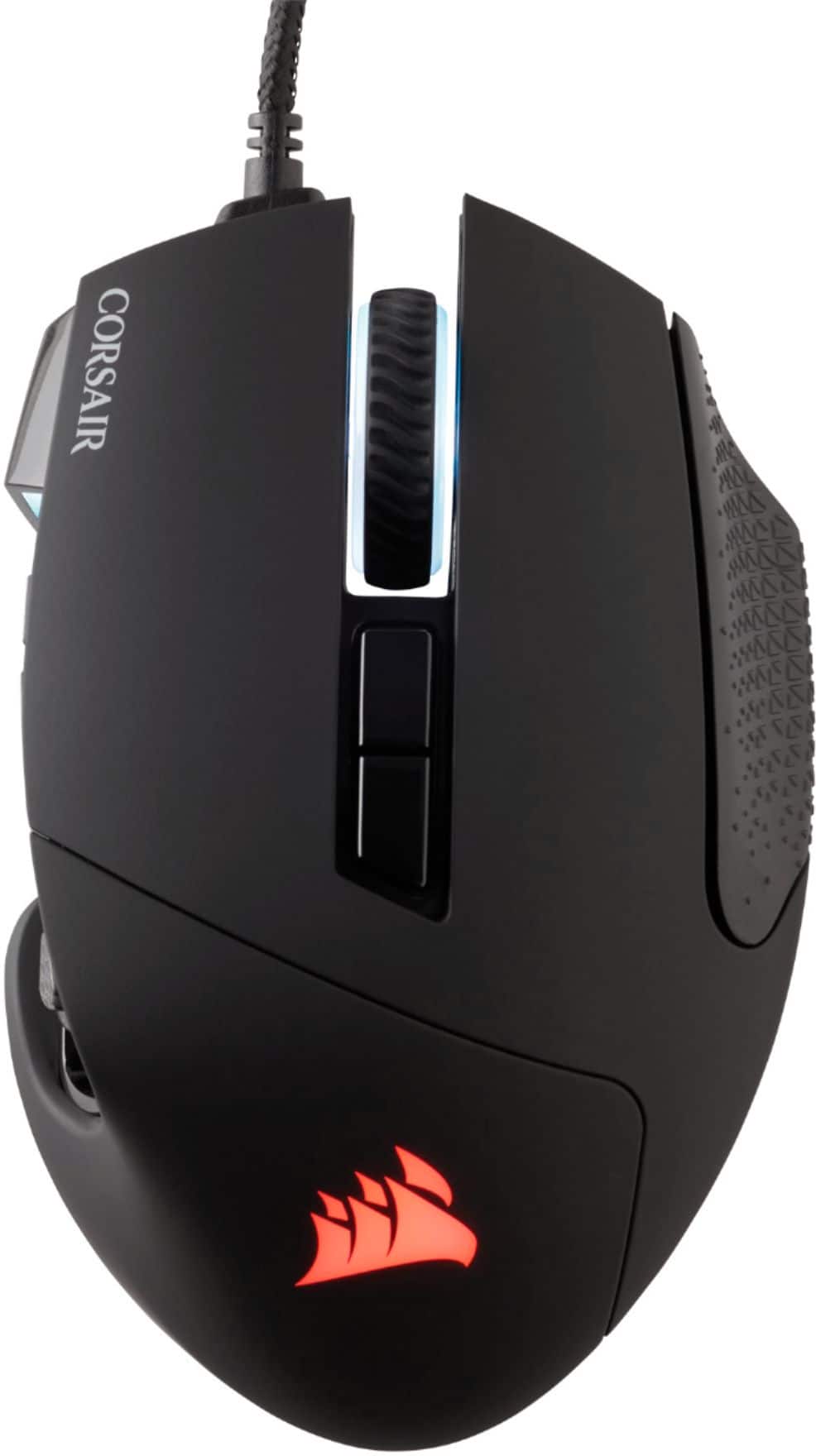
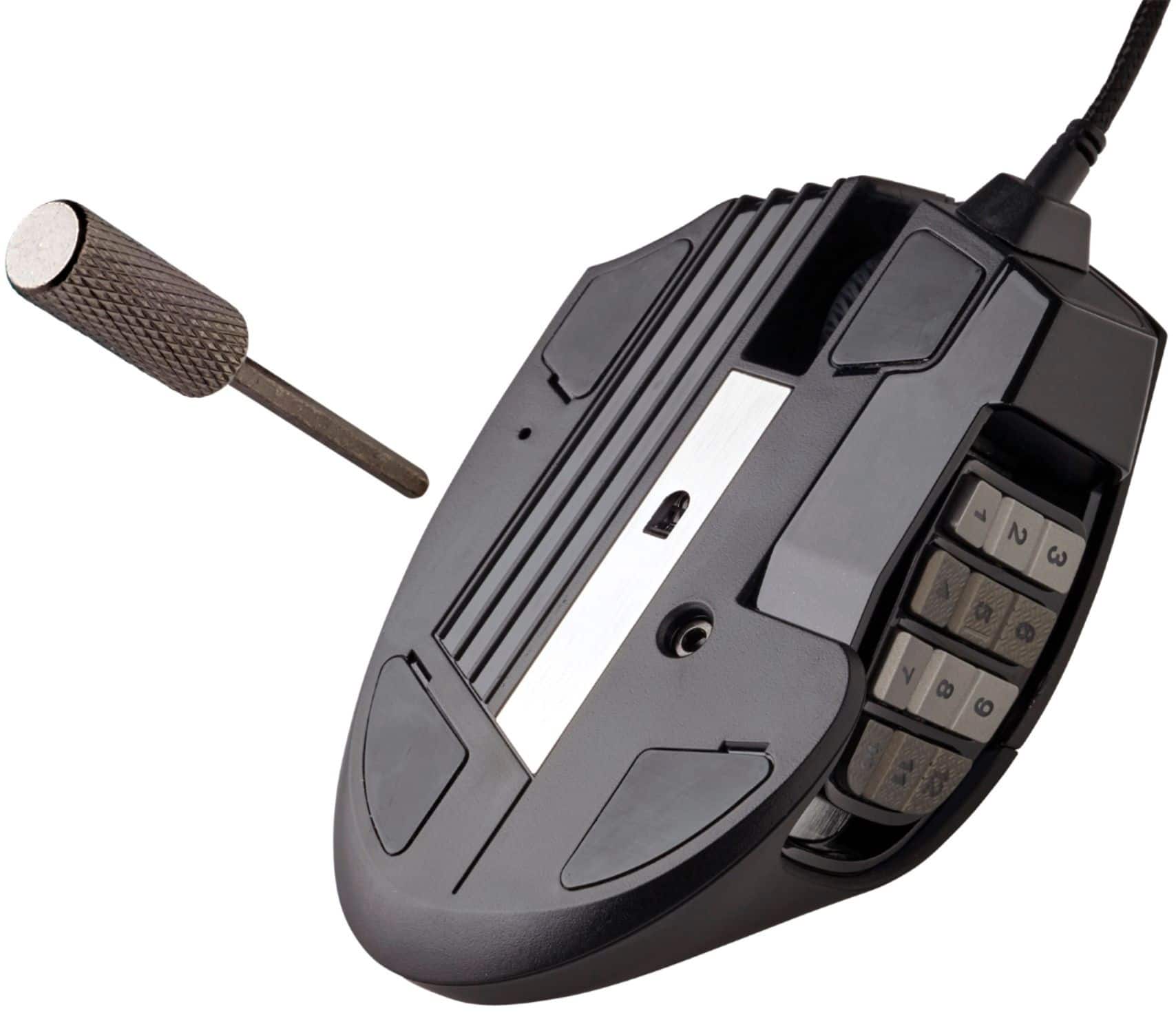
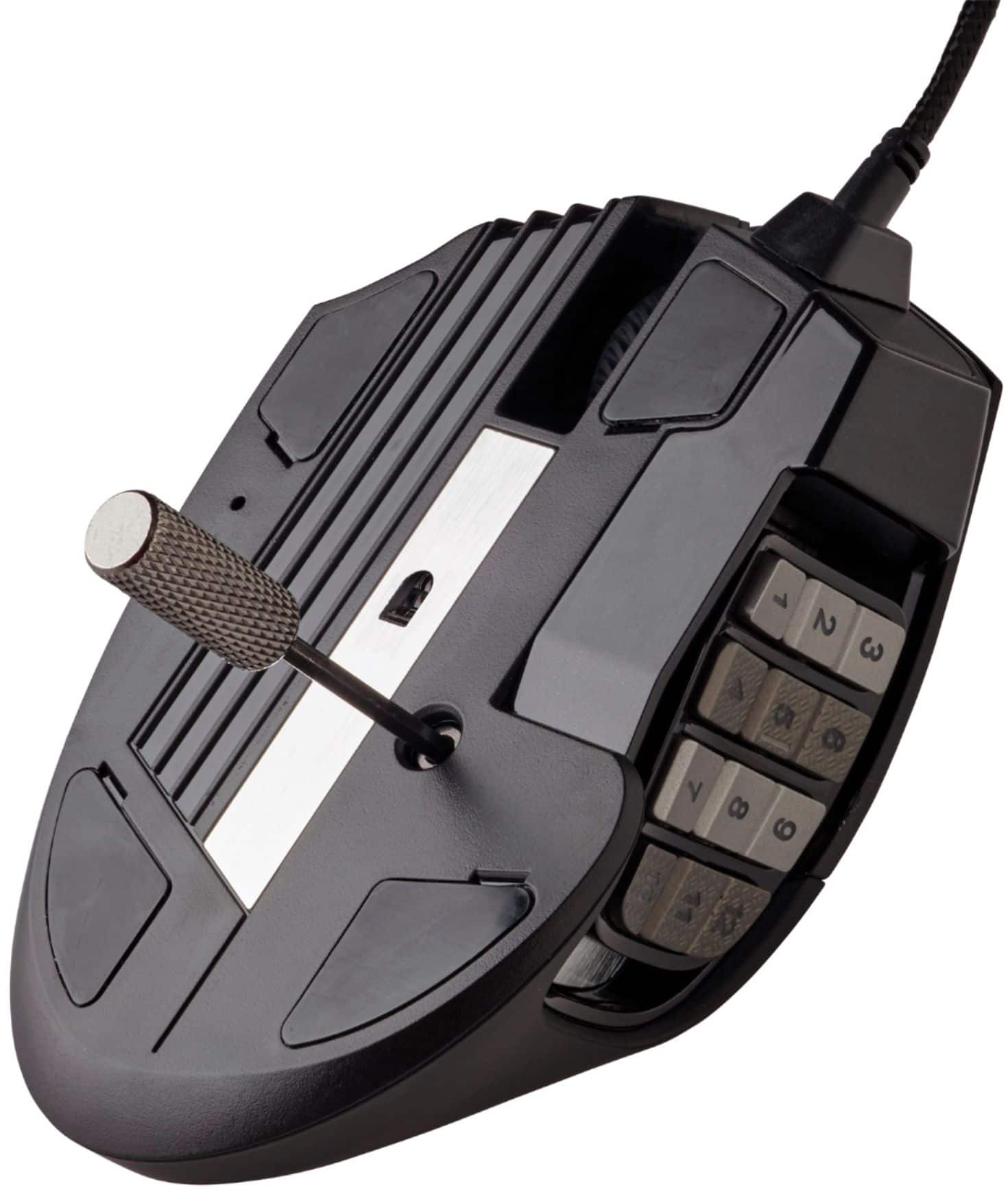
|Posted .This reviewer received promo considerations or sweepstakes entry for writing a review.I love MMO mice. Having access to all of those buttons is not only great for gaming but for productivity too. I was pleasantly surprised to see that this mouse takes it a step further. The entire button panel on the side can be slid forward or backward to fit your exact hand shape. This is accomplished using a little allen wrenchy, screwdriver thingy that comes with the mouse. There are 12 buttons along the side, and each vertical row alternates between a smooth surface and a textured surface so that you can better tell what button you're about to press without looking. The right side of the mouse has a textured surface as well which helps you maintain a nice grip on the mouse as you move it around. The mouse's cable is a nice braided wire. It feels sturdy and is plenty long. The Corsair iCue software has to be downloaded from their website. It gives you the ability to program macros for the side buttons and to adjust the color patterns for the mouse. The software made it look like each zone of the mouse could have its color adjusted independently. But at the time of this review, changing the color in one zone seemed to change it everywhere. I really like this mouse. It's flashy, it's comfortable, and it has all the features that I could ever want. I strongly recommend it.
I would recommend this to a friendThis is my third one so far
Posted .This reviewer received promo considerations or sweepstakes entry for writing a review.Great mouse for the price especially if you catch it sale for $50. I usually go about 5+ years before I need to replace this mouse with a new one. I'm a pretty heavy gamer and the build quality is decent. My last two started getting random disconnects every hour or so that's when I replaced them. Not many other mmo mouses on the market with the 12 side button in this price range. The Razor Naga made my hand sore after a couple days and the plastic felt odd so I returned it. You can't adjust the weight on this mouse and it is rather heavy mouse so be aware of that. I would recommend.
I would recommend this to a friendCool looking, responsive, nice MOBA mouse
|Posted .This reviewer received promo considerations or sweepstakes entry for writing a review.The Scimitar RGB Elite MOBA/MMO gaming mouse more than exceeds the expectations of the gamer in our family. Installation of the mouse is easy and the iCUE software is straightforward to use. Adjusting the buttons was simple with the Key Slider control. This allows one to reposition the 12 buttons to a position that feels comfortable to one's own grip and hand. The 12 button setup is something that is useful for MOBA. The RGB four-zone lighting doesn't disappoint and is a nice compliment to the Corsair K95 keyboard. The iCUE software also allows customization of the mouse for macros, 17 programmable buttons, sensitivity preference and surface calibration. The iCUE software has been error free and straight forward to use. The mouse glides very well and the optical sensor performs perfectly. It provides a nice fit and is comfortable to use over extended periods of time. The Scimitar mouse is rated for 50 million clicks with its Omron switches and has a durable build quality that should endure a lot of use. Along with the plentiful options of colors and effects it would be hard for this mouse to disappoint.
I would recommend this to a friendGood gaming mouse with a few flaws
|Posted .This reviewer received promo considerations or sweepstakes entry for writing a review.Pros: I like the matte finish, the lighting on this mouse is top notch, well-built with lots of useful buttons. You can slide the side buttons forward or back to best fit your thumb length. You can tighten or loosen them before you slide them with the included tool which is pretty cool to do. Plug and play, just connect the mouse to your PC and you’re ready to go. Quickly adjust the mouse speed or if you’re playing a game, quickly adjust your ability to turn around in the game for example a shooter, with the press of a button. Cons: This is a personal gripe but I feel like the mouse is a little on the light side, the 10 mechanical buttons on the side are too small for my fat thumb. Overall I’m very happy with my corsair gaming mouse, The pros outweigh the cons and even then the cons are just personal gripes.
I would recommend this to a friendGreat for multitasking
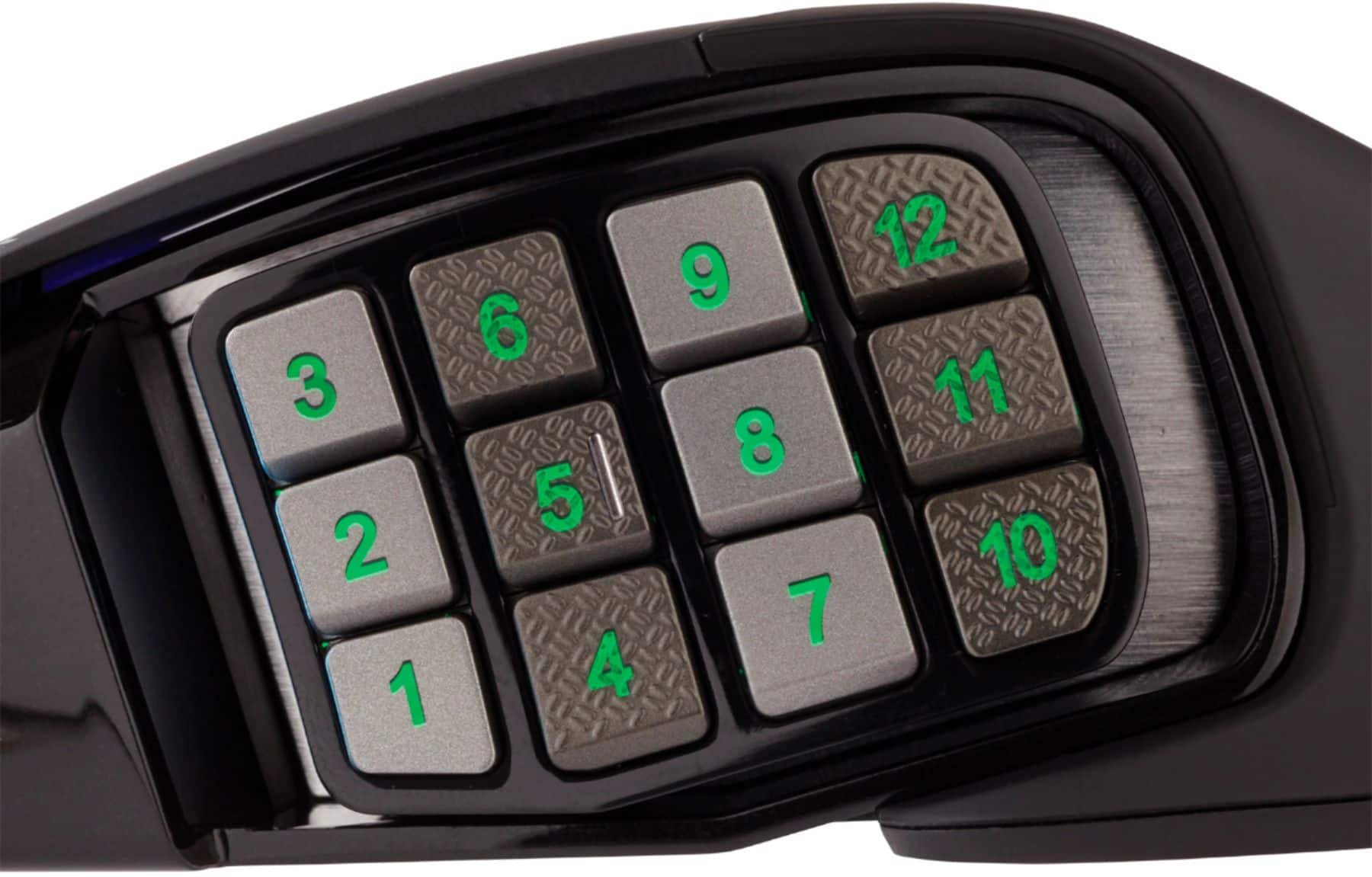
|Posted .This reviewer received promo considerations or sweepstakes entry for writing a review.In the box is the corded mouse and a quick start guide. Overall, I think that this mouse is a great performer. 1. It has a great DPI range. This range fits perfectly because you can adjust between 600-1600 dpi which in my opinion is excellent for gaming. 2. 17 button mouse. 12 buttons on the left side within reach of your thumb. These buttons are numbered 1-12. At the top of the mouse, are the remaining 5. Each 1-12 button has a small gap in between but someone with large fingers may find it difficult to navigate through each number. In my opinion it would take some getting used to. The buttons 1-12 have three active modes. Mode 1, allows you to use each number as the corresponding number. Number 11-12 would be the = and - button. Mode 2 will give a pseudo number as well, except only 1-6 can be used as it corresponding numbers. 7-12 are the programmed as Q, W, E, R, D, F keys. Mode 3 lets you seamlessly move through text document editing. It gives you the option to cut, paste, copy, undo, and control+alt+delete. To manipulate these functions/profile, press the upper button below the mouse wheel. The lower button under mouse wheel, changes the dpi setting. 3. Mouse size/weight. After two hours of game play, the weight of the mouse started to become an issue for me. I am more accustom to a more heavier mouse, that gives me a bit more feedback when moving around. Someone with larger hands may prefer a larger mouse, with my smaller hands, the mouse fit almost perfect. Also someone with longer fingers may have a hard time adjusting to the upper part of the mouse. Also, someone that normally grips the mouse on the left side may end up constantly pressing the buttons. I do also wish there was a thumb rest below the number keys. I felt that I had no where to put my thumb if it wasn’t resting on the buttons causing them to activate while I was playing. There is also a non-microbial surface, which is a plus for me. 4. You can’t forget RBG (red-blue-green) functionality of this mouse, which the color scheme directly effect what mode you are in. So if you are in Mode 1, red. Mode 2, green. Mode 3, blue. The dpi color settings are on the left side top of the mouse. Each dpi setting has its own color, red/white/green/purple/blue. Overall, I rated the mouse, 4 out of 5 for the shape/size of the mouse and the extended usability. Would I recommended this mouse to friends and family? Yes. Overall it is still a great product.
I would recommend this to a friendGreat mouse for MMO gaming
Posted .This reviewer received promo considerations or sweepstakes entry for writing a review.I heard that a mouse like this is perfect for MMORPG's like WoW, ESO, etc. I decided to go to my local BestBuy and pick one up. When I got home, I did expect the mouse to be plug-and-play. IT IS NOT PLUG AND PLAY. It is super easy to get iCUE if you don't have the firmware. Just go to Corsair's web page and follow their instructions. The difficult part about using this mouse that had me frustrated beyond belief for a couple hours is how hard it is to actually figure out how to remap keys to the umpteen mouse macros. But, never fear! I am going to explain how I got mine to work, because good luck finding a video or blog that has the information up-to-date with the current firmware version. Step 1) After you've downloaded iCUE, go into your devices and find the Scimitar PRO. Step 2) after you've located the device on iCUE, simply click on actions, and then the "+" on that same drop down bar. Step 3) once you've done that, a new text will appear with "MACRO 1." Now, look to your right, and you should see your device with a "MACRO 1" drop down bar. Click on that and find "NUM & SYMBOL KEYS" (or whatever it is you are looking for). Step 4) once you've found that, click on that. Step 5) after you've clicked on that, a slew of text that should indicate, in my case the numeral and symbols located just above the A-Z keys on the keyboard. Step6) click on the "1(!)" to remap the "1(!)" key to the marco buttons on the mouse which you should find on the right side of the device menu listed as "G1", "G2", "G3", etc. And wallah! You're in business! IT IS IMPORTANT TO NOTE: in order for you to bind all 12 keys, you must create a new action using this same method for all 12 key bindings! If your new macros do not work in game, I've heard that doing this under the default profile works the best. If you've done this and it still doesn't work, try resetting your PC. If by some crazy instance that doesn't work, check to make sure iCUE is updated. Because I didn't and that would have solved a lot of issues. Overall a fantastic mouse. I love it.
I would recommend this to a friendNice Mouse
|Posted .This reviewer received promo considerations or sweepstakes entry for writing a review.This is a great mouse and the MOBA Keyboard on the side that can slide is perfect to get the right fit where you need it. Overall I've been impressed by this mouse and the feel. While I'm not a MOBA player, having the keys on the side for my FPS that I can map has been really handy in helping out once I adjusted the muscle memory. No more moving my fingers off a move key to switch a weapon or throw a throwable, I just map the mouse keys for the game to the keys on the side. Its been very nice and a great help when I play on my laptop since the keyboard is a bit cramped and moving my fingers to secondary keys off of WASD can get tough for me at times. Again the fact that you can slide the keyboard to the right position to your hand is a great touch. Though I'm not a huge fan of it being an Allen key (it is included but I fear I might lose mine). That said once tightened the keyboard stays where you want it. Even with my large hands this mouse felt good and the software was easy enough to figure out for customization. Its not to light for me, but those you like to add some heft will be out of luck, so I recommend going into the store and testing the heft to make sure it is for you. It was nice to see a surface calibration tool in iCue software. Not sure if it makes a difference or what it does, but it did feel better after all. DPI can profiles can be saved to the mouse allowing for you to get the different settings you need for the games and again recording Marcos (or for me keypresses) was easy. The mouse is RGB is nice and since you can tie the DPI to an RGB color on the side its a great way to make sure you got the sniper profile on vs 360 noscope. The feel of the mouse overall for me is great and the fact I can adjust the placement of the keypad on the side is perfect. The keys are offset smooth and dimpled so you can find the right stack for the macro. Overall I like this mouse and think the addition to slide the keypad makes this a great little gaming mouse.
I would recommend this to a friendIt's a good option.
Posted .This reviewer received promo considerations or sweepstakes entry for writing a review.I've gone through two of these mice, now. The first one had a scroll wheel failure which is common. Lasted me about 2 years, IIRC. The replacement was the Elite version and lasted ONE MONTH. The same issue, and was really annoying. Sent it in for an RMA, and had a replacement sometime later. The cable feels a bit too short imo, and the only real thing I like compared to its competitors is the adjustable buttons on the side. However, the new replacement has lasted 3 years now. The scroll wheel has been kind of finicky here and there but overall it is fine. I just wish there was more competition with MMO mice. If you need a mouse with extra buttons, this is not a bad pick at all. Just be aware of the issues and make sure to keep your receipt for any issues where you might need the warranty.
I would recommend this to a friendNow I can’t blame my bad aim on my mouse
Posted .This reviewer received promo considerations or sweepstakes entry for writing a review.By far my favorite mouse I’ve used. Before this mouse, I used the 12 button razor naga, and then the razor naga trinity, but this one was my favorite. I have smaller hands and it fits very well. You can also adjust where the 12 buttons sit on the mouse by sliding it around, then locking it in place. I haven’t had any issue with it, and I use it heavily when playing MMORPGs for abilities/spells, and FPS games to switch between weapons and gear. I’ve had it for a little over a year now and there are no signs of it slowing down. You can also customize it pretty heavily with keybinding and macros using Corsair’s ICUE. Highly recommend this mouse for both gaming, or a professional work setting.
I would recommend this to a friendMMO not MMA
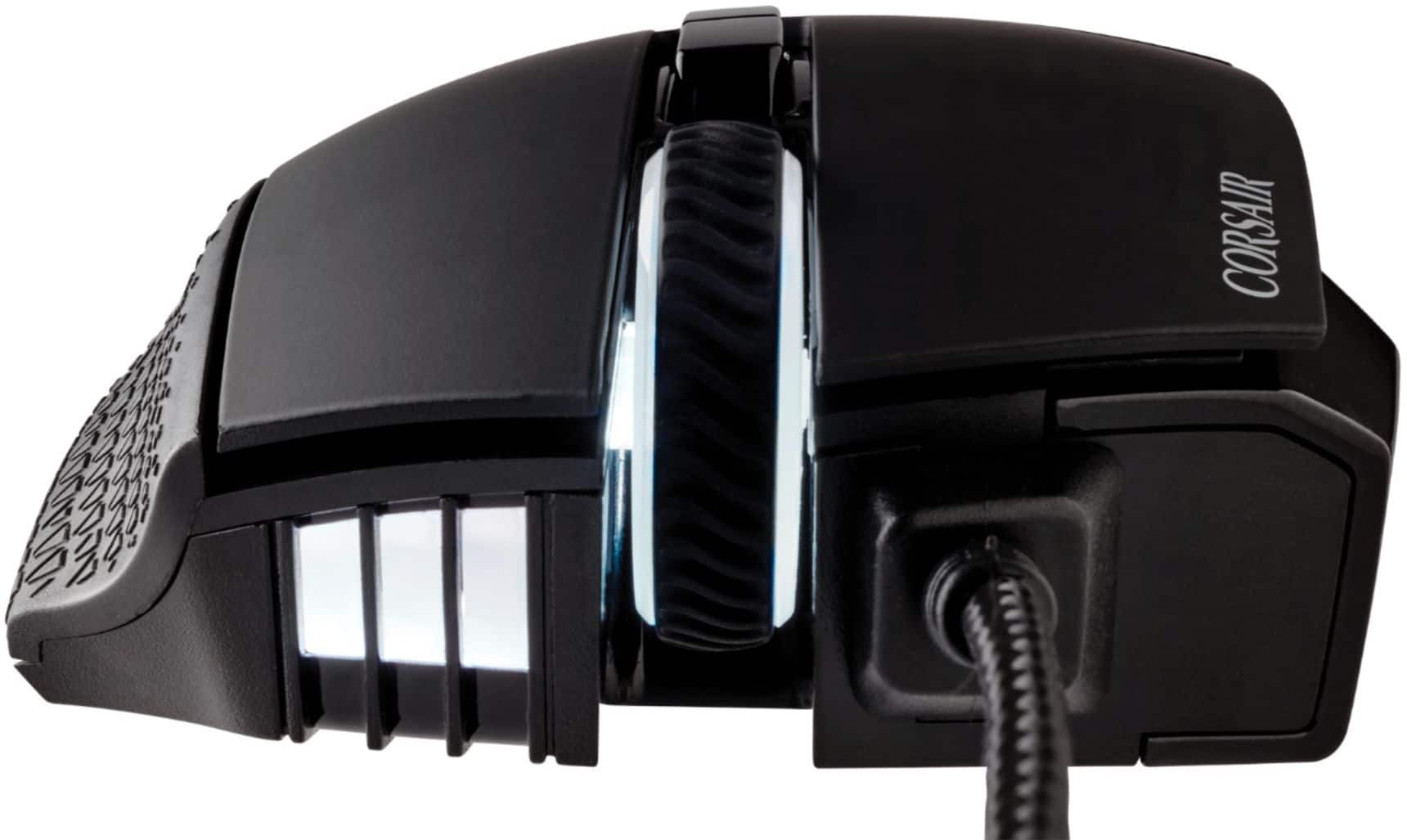
|Posted .This reviewer received promo considerations or sweepstakes entry for writing a review.This is a really good MMO mouse. The thumb pad(?) is adjustable and fully programmable with the iCUE software. iCUE is the same software used for keyboard, headphones and any other Corsair peripheral. As for how the thumb pad is adjustable, there is a small allen wrench that is in a plastic bag attached to the mouse cord when you open the packaging. It is small and easily lost. For gaming mice, especially current generation mice, they really should be portable to keep up with esports players. The fact there is no storage that the wrench could slide into seems like a minor oversight. Personally I am constantly adjusting the location of the thumb pad based on the game I am playing. For whatever reason I seem to adjust my grip based on game I am playing. A slower paced game I will program all the buttons individually, but a faster paced game I will assign based on quadrants so I can miss a button but as long as I am in the area I will send the command I want to send. That may make the moving of the thumb pad make some semblance of sense. All in all it is a really comfortable mouse. My only real gripe is no storage for the allen wrench.
I would recommend this to a friendGaming? How about productivity?
|Posted .This reviewer received promo considerations or sweepstakes entry for writing a review.Ergonomically speaking, this fits perfectly in my hands. The center of gravity is spot on and it feels effortless to move it around.The grips on what falls under your right ring and little finger are an understated nice feature that enhances the overall comfort and position awareness of your hand while it's on the mouse. It makes me feel a bit more confident about picking it up and not dropping it in a clumsy fashion. Even at a weight of 122g. What it really shines at is the macro ability that lies right under your thumb. Using the iCUE software from Corsair you can do some real magic if you put in some time on it. If you are one that habitually has a lot of repetitive steps in your workflow, this is something you are certainly going to want to at least explore. With 12 available buttons on the adjustable keypad, you could chop down a lot of keystrokes and save a lot of time with some well curated macros.
I would recommend this to a friendits okay
Posted .This reviewer received promo considerations or sweepstakes entry for writing a review.Computer mouse is alright. The moveable keypad on the side its kinda cool but feels overengineered but maybe i'd care more if i had real big (or small?) hands. The software that runs the mouse features gave me a bit of trouble as it was finicky on wanting to remember my settings or not.
I would recommend this to a friend