Customer Ratings & Reviews
- Model:
- IP2KCB1
- SKU:
- 6353469
to a friend
Customers are saying
Customers have good things to say about the camera's picture quality, night vision, and ease of use, with many praising its clear visuals and straightforward setup. However, the app's functionality and initial setup process received criticism for being less user-friendly and somewhat cumbersome. Some users also noted concerns about the power cable being exposed and the lack of a battery option. Overall, the camera's strong visual performance is frequently highlighted, but improvements to the app and setup experience are suggested.
This summary was generated by AI based on customer reviews.
- Pros mentioned:Ease of use
Easy To Set Up
||Posted . Owned for 3 weeks when reviewed.This reviewer received promo considerations or sweepstakes entry for writing a review.The camera is easy to install and the app is user friendly.
I would recommend this to a friend - Pros mentioned:Ease of use
great resolution.
||Posted . Owned for 1 month when reviewed.This reviewer received promo considerations or sweepstakes entry for writing a review.easy to install, easy to operate, reliable. Great option
I would recommend this to a friend - Pros mentioned:Ease of use
Great camera for beginners!
||Posted . Owned for 2 weeks when reviewed.This reviewer received promo considerations or sweepstakes entry for writing a review.The cameras were easy to install and the app works great!
I would recommend this to a friend Good Product
||Posted . Owned for 2 months when reviewed.This reviewer received promo considerations or sweepstakes entry for writing a review.Good product at a good price. I would recommend it.
I would recommend this to a friend- Pros mentioned:Camera quality, Night vision

Great weather proof wireless Ip security camera
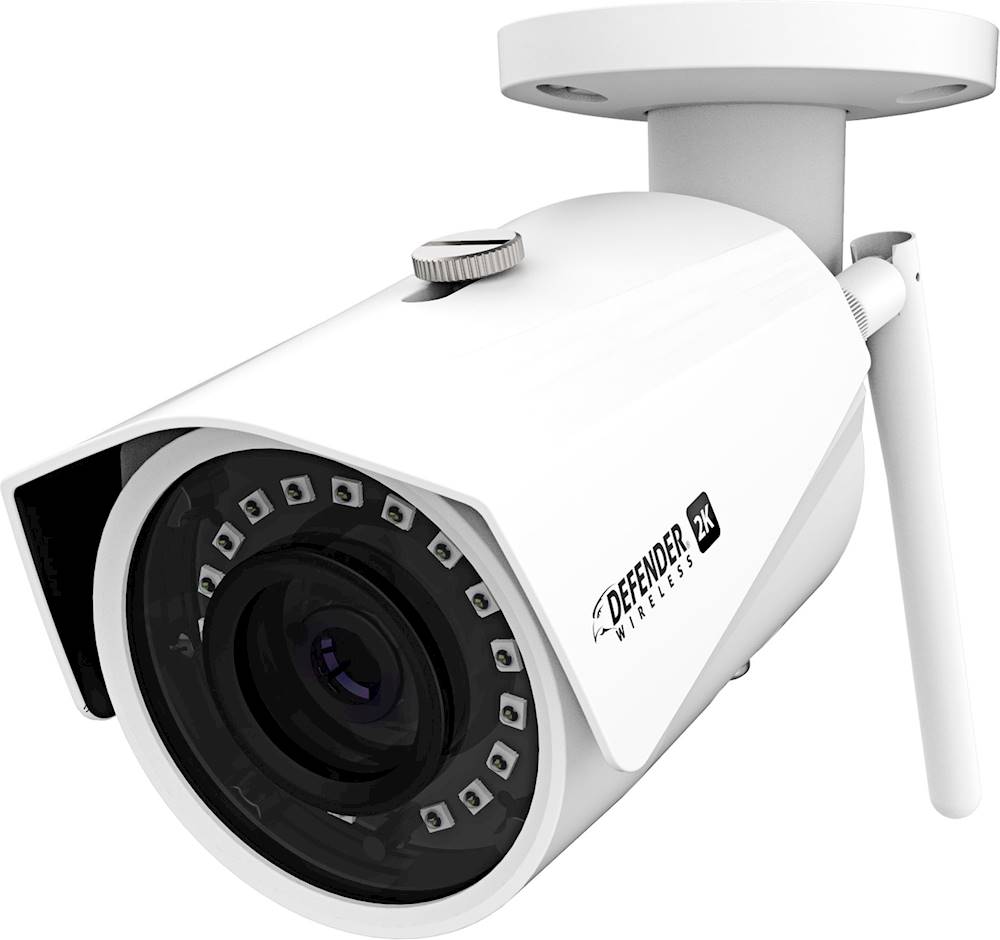
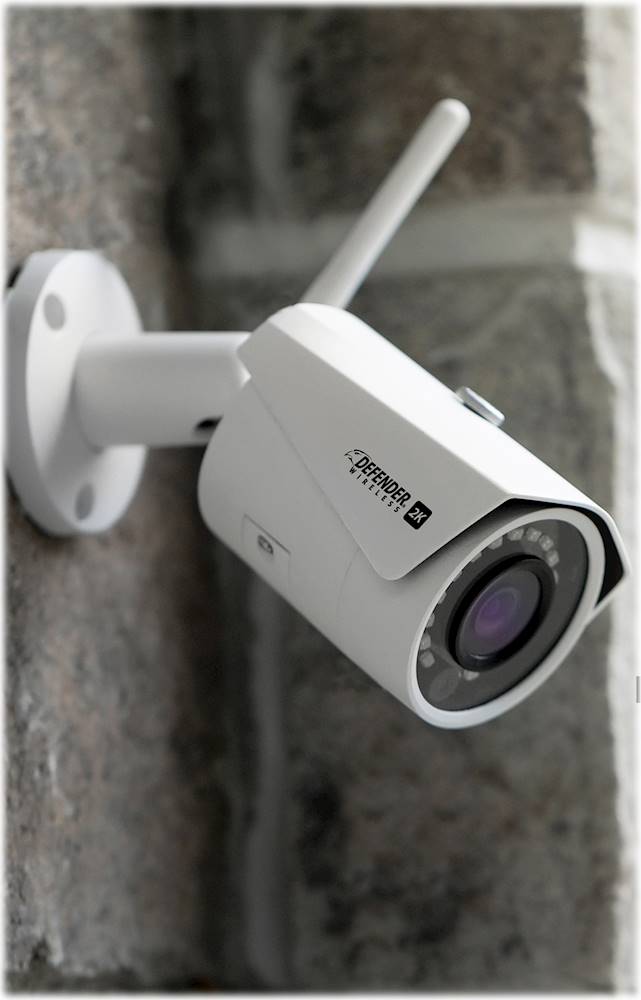
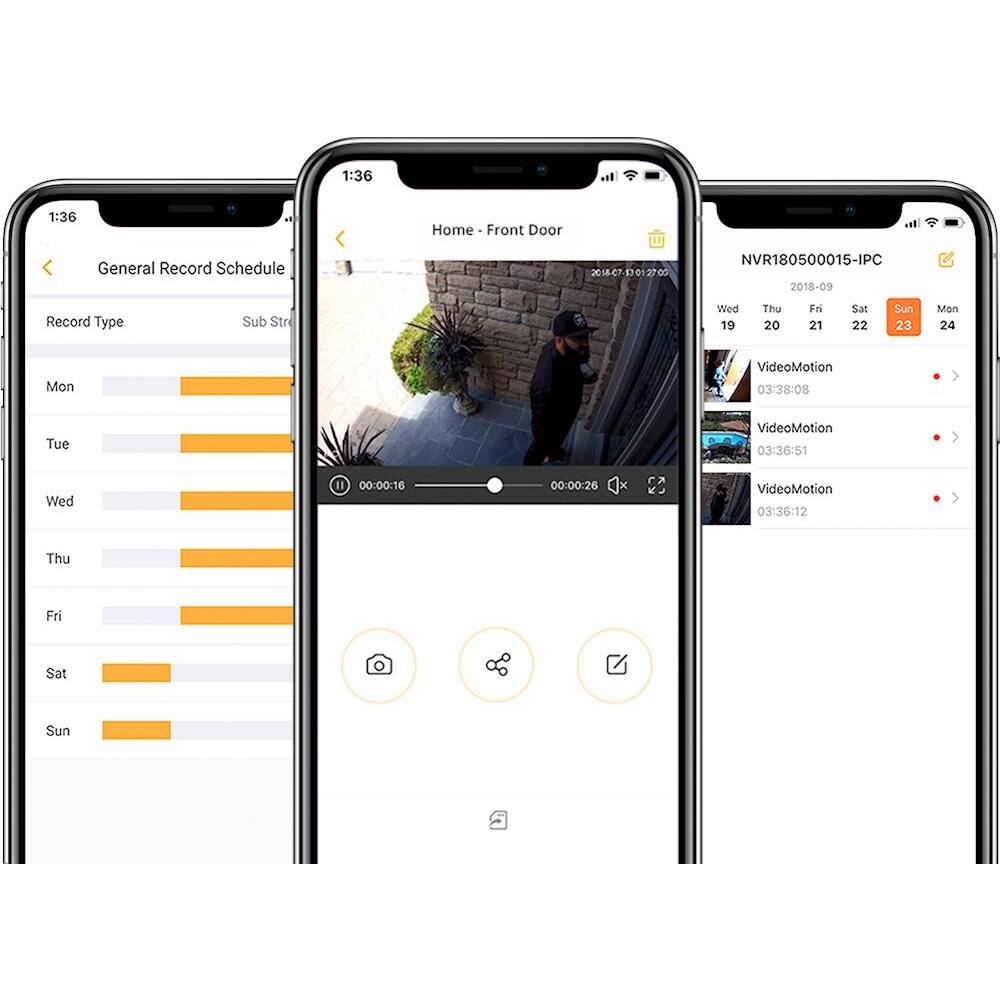
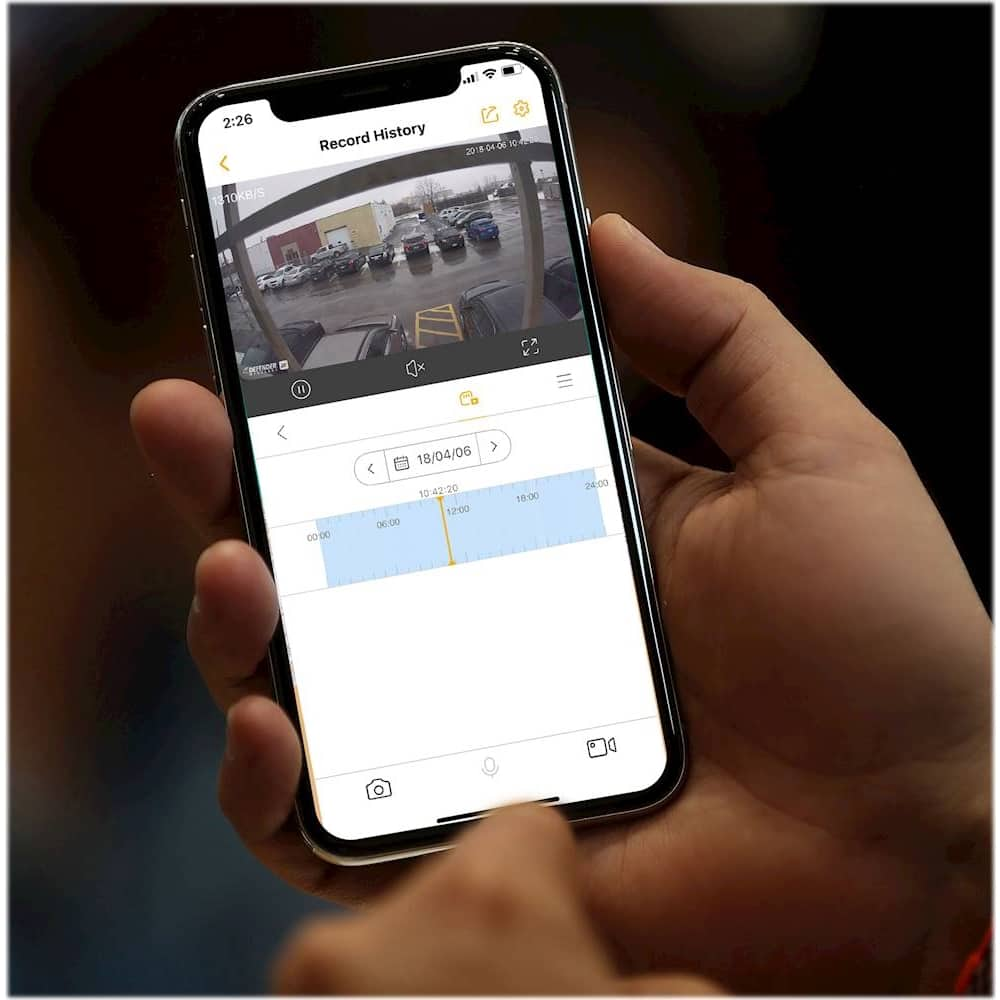
|Posted .This reviewer received promo considerations or sweepstakes entry for writing a review.The Defender IP2KCB1 is a well designed indoor/outdoor wireless ip camera. For the price this camera delivers a lot of value. The Defender’s casing is almost entirely made from a durable metal housing. The chassis is completely IP67 waterproof. This means it is highly weather resistant. There are no exposed cords making the Defender harder to disable. Measuring 9.8 x 5.3 x 4.3 inches it is a little longer than other IP cameras. The camera’s sheild extends past the lens to protect it from falling rain, snow, and hail. The camera has a wide viewing angle of 127 degrees. The Defender 2k IP Camera can be adjusted to view anything in a 180-degree arc. Once you have it positioned you will get a 127-degree viewing angle. The wide angle lens is twice as wide as a narrower common 60-degree lens. This means you could use 1 camera instead of two standard 60 degree cameras to cover an area. The Defender supports night vision, which is something you really should just expect from any decent outdoor IP camera. The camera is capable of seeing around 100 ft into the darkness or about 2-3 times as further then most entry-level IP cameras. The camera has two resolution options;1080p, which is pretty standard for cameras these days 2K (2688*1520) @ 30 fps resolution. This camera is really designed to use outdoors evidenced by the impressive weather protection but you can use it as an indoor camera as well. The App The software set up is reasonably straightforward. You will need to use their Smart Signal app to get your camera setup, and that’s probably about the most difficult part of the entire installation process. Follow the instructions carefully, scan the QR code on the camera body then it will pair the camera to your account. Once you’ve got everything installed, the main menu is self-explanatory. You can watch the live feed from the camera if you want. You can setup mobile alerts that get sent to your phone any time motion gets detected. The app allows you to build a surveillance schedule within the camera. Zones for detection can be set up in the App. For instance you can modify the zones where the camera detects motion, very helpful if there is a swaying tree in the cameras line of sight; to prevent false detections The app also lets you view previously recorded footage. Content is viewable with file names based on the time when the shots were taken. You can also share and save footage from within the app, it’s as easy as sending an email. It comes with a 16gb SD card installed with the option to place your own larger card up to 128 GB mentioned in the manual ( I am not sure it can support larger than that) and can use cloud storage. There are no monthly subscription fees like other solutions, the Defender doesn’t require a subscription service that starts charging your bank account! You don’t have to sign contracts, either. All your recorded content gets saved locally via the SD card and the app. Cons You need to find the right app to use with the Defender 2K, this company actually makes a bunch of different apps for its other cameras or other operating systems. This camera was not made for people who need AI-based smart features lacking Alexa or Google home integration. The Defender 2k Wireless IP Camera is a great well built security camera. It can be used indoors or outdoors, and can hold up to wind, rain, and snow. It sports 128-bit encryption that keeps your video safe from hackers. The camera is easy to install and the App had good features, is well designed and reliable. Overall the Defender 2K wireless Ip Camera offers great value with easy setup and a great subscription free App with Very good features. The metal construction and IP 67 weather resistance really add to the value.
I would recommend this to a friend - Pros mentioned:Camera quality, Night vision
Good, for the price...
|Posted .This reviewer received promo considerations or sweepstakes entry for writing a review.Because of the rise of ‘porch pirates’ in my area, the need for security cameras has never been greater. The Defender - Indoor/Outdoor 2K Wi-Fi Wireless Security Camera is just one of several cameras designed to combat this problem. The camera connects to your wi-fi network, which allows you to access the video feed from the camera remotely on your smart phone with the app. Connecting the camera to my wireless network caused me no end of consternation. After several attempts, I gave up and connected the camera via Ethernet cable. Once the camera was connected, it worked flawlessly with my Wi-Fi. Due to the need to maintain a constant Wi-Fi connection, and power supply, your camera placement options may be impacted. There is only a 10 foot power cord included, so if you aren’t very handy, you may require assistance with installation. The miniSD card that comes with the camera is only 16gb; if you’re recording in HD (which you’ll definitely want to do because the SD video quality is extremely noisy), you won’t be recording much before the video overwrites itself. A 128gb card is recommended. With the app installed on your phone, you’ll get video motion alerts on your phone if you choose to record detected motion only. Again, this is where camera placement comes into play, because if the camera is aimed toward a high traffic area, it won’t be long before you’ll be turning off those alerts before they drive you insane (the recording can be set to record either motion only, or record continuously). The camera boasts in impressive 100 foot visual range in night vision mode. Overall, this is a decent, entry-level security camera that will fit your needs provided your needs aren’t too demanding. The app isn’t the best I’ve seen; it’s very limited in terms of configuration and performance. However, due to the low price point, this camera is worth the investment. Pros: - No monthly monitoring fees - Wireless connection allows you to monitor the camera remotely - Low price point - Impressive night vision - Decent HD quality Cons: - Horrible SD quality - Limited app - Requires a constant a/c power source - May require professional installation
I would recommend this to a friend - Pros mentioned:Camera quality, Storage
Excellent camera, weak documentation
|Posted .This reviewer received promo considerations or sweepstakes entry for writing a review.This is a basic security camera. Setup was easy. Just connect the wireless antenna, connect it to power, download the app, and follow the setup procedure. I had the camera operating within about five minutes of opening the box. The camera and your phone must be connected to the same 2.4 GHz network. The camera does not work with 5G networks. This is a wired camera as far as power goes (no rechargeable battery), so wherever it is mounted must have a 120V power socket nearby. This may limit the ability to place it high up on the outside of your house unless you want to run additional power to that location. Image quality is excellent. The camera can record both video as well as still images if you push the camera button. It can be set to detect motion. Storage is possible both in the cloud and on the interal microSD card. The camera comes with a 16GB card, but the manual recommends that, if you plan to store significant amounts of video locally, you upgrade to a 128GB or larger card. One aspect of this camera I am unimpressed with is the documentation. The included manual is an 8-page setup guide that gets you going. To see the full user manual, you need to go to the camera’s website, which is typical. However, that manual is only 16 pages in length, and half of it is table of contents, safety information, specifications, and other boilerplate, and it really doesn’t contain much more information that the manual that came in the box does. This is not a major issue as you can usually figure things out by just pressing buttons and icons and see what they do, but I always thought a proper user manual should explain every button on every page of the app. Overall, if you want to keep an eye on some aspect of your property, this camera will do it very well and at a very reasonable price.
I would recommend this to a friend - Pros mentioned:Camera quality, Ease of useCons mentioned:Battery life
Great for me
|Posted .This reviewer received promo considerations or sweepstakes entry for writing a review.I really like this Defender indoor/outdoor camera. I use it on my RV right above my entry door. The setup of this camera was quite easy just make sure to take your time with this process. Once up and running and with the app installed I was able to see a crisp/sharp image display on my cellphone. Now that I have this installed it gives me a sense of security while I’m away from my campsite, which works great for me. My only draw back is that I must have it plugged in at all times. Other than that I recommend this to anyone looking for an affordable security solution.
I would recommend this to a friend - Pros mentioned:Motion detectionCons mentioned:App
Good choice for indoor or outdoor security camera
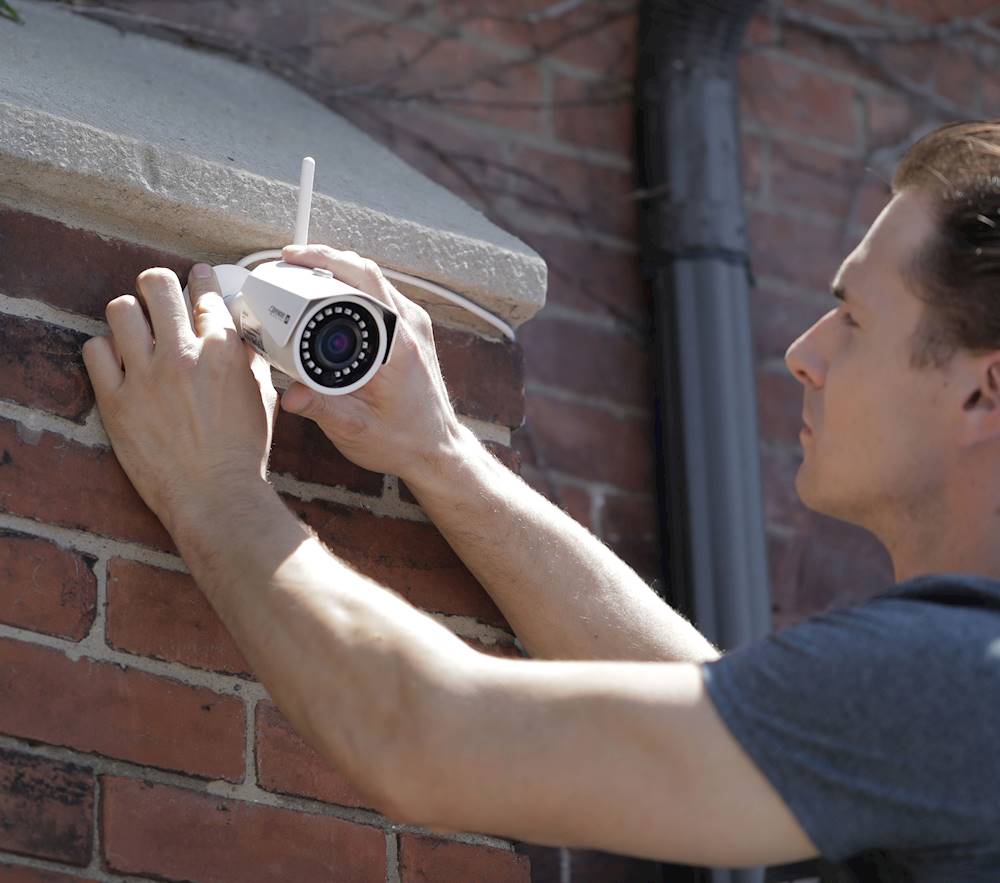
|Posted .This reviewer received promo considerations or sweepstakes entry for writing a review.My review will be based on the camera being indoors. I have this setup in a room in my house to keep an eye on animals while away from home. Installation was fairly simple and what you would expect from a wifi camera. You will need to download the app from your Ios/android app store. Enter the serial number or scan the QR code of the camera, select a wifi network and boom your up and running. Mounting the camera was very simple and pain free. The picture is outstanding from what I am used to with other brand cameras. The wifi antenna is detachable which I found mounting to be easier with it off. It's worth noting it is a 2.4ghz wifi camera only 5ghz is no go here. The app is actually fairly basic and rather limited on what you can do with it. The only reason I removed a star is because there is no desktop version of the app for monitoring from a PC. Not everyone wants to waste time constantly loading an app on their phone. I managed to make it work on my PC by loading an android emulator and loading the software that way but shouldn't have to go through that much trouble. The camera itself has sensitive motion detection and I get 100's of alerts a day I'm considering turning that off since I use it for pet monitoring its a little un necessary. If you are going to mount this outside for intruders I can see why that would be very handy. Overall I am quite happy with it I just wish they would make a desktop version of their app to leave the feed up when I am home to keep an eye on things. I would recommend this camera for outside or indoor use, if you are going outside not to worry it's rated to be installed in the elements with a water proof plug.
I would recommend this to a friend - Pros mentioned:Camera qualityCons mentioned:App
Decent Basic Security Camera
|Posted .This reviewer received promo considerations or sweepstakes entry for writing a review.This is a decent camera, decent hardware but the app is kind of mehhh... Inside the box were the basics. Camera, power adapter, antane, card, basic instructions. Quality felt good not great, but OK. Physical installation was simple. The hardest part was my "specific" personality and coring a small lead to run power from inside, but that is not at the fault of the camera. Getting it connected was not seamless but certainly not too difficult. It had some finckyness but that's not uncommon for wireless. The camera picture quality is pretty decent. To be fair, I have the house and most of the property on a higher-end Samsung commercial grade system so what I am used to is not apples to apples. That said, this camera filled a nice hole on my workshop overlooking the RV. For me, it was not a need-to-have, but fills the role as a nice-to-have. The app, as previously mentioned is not as good nor as bad as others,Again, a little fincky but not horrible
I would recommend this to a friend - Pros mentioned:Camera quality
A very good Security Camera
|Posted .This reviewer received promo considerations or sweepstakes entry for writing a review.This is my first Defender product. Along with the camera, the packaging included a pre-attached mounting stand, a 16gb microSD card, an antenna, 10 feet of PSU (charger and cable), wall anchors, and an owner’s manual. My first task was to install the SmartSignal app on my Android smartphone. Registering my credentials on the app was uneventful, while linking the camera to the app took extra attention. It wasn’t that the setup/linking process was challenging, I kept getting messages during the setup that told me that various steps had not completed successfully. Then moments later -without any action on my part - the app would indicate that it had completed successfully. After the first time this happened, I simply waited a few seconds after every ‘failed to complete’ message and would find that everything was good. Not sure why this was happening, but in the end everything completed successfully and the camera was properly linked to the SmartSignal App. In total, the whole setup process was completed in less than 10 minutes. Not bad at all! My initial testing of the camera was done on my back porch next to an unused wall outlet. The clarity of the video was, in my opinion, top-notch. Color acuity noticeably dropped during evening hours, as expected, but distance clarity remained very good. I had the Alert feature (see more below) turned on during my back-porch testing, and sure enough I’d get a notification on my phone each someone passed in proximity to the camera. After a few days (and nights) of testing, I mounted the camera under an eave on the front of my house. I didn’t have electricity running anywhere close to its mounted location, so the biggest challenge was running electrical wire from the camera’s location to an interior light about 50 feet further in the attic. About a minute after turning on the power, the SmartSignal App was happily showing video of my front yard and driveway. Setting changes are performed using the SmartSignal App. While there are a number of options available, I will only be touching on a few of them. Option - General Record Schedule: ----------------------- This option permits you to select which days you would like the camera to be active, and specific hours for each day. So, Monday can be set up to record from 8am to 5pm, while Tuesday it might be 9am to 11pm. Just playing around, I set it up to record from 8am to 9pm every day. About 10pm the first night, and having forgotten that the cutoff time was 9pm, I logged into the app to see what the video looks like when it’s dark out. The SmartSignal App was reporting that the camera was “offline” because it was after the 9pm cutoff. I tried going into the app to change the scheduled hours, but with the camera offline it wouldn’t allow me to access the General Record Schedule option. Short of resetting the camera to its original settings, I decided to just wait until the morning to try again. Sure enough, after 8am the next morning all the settings options were once again back and available. I had guessed that I could go into the app to reset the time range for that day even though the camera was offline, thus allowing me to see live video. Apparently, I guessed wrong. Option - Alarm: ----------------------- This is a no-brainer. Turn it on if you want motion detection notifications from the camera to your phone, or leave this turned off. With it turned on, I receive notifications whenever the camera sensed motion on the back porch. The alerts were instantaneous, with little to no delay between the motion and my phone chiming. Option - Activity Zones: -------------------------- I ran into a bug on this one. When you select this option on an iPhone, it shows you a grid of horizontal and vertical lines superimposed atop a picture of the live video. That way, you can mark those areas for which you want alerts generated. It didn’t work properly on my Android phone. It displayed the horizontal and vertical lines, but no live video could be seen. With the video not showing, you couldn’t tell if you were selecting the proper areas to be monitored. Connecting the camera to my home’s WiFi was very easy: I just selected the appropriate SSID from a list and provided my network password. The 16GB SD card they provide you for local storage – based on my testing – is not a lot of space if you want multiple day’s recordings at your disposal. I used up the whole 16GB card in just one 24-hour period. Keep in mind that this camera has pretty high resolution, so the file sizes are going to be large. The literature states, however, that the camera can support a card up to 128GB in size. So, if you need more storage space for this camera, go for a larger SD card. From a temperature perspective, the camera is certified to work in temperature ranges of 14 degrees to 140 degrees Fahrenheit. It can get cold where I live in the winter and miserably hot in the summer, yet within acceptable temperature ranges for this camera. Still, this should be a consideration for those who live in bitterly cold environments. Overall, I thought the clarity of the camera was very good, outstanding in fact. The process to set it up was very easy, and except for the bug I found in Activity Zones, I think this is a solid security camera. For me, it’s a keeper!
I would recommend this to a friend can’t connect to wifi
||Posted . Owned for 2 months when reviewed.This reviewer received promo considerations or sweepstakes entry for writing a review.i might have gotten a used or damaged product because the box that came with it was damaged... tested it and won’t connect to my wifi...
No, I would not recommend this to a friend- Pros mentioned:Camera qualityCons mentioned:Setup
good quality video, awful software and setup
|Posted .This reviewer received promo considerations or sweepstakes entry for writing a review.as a few others have noted, this camera has high quality video, but the software is horrible, and the initial setup to the internet is flaky. fortunately, I have had several other security/web cams, so I wasnt surprised at how flaky the initial setup was. Once setup, it was obvious the software, which, has several variants that you have to choose from, was very poor. So, keep that in mind before buying this camera; the quality of the unit is good, but everything else isnt.
No, I would not recommend this to a friend - Pros mentioned:Camera quality
Good camera, but it really needs the base station
|Posted .This reviewer received promo considerations or sweepstakes entry for writing a review.I tried to love this camera, but it comes very crippled without the NVR base station. Setup of this camera as a stand alone unit requires a WiFi connection that is also connected to internet. Multiple attempts to use this unit on WiFi without an internet connection led to hours of frustration. Once it is setup though, it is rock solid. You're able to log in with the phone app and view the live feed, change settings for when videos will be recorded, view recorded videos, and set portions of the video feed to watch for moment. The feed is clear, even in near darkness thanks to the ring of IR lights around the camera. Notifications also worked well as long as the mobile device is attached to the same network as the camera. However, that's where the positives start to fall off. Notifications outside of your WiFi network do not appear to work without the base station. There is also no way to view the camera directly from a desktop or laptop computer without the base station. The camera itself would also not pull itself out of B/W mode after lights had been turned off and on again. The unit does come with both a power port and an Ethernet port, but no built in option for power over Ethernet, which would have greatly increased the camera's usefulness. One thing of note is that the unit has both an option to run the wiring through the wall of a mounted unit or out a cutout in the side of the base. It's a small touch that does make it nicer for those not looking to dig inside a wall to set this unit up. All in all, this is a good camera, but it's targeted at those who have a NVR setup to make it really shine. I would buy it again as part of a package, but not as a stand alone unit as there are much better units out there for that for less.
No, I would not recommend this to a friend - Pros mentioned:Camera quality, Night visionCons mentioned:App
Save Your Money
|Posted .This reviewer received promo considerations or sweepstakes entry for writing a review.I was excited that the Defender Indoor/Outdoor 2k Wifi Wireless Security Camera was just what I needed for my back porch. Sadly, this camera fails to deliver. First the good; * the picture the camera produces sharp images * night vision seems to work well Now the bad and the reason to avoid this camera: * the app you must use for the camera is garbage. It looks like it was written by developers learning app development and written in a day. It’s not intuitive, doesn’t work as designed, and is just bad. - when you get an alert that motion was detected, you click the notification to view the recording. The app always (I mean every time) says recording not found. Pretty worthless for a security camera. * The motion detection is terrible. I have it set to trigger only on human detection, but a tiny lizard set it off. Rain even sets it off. Not good. * The notifications are worthless. Make them smart and include a picture of what was captured in the notification to give users an idea of what triggered the recording. Overall, don’t waste your money. Much better, and more reliable, cameras on the market.
No, I would not recommend this to a friend - Pros mentioned:Camera qualityCons mentioned:App
Wish I could like it
|Posted .This reviewer received promo considerations or sweepstakes entry for writing a review.I will say this camera has very good video when it works. I am now on my second camera. The first one would not format the supplied sd card so I contacted online support and they were very patient and walked me thru all the settings. But camera would not respond. They sent me a replacement, only after trying to charge me for return shipping on a brand new item. I refused to pay shipping and they made a "one-time" exception and after sending the old one back they sent me a new one. Opened the box and followed the less than adequate instructions again. Guess what, this sd card is not recognized again with the second camera. I tried 2 other different sd cards and it will not recognize them either. I consider myself pretty tech savvy and I still can't figure out the operation of the camera from the app. I am going to list the pros and cons. Pros list is much shorter. Pros: Video quality is good Connection to wi-fi and registering of the camera is easy. Cons: Instructions are brief and very not very helpful other than getting the camera registered. App. is not user friendly. SD cards are not recognized by the camera, hence no way to record video clips when motion is detected. In order to mount this camera you must either leave the power cord exposed or drill a 3/4" hole in your siding to mount it. Camera only adjusts up and down or side to side depending on how it is mounted. No adjustment to motion sensitivity. Camera goes off when a light is turned on as having sensed motion. Overall I think this is a camera by a DVR based camera company that decided to try a wi-fi model and failed miserably.
No, I would not recommend this to a friend - Pros mentioned:Camera quality
good camera, with limitations
|Posted .This reviewer received promo considerations or sweepstakes entry for writing a review.I was an early adopter of consumer level security cameras, mostly avoiding the DVR systems that are prevalent these days. Usually they were simple IP cameras with built in Wifi capabilities and sub HD resolutions. Eventually moving to HD quality solutions. So here comes the Defender - Indoor/Outdoor 2K Wi-Fi Wireless Security Camera. Looking at the quality of build it seems solid and is rated for Outdoor use. I mounted mine inside my garage to test, some basic hardware is attached to the camera including a shorter than needed harness which includes power and a RJ-45 jacks. The setup also includes an AC Adapter (longer cord) and WiFi connectivity. Configuration of the camera REQUIRES download of a iOS or Android app, setting up an online account and scanning of a QR code on the bottom of the camera. This sets up the camera connection, during this time the app detects available wireless networks and prompts for the WiFi password of your network. I’m a little wary about providing this info and would really like the ability to setup the camera in a mode that does not require reaching out into the internet. Unlike early generation security cameras I have previously used, the Defender 2K camera does not appear to have a web interface to be able to configure without an internet connection. While the iOS app is good, I would prefer more control on configuring the camera, including motion detection level, network configuration, DDNS values and port setup. None of this appears to be available and their online support documents more or less seem DVR system centric. Other than the downsides I mentioned the camera and image quality both appear to be very good. For most people the simple online based configuration is a plus. Just really frustrated with companies that force you to sign up for an account only to push a subscription based cloud model. Give me the options to fully utilize the device (camera in this case) the way I want. Pros: - Image and build quality are excellent - iOS app is pretty decent, although brand specific - infrared night mode Cons: - no web interface or advanced configuration abilities - short wiring harness - mandated online signup
I would recommend this to a friend - Pros mentioned:Motion detection
Good wireless camera
|Posted .This reviewer received promo considerations or sweepstakes entry for writing a review.The build quality of this camera is great. It’s only downside is the app software. It could use some polishing. The mobile app for this camera has pretty poor reviews, both for iOS and Android. The motion detection is great. It can detect motion much farther than my current wireless camera from another manufacturer. The downside is that it picks up every little thing. The smallest but flying by in the distance will make it go off and send an alert. It has an option in the app that will allow you to customize the area you would like for motion to be detected, as well as detecting human motion only. When I set it to human motion only, it would not detect cars that were pulling in my driveway. There’s no setting to adjust the sensitivity of the camera. There is also no sound with the camera. I also wish there was a way to view the camera from my Google Home Hub or Echo Show. I searched their website, Alexa skills, and Google. I was unable to find anything related to the camera being able to connect with your smart home devices. It’s a good camera, but the overall experience could use a bit more work.
No, I would not recommend this to a friend - Pros mentioned:Camera quality
Want to love it.. pic quality is high end for sure
|Posted .This reviewer received promo considerations or sweepstakes entry for writing a review.I really wanted to love this. I have a few blind spots around my home with my current security cameras and was looking forward to adding this to cover those spots. I knew it was totally wireless, you have to plug the power cable in wherever you place it. So that made it a bit tricky for me. The power cable is about 10' long so you likely have an outlet near where you would place it anyways outside. Installing it was easy. It has a nice weight to it and feels very sturdy and secure withe including mounting hardware. I am not worried about it shifting in weather. Note there is no sound... not a deal breaker but you should know this before purchasing. Picture quality was great. I have a stucco home so making sure it could reach my wifi was critical. But as long as it is getting the signal I have been very impressed with the image quality. Unfortunately for now the app and software are lacking. The software does seem outdated and was a but frustrating to use. for the price point this is a very high quality image camera. Definitely give it a look, and I am hopeful the software will get an upgrade to make the experience even more enjoyable.
I would recommend this to a friend - Pros mentioned:Camera quality
Defender-Indoor/Outdoor 2K Wireless Camera
|Posted .This reviewer received promo considerations or sweepstakes entry for writing a review.I had a little difficulty mounting this camera, as the camera is not removable from the base. The few times I dropped it do not seem to have damaged it, though. Setup of the camera was very simple with the SmartSignal App, documented in the instructions, and the clarity of the picture is very nice. One thing to be sure about is which way you want to point the camera... It does not turn on the mounting base, so there is no moving it around to adjust if not mounted in the correct direction. The primary reason for the loss of the star is the inability to adjust the camera after it is mounted, but primarily because the app is a little difficult to understand as far as notifications go. I'm guessing it is storing video on some internal memory. I have not figured out a way to integrate the motion detection with any home automation tools. I would recommend this to anyone who is only looking for a way to record their home or place of business and would just like to look in on the place.
I would recommend this to a friend