Customer Ratings & Reviews
- Model:
- IP2KCB1
- SKU:
- 6353469
to a friend
Customers are saying
Customers have good things to say about the camera's picture quality, night vision, and ease of use, with many praising its clear visuals and straightforward setup. However, the app's functionality and initial setup process received criticism for being less user-friendly and somewhat cumbersome. Some users also noted concerns about the power cable being exposed and the lack of a battery option. Overall, the camera's strong visual performance is frequently highlighted, but improvements to the app and setup experience are suggested.
This summary was generated by AI based on customer reviews.

Great, if it’s exactly what you’re looking for.
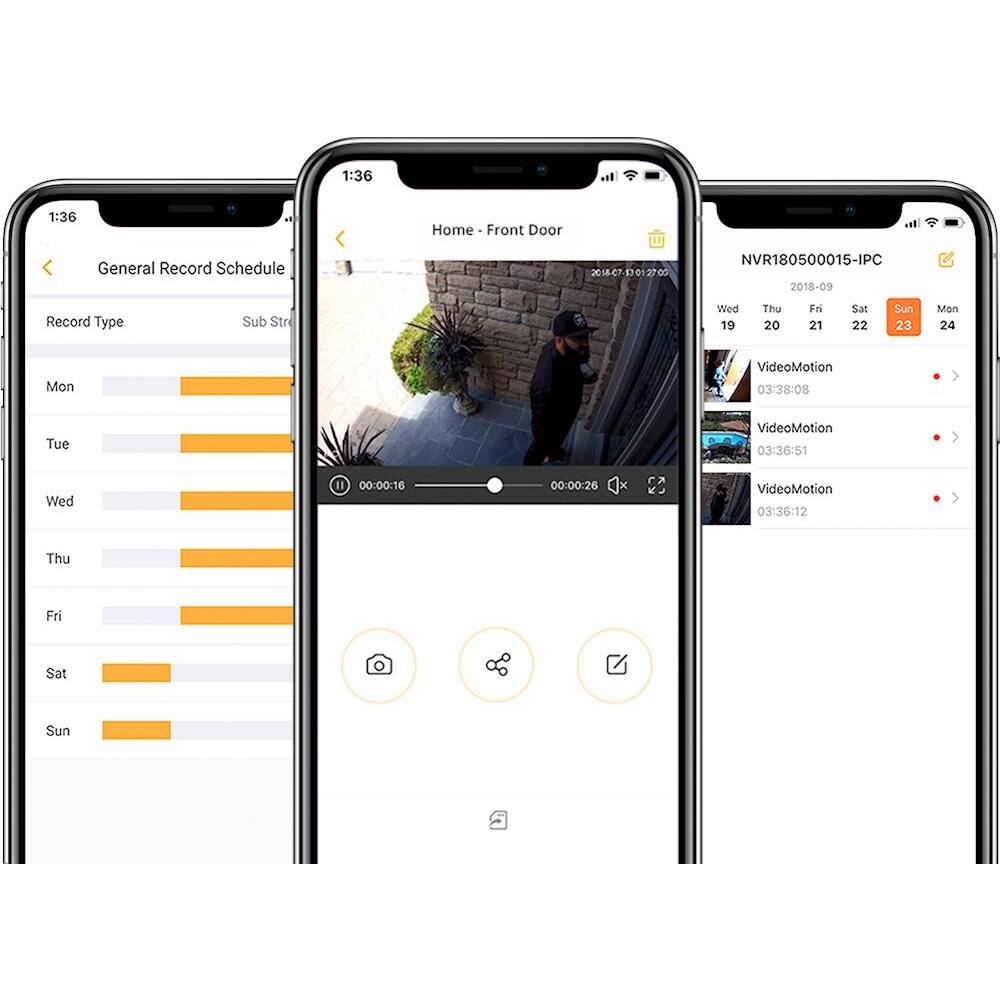
|Posted .This reviewer received promo considerations or sweepstakes entry for writing a review.I remember about 10 years ago getting my hands on a Cisco Linksys IP camera, one of the old school ones that required both power and Ethernet, as well as a good place for mounting. It was big and clunky and heavy, and although it did support power over Ethernet, it didn’t have a cool app (this was before apps became real popular). It could be accessed on network via direct IP through a browser, and although it wasn’t the easiest setup, it was far from Cisco’s CLI interface for sure. I was excited at the possibility of installing an IP camera somewhere in my house, but never found the use case (although nowadays, use cases aren’t as important to me with regards to playing with tech). Since then, the smart home market exploded with home wireless cameras (Netgear’s Arlo Pro 2, for example), and the “old way” of doing video cameras became something special for small business and enterprise users. I’ve had an Arlo Pro 2 system in my house with just two cameras for about 18 months, and I was curious how the Defender 2K camera would compare in overall user experience. The first thing that I noticed is the ability for these cameras to exist as stand alone units: with no hub required (although it is something the company offers), the smartphone app serves as a sort of “software hub,” gathering all of your connected cameras in one place. And, each stand-alone camera is only $99, which is far less than a single Arlo Pro 2 unit. Before I go much further, I want to specify that this is not about comparing the Arlo Pro 2 to the Defender Security Camera; both of them have their target markets for sure and could be used in different applications. But, given the option to spend more money for something like the Arlo Pro 2, versus Defender’s solution which is far less expensive, it’s important to know what that lower price tag does to the feature set when compared to more mainstream wireless home camera systems. One major difference is packaging: the Defender packaging is extremely basic and minimalistic; the box is not fancy, rather, very straight forward and simple to get to the product, manual and accessories. While I love a great unboxing experience, this was enjoyable for different reasons. Setup was very simple, as long as you don’t mind getting your hands dirty. This requires virtually no technical know-how (pretty much anyone can download an app now), but may need some home improvement knowledge, as this is NOT a fully wireless solution. Yes, it can communicate wirelessly with your network, but it still requires an external power supply be connected to the camera at all times. This is another major difference to many mainstream wireless home camera systems, as they often times have battery packs in the units. Although, if your camera is near a power supply and cabling it is not an issue, you won’t have to worry about recharging these. Mounting options are therefore limited due to these connected wires. The unit has a single, bundled cord that allows both an Ethernet and power connection, but there is no way to separate these if, for instance, you don’t need the Ethernet connection (not my favorite of its features). Thus, internal wiring may be required, or if installing externally, you may need to drill through external surfaces and get creative with connections to a nearby electrical outlet. Once it’s mounted and connected, a quick scan by the companion app and it’s ready for use. The app’s wizard was a bit problematic for me, but adding the camera manually is just as straight forward. In the app itself, the interface is extremely simple with only 3 main sections: Devices, Notifications and Account Info. All added devices are listed on the main screen, allowing you to tap into the camera feed; you can also set each camera to monitoring mode (individually), which will alert you via push notification if the camera senses motion. Within the configuration of each camera, you can set activity zones (to exclude portions of the image from monitoring), record schedule and other minor customizations. I found the notifications to be largely false alarms, caused by changes in lighting in the environment and not actual motion within the camera’s viewing range. The app is extremely straight forward and easy to use. The camera itself comes with a pre-installed 16GB microSD card, allowing for local storage of recorded clips while in monitoring mode. It captures footage in 2688x1520 resolution, has night vision range up to 100 feet, and has a very clear image. This is otherwise a very basic package, and closer to the “old school” application of security cameras compared to more modern fully wireless systems. That’s not to say, though, that these aren’t worth considering: they are the less expensive option for sure, provide great image quality and require no charging, and are fully modular down to each individual unit. However, there are no available monitoring services, no cloud storage (at this time), the cameras require a wired connection, and are generally less “home user” friendly. I really like the customizations available down to the individual camera, and a 4-camera installation will cost nearly half of what the Arlo 2 Pro system from Netgear will. But, if you don’t have the capability to run wires (leased spaces, apartment rentals, etc), all wiring will have to be exposed which may not be the most ideal for all users. That said, it’s hard to beat the value that the Defender 2K camera provides at a portion of the cost of more ubiquitous totally wireless systems available now.
I would recommend this to a friend- Pros mentioned:Camera quality
Good stand alone security camera.
|Posted .This reviewer received promo considerations or sweepstakes entry for writing a review.I used this camera to the sole purpose of catching a mouse. The motion capture works really well in the dark. It also can catch shadows to trigger video recording. Takes really clear video and you can stream it live without the camera turning any light on notifying anyone that's its recording. The user interface took a little bit to get used to but works pretty well now. The major con I have for this camera is that the connection via ethernet is mandatory. Will never find the network without being first synced. The instructions make it clear you may need to set it up this way if it fails. But I tried it 5 times. Once you give it time for the first sync it can record on a set schedule or motion or both.
I would recommend this to a friend A great camera, but a lot to be desired
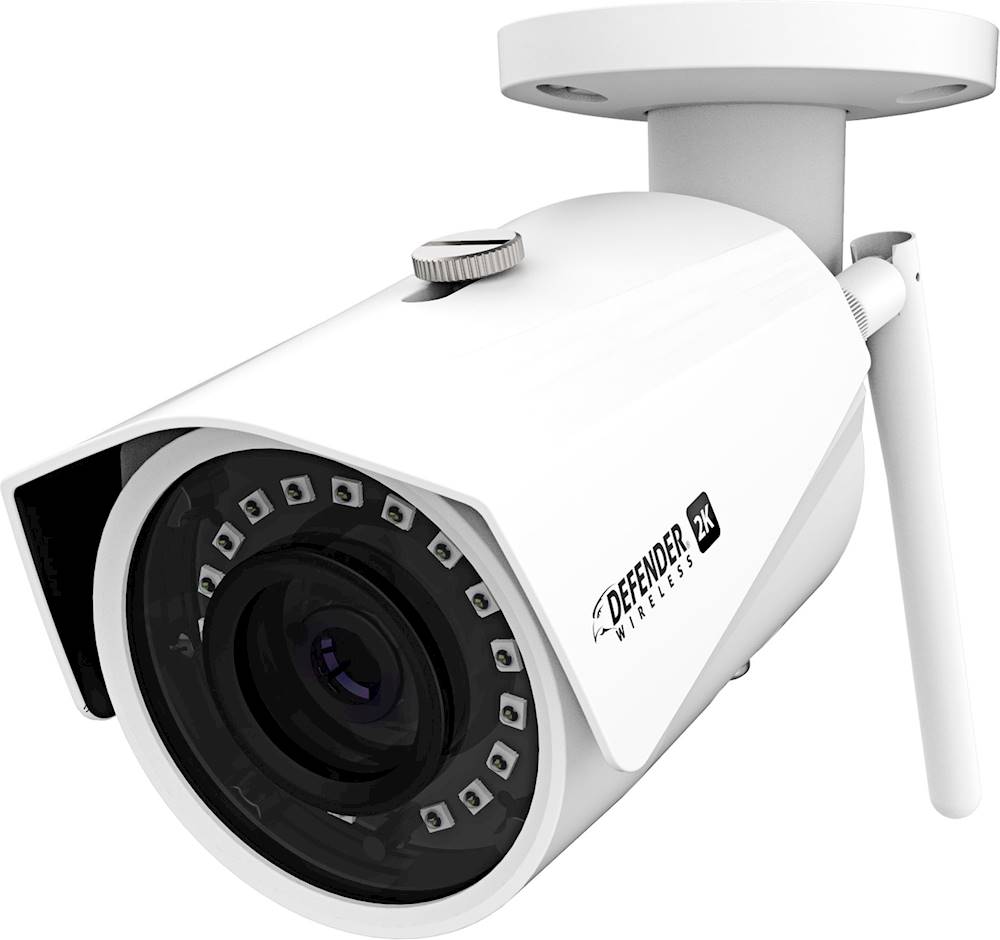
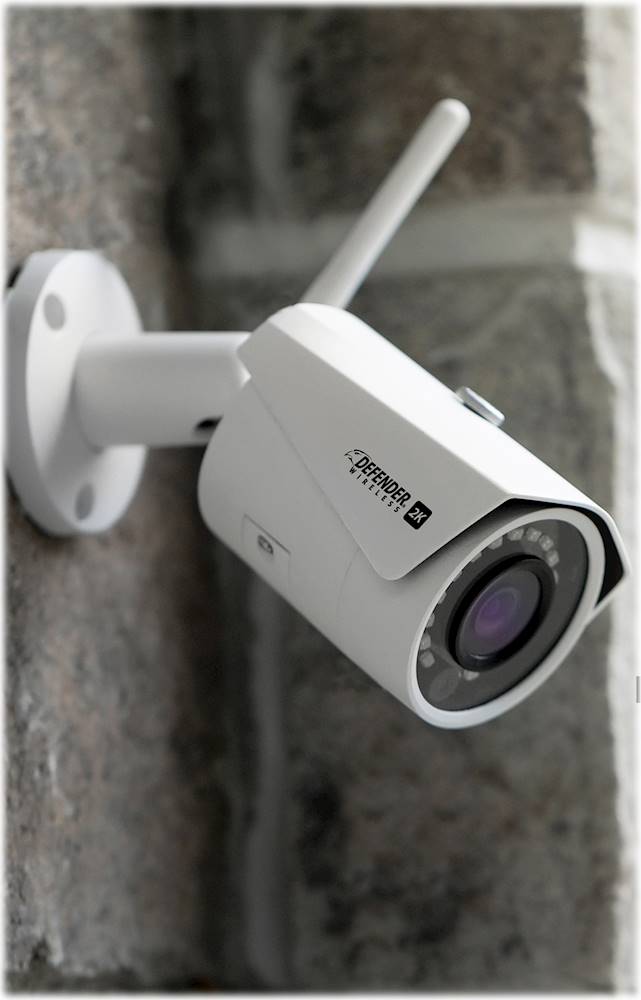
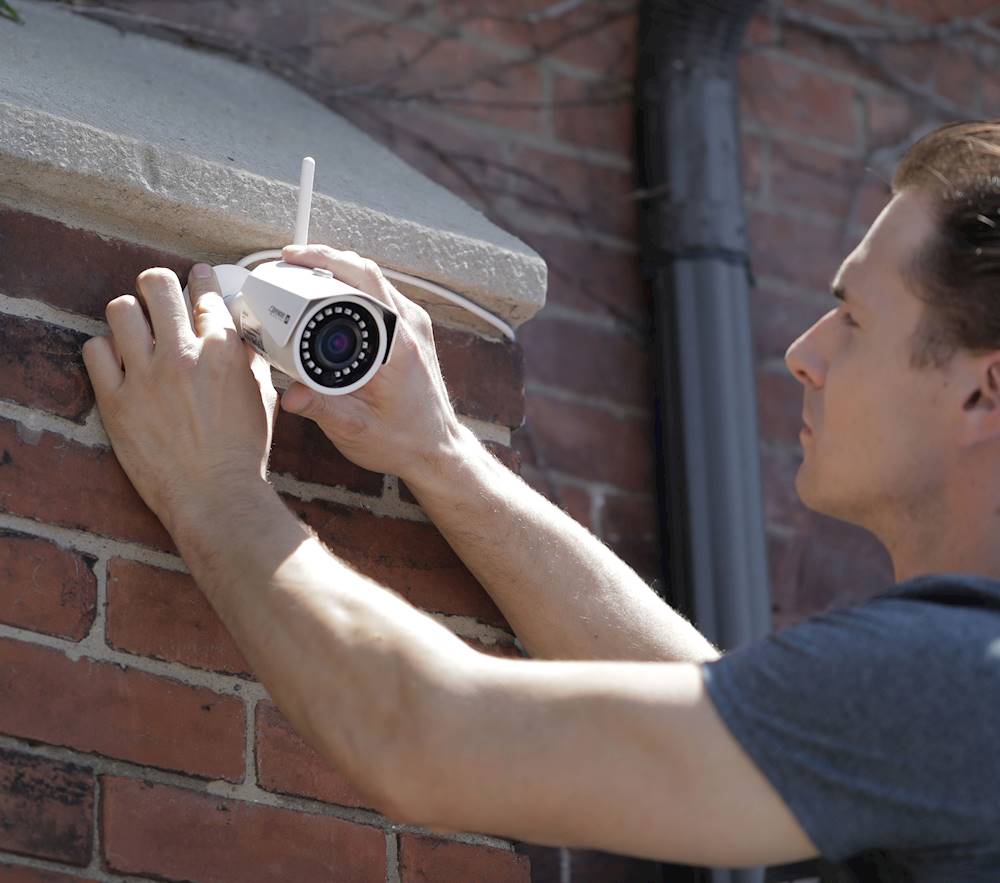
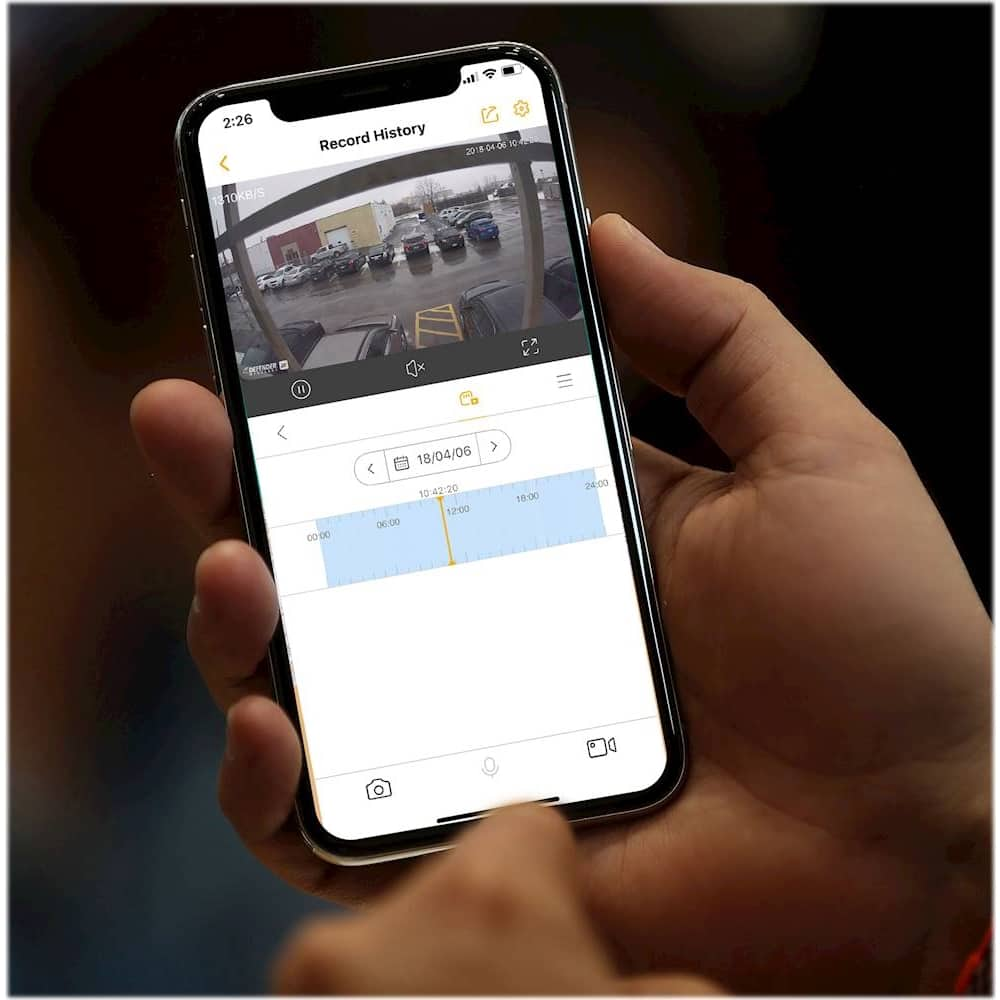
|Posted .This reviewer received promo considerations or sweepstakes entry for writing a review.This review of the Defender 2k wireless security camera is a tough one. I will start with the camera. It is very well built, and very solid. Its picture is great and even better when switching to HD. Its weather proofing makes it a very worthwhile camera to have outdoors. But this is a camera only. There is no microphone so no sound recording capabilities, which isn't an issue, but if you're used to having sound it seems a bit weird no not have it during playback. Mounting is simple, and comes with the screws required to do it and also wall anchors for mounting in drywall or other softer surfaces. The ball mount this camera has is well designed and lets you mount the camera straight or at a 90, which is really nice. The included wifi antenna attaches easy and also folds if needed to adjust to mounting preference. This is a hardwire powered camera. There is no battery and you must run a constant wall power to the camera, which is the opposite of what you think when you see "wireless". It has about a foot of weather grade cable and power/Ethernet dongles to plug into. The wall plug itself is not heavy weather grade, but has thinner wiring to allow more concealment when routing to your camera. The wire is 10ft long and plugs in with a quick connect barrel plug. With the ethernet dongle, you can completely hardwire your system if you don't want to depend on wireless internet, but then that also means having to run a ethernet cable all the way to your camera, which I don't think a lot of people would want to do with a "wireless" camera. Included inside the camera is a removable 16GB mini SD card, which I feel is also way to close to the cameras "Reset" button. The SD card removes like normal by pushing down on it and letting it pop up. It says it can handle up to a 128GB memory card, which is pretty nice. The nice part of the SD card is not having to be dependent on it capturing video and storing on the cloud with video degradation, and you can just remove the card and plug it into the computer with an sd reader to view the files. The SD card and reset button are hidden on the bottom of the camera under a weatherproof cover with 2 phillips screws that need to be taken out. The camera also comes with an adjustable weather shield to help keep off rain or sun glares, but I was disappointed at how little it allows you to move it. You could remove the shield and dremmel out the hole longer if you wanted to I suppose. Now to the main course of the meal, the app. You need to download the Defender SmartSignal app. Once downloaded you have to create an account and make sure you are connected to wifi. It has to be a 2.4 ghz bandwidth connection. It will not read 5.0 ghz. You then have to scan the QR box located on the camera and leave it a couple inches from the camera while it connects. It is best to do all of this before you mount your camera! There are included instructions to also follow to do this but they are very basic. Once the camera is linked and set up, you do not need to be on wifi to view the camera feed. The app allows you to link up to 4 cameras at a time. When selecting the camera feed and going to live view, you are presented with some options under the feed. A pause button, a square that will let you view all 4 live feeds at once, an option to switch between SD and HD, for some reason a sound mute button, and a full screen button. Underneath you have the options to live record or take a picture, then also view the history record. When you view your recording history, the first thing you are presented with is "Cloud Storage Not Available At This Time", but you can click on a little button underneath the sound mute button and switch to the SD card storage, and view any saved files. Clicking on the 3 lines underneath the screen expansion will pull up all videos and their record times will be listed in the preview box. The preview box never loads up an actual preview for me. It just has a generic picture. This is all where there is a lot to be desired. The app is very minimalist, and there are not a lot of options. It bugs me when viewing the live feed that every time you go in, it automatically puts your feed on SD quality, and you have to keep switching it to HD quality. I suppose they did that to keep down people using a lot of cell data on HD streams, but there should be an option on how you want to view it. It also then begs the question if it is always recording in HD or in SD until you switch it. I have not been able to find out. You are supposed to be able to set activity zones, but the app just shows a black "Live" screen when setting the zone up. It will not display a live image so you can properly set your zones. You kind of have to guess. I tried on both wifi and hardwired ethernet and can't get it to work. It appears there is also no added benefit to having your camera hardwired using an ethernet cable, besides better streaming quality over your network. There are also a lot of video error messages when tyring to view the live feed, especially if there is a network issue, which the only way to get around it is by closing the app completely and re-opening it. You can set video scheduling which is nice and works good. And so far when I open the "Storage Status" in the settings, I am always presented with a "Failed to config" notice and am not able to turn on device storage. Although there is no explanation of what that does. . You also have the option to rotate the image 180 degrees if you were to mount the camera upside down. Overall this camera is a hit, but also a miss. The camera itself is fantastic, minus it not having sound capabilities. On the other hand, the app need LOTS of improvement and takes quite of bit of working with to be able to figure some of the stuff out. With certain features also not working in the app, it makes it much harder to enjoy this product. To the developers. As I mentioned, Please include a choice to view in SD or HD fully, and clarify whether any recordings are only in SD or in HD, and you can not tell when viewing recorded playback. I would recommend this for the camera capabilities and recording, but not for the app.
I would recommend this to a friend- Cons mentioned:App, Setup
Don't Waste Your Time
|Posted .This reviewer received promo considerations or sweepstakes entry for writing a review.Setup was difficult. Tried both wireless and Ethernet setup to no avail. In the app the scanner never worked when it came to scanning the QR code on the camera. When I entered the serial number manually it was never recognized and I still had to choose what product I was trying to setup. This app is trash. I tried for hours and then I contacted support via the website. The next day the support team sent me an email that just repeated the camera reset instructions that was stated in the app. I already tried this multiple times. There is no way for me to speak to an actual person, no phone number was provided on the website or in the email I received. I do wish there was a way to remove camera from the mount to make access the SD card and reset button easier. I can't give a positive review if I can't get the camera to work and I can't get any real help desk support from the company.
No, I would not recommend this to a friend - Pros mentioned:Night vision
It's OK, But Still A Miss
|Posted .This reviewer received promo considerations or sweepstakes entry for writing a review.I'm using this 'security' camera as a way to keep my kids connected with their pet, when they are with their mother; I installed the camera in the pet's cage. I use the Defender app on my iPhone & iPad, both running the latest iOS version (iOS 12.3.1) available at the time of this review. SUMMARY: Move on to another camera in your search. For the level of sophistication in the technology we have at this point, the time lag (the time between when something occurred, and when you actually saw it on my iPhone) is absolutely not acceptable. I would not use this as a security camera; I think it's okay when my kids use it to view their pet. The night vision does work well. Setup was irritating; after many attempts to set this up as a wireless camera, and getting errors on the app, I was instructed by Customer Service to set it up as a wired connection. That DID work in <1 minute. I then unplugged the unit from ethernet and mounted it, at which time it worked wirelessly. THE CAMERA: NOT fit for use as a security camera due to the time lag (the time between when something occurred, and when you actually saw it on my iPhone), sometimes ~5 seconds; I would NOT consider this footage as being in 'real time'. The app has the ability to take photos in real-time action, but that's hard with the time lag. It's kind of a joke to provide a 16GB card; it gets filled so quickly, that it is of no use. If you need that short memory storage capability, you need (and the Product Manual EVEN suggests) that you buy a 128GB card. The picture freezes too frequently as well. I have gigabit ethernet service, and there is still a time lag and frozen pictures. It needed the versatility of 2.4GHz & 5GHz bands, but only has 2.4GHz. THE APP: Easy to make up an account, but there is no easy explanation of what 'button' on the app did what. Trial and error is fine to an extent, but the app was another cause of irritation and frustration. Once I finally paired the camera to the app, I didn't even use it for a week, because I didn't have the time; I very much wanted plug and play, and for it to 'just work', but that was not my experience. MY RECOMMENDATION: For security, instead of paying the price of this security camera and the additional 128GB memory card, just get a better camera. If you just need this for pet viewing or other non-security purposes, this camera is fine.
No, I would not recommend this to a friend - Pros mentioned:Camera quality, Storage
good picture quality
|Posted .This reviewer received promo considerations or sweepstakes entry for writing a review.The Defender 2K camera can be used alone or with additional cameras using the app. Picture quality was very good in both daytime and nighttime use. The camera comes with a 16 gig card to record events but you can upgrade to a 128 gig card if you prefer. The camera can connect to your home wifi using wireless or Lan and by connecting to wifi the camera will send events to your phone. You can also review live events using the app. Overall, this is a nice security camera. You will need to have a plug within 10 feet of the camera in order to get power (that is how long the cord is), so plan your location accordingly.
I would recommend this to a friend Great Image Quality But Lacks Some Tweaks
|Posted .This reviewer received promo considerations or sweepstakes entry for writing a review.The Defender IP2K Wireless security camera is enabled for outdoor use. It is quite heavy and comes assembled with an adjustable mounting bracket (all metal) and hardware, including a weatherproof shield for a LAN cable should one want to connect that way. Like many things lately, the Defender uses an app on your phone to set things up (Smartsignal) and manage the camera and alerts. The pairing was fairly easy (after disabling my phone's mobile data) and you create a free account with Defender to be able to log in and view or manage it. A very good feature of the camera's control software--you can assign encrypted video and use a password to prevent unauthorized live stream view of your camera. The lens and image seem to be nicely high quality, sharp and life-like. There is an included SD card already installed (mine had a 16GB card.) One main point, maybe a negative for some--there is no free or paid available cloud storage at this time according to the app. So the only video you can see is what is either streamed live or stored on the SD card after it senses motion. The software sends you an alert immediately (well, my phone and the camera were on the same WiFi network at the time.) The phone app is a bit awkward, with small icons indicating the various functions and settings. If I was rating the camera for the ease of setup, quality of images, and camera quality I would rate it 5 stars. But the lack of any kind of cloud storage (even self-managed FTP like a competitor has available) and no ability to tweak the motion detection sensitivity other than the usual zones selection it makes the Defender a bit less of a contender. It may be where I have it mounted while testing it, but I keep getting alerts for what appears to be nothing moving in the captured video. When moved to a view of something like a porch door or a hallway, there is less "false alarm" alerts but when placed with a view of the yard even with no wind or moving branches or shadows, there are constant alerts. Hopefully the app will be further developed to add more functionality and true backup.
No, I would not recommend this to a friend- Pros mentioned:Camera qualityCons mentioned:Setup
Camera - who knows? App - bad enough to avoid
|Posted .This reviewer received promo considerations or sweepstakes entry for writing a review.I was looking forward to this camera, a nice hi-definition model to replace one of my existing cameras. How does it stack up against my Netgear, Arlo, and LogiCircle cameras? I’m afraid we’ll never know. This camera requires the SmartSignal app to set up and monitor. You can enter the camera’s serial number into the app for setup, or use the QR code. I opted for the former. When I went to set up the camera, I received the very helpful message, “Make sure camera right.” I unplugged the camera and plugged it back in. I looked for a power switch. I even placed it to the right of my phone. No, what the app was trying to tell me was that I had no choice but to use the QR code. Problem solved, on to the next step. Using the app, I associated the camera with my WiFi network without issue. I then needed to create a password for the camera, wise step that some manufacturers allow you to skip. I entered a password, the app said it was strong, so I told it to continue, then I received the helpful message, “An error has prevented creation of this account.” So I tried again. And again. And again. All with different password types, leaving out or including special characters, numbers, capitals, etc. and yet it refused to accept my password. After half an hour,I gave up and put the whole thing back in the box. I know I could have contacted tech support. But, seriously, it’s setting up a camera. It should be simple. Someone else may have the patience to deal with this app. I have better things to do with my time.
No, I would not recommend this to a friend - Pros mentioned:Camera quality, Night vision
Nice Camera but set up and app can be frustrating
|Posted .This reviewer received promo considerations or sweepstakes entry for writing a review.followed set-up instructions (of which are not so clear), and couldn’t get app to send verification code. Tried from two different phones and iPad. Can’t imagine camera works well if developer can’t even send verification code. Once I got it set up or so I thought, it would not stay connected to my network, but once connected its great. Night vision is clear and great quality. The camera itself is well built. If you can set up and hardwire it, that would be much better, than going on wifi
I would recommend this to a friend - Pros mentioned:Camera quality
Works good, needs a longer power cord.
|Posted .This reviewer received promo considerations or sweepstakes entry for writing a review.Takes a few minutes to setup and sync with a phone. Picture quality is good, app works well. My only “gripe” is the power cord is only 10ft. Seriously limits where this camera can go, unless you have power outlets wired in the attic. I don’t, so it required some drilling into walls near an outlet and losing a foot or two of height due to going through the wall. An extra few feet of cord would be ideal. Otherwise it’s a good camera for the money. Sensitivity was great out of the box, and picture quality is similar to more expensive wired cameras. Not a bad deal at all. Could be a great deal for condo owners or renters who can push the power cord under door moulding.
I would recommend this to a friend Works well - room for improvement
|Posted .This reviewer received promo considerations or sweepstakes entry for writing a review.This security camera does its job well - has clear picture quality, good viewing angle and a really good motion detect system. Its app experience can certainly do with a makeover and improvement. In the box, you get the camera, the wifi antenna, optional ethernet cable hook, power cord, and some screws. The camera unit itself has a 16GB microSD card already fitted. The accompanying manual is deceptively short, making it seem like it will be a smooth experience. But atleast in my case it was not - wifi connection. You need to download an app "SmartSignal", and beyond that the steps are like setting up a Chromecast. If it works for you the first time, then great, but for me it did not, and to troubleshoot it the manual says you need to look for a "green/red" light blinking. It does not say you need to open up a small cover on the camera that holds the - microSD card, the reset signal AND the indicator light. It would have been really helpful to have the indicator light easily accessible without having to open up the camera. You also need to ensure you are on a 2.4GHZ WiFi signal, and the app warns you about it. But still for me it took atleast 6-7 tries and 3-4 resets to get it to finally connect. And the weird thing is there was nothing different on this last successful try, it just decided to connect. Once its setup though, you immediately have access to the live feed, and you can dive into the settings to turn on recording per schedule, you can decide the stream quality and a few other options. I wish they had option to schedule Motion Detect ON/OFF as well, that would have been really helpful. I keep the record ON for all time, and then manually turn ON motion detect whenever needed. The app sends a notification as soon as movement is detect, which is really cool. But again room for improvement - on a motion detect the app takes you to a 2-3 minute clip, which you can start playing, but you can't fast forward through it,so you have to sit through the whole clip even if the movement you are looking for is right at the end. A simple functionality like being able to traverse through the video time would be so helpful. One more thing to note is that in pitch black darkness this camera is still able to pick out objects with good quality but its limited to about a 6-7 feet distance, beyond which the image is distinctly dark. Overall this is a great little camera, hopefully with some improvements on the app, some of the frustrations can be dealt with.
I would recommend this to a friendwireless security camera that requires a wire
|Posted .This reviewer received promo considerations or sweepstakes entry for writing a review.The camera set up to wi-fi was pretty straightforward and went smoothly enough. Initially, I had thought that the term "wireless" meant that the camera would be powered with a rechargeable or replaceable battery. That is not the case. The camera needs to be plugged in to maintain power. It can connect to the wi-fi wirelessly. The power cord has two prongs. One is to connect to the camera itself. The other is to connect to the ethernet port should that be required to connect to wi-fi (if can't do it wirelessly). The ethernet portion does not remove, however, making it difficult to hide the wire to make it inconspicuous. I was unable to use it as intended (on the covered front porch to view the porch and door) because the wire could not be hidden behind a piece of siding due to the ethernet port. Plus, the exposed cord was vulnerable to being cut or damaged by the door. Note also that the wi-fi must be a 2.5 Ghz, not a 5 Ghz connection. The picture quality is very good. I ended up placing it on an enclosed deck and got multiple notifications of some sort of movement that triggered an alert. Reviewing the video, I did not notice anything, perhaps a flying insect may have triggered it. There is an adjustment in the setting section to turn off motion detection and there is an option for "human detection only", which is what I eventually chose. The activity zones can also be created. All in all, I think that it is a decent camera for the price but will probably pick another model for future needs for outdoor use. I would recommend it for certain indoor uses.
I would recommend this to a friend- Pros mentioned:Camera quality
Nice camera and easy to setup
|Posted .This reviewer received promo considerations or sweepstakes entry for writing a review.I have a number of cameras around the exterior of my home but there are some places it is just not easy to run both the power and a BNC cable to hook up a wired camera. This little gem lets me connect the power and then monitor via the app wirelessly. What was even more surprising was that I can connect it to my home network via an Ethernet cable. Picture quality is very good and the response time is very fast. Overall a very nice camera. The only complaint that I might have is that it does not have integration with any of the typical home automation kits.
I would recommend this to a friend - Cons mentioned:Power cable
Works ok
|Posted .This reviewer received promo considerations or sweepstakes entry for writing a review.So, when it says wireless, it means it connects to a wireless internet...NOT that it is battery powered or solar powered. Big difference that we didn't get clarified! Camera is good, app is ok
I would recommend this to a friend - Pros mentioned:Camera quality
Great Zoom/picture quality
|Posted .This reviewer received promo considerations or sweepstakes entry for writing a review.So here's my review, Original setup needed Ethernet cable initially, it could of been easier but there were directions step-by-step so it wasn't a big deal. Once connected the app is easy to navigate and adding my phone was super easy and a great feature. Mounting- the base is so small it gets awkward to screw in and not necessary for it to be so small. The quality is amazing and it shows when you zoom in hd. Camera swivels and can be moved where needed. Overall I love it, and I'm thinking of adding another camera.
I would recommend this to a friend - Cons mentioned:Power cable
Maybe I got a lemon?!
|Posted .This reviewer received promo considerations or sweepstakes entry for writing a review.One star too many. If I could give this indoor/outdoor security camera zero stars I would! The camera seems sturdy enough and set up is straight forward and simple. I have a modern router that supports a 2.4 ghz. signal, the signal required for this product. However, after connecting the antenna, plugging in the camera, installing the app, setting up an account and scanning the QR code it doesn't work. I went through all the usual problem solving routes; uninstalled and reinstalled the app...multiple times...tried a different phone... reset the camera, etc... no connection and no video whatsoever. I did not try to connect the camera via network cable to the router. Why? Because, it's a wireless security camera with wired capability and I have wifi. Indoor and outdoor camera. I doubt it. The power cable is exposed, even when fully connected. It cannot be hardwired. It's a low voltage unit 12v only. It comes with a power brick for plugging into a 110v outlet. If you receive a unit that actually operates, I recommend using it for indoor use only. Unfortunately, in my opinion, you should look elsewhere for a security camera. I am.
No, I would not recommend this to a friend - Cons mentioned:Power cable
Connection Issues
|Posted .This reviewer received promo considerations or sweepstakes entry for writing a review.I dislike giving bad reviews and i did everything possible to get this product to work. My first issue is that it is advertised as a wireless security camera which technically it is but when i think of wireless i think of completely wireless not even a wire for power. However, that is not the biggest issue and i was willing to overlook that. Then i plugged it into power, downloaded the app and tried to connect it wirelessly but after many failed attempts was unable to connect through wireless internet. I followed all the trouble shooting including pushing the reset button and trying again. Another issue was that you i had to unscrew two screws just to get to the reset button. After more failed attempts i tried to connect it through a wired internet connection and by surprise it would not even connect through this means. After trying this several times I could not get it to connect anyway and I therefore had no chance to review the actual operate-ability of the camera. It is very unfortunate that i cannot give this product more than 1 start because i could not get it to even be usable.
No, I would not recommend this to a friend Easy Setup, Quick access to Video
|Posted .This reviewer received promo considerations or sweepstakes entry for writing a review.This is a pretty great camera for business and residential use. The setup was SUPER easy, all you need to do is install the app, scan the barcode on the camera, and setup your WiFi. The camera came with a memory card already installed, which I'm sure you can upgrade, and the video is quickly accessible when you're on your home network. I wasn't able to get video alerts to play outside of my network, and I'm not sure if that was a setting or a limitation. However, the video is very clear, with no sound, and the night time view is actually pretty decent! This doesn't really compete with cloud connected cameras in terms of accessibility and features, but it definitely gets the job done. The thing I really like about this is the privacy! No need to worry about a company being able to view your video, they can't. Just make sure to setup the appropriate security access when you set it up. Overall, I'd recommend this for an outdoor installation or a business. The easy setup, quick in-network connection, and mounting options make this a great security camera. The app is also pretty intuitive and has a lot of great features that make it an easy recommendation.
I would recommend this to a friend- Pros mentioned:Camera quality
Great performance, fair price
|Posted .This reviewer received promo considerations or sweepstakes entry for writing a review.The setup of this camera was pretty straightforward. I did not run into any issues that weren't easily resolved. Performance and video quality are top notch for the price. I would definitely recommend this unit to anyone looking for a quality wireless camera to keep an eye on blind corners, driveways, etc.
I would recommend this to a friend difficult to connect to my network
|Posted .This reviewer received promo considerations or sweepstakes entry for writing a review.I really can't say much good about this camera. I have spent hours trying to get it to connect to my network without success. It needs to be connected to the same network as the device you are using to set it up with. I have an iPhone XR and it always connects to my wireless network at 5Ghz. I do have 2.4Ghz as well and the camera only works on 2.4Ghz. My son's iPhone was on 2.4Ghz, so I gave his a try too. I still could not get it to connect. The next option is using a wired lan connection. I even tried that without success. After a couple of hours without success I even went to their website and looked for troubleshooting options. I couldn't find any. I cannot recommend this camera. If you only have a 2.4Ghz network, it might work for you, but if you have both 5Ghz and 2.4Ghz it may not.
No, I would not recommend this to a friend