Customer Ratings & Reviews





- Model:
- C3181-C871BLK-PUS
- SKU:
- 6293618
Rating by feature
- Battery Life
Rating 4.2 out of 5 stars
- Speed
Rating 4.2 out of 5 stars
- Display
Rating 4.0 out of 5 stars
Customers are saying
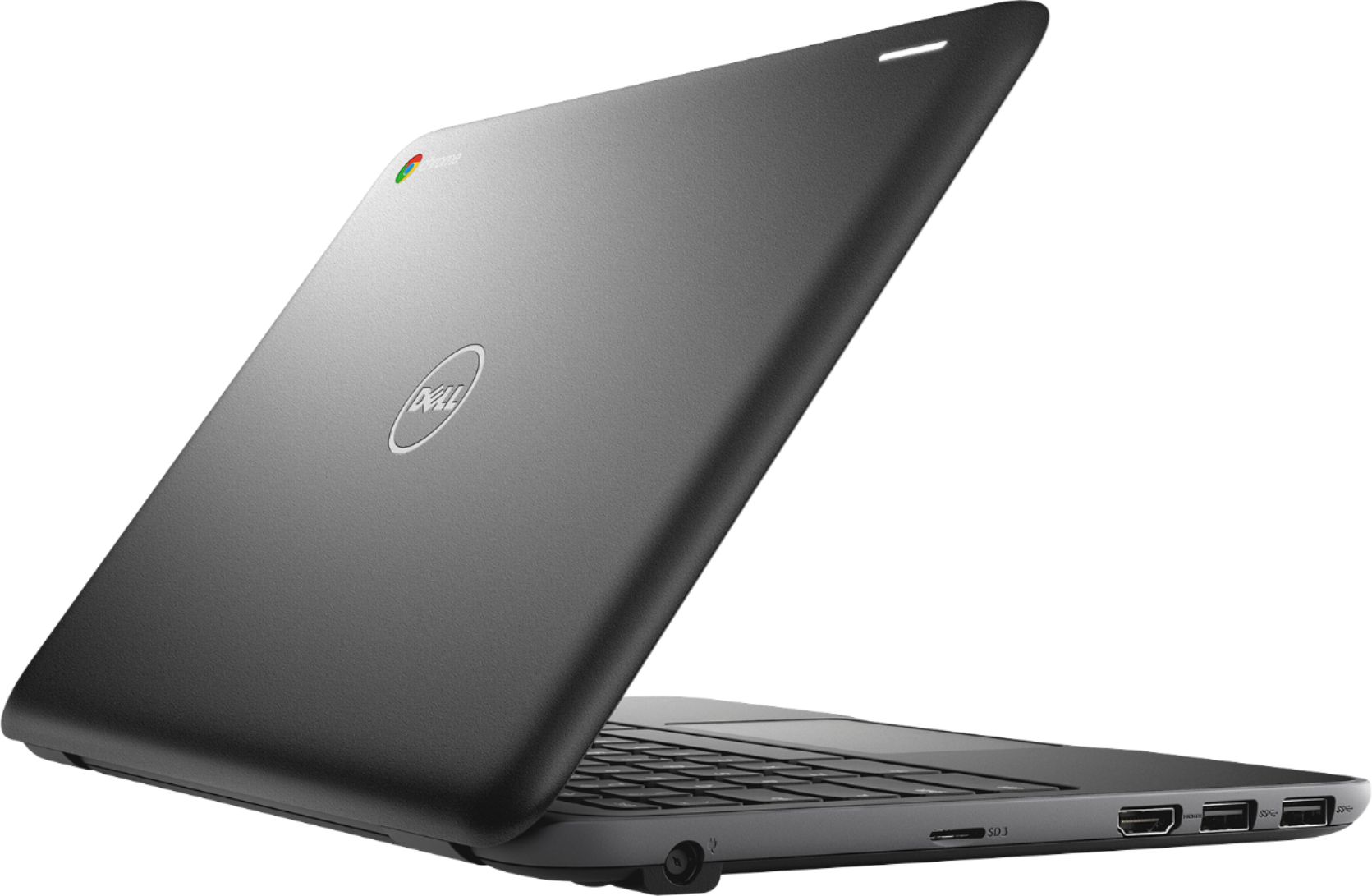
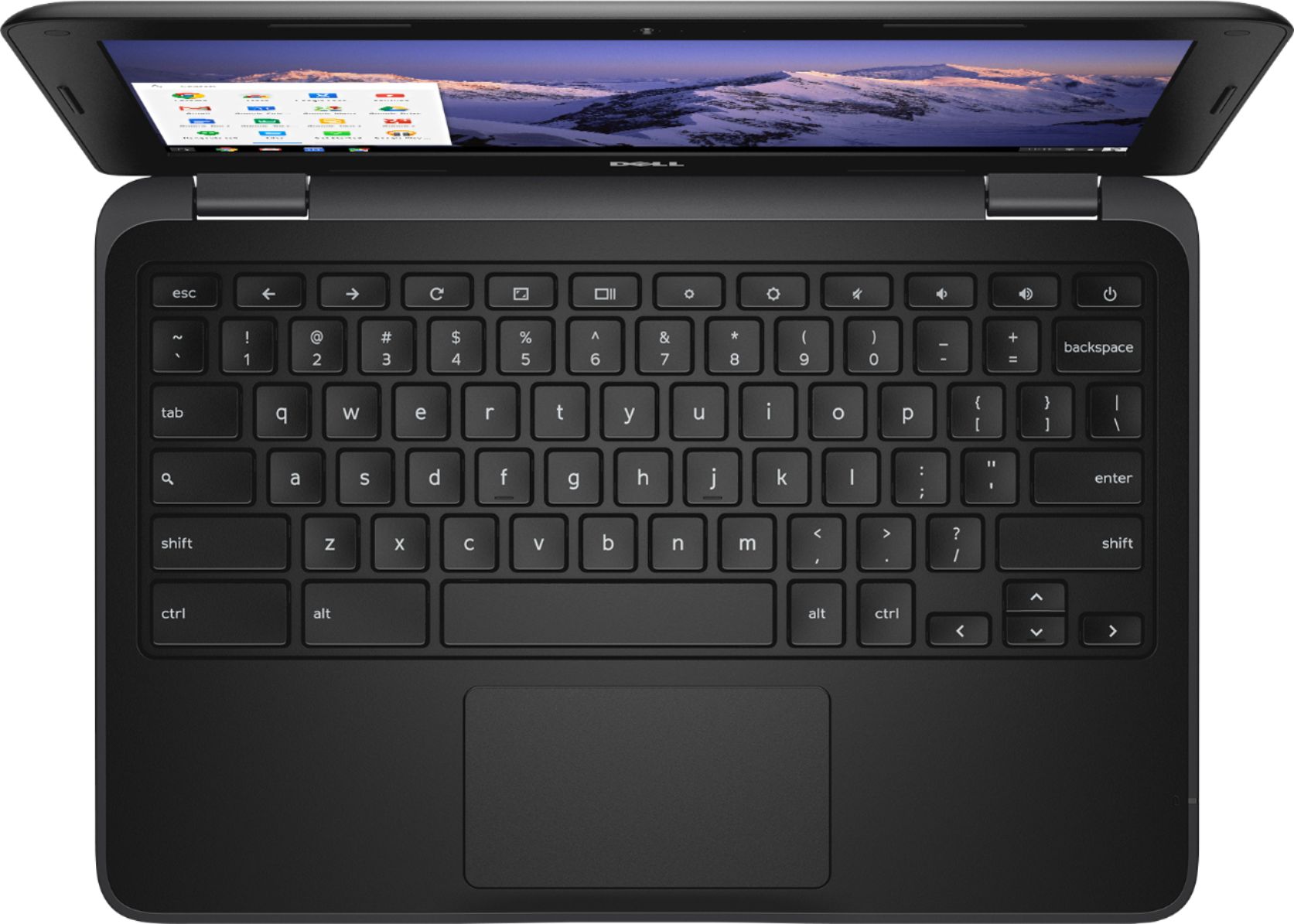
Customers consistently note the ease of use, attractive price, and compact size of the 11.6" Chromebook. Positive feedback also highlights its performance and lightweight design, along with decent battery life. Some users mentioned limitations in storage capacity and RAM, suggesting potential upgrades could enhance the user experience. However, many found the device perfectly adequate for their needs, especially web browsing and basic computing tasks.
This summary was generated by AI based on customer reviews.
- Pros mentioned:Price
Chromebook good
||Posted .This reviewer received promo considerations or sweepstakes entry for writing a review.Good inexpensive for students. Fast with 4 GB ram.
I would recommend this to a friendBrand response from YourDellTeam
Posted .Maleseattle,
We're glad that your computer is running well for you. We'd recommend checking out our Product Support Page here if you have any questions about your computer: https://dell.to/2EDR4xS.
Best,
Bryan
1-800-624-9896
Took a little used t after using Windows for a num
||Posted .This reviewer received promo considerations or sweepstakes entry for writing a review.The Chrome system is enough different that I had some initial setup issues. I asked the Geek Squad for help and my questions were answered.
I would recommend this to a friend- Pros mentioned:Size
Poor Screen Design (Brittle, not for on-the-go)
||Posted .This reviewer received promo considerations or sweepstakes entry for writing a review.I bought 2 of these in a little over a year. The price point is ok but the screens are very brittle and can crack under the slightest pressure (ie. you don't have to drop it). Only worth it if you plan on using it very temporarily and/or won't be moving it around.
No, I would not recommend this to a friend SIMPLE & EASY
||Posted . Owned for 1 year when reviewed.This reviewer received promo considerations or sweepstakes entry for writing a review.I needed to get me this I’m a computer person I love getting on this especially I can browse the website
I would recommend this to a friendDoes everything I need.
||Posted . Owned for 3 weeks when reviewed.This reviewer received promo considerations or sweepstakes entry for writing a review.It is taking a little time to figure everything out. Like no delete key. But it appears to be all I need.
I would recommend this to a friendGood Deal !!
||Posted .This reviewer received promo considerations or sweepstakes entry for writing a review.I bought 2 of these for my Kids for Christmas!! They were ecstatic and still are lol No complaints on this Product! Highly Recommeded !!
I would recommend this to a friendWonderful product and price!
||Posted .This reviewer received promo considerations or sweepstakes entry for writing a review.These chromebooks are perfect for having internet access, creating word documents and beyond. Wonderful product for an amazing price!
I would recommend this to a friendSo far so good
||Posted . Owned for 1 month when reviewed.This reviewer received promo considerations or sweepstakes entry for writing a review.Bought this for my son who is heading off to college in Sept. So far it is working good and no complaints.
I would recommend this to a friendSturdy and a good buy
||Posted .This reviewer received promo considerations or sweepstakes entry for writing a review.I bought this chrome book for my son. It is perfect for his age. I appreciate the sturdiness of it. Great quality for a great price.
I would recommend this to a friendChromebook purchase & laptop repair
||Posted . Owned for 3 weeks when reviewed.This reviewer received promo considerations or sweepstakes entry for writing a review.Very helpful sales and tech folks. Need to make tech help appointment again as laptop is messing up again
I would recommend this to a friendGreat product
||Posted .This reviewer received promo considerations or sweepstakes entry for writing a review.This is great product for kids. Gave four stars not for any flaws but my expectations of having touchscreen ability.
I would recommend this to a friendGreat Price, Great Product
||Posted .This reviewer received promo considerations or sweepstakes entry for writing a review.This computer is a great price for what you get. Was able to get quick support for my needs.
I would recommend this to a friendGood computer for internet
||Posted . Owned for 1 year when reviewed.This reviewer received promo considerations or sweepstakes entry for writing a review.My kids use it to surf internet and Google classroom for school. Slow but sufficient for them
I would recommend this to a friendGreat for kids
||Posted .This reviewer received promo considerations or sweepstakes entry for writing a review.Bought this for my son. He is learning how to use a computer this year and this chromebook is the perfect set up.
I would recommend this to a friendIt's okay for basic use
||Posted .This reviewer received promo considerations or sweepstakes entry for writing a review.So I bought this cause I just needed something to browse the web and use some apps.. but I was wrong your better off with a tablet or ipad.. it's good for web browsing.. but if u wanna use hulu or some other apps this will not work.. u can do it via the web but then there is no point for the play store.
No, I would not recommend this to a friendBrand response from YourDellTeam
Posted .Edgar,
We're sorry that your new Chromebook is not meeting all of your needs. If you'd like to make sure that everything is up to date on your computer you can follow these steps:
1. Turn on your Chromebook.
2. Connect your Chromebook to Wi-Fi.
3. At the bottom right, select the time.
4. Select Settings.
5. Select Menu and then About Chrome OS.
6. Under "Google Chrome OS," you'll see which version of the Chrome operating system your Chromebook is using.
7. Select Check for Updates.
8. If your Chromebook finds a software update, it will start to download automatically.
You can read the full article here: http://bit.ly/2E4lNRd.
Best,
Bryan
1-800-624-9896
Good
||Posted .This reviewer received promo considerations or sweepstakes entry for writing a review.Nice machine, but I'm still learning. I thought it would be almost the same as my old tablet, but it's not.
I would recommend this to a friendSchool computer
||Posted .This reviewer received promo considerations or sweepstakes entry for writing a review.We got this for my niece to use for her school work. It is ok for basic needs of lower grades in high school.
I would recommend this to a friendchromebook
||Posted . Owned for 1 year when reviewed.This reviewer received promo considerations or sweepstakes entry for writing a review.Chromebook was fine for basic online schooling. Not many frills, but was not needed.
I would recommend this to a friendGood value
||Posted .This reviewer received promo considerations or sweepstakes entry for writing a review.Got this for my son. He loves it, his only complaint was he couldn't play windows based games. Other than that he is happy with it.
I would recommend this to a friend- Pros mentioned:Price
Not what I expected
||Posted . Owned for 1 month when reviewed.This reviewer received promo considerations or sweepstakes entry for writing a review.Did not perform like I thought it would. Great value for the price.
No, I would not recommend this to a friendBrand response from YourDellTeam
Posted .Nickname,
Thanks for your feedback. We're sorry that the performance of your Chromebook is not exactly what you were hoping for. We'd recommend checking to make sure that everything is up to date:
1. Turn on your Chromebook.
2. Connect your Chromebook to Wi-Fi.
3. At the bottom right, select the time.
4. Select Settings.
5. Select Menu and then About Chrome OS.
6. Under "Google Chrome OS," you'll see which version of the Chrome operating system your Chromebook is using.
7. Select Check for Updates.
8. If your Chromebook finds a software update, it will start to download automatically.
You can read the full article here: http://bit.ly/2E4lNRd.
Best,
Bryan
1-800-624-9896