Customer Ratings & Reviews
- Model:
- D3100
- SKU:
- 7675029
Rating by feature
- Value
Rating 4.6 out of 5 stars
- Quality
Rating 4.7 out of 5 stars
- Ease of Use
Rating 4.7 out of 5 stars
Customers are saying
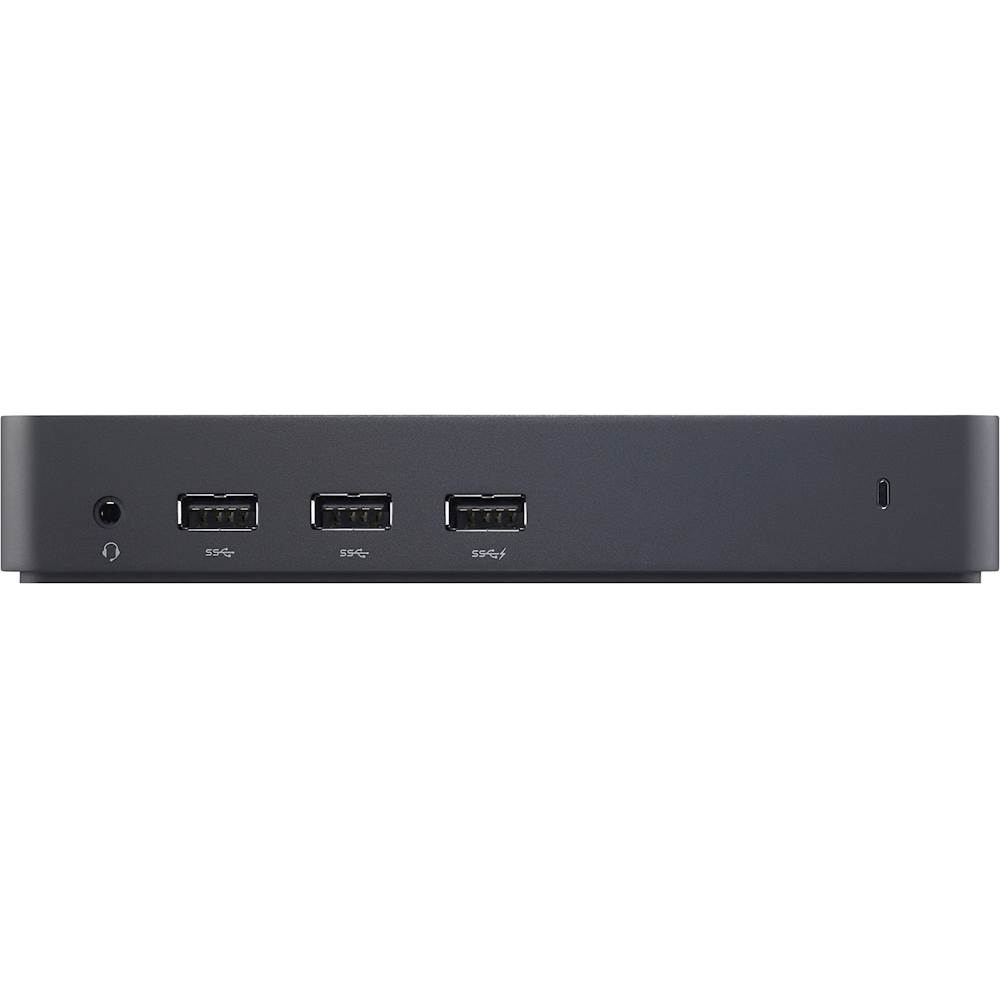
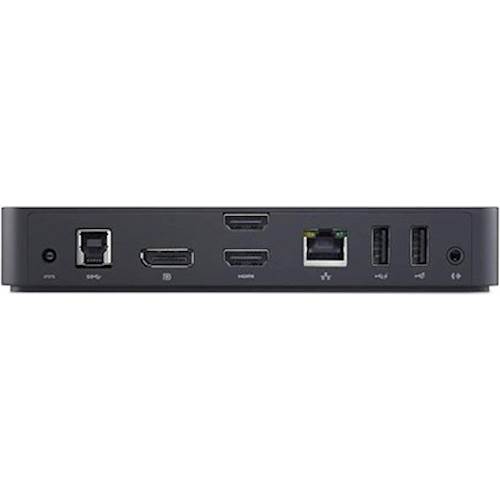
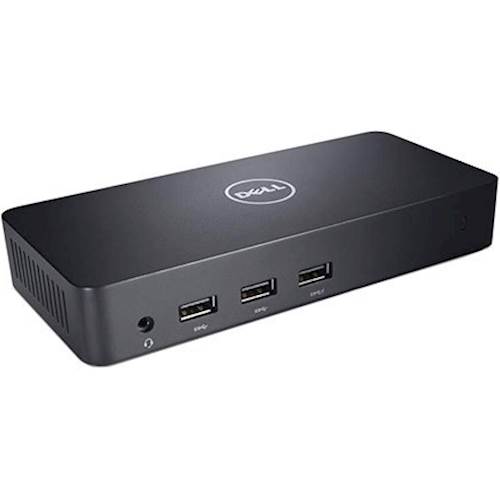
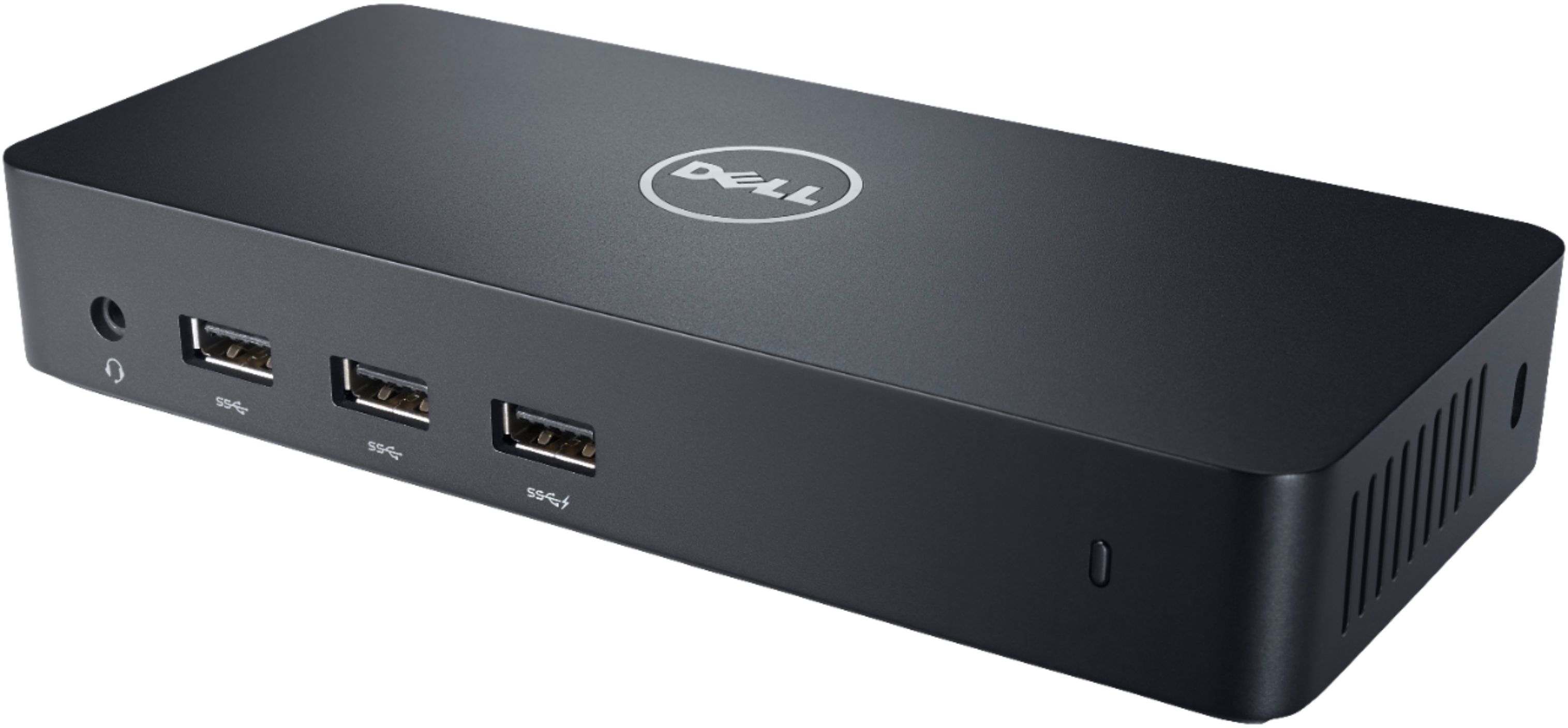
Customers highly value the D3100 USB 3.0 Docking Station's ease of use and the variety of ports it offers, frequently praising its ability to support multiple monitors and its compact size. Many appreciate the HDMI and DisplayPort connectivity for seamless monitor integration. However, some users point out that the docking station does not provide power delivery to their laptops.
This summary was generated by AI based on customer reviews.
Great solution, trusted brand.
||Posted . Owned for 3 weeks when reviewed.This reviewer received promo considerations or sweepstakes entry for writing a review.Perfect solution for my multi monitor gaming setup.
I would recommend this to a friendDell docking station
||Posted . Owned for 7 months when reviewed.This reviewer received promo considerations or sweepstakes entry for writing a review.Great value and works as should, would buy again!!
I would recommend this to a friendGreat Docking Station
||Posted . Owned for 1 week when reviewed.This reviewer received promo considerations or sweepstakes entry for writing a review.Another great Dell product. It performs as advertised.
I would recommend this to a friendDoesn't support higher graphics cards
||Posted .This reviewer received promo considerations or sweepstakes entry for writing a review.The port replicator works great but if you are using software with a high level graphics card it will crash
I would recommend this to a friendBest buy
||Posted . Owned for 3 weeks when reviewed.This reviewer received promo considerations or sweepstakes entry for writing a review.Great buy. Works perfect for a dual monitor setup.
I would recommend this to a friendDell Dock
||Posted . Owned for 3 weeks when reviewed.This reviewer received promo considerations or sweepstakes entry for writing a review.Needed a Dell dock for a Dell laptop. Works great.
I would recommend this to a friendGreat for laptop
||Posted . Owned for 3 weeks when reviewed.This reviewer received promo considerations or sweepstakes entry for writing a review.I bought it for my son and so far he likes it a lot.
I would recommend this to a friendGreat reliable docking station
||Posted .This reviewer received promo considerations or sweepstakes entry for writing a review.Works great. However I wish it would come with an adapter for the non usb input.
I would recommend this to a friendhandy
||Posted .This reviewer received promo considerations or sweepstakes entry for writing a review.Handy device makes it easy to access my workplace with my laptop seamlessly
I would recommend this to a friendGreat docking station
||Posted .This reviewer received promo considerations or sweepstakes entry for writing a review.We own one just like this one, so knew what to expect. Works great.
I would recommend this to a friend- Cons mentioned:Charging
Not as described by BB rep
||Posted . Owned for 3 weeks when reviewed.This reviewer received promo considerations or sweepstakes entry for writing a review.I chatted with an on line BB rep before purchasing this item. One of the requirements I needed was the ability to charge my laptop. This was the model recommended. It does NOT charge the laptop.
No, I would not recommend this to a friendBrand response from YourDellTeam
Posted .Hello Disappointed,
Thank you for your review. We are sorry to learn that your Docking Station isn't quite meeting expectations. We really do appreciate your feedback. We would love to help right away! The Dell USB Dock D3100 allows you to gain access to all your peripherals, such as the mouse, keyboard, stereo speakers, external hard drive, and large-screen displays. This is without having to plug each one into the laptop. Below, we have provided a link that you can use to check System Requirements, Docking Station Specifications, Ports and Features, and more in-depth information about your Docking Station.
How to Use and Troubleshoot Dell USB Dock D3100: https://dell.to/3bDtuzu.
Best regards,
Wendy C.
For further assistance, you can contact Dell directly with the information below Chat or Call:
https://bit.ly/DellSupportTeam.
Phone number to Dell: 1-800-264-9896.
Could do be better.
||Posted . Owned for 1 month when reviewed.This reviewer received promo considerations or sweepstakes entry for writing a review.The product does not tell you what laptop versions it is made for. Returned item. Delivery took longer than specified.
No, I would not recommend this to a friendBrand response from YourDellTeam
Posted .Hi There DouglasJ,
We would like to thank you for taking the time to leave a review of your Dell docking station. We are sorry to hear that the delivery took longer than you expected, and you decided to return your device. That is surely not the type of feedback we like to hear from our customers, or the type of product Dell intends to deliver. We have noted the details of your statement and will use them to improve current and future products.
We recommend that you contact Dell directly with the information below if you need further assistance.
Chat or call: https://bit.ly/DellSupportTeam
Phone number to Dell: 1-800-624-9896.
Best Regards,
Summer@Dell
- Cons mentioned:Charging
Dell Docking station
||Posted . Owned for 1 month when reviewed.This reviewer received promo considerations or sweepstakes entry for writing a review.I though this docking station will charge the labtop too. But it doesn't that s what i was especting
No, I would not recommend this to a friendBrand response from YourDellTeam
Posted .Hello Happycostumer,
We appreciate your review. We are sorry to hear that you are not too happy with your Dell Docking Station because it is not as you expected and it doesn’t charge your laptop.
This dock connects your laptop to up to three additional monitors, various external devices, and the Internet with a single cable. The dock provides USB charging to peripherals but does not charge your laptop.
Please see a more detailed description and specification for your dock on the product page below:
Product Page: https://dell.to/3KlYOlU
If you have any questions or concerns about this product, please use the information below to contact Dell at your earliest convenience.
Best,
Katarina@Dell
Should you need further assistance, you can contact Dell directly with the information below.
Chat or call: https://bit.ly/DellSupportTeam
Phone number to Dell: 1-800-624-9896
- Cons mentioned:Power delivery
Not a docking station
||Posted . Owned for 2 months when reviewed.This reviewer received promo considerations or sweepstakes entry for writing a review.Not only does this Dell D3100 not provide power to the Dell laptop, it is unable to support both a 4K monitor and a mouse at the same time. So I have this D3100 plugged into one USB connector on my laptop, a USB wireless mouse adapter plugged into a second USB plug and a separate power plug connected to the laptop. Unfortunately the warranty period expired so now I'm stuck with it.
No, I would not recommend this to a friendBrand response from YourDellTeam
Posted .Hello UnhappyCustomer,
Thank you for your review. We are sorry to learn that your Docking Station isn't quite meeting expectations. We really do appreciate your feedback and will use it to help improve our current and future products. We would love to help right away! Below, we have provided a link that you can use to check System Requirements, Docking Station Specifications, Ports and Features, and more in-depth information about your Docking Station.
How to Use and Troubleshoot Dell USB Dock D3100: https://dell.to/3bDtuzu.
Best regards,
Wendy C.
For further assistance, you can contact Dell directly with the information below Chat or Call:
https://bit.ly/DellSupportTeam.
Phone number to Dell: 1-800-264-9896.
Good short-term docking station
||Posted . Owned for 1 week when reviewed.This reviewer received promo considerations or sweepstakes entry for writing a review.Works well ( for a few months). This is the third one I've bought in 4 years. It should have 2 Displayport slots, as well as 2 HDMI slots, for the price.
No, I would not recommend this to a friendBrand response from YourDellTeam
Posted .Hello Bobmunky,
Thank you for your review. We apologize for the issues you have come across with your Docking Station. We really do appreciate your feedback and will use it to help improve our current and future products. If you come across any further questions, issues, or concerns, please contact Dell Support at your earliest convenience.
Best regards,
Wendy C.
For further assistance, you can contact Dell directly with the information below Chat or Call:
https://bit.ly/DellSupportTeam.
Phone number to Dell: 1-800-264-9896.
- Cons mentioned:Charging
Disappointed
||Posted . Owned for 3 months when reviewed.This reviewer received promo considerations or sweepstakes entry for writing a review.Bought this docking station and used it only a few times. It does not charge the laptop, there is a delay with the Bluetooth mouse/keyboard. I have to plug the items into my computer directly which defeats the purpose of a docking station. Very disappointed.
No, I would not recommend this to a friendBrand response from YourDellTeam
Posted .Hello R123,
We're sorry for any trouble you have come across with your D3100 dock. Unfortunately, the dock isn't able to charge laptops. It is mainly used to be an extended connector to monitors and peripherals. This link can assist with more details and troubleshooting steps: https://dell.to/3bDtuzu.
Best regards,
Wendy C.
For further assistance, you can contact Dell directly with the information below Chat or Call:
https://bit.ly/DellSupportTeam.
Phone number to Dell: 1-800-264-9896.
Getwhatyoupayfor
||Posted . Owned for 1 month when reviewed.This reviewer received promo considerations or sweepstakes entry for writing a review.The sound is better than my 85 inch tv has but not louder. I was looking for both.
No, I would not recommend this to a friendBrand response from YourDellTeam
Posted .Hello,
Thank you for taking the time to leave a review. We are sorry to hear you are disappointed in the volume of this product. We will forward this review to improve our future products and services.
For additional support, please call Dell directly at 1-800-624-9896
Best,
Lexy@Dell
Chat or Call:
https://bit.ly/DellSupportTeam
Dell - USB 3.0 Docking Station
||Posted . Owned for 1.5 years when reviewed.This reviewer received promo considerations or sweepstakes entry for writing a review.needed to get a bigger one... small lack of ports cost is too high
I would recommend this to a friendBrand response from YourDellTeam
Posted .ChessGambler,
We're sorry to hear that you were unhappy with your Dell Docking Station. We hope that you will consider Dell's Docking Stations with your replacement.
Best,
Bryan
1-800-624-9896
Needs Software
||Posted . Owned for less than 1 week when reviewed.This reviewer received promo considerations or sweepstakes entry for writing a review.Not plug and play. Requires additional software that did not come with station. Purchased for use with laptop issued by my job and I can’t download software from online. Because of this, It didn’t work for me.
No, I would not recommend this to a friendBrand response from YourDellTeam
Posted .Hello KW31016,
Thank you for your feedback. Sharing your experience is sincerely appreciated and will surely be taken into consideration when designing future products. If you have any other questions, feel free to visit the support page for your DA300.
Best Regards,
Anthony P.
- Cons mentioned:Lag
Great, but short cable, some lag.
Posted .This reviewer received promo considerations or sweepstakes entry for writing a review.The connection cable from your computer to the hub is really short, so I’d recommend buying a longer one. Also it does have some lag, but otherwise I love this port! Great for swapping between my old desktop and my laptop.
I would recommend this to a friend