Rating 4.6 out of 5 stars with 298 reviews
4.6- Ease of use (70)
- HDMI (51)
- Size (11)
- Compatibility (10)
- DP (10)
- Charging (16)
- Power Delivery (6)
- Lag (4)
Customer Images
The vast majority of our reviews come from verified purchases. Reviews from customers may include My Best Buy members, employees, and Tech Insider Network members (as tagged). Select reviewers may receive discounted products, promotional considerations or entries into drawings for honest, helpful reviews.
- Rated 5 out of 5 stars
Dual/Triple Monitors with Tons of Ports!
I was looking for a docking station for my HP Spectre and an important consideration was multiple ports for monitors. I had a work Dell laptop previous to this laptop and I had a Dell docking station so I was familiar with the product. My two Dell monitors have DP outputs, so being able to utilize the DP port for one monitor, and the HDMI ports for additional monitors was a feature I liked. I've managed to actually connect three monitors, two hard drives, speakers, and a webcam along with a Logitech Universal USB receiver with only a USB cable needed to connect to my laptop. Well worth the money.
Posted by Moontwpman
- Rated 5 out of 5 stars
Straightforward
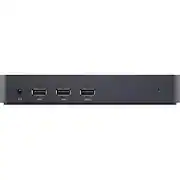
The Dell D3100 USB 3.0 Docking Station has been a reliable addition to my setup. Setting it up was a breeze, thanks to its plug-and-play feature, and using it has been straightforward. The variety of ports, including HDMI, DP, Ethernet, USB-C, and USB-A, provide versatility. However, I wish it came with a USB-C cord, considering the prevalence of USB-C in modern devices. Despite this minor drawback, the docking station has significantly enhanced connectivity, making it a valuable accessory.
Posted by Millz
- Rated 5 out of 5 stars
Great station at a reasonable price
Great docking station if you're looking to add a monitor, keyboard, mouse, disc drive to your laptop. Comes with necessary cords and attachments, so adding your external components should be a breeze.
Posted by BenLinusWasRight
- Rated 5 out of 5 stars
Great product
It was easy to set up with the exception for downloading the driver. We had a glitch with finding the compatible driver for my laptop. It finally worked .
Posted by iPadnewbie
- Rated 5 out of 5 stars
Great, High Quality Adapter!
This dock was a great purchase in my opinion, it has a great port selection as well as DisplayLink Technology, allowing me to utilize more than 2 monitors on my Apple M1 Mac Mini. This device also has great read/write speeds to any disks that I connect through it. The only drawback with this adapter was how it required a separate power supply rather than using a singular cable connected to the computer. All in all this is a great product and I would definitely recommend it.
Posted by Bestlemon