Customer Ratings & Reviews






- Model:
- G15RE-A947GRY-PUS/A951GRY-PUS
- SKU:
- 6461723
Rating by feature
- Battery Life
Rating 4.1 out of 5 stars
- Speed
Rating 4.6 out of 5 stars
- Display
Rating 4.5 out of 5 stars
Customers are saying
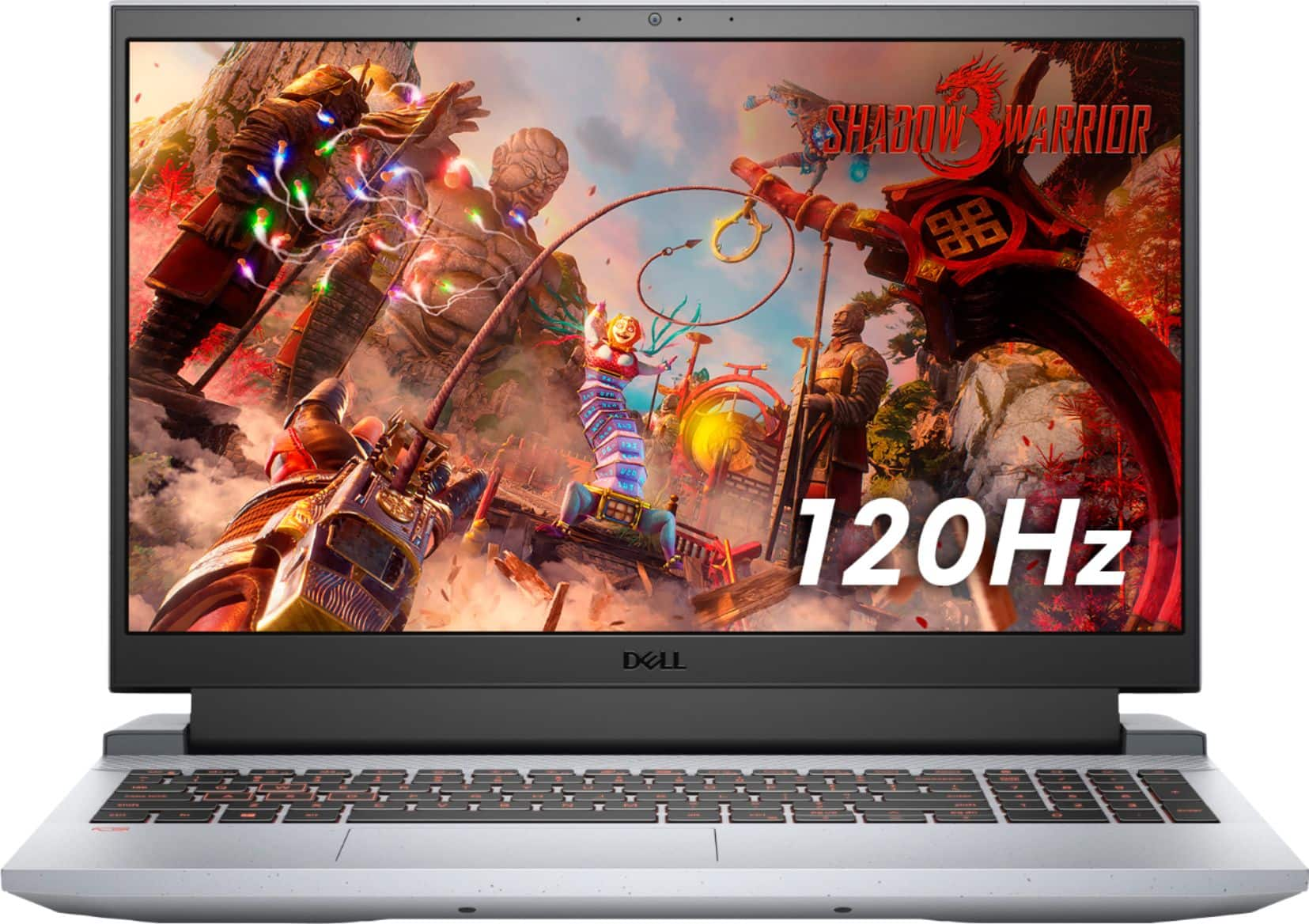
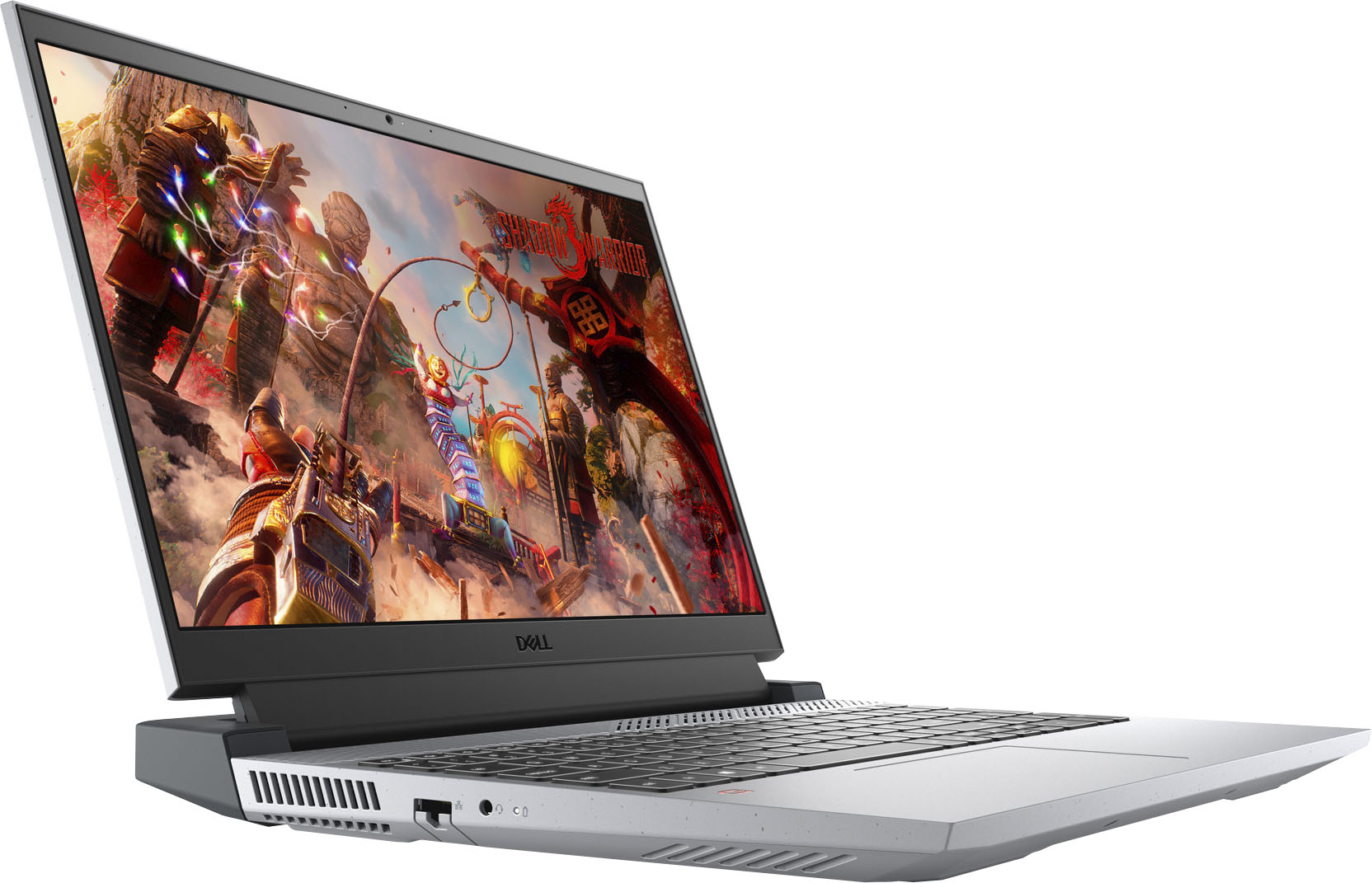
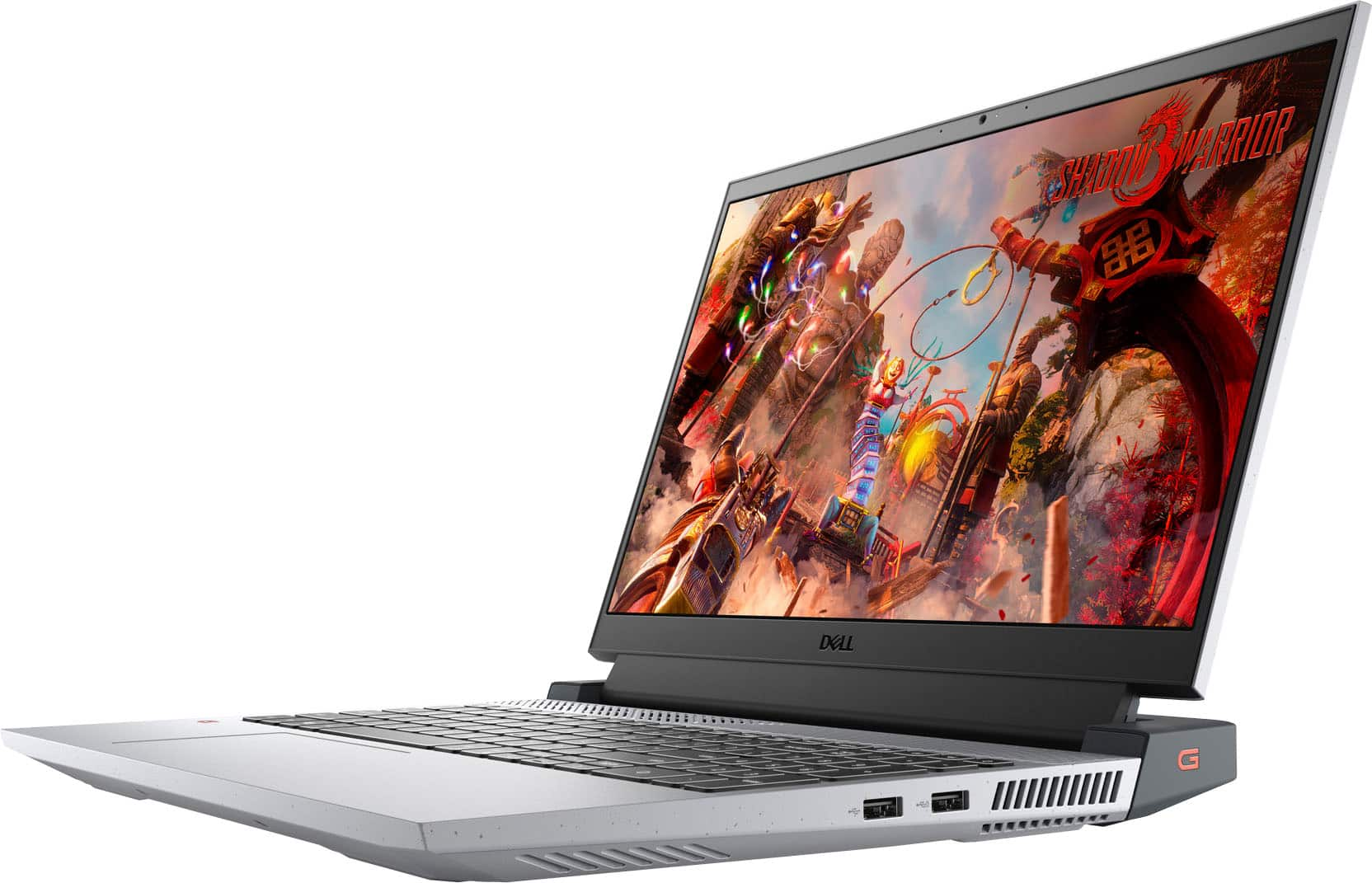
Customers are pleased with the performance and graphics capabilities of the G15 gaming laptop, frequently citing its value for the price. However, some users noted concerns regarding screen brightness and the laptop's tendency to generate heat during use. The build quality received positive feedback, but the weight and fan noise were also mentioned as potential drawbacks.
This summary was generated by AI based on customer reviews.
- Pros mentioned:Performance

Good Entry Level Gaming Laptop
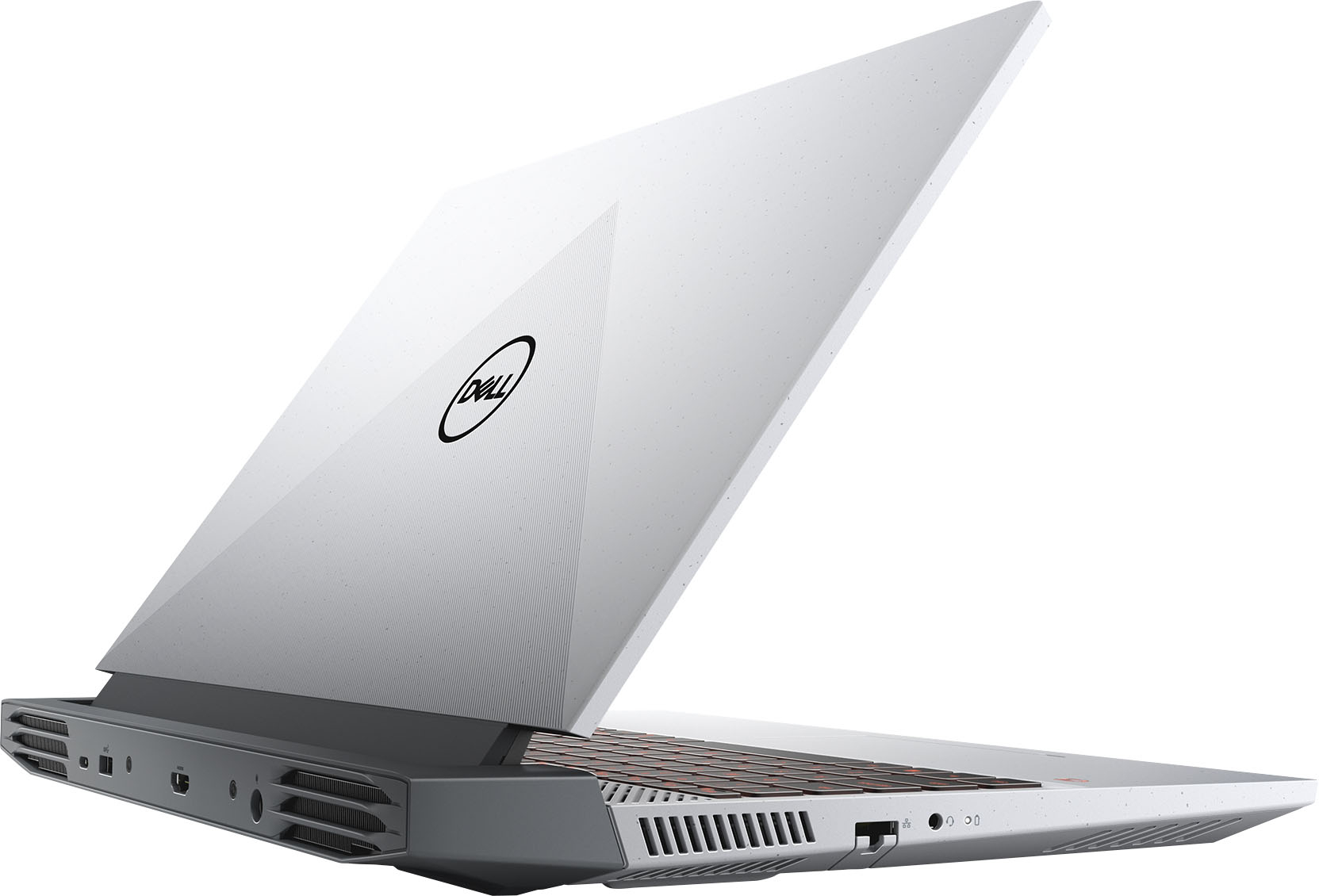
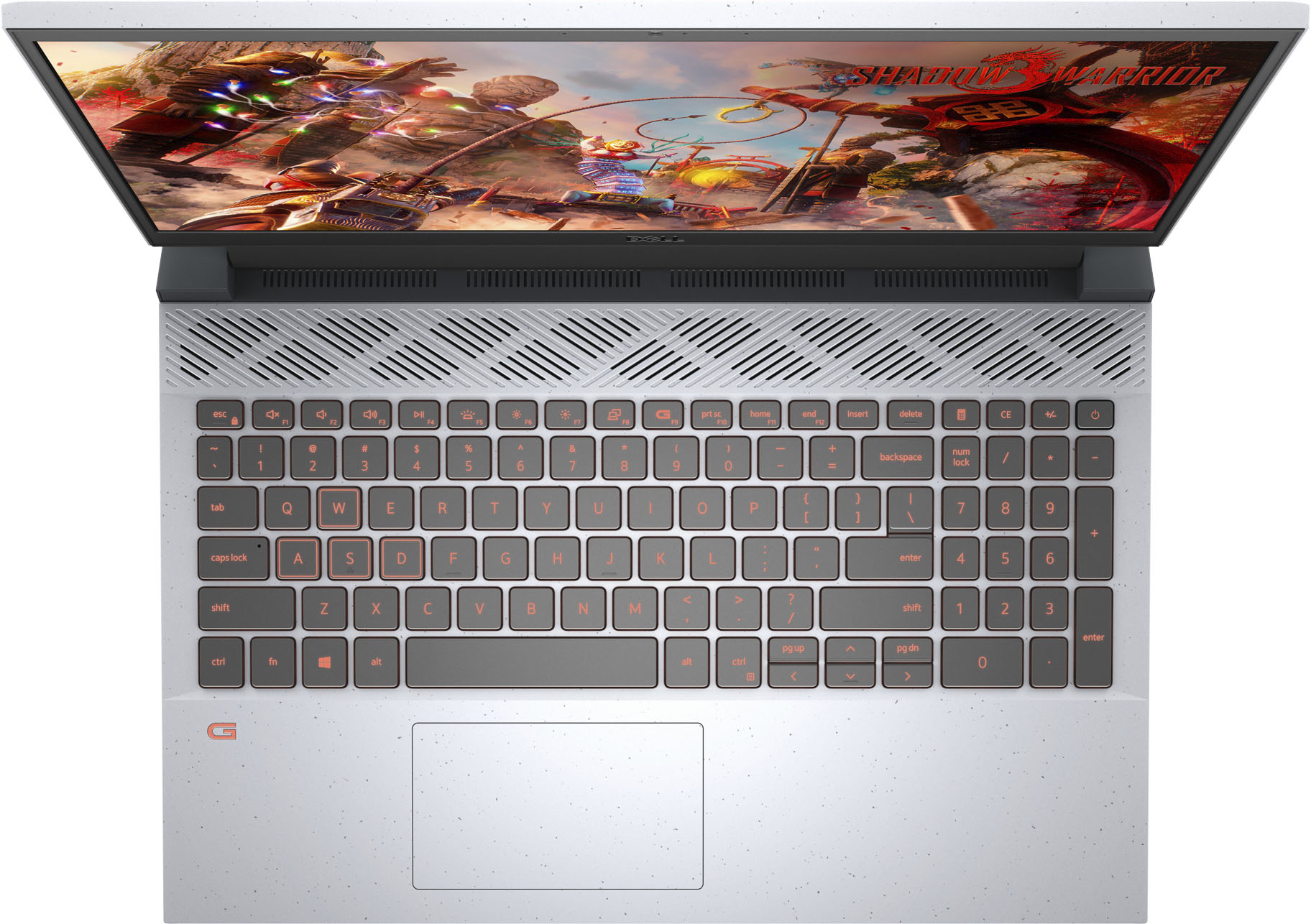
|Posted .This reviewer received promo considerations or sweepstakes entry for writing a review.Good gaming laptop for someone getting back into pc gaming after a long absence. I fall under the casual gamer category. The laptop is heavy but I guess that is for stability during game sessions, so this is not a ultra portable laptop which I do not have a problem with. It is also good looking, just like me. The machine can run hot so make sure you place where you can get good airflow. Good battery life and I like the backlit keyboard. Overall, I'm pretty happy with this machine.
I would recommend this to a friend Garbage laptop
||Posted . Owned for 2 months when reviewed.This reviewer received promo considerations or sweepstakes entry for writing a review.Dont bother purchasing this. The hardware is garbage and no later than 2 months after purchasing a fatal internal error has rendered this a 800 dollar paperweight.
No, I would not recommend this to a friendBrand response from YourDellTeam
Posted .Hi Lucas,
We appreciate you taking the time to leave us your review. We apologize for the problems you have come across with your Dell G15 gaming laptop because its hardware broke. This is certainly not the experience that we like to hear from our customers. We will share your comments about these issues with our quality team, so future improvements can be made.
With a little more information from you, we would like to help you as soon as possible.
Please use the information below to contact Dell Support Team at your earliest convenience so we can help you to resolve this issue.
Best,
Katarina@Dell
Should you need further assistance, you can contact Dell directly with the information below.
Chat or call: https://bit.ly/DellSupportTeam
Phone number to Dell: 1-800-624-9896
Open box items are not guaranteed
||Posted .This reviewer received promo considerations or sweepstakes entry for writing a review.Bought this laptop as an open box and it was a floor model locked with the store account so I ended up returning it
No, I would not recommend this to a friendBattery Failure
||Posted . Owned for 1 month when reviewed.This reviewer received promo considerations or sweepstakes entry for writing a review.First thing that popped out after update and restart was "Battery failure, replace battery" and it was already too hot. Had to return
No, I would not recommend this to a friendBrand response from YourDellTeam
Posted .Dear Tedd,
Thank you for taking the time to leave us your review. We sincerely apologize for your experience. This is certainly not what we like to hear from our valued customers. We recommend reaching out to our support team at your earliest convenience for further guidance. If needed in the future, I have provided the steps to check the health of your battery below, along with a link to the full article, which has more information if needed.
Method 1
Turn on the computer and tap F2 key at the Dell logo screen.
On the left pane, under General, select Battery Information.
Verify the battery health information as illustrated
How to Check the Battery Health Status: https://dell.to/3nEbRmb.
You can contact Dell directly with the information below.
Chat or call: https://bit.ly/DellSupportTeam
Phone number to Dell 1-800-624-9896
Best,
Wendy@Dell
Not impressed
||Posted . Owned for 1 month when reviewed.This reviewer received promo considerations or sweepstakes entry for writing a review.Product not on hold or available as promised. Slow service, checkout person goofing off.
I would recommend this to a friendFeels very cheap!
||Posted . Owned for 1 month when reviewed.This reviewer received promo considerations or sweepstakes entry for writing a review.Feels very cheap and made a loud whiring noise right out of the box.
No, I would not recommend this to a friendBrand response from YourDellTeam
Posted .Hello Millerp02,
Thank you for taking the time to share your input and review. We are sorry that the build quality of this unit has not met all your expectations and we apologize for the issues you have with the system's noise. The contents of your review will be used to help improve now and future Dell products. An out-of-date BIOS can cause loud fan noises. We recommend ensuring that you're running the latest BIOS. You can download it here - https://dell.to/31u2Pmj.
If you require further assistance, you can contact Dell directly with the information below.
Chat or call: https://bit.ly/DellSupportTeam
Phone number to Dell 1-800-624-9896
Best regards,
Wendy C.
- Cons mentioned:Heat
Not for gaming-- questionable durability
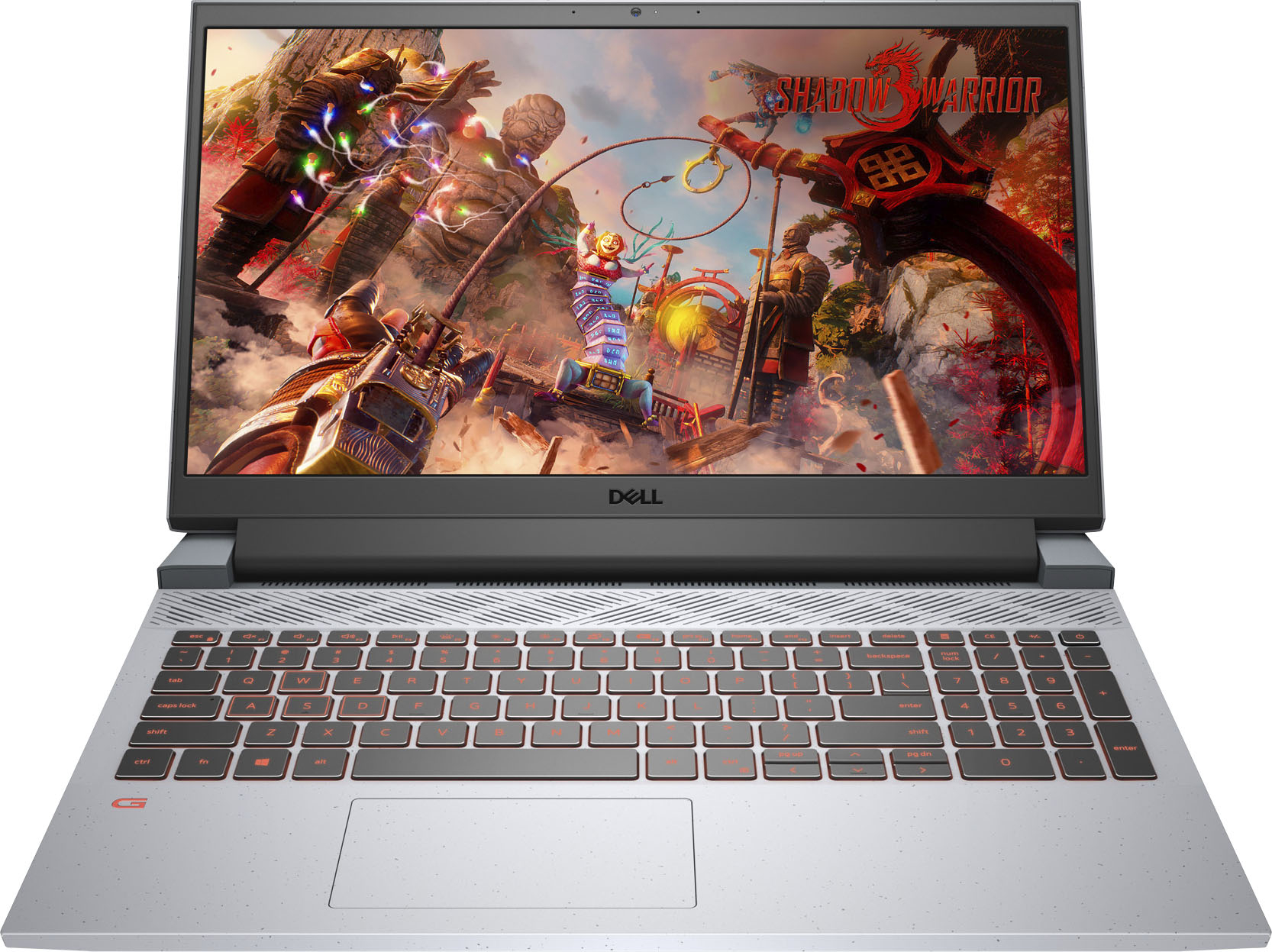
|Posted .This reviewer received promo considerations or sweepstakes entry for writing a review.I wanted to love this laptop, but there are better options out there. cons: 1. 8gb of RAM in 2021 is not enough- Dell should've started at 16gb-- it would've made the other shortcuts more forgivable 2. the chassis is plastic and the speckled gray texture resembles plastic patio furniture 3. the trackpad rattles (adding to the cheap quality feel) 4. this thing gets ridiculously hot which would be fine if you could actually game on it. It wouldn't surprise me if the laptop dies in year from fried components 5. every time I launch Call of Duty, I get a warning that the system doesn't meet the minimum system requirements (because only 7.35GB of ram are detected vs the 8GB minimum required 6. Getting excited about the NVIDIA 3050 in this laptop is like getting excited that you have a Ferrari engine without the rest of the car. 7. Geekbench 5 single core score = 1,327 and multi-core = 4,730 so this Ryzen is comparable to an 8th gen Intel i5 -- it's not going to wow anyone, but it's at least usable for a productivity laptop 8. Gameplay is laggy/choppy and will give you motion sickness even at the lowest graphics settings. It might not be as bad w/ 16gb of ram 9. keyboard is cramped and feels cheap just like the chassis 10. Speakers are atrocious (but they're atrocious in many gaming laptops not just this one) 11. clunky power brick 12. the system overall feels sluggish, but it could be because of the low ram The laptop has a few virtues going for it 1. The keyboard has a number pad which lets you forgive the cramped spacing - the dedicated calculator button is helpful for quick calculations 2. backlighting is red and the keyboard is well-lit 3. matte screen - 1080P 120hz refresh rate-- it's nice not dealing with glare 4. NVMe SSD - average performance for an NVMe, but it helps alleviate the sluggishness As a productivity laptop - this machine will suffice, but if you're looking for a gaming machine - stay away.
No, I would not recommend this to a friendBrand response from YourDellTeam
Posted .Hello,
Thank you for taking the time to share your thorough review on your G15. We are sorry to hear that this laptop has not met all of your expectations. We really value your feedback and we will forward these issues you stated onto our product team to improve ourselves for the future. To make sure we can help, we recommend you open and run the SupportAssist application. It is a set of tools that will clean junk files, install system updates and drivers, diagnose hardware and software, and optimize your system performance and network all with the press of a button. This will ensure you have the best experience your system offers to date. Here is a link to the full article to assist with your performance issue: https://dell.to/32wo0Ss.
We recommend accessing the link above to resolve this issue. If it persists, we invite you to get in contact the Support Team at your earliest convenience at 1-800-264-9896.
Best regards,
Wendy C.
https://bit.ly/DellSupportTeam.
Phone number to Dell: 1-800-264-9896.
Great entry level gaming laptop
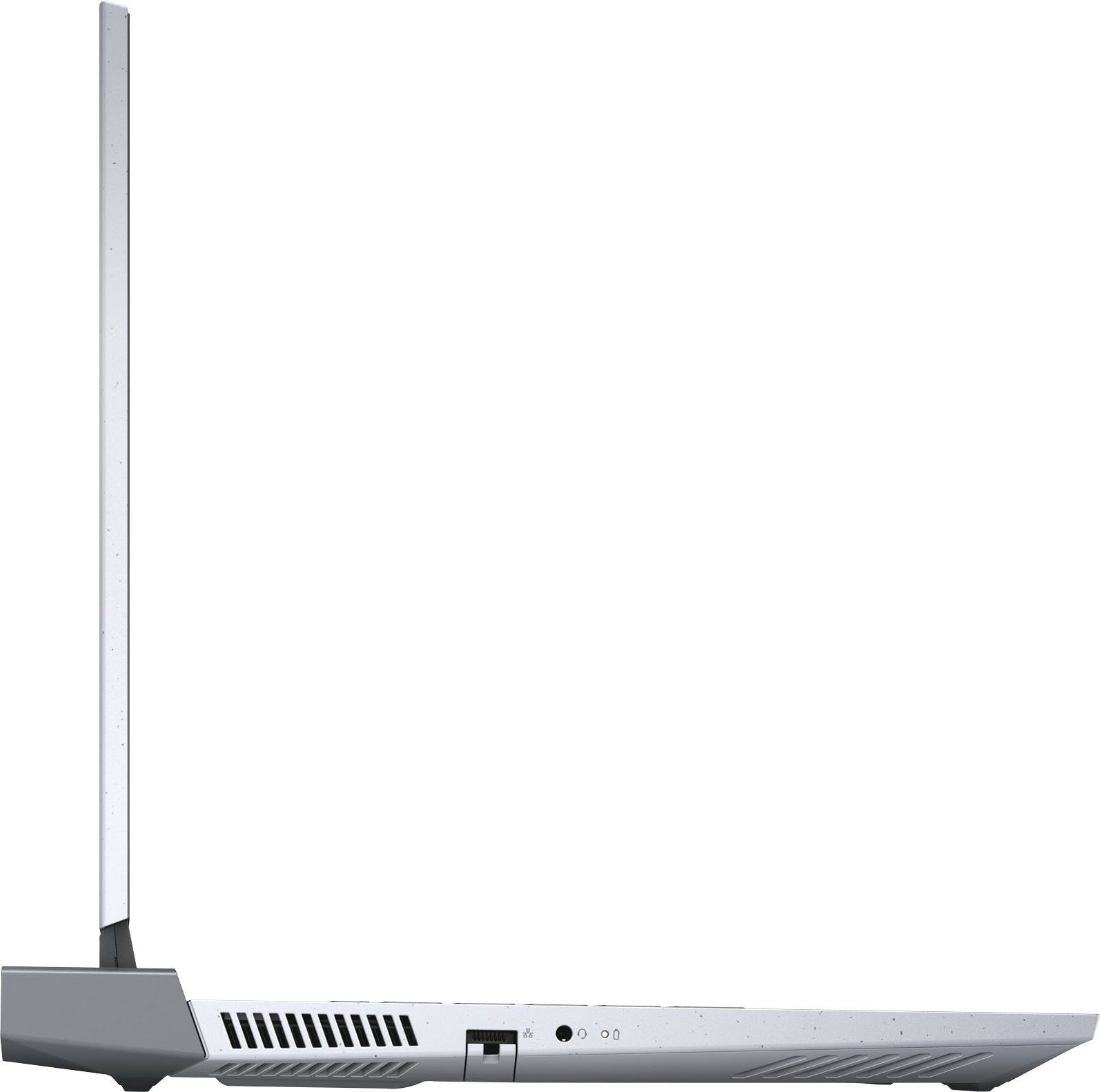
|Posted .This reviewer received promo considerations or sweepstakes entry for writing a review.The other reviewers give the specs and benchmarks and that is fine, so I will give you my impressions without the other clutter - read theirs if you want numbers. First is the out of box experience. It is about as minimal as can be - a computer, a power brick, and a quick start guide that will only be needed by absolute computer illiterate people who should not own computers. I plugged it in, fired it up, and started the Windows activation process. It got hung up midstream and would not do anything, so I called Dell support who worked me through the reset procedure (holding in on the power button for over a minute) which took me back to the very beginning. Problem solved. After going through the standard setup and configuration with my network, Windows proceeded to take about 30 minutes to do all the requisite updates. I was amazed that the only bloatware was McAfee which I declined as I have another provider. Keyboard keys are soft and quiet and have appropriate responsiveness. The laptop is heavy at over 5 pounds and the 180-watt brick is not lightweight either, so this is not one I would want to carry around much. But keep in mind it is a gaming laptop and is built accordingly. When the fans kick in, you think a 747 is spooling up for takeoff - they are LOUD and move a LOT of air. I am not sure where the thermal limits of this laptop would be, but based on my experience with the fans, I doubt you will ever reach its limits unless you block the bottom vents. The screen is bright and responsive and is more than adequate for gaming along with everyday use. The HDMI output I used was for an old monitor that was only a 1080P display and it looked gorgeous on that screen as well. Not sure how it would look on a 4K screen, but it should be fine. The included NVME drive at 512 is OK and fast enough, but I plan to upgrade mine to a Samsung 2TB drive for even faster performance and much more storage along with an upgrade in RAM. Still, the performance with the stock configuration is outstanding. The graphics card is not a "high-end card" and could be a bit of a stretch as advertised, but the performance is a good bang for the buck. Running various games did not reveal any Achilles heels for this computer as I expected in a sub 1K laptop, so my impression is that Dell has hit the sweet spot in performance versus price. Sure, you can get faster processors, more RAM, more NVME storage, better graphics cards, and better displays if you want to spend 2K or 3K, but this one does what you want from a gaming laptop for less than 1K. Solidly built, well supported, and fully capable gaming laptops for under a grand are a new area and Dell has just cornered that market with this computer.
I would recommend this to a friend- Pros mentioned:GraphicsCons mentioned:Heat
Fast and smooth
|Posted .This reviewer received promo considerations or sweepstakes entry for writing a review.Nice size and not too heavy. Doesn't get overly hot. Smooth gaming experience with games like GTA. Graphics are great. Love the option for USB port in the back
I would recommend this to a friend Best value gaming laptop
|Posted .This reviewer received promo considerations or sweepstakes entry for writing a review.The first thing I noticed after opening the box is that the entire body is plastic. Before the switch to all aluminum chasis, I prefered plastic for the weight and the ability to take a little ding without holding on the the bump forever. It's thin and light; perfet for tossing in a pack and heading out. I didn't test a lot of games and my current game really isn't a demanding game. I've been on a Star Wars trip for a bit so I started playing SWToR for the last few months. The Dell G15 handled the old game flawlessly, as expected. No hick-ups, slowdowns, or glitches. The 120Hz screen makes for some smooth movement but, sadly, no G-Sync support. With this mid range RTX 3050, G-Sync would have been a welcome addition. While testing, I noticed the fan wouldn't kick on until 64c. That's kinda high in my opinion and it should kick in at low even in idle, especially while plugged in on performance mode. I can see it being fine on battery or power saving mode, but not on max performance. I had to go into Alienware Command Center to tweak the fan profile a litte. Still, it won't turn on until it hits 50c and only goes to 72%. I've not seen it run at 50, 10, 60, 30, or anything other than 72%. Hopefully a bios update will fix it. Prior to receiving the laptop, I bought another 8GB of DDR4 3200, a 500GB NVMe, and brackets for the NVMe. I really don't think they should even think about offereing a gaming computer with less than 16GB. 500GB is doable, but I like to have some extra headroom with storage. Good thing is that the included 8GB is a single stick, so a second 8GB will double it and give you dual channel without having to toss out any unused sticks if they had put in two 4GB instead. Good option if you ask me. Non-gaming battery life is pretty impressive. I didn't do a full run down, but the meter says anywhere from 6-10hrs of battery depending on what you're doing. Don't expect this with gaming. For the price, I think this is one of the best values. G-Sync and 16GB of RAM would have been nice additions, but I can live without G-Sync in a mobile gamer and bumping up to 16GB on my own only cost $40. I'm extremely happy with this lightweight gamer.
I would recommend this to a friend- Pros mentioned:Ram
Great buy.
Posted .This reviewer received promo considerations or sweepstakes entry for writing a review.Has been a great laptop. My son uses it all the time, but I did add another stick of ram.
I would recommend this to a friend - Pros mentioned:Performance, Speed
Great gaming laptop.
Posted .This reviewer received promo considerations or sweepstakes entry for writing a review.I was unsure about how this laptop would perform, as I have used HP for so long. That being said, this product met, and exceeded all of my expectations. My gameplay has been excellent, and the speed of the processor is perfect for my needs! The only thing I would change is the location of the charging cable input. But it's not that big a deal.
I would recommend this to a friend - Pros mentioned:Performance
VR
Posted .This reviewer received promo considerations or sweepstakes entry for writing a review.It can run vr but sometimes it lags witch i hate the most, but other than that it runs good
I would recommend this to a friend - Pros mentioned:Speed
Great Laptop
Posted .This reviewer received promo considerations or sweepstakes entry for writing a review.Bought for my daughter who doesn't game but needed the speed and clarity for her CAD drawing
I would recommend this to a friend - Pros mentioned:Graphics
Good Deal
Posted .This reviewer received promo considerations or sweepstakes entry for writing a review.Pros: graphics Price-Performance storage Cons: Size-weight, noise
I would recommend this to a friendBrand response from YourDellTeam
Posted .Hello Valued Customer,
We appreciate you taking the time to leave us your review. We are glad you like the graphics, performance, storage, and price of your Dell G15 FHD gaming laptop, but we are sorry to hear you are not 100% satisfied with it because of its size and weight, and noise.
We will share your comment about its size and weight with our quality team, so future improvements can be made.
For system noise and the noise with the fan, we recommend the following steps to run a pre-boot diagnostic test that can help.
1. Restart your Dell PC.
2. When the Dell logo appears, press the F12 key to enter the One-time Boot Menu.
3. Use the arrow keys to select Diagnostics and press Enter key on the keyboard.
4. Follow the on-screen prompts and respond appropriately to complete the diagnostics.
5. If the test fails, ensure to write down the error code and validation code.
If your issue with fan noise continues these articles can be used to further assist:
How to Troubleshoot Fan Issues: http://dell.to/38XbfCV
How to identify and resolve Noise Issues on your Dell System: https://dell.to/3IAIsoO
If the issue with the noise is still not resolved after utilizing the troubleshooting options above, please contact the Dell Support Team at 1-800-624-9896 for further guidance.
Best,
Katarina@Dell
Should you need further assistance, you can contact Dell directly with the information below.
Chat or call: https://bit.ly/DellSupportTeam
Phone number to Dell 1-800-624-9896