Rating 4.4 out of 5 stars with 355 reviews
4.4- Performance (84)
- Graphics (31)
- Speed (28)
- RAM (25)
- Build Quality (20)
- Screen Brightness (13)
- Heat (10)
- Weight (8)
- Fan Noise (6)
- Memory (3)
Customer Images
The vast majority of our reviews come from verified purchases. Reviews from customers may include My Best Buy members, employees, and Tech Insider Network members (as tagged). Select reviewers may receive discounted products, promotional considerations or entries into drawings for honest, helpful reviews.
- Rated 4 out of 5 stars
Good... But...
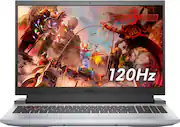
The Pros: Excellent keyboard, 120hz display, graphics capable of running Horizon: Zero Dawn and Outer Worlds at 60fps, expandable via 1 open m.2 slot and up to 32gb of RAM. Cons: weak ram (8gb) out of the gate, Display color accuracy could be much better, bottom case is difficult to open, plastic construction makes build quality feel cheap, heat can be an issue. Overall a favorable impression, given the price point and specs, but the build quality suffers one big issue for me: there's a noticeable bump or bulge (see photos) that's been there since I got it; I can't quite figure out where its coming from or why it's there, but it creates a small gap around that bubble (~1-2mm) between keyboard deck and display when closed. I don't THINK it's impacting the sleep/wake cycle.
Posted by JasonB1984
- Rated 5 out of 5 stars
Fast computer on a budget!
This is a great computer for beginner gamers and fairly inexpensive. It starts up quickly; the graphics are terrific, and it even works well with multiple screens when you hook up more than one (I've got two 32inch monitors hooked up to it—one with HDMI and one with a USB Type C to HDMI cable). It also streams video like nobody's business (Youtube, Netflix, HBOMax, Hulu, etc.). And the wireless on this this laptop is better than I have experienced on any computer. It's cheaper to buy the 8GB RAM version of the laptop and then add the extra 8GB RAM yourself—it's cheaper that way. However, if you're going to add more RAM, I would make sure it's 3200 MHz and you might want to have someone at Best Buy help you get the back casing off to put the RAM in because the screws can be a pain to get out (it's easy to strip them). Also, be aware that the only USB 3.0 port is at the back of the laptop—none are on the side. All in all, terrific computer!!!
Posted by GirlTigger
- Rated 5 out of 5 stars
A Balanced Gaming Laptop for School!
If you are looking for a moderately affordable (less than $1000 dollar), reasonably equipped gaming laptop to double as your school or productivity machine, this may just be the right one for you! The first of several reasons why is the amazing battery life. JarrodTech on Youtube talks about it, but this G15 series of Dell Gaming laptop has one of the most outstanding battery life lengths for a gaming laptop released this year. This trim you are looking at in particular is equipped with 1080p FHD screen that is smooth and buttery with its 120Hz refresh rate but is also less demanding on the battery as compared to its higher resolution counterparts. The only detractor here is that I believe this model is equipped with a 53-watt hour battery as opposed to the 90 watt plus ones of the higher end trim levels of this laptop. Another area this trim level has some reductions is in it’s I/O. The two side USB-A ports on the right side are USB 2.0 only, one with power sharing, one without. This is okay for me as these ports are where I am running my mouse and headset from anyway. The rear ports have a USB-C with 3.2 connection and a USB A 3.0 port to my knowledge. The size and build quality of this laptop speaks to compromise in the right areas of the build while succeeding in remaining high quality. The keyboard deck is strong and doesn’t have a lot of flex, allowing for easy typing action and mitigating the rebound or “trampoline” feeling of typing on other plastic keyboard deck equipped laptops I have tried in the past. Alas, what it demonstrates in sturdiness comes at the cost of weight; it is a heavy machine at over 5Ibs. Factor this into your decision making as you well, but I certainly have no fear of lugging this and its 180W charger around. The keyboard is another reason why I can recommend this laptop to a student. The keystrokes are very quiet and accurate with no depth or looseness issues. It is like a stealthy chicklet style MacBook Pro with scissor-switch-like strokes. It makes for great typing and is very quiet in a library or lecture hall setting. The lighting is great with just a mild red orange that matches the accents on the rest of the laptop. I think RGB is gimmicky and eventually underutilized by most once the initial enthusiasm dies away, so the coloring of this laptop is perfect for me. The trackpad is similar in that it is reasonable for this trim of laptop and does not seem to have any performance issues. It is a springboard type track pad (firmer clicks at the top, softer at the bottom) and is has a matching touch surface to the speckled plastic of the rest of the laptop. I am very pleased with the included 512GB NVME drive. While a little small for today’s gaming file downloads (Doom Eternal is 79gb!), it is sufficiently fast for the price paid with a 2200mb/s read speed and 500mb/s write speed. The 8GB of 3200mHz RAM is up to the task for most daily users’ needs and allows for zippy multitasking through lots of open programs and chrome tabs—this being enhanced by the stellar Ryzen 5 5600H CPU with 6 cores and 12 threads. A problem I have had with Dell laptops in the past, but not this one, is coil whine. I am glad to find it is absent here. All of this with the discrete graphics (described below) being effectively cooled by this laptop’s intake and exhaust system. It should be noted that this is an example of a laptop that, based on its design, could benefit from a cooling fan pad or stand to allow for maximum cool airflow. It wouldn’t be advisable to game with this on a bed or any other surface that stifles its air intake. The RTX 3050 discrete graphics is the real compromise and decision-making point of whether to get this laptop. Unless you are new to the subject or have been hiding under a rock, you know that silicon is hard to get right now and ergo, the prices and availability of anything utilizing graphics cards is astronomical currently. As such, this 3050 is what this Dell laptop comes equipped with. With 4gb of VRAM, this is not a top-level gaming laptop by any stretch. I think that Best Buy’s listing this as “High-End” graphics card according to their purchasing guide is a big stretch, unless one is comparing it to an Ultrabook or the like. The 3050 is an entry level graphics card in this current generation of NVIDIA graphics and is going to yield you 60fps only at low or medium settings on most newer AAA title games. I played Battlefield 1 and I managed on Operations to get 60fps+ on preset medium settings. I really enjoyed the gameplay and considering that my main gaming PC has a 2080 super with a 9700K CPU, I still managed to enjoy the gameplay on this great laptop! Altogether, you should put this under serious consideration for being the gaming laptop you choose if the above appeals to you. I think that this is a Dell gaming laptop with Alienware inspired aesthetics and, frankly, I am absolutely digging it. Thank for reading and good luck making your purchasing decision!
Posted by Bren
- Rated 4 out of 5 stars
Perfect, strong and different
The materiales of contruction are defenitly better thant tha last two years. Dell is making great the things again. The laptops looks so cool and different than the tipycal gaming laptop You should buy a another 8 gb ram (3200 Mhz) for have a complete experience
Posted by Fastest
- Rated 5 out of 5 stars
Nice entry-level gaming laptop
## Performance This Dell G15 gaming laptop features a fast AMD processor and decent graphics card that can accommodate most PC gaming needs while on the go. Now it won’t be as powerful as say a dedicated desktop gaming rig, but for a portable gaming station it definitely gets the job done. I tested out the Dell G15 with Fortnite and allowed the game to set its own settings. It configured all settings to “High” (one notch below the highest setting of “Epic”). At the beginning for each match (after dropping from the bus), FPS varied between 20 and 60, but after landing and exploring the nearby land (allowing all textures and content to load), it settled around 50-60 FPS (I have the max set at 60). Gaming on this system looks amazing on the 120Hz IPS display panel. ## Specs - 15.6” FHD 120Hz Display - AMD Ryzen 5 5600H Processor - 8GB Memory - 512GB SSD - NVIDIA GeForce RTX 3050 4GB Graphics ## PROs + Speed: In the benchmark score image associated with this review, you can see that when compared to Novabench’s “High-end Laptop” baseline configuration, the overall score came out about 9% better on this unit and the GPU score came out 38% better on this unit. + Backlit keyboard: The keyboard has a red glow (with two brightness settings) which makes it nice for late night gaming. + Matte screen: The screen does a nice job reducing glare! + Plenty of ports: There’s an ethernet port and headphone jack on the left, two USB-A ports on the right side, and a USB-A, USB-C, power and HDMI port on the back side. + Minimal bloat: Dell added some support applications and it includes a trial of McAfee antivirus, but that’s about it for the added software. ## CONs - No Windows Hello: There is no Windows Hello compatible camera or fingerprint reader on the device - Size: As expected with a gaming laptop, the size is somewhat large and bulky (it reminds me of an early 2000s machine, before ultrabooks hit the scene). It weighs just over 5 pounds. - Noise: The fans can get loud while playing, which probably isn’t much of an issue if you’re using headphones. ## Summary Overall, the G15 isn’t a bad entry level gaming laptop. While you won’t get quite the performance of a full desktop rig, the Dell G15 is still ideal for students -- or even professionals -- who need the portability of a laptop with the ability to game after school or work.
Posted by TechnicallyWell