Customer Ratings & Reviews


- Model:
- I3590-5988BLK-PUS
- SKU:
- 6350872
Rating by feature
- Battery Life
Rating 3.3 out of 5 stars
- Speed
Rating 4.3 out of 5 stars
- Display
Rating 3.9 out of 5 stars
Customers are saying
Customers enjoy the G3 15.6" Gaming Laptop's performance, graphics capabilities, and solid-state drive, frequently praising its speed and value for the price. Positive feedback also highlights its lightweight design and backlit keyboard. However, some users express concerns regarding battery life, cooling system effectiveness, and hinge durability.
This summary was generated by AI based on customer reviews.
- Pros mentioned:Graphics, Performance, SsdCons mentioned:Cooling, Hinge, Speakers

Solid Performance Without the Gimmicks
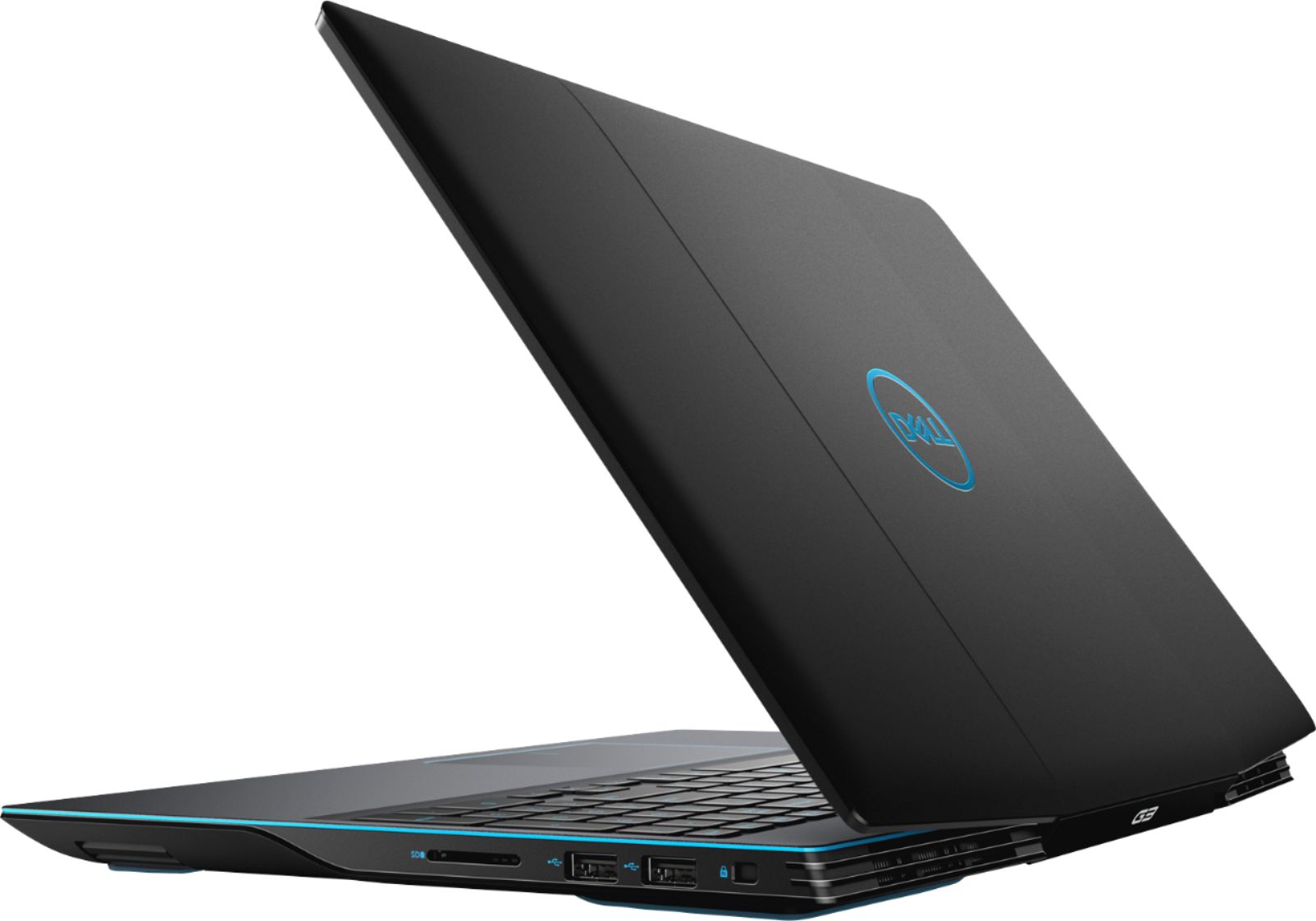
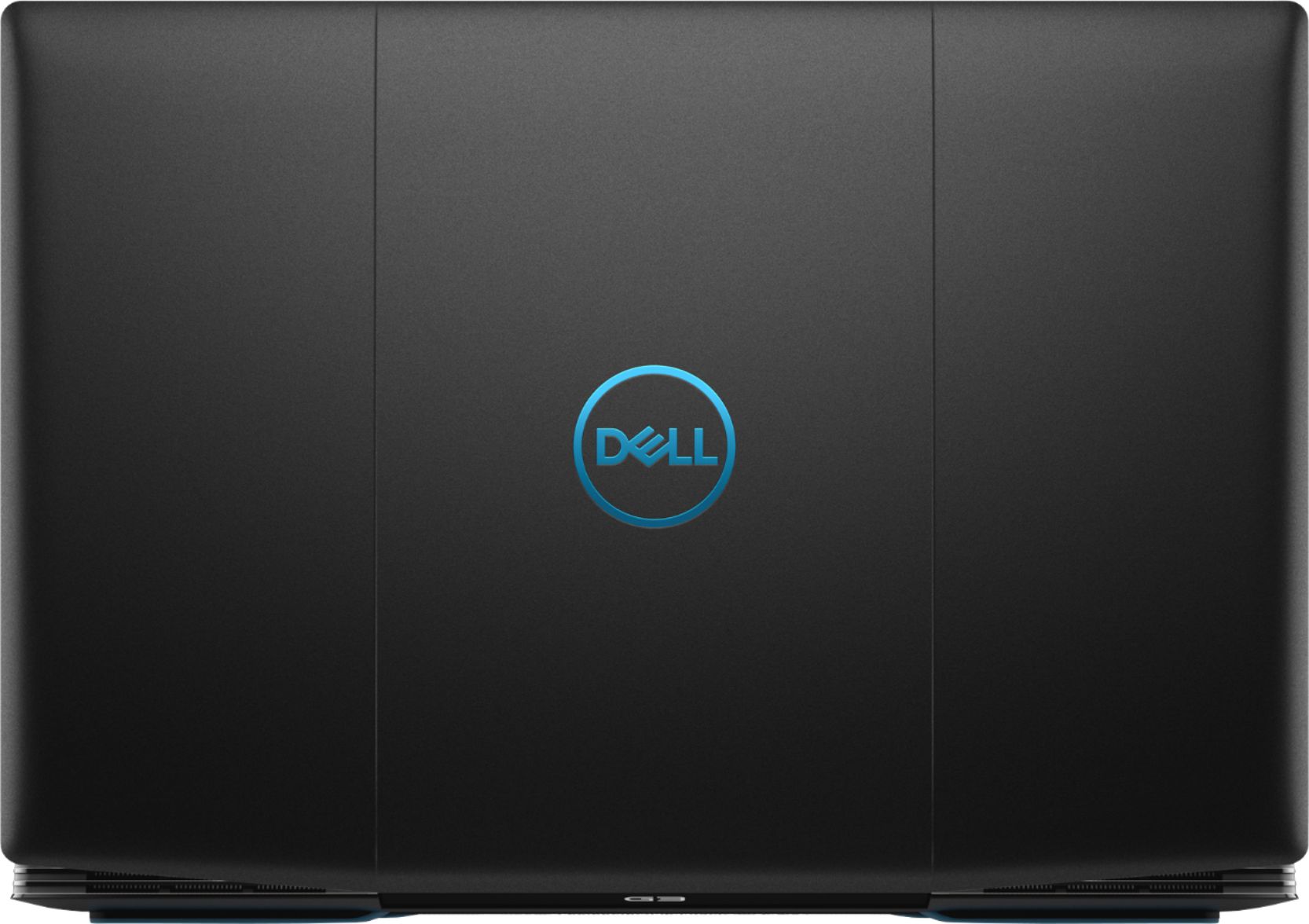
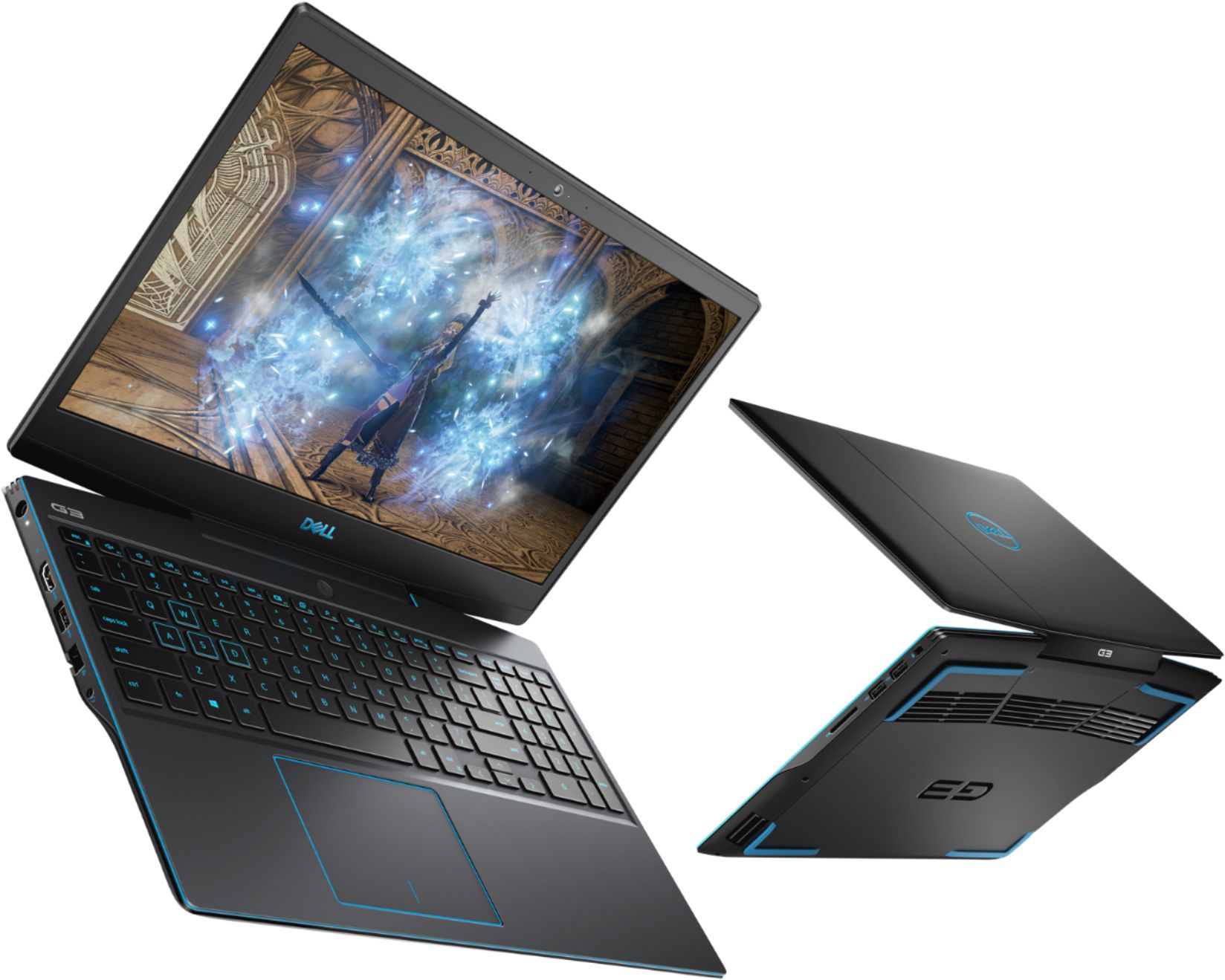
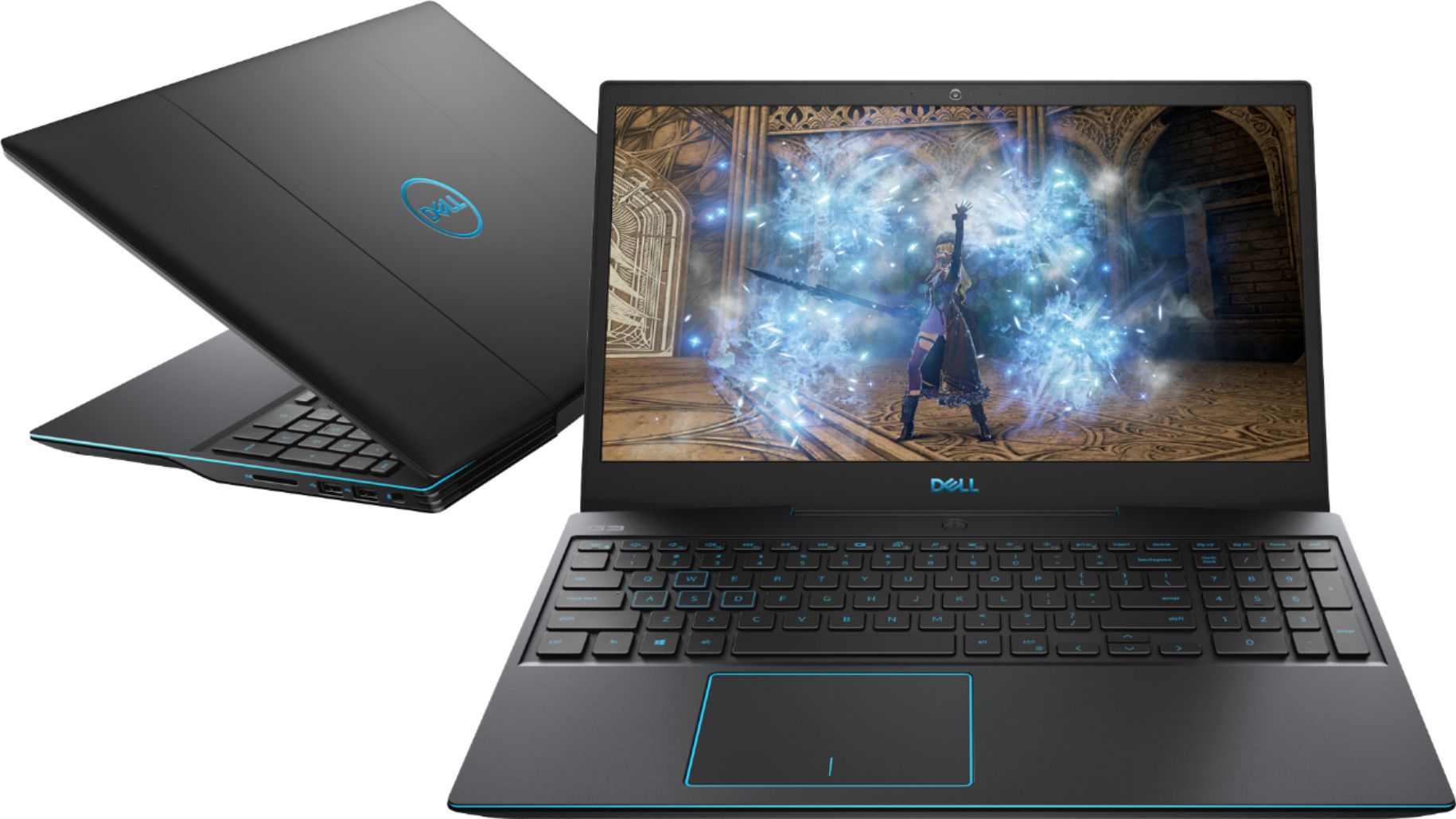
|Posted .This reviewer received promo considerations or sweepstakes entry for writing a review.Gaming laptops are becoming more and more popular, but not every gamer needs the power and performance of a $2,000 machine. For teenagers or casual gamers, this Dell G3 gaming laptop is an excellent entry-level option that foregoes some flashy features in exchange for an affordable yet still powerful machine. There are a couple of notable drawbacks, but this is still one of the best laptops you'll find at this price point. === DESIGN & CONNECTIVITY=== - The G3 is entirely a plastic matte black with some neon blue highlights throughout. The Dell logo on the top is reflective and switches between a green and blue shine. There is a bit of a curve to the top of the laptop, and the back of it has some distinct angles. The neon blue accent strip runs around the edge of the laptop and gives it a pretty sleek look. - The matte plastic has a tendency to pick up fingerprints and smudges and they don't wipe away very easily -- they just sort of smear. - The inside of the laptop does seem a bit cheap -- the text on the keyboard keys is neon blue and there is a rather thick bezel around the display. - The laptop feels quite sturdy and substantial -- I think it will easily survive countless trips in backpacks and everyday wear-and-tear. However, there is definitely a bit of flex if you press down too hard on the keyboard or wrist-rest area. But I don't think that's going to be a problem for most people. - The torque on the hinge is pretty tight - you can't open this laptop with one hand. It might loosen over time. - There are no flashy RBG features on this laptop, which is totally fine as an entry-level machine. Luckily, the keyboard is backlit, but you cannot change the color of the blue lights. - There are plenty of ports available on the G3. On the right: Two USB 3.1 Type-A ports. On the left: power connector, one USB Type-C (DisplayPort), one HDMI port, one USB Type-A 3.1 port, an Ethernet port, and a headphone jack. On the right: lock slot, two USB Type-A 2.0 ports, and an SD card slot. - The power brick pretty bulky must weigh half as much as the laptop itself, but that's to be expected in any gaming laptop. - Overall: There's nothing fancy to see here: this is a utilitarian-looking laptop with some nice splashes of color. But that's fine with me -- this will fit in at a company boardroom or at a gaming desk. === DISPLAY, KEYBOARD, & TRACKPAD === - The G3 is equipped with a 15.6-inch 1080p display running at 60Hz. The display is fine, but not great. Colors seem a bit muted or washed out, and there is a bit of backlight bleed around the edges. In bright rooms, it's hard to notice these faults. But in darker rooms, it's very hard to see detail in darker areas of on-screen images. It's passable for portable gaming, but I would recommend using an external monitor if you have a desk at home. - The keyboard very comfortable to type on, but it feels a little cramped. The inclusion of the numeric keypad on the right side feels a bit unnecessary in a 15-inch laptop. I would have rather gone without the number pad to give the rest of the keys more room to breath. Also, the blue keyboard backlight seems to time out very quickly and I don't see any settings to adjust this. - The trackpad uses Windows Precision drivers and works very well. But I don't like it's position on the laptop - it's not centered under the display or keyboard and feels too far to the left. - Overall: For an entry level machine, there's not much to complain about with regards to the display, keyboard, or trackpad. They will be perfectly fine on their own, and I suspect many gamers will be using separate monitors, keyboards, and mice when they are at home. === PERFORMANCE, COOLING, & UPGRADES === - Out of the box, this machine is nicely equipped: i5-9300H, 1660 Ti, 512 GB SSD, and 8 GB of RAM. These are perfectly good specs for casual gaming, though I wish 16 GB of RAM came standard. Luckily, the SSD and RAM can be easily upgraded by simply popping off the back cover. There is even a slot to add a 2.5-inch drive. - Gaming performance is much better than I was expecting. Here are some sample benchmark results (high settings): Shadow of the Tomb Raider - 74 fps; Battlefield V - 74 fps; The Division 2 - 76 fps; Fortnite - 137 fps. As you can see, there is plenty of power here to drive almost any game at 60 fps with decent quality settings. - The speakers are acceptable, but nothing more. They work fine, but there is noticeable distortion at higher volumes and they sound tinny and hollow to me. - The laptop gets warm, but never too hot during gaming. However, the fans get pretty loud, so you'll want to crank up the speaker volume or wear a headset. - Battery life is very impressive for a gaming laptop. For basic tasks like surfing the web and checking email, I've clocked over 6 hours of battery life on one charge. Gaming is obviously going to drastically reduce that number, but it's nice to know that this laptop can also get me through a full day of productivity tasks if needed. - Unfortunately, Dell has loaded this machine with tons of bloatware: trials for McAfee, games, proprietary Dell update software, and a ton of other bloat that shows up in the start menu. I was prompted 5 times in 10 minutes to sign up for a $100 McAfee subscription -- no thanks! The first thing you should do when you start up this laptop is head to the Settings menu and uninstall all of this. - Overall: Despite the included bloatware, this G3 is nicely specced out of the box and is luckily easy to upgrade in the future. My first upgrade will be an extra stick of RAM to bring it up to 16 GB. Regardless, performance is excellent for this price point and should satisfy all but the most hardcore of gamers. === OVERALL === Dell has struck a great balance of price and performance with the G3 and it represents an excellent value to budget-conscious gamers or those who simply don't need the absolute best-of-the-best. No, the G3 does not have any flashy features like RGB or a futuristic alien design. But I think most users will appreciate its understated look, and they will certainly appreciate its excellent gaming performance. It might not have the best display, keyboard, or speakers -- and I wish Dell had included 16 GB of RAM as standard -- but these drawbacks pale in comparison to the overall performance you'll get from this machine. If you can pick this machine up on sale (cheaper than it's normal $999.99 selling price), then you will make an already great value even better. Recommended!
I would recommend this to a friend - Pros mentioned:Build quality, Performance, SsdCons mentioned:Speakers
Good and Affordable!
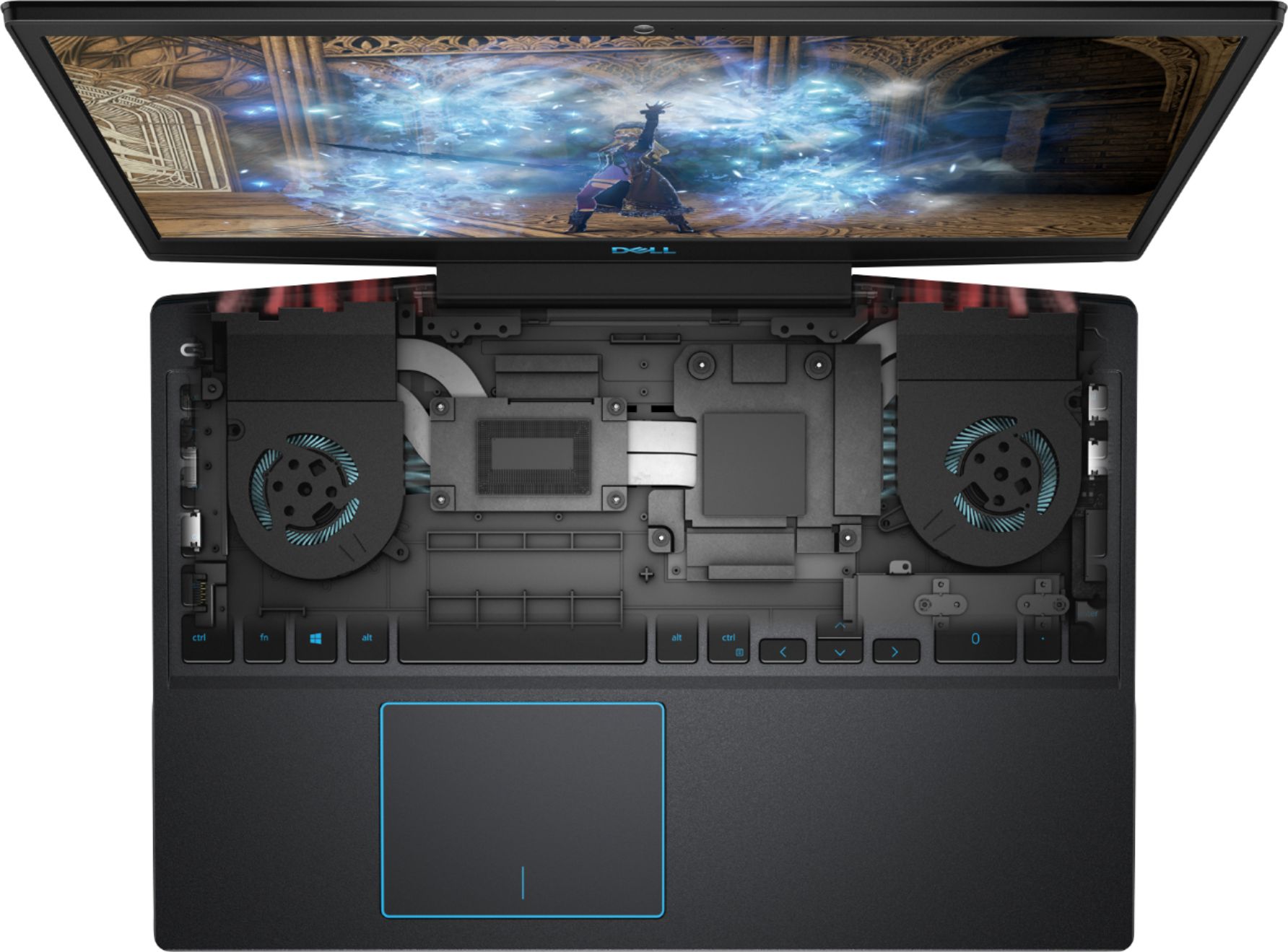
|Posted .This reviewer received promo considerations or sweepstakes entry for writing a review.So last year’s G3 was decent but nothing too impressive. Dell stepped up and “redesigned from the ground up.” They really changed everything from the chassis to the hardware and I gotta say I am impressed. This model comes with the 9th Gen Intel Core i5 with 8GB RAM and Nvidia GeForce GTX 1660 Ti. Not bad at all. However, the 2019 model is anything but a spec refresh. This shows on the design which was overhauled. It really is much sleeker than the previous model. It is noticeably slimmer and lighter. It’s not light by any means, coming in at 6 pounds. I would still say it is more “portable” than its ancestors. This comes with a 512 GB SSD. You can easily take out the bottom panel and also add a HDD which is very nice. RAM is also upgradeable. Build quality is solid. The chassis is plastic. There is no keyboard or screen flex. The coating that they used can be a bit of a fingerprint magnet so I would keep a wipe handy. I have the Eclipse Black colorway. The keyboard is black with blue keys and accents. It does feel a bit mushy to type on. They have good travel and ok feedback otherwise. I did have very mild trouble with a sticky shift key, but other than that no major complaints. This model has blue backlighting which I feel can be fatiguing on the eyes. It is not customizable but I believe that the higher spec models have customizable RGB backlighting if that is important to you. The trackpad is ok. I doubt you will be using it much if you bought it for mainly gaming. Speakers can get decently loud and crispy but they do sound a bit tinny and buzzy at higher volumes. They are located on the sides and are kind of bottom firing which is not ideal. They are definitely good enough for media consumption but I would get headphones for gaming because of fan noise when running Game Shift (see below). The display is decent. It is a 60 Hz FHD IPS panel. It comes in at 250 nits of brightness which does well indoors. Pictures do look sharp although not very color accurate. I would say that the display will not blow you away but its perfectly ok for gaming basic titles. You can get a brighter 300 nits screen and 144 Hz panel with the higher spec models. The bezels are much thinner and aesthetically pleasing. The G3 has a decent selection of ports. This year it actually comes with a USB Type-C port! It also has a headphone jack, Ethernet jack, USB 3.1, HDMI 2.0, and a power port on the left. It has two USB 2.0 and a SD card reader on the right. Battery life was around 4 hours on a full charge with max brightness and casual internet browsing. It’s respectable and middle of the pack. Performance. The most important thing. First off, Dell has added something called Game Shift to the software. It is a button (F7) that you can press that quickly allows for a boost in performance. They also threw in the Alienware Command Centre which allows for fine-tuning of CPU, GPU, fan speeds, and so on. The graphics card is a Max-Q version of the 1660 Ti. While it is true that the performance lags behind the 1660 Ti, the Max-Q versions allow for thinner, quieter, and lighter GPUs which can fit in these thin chassis. When you press Game Shift, there is a very noticeable and audible increase in fan speed. This is important because this thing can really play games. It has no problems running games on high graphics. It was running Dead by Daylight at over 100 fps. It is limited by the frame rates but at the very least, there is no lag. All in all, it is a very good and capable laptop with no big flaws.
I would recommend this to a friend - Pros mentioned:Graphics, Performance, SsdCons mentioned:Battery life
Great gaming laptop for casual players
|Posted .This reviewer received promo considerations or sweepstakes entry for writing a review.This Dell G3 15 inch gaming laptop will not disappoint especially at the price point. For this to be a gaming laptop it is pretty light. From the outside when it closed it kind of looks like a car hood from the top, I think Dell did that on purpose because when the laptop is closed it actually looks like the front of a sports car, the reason why is because between the screen hinge there are two grills for the fan exhaust, and in the center is the G3 logo it is pretty cool. This specific one has a black matte finish with blue Dell reflective logo on the outside and blue accent lines. The keyboard is backlit with blue color and it activates when typing, or when the mouse is in use. There are only two bright settings for the keyboard backlight, or you can just turn them off. On the bottom you have stereo speaker which are pretty loud in my opinion, and there blue accent rubber strips in each corner that will prevent this laptop from slipping on smooth surface. Those rubber strips not only looks nice with the blue accent, but they also raised the laptop a few centimeters from the surface allowing heat flow from the bottom grills. This machine performed very well during game play, I used Killer instinct for the test one of my favorite games. The game not only look great on the screen it played fantastic without any lag whatsoever. However, I did notice when you play on battery power the games frame rate slows drastically, even with the G mode enable I was not able to bring that frame rate back up, the only fix to this that I found was to plug it back in to the power. The booting from cold took me about 17 seconds from powering on to login, and that was without any tweaks in the OS. This laptop is configured with Intel i5 9th Gen 2.4Ghz, 8G Ram, 512 SDD, Nvidia GeForce GTX 1660, 2 USB 2.0, 1 USB 3.1, SD Card slot, 1 HDMI, 1 USBC Display port, 1 RJ45, and a headphone jack. For regular day use this laptop performed extremely well too, from opening and switching programs was very fast. After 3 days without plugging to the power, the battery was still at 68%. The .9mp camera took very clear photos in well lit rooms, and was great for video calling. One thing that I really missed and is lacking on this laptop is a fingerprint reader and face login you have to log in with a pin or password. The keyboard has a number pad and the screen is Non-touch. Over all this gaming laptop for the casual player will be more than enough and that’s without any tweaks, I really like the looks and performance of this machine and for that price point can’t go wrong.
I would recommend this to a friend - Pros mentioned:Build quality, Graphics, Speed
Nice price for a gaming laptop with a GTX 1660Ti
|Posted .This reviewer received promo considerations or sweepstakes entry for writing a review.Dell has come up with a nice option for gamers that are looking for an affordable laptop with decent specs. The chassis is sleek and elegant looking which is a nice change from the gaudy, overstated look of many gaming laptops. Build construction seems to be quite nice and should withstand typical laptop movement, packing and use. The 9th Gen I5 processor was more than adequate and it's great to have the GTX 1660 Ti graphics card. The G3 was used on a variety of games and the results were smooth with no hiccups. Fan noise was acceptable, but perhaps some that don't use headsets may find the fan noise more noticeable. The anti-glare 1920 x 1080 screen looks good with nice color and clarity. The lack of a touch screen seems logical given this laptop is primarily for gamers. There is a built-in webcam and microphone. The 512GB SSD offers nice data access and start up speeds over a hard drive option. This laptop also features two tuned speakers that deliver adequate 3D audio for gamers. The keyboard is backlit and has a 10-key numeric keypad which is a nice option for other applications. Wireless connectivity worked great. Laptop features plenty of ports that includes one USB 3.0 type C port. If you're a gamer that is looking for laptop with a nice design, yet still portable, at a great price point to include a GTX 1660Ti graphics card, then this is a great option to consider. Just note that the G3 laptop does not include a touch screen or a dvd/cd drive, but that is not unusual for many laptops.
I would recommend this to a friend - Pros mentioned:Build quality, Performance, Ssd
Impressive Experience for the Budget-minded Gamer
|Posted .This reviewer received promo considerations or sweepstakes entry for writing a review.Last year, Dell launched their G-series laptops that focus on bringing quality gaming experiences to the value-oriented consumer who isn’t looking to pay more for the frills of high-end Alienware hardware. This year, the lower-tier G3 model gets some notable upgrades that make it a compelling choice for gamers. BUILD: The G3’s build is a confident, durable plastic design. Even compared to last year’s G7, I actually prefer the feel of the plastic on this G3. It doesn’t feel cheap, and the plastic on the lid is a matte material, unlike last year’s smoother design. That confidence holds up on the bottom of the laptop where the same durable matte plastic material is also used. They also added a texture of grooved lines on the bottom that gives it a bit more grip when you are holding it with one or two hands. You’ll also find decent size intake ventilation holes in the bottom which are also made even more effective due to the elevated blue rubber stoppers that line the corner edges that lift the laptop up—especially towards the back where the intake ventilation is. On the rear of the G3 are the exhaust fans that are somewhat obstructed by the lower bezel of the display—a design decision not found on the G5 or G7. DISPLAY: The display on the G3 is really nothing special, but it’s also not a dread to use. The display is the “BOE 0819”, which has also been found to be “BOE T1WD3-NV15N3D” online. Despite being an IPS display, the pixel response times are slower, color gamut is muted and the backlight bleeding on my unit is more noticeable compared to other IPS displays. It does seem to be brighter than last year’s model, but this choice of display isn’t ideal for hardcore gamers—it’s really a compromise for gamers who don’t mind a 60Hz refresh rate and slower pixel response times. And if for some reason you decide you want a different display on this model, online communities have successfully replaced the display in this G3 with much better, higher refresh-rate displays. KEYBOARD: The keyboard on the G3 is pleasant to use, I’ve found. Typing up this review served to be quite easy. I’d say that my typing accuracy on the G3’s keyboard is very similar to my Alienware m17. It has decent spacing between each key, which can be a huge problem for those of us who type quickly and need to be agile. As a software developer and technical writer, a bad keyboard can make me a sluggish performer, but I really don’t have any qualms with this keyboard. The keyboard is backlit with a blue color. I would have preferred white, or a least a few more options for brightness, as you only get two levels of brightness. By default, the F-keys function as the actions for controlling volume, screen & keyboard brightness, etc. If you prefer to hold the Fn key to use those actions, you can change that in the UEFI bios. TOUCHPAD: The G3 is equipped with a decent size touchpad, even larger than the one found on my Alienware m17. It uses the Microsoft Precision Touchpad driver, which is a must-have feature for gestures and reliable tracking. Some might be a bit disappointed that there are not separate left & right click buttons, as they are integrated into the touchpad, but if you’re gaming, you ought to be using a mouse or controller, anyway. I/O: The G3 has a decent selection of ports on it. On the left side is the 180W power jack, a USB-C port utilizing USB 3.1 with DisplayPort Alt Mode, an HDMI port, a Type-A USB 3.1 port, a RJ45 gigabit ethernet por, and a headphone/microphone combo jack. On the right side is the wedge lock slot, 2 USB 2.0 slots, and a standard SD card slot. I’m a bit disappointed that there 2 USB 2.0 slots. Usually 1 USB 2.0 is acceptable since many gamers have a wireless mouse dongle that would be plugged in at all times. But I don’t see a good reason for having two USB 2.0 slots Either way, I’m glad to at least see that the USB-C port supports DisplayPort Alt Mode, so you could use the G3 with a USB-C dock that has a display connected. STORAGE: This model has a KBG40ZNS512G NVMe TOSHIBA 512GB drive that is quite fast. The usable capacity due to over-provisioning is 488.38 GB, however since there are additional partitions reserved for recovery purposes, the partition with Windows 10 installed is about 459GB. While there are many scenarios that one could test, I ran CrystalDiskMark and got sequential scores of 2237MBps Read / 1483MBps Write. WIRELESS CONNECTIVITY: It’s important to mention that this laptop has installed a Qualcomm Atheros QCA9377 module which is a 1x1 802.11ac Wi-Fi chip with Bluetooth 5. It’s not a high-end chip like Intel’s offerings, so theoretical performance will be limited to 433Mbps. Despite that, I experienced no issues while connected to my Wi-Fi router and was able to play online games without interruption. The addition of Bluetooth 5 is also nice to see in a budget gaming laptop. While BT5 adoption is slow and limited in use-cases, I could see someone using truly wireless headphones over Bluetooth 5 to listen to music, watch a movie, or play a game. GAMING PERFORMANCE: The G3 is equipped with an Intel Core i5-9300H, 8GB of 2666Hz DDR4 RAM in a 2x4GB configuration, and a 6GB Nvidia GTX 1660 Ti w/ Max-Q Graphics. This combination is perfect for 1080p gaming. In order to achieve the best thermal performance, you can open the Alienware Command Center and then press the G-key (F7 key on the keyboard), which initiates High Performance mode. You’ll hear the fans ramp up to full speed, and it will also increase the max TDP of the CPU to allow more power & deliver higher clock speeds at the expense of heat and louder fan noise. In the latest Call of Duty: Modern Warfare, I was able to achieve an average of around 75fps at 1080p with all the settings maxed out with DirectX Ray Tracing disabled. Turning Ray Tracing on would see a substantial drop in framerate, but usually yielding over 35fps. With it disabled, advanced scenes with more dynamic lighting, reflections and intricate shadows would see lower averages, but usually above 60fps. My minimum fps never hit below 50fps, and typically not very long, as these dips usually only occurred in scenes with an exorbitant amount of explosions and such. Traversing buildings and open landscapes usually yield that high 75fps average, and hitting highs in the 90’s and sometimes the 100fps mark.The best experience can be found with V-Sync on and a frame rate limit of 60fps to avoid screen tearing. I also benchmarked Shadow of the Tomb Raider with every graphic setting maxed out except with Ray Traced Shadows disabled and Antialiasing set to TXAA. I also enabled the new AMD FidelityFX setting. My average hit 60fps, which was impressive, given the level of detail in the graphics. If you use Ray Traced Shadows, it will have a hit to performance if set to Ultra, so I’d recommend Medium with some tweaks to other settings to keep the framerate above 60fps. This is a game that requires balancing some settings to get stable 60fps with Ray Tracing enabled. Less graphically demanding games like Rocket League and CS:GO will achieve average frame rates far beyond the 60Hz refresh rate of the 1080p display, even when graphics are maxed out. With V-Sync off, I was able to hit well over 100fps without major dips in performance. Games like these would continue to perform well at higher resolutions like 1440p or even 4K. But with only a 60Hz 1080p display, frame-capping at 60fps with V-Sync on will yield the best experience. I also ran 3DMark which yielded the following results, which you can compare against your own: Time Spy: https://www.3dmark.com/spy/9422066 Sky Diver: https://www.3dmark.com/3dm/41354958 The summary for these scores is that the G3 is a great performing laptop for most gamers, but as with many of the 8th gen and 9th gen Intel CPU’s, it is allowed to run up to 100°C, and it definitely will if you’re running graphically demanding games with High Performance Mode enabled. The GTX 1660 Ti w/ Max-Q is a noteworthy improvement over last year’s GTX 1060 w/ Max-Q, and is a much more VR-ready GPU for those who want to play VR titles. Speaking of which, here are my VRMark results, averaging at 130fps: Orange Room: https://www.3dmark.com/vrm/41423697 As you can see from all the testing I performed, this configuration of the Dell G3 is fantastic for high performance 1080p gaming. You can play a plethora of games from competitive games to the most graphically demanding titles. And while some might argue that 16GB of RAM should be standard, I did not find 8GB to have a negative impact on my gaming experience. Either way, the RAM is upgradeable, if you choose to do so. SPEAKERS: The speakers on the G3 get surprisingly loud. While they’re not going to win any awards for sounding amazing, they still sound quite good for gaming with enough of a dynamic range to help deliver immersive experiences. You can tap into the Alienware Command Center to use some of the sound profiles and tweaks to get a sound that best suits your needs. I typically prefer a flat sound profile for music with maybe some bass boost, but you can create your own profiles based on the types of games you play, as well. CONCLUSION: The Dell G3 is an impressive budget gaming laptop. I would certainly recommend it when on sale to get the best bang-for-buck, but I have been steadily impressed with little to complain about unless you want to talk about the potato quality webcam. Overall, this is a machine that I’m sure many budget-minded gamers would appreciate.
I would recommend this to a friend - Pros mentioned:Build quality, Ssd
Performance on a budget
|Posted .This reviewer received promo considerations or sweepstakes entry for writing a review.Dell G3 is Dell's line of affordable gaming laptops. This new 2019 model gets the basics down with a few compromises for a great price Design: A bit bulky, and over 5 Lb., in an all-plastic case, with a bit of flair with blue accents and angled back, it's built to handle the actual heat from the CPU and GPU. The keyboard is full-size island keys, including numeric keypad, with adjustable intensity blue backlighting. The trackpad is large enough, slightly to the left so it's centered below the space key. The laptop comes with a very large (And heavy) power supply, rated at 180W (Which would be needed to run the CPU and GPU at full). The laptop has an internal 3-Cell 51W battery. I couldn't remove the bottom cover because it has a hidden screw behind the label, but from what I found, the memory and SSD are replaceable, and there is also an internal, empty 2.5" HDD bay. Screen: Specs: 1920x1080 60Hz, 15.6", 6-bit depth. Matte screen, no touchscreen While the specs don't sound that impressive, in person it's actually very pleasant. The images are clear, and the matte screen is best to avoid glare, and workable angle views. CPU / Memory / Drive: 9th Generation (2019) Intel i5-9300H with four cores, Embedded 630 Display controller. 8 Gb DDR4 in two slots: 4 Gb / slot. Note that while the memory would need to be replaced to expand it, it performs better when distributed in two slots rather than single 8 Gb slot. 512 Gb M2 NVMe: This is a nice, fast drive. Larger drives tend to perform better because data is more distributed through memory blocks. Video: Nvidia GeForce GTX 1660 Ti (Max-Q) Slots/Connections: - On the right, two USB 2.0 (Yes, 2.0), SD card reader. - On the left: Barrel-type power cord, One USB-C (DisplayPort), One HDMI 2.0, One USB 3.1, Ethernet RJ45, headphone jack A bit disappointed that it has no thunderbolt ports (So no eGPUs here), and only one USB-C that's also the DisplayPort. And one USB 3.1 while two other ports are USB 2.0 (Fine for keyboard and mouse), but would use one of the USB 3.1 or USB-C for a memory stick. There is a camera above the screen but with no depth sensor and no fingerprint sensor, so no option for Windows Hello. Software: Not much bloat, thankfully, except for McAfee (one-year free subscription), Spotify, Netflix, and Office (trial). The antivirus didn't pose much resistance when uninstalling, and Windows went back to Windows Defender smoothly. Then there are the typical bunch of programs from dell for software upgrades and cleanup, Nvidia tools and pleasantly surprised that it also includes the Alienware control center. The keyboard has a "G" key (Actually, F7) that enabled the performance mode with fans at full speed via the Alienware control center. Benchmark (With default settings) GeekBench 4 Single-Core: 4960 Multi-Core: 16704 OpenCL: 187427 Games: Fortnite runs smoothly at 60 FPS at 'Epic' quality VR: It can run the new Oculus Rift S. The GeForce GTX 1660 Ti is listed as recommended. Note that The Rift S uses both the USB 3.1 port and the USB-C port, and you'll need an (inexpensive) USB-C to DisplayPort adapter. Resuming: Current-generation CPU. Overall package is nice, except for not having enough ports and no Thunderbolt. While the screen is rather basic, is pleasant to look at, with solid colors. The Ti 1660 video card is actually pretty good for the value on this machine, which is the main reason one would get this.
I would recommend this to a friend - Pros mentioned:Build quality, Graphics, Performance
Great mid-level gaming at a FANTASTIC price
||Posted . Owned for 2 weeks when reviewed.This reviewer received promo considerations or sweepstakes entry for writing a review.There are some small corners cut on this laptop, but it is definitely worth it. I would have liked to see 16gb of RAM in it, but not at the expense of the 6gb 1660ti GPU they put in it. It has great storage with the 512gb SSD they put in it. I use it primarily for graphic design, but love it for gaming as well. It is very capable for the price. It goes on sale frequently and I was able to land one open box for under $700 (a total steal). It is well-built and looks great with the blue accents and LED backlighting on the keyboard. Seriously, love this machine. It is easily upgradeable as well.
I would recommend this to a friend - Pros mentioned:Graphics, SsdCons mentioned:Speakers
Solid all around gaming device.
||Posted . Owned for less than 1 week when reviewed.This reviewer received promo considerations or sweepstakes entry for writing a review.Honestly I wasn't expecting that much, but when I loaded several games (WoW, Fortnite, League of Legends) I was blown away. Setup was painless and was a seamless experience. The little bloat that is present doesnt hamper the device at all. Blazing fast with amazing graphics and a solid display. While it only comes with 8 GB ram (2x4 GB), you can upgrade up to 32GB with no issues. The SSD and its storage are blazing fast, and the CPU puts in work. Everything I've thrown at this thing so far has been executed to perfection.. while the computer is under load, you can hear the fans, but if you use headsets, this won't be an issue. I was struggling to find the right gaming laptop for my needs for a while now.. and a friend recommended this to me. So far I am EXTREMELY IMPRESSED.. and the blue backlighting keys are a nice add to at night and/or in a dark room. If you're looking to upgrade and get into the gaming laptop market, this is worth checking out. The only con I'd say would be the speakers. Downfiring and it didn't sound that impressive, however, headphones do the trick for me. This is day 2 for me, and I must say I am very happy with my purchase.
I would recommend this to a friend - Pros mentioned:SsdCons mentioned:Cooling
Great price, got for college
||Posted . Owned for 3 weeks when reviewed.This reviewer received promo considerations or sweepstakes entry for writing a review.I got this on sale with the student discount and overall the value was amazing. I was gonna be using this for college and gaming on the side when I have time. The cooling solution in this laptop isn’t great. The CPU can easily thermal throttle when being pushed to the limits. It can even reach 100c when playing demanding games. The graphics card however performs great and runs reasonably cool. I don’t recommend playing triple a games for too long unless you get a cooling pad. I myself don’t have one and can’t guarantee whether the cooling pad will make a big difference also it just depends where it is and what cooling pad you have. The storage is alright and what I mean by that is, 512 gb NVME boot storage is fantastic, but it only has that one drive. Downloading a lot of games is not possible so I got a usb c external hard drive to download all my games and is what I recommend. Overall this laptop was great for the value and id recommend as a mid range gaming laptop in 2019 for the price.
I would recommend this to a friend - Pros mentioned:Graphics, Ssd
Great specs for the price!
||Posted . Owned for less than 1 week when reviewed.This reviewer received promo considerations or sweepstakes entry for writing a review.Picked up a couple of these while thry were on sale, GTX 1660 is great for 1080 gaming at high serrings on most games, 8 gigs of ram is more than sufficient for most tasks. And the M.2 ssd at 512gb is roomy enough. Pros : Graphics are great Replaceable / upgradeble ram - comes with 2 x 4gb sticks but upgradeable to 32gb Replaceable / upgradeable hdd(s) - M.2 slot is occupied by 512gb ssd, and Im fairly sure theres a 2.5” hdd bay available. Full keyboard with numeric 10 key. Gas a built in rj45 lan port Wifi and bluetooth Cons Display is not touchscreen Not a huge fan of the keyboard layout, i have to have my hands slightly to the left of center which throws me off finding the homerow raised keys. I reccomemd getting a cooling pad if you plan on long play sessions, and you will probably find yourself removing some bloatware in the beginning. I do like the dell support assist tool, it comes in handy for drive cleanup and driver / bios updates.
I would recommend this to a friend - Pros mentioned:Build quality, SsdCons mentioned:Hinge
loved it at first, have to take it back now.
||Posted . Owned for 3 months when reviewed.This reviewer received promo considerations or sweepstakes entry for writing a review.I try to be objective with these... so ill start by saying that I was pleased to see the footprint shrink from the last style of G3 (which I still use, and am now having to use again) You do get a really good GPU that comprises half the cost of the unit when on sale, HOWEVER.... I was regularly reaching temps of 100 Celsius, and now the hinge seems to be failing so it's gonna have to go back to the store. I'd recommend the ASUS that's on sale for 900 right now, you get an I7, 16 gigs rather than 8, and a much sturdier build... well worth the extra 220
No, I would not recommend this to a friendBrand response from YourDellTeam
Posted .TechDad,
Thanks for your review. We're sorry to hear that you're not completely satisfied with your laptop. Here are some tips to help keep your computer operating at a lower temperature:
Tips for Proper Usage:
1. Dell does not recommend placing portable systems directly on your lap. Due to reductions in the thickness of modern portable systems, heat transfer can be an issue.
2. Using a portable system (Laptop) on a hard, flat, non-cloth surface will increase airflow and reduce heat from underneath and inside the system.
Using the portable system on a blanket, pillow, or other types of cloth will cover up the fan cause the computer to overheat and can cause permanent damage.
3. It is recommended to use the portable system in a Room temperature of 0°C to 35°C (32°F to 95°F) with a Humidity level no greater than 90%.
4. Use compressed air to clean the vents on a regular basis.
5. Using a cooling pad can decrease heat and increase performance.
6. If you want to know the temperature limitations for your system, go to the Dell Support Website, look up your system model then open the user guide under the manuals link.
You can read the full article here - http://dell.to/2uJ8AdG.
Best,
Bryan
1-800-624-9896
- Pros mentioned:Performance, Ssd
Mid-high level gaming at a entry level price!
||Posted . Owned for 1 week when reviewed.This reviewer received promo considerations or sweepstakes entry for writing a review.This my very first gaming laptop, I was very fortunate enough to come across an amazing deal during Thanksgiving giving week. Best buy had an open box excellent condition for only $654.99 I had to pull the plug immediately. I have not seen this deal again even during Black Friday and Cyber Monday. So I am glad I didn't wait. Honestly the 60hz display is not bad at all. The performance is fast and smooth. I play FIFA and I am getting 140+ FPS, Titanfall 2 120+ FPS, PUBG 120+ FPS all at max settings. If you can get this laptop under $800.00 you will not be disappointed. I did buy a cooling fan to help keep my laptop at decent temperature and boy did it really help I would highly recommend a fan. With all the money I saved I will be getting a 16gb DDR4 I did add 2.5 512gb SSD that I bought on Black Friday for $59.54 giving me a total of 1TB which is more than enough storage. Highly recommend this laptop for anybody considering it.
I would recommend this to a friend - Pros mentioned:Graphics, Performance, SsdCons mentioned:Battery life
Great Package and Price!!
|Posted .This reviewer received promo considerations or sweepstakes entry for writing a review.THE BREAKDOWN: Let me start by saying that gaming laptops these days are a super competitive market. I was expecting big things from Dell on this one. Have had other Dell laptops in the past I look forward to putting this one through the paces. The packaging was very simple with nothing extra. At first when I opened the package I was thinking that I received a refurbished laptop as there was just the laptop, charger and warranty card, that’s was it. No fancy vibrant pictures or anything else just bare bones. After unboxing, I plugged the laptop in and turned it on. The Windows 10 setup was pretty easy, especially if you have an account already. I was up and running in a matter of just minutes. The design and feel of the laptop for me was great. It feels very solid even though its made of plastic. I love the blue rubber feet on the bottom and it also raises up the laptop to allow for airflow. One thing on the design for me was very lack luster and that is the fact that at the top of the keyboard the plastic goes up at an angle and creates a viewable space in-between the base and the laptop screen. It may not bother some people but I found it very distracting. The performance was very competitive among other gaming laptops in this price range. I would score it slightly higher than other laptops on this price range. Running some benchmark tests, 3D Mark and PC Mark 10, this laptop comes in slightly higher than there typical results of a gaming laptop. Played several games on max settings and averaged anywhere from 40-100FPS. One note is that when playing World of Warcraft for some reason I was getting only 40-50FPS. On this laptop I found the fans to be louder than normal. I also had a Bios update while playing a game and on restart I received the blue screen of death. I took several times going into advanced setting and finally had to just wipe it and start again. So, one note to buyers is go to the Dell support website and download all of the updates before you begin testing/playing. I thought the battery life was just ok at about 2 hours of gaming and around 3 hours of streaming video. WiFi was excellent as expected for me I was getting really good almost max throughput every day. PRO’s: -Windows 10 -15.6” Full HD Display -8GB memory -512GB NVMe solid-state drive -NVIDIA GeForce GTX 1660Ti graphics -9th Gen Intel Core i5-9300H -Backlit keyboard CON’s: -Heavy -Loud fan -Only 1 of the 3 USB are capable of USB 3.0 SUMMARY: Overall, I feel that this product worked very well and I would recommend this to a friend if they are in the market for device like this.
I would recommend this to a friend - Pros mentioned:SsdCons mentioned:Battery life
nice upgrade for me anyway.
||Posted . Owned for 1 month when reviewed.This reviewer received promo considerations or sweepstakes entry for writing a review.I was looking for something a little newer and then this happened to be the deal of the day. I am using it for day to day computing ... haven't played games yet but so far it seems to be OK ...Bootup time is good with the SSD... Battery life is just OK not as long as I would expect but better than the laptop I had before. The network speed seems a little slow but that could be my Spectrum cable acct which has had issues .
I would recommend this to a friend - Pros mentioned:SsdCons mentioned:Battery life
Solid gaming laptop for the price
||Posted . Owned for 6 months when reviewed.This reviewer received promo considerations or sweepstakes entry for writing a review.Got it for $670, good price considering the components. Ok 4 core cpu, typical gaming laptop battery life, the screen isn't good everything is kind of light and washed it compared my good monitor but gets the job done, pretty good gpu with the 1660ti maxq with the 1080p60hz screen. Again for that price not bad, but if it was much higher i wouldn't go for it.
I would recommend this to a friend - Pros mentioned:Performance, Ssd
Great laptop with good performance when on sale
||Posted . Owned for 4 months when reviewed.This reviewer received promo considerations or sweepstakes entry for writing a review.Note: I got this laptop for $200 off it's normal price, so I would recommend getting it when it goes on a sale like that. I've been using this Laptop for about 5 months now and it has not let me down. I use it for video editing and gaming and it's been excellent for both. I did upgrade the RAM to 16 GB and added a 1 TB SATA SSD for more storage, so I would recommend doing that. The video editing software I use is Vegas Pro and it runs very well with very short rendering times compared to my older 2012 desktop that it replaced. Gaming is also a delight with 1080p 60 FPS on lots of popular titles. I played GTA V and Rise of the Tomb Raider on it to completion and both ran excellent, even on an external monitor.
I would recommend this to a friend - Pros mentioned:Performance, Ssd
Great value for the money, great for casual gaming
||Posted . Owned for 2 weeks when reviewed.This reviewer received promo considerations or sweepstakes entry for writing a review.I bought this laptop on the Black Friday for 700$ which is a steal for the specs! I`ve been using this laptop for about 2 weeks now and haven`t faced any issues whatsoever. Upgrading is very easy, I upgraded the ram to 16GB <<2 of Crucial 8GB Single DDR4 2666 - CT8G4SFS8266>> and a Seagate FireCuda Gaming (Compute) 2TB Solid State Hybrid Drive. *Just a side note, this laptop comes in 8GB RAM in 2*4GB config so you`ill have to buy 2*8 if you wish to upgrade it* I play call of duty modern warfare and it plays pretty decent, +100 FPS which is not bad at all for a this price range. Happy with my purchase, bought a second one for my brother also, would definitely recommend it!
I would recommend this to a friend - Pros mentioned:Performance, Ssd
Tremendous hardware, awful software
||Posted .This reviewer received promo considerations or sweepstakes entry for writing a review.I'm going to put the solution to what many folks may be having in regards to overheating first, and follow that with my review. If you are having problems with overheating - first check the wattage to the cpu through Intel's XTU software (google this and download it). Check the Turbo Boost Power and Short Burst Power Max values. If your values are 75 watts and 90 watts respectively, uninstall ALL dell software from your system. Doing this made my values 48.75 watts for both - this system wasn't designed to dissipate 150 watts (90 to the CPU, 60 to the GPU). Leaving these values where they were for me by default had my cpu constantly hitting 100c and will significantly reduce the longevity of the device. I recommend setting these values to 35w and 45w and creating a profile that will allow these values to easily be reapplied after the system is restarted. And now my review- This is simply put a fantastic hardware configuration for this price range (i5 9300h, gtx 1660ti, 512gb nvme ssd). It can run every game I own at 1080 at max settings! But by default, my machine ran incredibly hot. Unsafe levels of hot. I will get to this in the software portion of my review. See above info for the fix. The ssd is very respectable also, capable of 1700MB/s read and 1400MB/s write. Having 512GB is also great, and allows me to put all of my games on the ssd. I believe it is a Western Digital black drive, and it's a shorter 2230 size. It even has a bonus heatsink that Dell attached to it to help it run at top speeds under heavy use. There is a place to add a 2nd hdd, and included is the bracket, screws, and ribbon cable to connect it. It wasn't too difficult to add the 2nd HDD, but I would prefer a 1 screw cover for easier access. Same goes with the ram, and with the m.2 ssd slot. I shouldn't have to completely disassemble the entire machine to replace these commonly replaced things. Thankfully there's not a lot of screws holding the bottom cover on and the 4 on the cooling fan side stay with the cover so those won't get misplaced. The display is just ok. I used DisplayCAL and my colormunki display to create a profile and to test it. It's an IPS display with 60% srgb coverage, 45% Adobe RGB, and 47% DCI-P3. Not suitable for professional work. It does a bad job with darker blues and almost every shade of purple. I was able to calibrate it using intel's graphics software to 6520k. Average delta e was 1.66. It gets the colors it can produce right, it just can't produce enough colors, which is expected at this price. Software. I don't need to repeat my beginning statement with regards to the software and overheating. Something in Dell's included software causes the system to push way too much wattage to the CPU. The only way I was able to remove the absurd default cpu wattages was to uninstall all of the pre-installed Dell software. Install Intel XTU. Apply the fix, and enjoy this machine. Just setting the wattage in Intel XTU does not properly fix the issue, since the settings revert to the defaults every time the system is restarted (that's restarted, not just shut down). That means the settings stay when you power down, but any windows update requiring a reboot will again expose this machine to unsafe wattages (until you apply the fix again). My unit also had issues with windows activation. Rebooting didn't help, but clicking the troubleshoot activation button did resolve the issue, and it activated successfully. I've never had a problem with windows activation on a new computer before until today. My system also emits a slight humming rattle when the fans go to the 3rd cooling state (state 1 is fans off, 2 is low, 3 is 50% or so, 4 is 60-70%, and 5 is 100%). I don't know if one of the fans is out of balance or if something else is just very slightly loose causing the noise I'm hearing. This is something else that is new to me with a new machine, unfortunately. The fans are indeed loud at 100%, but fan noise is acceptable even when gaming when the overheat fix I discussed is applied. I purchased this during the labor day sale with the additional student savings. At this price ($350 off) it is still worth getting, which is why I'm still recommending it despite all of its shortcomings. Most of the troubles are easily solved. I can learn to live with the slight humming (maybe it will go away over time), the overheating can also be easily fixed, and you only need to activate windows once. Anyone not tech savvy enough to navigate Intel XTU may want to look elsewhere though. The default temps will ruin this machine. I really feel bad for those folks that already own this machine and have been dealing with very high temps for a few months. Hopefully someone at Dell will read this review and post here when the overheating issue has been fixed - or better yet - post which program is responsible for changing the wattage on a 45 watt max cpu to 90, so folks will know which program to remove.
I would recommend this to a friend - Pros mentioned:Ssd
Great value
||Posted . Owned for 1 month when reviewed.This reviewer received promo considerations or sweepstakes entry for writing a review.Laptop runs great. The display is not as sharp as the one I replaced even though since one has a better video card. The weight is fine and seems well balanced. Only major upgrade would be additional RAM but I'll wait and see. SSD is fine for now.
I would recommend this to a friend - Pros mentioned:Performance, Ssd
Good gaming laptop for kids
||Posted . Owned for 1 month when reviewed.This reviewer received promo considerations or sweepstakes entry for writing a review.Brought this for the kids to play PC games to replace their old laptop. Their typically playing games off of Steam and their older laptops struggled with graphics lag. They're been really impressed with the performance of a dedicated GPU. They can run all their games at max fps without issue. The only concern with this laptop is the fans are quite loud when the GPU is working hard. Got this on a $150 off sale plus $100 off for student discount, so all $800 this was really a great deal.
I would recommend this to a friend