Customer Ratings & Reviews

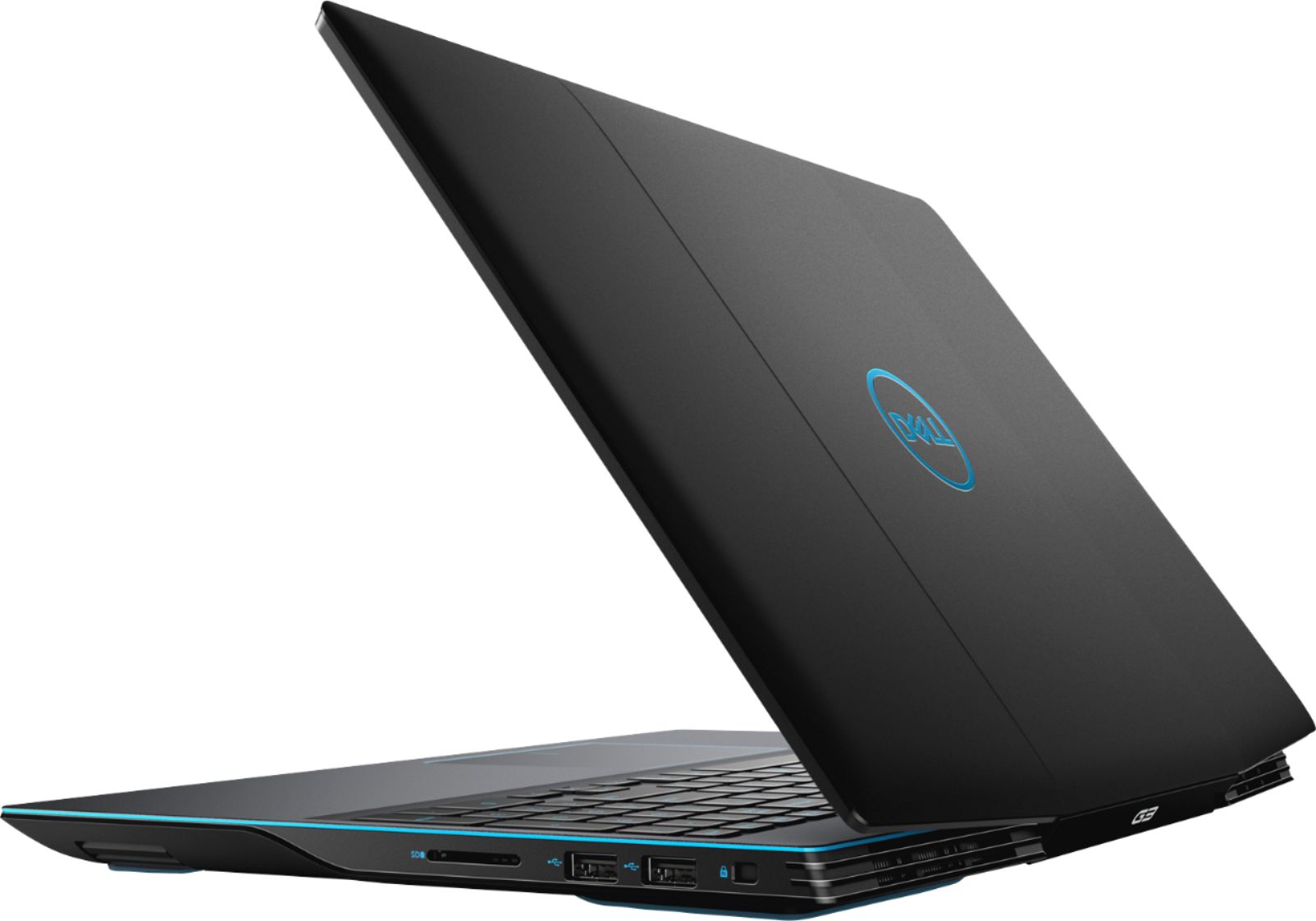
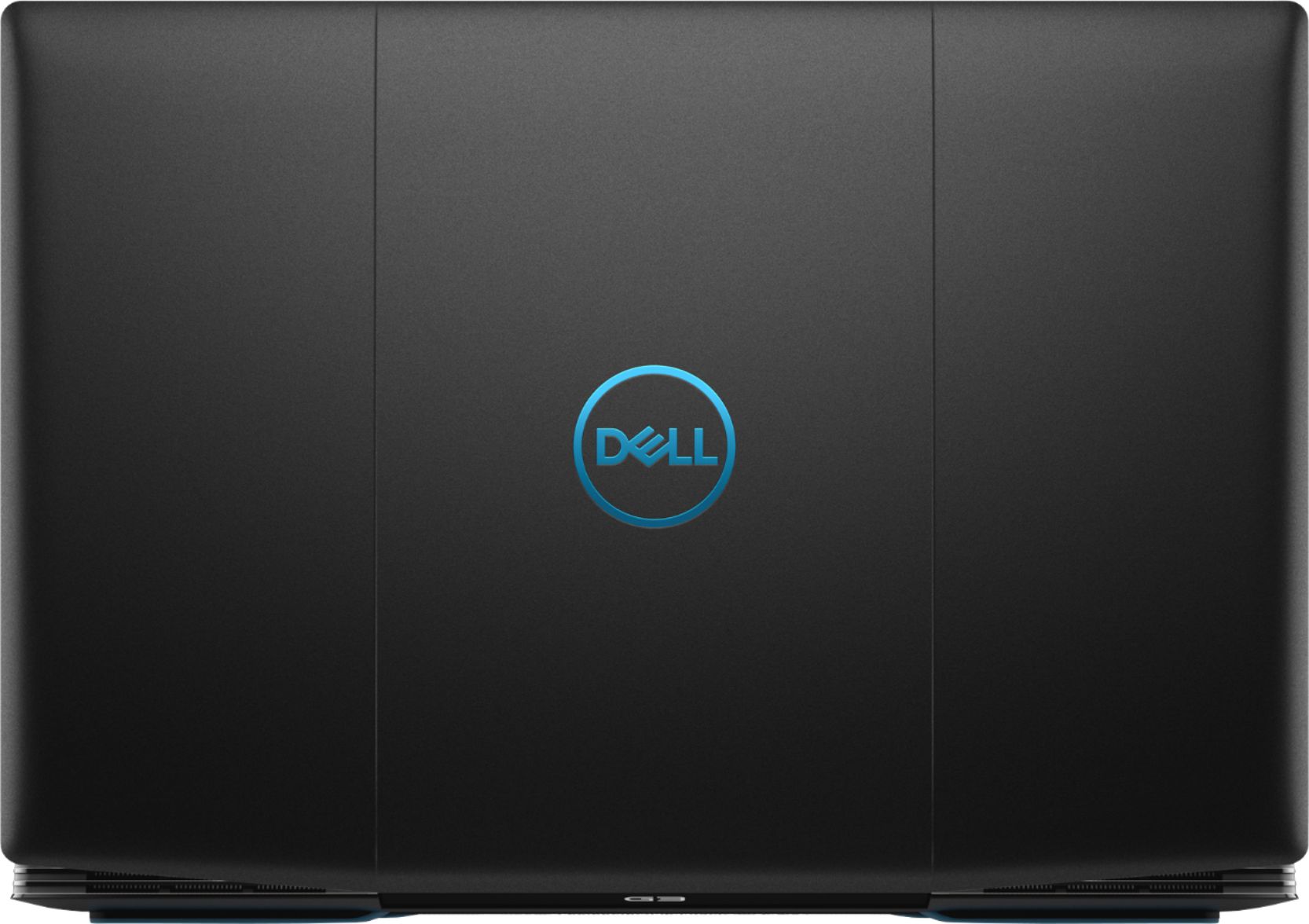
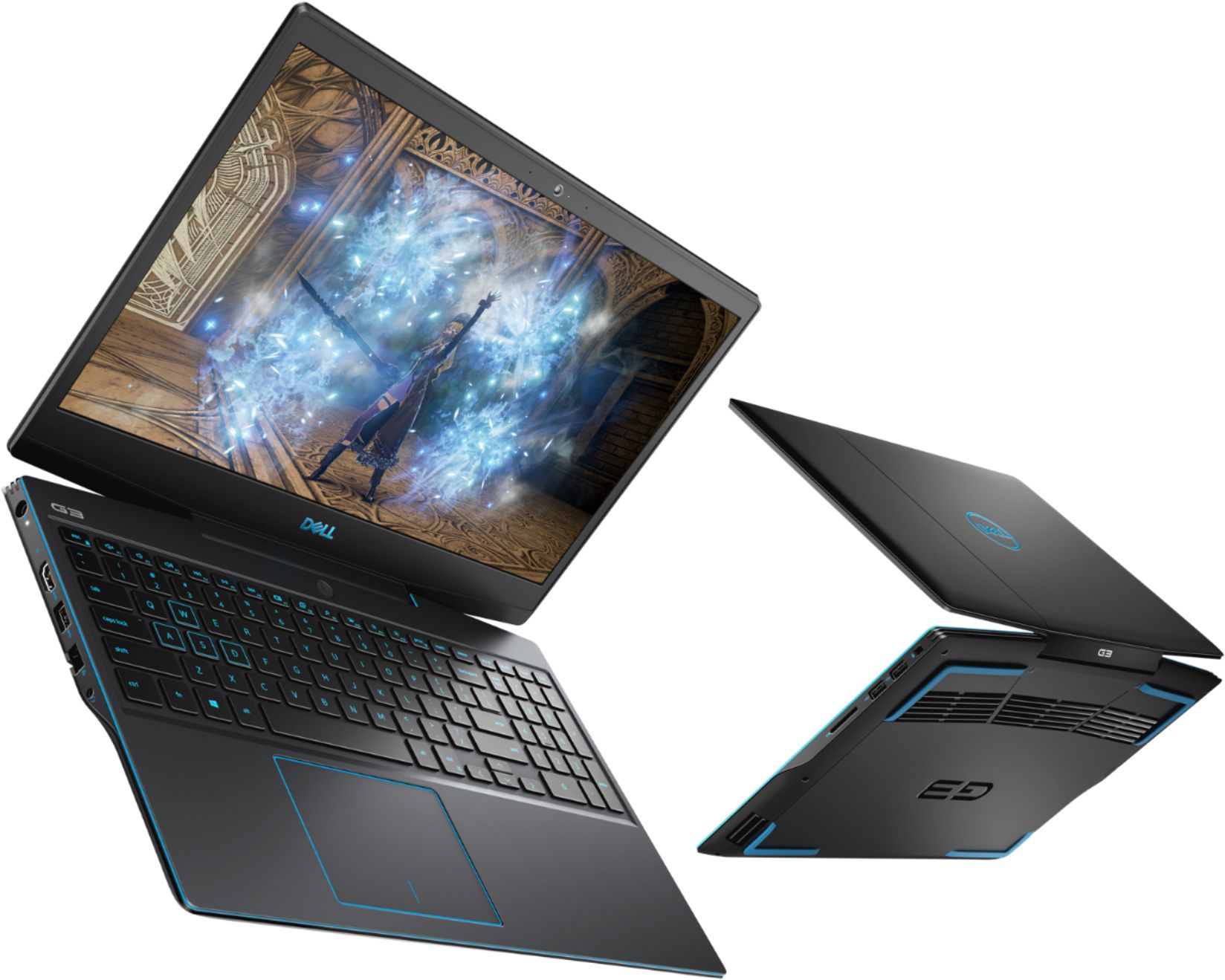
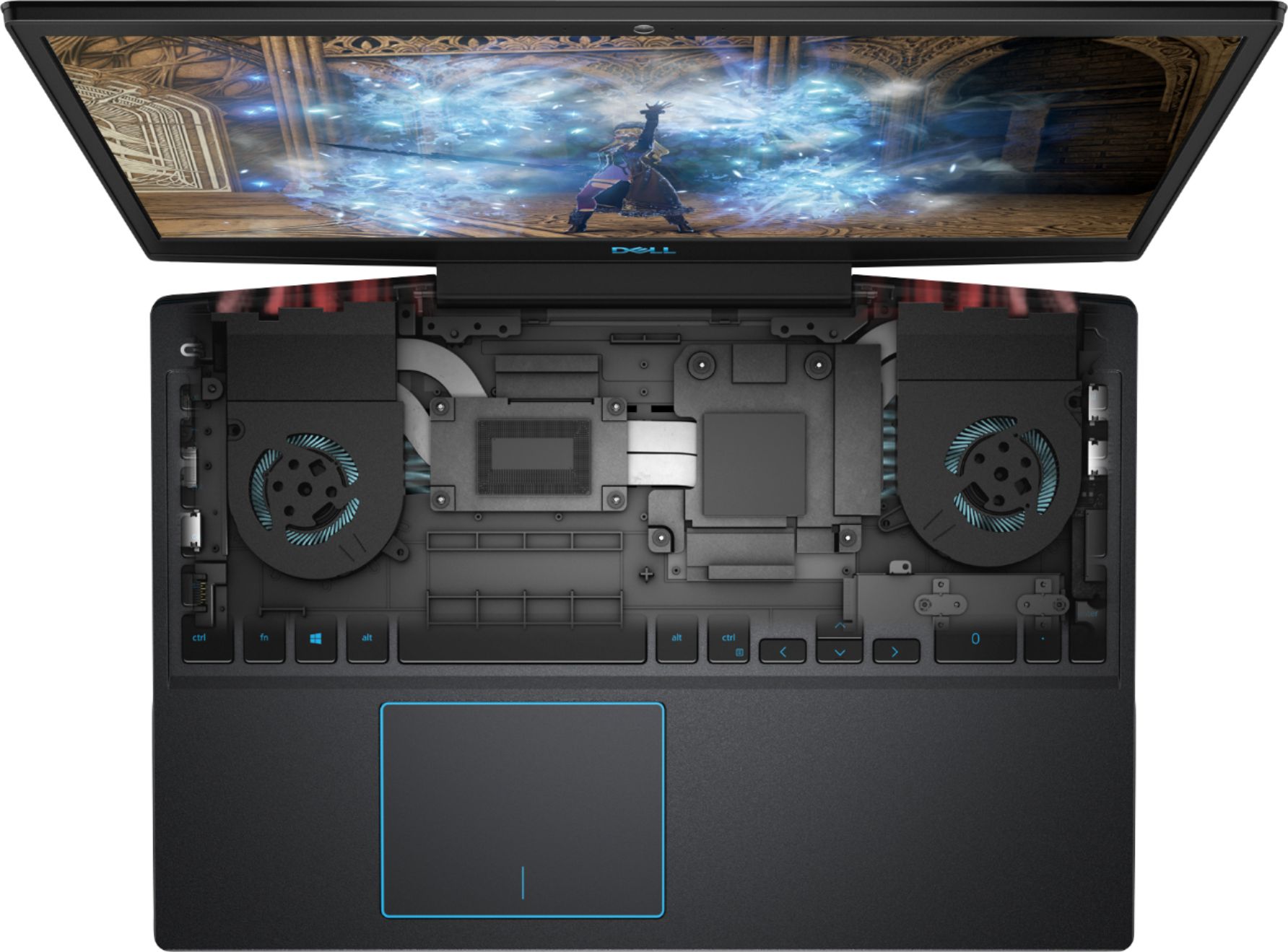

- Model:
- I3590-5988BLK-PUS
- SKU:
- 6350872
Rating by feature
- Battery Life
Rating 3.3 out of 5 stars
- Speed
Rating 4.3 out of 5 stars
- Display
Rating 3.9 out of 5 stars
Customers are saying
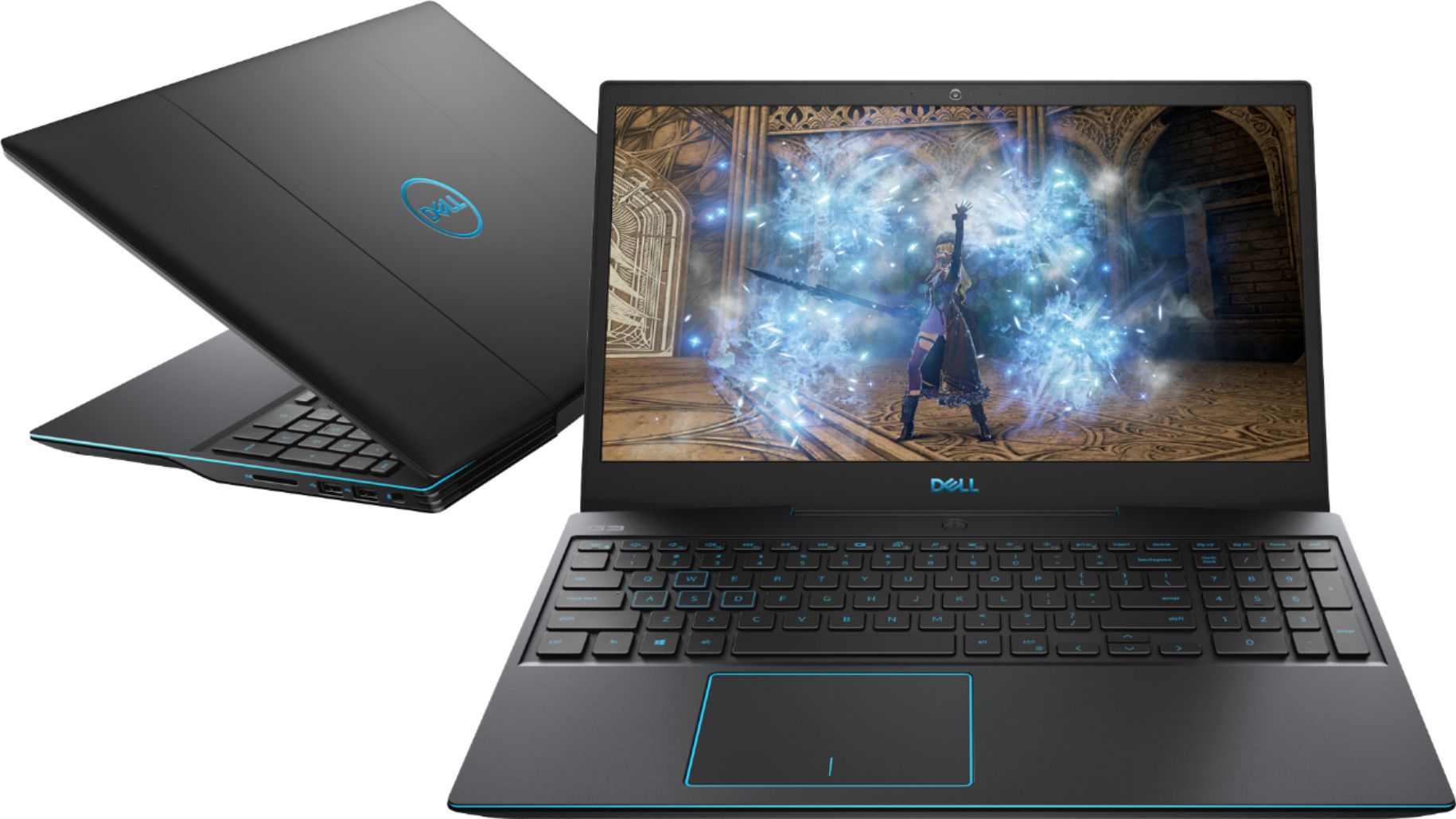
Customers enjoy the G3 15.6" Gaming Laptop's performance, graphics capabilities, and solid-state drive, frequently praising its speed and value for the price. Positive feedback also highlights its lightweight design and backlit keyboard. However, some users express concerns regarding battery life, cooling system effectiveness, and hinge durability.
This summary was generated by AI based on customer reviews.
- Pros mentioned:Graphics, Performance, Ssd
Must buy for anyone looking for a budget laptop!
Posted .This reviewer received promo considerations or sweepstakes entry for writing a review.This laptop is amazing and excellent for beginners in pc gaming. This is my very first laptop and I am very happy with what i got. I am typing on this laptop this review. The G button is perfect for when you want to game ( You have to have the Alienware control center in the screen before you press it so it actually works). The only con i see in this laptop is that at some random times the fans go up for like 2 seconds but then it turns off. Other than that, this laptop is amazing! The 512 gb ssd is amazing for storage and speed, i like the design choice on blue and black istead of red and black because i really do prefer blue than red. The setup is super easy and the battery is okay for a gaming laptop. Overall. i am very pleased with this laptop. And if your deciding between other laptops at thus price point, dont worry, just get this one and it will please you. I spent so much time looking for the best gaming laptop for this money and I was looking everywhere but this one is the one you should buy.
I would recommend this to a friend Misleading!
||Posted . Owned for 2 weeks when reviewed.This reviewer received promo considerations or sweepstakes entry for writing a review.The graphics is MAXQ design. Can't return it now as it is open box.
No, I would not recommend this to a friendBrand response from YourDellTeam
Posted .mmmmmmm,
Thanks for your feedback. Our product team is currently looking into this product listing. If any changes need to be made to the specifications listing for the laptop we will make the appropriate changes. Please reach out to Best Buy directly to find out what your options are with your open box item: http://bit.ly/2v2IVhI.
Best,
Bryan
1-800-624-9896
- Cons mentioned:Battery life

Nice Laptop, Nothing Special
|Posted .This reviewer received promo considerations or sweepstakes entry for writing a review.Setup was a breeze with only one snag. While Dell utilities did some initial setup items, it was then turned over to Windows for the remainder of the setup, so pretty standard for a Windows pc. However there was a brief hiccup when it came time to activate windows. Seemed like there was some confusion between Windows and Dell support as to which one was supposed to be doing the activation. But after a few attempts Windows did activate successfully. One of my favorite things about this laptop is cosmetic. The keyboard lights up with a blue glow which is pretty cool. The keyboard itself is not as soft or quiet as I would have liked. The keys have considerable movement (up and down) and do make an audible click. I prefer a soft touch, quieter keyboard. One of my biggest dislikes is also somewhat cosmetic. The trackpad is set off center to the left. This makes it very awkward to use when you’re centered in front of the laptop, especially if you’re using it on your lap. Maybe it would be better if I were left handed, but I know that is not why it was designed this way. Not sure what the reason is, but would be much better in the center. I am constantly right clicking instead of left. The trackpad has no buttons per se, which I believe is common with new laptops. Takes no time to get used to the lack of same since the lower two corners come configured to serve as virtual buttons. However, the entire touchpad kind of serves as buttons as I discovered after using the laptop for a while. The trackpad can be physically pushed down in either lower corner, acting as buttons. Not sure why this is needed. The laptop is not light, but pretty standard for this price range. I use it on my lap for periods of time and do not find it uncomfortable. If you’re going to be toting this laptop around a lot, a lighter one might be preferable. Battery life is not that great. Just doing routine things, internet, using Office, etc., I am only getting about 3-4 hours. Gaming is obviously less. The display is very sharp and clear. Sound is adequate, nothing spectacular. No deep bass or other discernible distinctions. Kind of plain, but clear, and again, adequate. I would not want to listen to music on the built in speakers and even for gaming, some type of external speaker would be preferable to the built in ones. The speakers are on the bottom, yes bottom, of the laptop. Odd placement and definitely not the best place for optimal sound. The ports and connections are all easily accessible on both sides of the laptop. There are no physical volume buttons other than the F1-F3 Function keys. Physical buttons would have been nice. Speed is also adequate, but not as fast as I would have expected for a laptop marketed as a gaming one. Probably fine for average gamers, but not power gamers. I didn’t have any issues, but haven’t played any ultra games. The PC came with Alienware Command Center partially installed. The Fusion tab is pretty cool, allowing you to monitor all critical components of the pc in one place. Also came with Xbox Console Companion and several other basic games. Also included the standard Dell utilities, McAfee, unpaid Office, and many other programs all of which required separate subscriptions. No shortage of bloatware here. Seems to be built solid physically. Not a bad PC for the price.
I would recommend this to a friendBrand response from YourDellTeam
Posted .Hi fllbbfan,
We're glad that you're enjoying using your new computer. We're sorry that it's not completely meeting your needs. We'd recommend the following tips to help extend the life of your computer's battery:
Change the Power Plan:
1. On the notification area of the taskbar, right-click the Battery icon.
2. On the options list, click Power Options.
3. Select a power plan on the battery meter, such as Power Saver or Balanced. Windows 10 has a built in 'Battery Saver' mode that can be activated to extend your system's battery life. The Battery Saver mode will monitor and limit background activity and other features such as push notifications. You do have the option to enable or disable this mode within settings or within advanced Battery Saver settings, you can customize the mode to best suit your needs.
a) Click on the Action Center icon in the taskbar and select the tile for Battery Saver.
b) If running Cortana then type Battery Saver into the search box and select from the results.
Within the Battery Saver settings page, you will be able to turn on and off the feature and customize the feature to best meet your needs.
c) Turn Battery Saver On or Off.
d) Additional settings available via the Battery use and Battery saver settings links.
e) Battery use shows further info on apps and their power usage.
f) Battery Saver Settings screen allows you to customize further Battery Saver feature.
You can read the full article here - http://dell.to/2vfXWf4.
If you'd like to read more about your computer's display you can check out these articles: https://dell.to/2CLF6yC.
Best,
Bryan
1-800-624-9896
- Pros mentioned:Performance
Dell made another good one!
|Posted .This reviewer received promo considerations or sweepstakes entry for writing a review.I have grown to really like this laptop over the past week. The setup of the Dell G3 was straight forward. From unboxing to up and running took me under 30 minutes and that included installing required updates. The laptop literally talked me through set up. Upon completion of set up I went through a battery of test from watching streaming tv to playing a few interactive internet games. This power house made easy work of it. The display is crisp, bright and to me had accurate depiction of color. The speaker reproduce great sound and the keyboard felt great when typing. I also like the fact that it has a designated number pad. The backlit keyboard is great when using at night or in a dark room. The only reason I gave it 4 stars and not 5 is due to it not having touchscreen. All in all Dell has produced another great laptop.
I would recommend this to a friend Stupid machine
||Posted . Owned for 2 months when reviewed.This reviewer received promo considerations or sweepstakes entry for writing a review.Broken no more than twenty days. It went black all of sudden.
No, I would not recommend this to a friendBrand response from YourDellTeam
Posted .5670,
Thanks for your review. Please make sure that your laptop is fully charged before attempting to turn it on again. If your computer is still not starting properly we'd suggest trying these steps:
1. If the computer is displaying the Dell logo and does not move past that point, it has probably failed POST.
2. If the power indicator lights up and it is amber or orange, this is usually an indicator that it has failed POST.
3. If you see text on a black screen, the computer is currently performing the POST. If the computer stays in that condition and does not move past it, it has probably failed POST.
4. If the video screen displayed anything at all during the startup process but is now black, this probably indicates that the computer failed POST.
5. If the computer is beeping or if Caps/Num/Scroll Locks are flashing, note if there is a particular pattern in which it beeps or flashes.
6. If the computer is not beeping and caps/num/scroll locks are not flashing, unplug all connections and remove all media communication devices (e.g. external monitors); reconnect one at a time and check if the computer functions.
7. For a notebook, press and hold the Fn key and then press the power button. This starts the pre-boot testing and will launch ePSA. In case you have a Desktop at the Dell logo screen tap the F12 key to enter One Time Boot Menu and use the arrow keys to highlight Diagnostics and press enter.
You can read the full article here - http://dell.to/2uj1Sby.
Best,
Bryan
1-800-624-9896
Wifi Problem
||Posted . Owned for 3 months when reviewed.This reviewer received promo considerations or sweepstakes entry for writing a review.After a month and it had its latest update the laptop won’t connect to the WiFi anymore.
No, I would not recommend this to a friendBrand response from YourDellTeam
Posted .ellam85,
We're sorry to hear about the WiFi issues that you've been having. Here are some steps to help improve the WiFi on your laptop:
1. Download and install the latest Wireless Card driver. (https://dell.to/2th3Tpe) After updating the driver, re-establish the connection with the Wireless Access Point and check the wireless performance.
2. If the issue persists, proceed to step 3.
3. Power-cycle the local network. Shut down the Dell system, the Wireless Access Point/Router and the Modem. Wait a minimum of 60 seconds before powering up the components in the following order:
4. Power ON the Modem, and wait for it to boot fully.
5. Power ON the Wireless Access Point/Router, and wait for it to boot fully.
6. Power ON the Dell system.
7. Open Network and Sharing Center
8. In the left side navigation pane, click on Change Adapter Settings
9. Right click on the wireless connection icon and select Properties followed by the Configure button
10. Under Wireless Options, select the Wireless N mode
11. For Windows 8 or later systems click the Advanced tab and look for 802.11n Mode on the right you will be given the option to Enable or Disable. If the mode is not visible you may need to update your drivers and firmware.
12. From the drop-down menu, choose Disable followed by Ok
13. This should restore the wireless download and upload speed. Internet speed can be tested at http://speedtest.net.
Best,
Bryan
1-800-624-9896
stay away from dell.
||Posted . Owned for 8 months when reviewed.This reviewer received promo considerations or sweepstakes entry for writing a review.Laptop literally, pooped out 2 weeks after the warranty expired.
No, I would not recommend this to a friend- Pros mentioned:Performance
Great midrange gaming laptop for the money
|Posted .This reviewer received promo considerations or sweepstakes entry for writing a review.Design: At less than an inch thick, the G3 is quite thin for a gaming laptop. Even though it is completely plastic, it has a nice, comfortable, solid feel. The keyboard is responsive, comfortable, and quiet. The trackpad works quite nicely, as well, with a tactile feel. It is a bit off center, so if you are left handed, it might feel a bit awkward. One problem most gaming laptops struggle with is heat distribution, but not this laptop. It's fans can be loud when they run at full speed but after a couple hours of gaming, the laptop felt warm and not blistering hot like other laptops can feel. Performance: With a GTX 1660Ti, this laptop can crush most AAA games at medium graphics without dropping below 60fps. Dell's Alienware Command Center works great as well by optimizing your game settings based on the laptop's hardware. Bloatware: The laptop surprisingly didn't have much bloatware to uninstall. But one piece of software, called SmartByte, will put a limit on your bandwidth speed after a minute or so of downloading or gaming online which can be very annoying if you don't know what is causing it. This is a pretty well-known issue and I recommend you uninstall the program. All the other bloatware is obvious and easy to uninstall. Overall: The G3 is a fantastic laptop for those on a budget. It performs great with its 1660Ti at medium settings without dropping frames. Despite the weight, the laptop is very easy to travel with too. If you are looking for a good gaming laptop that doesn't break the bank, this is a great choice.
I would recommend this to a friend - Pros mentioned:Performance
Still run well after three years!
Posted .This reviewer received promo considerations or sweepstakes entry for writing a review.Excellent computer. I got this back in 2020 and it still runs strong. Originally got it to run the adobe suite. Using after effects, animate, illustrator and more. This computer not only ran these smoothly, it ran it better than my desktop that would often crash with some of these programs. It also runs games really well though the far is really loud and after some time it can get very hot. I haven’t really had it crash much if at all that I can remember. It has also run Maya and Blender pretty well although I do not use these programs very much so I do not know the limit for this laptop. Overall very much worth the price and will last you a long time.
I would recommend this to a friend Great 1080p gaming, with big drawbacks
|Posted .This reviewer received promo considerations or sweepstakes entry for writing a review.THE GOOD -1660 Ti -Large 512GB NVMe SSD -Good keyboard layout with full 10-key -Good cooling design THE BAD -Pricey -Heavy -Typical Dell bloatware -Mediocre battery life -Massive power brick -No mass storage hard drive -Only 8GB RAM -Rough textured touchpad -Display is only 60hz -No adaptive sync -Not a great keyboard backlight -Limited upgrade options THE DETAILS Whether you like the new Dell G3 laptop ( specifically this configuration ) depends on whether you want to do more than just PC gaming on it. In terms of sheer game performance, the 4core/8thread i5 and 1660 Ti graphics card will max out just about any game at 1920x1080 ( which is the native resolution of the display ). And the internals stay relatively cool thanks to a well ventilated chassis. And thanks to the spacious 512 GB SSD, your games will load fast as well. However, that's where the good things stop. In this particular configuration, there is no large capacity mechanical hard drive, so you're stuck with the SSD for all your storage. Also system memory is only 8GB. Current games like the new Modern Warfare and Jedi Fallen order perform best with 12-16 GB RAM and require 100+ GB of hard disk space. You can upgrade the RAM and storage yourself, but it's rather tricky to open the case without marring or damaging it. It can only hold a max 7mm height 2.5" drive and both memory channels are already populated with a 2 x 4 GB kit. So instead of just buying one matching SO-DIMM to upgrade the RAM, you have to buy a whole new 2 x 8 GB kit ( unless you want to run 12 GB RAM with an 8 + 4 GB configuration ). And despite the 1660 Ti delivering 100+ fps for most games at 1080p, the display is still a regular 60 Hz. No fast 120 or 144 Hz, no adaptive sync features. For creature comfort and basic usage, the G3 is hit or miss. The keyboard is good, meaning it has a traditional layout that doesn't relocate keys to odd positions, it has a full 10-key, and it's backlit. The backlight is a dark blue color, which doesn't contrast much with the keys. In the dark it's fine, but in low light it didn't seem to be that useful. A red, white, or yellow backlight would be more useful. The trackpad also has a rather rough texture and there's only one A-type USB 3 port ( there is a 3.1 type-C port that can also be used for DisplayPort ). Battery life is mediocre ( 3-5 hours of moderate use ) and the charging brick is rather hefty. Along with being about 5.5 lbs ( even without a hard drive ) means it's not so good for on-the-go use. Then again, this is a gaming desktop, so all this is to be expected. Sadly the power connection to the laptop is large, stiff, and comes straight out the side. I much prefer 90 degree power connections so the cable runs along the edge of the laptop and is much less likely to get hit or torqued loose. If you want a high-ish performing laptop to only play games on the side, this version of the G3 is not the way to go. The variants with a 1650 and SSD+HDD are cheaper and will likely serve you better. If you want a gaming-first laptop with the 1660 Ti, Dell only offers that with the 512 GS SSD alone; no SSD with HDD. And the only way to get 16 GB RAM stock is to pay for an i7 configuration, which costs about $200 more than this one. If you're not willing to upgrade the RAM yourself and don't want to pay Dell support to do it, the i7 version is the only option that makes long-term. You'll just need to use an external drive for storage. However if cracking open a laptop doesn't bother you, you can boost the RAM and add a good HDD for about $100. That can save you money instead of paying extra for the i7 which provides minimal gaming advantages. If you can find the i5 G3 on sale for around $800, then it's not a bad buy. However at full price, it's not something I would recommend.
I would recommend this to a friendBrand response from YourDellTeam
Posted .Hi Jaron,
Thanks for your review. We're sorry to hear about your computer's performance. If you'd like to try to extend your computer's battery life, you can try the following:
Change the Power Plan:
1. On the notification area of the taskbar, right-click the Battery icon.
2. On the options list, click Power Options.
3. Select a power plan on the battery meter, such as Power Saver or Balanced. Windows 10 has a built in 'Battery Saver' mode that can be activated to extend your system's battery life. The Battery Saver mode will monitor and limit background activity and other features such as push notifications. You do have the option to enable or disable this mode within settings or within advanced Battery Saver settings, you can customize the mode to best suit your needs.
a) Click on the Action Center icon in the taskbar and select the tile for Battery Saver.
b) If running Cortana then type Battery Saver into the search box and select from the results.
Within the Battery Saver settings page, you will be able to turn on and off the feature and customize the feature to best meet your needs.
c) Turn Battery Saver On or Off.
d) Additional settings available via the Battery use and Battery saver settings links.
e) Battery use shows further info on apps and their power usage.
f) Battery Saver Settings screen allows you to customize further Battery Saver feature.
You can read the full article here - http://dell.to/2vfXWf4. We'd also recommend storing some files in the cloud using MIcrosoft OneDrive so that you can free up some additional space on your computer.
Best,
Bryan
1-800-624-9896
Low price but great performance
|Posted .This reviewer received promo considerations or sweepstakes entry for writing a review.Dell have hit it out of the park with the G3 series this year. With a total redesign from the previous generations, this is much sleeker than they ever have been and it looks really nice. Its a matte black finish with blue accents which give it a subdued look, the blue accents make it pop though. Matching the blue trim is the lighting under the keyboard. all in all, it does look really nice. Also, the bezels have been slimmed down a lot which gives it a more premium look The screen is a 1080p panel with a 60hz refresh rate, pretty standard at this price but it is an IPS display which is much better than the TN panels normally found in lower cost laptops. The keyboard is ok, its a little soft but work just fine. The backlighting is great and everything seems spread at a good distance for me not to do finger acrobatics. Its not bad when it comes to weight neither considering. All gaming laptops weigh considerably more than none gamers but at just over 5lbs this feels decent and not too heavy to carry around Performance here is where this G3 really proves to be bang for your buck. It comes with 8gb of ram which can me upgraded, the 9th gen i5 is basically last years i7 so all great there. This also comes with the new 1660Ti Gefore Graphics which is a major boost of previous edition. This card is around 20% faster than the previous 1060 6gb Max Q found in the older models and it shows. You can play almost anything on high and hit 60fps, even ultra hits low 50`s. Its very impressive. Overall this is a wonderful device for the money. I dont see how you can get any better when looking for a lower cost but powerful gaming laptop.
I would recommend this to a friendA Bit Better Than I Was Thinking.
|Posted .This reviewer received promo considerations or sweepstakes entry for writing a review.Dell has always made a solid computer and this is no exception. Its stepped up its specs a bit to a true gaming capacity computer. The graphics and clarity are awesome with buffering jitter being at a minimum even on some of the more demanding high graphics games. The blue lighted keyboard is nice and easy to see. Its fairly light and slim (0.9") for a computer that has as much umph to it . It does tend to get quite hot with turbo on while it processes the graphics but we use it on a cooling pad when gaming. It also does a great job processing digital photography taken in large file size RAW format when editing in Photoshop or Paintshop. And of course normal computing functions and programs perform great as well. Easy to pack along to school or work and not even look like a gaming computer. You get a lot of dependable computer that you wouldn't expect at this price point The HD screen is crisp,clean and color rich Windows 10 is the OS It has a 512GB NVMe solid-state drive Wireless-AC (1x1 AC, 433 Mbps) and wired network connectivity Two tuned speakers with Nahimic 3D audio Built in Card Reader, Microphone and Webcam NVIDIA GeForce GTX 1660Ti graphics
I would recommend this to a friendGood gaming experience
|Posted .This reviewer received promo considerations or sweepstakes entry for writing a review.This Dell G3 gaming laptop is a good overall compromise between performance and budget, with an edge to the performance aspect. Dell packed a lot of good hardware in an average (at best) computer case. I was surprised at how well the computer handled game recording and streaming. The CPU didn't hold the computer back with recording and streaming like I thought it might. Here are some FPS averages: Fortnite on full "epic" settings: 80fps (varied 70-100) Fortnite on medium settings: 135fps Minecraft 1.14: 165fps Dell clearly chose function over form and the laptop delivers for gaming performance. The CPU, M.2 NVME drive and in particular the Nvidia GTX 1660ti are all top notch and performed well. However the computer case feels a bit cheap, plastic, and I don't particularly care for the angled bezel on the back end of the laptop. However a gaming laptop like this isn't meant to be an ultra portable that is carried around everywhere. Most likely it will sit on a desk for most of its life and so these cosmetic things don't mean much.
I would recommend this to a friendVery Impressed
|Posted .This reviewer received promo considerations or sweepstakes entry for writing a review.First off, this laptop looks so cool. It's sleek and looks mean(in a good way). It is a nice size and is pretty light compared to similar laptops of equal specs. Setup was easy and quick. I was playing a game within 45 minutes of opening the laptop. I plays very well. I played Borderlands 3 and RDR2 on this so far and they play great on max settings. I'm getting 1080p and 60+fps for both games. Very happy with that. I didn't notice any lag and the gameplay is very smooth. The display is only 60hz but it responds well and has a nice bright, sharp and detailed picture. The sound is actually pretty good for a laptop. Definitely beats most laptop speakers out there. The battery is nothing special. It is no better or worse then similar ones. It connects to my wifi quickly and stays strong. he usb ports all work as they should and are pretty quick. I like that it is ready to upgrade. Pairs well with my gaming mouse and keyboard. Overall a very good gaming laptop for a good price.
I would recommend this to a friendGreat quality gaming laptop
|Posted .This reviewer received promo considerations or sweepstakes entry for writing a review.This laptop is excellent quality for the price point and features that it provides. I enjoy the Just Cause series of games, Madden 20, Battlefront 2, and several others on PC. This laptop handles those with no issues and I can play them just as well as on my PS4. It definitely gets warm, but that is to be expected with any gaming laptop. I normally am not appreciative of plastic cased laptops, but this one is actually fairly good quality. It doesn't "feel" cheap like other laptops - not much flex/twist/etc when opening/shutting the display or with your wrists on the palmrest. For the price point, I highly recommend this laptop. You get a quality processor, RAM, and GTX 1660Ti chip for under $1,000. All in all, a great value for the money.
I would recommend this to a friend- Pros mentioned:PerformanceCons mentioned:Battery life
Decent performance
Posted .This reviewer received promo considerations or sweepstakes entry for writing a review.After about a month of using this laptop regularly, I can wholeheartedly say that it's a good computer. It works good for all it should do, as long as it has the proper drivers, mine did t come with them pre installed so I had to do it myself, and it is able to run some decent fps, 60 frames is achievable on some demanding titles if you just lower settings a bit, I would rather sacrifice quality for performance. The screen is kinda dim, on full brightness, but this isn't that big of an issue. The touchpad feels cheap so you pretty much need a mouse to do more than basic scrolling. The battery is terrible, but I don't really use anything without it being plugged in anyways.
I would recommend this to a friendBrand response from YourDellTeam
Posted .mick,
Thanks for your review. We're happy to hear that your laptop is working out well for you. Here are some tips to help preserve your computer's battery:
Change the Power Plan:
1. On the notification area of the taskbar, right-click the Battery icon.
2. On the options list, click Power Options.
3. Select a power plan on the battery meter, such as Power Saver or Balanced. Windows 10 has a built in 'Battery Saver' mode that can be activated to extend your system's battery life. The Battery Saver mode will monitor and limit background activity and other features such as push notifications. You do have the option to enable or disable this mode within settings or within advanced Battery Saver settings, you can customize the mode to best suit your needs.
a) Click on the Action Center icon in the taskbar and select the tile for Battery Saver.
b) If running Cortana then type Battery Saver into the search box and select from the results.
Within the Battery Saver settings page, you will be able to turn on and off the feature and customize the feature to best meet your needs.
c) Turn Battery Saver On or Off.
d) Additional settings available via the Battery use and Battery saver settings links.
e) Battery use shows further info on apps and their power usage.
f) Battery Saver Settings screen allows you to customize further Battery Saver feature.
You can read the full article here - http://dell.to/2vfXWf4.
Best,
Bryan
1-800-624-9896
Great budget gaming laptop
|Posted .This reviewer received promo considerations or sweepstakes entry for writing a review.I have used Dell in the past and thought this would be a decent budget minded gaming laptop. This laptop is very impressive and has back lit keys similar to the Alienware keyboards. The battery life was very good after the first charge. Had an issue the first time so I charged it overnight and then the battery life was really good. I timed the battery life with normal brightness at 6 hours. I ran some games and did some web browsing as well as streamed movies and the laptop operated without any delay. Great budget gaming laptop.
I would recommend this to a friend- Pros mentioned:Ssd
Powerful hardware at the perfect price!
Posted .This reviewer received promo considerations or sweepstakes entry for writing a review.I have had the Dell G3 for about a day and last night had my first gaming marathon on it. It was a fantastic experience! I upgraded from a 1050 and the difference is apparent essentially from boot up. The M.2 SATA drive is very quick and is a decent size at 512 gb. I am going to get a 2.5” SATA though for my games. I tested the Witcher 3, Metro Exodus, Borderlands 3, Farming Simulator 19, American Truck Simulator and Red Dead Redemption 2 last night and was able to play all of them at ultra at between 50-100 fps. I played all games on performance mode. Total game time between all of the aforementioned titles was about 10 hours. I undervolted the CPU by 0.141 V using Throttlestop. I recommend an undervolt in this system or any laptop because it lowers Thermal throttling substantially. Undervolting is very simple and there are several online videos to teach you how to do it. I experienced no thermal throttling and the GPU and CPU stayed at 70-90 degrees Celsius. Even after 10 hours of heavy use, the system was cool to the touch. Good job on this system Dell. If you want a gaming laptop, you can’t beat the performance of the G3, especially at the price.
I would recommend this to a friend Dell-G3 15.6" Gaming Laptop
|Posted .This reviewer received promo considerations or sweepstakes entry for writing a review.This laptop looks really good. It was very easy to set up and get to work. The boot time on this thing is absolutely amazing. I love how fast all the applications I normally use load up and let me get started. I installed every update available before I tried anything. Every single app I use outside of gaming works perfectly. I play a few games, one of which is a very popular game right now. I couldn't get FPS above 14 on any game I tried. I tried every available option to bring that up, but nothing worked. There's this "Gaming" button that's supposed to ramp up the laptop for gaming mode, but as far as I can tell, it just boosts the fans, as they did turn up. Whether I started the game after the button was pushed or before, nothing seemed to make a difference. I really wanted to love this laptop, but as a "Gaming" laptop, I can't get past the fact that I can't game on it.
No, I would not recommend this to a friendBrand response from YourDellTeam
Posted .BrandonKfromHouston,
Thanks so much for your review. We're sorry that the laptop is not working exactly the way that you hoped it would. If you have questions, we'd recommend that you check out our Product Support Page here: https://dell.to/2NSjl8n.
You can also reach out to Dell's Technical Support Team here if needed: http://dell.to/2sH7Qlm.
We hope that you will be able to use your system as a gaming laptop soon.
Best,
Bryan
1-800-624-9896
10/10
Posted .This reviewer received promo considerations or sweepstakes entry for writing a review.Best investment i have made for travel and long trips.
I would recommend this to a friend