Customer Ratings & Reviews

- Model:
- I7588-7378BLK-PUS
- SKU:
- 6212435
Rating by feature
- Battery Life
Rating 3.4 out of 5 stars
- Speed
Rating 4.4 out of 5 stars
- Display
Rating 4.1 out of 5 stars
Customers are saying
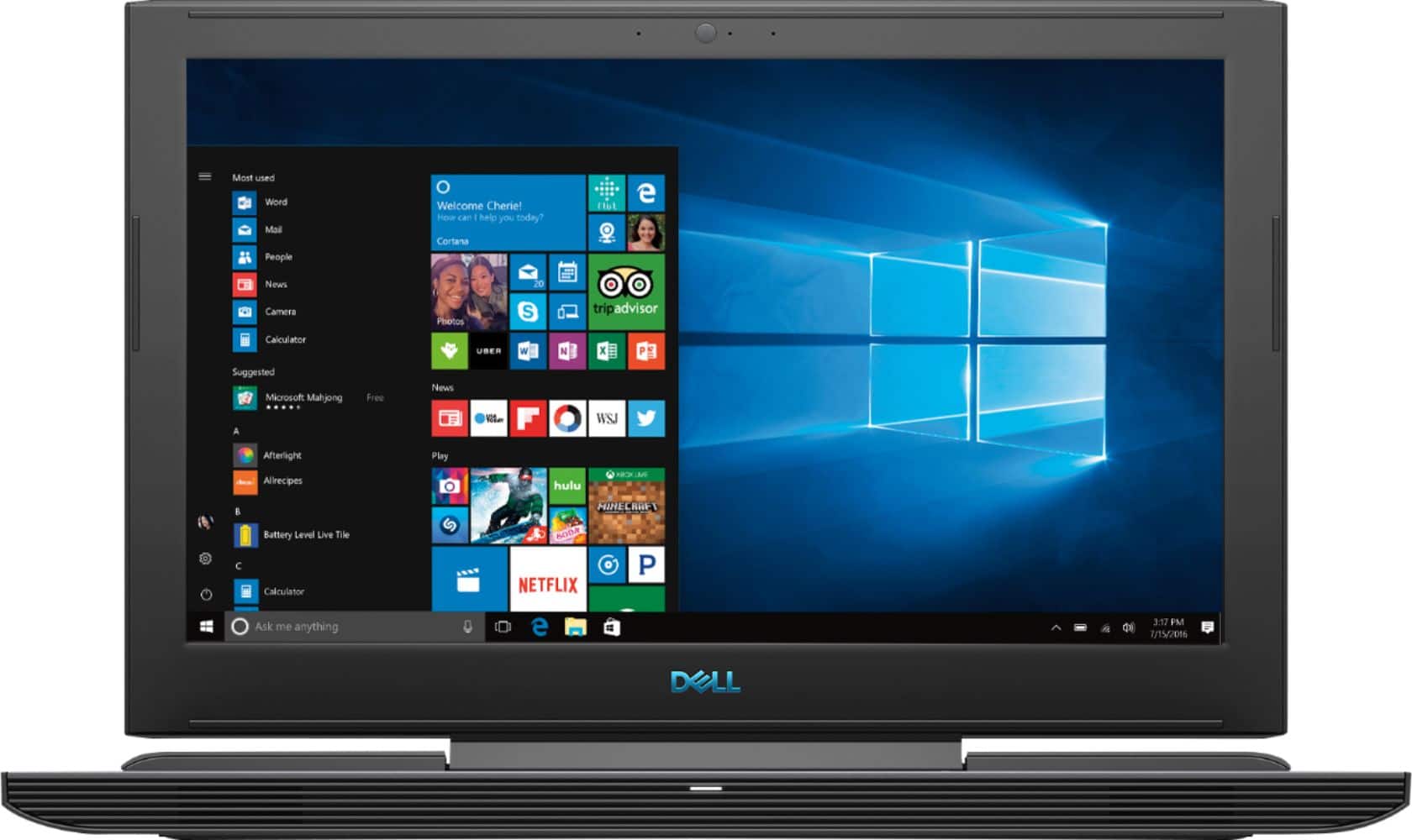
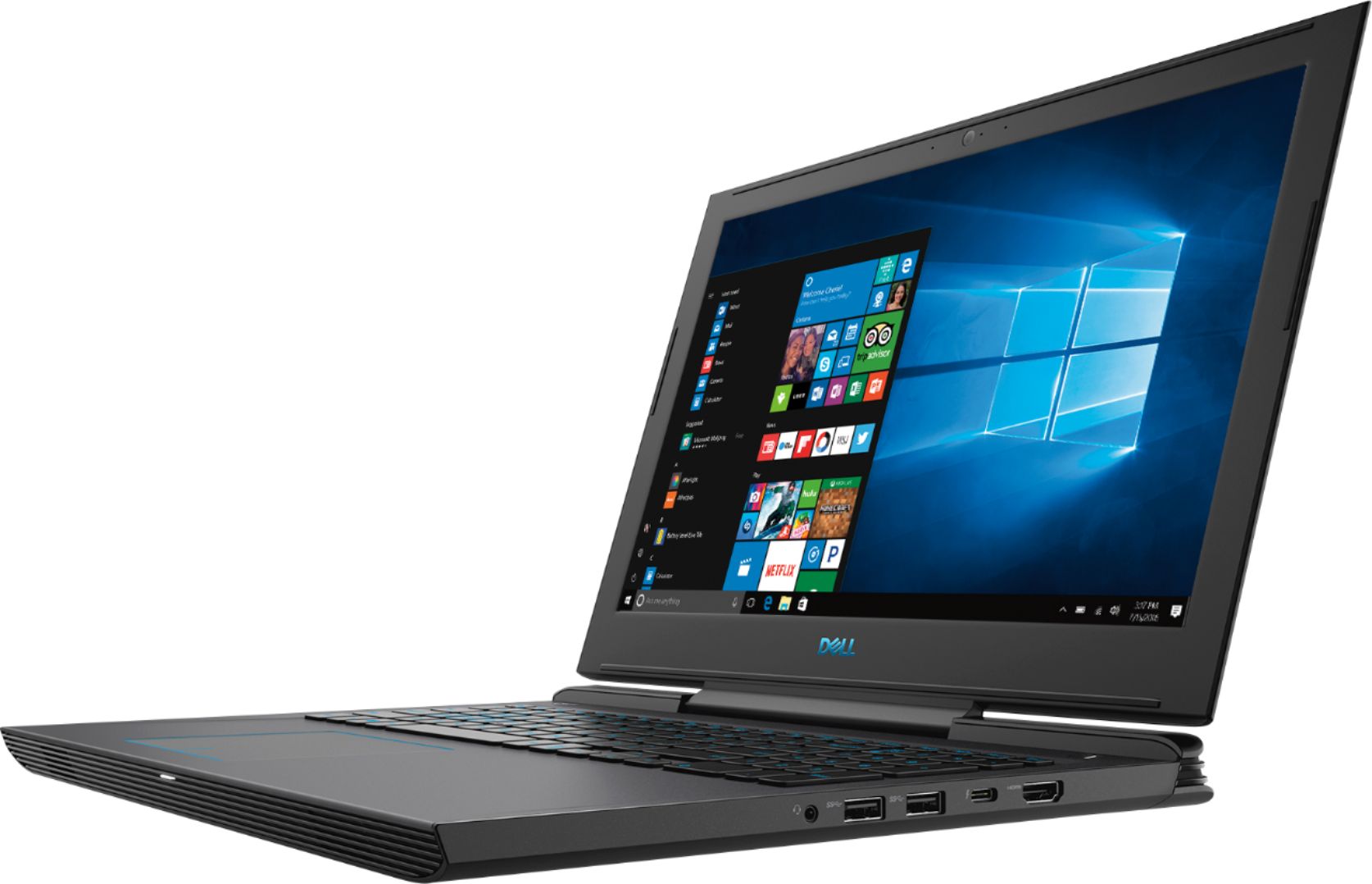
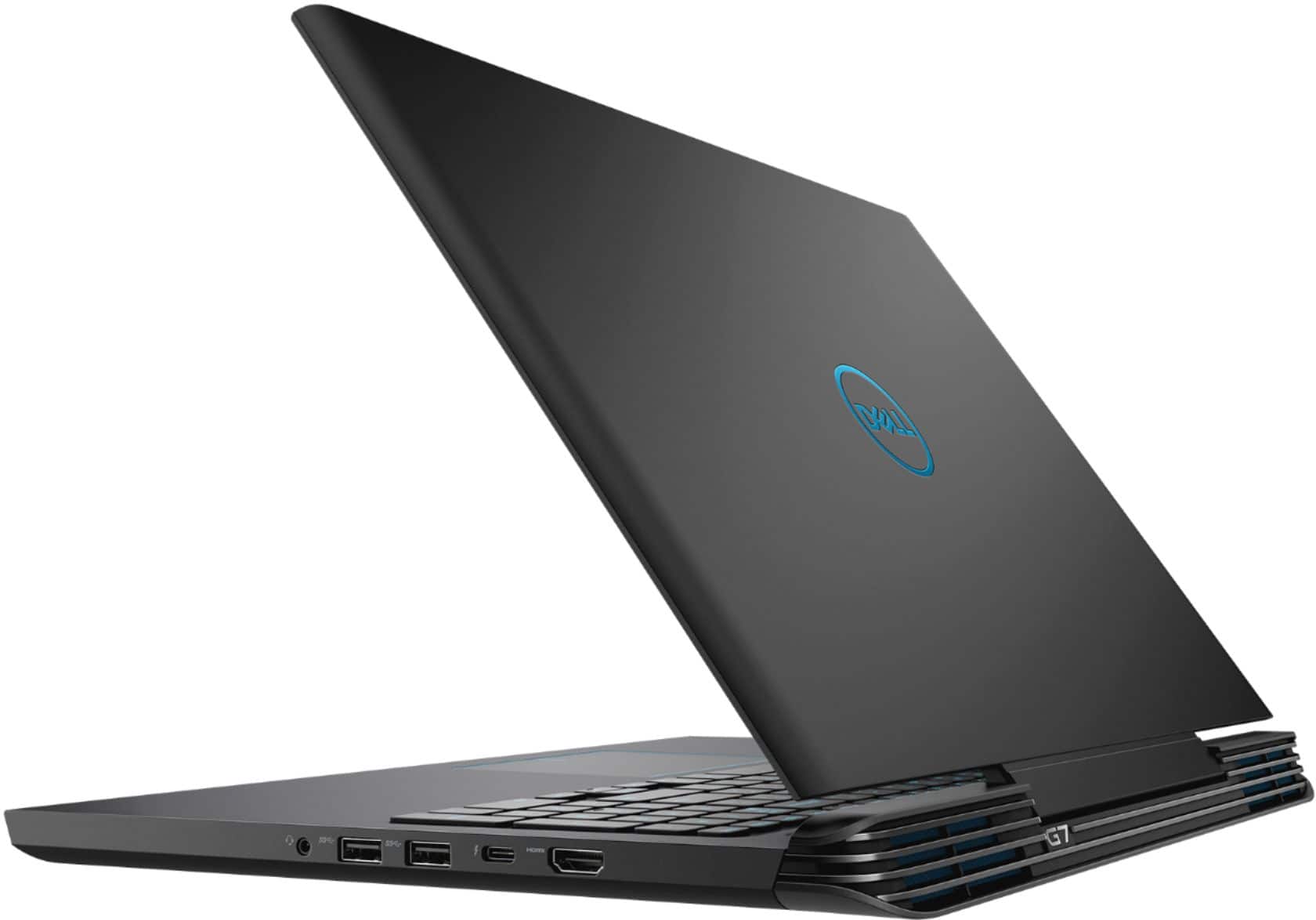
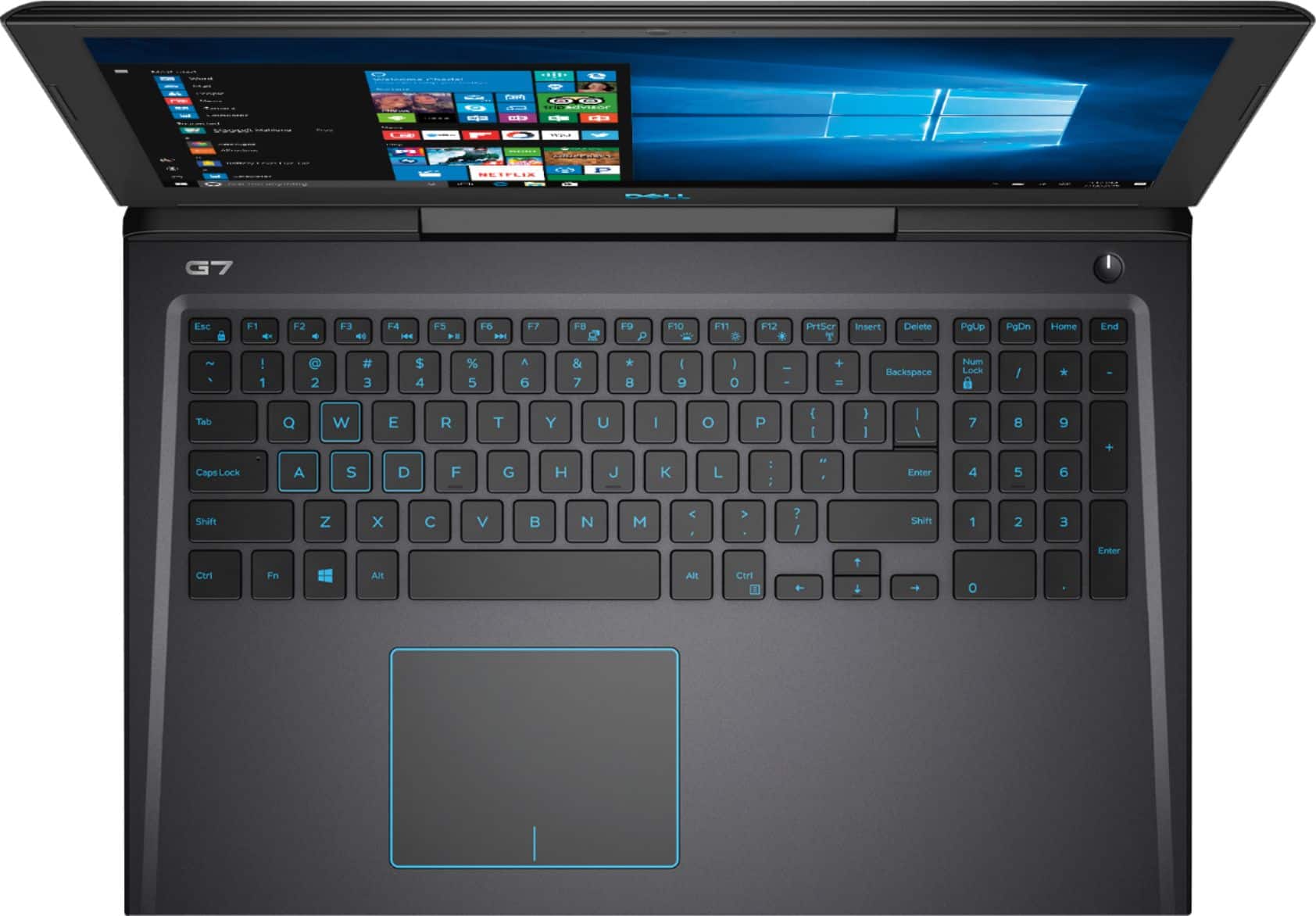
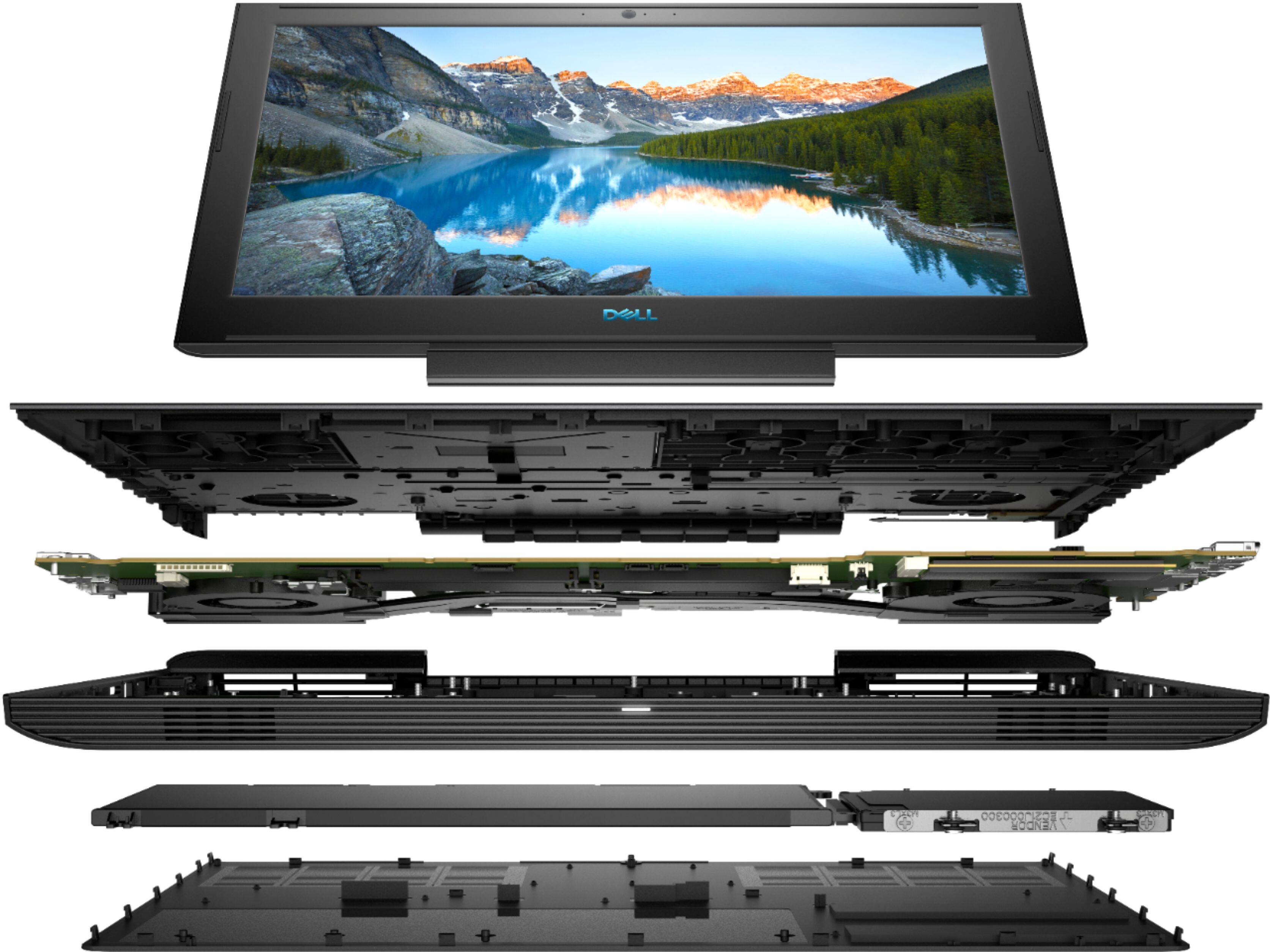
Customers enjoy the high performance and excellent graphics of the G7 15.6" Gaming Laptop, along with its affordable price and ease of use. However, some customers point out that the screen brightness could be improved, and some have noted concerns about the laptop's weight, battery life, and fan noise. The storage options are also a point of discussion, with some users suggesting upgrades.
This summary was generated by AI based on customer reviews.
Great price, sluggish performance
||Posted .This reviewer received promo considerations or sweepstakes entry for writing a review.Way slower than my desktop/feels sluggish...but it was a good price. I prob wouldn't recommend it though...my old ASUS laptop was better.
No, I would not recommend this to a friendBrand response from YourDellTeam
Posted .Hi Jimbo,
We're sorry that your new Dell laptop is not performing the way that you hoped it would. We'd recommend running the Windows Performance Troubleshooter to see if there are ways for your computer to perform faster for you:
1. Close all open windows.
2. Press the Windows logo key + X key on the keyboard.
3. Click Control Panel.
4. Click System and Security.
5. Under Security and Maintenance, select Troubleshoot common problems.
6. Under System and Security, click Run maintenance tasks.
7. Follow the on-screen instructions and prompts to complete the process.
8. Restart the PC.
You can read the full article here - http://dell.to/2tSulGV.
Best,
Bryan
1-800-624-9896
Good product, but too heavy
||Posted .This reviewer received promo considerations or sweepstakes entry for writing a review.ideal for gaming, not so much for carrying it around on a day-to-day basis
I would recommend this to a friendBrand response from YourDellTeam
Posted .AlexOr,
We're glad that you're enjoying your new Dell computer. If you have technical questions you can visit our Product Support Page here: https://dell.to/2G7CcU6.
Best,
Bryan
1-800-624-9896
Good computer but no room.
||Posted .This reviewer received promo considerations or sweepstakes entry for writing a review.This a good computer but I almost immediately ran out of space (within first hour). I bought this computer (with salesman recommendation) for email and game playing. I could not download a game I purchased because it “was not enough room”. That was very disappointing considering it was a $1200.00 purchase and with professional recommendations. I am a very sad consumer.
No, I would not recommend this to a friendBrand response from YourDellTeam
Posted .Bearnup,
Please consider removing some of the programs that your computer came with that you do not plan on using in order to free up space. Here are some suggested programs: https://dell.to/2JruiaG.
If there are programs that you'd like to uninstall you can follow these steps: Uninstalling or removing software or applications that you do not use or do not need from your PC can help speed up your PC. Applications may include background processes, system services, context menu entries and other things that can slow down your PC.
Uninstall applications you no longer need using Programs and Features (previously called Add/Remove Programs). Unnecessary applications occupy space on your hard disk drive.
1. Press the Windows logo key + R on the keyboard.
2. In the Run dialog box, type appwiz.cpl and press the Enter key.
3. In the list, select a program and click Uninstall.
You can read the full article here - http://dell.to/2tSulGV.
Best,
Bryan
1-800-624-9896
for price i found better
||Posted . Owned for 1 month when reviewed.This reviewer received promo considerations or sweepstakes entry for writing a review.I waited better machine for price and brand, but it freezing anytime and slowly for type machine,
No, I would not recommend this to a friendBrand response from YourDellTeam
Posted .Hello rafael,
Thanks for your feedback. We're sorry to hear that your computer has been freezing on you. We'd recommend the following steps to help with this issue:
1. Run a Computer Diagnostic. To determine if your computer is experiencing a hardware problem, run the Dell Preboot System Assessment (PSA) Diagnostics. For information on how to run Diagnostics, and to determine the issue, refer to Dell Knowledge Base Article: http://dell.to/2iaiujA.
2. Check Safe Mode for Symptoms. To boot into safe mode, please follow the instructions below:
a) Start the computer.
b) Tap 'F8' on the keyboard immediately and every one second until the Dell logo screen disappears. From there you will see the Windows Advanced Options Menu on the screen. (If the Windows Advanced Options Menu does not appear, restart the system and try again.)
c) Select Safe mode with Networking and press Enter.
d) Log on as the administrator or as a user with administrative access.
e) Open applications and test the computer in safe mode. If the symptoms exist in safe mode, please continue the troubleshooting steps in this article. If the symptoms do not exist in safe mode, the issue is likely related to a driver or software and you may wish to complete step 3 to see if you are able to resolve the lockups or freezing.
3. Check for Malware. Malware (Virus, Spyware, etc.) can definitely cause a Windows system to lock up or appear to hang. To check for malware on your system and to ensure that your computer is up to date on security software, visit Dell Knowledge Base Article: http://dell.to/2wWP1zI.
You can read the full article here - http://dell.to/2tW5m33.
Best,
Bryan
1-800-624-9896
Good computer
||Posted . Owned for 10 months when reviewed.This reviewer received promo considerations or sweepstakes entry for writing a review.I did not get any problem in this computer however i had face some problem in air phone jack.
I would recommend this to a friendBrand response from YourDellTeam
Posted .hehe,
We appreciate your feedback. We're happy to hear that your new computer is working well for you. If you do have any questions you can visit our Product Support Page here: https://dell.to/2G7CcU6.
Best,
Bryan
1-800-624-9896
Did not fit me
||Posted .This reviewer received promo considerations or sweepstakes entry for writing a review.Had a horrible time working with this computer. Return product to Best Buy...
No, I would not recommend this to a friendTerrible
||Posted . Owned for 1.5 years when reviewed.This reviewer received promo considerations or sweepstakes entry for writing a review.The computer worked well for the first year. Then it started having issues in 9/2019. After going through an extensive amount of time on the phone with the techs, the computer was shipped to Dell for repairs. An extended warranty on the repairs was purchased. Since it was returned to us, it hasn't ever really worked properly - continuously locks up, won't boot up, run diagnostics . . . It was sent in again in April 2020 after spending several hours on the phone with the tech. Dell's solution was to install Windows a 3rd time and return the computer. It still won't boot up, won't run diagnostics . . . Dell is now refusing to honor the repair warranty and properly repair the computer. I have had some quirky issues with Dell desktops, but nothing to this extreme.
No, I would not recommend this to a friendNot impressed
||Posted . Owned for 10 months when reviewed.This reviewer received promo considerations or sweepstakes entry for writing a review.I’ve been to bestbuy twice after buying it in less than a year just to get the stupid thing working... it’s not nearly as fast as it should be just running google on a fiber optic network much less any games as it claims it should be able to do. Overall thoroughly disappointed.
No, I would not recommend this to a friendBrand response from YourDellTeam
Posted .Paj012,
Thanks for your review. We're sorry to hear that you're not fully satisfied with your computer's performance. We'd recommend looking through to make sure that everything that is installed on your computer are programs that you plan to use. Here's a list of programs to consider removing: https://dell.to/2JruiaG.
We'd recommend running the Windows Performance Troubleshooter to see if there are ways for your computer to run faster:
1. Close all open windows.
2. Press the Windows logo key + X key on the keyboard.
3. Click Control Panel.
4. Click System and Security.
5. Under Security and Maintenance, select Troubleshoot common problems.
6. Under System and Security, click Run maintenance tasks.
7. Follow the on-screen instructions and prompts to complete the process.
8. Restart the PC.
You can read the full article here - http://dell.to/2tSulGV.
Best,
Bryan
1-800-624-9896
Computer was good for a while
||Posted .This reviewer received promo considerations or sweepstakes entry for writing a review.Started lagging and slowing up a couple months after I bought it
No, I would not recommend this to a friendBrand response from YourDellTeam
Posted .Anthonyhyuga,
We appreciate your feedback. We're sorry that your computer has been running slower than you'd like it to. We'd recommend running the Windows Performance Troubleshooter to see if there are ways for your computer to run faster:
1. Close all open windows.
2. Press the Windows logo key + X key on the keyboard.
3. Click Control Panel.
4. Click System and Security.
5. Under Security and Maintenance, select Troubleshoot common problems.
6. Under System and Security, click Run maintenance tasks.
7. Follow the on-screen instructions and prompts to complete the process.
8. Restart the PC.
You can read the full article here - http://dell.to/2tSulGV.
We hope these tips help your computer perform better for you.
Best,
Bryan
1-800-624-9896
Hard drive issue
||Posted .This reviewer received promo considerations or sweepstakes entry for writing a review.hard drive was loud after 3 month but warranty covered it.
I would recommend this to a friendBrand response from YourDellTeam
Posted .Tammy,
Thanks for your review. We're sorry that your hard drive was louder than you hoped it would be. In the future we'd recommend updating the BIOS on your computer to see if it helps your computer run quieter:
An out-of-date BIOS can cause loud fan noises by having an outdated temperature table for the system. Refer to update BIOS and follow the instructions to update the BIOS on your computer.
You can also follow up with our Technical Support Team here - 1-800-624-9896.
You can read the full article here - http://dell.to/2ENlXfz.
Best,
Bryan
1-800-624-9896
- Cons mentioned:Heat
Overheated burned out motherboard
||Posted . Owned for more than 2 years when reviewed.This reviewer received promo considerations or sweepstakes entry for writing a review.Always overheating, fans always on, even on hard surface. after 2 years heat damaged the motherboard to the point it needs to be replaced @ $700+. worst $1000+ computer ever bought
No, I would not recommend this to a friend Windows 10 not activated
||Posted .This reviewer received promo considerations or sweepstakes entry for writing a review.I've bought that Dell G7, but when I arrived in Brazil I noticed that I need a Product Key to activate Windows 10. I can't install the games and anti virus because I don't have any Product key. Now I need a Product Key and I don't know/where to get it.
No, I would not recommend this to a friendBrand response from YourDellTeam
Posted .Gilson,
We're sorry that you've had some trouble activating your computer. We'd recommend reaching out directly to Microsoft for additional information about your activation key: http://bit.ly/2KBOM4c.
Best,
Bryan
1-800-624-9896
- Cons mentioned:Battery life, Fan noise
Review of G7 gaming laptop 5 years post purchase
Posted .This reviewer received promo considerations or sweepstakes entry for writing a review.Had bought this gaming laptop from the store in Seattle. Great buying experience with helpful staff in assisting with the right guidance on purchasing a gaming laptop. The laptop has been working absolutely fine even post 5 years where I continue to play WoW3, assassins creed Odyssey, AoM, etc. The 128GB SSD in now ancient and I upgraded to 1TB 980 pro in 2023 which can run in 3x4 pcie bus as per backward compatibility with this laptop. The fan is a bit noisy, battery drains out quickly but other than that, the laptop has been a gem, very stable.
I would recommend this to a friend Don’t buy
||Posted .This reviewer received promo considerations or sweepstakes entry for writing a review.This computer sucks. I have owned this for 8 months. A month after I bought it the operating system crashed and i had to pay an extra $100 to fix it. Now it’s crashed again! They want another $150-$200 to fix it again! It’s not even a year old. They told me this happens when a user turns the computer off while its updating or closes the lid while its updating. Even though that did not happen in either situation as we have never turned it off while updating I’m told this is my fault. This computer sucks! I recommend you buy a different computer and go somewhere that they’ll not continue to charge you for a faulty computer!
No, I would not recommend this to a friendBrand response from YourDellTeam
Posted .Disappointed,
Thanks for your review. We're sorry to hear about the performance of your computer. We'd recommend reaching out to Dell's Technical Support Team for additional support resolving the issues that you're having: http://dell.to/2sH7Qlm.
Best,
Bryan
1-800-624-9896
- Cons mentioned:Heat
Motherboard issue
||Posted .This reviewer received promo considerations or sweepstakes entry for writing a review.Laptop keeps hanging and generating lot of heat. it turned out to be motherboard issue.
No, I would not recommend this to a friendBrand response from YourDellTeam
Posted .Mike,
Thanks for your review. We're sorry to hear about the heat that your laptop was generating. Dell does off a One Year Limited Warranty on our products if you believe that your issue is linked to the computer's motherboard. You can read more about our policy here: http://dell.to/2tNsVOs.
Here are some tips to keep in mind for the future if you experience heat issues with another Dell computer:
Tips for Proper Usage:
1. Dell does not recommend placing portable systems directly on your lap. Due to reductions in the thickness of modern portable systems, heat transfer can be an issue.
2. Using a portable system (Laptop) on a hard, flat, non-cloth surface will increase airflow and reduce heat from underneath and inside the system.
Using the portable system on a blanket, pillow, or other types of cloth will cover up the fan cause the computer to overheat and can cause permanent damage.
3. It is recommended to use the portable system in a Room temperature of 0°C to 35°C (32°F to 95°F) with a Humidity level no greater than 90%.
4. Use compressed air to clean the vents on a regular basis.
5. Using a cooling pad can decrease heat and increase performance.
6. If you want to know the temperature limitations for your system, go to the Dell Support Website, look up your system model then open the user guide under the manuals link.
You can read the full article here - http://dell.to/2uJ8AdG.
Best,
Bryan
1-800-624-9896
terrible
||Posted .This reviewer received promo considerations or sweepstakes entry for writing a review.If there were zero star, I would rate that. I bought 2 Dell G7 for my work design thinking that would help a lot since the spec for gaming is pretty comprehensive. But when it comes to rendering some video , it literally rolled out all of the original driver. when my friend was contacting Dell Support, and follow every step that was told, the same thing still happened. SSD capacity is too small, then i try to install in Drive D which is Sata. But the OS doesn't let me.
No, I would not recommend this to a friendBrand response from YourDellTeam
Posted .Thara,
We're sorry to hear how much trouble your new Dell laptop has been giving you. We'd recommend running Dell's Support Assist app to make sure that all of the most up to date drivers and software are installed on your computer.
If you have additional questions about your computer you can check out our Product Support Page here: https://dell.to/2G7CcU6.
Best,
Bryan
1-800-624-9896
Overheating
||Posted . Owned for 1 year when reviewed.This reviewer received promo considerations or sweepstakes entry for writing a review.This computer is garbage, do NOT buy it. I purchased it less than a year ago. For the first few months it worked beautifully, it ran all of my games smoothly and had no issues. Unfortunately it has begun to overheat severely and for no fault of mine- this computer was made with a low quality thermal paste which overheats easily and is a huge pain to reapply or replace. I recommend quite literally any other option.
No, I would not recommend this to a friendBrand response from YourDellTeam
Posted .Benson,
Thanks for your review. We're sorry to hear about the high temperature that your computer has been performing at. We'd recommend the following tips to help your computer operate at a cooler temperature for you:
Tips for Proper Usage:
1. Dell does not recommend placing portable systems directly on your lap. Due to reductions in the thickness of modern portable systems, heat transfer can be an issue.
2. Using a portable system (Laptop) on a hard, flat, non-cloth surface will increase airflow and reduce heat from underneath and inside the system.
Using the portable system on a blanket, pillow, or other types of cloth will cover up the fan cause the computer to overheat and can cause permanent damage.
3. It is recommended to use the portable system in a Room temperature of 0°C to 35°C (32°F to 95°F) with a Humidity level no greater than 90%.
4. Use compressed air to clean the vents on a regular basis.
5. Using a cooling pad can decrease heat and increase performance.
6. If you want to know the temperature limitations for your system, go to the Dell Support Website, look up your system model then open the user guide under the manuals link.
You can read the full article here - http://dell.to/2uJ8AdG.
Best,
Bryan
1-800-624-9896
Not to happy with
||Posted . Owned for 11 months when reviewed.This reviewer received promo considerations or sweepstakes entry for writing a review.Not the happiest with this computer. I have had a lot of issues and could not get ahold of Windows for help.
No, I would not recommend this to a friendthermal throttling
||Posted .This reviewer received promo considerations or sweepstakes entry for writing a review.Good laptop however, it has bad thermals. Expect thermal throttling.
No, I would not recommend this to a friendNot bad
||Posted . Owned for 5 months when reviewed.This reviewer received promo considerations or sweepstakes entry for writing a review.Trouble staying connected to the WIFI. Need to use Ethernet cable to connect to wi fi.
No, I would not recommend this to a friendBrand response from YourDellTeam
Posted .Ange,
Thanks for your review. We're sorry that your computer is having trouble staying connected to WIFI. We'd recommend that you try the following steps to improve your connection:
1. Download and install the latest Wireless Card driver. (https://dell.to/2th3Tpe) After updating the driver, re-establish the connection with the Wireless Access Point and check the wireless performance.
2. If the issue persists, proceed to step 3.
3. Power-cycle the local network. Shut down the Dell system, the Wireless Access Point/Router and the Modem. Wait a minimum of 60 seconds before powering up the components in the following order:
4. Power ON the Modem, and wait for it to boot fully.
5. Power ON the Wireless Access Point/Router, and wait for it to boot fully.
6. Power ON the Dell system.
7. Open Network and Sharing Center
8. In the left side navigation pane, click on Change Adapter Settings
9. Right click on the wireless connection icon and select Properties followed by the Configure button
10. Under Wireless Options, select the Wireless N mode
11. For Windows 8 or later systems click the Advanced tab and look for 802.11n Mode on the right you will be given the option to Enable or Disable. If the mode is not visible you may need to update your drivers and firmware.
12. From the drop-down menu, choose Disable followed by Ok
13. This should restore the wireless download and upload speed. Internet speed can be tested at http://speedtest.net.
Best,
Bryan
1-800-624-9896