Customer Ratings & Reviews

- Model:
- I7588-7378BLK-PUS
- SKU:
- 6212435
Rating by feature
- Battery Life
Rating 3.4 out of 5 stars
- Speed
Rating 4.4 out of 5 stars
- Display
Rating 4.1 out of 5 stars
Customers are saying
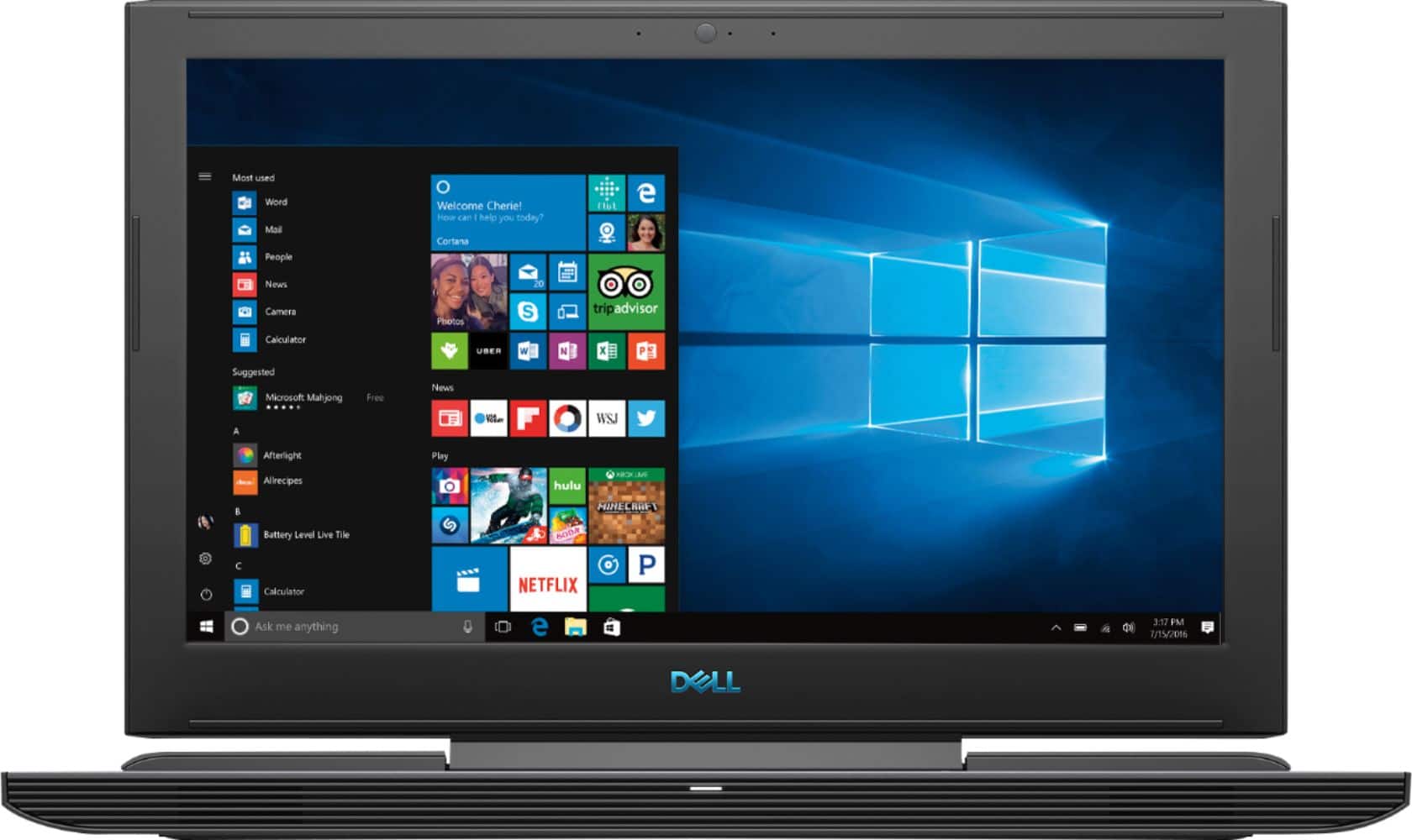
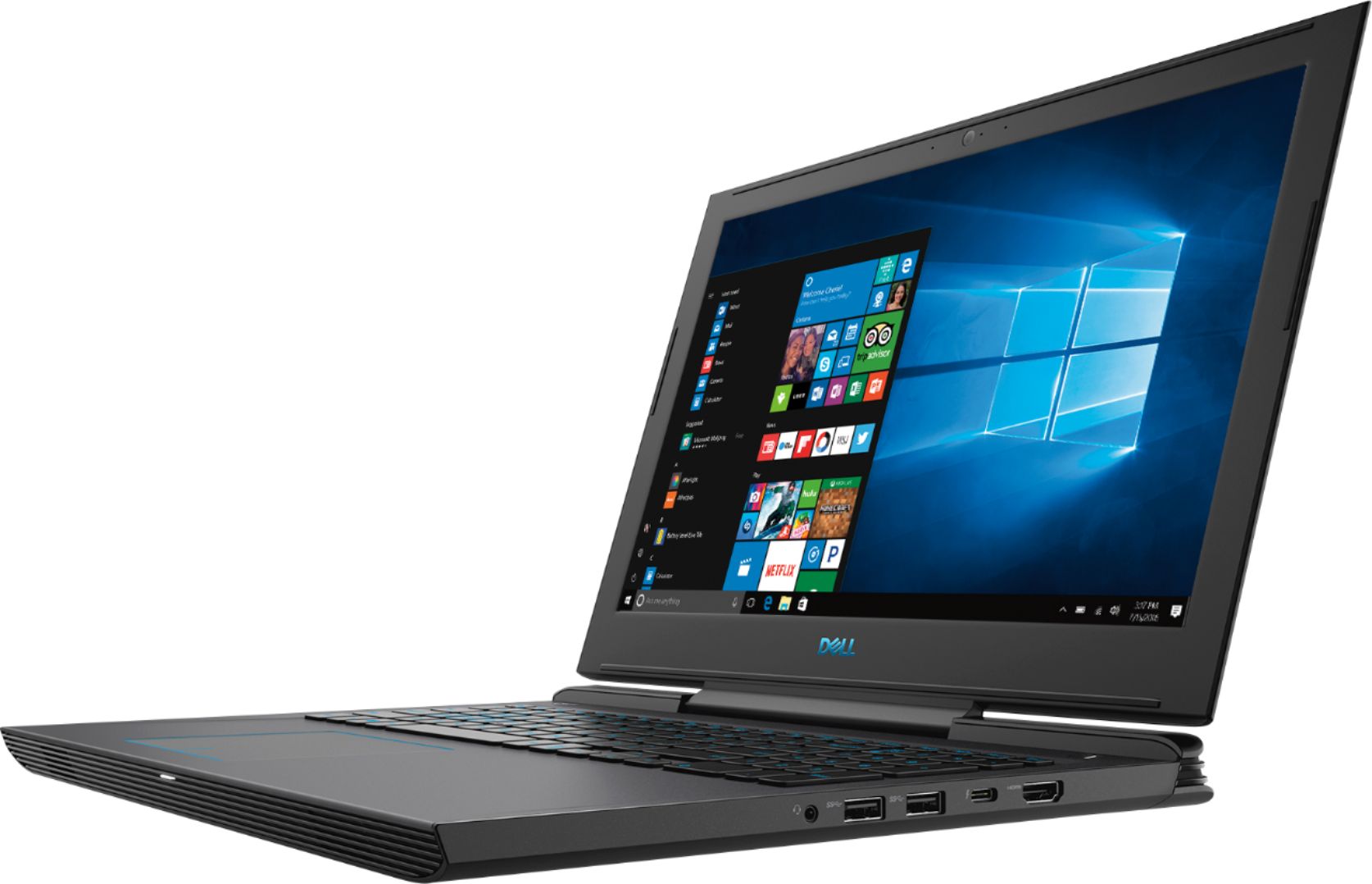
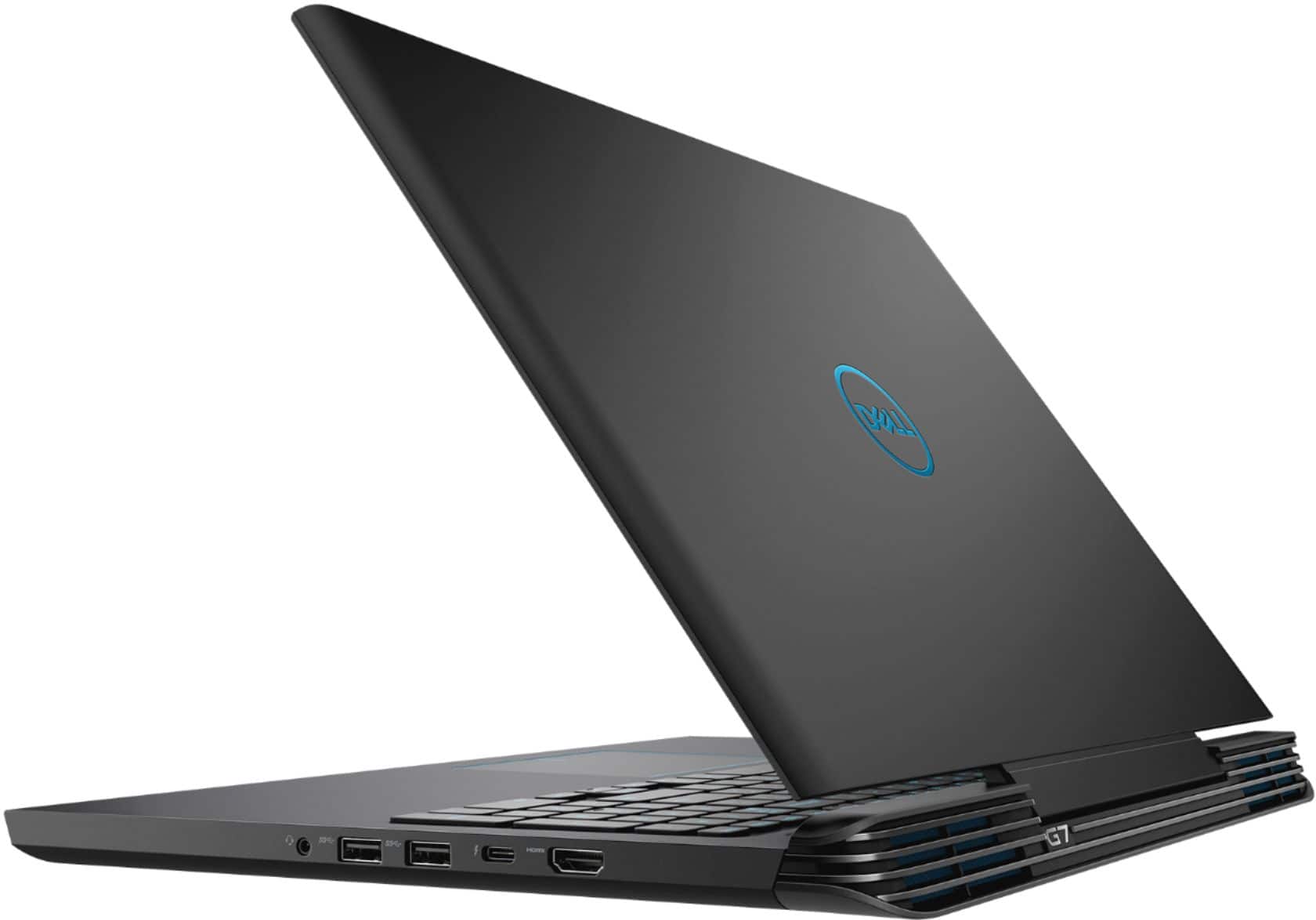
Customers enjoy the high performance and excellent graphics of the G7 15.6" Gaming Laptop, along with its affordable price and ease of use. However, some customers point out that the screen brightness could be improved, and some have noted concerns about the laptop's weight, battery life, and fan noise. The storage options are also a point of discussion, with some users suggesting upgrades.
This summary was generated by AI based on customer reviews.
Great laptop
Posted .This reviewer received promo considerations or sweepstakes entry for writing a review.This laptop is great, I get around 114 FPS for fortnite which is excellent but could be better. I’ve noticed while I’m like 30 mins In of playing fortnite, the laptop gets pretty loud and hot, but when I checked it was at 70 degrees. I recommend getting this laptop but get the extra 1 by hard drive. My headset mic doesn’t work with it though, (turtle beach recon 50p). I did have to manage some things to get the pc running better like changing fortnite settings to get 114 frames and it gets some screen tearing sometimes. Over excellent laptop and I suggest you buy it. Worth the price!
I would recommend this to a friend- Pros mentioned:Performance
Good Value
Posted .This reviewer received promo considerations or sweepstakes entry for writing a review.Great Laptop! I used this for several years and it has run well!
I would recommend this to a friend So far so good
Posted .This reviewer received promo considerations or sweepstakes entry for writing a review.I wanted the Rift so I needed a computer to run it (plus my wife can play games not available on Mac so it's a win/win). I was going to get a desktop but with limited space for a computer I had to go with a laptop - which at first I was against, but I now appreciate that I can travel with it and the Oculus. So far I have no complaints. I just had to update drivers for the sensors but thank God all things are working. I love it.
I would recommend this to a friend- Pros mentioned:Price
good laptop
Posted .This reviewer received promo considerations or sweepstakes entry for writing a review.good for this price. good for the college work also for other works.
No, I would not recommend this to a friend - Cons mentioned:Battery life, Heat, Screen brightness
Battery, keyboard dead around the one year mark.
Posted .This reviewer received promo considerations or sweepstakes entry for writing a review.Battery stopped working after 1 year. Keyboard after 1.5 years. Performance is meh. Gets hot enough to fry eggs.
No, I would not recommend this to a friend Great, functional laptop.
Posted .This reviewer received promo considerations or sweepstakes entry for writing a review.This laptop is a fantastic buy for the price, you certainly get your bang for your buck. This will be one of those computer that are still running strong 10 years later. Very sturdy build and design, very fast power on time and crazy fast speeds and graphics capabilities. You are essentially getting desktop performance in a laptop computer.
I would recommend this to a friendI love the computer for gaming
Posted .This reviewer received promo considerations or sweepstakes entry for writing a review.This computer is great but, it can overheat from time to time. Also the main problem I have is the 1tb isn’t on my computer and I had to get an external hard drive to put stuff on it. Please respond on how I can get the 1tb
I would recommend this to a friendgood spec/medium performance/low build quality
Posted .This reviewer received promo considerations or sweepstakes entry for writing a review.as title said, the specs is awesome among this price range, nothing to complaint about; plus the awesome utilities software from Dell. *Note: the nvidia gpu is connect to intel graphic as a hybrid, some games may only take intel graphic and put you in low setting. May need to buy an external monitor(to connect directly to gtx 1060 and may have higher refresh rate) and keyboard for game since the build in monitor is not good for game, keyboard is weak and shallow. the cheap plastic used in this laptop make it look weak and not secure. I suggest new buyer should take a look at Acer Helio/Asus ROG/hp OMEN before making decision to buy dell G7
No, I would not recommend this to a friendBrand response from YourDellTeam
Posted .BiioW,
Thanks for your review. We'd suggest running the Windows Performance Troubleshooter if you'd like to see if there are ways for your computer to perform faster:
1. Close all open windows.
2. Press the Windows logo key + X key on the keyboard.
3. Click Control Panel.
4. Click System and Security.
5. Under Security and Maintenance, select Troubleshoot common problems.
6. Under System and Security, click Run maintenance tasks.
7. Follow the on-screen instructions and prompts to complete the process.
8. Restart the PC.
You can read the full article here - http://dell.to/2tSulGV.
If you have questions about your computer you can always view our Product Support Page here: https://dell.to/2G7CcU6.
Best,
Bryan
1-800-624-9896
Not compatible with Rift S VR!!!!!!
Posted .This reviewer received promo considerations or sweepstakes entry for writing a review.One really DUMB thing DELL did was connect the USB C to the internal Intel integrated graphics and not the 1060 GPU! The new Rift S VR headset requires a display port connection this doesn't have. I ordered a USB C to display port adapter and after the fact found out online how to check compatibility. Using the adapter is useless because the Nvidia GPU is not accessible. The Intel GPU is not sufficient. Who was the bleep at Dell that did that? Otherwise a nice laptop.
No, I would not recommend this to a friendBrand response from YourDellTeam
Posted .Hello Frank,
We're glad to see that for the most part you're happy with the performance of your new Dell laptop. If you do have questions about your laptop you can always check our Product Support Page here: https://dell.to/2G7CcU6.
Best,
Bryan
1-800-624-9896
- Pros mentioned:Graphics
cooling system
Posted .This reviewer received promo considerations or sweepstakes entry for writing a review.The overall design of the computer is very good, but it is really unsatisfactory for the graphics card drive and cooling system. I just bought the computer and found that the fps was only about 30 when playing the game. Then I submitted the question to the bestbuy agent, but the answer they gave me was that the computer must be charged in order to run the game. Of course, fps works very well after charging, but it also causes the battery to become hotter. I have been using the computer for almost a year now, and the battery will be a little hot when it is charging now. But when you turn on the game, the temperature of the battery, CPU, and graphics card rises quickly. The place where you touch the battery can feel the temperature inside is unbearable. The computer even turn to blue screen problem. It feels that the temperature is too high. Who knows?
No, I would not recommend this to a friendBrand response from YourDellTeam
Posted .Jack,
We're sorry to hear about the overheating system issues that you are facing. Here are some tips to keep your computer operating at a cooler temperature:
Tips for Proper Usage:
1. Dell does not recommend placing portable systems directly on your lap. Due to reductions in the thickness of modern portable systems, heat transfer can be an issue.
2. Using a portable system (Laptop) on a hard, flat, non-cloth surface will increase airflow and reduce heat from underneath and inside the system.
Using the portable system on a blanket, pillow, or other types of cloth will cover up the fan cause the computer to overheat and can cause permanent damage.
3. It is recommended to use the portable system in a Room temperature of 0°C to 35°C (32°F to 95°F) with a Humidity level no greater than 90%.
4. Use compressed air to clean the vents on a regular basis.
5. Using a cooling pad can decrease heat and increase performance.
6. If you want to know the temperature limitations for your system, go to the Dell Support Website, look up your system model then open the user guide under the manuals link.
You can read the full article here - http://dell.to/2uJ8AdG.
If you are still facing Blue Screen Errors we'd recommend diagnosing the issues with these steps:
1. At the desktop, click the Search the web and Windows box and type "problem reports".
2. Select View all problem reports to view a list of errors that have occurred on your computer and possible solutions for them, such as updating drivers, flashing your system BIOS, or checking for updates to the software.
3. Under the Source column, look for Windows and under Summary, look for Shut down unexpectedly.
4. Right-click the line item and select Check for a solution.
We'd also suggest checking to make sure that your software and drivers are up to date on Dell's Product Page - https://dell.to/2M6byO8.
You can read the full article here - http://dell.to/2u98Cct.
Best, Bryan 1-800-624-9896
Good laptop
Posted .This reviewer received promo considerations or sweepstakes entry for writing a review.Good laptop had it for almost 4 yrs. Take care of it and it will take care of you
I would recommend this to a friendComputer struggles to do anything on battery
Posted .This reviewer received promo considerations or sweepstakes entry for writing a review.This is a good laptop for the money with what it has in it the i7 and and 1060 deliver a great gaming experience but once you unplug this product from the charger it struggles to even watch youtube videos this is because of dells software witch limits the cpu to only 0.7 ghz not allowing it to do many tasks at all on the battery if this was fixed it would be a great deal
No, I would not recommend this to a friendBrand response from YourDellTeam
Posted .Isaac,
Thanks for your review and we're sorry that your computer's bettery is not lasting as long as you hoped it would. We'd recommend the following tips to help your computer's battery last longer:
Change the Power Plan:
1. On the notification area of the taskbar, right-click the Battery icon.
2. On the options list, click Power Options.
3. Select a power plan on the battery meter, such as Power Saver or Balanced. Windows 10 has a built in 'Battery Saver' mode that can be activated to extend your system's battery life. The Battery Saver mode will monitor and limit background activity and other features such as push notifications. You do have the option to enable or disable this mode within settings or within advanced Battery Saver settings, you can customize the mode to best suit your needs.
a) Click on the Action Center icon in the taskbar and select the tile for Battery Saver.
b) If running Cortana then type Battery Saver into the search box and select from the results.
Within the Battery Saver settings page, you will be able to turn on and off the feature and customize the feature to best meet your needs.
c) Turn Battery Saver On or Off.
d) Additional settings available via the Battery use and Battery saver settings links.
e) Battery use shows further info on apps and their power usage.
f) Battery Saver Settings screen allows you to customize further Battery Saver feature.
You can read the full article here - http://dell.to/2vfXWf4.
Best,
Bryan
1-800-624-9896
- Cons mentioned:Heat
Overheating
Posted .This reviewer received promo considerations or sweepstakes entry for writing a review.Bought my laptop a couple of months ago. Just recently, there were sudden fps drops while Im playing games. I noticed its blowing very hot air from the back which is way warmer than normal. Then I checked the processor temps, it was reaching 99 degrees which was causing thermal throttling. Had mine repaired because it was still in warranty. But when it was returned, it still had the same problem. Its even overheating just playing Dota2. I will never buy a Dell computer again.
No, I would not recommend this to a friendBrand response from YourDellTeam
Posted .Edge,
We're sorry to hear about the issues that your computer has been having. We'd suggest the following tips for your computer to help keep operating temperatures down:
Tips for Proper Usage:
1. Dell does not recommend placing portable systems directly on your lap. Due to reductions in the thickness of modern portable systems, heat transfer can be an issue.
2. Using a portable system (Laptop) on a hard, flat, non-cloth surface will increase airflow and reduce heat from underneath and inside the system.
Using the portable system on a blanket, pillow, or other types of cloth will cover up the fan cause the computer to overheat and can cause permanent damage.
3. It is recommended to use the portable system in a Room temperature of 0°C to 35°C (32°F to 95°F) with a Humidity level no greater than 90%.
4. Use compressed air to clean the vents on a regular basis.
5. Using a cooling pad can decrease heat and increase performance.
6. If you want to know the temperature limitations for your system, go to the Dell Support Website, look up your system model then open the user guide under the manuals link.
You can read the full article here - http://dell.to/2uJ8AdG.
Best,
Bryan
1-800-624-9896
SSD very small
Posted .This reviewer received promo considerations or sweepstakes entry for writing a review.Great laptop SSD 128 is a joke. Needs to be at least 256
I would recommend this to a friendJunk product and bad service from Geek squad.
Posted .This reviewer received promo considerations or sweepstakes entry for writing a review.Had two of these.. Both G7 models. I returned the first one because it went past 95 degrees on the CPU and thermal throttled bad. And also gave me more than a few blue screens of death out of no where with regular desktop use, not even gaming ... The second one I bought today. When I got home I plugged it in and hit the power button... The computer immediately said Windows was not shut down properly.... So I was skeptical at that point already... I turn the machine off and when I turned it back on it didn't take me through factory windows setup. It loaded another persons profile...I did not buy a floor model or a used Open box variant.... So I drove back to "best buy" within a hour of purchase... I asked for a refund and some guy from geek squad tried to tell me the behavior of what had happened was normal...I would just like to say I build Gaming PC HEDT desktops for a living... not laptops but desktops. In any sense I know what I am talking about when It comes to computers... If anyone is reading this please understand that this product was tried twice by me and both failed horridly... Never again will I purchase a laptop from best buy or Dell again...Sure, I bet it could be fixed in some way... but no one should have to deal with the hassle of that right out of the box "brand new" My advise for those of you looking to buy a laptop...turn away from this model... Get a Asus or a MSI and give that a shot...And shame on the Geek Squad guy for trying to tell me this behavior is normal... Like I said I build HEDT desktops and I go to school learning cyber security... What a joke and a waste of time.
No, I would not recommend this to a friendBrand response from YourDellTeam
Posted .Hello DocHolliday1985,
Thanks for your review. We're sorry to hear about the problems that you have been having with your new Dell computer. We have informed our team of the concerns that you have. If you need to follow up with Best Buy's Customer Service Team you can reach them here - http://bit.ly/2v2IVhI.
Best,
Bryan
1-800-624-9896
Dell sucks. Good laptop, no fan control.
Posted .This reviewer received promo considerations or sweepstakes entry for writing a review.My job bought me this laptop about a year ago and I don't think the fan runs on idle. The fan doesn't kick on until, like, 44-50 c.
No, I would not recommend this to a friendFlimsy Cheap Construction, Strong Components
Posted .This reviewer received promo considerations or sweepstakes entry for writing a review.I wanted to like this laptop, but some of the design choices made by Dell are beyond my understanding. 128GB Harddrive? That's down right the worse idea ever, that will have to be changed out to at least a 256GB within 2 years. Here's where Dell completely falls apart, The construction on this laptop is the same as the 7588, when you remove the bottom cover, there is no way to avoid breaking off VERY cheap plastic clips, I assume this is by design so Dell can track if you opened it, but what I can tell you is there is only 2 clips and once you do this the bottom will "sag". This is such a poor design by Dell. They did this on the 7588 and now it returns to the G series. This laptop is okay if you will never open it up. If you need to open this laptop to upgrade, DO NOT PURCHASE THIS. Dell design has really gone downhill, ASUS and MSI both offer GREAT laptops that are actually built to last. This is built to fall apart.
No, I would not recommend this to a friendBrand response from YourDellTeam
Posted .Ryeloc,
Thanks for your review. We're sorry to hear that your new Dell is not the way you had hoped it would be. If you do have questions about how to help it run better for you, you can check out our Product Support Page here - https://dell.to/2G7CcU6.
Best,
Bryan
1-800-624-9896
Mine died right after the warranty expired
Posted .This reviewer received promo considerations or sweepstakes entry for writing a review.I have one of these and it started BSOD'ing right after my service / warranty window expired. The thing is unusable and will BSOD (blue screen of death) every 5 minutes or so. I've swapped ram, reinstalled the OS from scratch, etc, and the issue persists. It's basically a paper weight at this point because I don't want to put money in to it. Overall I dislike the ergonomics of this device (which is part of the reason why I won't invest more money in to it). I don't like having the number pad because it forces an off-center keyboard that I struggle to line up on correctly. The edges are sharp and dig in to my wrists making it very uncomfortable to work on (especially because it is so thick). And the screen bezels are giant and look out of place on a modern computer. Very disappointing experience with a Dell.
No, I would not recommend this to a friendBrand response from YourDellTeam
Posted .chatterbox,
Thanks for your review. We're sorry to hear about the Blue Screen Errors that you've been experiencing. Have you tried to diagnose the errors by following these steps?:
1. At the desktop, click the Search the web and Windows box and type "problem reports".
2. Select View all problem reports to view a list of errors that have occurred on your computer and possible solutions for them, such as updating drivers, flashing your system BIOS, or checking for updates to the software.
3. Under the Source column, look for Windows and under Summary, look for Shut down unexpectedly.
4. Right-click the line item and select Check for a solution.
We'd also suggest checking to make sure that your software and drivers are up to date on Dell's Product Page - https://dell.to/2M6byO8.
You can read the full article here - http://dell.to/2u98Cct.
Best,
Bryan
1-800-624-9896
Keeps freezing Randomly
Posted .This reviewer received promo considerations or sweepstakes entry for writing a review.It's only been a month since I bought this laptop but it keeps freezing randomly and then needed to be restarted. I can see other users have faced similar problems before. Please tell me the solution to this
No, I would not recommend this to a friendBrand response from YourDellTeam
Posted .Hi Sayed,
Thanks for your review. We're sorry to hear that your system is freezing on you. We'd recommend the following steps to help with the problem:
1. Run a Computer Diagnostic. To determine if your computer is experiencing a hardware problem, run the Dell Preboot System Assessment (PSA) Diagnostics. For information on how to run Diagnostics, and to determine the issue, refer to Dell Knowledge Base Article: http://dell.to/2iaiujA.
2. Check Safe Mode for Symptoms. To boot into safe mode, please follow the instructions below:
a) Start the computer.
b) Tap 'F8' on the keyboard immediately and every one second until the Dell logo screen disappears. From there you will see the Windows Advanced Options Menu on the screen. (If the Windows Advanced Options Menu does not appear, restart the system and try again.)
c) Select Safe mode with Networking and press Enter.
d) Log on as the administrator or as a user with administrative access.
e) Open applications and test the computer in safe mode. If the symptoms exist in safe mode, please continue the troubleshooting steps in this article. If the symptoms do not exist in safe mode, the issue is likely related to a driver or software and you may wish to complete step 3 to see if you are able to resolve the lockups or freezing.
3. Check for Malware. Malware (Virus, Spyware, etc.) can definitely cause a Windows system to lock up or appear to hang. To check for malware on your system and to ensure that your computer is up to date on security software, visit Dell Knowledge Base Article: http://dell.to/2wWP1zI.
You can read the full article here - http://dell.to/2tW5m33.
We hope this helps the situation you're facing.
Best,
Bryan
1-800-624-9896
Avoid at all cost!
Posted .This reviewer received promo considerations or sweepstakes entry for writing a review.I have never had a problem with Dell computers in the past but this laptop is a nightmare. It's cooling system is terrible even when laid on a flat surface. It has been so bad that it has fried two wifi cards! Ive had to replace them myself. To make matters worse, I'm thinking the bad thermals damaged the motherboard because connectivity is lousy now. This will be my last dell, I feel cheated and I'm stuck with a defective paper weight. Don't just take my word for it though, google the problems for yourself and move on to another brand.
No, I would not recommend this to a friendBrand response from YourDellTeam
Posted .Chris,
Thanks for your review. We're sorry to hear that your computer is not working the way that you thought it would. Here are some tips to keep your computer operating at a cooler temperature:
Tips for Proper Usage:
1. Dell does not recommend placing portable systems directly on your lap. Due to reductions in the thickness of modern portable systems, heat transfer can be an issue.
2. Using a portable system (Laptop) on a hard, flat, non-cloth surface will increase airflow and reduce heat from underneath and inside the system.
Using the portable system on a blanket, pillow, or other types of cloth will cover up the fan cause the computer to overheat and can cause permanent damage.
3. It is recommended to use the portable system in a Room temperature of 0°C to 35°C (32°F to 95°F) with a Humidity level no greater than 90%.
4. Use compressed air to clean the vents on a regular basis.
5. Using a cooling pad can decrease heat and increase performance.
6. If you want to know the temperature limitations for your system, go to the Dell Support Website, look up your system model then open the user guide under the manuals link.
You can read the full article here - http://dell.to/2uJ8AdG.
We'd recommend looking at Dell's One Year Limited Warranty to find out what your options are: http://dell.to/2tNsVOs.
Best,
Bryan 1-800-624-9896