Customer Ratings & Reviews









- Model:
- i7440-7304BLU-PUS
- SKU:
- 6576386
Rating by feature
- Battery Life
Rating 4.6 out of 5 stars
- Speed
Rating 4.7 out of 5 stars
- Display
Rating 4.7 out of 5 stars
Customers are saying
Customers find value in the Inspiron laptop's overall performance, processor speed, and convenient touchscreen. Its portability, good battery life, and light weight are also appreciated. The ample RAM and storage, along with the comfortable size, contribute to a positive user experience, though some users have noted fan noise.
This summary was generated by AI based on customer reviews.
- Pros mentioned:Battery life, Processor speed, Touch screen

Powerful,solid & high quality laptop in the market
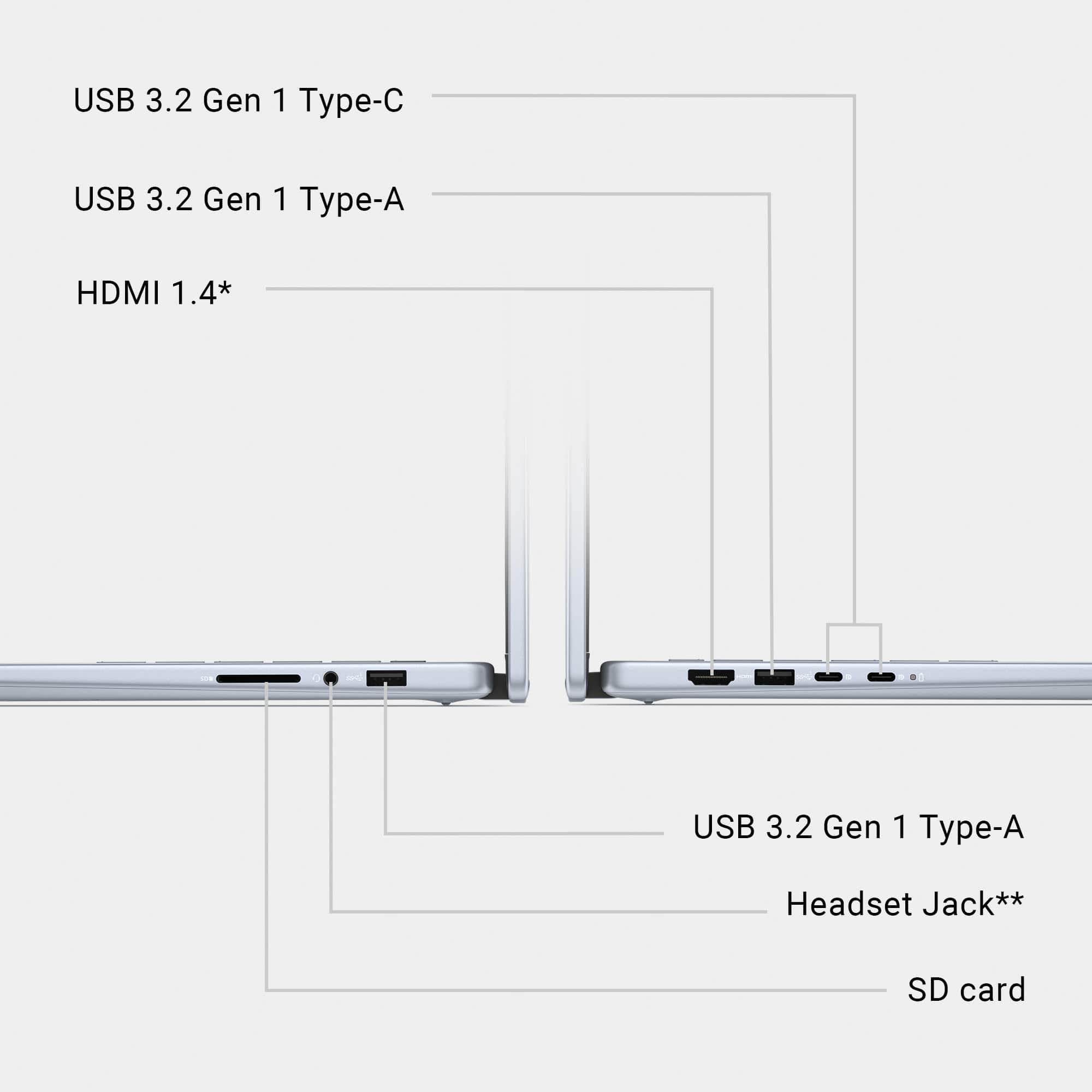
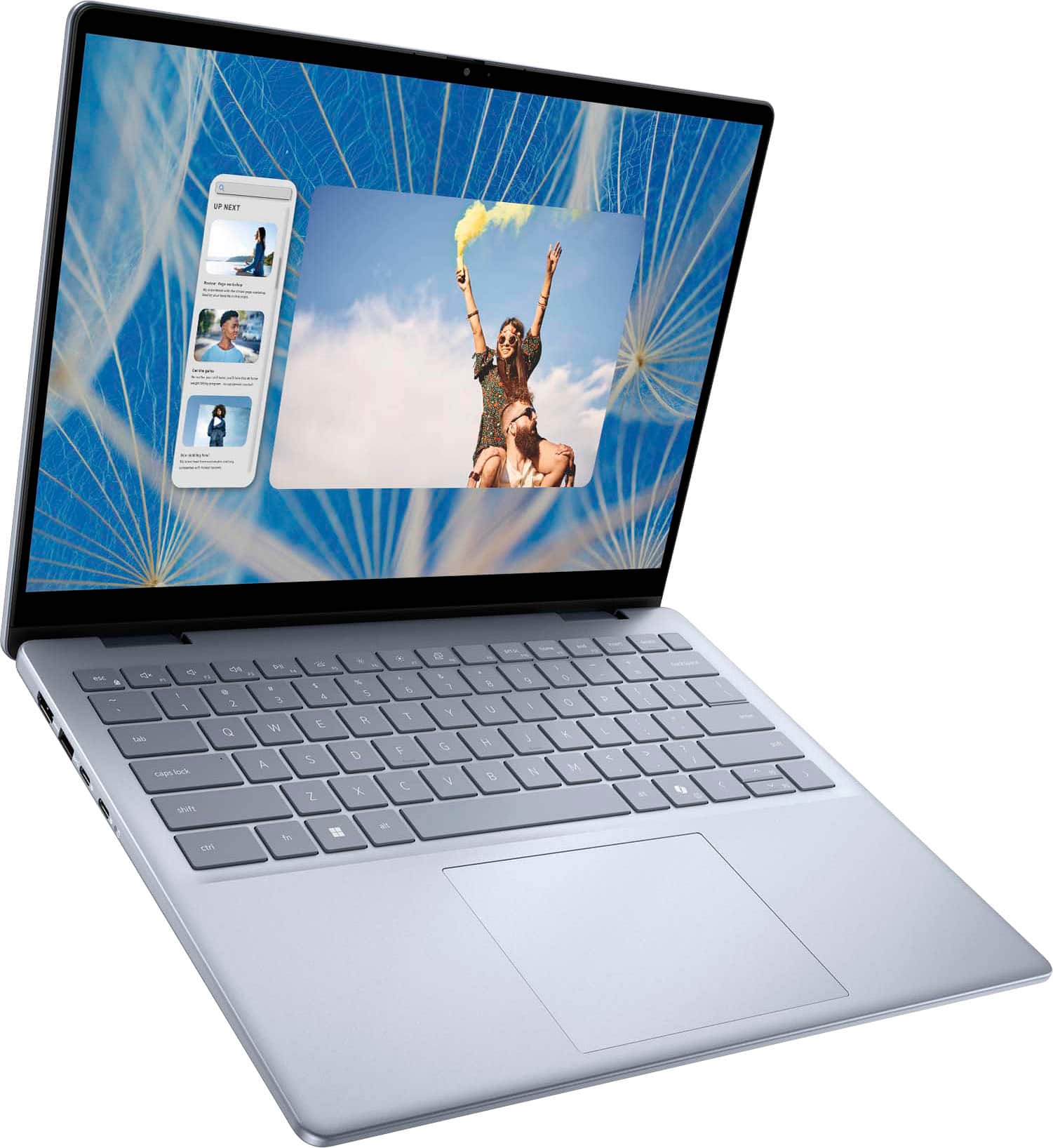
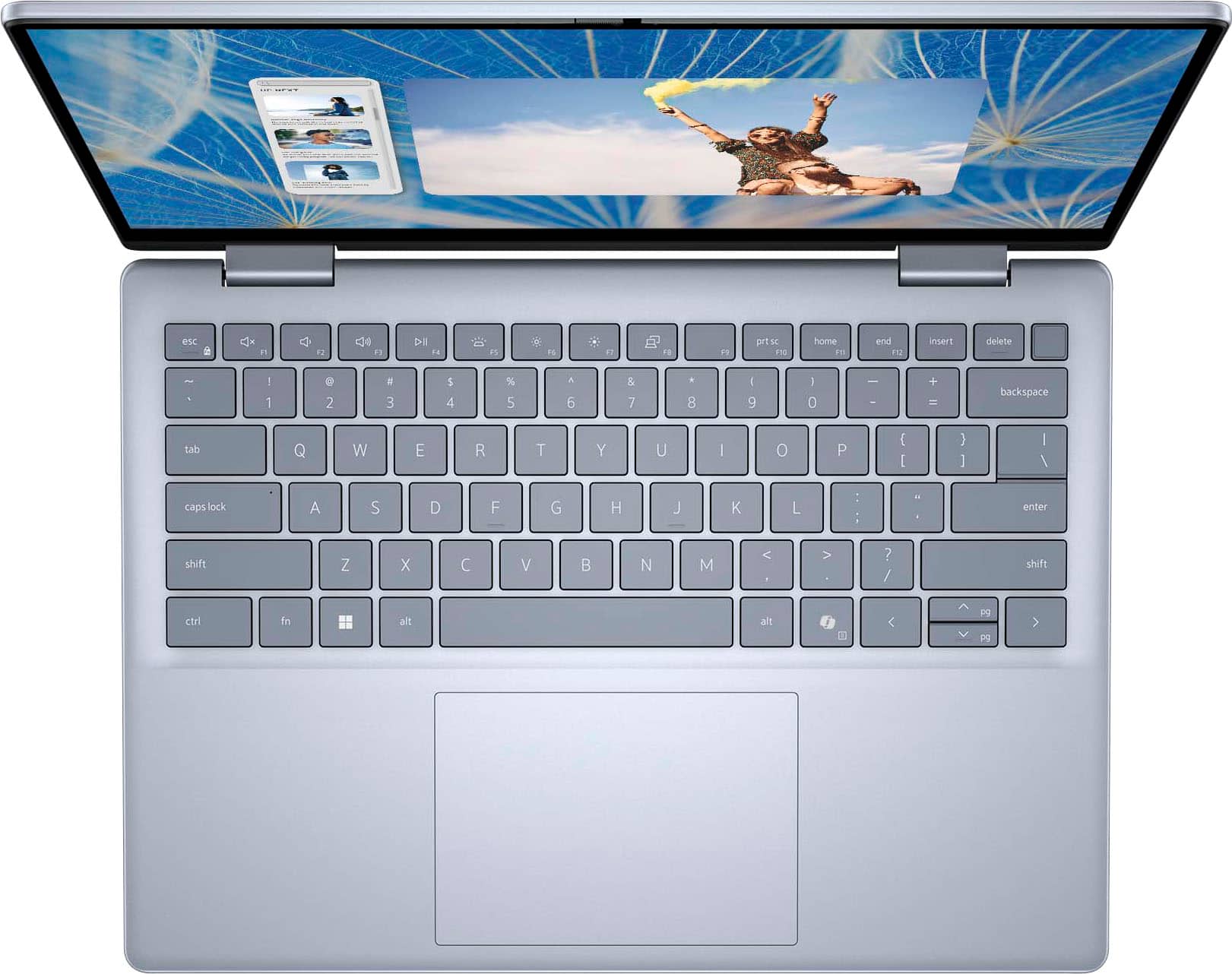
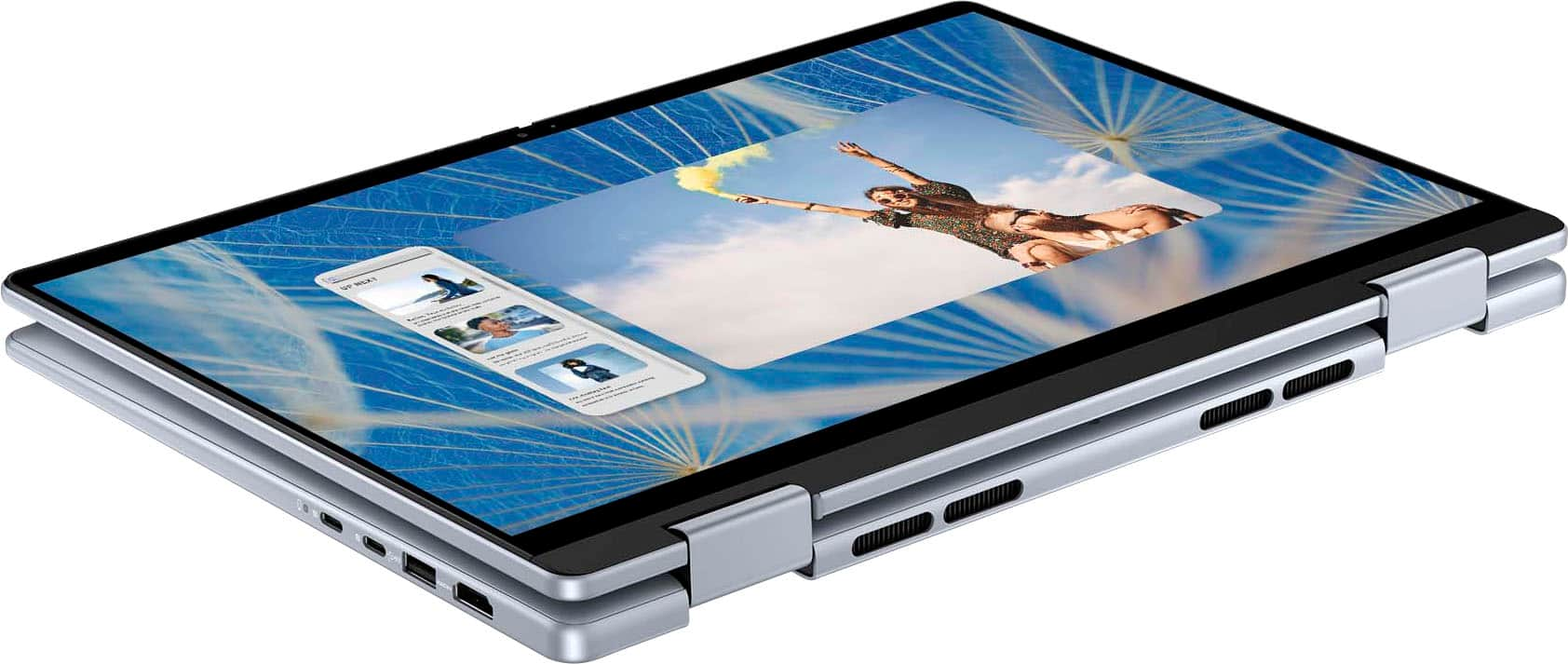
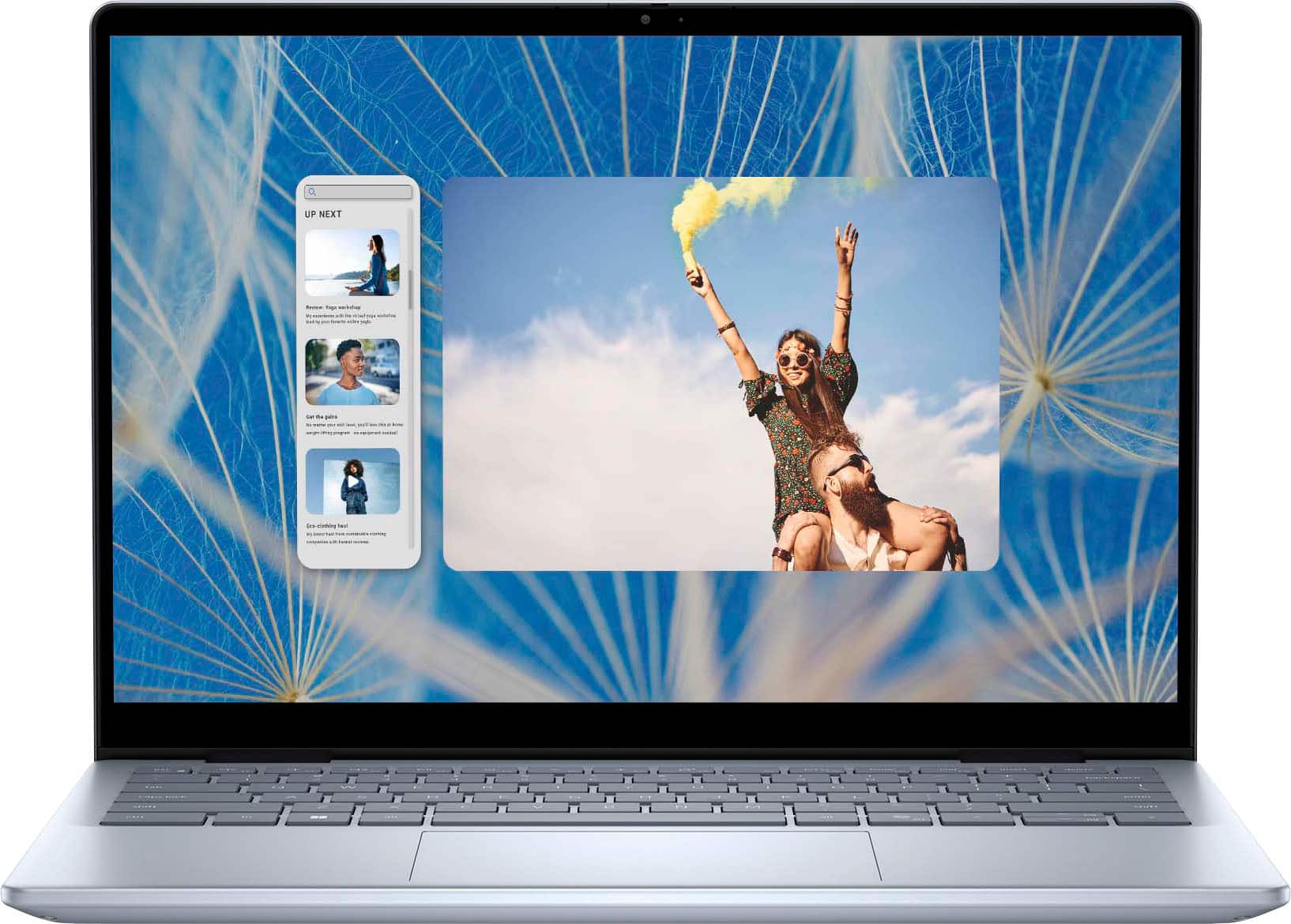
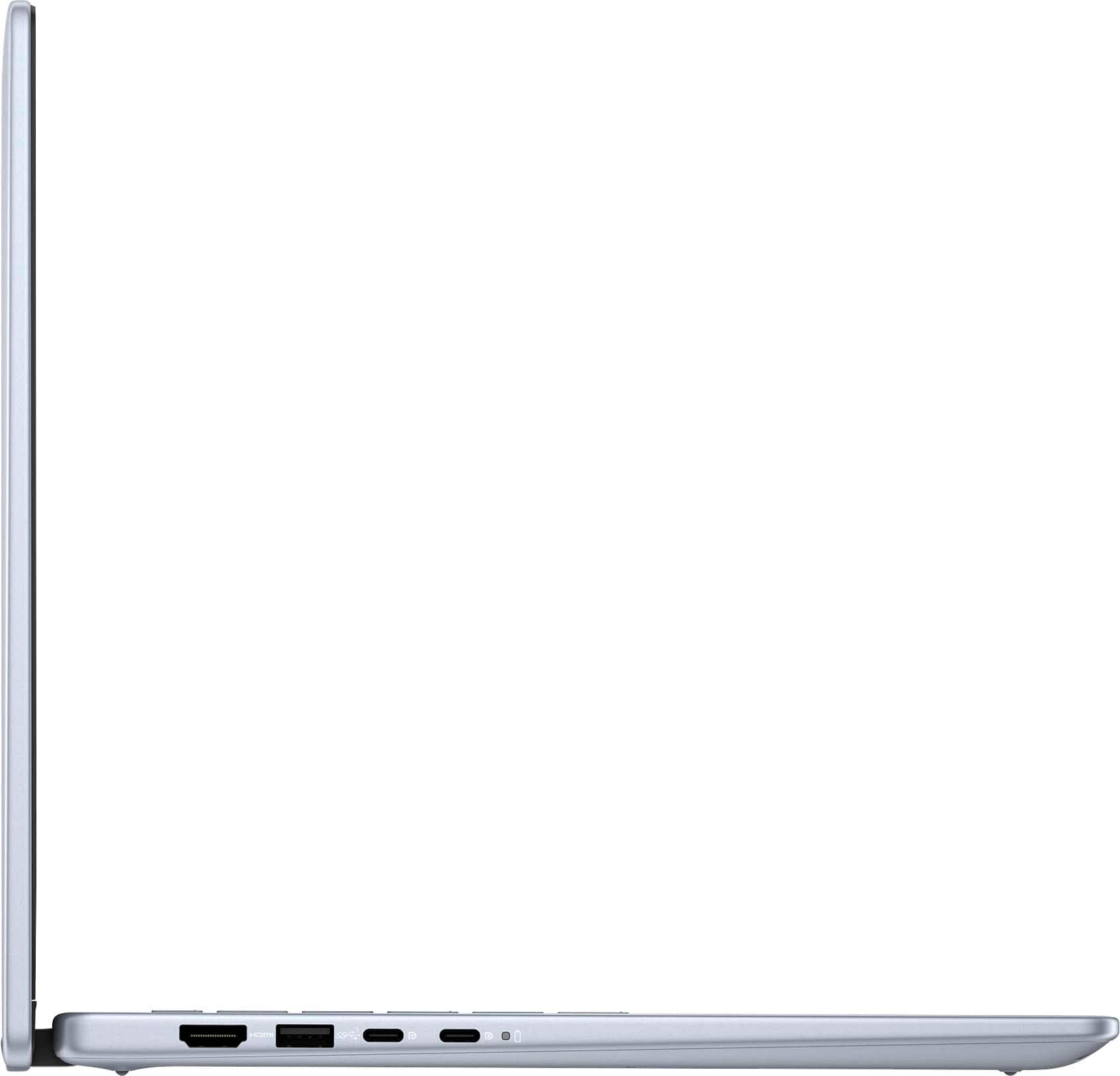
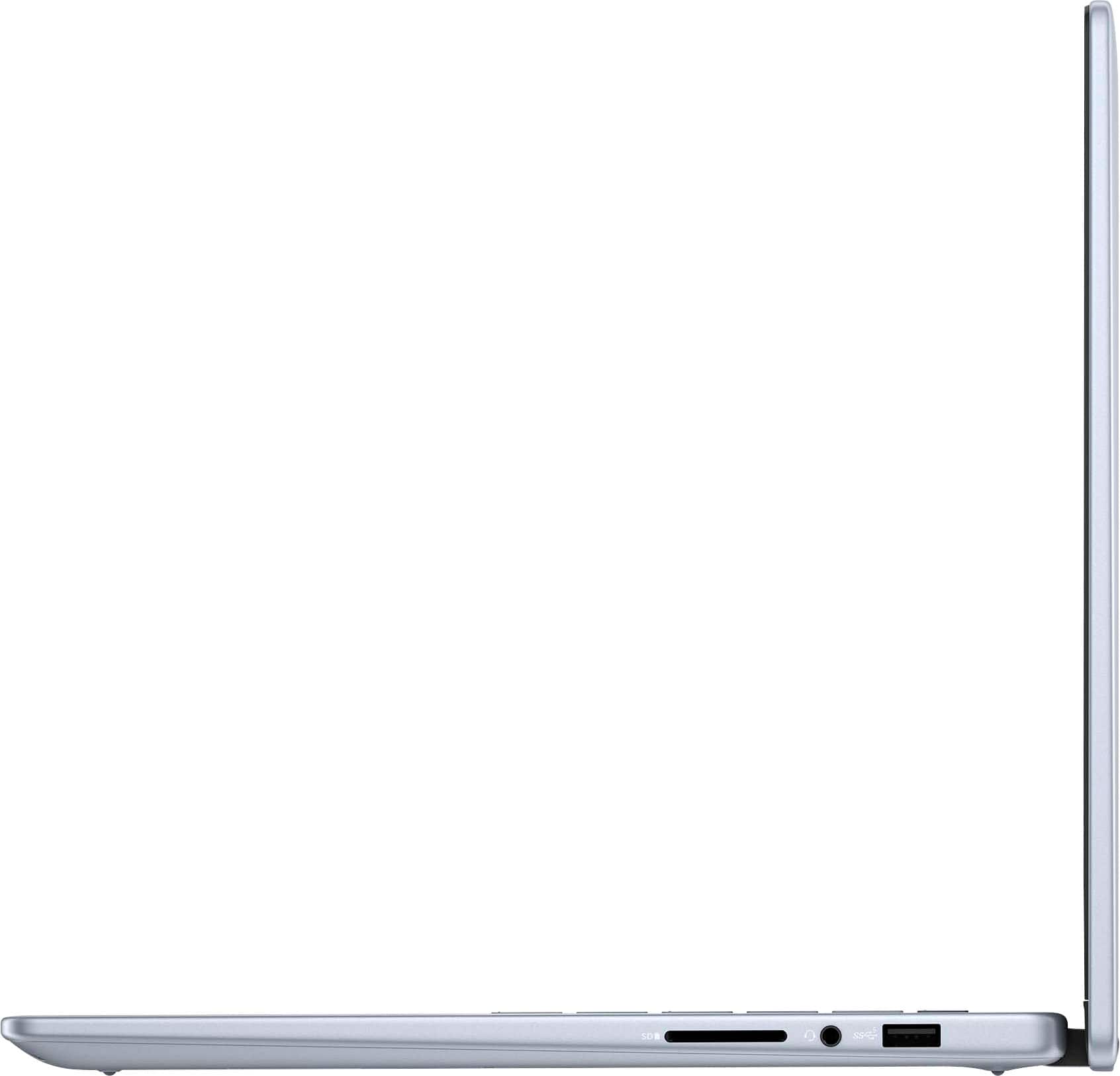
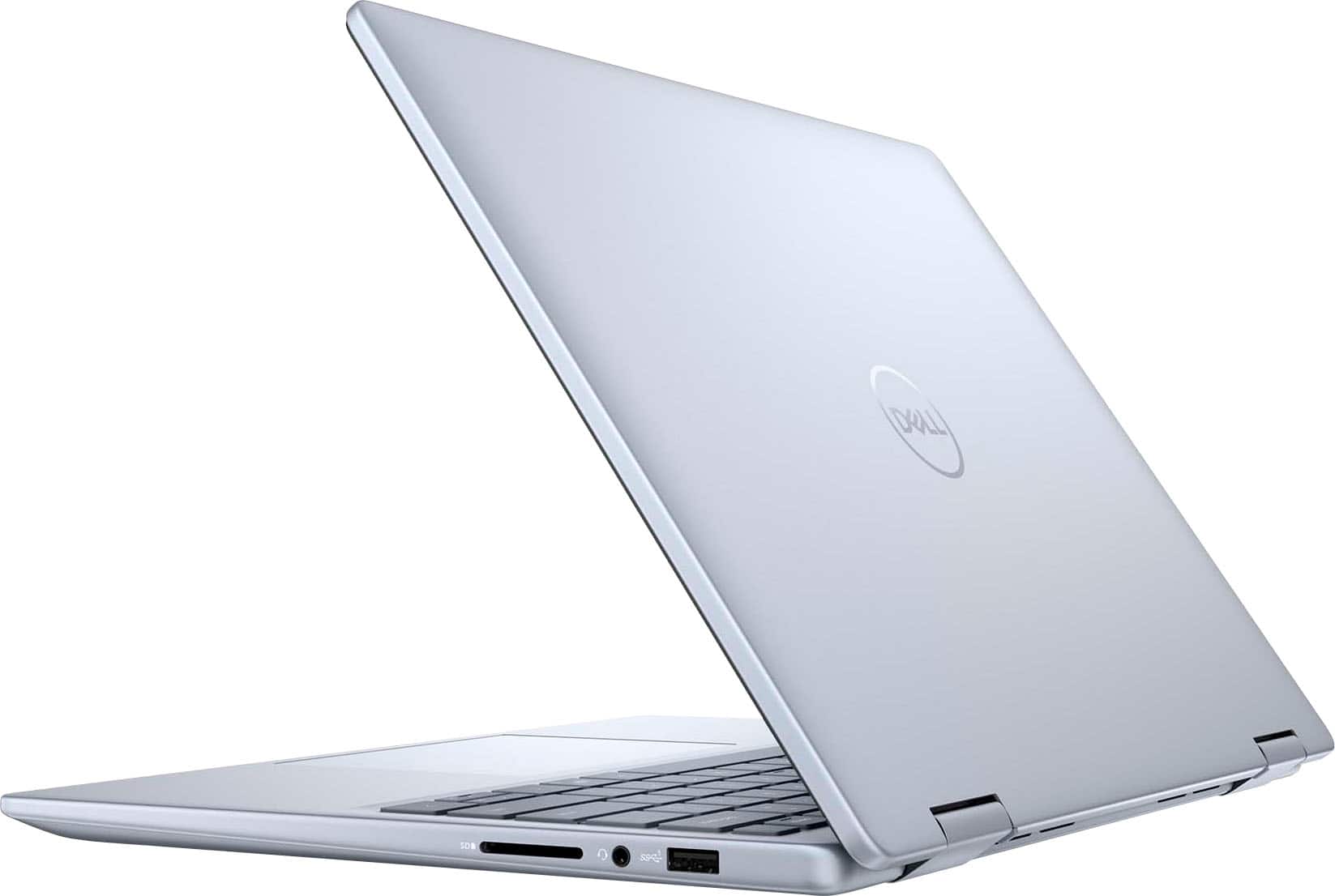
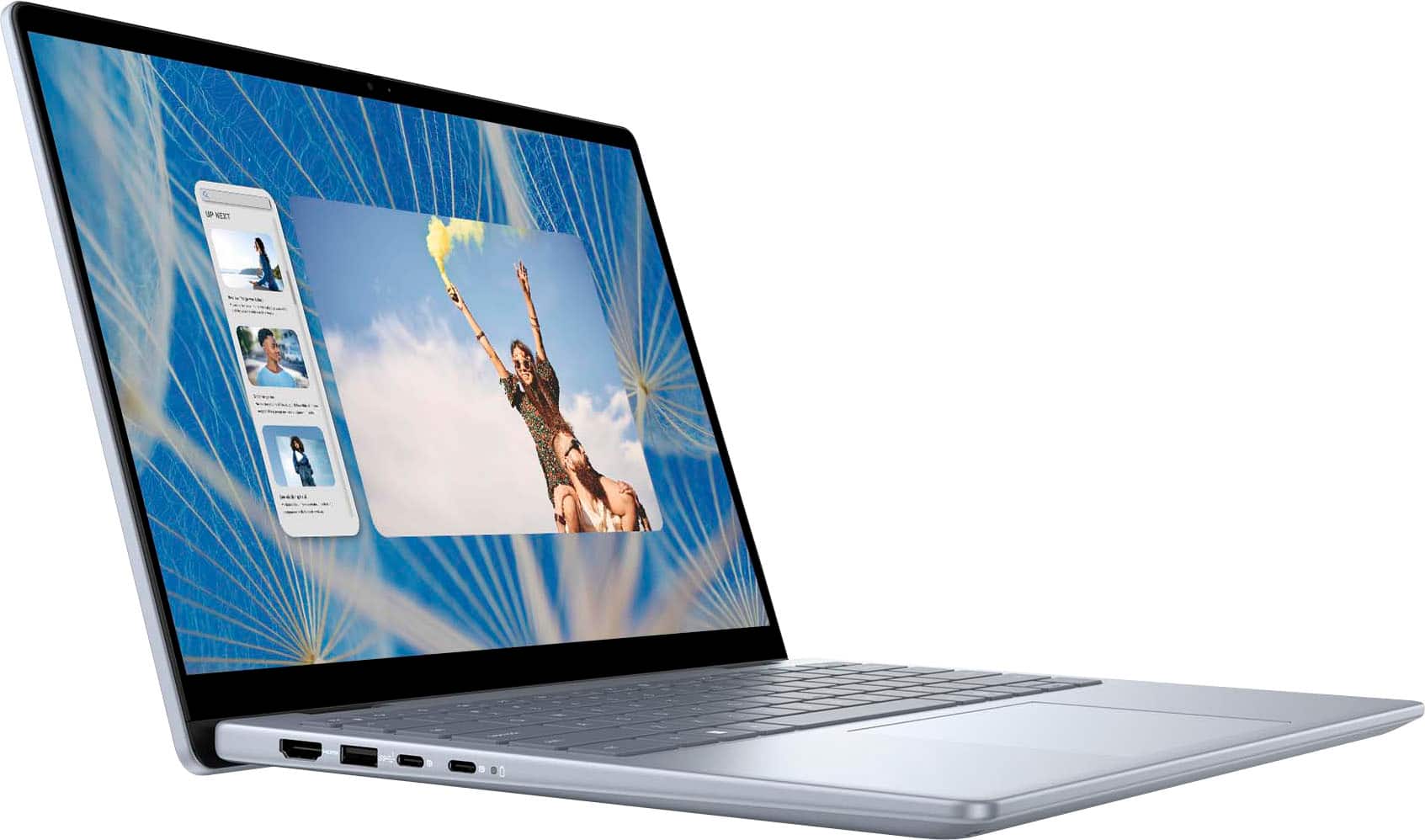
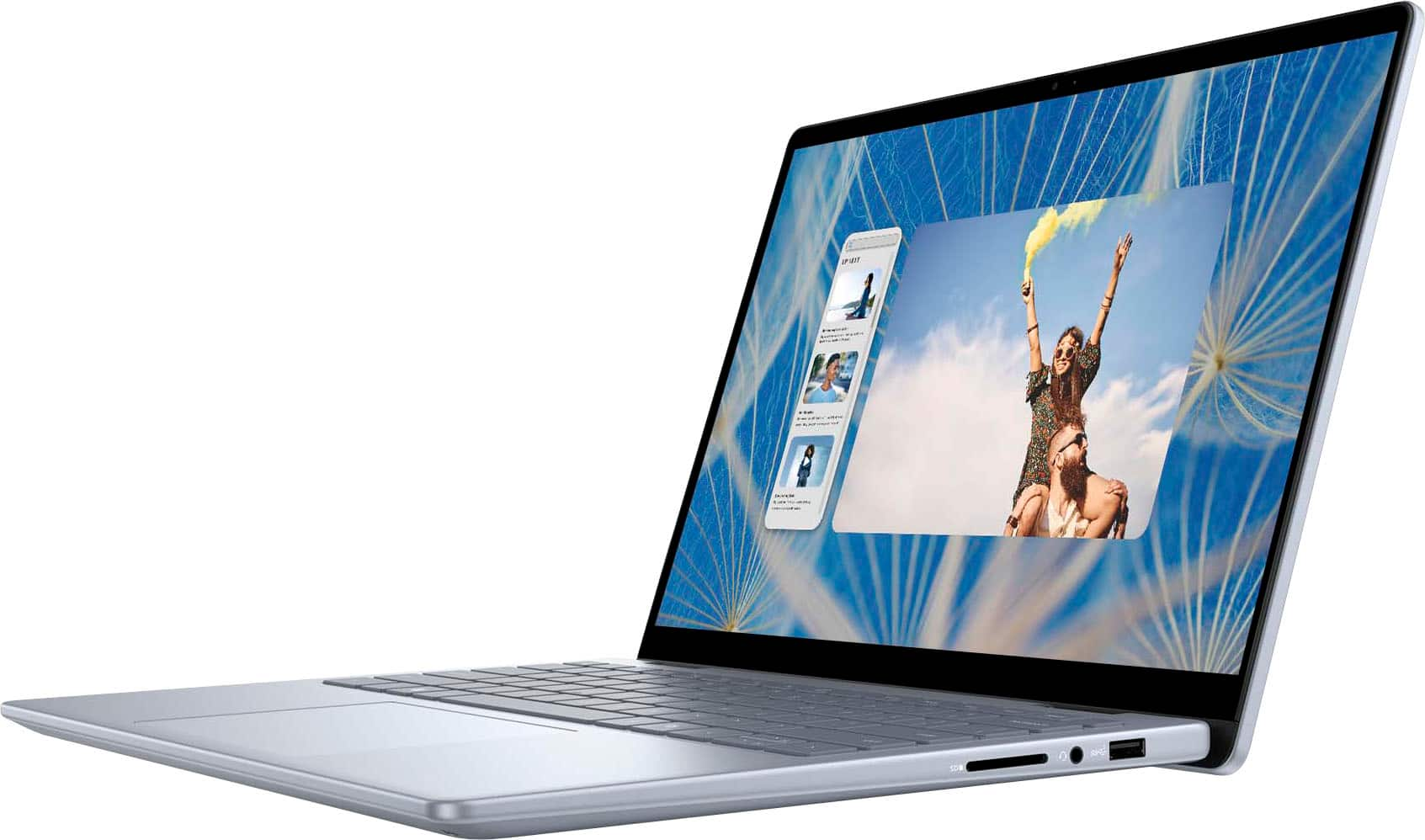
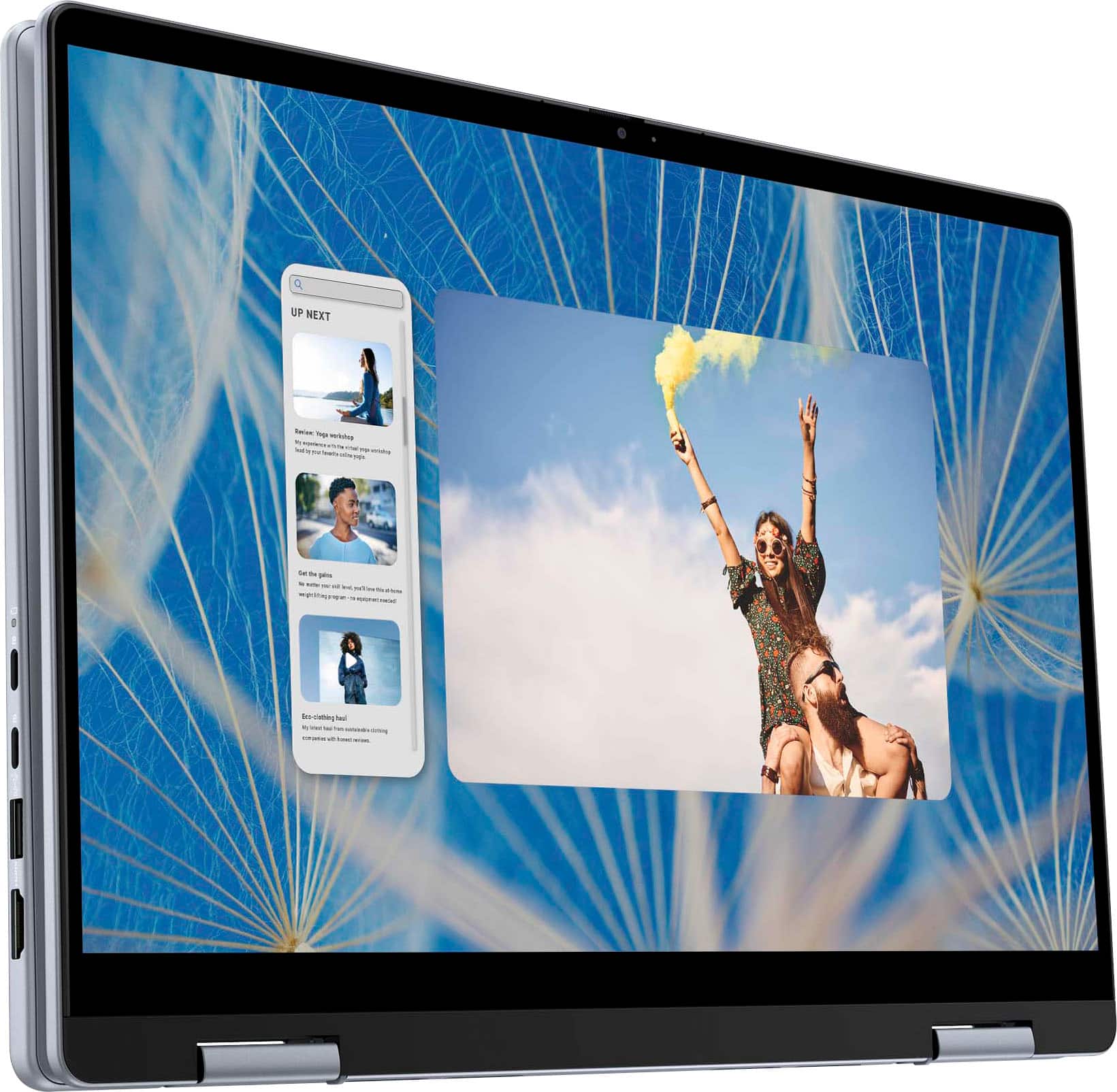
|Posted .This reviewer received promo considerations or sweepstakes entry for writing a review.This is my 2nd Dell laptop. My previous Dell laptop was a 14" XPS laptop which I am still using it and still love it. Since I am in need of an additional laptop i decided to go with this laptop as it comes with a Intel i7 processor, humongous storage size of 1 TB SSD, 16 GB RAM, 2 in 1 design and Backlit keyboard to name a few. Unboxing: As expected for any mid range laptop, the packaging is not glossy or feels premium but I am absolutely ok with this and in fact I was quite surprised by eco friendly paper based packing which can be recycled and is good for the environment. The laptop comes with an integrated battery which cannot be removed and a 65 W USB C Charger. First impression: The laptop is so sleek and small as expected for a 14" screen. I liked the dark grey buttons on the keyboard which makes the Grey laptop looks so elegant. The only downside is this laptop is a bit heavy weighing 3.77 pounds which IMO is a bit heavier for a 14" laptop. Otherwise this laptop has plethora of features including Fingerprint scanner, bright FHD screen with the screen resolution of 1920 * 1200 (Full HD+), Backlit keyboard, 360 design, 1 TB SSD PCIe Hard drive, 16 GB RAM, 1 HDMI port, 2 USB C ports, 2 USB A ports (1 one each side), Headphone jack and Memory card reader. Pros: 1. Power of Intel Core 7 processor - I have always loved Intel processors over the AMD processory especially when it comes to performance and speed. This laptop is undoubtedly one of the best laptops that I ever had. As it has the Core 7 150U processor (not the same as Core 7 Ultra processor), there is absolutely no lag whatsoever. Using this laptop gives me a great pleasure. Its possible to multi-task or work on multiple browsers or applications without any lag or performance issues. It is indeed a powerful laptop and best guaranteed for solid productivity. 2. 1 TB SSD PCIe Hard drive- I usually prefer SSD storage rather than the conventional hard drive due to less moving parts which in turns makes a big deal when it comes to performance. Also with 1 TB of storage it is possible to store lots of videos that I have to store for my wife's content creation instead of having to move the files to an external hard drive every single time. This gives me lots of flexibity to use this laptop without worrying much about the hard disk running out of space. Also the Hard drive on this laptop can be upgraded. But for most of the people 1 TB should be more than enough. 3. 16 GB DDR5 RAM - 16 GB RAM 5200 MHz is really a game changer especially when we are working on apps that use lots of memory. The RAM can also be upgraded similar to the Hard drive. The RAM on this laptop should be able to handle applications that uses lots of memory in the background like Video editing softwares or Photoshop. 4. Ports - On the left side of the laptop there is 1 HDMI port, 2 USB C ports and 1 USB A port. And on the right side there is 1 Memory card reader, 1 Headphone jack and 1 USB A port. Considering how sleek the laptop is still the Dell has done a great job to include the HDMI port. It is really helpful to connect the laptop to an additional monitor or television. With 2 USB C ports, 1 port can be used to charge the laptop and other USB C can be used to an additional monitor or television or even to connect to an Ethernet adapter. 5. 2 in 1 design - 2 in l design is really helpful to adjust the screen or fold it partially or completely when watching videos or movies. The kids really love this laptop. 6. Backlit keyboard - The keyboard is backlit making it easy to work on the laptop even during the night. The keys are also soft and quite comfy to type. I like the color of the keys which are dark grey and it gives an elegant feel to the grey laptop. 7. USB C charging and Battery - The laptop comes with a 65W USB C charging adapter. The laptop gets charged pretty quickly and the battery lasts for more than 6 hours based on the testing done. 8. FHD Webcam with Privacy shutter - Its good to see the Full HD Webcam on this laptop with the Privacy shutter feature. This is pretty cool. The camera is pretty clear and feels so premium. Especially for zoom or skype calls the video quality is so clear. 9. Fingerprint reader - The Fingerprint reader is present on the top right corner of the keyboard next to the delete button. The Fingerprint reader on this laptop works really well and its very easy to setup fingerprints in order to login to the device. Cons: There were only couple of cons overall. 1. Weight - The laptop is slightly heavy (than the other 14" laptops) weighing 3.77 lb probably because of the addition of HDMI ports. This is not a big deal anyways as the laptop is sleek. 2. Graphics card - The laptop comes with an entry level Intel Graphics card. Dell could have provided the mid range laptop instead considering the price point. Again the Intel graphics card itself is not bad except that it may not really satisfy people who plays games often. Overall this is a solid and well built laptop with lots of power to boost the productivity and performance of the laptop. The laptop almost ticks all the boxes and it is quite a powerful laptop one should really have especially if you are looking for the performance and quality.
I would recommend this to a friend - Pros mentioned:Battery life, Processor speed, Touch screen
Great But Limited Screen Brightness and Color
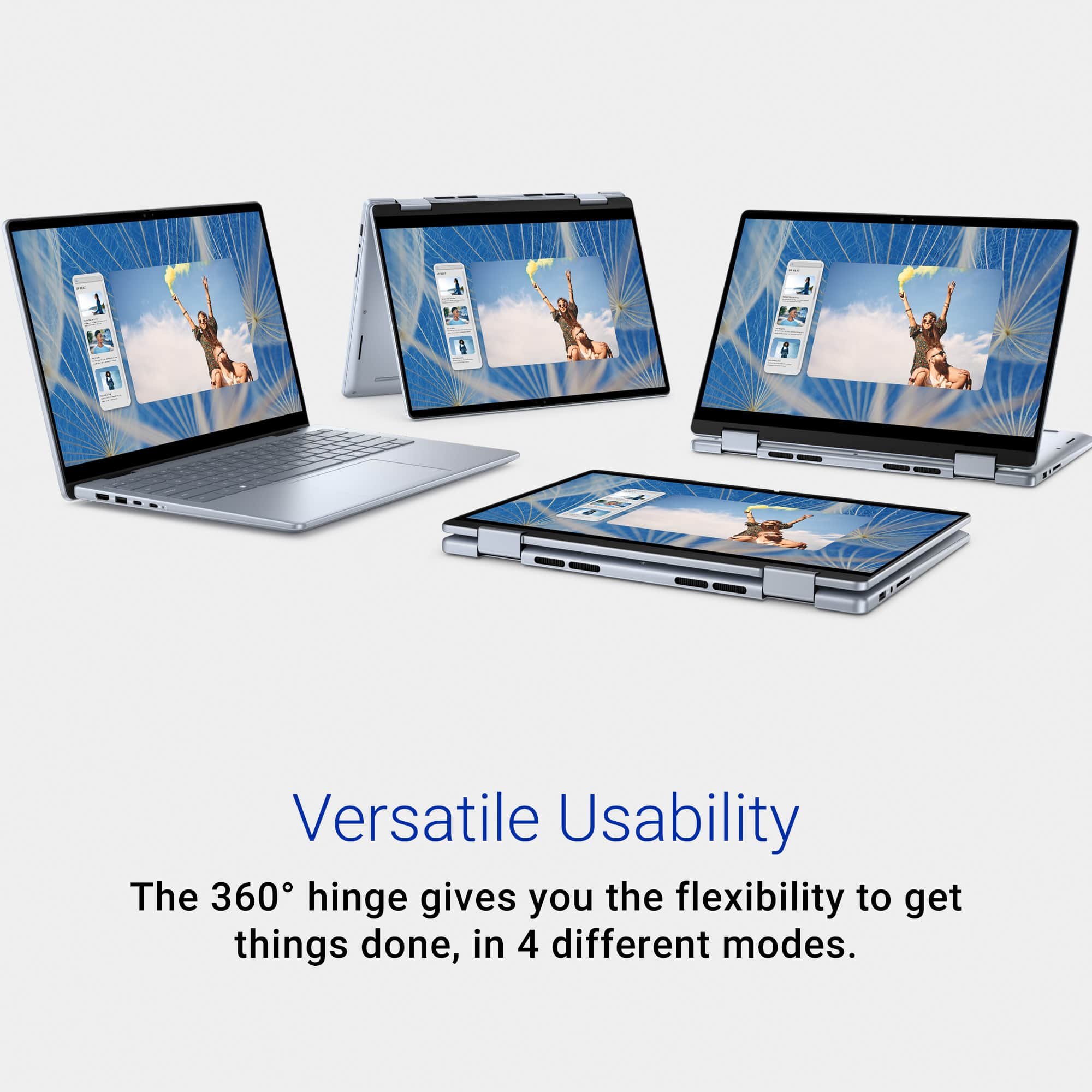
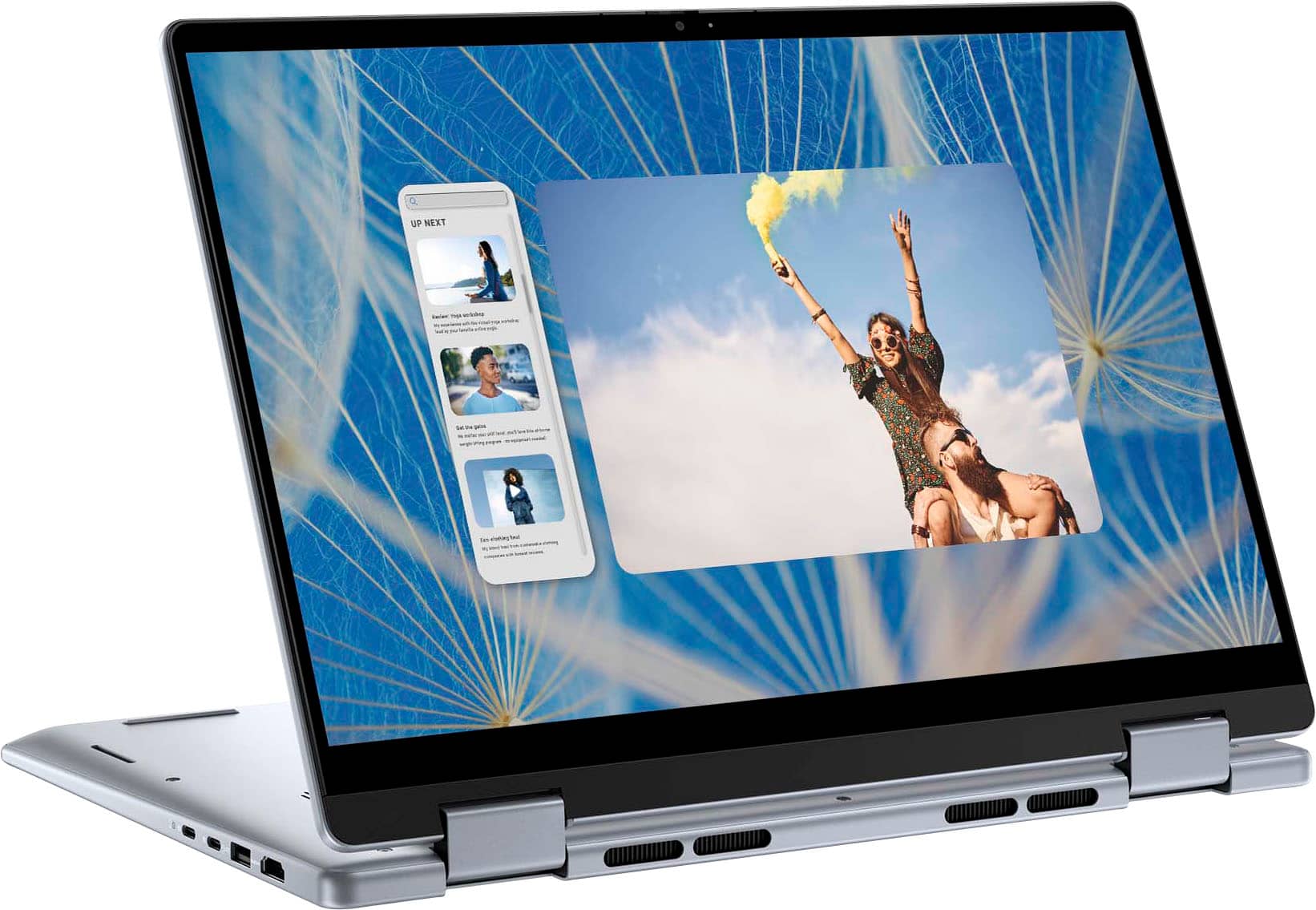
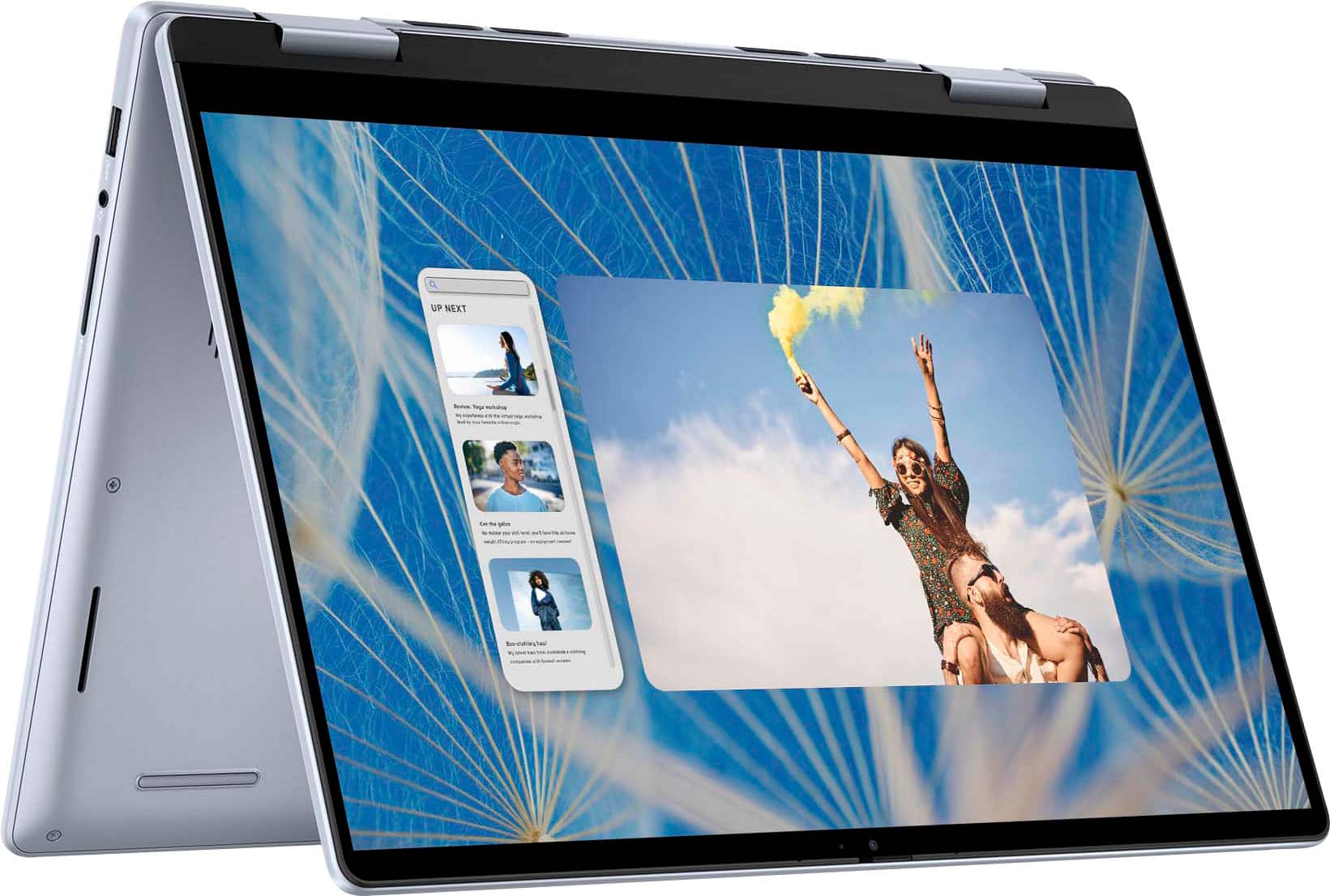
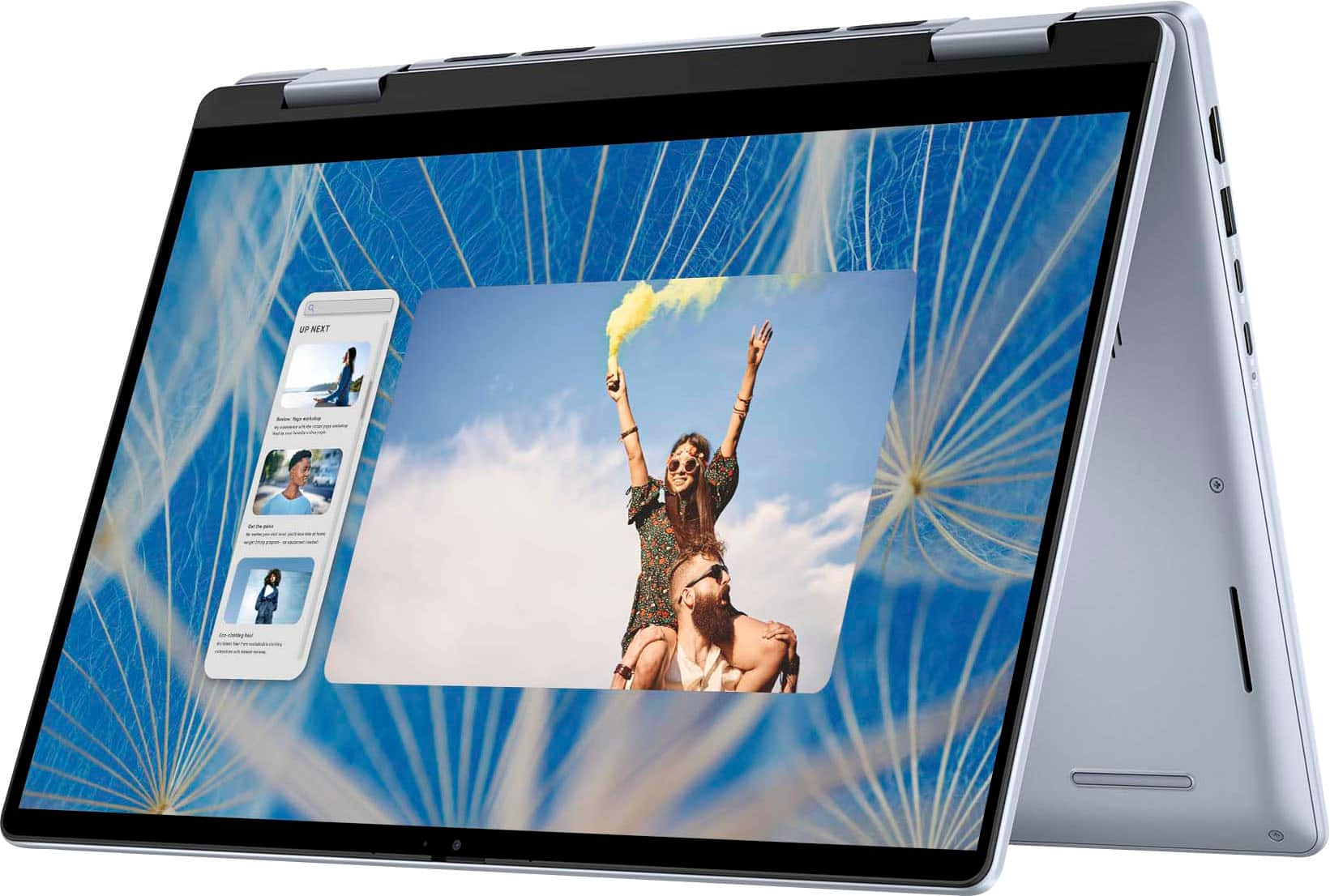
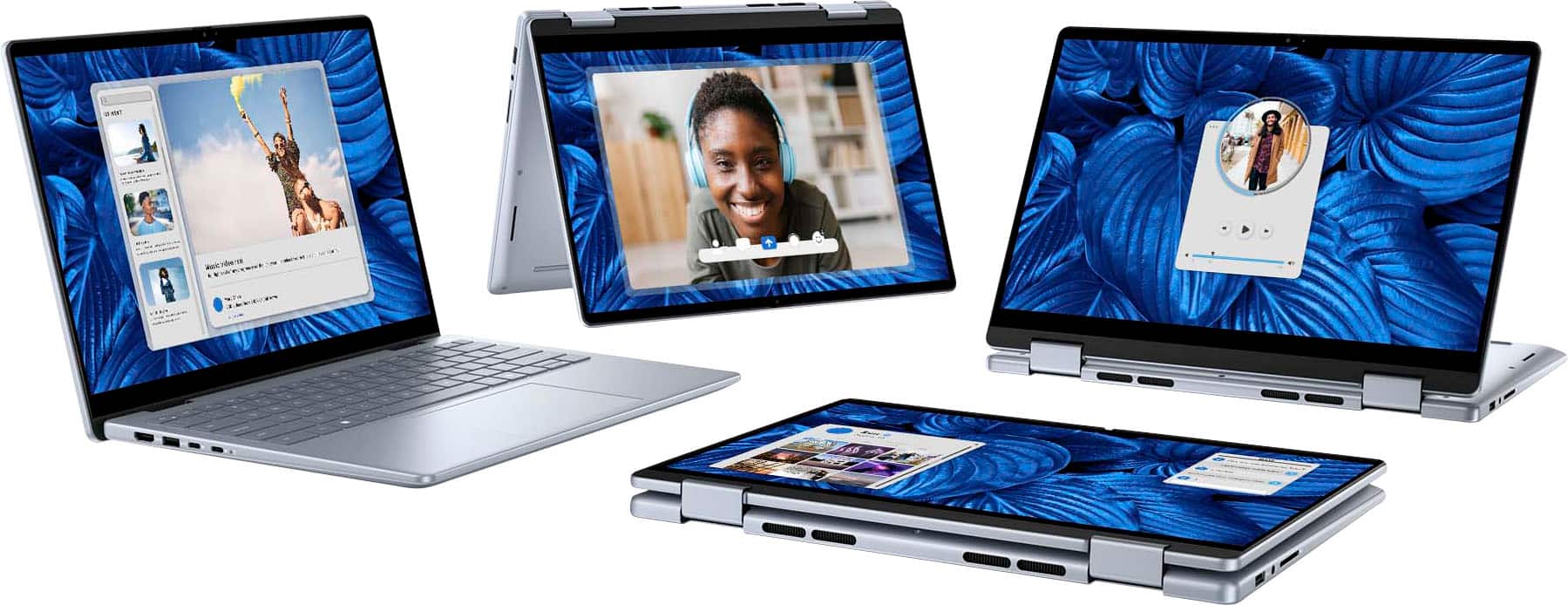
|Posted .This reviewer received promo considerations or sweepstakes entry for writing a review.This Dell Inspiron 14” (Inspiron) is a solidly built and performing “2-in-1” laptop with one assumption – you don’t intend to use it in a brighter than average room or outside. The display, while FHD+, only has a max 250 nits brightness and 45% NTSC gamut. The result is a screen that is sharp and colorful in a dark to average lighting but quickly degrades as its surroundings brighten. So, if you enjoy taking your work outside on a sunny day this may not be your laptop. If this isn’t a showstopper for you read on. I give this Inspiron 4 stars out of 5, deducting a star for the screen quality and a few other nit-picks. Screen aside, this model is packed with niceties and “future proof” features like the latest Intel Core 7 processor, plentiful (and user upgradable) RAM and storage, backlit keyboard, fingerprint reader, and long battery life. Its all-metal case is rare at this price point. It’s a silvery-blue. If you’re not big on blue, it’s subtle, and in most light looks more silver than blue. I’m a big fan of the 14” form factor. It’s a perfect balance between productive screen real estate and true portability. I’ve owned 16” models and find them burdensome when traveling. For example, using a 16” laptop on a plane is impossible unless you are in First Class. Even a 15” is a tight fit these days. That said, this Inspiron is on the heavy side for 14” models. Still, I don’t find it in anyway taxing and will enjoy taking it cross town and cross country. KEYBOARD AND TRACKPAD The keyboard is a touch typer’s dream. They backlit keys have a perfect return force feel; neither heavy nor mushy. It does have “clicky” noise when typing fast. It’s sounds like an average keyboard noise to me, really only audible in a quiet room. Backlighting is basic, but I’m just happy it’s here. It’s activated by a light sensor, but it can also be manually controlled via the F5 key too. Available levels are just off, low and high but there isn’t much distinction between low and high. Low isn’t that dim and high isn’t that bright. Minor complaint: there’s light bleeding at the edge of the keys. For not being glass, the trackpad is smooth and responsive. ( I haven’t seen anything in Dell’s specs to saying it’s glass). It understands both finger gestures and physical clicks, which feel confident and bouncy. I/O PORTS In my opinion, the port offering is adequate, but odd, for 2024. Left side has two 10 Gbps USB-C PD ports, but since this model uses USB-C charging, you lose a port if charging. Additionally, there is a 10 Gbps USB-A port, an HDMI 1.4 output (max 1080p) plus a charging indicator. The right side has another 10 Gbps USB-A port, a headphone/microphone jack, and a SD card slot. I think there should be more USB-C ports than USB-A since USB-C devices are proliferating and USB-A is in decline. Sure, USB-C to A adapters exist, but who wants to carry around a bunch of adapters. The USB-C ports also support external monitors via DisplayPort 1.4, but not Thunderbolt 4 devices. This is a surprise to me since I’ve used lower tier Windows laptops with Thunderbolt 4. USABILITY AND PERFORMANCE When it comes to productivity, the Inspiron provides plenty of speed and storage for “everyday” computer tasks – Microsoft Office, casual gaming (i.e., not fast 3D graphics), & online activities. It’s plenty fast for casual/moderate photo and video editing, but the display is not suitable for fine detail or color correction for print. PCMark 10 (free version) reported a respectable 5652 on my unit. A screen capture is in the photos section. The Inspiron’s guts include Intel’s latest Core 7 (formerly Core i7) 150U processor, 16GB RAM and a surprisingly fast 1TB SSD to mitigate bottlenecks. Testing SSD speed with Crystal Disk Mark I got approximately 4600 MB/s read and 3800 MB/s write in the long sequential test. I posted a screen capture in the photos here if you want to take a look. The RAM and storage is user upgradable and instructions are in the manual. Presumably this model could last one for many years thanks to this design – definitely though high school or college adding to its value proposition. This Inspiron has Wi-Fi 6E (802.11ax) which, in practical terms, is the latest Wi-Fi spec. (Wi-Fi 7 products have yet to proliferate). To test out Wi-Fi speed I put the Inspiron next to another laptop with Wi-Fi 6E and ran speedtest-dot-net’s test using the identical server. Curiously, the Inspiron’s Internet performance was significantly slower than the other laptop. I have 300/300 service. The other laptop achieved nearly this speed up and down. But the Inspiron was almost half of my paid speed, around 180 Mbps up and down. I can’t say this is typical of this model since I haven’t investigated why I got this lower speed compared to my other laptop. Tablet mode is the marquee feature here and its great as long as it’s understood it’s a tablet in functionality, not weight. At well over 3lbs and 14” of screen it’s not handholdable like and Android tablet or iPad. If you want handhold-ability get a dedicated tablet. The payoff here though is 100% Windows apps and laptop power in a tablet form factor. I don’t have a stylus yet but using it with a finger and voice is a pleasure. A stylus is needed for maximum productivity. In Word, for example ink to shape converts my scribbles to perfect shapes automatically. No risk of my thought process being interrupted. Similar functionality is available for math equations too. My finger was accurate in Excel though I noticed there was some lag. A stylus is needed here. If you have a Dell stylus you can also take advantage of handwriting to text conversion. Editing photos is fun and fast with, again, my finger controlling all aspects from cropping to contrast adjustment. Casual gaming is a natural here, though I’ve only played the included solitaire so far. All of this functionality works in laptop mode too thanks to the touch screen but for me it just feels more natural in tablet mode. I rarely touch the screen in laptop mode – maybe because the keyboard and touchpad are so responsive, but also because I use the tablet more for brainstorming and the keyboard for power typing. Quick mention of Tent Mode. This is great way to view or show a movie. I’ve only dabbled with this mode so far, but it looks ideal for giving a one-on-one presentation to a client in the field. Of course it’s thumbs up for watching movies, especially on planes, or to occupy the kids on vacation. AUDIO AND VIDEO (including web cam) Back to the “Dr. Jekyl and Mr. Hyde” screen. In a home office with the shades half closed, a plane, or the back of a coffee shop, the screen is crisp and colorful at max brightness. But in intense ambient light like near a sunny window and certainly outside the screen is overpowered and hard to see. Dell is transparent about these screen specs but I was hoping Dell was underselling here to overdeliver, but that isn’t the case. The screen is exactly what Dell advertises. That brings me to the webcam which is kind of a puzzle. It’s 1080p and has a built-in privacy shutter. The dilemma is its dynamic range demands copious light or it looks low contrast and grainy. This makes finding a happy medium of enough light for the camera but so much it washes out the screen a challenge. It’s perfectly fine for the road or casual use, but if you need to always look professional on your Zoom calls buy a professional web cam. Two other screen gripes. First its hinges are stiff requiring two hands to raise the screen – one to hold down the base and one to lift the screen. A built-in finger notch like some laptops have might have helped. Regardless, lifting the screen shouldn’t involve so much fumbling. Second issue is the somewhat jerky fast scrolling due to the 60Hz panel refresh rate. Again, not surprising since this is a “feature” of all 60Hz screens. I just wish Dell hadn’t used a 60Hz panel. The built-in speakers get the job done. Laptop speakers are a low priority to me. It’s unrealistic to expect big sound in a compact laptop. These are a bit underpowered and I have to crank it 70% to hear them, but they are clear with discernable channel separation. No complaints here and most people use earbuds or headphones in public venues anyway. BOTTOMLINE AND WHO ITS FOR On whole this is a nice package. All of my complaints are minor compared to the productivity it affords with the Intel Core 7 processor, comfortable, visible backlit keyboard, and fast and generous SSD storage. As such, I think it’s ideal as a business or school laptop as long as the work doesn’t heavily involve video or photos.
- Pros mentioned:Overall performance
Really nice!!!
||Posted . Owned for 1 week when reviewed.This reviewer received promo considerations or sweepstakes entry for writing a review.Reall good computer, and the price was the best!!!!
I would recommend this to a friend Goody
||Posted . Owned for 1 month when reviewed.This reviewer received promo considerations or sweepstakes entry for writing a review.Very good I loved it it was very efficient my work was installed correctly and quickly I loved the best computer I made a very good choice without a doubt
I would recommend this to a friendReview
||Posted .This reviewer received promo considerations or sweepstakes entry for writing a review.Not the best , it’s heavy and slower than expected. The keypad doesn’t function well.
I would recommend this to a friend7 months old and major issues
||Posted . Owned for 7 months when reviewed.This reviewer received promo considerations or sweepstakes entry for writing a review.Disappointed. Purchased this Inspirion Laptop in Feb. 2025. Last week I would've given it a 4, maybe 5 for a review. 4 days ago the laptop suddenly wouldnt turn on. Thinking it was a charging issue, I made sure to charge it for a while. When I tried to turn it on, theblights on keyboard came on, but screen did not. I tried the camera slide...nothing. I shut it down again. When restarting, the screen did come on. Thought the problem was solved. BUT.....thebkeyboard did not work. This glitch cycle continued for a bit. Called Best Buy as it was within warranty period. They said...no problem, bring it in and we'll send it out for diagnosis. Got to the appointment (2 hours of my day), only to be told it would be $85 to diagnose it because of the snall dent shown in pic above. When I challenged that, as the dent was there for months and not due to a fall, they basically shrugged. So, proceed with caution when purchasing this laptop, and, Ibwould not count on the warranty as a factor for purchase. I will be purchasing elsewhere and from another company.
No, I would not recommend this to a friendGood offer
||Posted . Owned for 1 month when reviewed.This reviewer received promo considerations or sweepstakes entry for writing a review.Dell laptop Great deal I received from Best Buy , and I ordered same product again for my wife .
I would recommend this to a friendHorrible customer service. No idea about laptop
||Posted . Owned for 1 month when reviewed.This reviewer received promo considerations or sweepstakes entry for writing a review.Purchased as open box excellent condition: which states it’s in new condition, geek squad certified and comes with all accessories or equivalent. Received it with no power cord or laptop case. I tried texting the chat bot. It said ship it back or go to the store to get a power cord. I then called and sat on hold before finally speaking with someone from a foreign call center. Both the chat bot and call center told me to either just return and get money back or bring it to Best Buy store and they could help me. I just want a power cord. This is Best Buy. This should not be difficult. I drove to the closest city with a store. They said they can’t help. I can buy my own charger or return computer and buy another computer. I said I already paid for this computer and it was listed as guaranteed to have all original accessories or their equivalent. Britton said that it doesn’t matter what the website says. They don’t actually guarantee it and Best Buy doesn’t honor the website description. I can buy a cord out of pocket or return computer and rebuy it at a higher cost. I told him I was told by chat and phone to come into the store for replacement cord. He said he would sell me a $60 universal charging cord but there is nothing else he could do. They wont give replacement cord or laptop case. I tried to explain I purchased an open box excellent condition computer which was guaranteed to have all of its parts and accessories therefore I’ve already purchased the cord. Best Buy listed it as having everything (or it’s equivalent) and that is what I purchased. They (Best Buy) should provide the replacement cord since they sold a computer that came with one. He told me to have a good day and be safe.
No, I would not recommend this to a friend- Pros mentioned:Battery life, Overall performance, Processor speed
Solid productivity laptop from Dell
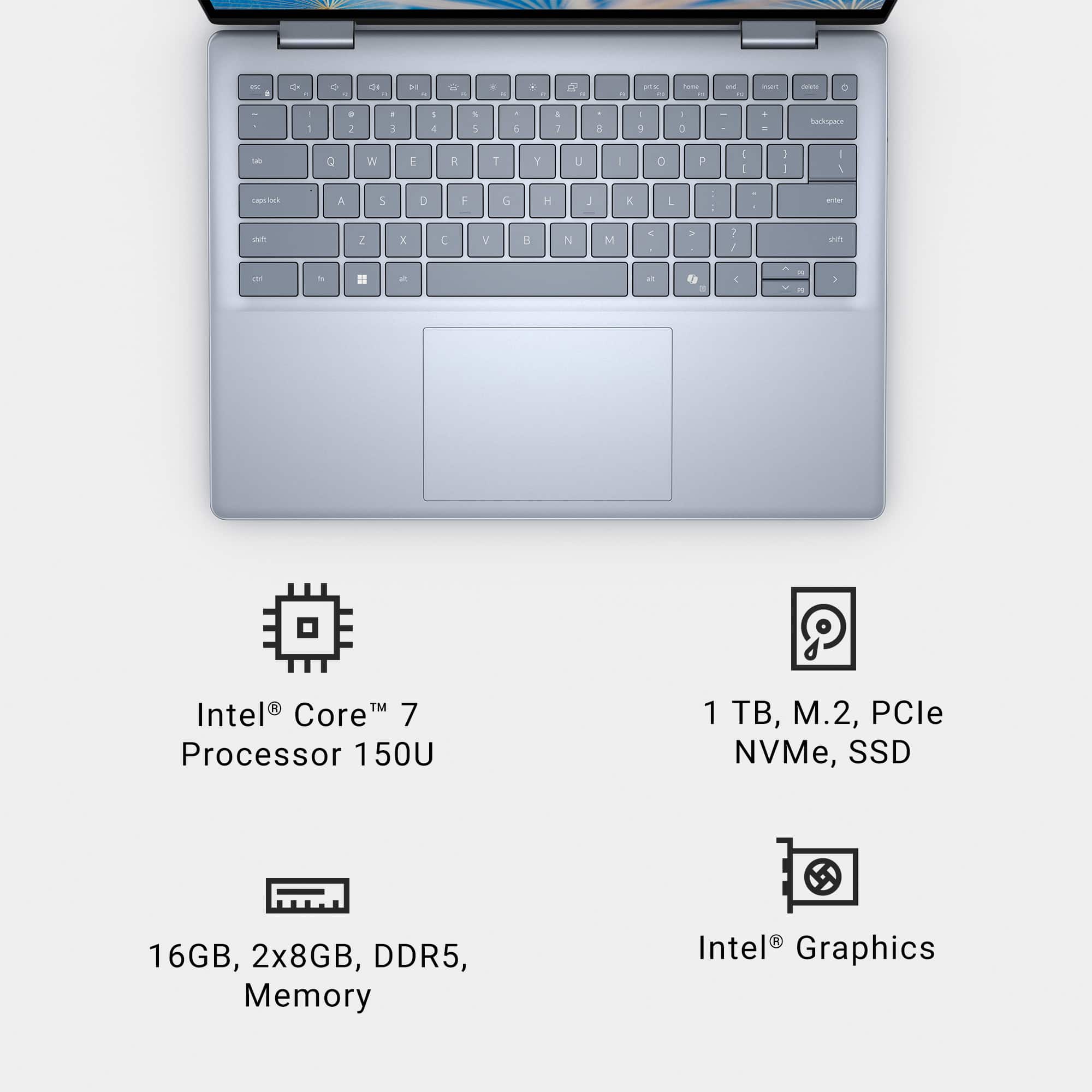
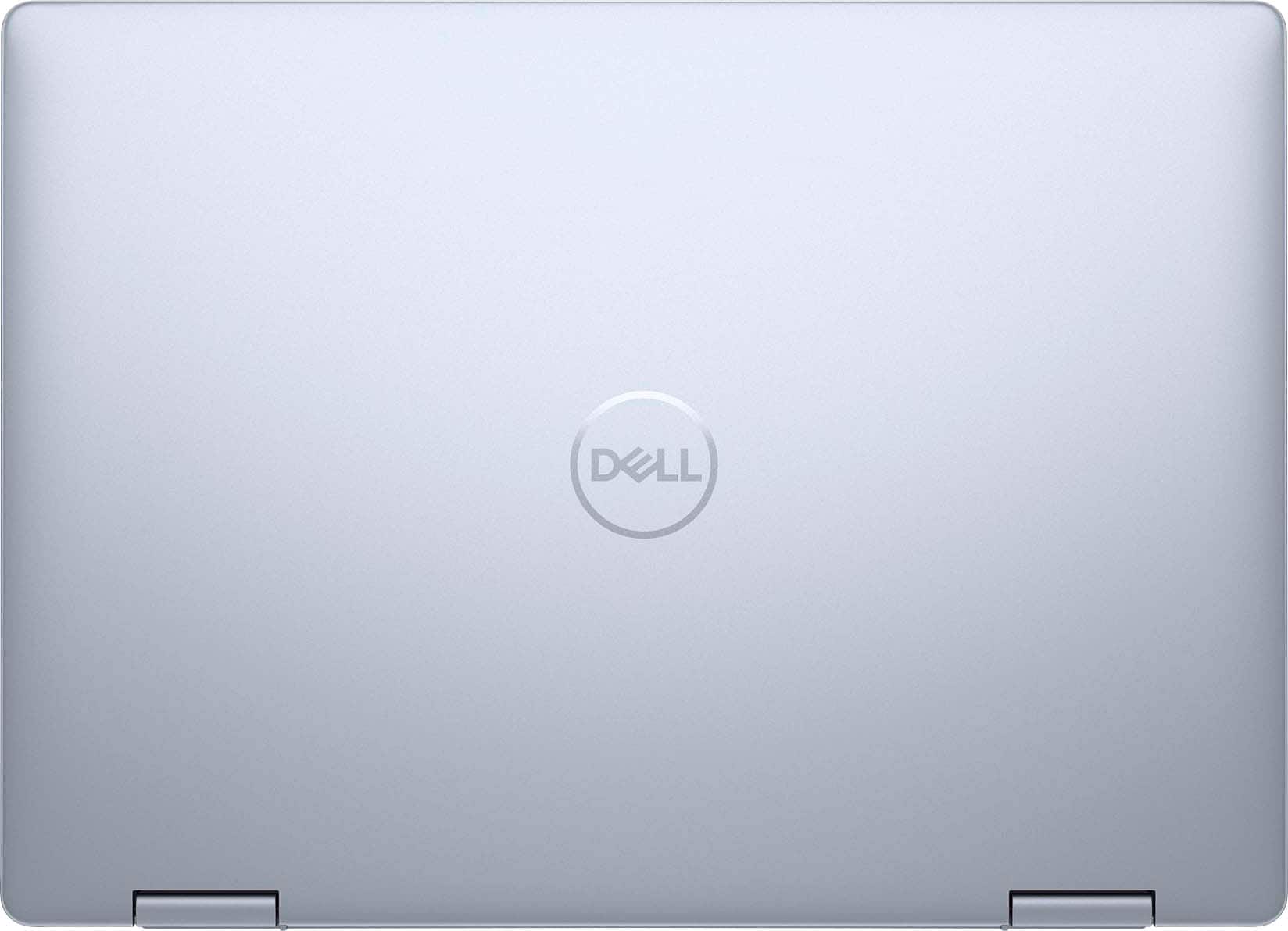
|Posted .This reviewer received promo considerations or sweepstakes entry for writing a review.The more I use this laptop, the more things I find to like about it. It's sort of a mid-tier jack of all trades - it does everything reasonably competently but isn't a superstar at anything - and it's accordingly well-priced. But is it for you? Read on to find out! From the outside (and, frankly, the inside too), it's clear that this is as primarily productivity minded laptop - there's no flashy case design, logos, textures or lights here, just a simple Dell logo and a slightly blue-tinged take on their classic gray case. This is a laptop that would be perfectly at home in even the most conservative / formal office space, a classroom or anywhere else there's value in being non-descript. The build quality is sturdy with some plastic parts and some metal and there's a good overall stiffness to the build. The included 65W USB-C charger is slightly bulkier than after market options, but should prove to stand up to the rigors of use if you choose to use that charger and it works without issue. As a 2-in-1, you can fold the screen all the way around to turn this into a VERY large tablet complete with touchscreen and active pen support (pen sold separately, of course). I likely won't do that much, but the touchscreen is helpful on a daily basis and it's nice to know I can get the pen if I want. The hinge is easy to put where you want it and stays there once placed. On the inside, the screen is nice and clear / bright with a useful 16:10 (1900x1200) ratio / resolution that is again good for productivity. The touchpad is large and nice enough and the keyboard overall is ok - notably the space bar is a bit "mushy" feeling but it all works ok and I was able to get nearly to my normal speed/accuracy which I probably could get to over a short time. There's a usable webcam with a physical shutter and the speakers, while downward firing, are loud / clear enough though they do lack on both the very low/bass and very high / treble sides which is typical for laptops in this range and size. There's a fingerprint sensor in the upper right corner that works well to log in / for security but no Windows Hello on the camera. The port selection here is excellent, with two USB-A ports (10Gbps each, one on each side of teh laptop), 2 USB-C 3.2 ports (10Gbps, supporting video/audio out and power delivery charging, both on the left side of the laptop), an HDMI port (left side), headphone jack (right side) and full-sized SD card slow (also on the right). All charging is through USB-C. This Dell is using the latest Intel series in the form of the Core 7 150U processor (not to be confused with the Core 7 Ultra which is faster/more cores). The 150U is designed for long battery life and decent performance and it proved to be fast enough for my day to day (I didn't notice any notable slowness while using the computer) with 10 cores and 12 threads to work with. There's 16GB of DDR5 that is USER UPGRADEABLE (not soldered) which is a great touch for future logevity. The 1TB NVMe SSD is fine but can also be upgraded - it's set up to take a 2280 size NVMe SSD though mine came stock with a 2230 sized drive and a spacer. I installed a 4TB 2280 SSD and haven't looked back. It does support PCIe Gen 4. WiFi is WiFi 6 here and there's Bluetooth support for networking. All graphics are handled by the onboard graphics cores on the CPU. In day to day use, the computer meets my productivity / working needs just fine with solid battery life (seeing about 6-7 hours on a charge), fast convenient USB-C charging when needed, and good power when you need that. It's not likely you whould buy this to play games and it's limited to some older / emulated games based on the lack of a discrete GPU. If you are looking for a great laptop that can fit in nearly everywhere and do nearly any thing while being reliable and snappy in use, this is a great product to take a look at and I can highly recommend it. Give it a try today!
I would recommend this to a friend Satisfied
||Posted . Owned for 2 weeks when reviewed.This reviewer received promo considerations or sweepstakes entry for writing a review.Worth, worth, worth best deals and discounts,discounts
I would recommend this to a friendDell laptop
||Posted . Owned for 2 months when reviewed.This reviewer received promo considerations or sweepstakes entry for writing a review.Great purchase. Employees very helpful and professional
I would recommend this to a friendGreat efficiency
||Posted . Owned for 1 week when reviewed.This reviewer received promo considerations or sweepstakes entry for writing a review.Awesome thanks desktop . Great connectivity. Good keyboard
I would recommend this to a friend- Pros mentioned:Battery life, Processor speed, Touch screen
Fast and Sleek 2-in-1 - Lightweight and Portable
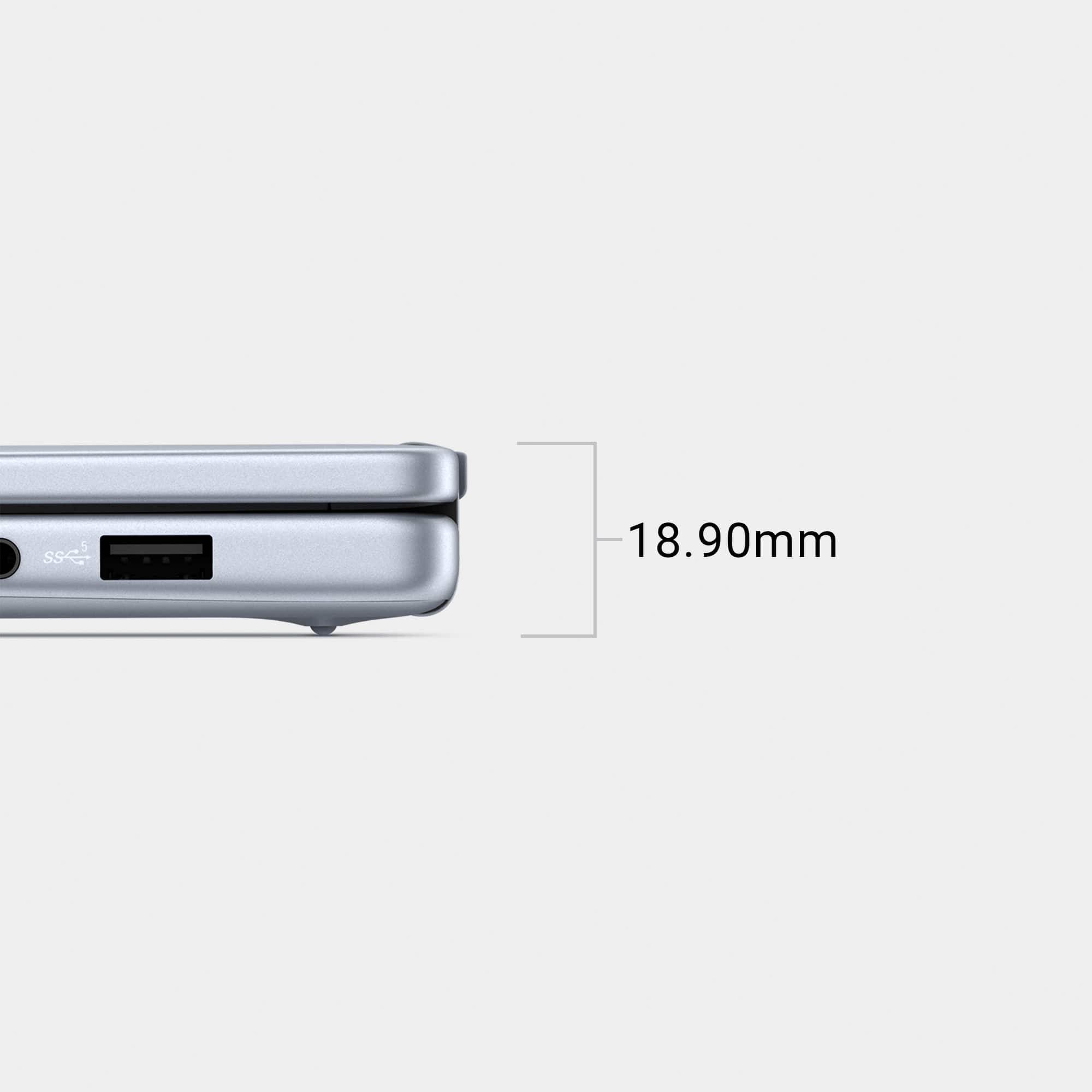
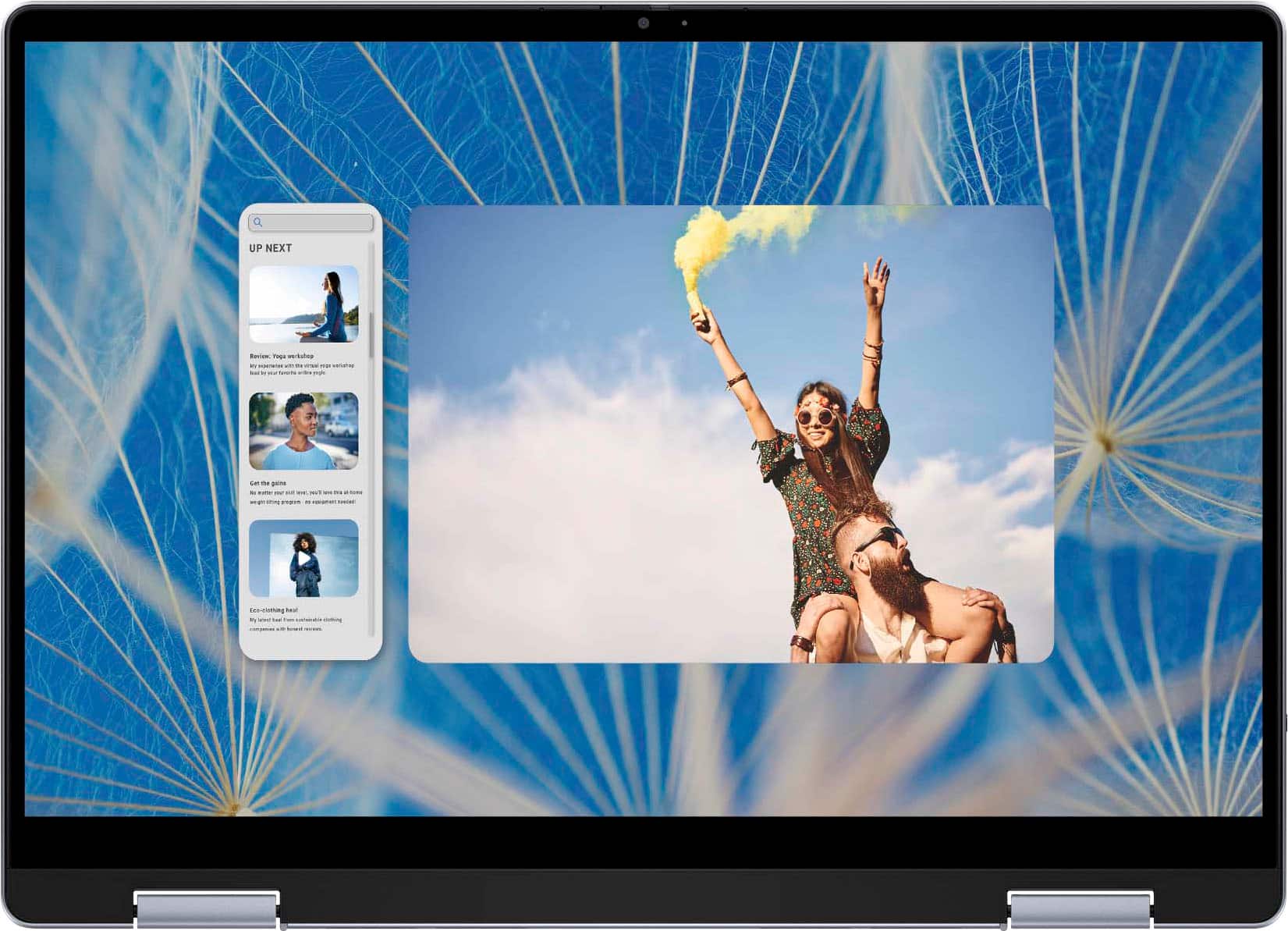
|Posted .This reviewer received promo considerations or sweepstakes entry for writing a review.I have been able to use several 2-in-1’s over the years with a fair mix of PC’s and Chromebooks. This is my first Dell in quite some time with my last one being my college PC that soldiered on for 10 years. This is a very nice feeling device at first impression, so I am happy to take it for a spin. So far I have used it for some picture editing in Photoshop Elements, writing a few documents in Word, Netflix, and a few lightweight games. Specs CPU – Intel Core 7 150U 10 Core – 2 Performance Cores @ 1.8 GHz (boost to 5.4 GHz) and 8 Efficient Cores @ 1.2 GHz (boost to 4 GHz) Memory – 16GB (2 x 8GB) DDR5-5600 Quad Channel 42-42-42-82 Graphics – Integrated Intel Iris XE Graphics @ 300MHz (boost to 1300MHz) Screen – 14”1920 x 1200 60Hz FHD (WUXGA 16:10) IPS with 250 nits brightness Storage – 1TB Phison NVME SSD Ports – 2X USB 3.2 Gen 2 Type-C with Power Delivery and Display Support / 2X USB 3.2 Gen 1 Type-A / 1X HDMI 1.4 / 1X SD Reader Slot / TRRS 3.5mm Jack (headphone and mic support) Audio – Webcam – 1080P with physical privacy shutter and dual array microphone Dimensions – 12.36 x 8.9 x 0.62”; 3.77lb Network/Connectivity – WiFi 6E (802-11ax) / Bluetooth (not sure of the version) Design The design of the Dell Inspiron notebook is done quite well. The finish for this laptop is called Ice blue, but it definitely looks silver to me. The outer shell feels sleek and it has a refined shape and heft. The inside continues with that polished look. The keyboard has a solid layout with decent key size and spacing, so you don’t feel cramped trying to use it. The same goes for the touchpad size and location – there is plenty of space to rest your palms while typing. The laptop doesn’t appear to get overly hot even under full load – most heat is dumped through the bottom so your legs get warm but still within reason. I’m not a huge fan of the port layout though – I wish there were USB C ports on either side rather than both on the left side. Past 2-in-1’s I have used put them on both sides and allowed charging via both, which I always found convenient. Instead you are stuck with seeking out a place to sit with an outlet to your left for the least cumbersome charging arrangement while using the laptop. One thing I do like is the inclusion of a full SD slot instead of just a MicroSD slot. I used this to pull pictures off my DSLR memory card, which I much prefer over my USB adapter stick. Both sides carry a USB 3.2 Gen 1-Type A port. The right side also has the headphone jack, while the left has the HDMI 1.4 port. The device specs note that this HDMI port is limited to 1080p @ 60FPS – 2K+ is not supported. The power button in the top right of the keyboard also doubles as a fingerprint reader, which works really well. I prefer this method over Windows Hello (not supported on this laptop) and the pin/password for unlocking. The switch from laptop to tablet is smooth. Windows handles the transition from one mode to the other really well, and there isn’t any noticeable delay in the switch. The hinges are the same as I have seen on other convertibles, and they work well. The hinges provide enough resistance to maintain screen position, and move easily enough that it doesn’t feel like I’m about to break the display. while not impeding the transition. The trackpad and keyboard are automatically disabled when you make the switch, but the power button can be touched to lock the screen. Performance The 10 core 150U sits on top of Intel’s Core Series Mobile hierarchy. It is a 15W TDP chip that eyes efficiency to extend the battery life. In practice it is a fast performing chip that doesn’t drag the battery down – 10 hours of battery life out of a 64WHr battery. I have used it off battery for a full charge drain and got right around that duration during mixed usage of Word, browsing, and music streaming. From powering on to launching into a browser is as fast as any computer I have used. The cooling fans really only geared up once I had a decent load of browser tabs, Netflix, and a few office apps going. The is I really didn’t notice any laggy or sluggish operation under normal usage. The integrated GPU is pretty underpowered by most regards – using this for a gaming platform would not be wise. Games that survive off lower specs can manage, but more graphics heavy games will absolutely struggle. I loaded up the Master Chief Collection, since I have that on Gamepass. I could play at 1080p on the lowest settings and get around 35-45FPS, which is passable. Dropping to 720p yielded 5-10 more FPS, but the MCC is more tolerant of because the games are “old.” Games like Minecraft should play well, but in all reality games with less focus on graphics should play fine. Using this as a productivity platform would be the best use case because the combo of processor, 16GB of RAM, and the NVME drive means this should be a fast laptop for years to come. I can see this being a really great laptop for a graduation present – I have no doubt this would last 4 years of college without feeling like a slug by the end. Display The 14” 1920 X 1200p FHD touchscreen display looks good while performing various tasks. The panel is Dell’s WVA (Wide Viewing Angle) appears to be a VA panel rather than an IPS. Off angle views get darker but are still sharp, which makes me think it’s VA over IPS. The display has a high gloss glass finish, so it looks sharp. The bezel around the screen is fairly narrow – there’s not a lot of real estate that the screen doesn’t occupy. Bezels are around ¼” on the sides and ⅜ at the top to accommodate the webcam. Text on the screen is crisp and sharp. The 250 nits brightness seems to be plenty for this display for day to day tasks. I have the brightness set around 75% and only putting it up to 100% in a really bright room. The screen doesn’t support HDR, which is evident when watching certain content that would benefit. Watching a show on Netflix was good enough. The display handles colors just fine, but it has trouble with showing deep blacks in contrast to bright colors. This is mostly down to the panel type – need OLED for true black reproduction, but a brighter screen could have widened the contrast gap to make blacks look darker. Keyboard/Trackpad and Touchscreen The keyboard is a ten-keyless design with with soft touch gray backlit keys. The backlight makes the keys plenty easy to read regardless of the ambient light. In a dark room the backlight is not overbearing. With the backlight off the keys are tough to read in lower lit rooms, but are fine with enough ambient light. The keys themselves are nice to type on with good travel, which is nice to see in a thinner body laptop. The trackpad is a good size and responsive to light touch. Gestures are interpreted accurately. The bottom edge clicks fine, but I wish it had a deeper click depth. The click is also soft, so it doesn’t provide as much audible/tactile feedback as I’d like. Other than that it works just fine. Touchscreen interface was sharp enough for me to do some photo editing with my Wacom pen. Multi-touch works pretty well. I tried out my Surface Slim Pen 2, but it doesn’t appear to be compatible with this display type (needs MPP support). The screen doesn’t appear to smudge too badly or really hold onto fingerprints. My fingers move across it easy enough – it has a nice glassy feel to it like my phone screen. I can play touch games on it without issue. Compared to my Surface Studio the screen is a little behind in touch accuracy, color, and brightness. However, it’s only marginally behind, and for the cost difference this seems to be a reasonable trade-off. Sound and Webcam The webcam sits atop the screen as usual and it comes with a little slide for the privacy shutter. The camera is a 1080p with an FOV suited for use while the laptop is on your lap. The camera is somewhat darker than I’d want, but I prefer that to overexposed or oversaturated cameras. With a small overhead light on the darker image brightens up to an acceptable level. The microphone array works well and picks up my voice just fine. It grabs background noise to some degree, but no more than other laptop mics. The mics are sensitive enough for a quiet conversation. For my family Skype calls the camera is just fine. Sound production is handled by dual speakers with ports on either side of the bottom near the front. The sound quality is just OK. It works perfectly fine for dialogue production – whether it be dialogue in a show or from a video call. When it comes to music reproduction the speakers are shallow without any bass. Highs and mids get pushed together so the sound comes off kind of flat. Volume output is plenty loud though and the sound doesn’t clip at the higher volumes, so that’s good. I would suspect whoever uses a laptop like this will pair some good wireless buds or headphones for any extended music or video sessions. Overall, I am happy with this 2-in-1 laptop platform from Dell. The Inspiron lineup has always had a good amount of refinement baked into their design process, and it shows in this case. The laptop is quick to handle any tasks I throw at it. It is also relatively future proof with its 16GB of RAM and 1TB NVME drive. The touchscreen display works well and the laptop functions perfectly fine as a tablet. I would look into snagging a compatible stylus if you plan to leverage the touchscreen a lot – something I am thankful to have done with my other tablets/2-in-1’s. This isn’t going to be a gaming powerhouse, but it will handle less graphically taxing titles thanks to the processor and RAM. I really think this would be a great laptop for a student heading off to college, or for anyone looking to snag a portable platform with touchscreen capabilities.
I would recommend this to a friend - Pros mentioned:Battery life, Overall performance, Processor speedCons mentioned:Fan noise
Well made, well equipped and good for everything.
|Posted .This reviewer received promo considerations or sweepstakes entry for writing a review.That's a premium DELL Inspiron 14" laptop. I honestly like it more than my Dell Precision since this one has more connectivity ports. This Dell Inspiron offers a full size HDMI, 2 USB-C, 2 USB, Audio Jack, and an SD card reader. You don't need to carry a dongle with you. Charging through USB-C is also convenient! It allows using any powerful power supply to charge the battery or at least power up the laptop. The 14" screen is nice and sharp. I like setting it to 100% scale which allows fitting more in the screen. I've connected it to the DELL dock I have and I was able to connect it to all my 3 screens with no issues. Refresh rate is amazing. The intel Core 7 is quite fast and taking all loads. The RAM is also a good choice! Making this Inspiron more close to a business class laptop. Touch screen is amazing. Very useful when switching to tablet mode. Keyboard keys are perfect. They have a nice traveling and nice layout allowing fast typing without confusion. The fingerprint sensor in the corner is also something that is usually available in business grade laptops. It allows nice logging in and secure credential validation. Keyboard backlight is good. Very useful with adjustable intensity. Just enough to make it usable at dark. The keys layout is very well made. I got used to it very quickly. Dell added the Copilot shortcut. Everything is moving more AI direction. Touch-pad has an adequate size. Very sensitive and responsive. Multiple fingers shortcuts work well. Booting speed is good. Screen backlight is very nice. No light diffusion. I like the hardware camera's cover. It helps enforcing privacy. The camera is not that high quality but good enough for video meetings in good light. Not much in dark room. Battery life is amazing (even with Win11). I am getting my full day of work (sometimes intensive) without charging. It shows I have 6 hours but I got almost 8:30 hours at balanced power mode before charging (at 10%). That's a good battery life for the size and weight of the laptop. Speakers are on the low side volume. Not strong enough but quality is very good. Built-in microphones work well. Capturing nice audio during work meetings. I was well heard during Teams' meetings. Cooling fans can be loud sometimes. If plugged to power and running heavy programs, you can hear the fans screaming. I could change that in settings but I kept them as pre-set. Nothing that bad. It was running resources hungry photo/videos editing app... Running development programs was also easy. I had it connected to several embedded control systems (work purposes) and it handled well. I really like this Inspiron. I can tell that DELL really did a great job this time. My last Inspiron was not as good as this one. There is a major quality upgrade. It is not very often where you see Win11 playing nice on hardware. Dell got it right with this one. Final thought: With the 14" inch (touch) screen and the multiple ports connectivity + the outstanding specifications (CPU, RAM, GPU), and all the other components... This is a great multiple use laptop for home and business. Battery life an display are good to have it carried out of office. Connected to external monitors it will be even better. As for the price, with all what you get for it, it is really justifiable.
I would recommend this to a friend - Pros mentioned:Battery life, Portability, Processor speed
Fantastic Laptop and Great Best Buy Pickup Experie
||Posted .This reviewer received promo considerations or sweepstakes entry for writing a review.I purchased the Dell Inspiron 14" with an Intel Core i7 processor from Best Buy, The Dell Inspiron i7 is an excellent all-around laptop—fast, responsive, and perfect for multitasking. The i7 processor handles everyday tasks effortlessly and also performs well when I’m running multiple apps or browser tabs. The 14-inch display is the perfect balance between portability and screen space, making it great for work, school, or travel. The build quality feels solid, the keyboard is comfortable to type on, and the battery life has been reliably strong so far. Overall, it’s a great value for the performance you get. Best Buy Service: I chose the store pickup option, and the whole process was incredibly smooth. Best Buy kept me updated from the moment I placed the order, and pickup was quick and hassle-free. The staff were friendly, efficient, and made sure everything was ready when I arrived. It saved me a lot of time, and I appreciated how organized the process was. I highly recommend both the Dell Inspiron i7 laptop and purchasing through Best Buy if you want a convenient and reliable shopping experience.
I would recommend this to a friend - Pros mentioned:Processor speed, Touch screen
Great protable Laptop
|Posted .This reviewer received promo considerations or sweepstakes entry for writing a review.In these days of tablets, laptops and other mobile devices, it is difficult to find the right balance of technology. In this case, size is important when using any device for portability and useability. This is the place where the Dell – Inspiron 14”. Having the ability to use it as a standard laptop with all the power you need for most computing is essential. The fourteen-inch screen is just the right size, where it isn’t too large or too small. Converting it to the tablet function is a great way to surf your favorite social media sites while relaxing or sharing with others. The Dell – Inspiron 14” 2-in-1 Touch Laptop’s specs are top notch as well! The Intel’s i7 1550 processor is extremely fast with the inclusion of 16 gigs of RAM. As for storage, the one terabyte solid state drive is large enough to hold all of your pictures and files. Setting up the Dell – Inspiron 14” 2-in-1 Touch Laptop is very straightforward and even easier if you have a One Drive account where you can easily move your data. Once the Dell is turned on, you go through the usual Windows 11 set up screens which took about ten minutes. After the Windows setup is completed, the Dell then moves to the Windows updates. The updates ran for about 20 minutes and during this time the Dell’s fan was running at near full speed. When the updates finished, the Dell restarted, fans were once again quiet. When the Dell is open in the laptop configuration, the hinges raise the back of the keyboard off the desk about a quarter of an inch. Using the Dell in laptop mode works extremely well, pages loaded quickly, and videos played with no pixelation. When playing basic games, they were rendered clearly with very low lag. Switching to tablet mode gave me a nice size tablet touch screen that was at home on my lap or on a table. Using the virtual keyboard was easy and responsive. The only quirky issue was with the Windows Hello fingerprint reader. After setting it up it didn’t recognize my finger after a few days. I had to use a different finger for it to work properly. This is a great laptop for those who travel or are using it for school and want a fully loaded laptop.
I would recommend this to a friend - Pros mentioned:Battery life, Portability, Processor speed
Handles School, Software, and Study with Ease
||Posted .This reviewer received promo considerations or sweepstakes entry for writing a review.I’ve been using the Dell Inspiron 14” 2-in-1 Touch Screen Laptop (Intel Core i7, 16GB RAM, 1TB SSD, Ice Blue), and it has quickly become my go-to device for both school and personal use. First off, the Ice Blue finish looks fantastic—sleek and modern without being flashy. It stands out just enough without drawing too much attention in class or at the library. The 14” Full HD+ IPS touchscreen is vibrant with great color accuracy and wide viewing angles, which makes it ideal for reading, designing, and video calls. I use it daily for note-taking, attending virtual classes, reading research papers, and working on academic software. It handles MATLAB, AutoCAD, PVsyst, SketchUp, Revit, and Adobe tools like Illustrator and Acrobat with no problem. The Intel Core i7 and 16GB of RAM really show their strength when multitasking or running heavier applications. The 2-in-1 design is a huge plus—I can switch between laptop and tablet mode seamlessly, which is especially handy during group work or when I'm studying on the go. The touchscreen is smooth and accurate, and it works great with a stylus for handwritten notes or diagrams. The keyboard is comfortable for long typing sessions, and the battery life is solid—I usually get through most of a school day without needing to plug in. Plus, the 1TB SSD ensures fast boot times and plenty of storage for large project files, PDFs, and presentations. In short, this Dell Inspiron checks all the right boxes: it’s powerful, portable, and flexible—perfect for any student who needs a laptop that can handle both everyday tasks and professional-grade software.
I would recommend this to a friend Entry level computer.
||Posted . Owned for 2 weeks when reviewed.This reviewer received promo considerations or sweepstakes entry for writing a review.This is an entry level computer and doesn't have enough power to multi-task.
No, I would not recommend this to a friend- Pros mentioned:Battery life, Processor speed, Touch screen
Loaded with Features & Dell Quality & GreatSupport
||Posted . Owned for 1 week when reviewed.This reviewer received promo considerations or sweepstakes entry for writing a review.Core-7 CPU with 16GB RAM gives Great speed, More than my need 1TB Hard Disk, 2 in 1 portable 14in Touchscreen & Lightweight sturdy alluminium frame , Windows-11 with Co-Pilot , 8+ hrs battery life : these are pretty Gteat features for me to buy my second personal Dell Laptop, my first personal Dell Lattitude Win-7 still works great since 2015, but many Banks stopped Netbanking on older Laptop (Chrome versions) hence I had to upgrade to newest Dell
I would recommend this to a friend - Pros mentioned:Portability, Processor speed
Small, Versatile School/Business laptop
|Posted .This reviewer received promo considerations or sweepstakes entry for writing a review.--- SETUP --- This laptop was quick and easy to set up. In the box, you get the laptop and the charger. Once you turn on the laptop, connect it to your WiFi and let it run through its updates. If this is replacing one of your previous Windows PCs, you can transfer settings from that PC to this new one. Additionally, you have the option to set it up as a new PC. --- FEATURES --- An i7 Intel 13th gen core, Intel Iris Xe Graphics, 16 gigs of ram, fingerprint recognition, tablet mode, display mode, Windows 11 operating system. Ports include: SD card slot, 2 USB-Cs, 2 USB-As, a headphone jack, and an HDMI. --- EXPECTATIONS and PERFORMANCE --- This laptop kept impressing me with little features that came in handy when I didn’t expect them. For starters, with a Core i7 processor, you can use editing software. My two editing softwares of choice are Canva and CapCut Pro PC download edition. As a social media content creator on the go, having access to these two softwares on a PC that doesn’t slow down when using them is a dream come true. I am a dance instructor by night, and as such, I am using Canva to create promo posters for my classes and dance socials. Because the laptop can turn into a tablet, editing with my fingers on Canva and moving various objects felt as natural as if I was editing on my phone, but with a much bigger and more comfortable screen. Aside from that, this laptop can also be set up to display like a tent. At our most recent dance team meeting, I was able to show my dance teachers on the screen the video that I needed them to work on in a bigger screen than from my phone. It also sounds great for a laptop. From there, I flipped it back to laptop mode and continued taking notes. Being able to open the laptop with just my finger made me feel secure to put it on sleep mode and not worry about having to take longer to type a password to reopen it quickly if needed. This is not a gaming laptop, but it is wonderful as a tool for editing software and also great to take notes on. There is 1 TB of storage included, which is a good amount to save photos and videos that you might be editing. Additionally, it can be charged with a USB-C cable. The HDMI port makes it versatile enough to where if you need to present from a TV or projector, you can. Though this isn’t a gaming laptop, I was still able to log into the Xbox app and use Xcloud to stream games using Xbox GamePass. My experience with this when using high download speed internet was great. --- APPROVAL --- I really enjoyed using this versatile work laptop. Its size and versatility make it a great traveling laptop and I would recommend it to anyone for school or business use.
I would recommend this to a friend