Customer Ratings & Reviews
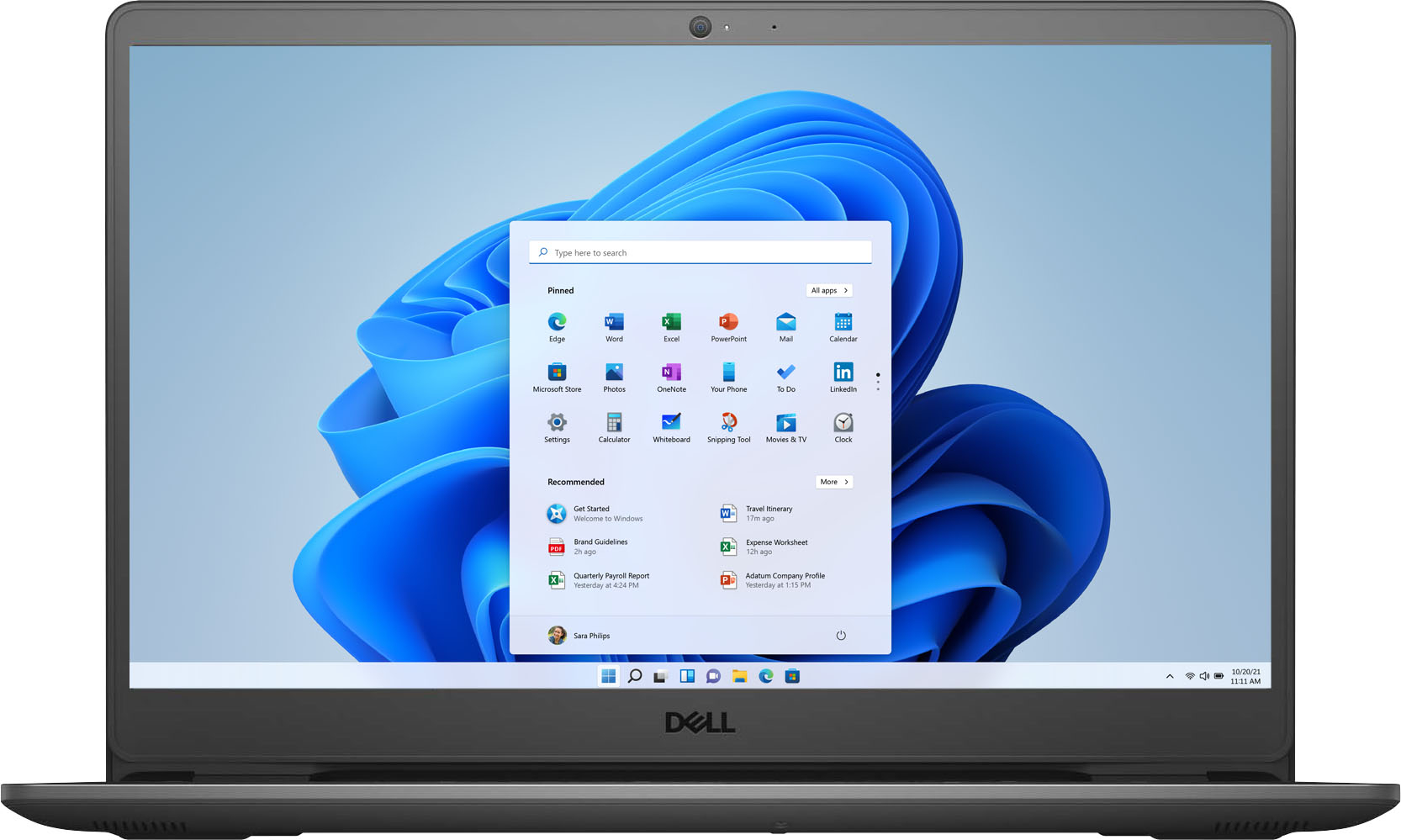
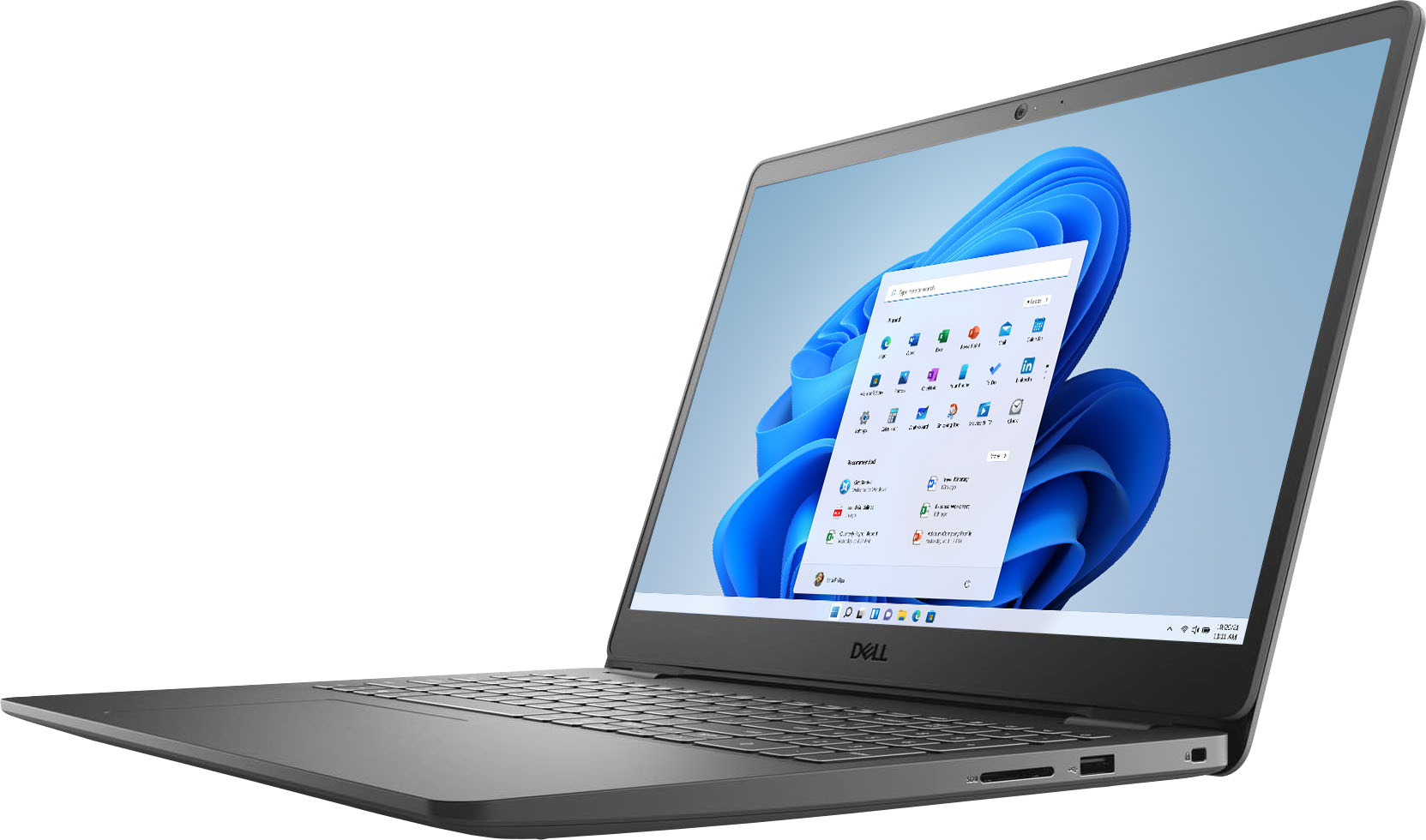
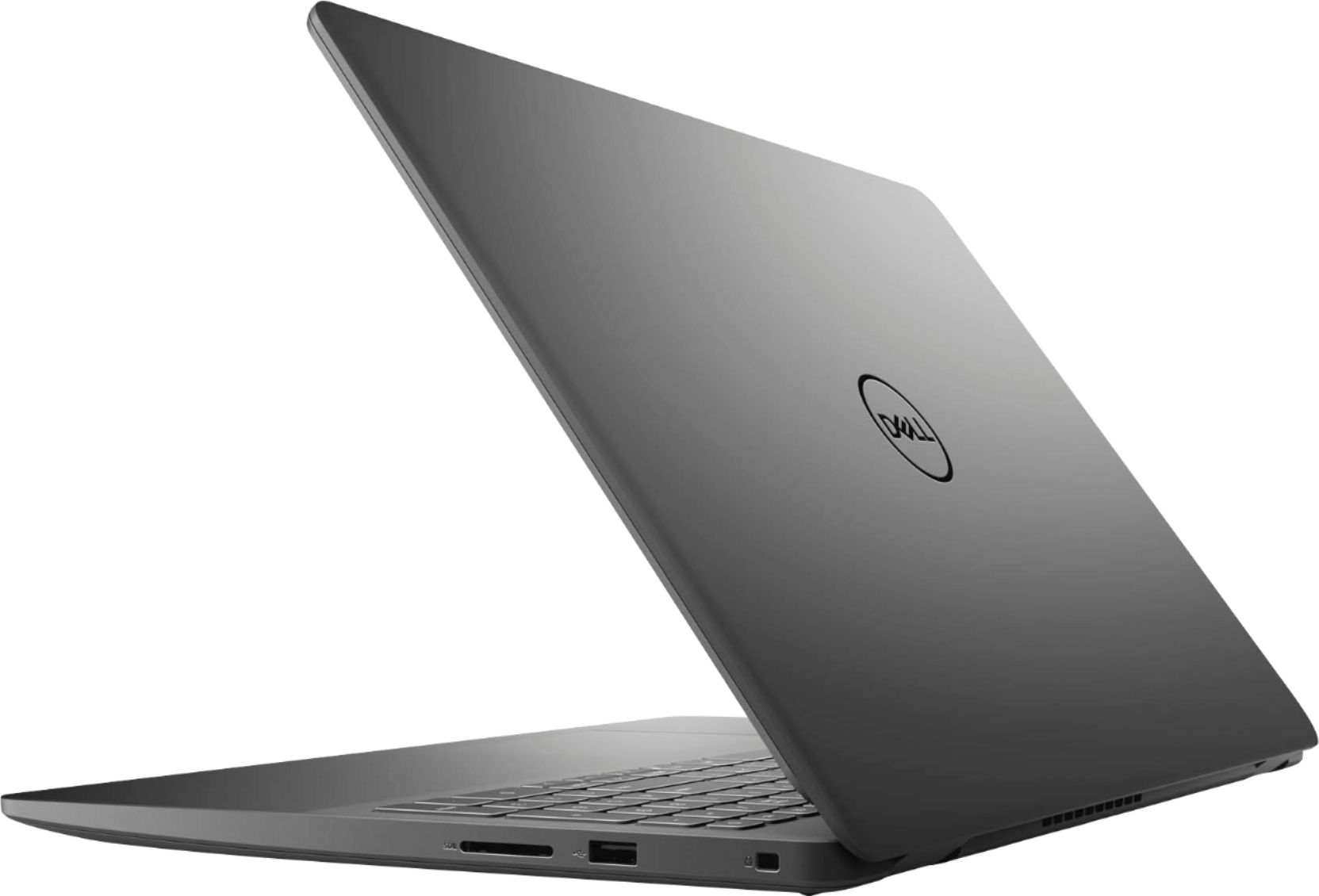
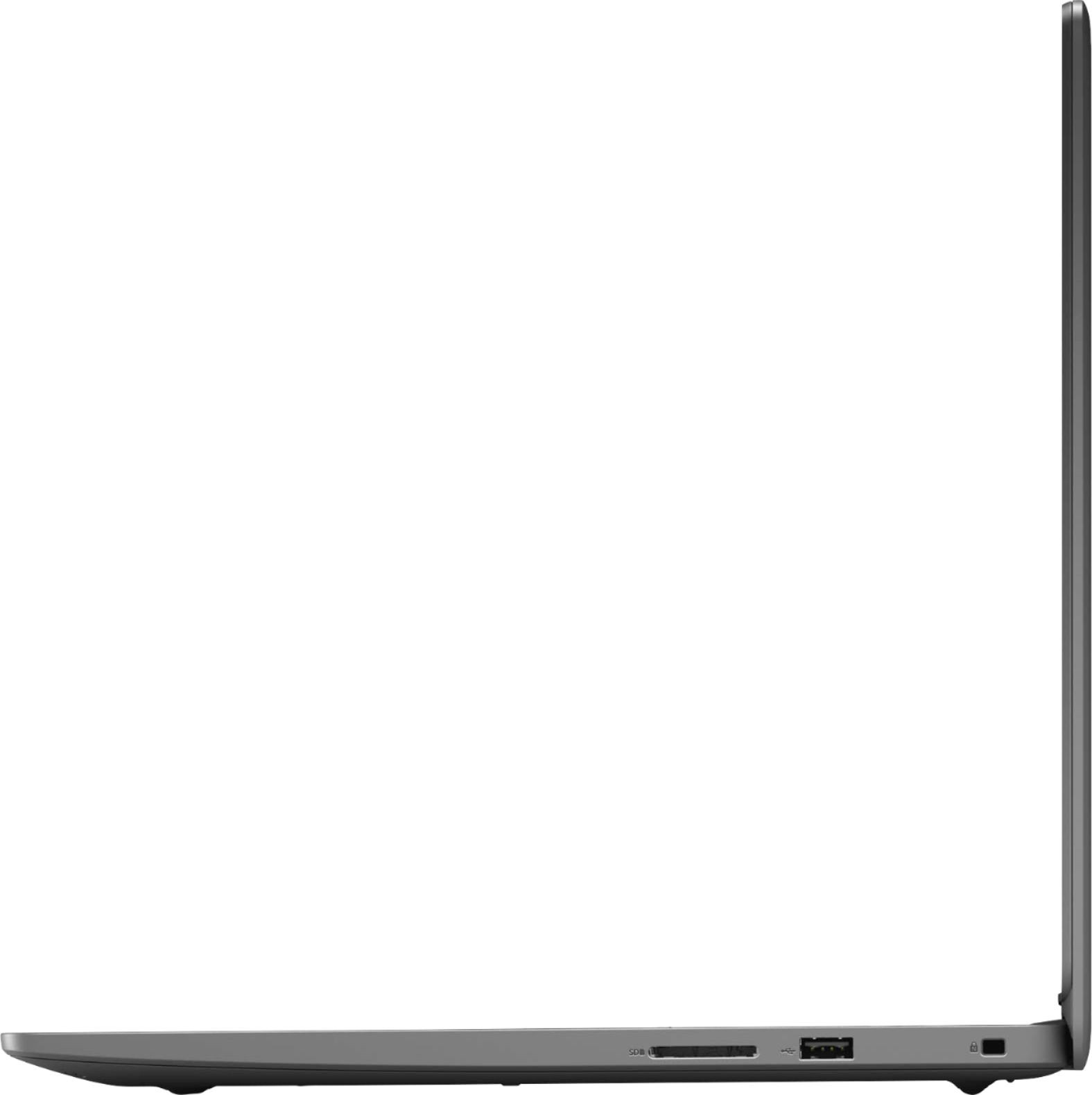




- Model:
- i3505-A330BLK-PUS
- SKU:
- 6438338
Rating by feature
- Battery Life
Rating 4.0 out of 5 stars
- Speed
Rating 4.2 out of 5 stars
- Display
Rating 4.3 out of 5 stars
Customers are saying
Customers are impressed with the Inspiron 15.6" laptop's touch screen responsiveness, storage capacity, user-friendly interface, and affordable price. They appreciate its gaming capabilities, fast processor, and lightweight design. However, some users have concerns about the short battery life and the inconveniences associated with Windows 10S mode.
This summary was generated by AI based on customer reviews.
backlit keyboard
||Posted . Owned for 1 month when reviewed.This reviewer received promo considerations or sweepstakes entry for writing a review.This is an excellent laptop, but I felt very disappointed when I noticed that does not have backlit keyboard. Nowadays this feature must come with any laptop
I would recommend this to a friendBrand response from YourDellTeam
Posted .Hello Backlitkeyboard,
Thank you for your review. We appreciate your kind words. The contents of your review will be used to help improve now and future Dell products. If you come across any questions, issues, or concerns, please visit the Support Page of your product https://dell.to/3e4NRqT.
Best regards,
Wendy C.
For further assistance, you can contact Dell directly with the information below Chat or Call:
https://bit.ly/DellSupportTeam.
Phone number to Dell: 1-800-264-9896.
Fast. Plain. No keyboard backlight.
||Posted .This reviewer received promo considerations or sweepstakes entry for writing a review.Fast setup. Keyboard is not backlit. Microsoft shoved down your throat, Chrome has to be downloaded. Works well, some screen flickering when loading pages.
No, I would not recommend this to a friendBrand response from YourDellTeam
Posted .Hello Bobmunky,
Thank you for your review. We really do appreciate your feedback and will use it to help improve our current and future products. We apologize for the issues you have encountered with your laptop.
We suggest running the suite of tools found within the 'SupportAssist' application that came pre-installed with your PC. They will not only perform diagnostics to determine what may be causing errors but also download and install the latest firmware to ensure you have the best experience.
If the issues persist, you are more than welcome to contact Dell Support for further assistance at 1-800-264-9896.
Best Regards,
Wendy C.
Incredibly slow, not all of my software works
||Posted . Owned for 1 month when reviewed.This reviewer received promo considerations or sweepstakes entry for writing a review.It's incredibly slow compared to similar laptops with Intel Inside. Some of the software that I have easily been able to install in all of my other computers either would not install, or would not function once it had seemed to install. The main reason I bought it was because Dell no longer sells Inspirons with a 1-TB hard drive, and frankly I need the extra space. It's too bad that I couldn't get the extra storage plus good performance in the same laptop.
No, I would not recommend this to a friendBrand response from YourDellTeam
Posted .Hello BlondBear,
Thank you for your review and feedback. We're sorry about the trouble you have encountered with the performance of your Inspiron. It is sincerely appreciated and will surely be taken into consideration when designing future products. To make sure we can help in the future there are steps below that can be used to improve performance overall.
1. Restart your computer regularly
2. Run the automated tools provided in the SupportAssist tool
3. Run a complete hardware diagnostic test
4. Scan your computer for malware
5. Restore your Dell computer using Windows System Restore
6. Reinstall Microsoft Windows
Here is the link to the full article to assist with your performance issue: https://dell.to/32wo0Ss.
Best regards,
Wendy C.
For further assistance, you can contact Dell directly with the information below Chat or Call:
https://bit.ly/DellSupportTeam.
Phone number to Dell: 1-800-264-9896.
- Cons mentioned:Overheating
Don't Buy This Laptop!!!
||Posted . Owned for 2 months when reviewed.This reviewer received promo considerations or sweepstakes entry for writing a review.I'm a big fan of Dell products, however I had problems with this laptop. It was slow and kept over heating sometimes getting extremely hot. I ended up returning the laptop two days after I received it. The laptop was supposed to be new. The problems I had make me wonder if I was sold a refurbished laptop instead. Purchased a HP model instead.
No, I would not recommend this to a friendBrand response from YourDellTeam
Posted .Hello Mickie11,
Thank you for your review. We apologize for the issues you have come across with your Inspiron. We really do appreciate your feedback. If you come across any further questions, issues or concerns, please use the information below to contact Dell Support at your earliest convenience.
Best regards,
Wendy C.
For further assistance, you can contact Dell directly with the information below Chat or Call:
https://bit.ly/DellSupportTeam.
Phone number to Dell: 1-800-264-9896.
- Cons mentioned:Battery life
Bad hard drive, horrid battery and unusable screen
||Posted . Owned for 2 weeks when reviewed.This reviewer received promo considerations or sweepstakes entry for writing a review.Hard drive started clicking the second day. Only set up a platform on it, but realized battery life lasts 1 hour and 30 minutes on a full charge. The screen's resolution is horrible and the brightness is hard to see if you work in lighted environments.
No, I would not recommend this to a friendBrand response from YourDellTeam
Posted .Bill,
Thanks for your review and we're sorry to hear about your computer's battery life. Here are some suggestions to extend the run time of your computer's battery:
Change the Power Plan:
1. On the notification area of the taskbar, right-click the Battery icon.
2. On the options list, click Power Options.
3. Select a power plan on the battery meter, such as Power Saver or Balanced. Windows 10 has a built in 'Battery Saver' mode that can be activated to extend your system's battery life. The Battery Saver mode will monitor and limit background activity and other features such as push notifications. You do have the option to enable or disable this mode within settings or within advanced Battery Saver settings, you can customize the mode to best suit your needs.
a) Click on the Action Center icon in the taskbar and select the tile for Battery Saver.
b) If running Cortana then type Battery Saver into the search box and select from the results.
Within the Battery Saver settings page, you will be able to turn on and off the feature and customize the feature to best meet your needs.
c) Turn Battery Saver On or Off.
d) Additional settings available via the Battery use and Battery saver settings links.
e) Battery use shows further info on apps and their power usage.
f) Battery Saver Settings screen allows you to customize further Battery Saver feature.
You can read the full article here - http://dell.to/2vfXWf4.
If you'd like to see if there are ways to adjust the resolution on your monitor, you can read this article: https://dell.to/2CLF6yC.
Best,
Bryan
1-800-624-9896
Unsure how this is happening.
||Posted . Owned for less than 1 week when reviewed.This reviewer received promo considerations or sweepstakes entry for writing a review.It’s really good and all so far, but the main thing is that it keeps kicking itself off the internet for no reason.
I would recommend this to a friendBrand response from YourDellTeam
Posted .Hello Atla,
Thank you for your feedback. We apologize for your issues with your internet connection. Below are steps that can help with your connection.
1. Download and install the latest Wireless Card driver. (https://dell.to/2th3Tpe) After updating the driver, re-establish the connection with the Wireless Access Point and check the wireless performance.
2. If the issue persists, proceed to step 3.
3. Power-cycle the local network. Shut down the Dell system, the Wireless Access Point/Router and the Modem. Wait a minimum of 60 seconds before powering up the components in the following order:
4. Power ON the Modem, and wait for it to boot fully.
5. Power ON the Wireless Access Point/Router, and wait for it to boot fully.
6. Power ON the Dell system.
7. Open Network and Sharing Center
8. In the left side navigation pane, click on Change Adapter Settings
9. Right click on the wireless connection icon and select Properties followed by the Configure button
10. Under Wireless Options, select the Wireless N mode
11. For Windows 8 or later systems click the Advanced tab and look for 802.11n Mode on the right you will be given the option to Enable or Disable. If the mode is not visible you may need to update your drivers and firmware.
12. From the drop-down menu, choose Disable followed by Ok
13. This should restore the wireless download and upload speed. Internet speed can be tested at http://speedtest.net
For additional support, please call Dell directly at 1-800-624-9896
Best,
Lexy@Dell
Chat or Call:
https://bit.ly/DellSupportTeam
Dell review.
||Posted . Owned for 1 month when reviewed.This reviewer received promo considerations or sweepstakes entry for writing a review.It has the bells and whistles. But difficult to navigate, And no instructions were included.
No, I would not recommend this to a friendBrand response from YourDellTeam
Posted .BobD,
We're sorry to hear about the difficulty that you've had setting up your new computer. Here is a site with setup instructions for your computer: http://dell.to/3qLOs4g.
Best,
Bryan
1-800-624-9896
Updates Are A Killer
||Posted . Owned for 1 year when reviewed.This reviewer received promo considerations or sweepstakes entry for writing a review.This laptop is terrible. It was okay for a while, then the issues began. I had to shut off Dell updates because it would delete things off my computer. Forced a factory reset and it began to run normally again; however, the windows update once again wiped my graphics card out (the one it came with), my D drive keeps disappearing, drivers are wiped out, screen won’t turn on, turning itself off, making the worst high pitched beeping sounds, you name it, it happens. The magical thing is it became completely fried two days after my paid for warranty expired. I’ve had the computer in my possession for a day less than one year, and we cannot use it. Purchased on the 19th, was delivered sometime on the 23rd of March last year. It’s an expensive paperweight. Will look at a different company for a computer this year.
No, I would not recommend this to a friendproblems with Dell 3505 keyboard
||Posted . Owned for 2 weeks when reviewed.This reviewer received promo considerations or sweepstakes entry for writing a review.My overall experience with the purhase and pickup of my Dell was great. I have run into a problem with the z-v keyboard buttons not working at all so I have to keep the screen keyboard up and go back and forth between the physical keyboard and screen keyboard. NO geeksquad available and the chat room was not helpful at all.
No, I would not recommend this to a friendBrand response from YourDellTeam
Posted .Hello alittleputout,
Thank you for your review. We are sorry to hear that your Z-V keyboard buttons are not working. We really do appreciate your feedback and would love to help in getting this resolved as soon as possible. We Provided the issue is hardware related, it may be repaired/replaced if covered under its limited warranty. We recommend contacting Dell Support for further assistance in this case.
Best regards,
Wendy C.
For further assistance, you can contact Dell directly with the information below Chat or Call:
https://bit.ly/DellSupportTeam.
Phone number to Dell: 1-800-264-9896.
Dell laptop
||Posted . Owned for 3 weeks when reviewed.This reviewer received promo considerations or sweepstakes entry for writing a review.Very slow. Can't get security downloaded on it. Thought it had more options.
No, I would not recommend this to a friendBrand response from YourDellTeam
Posted .Hello Laptop,
Thank you for your review. We are sorry about the trouble you have encountered with the performance of your laptop. To make sure we can help in the future there are steps below that can be used to improve performance overall.
1. Restart your computer regularly
2. Run the automated tools provided in the SupportAssist tool
3. Run a complete hardware diagnostic test
4. Scan your computer for malware
5. Restore your Dell computer using Windows System Restore
6. Reinstall Microsoft Windows
Here is the link to the full article to assist with your performance issue: https://dell.to/32wo0Ss.
Best regards,
Wendy C.
For further assistance, you can contact Del directly with the information below Chat or Call:
https://bit.ly/DellSupportTeam
Phone number to Dell: 1-800-264-9896.
Fast, however...
||Posted . Owned for 3 weeks when reviewed.This reviewer received promo considerations or sweepstakes entry for writing a review.Dell Laptop is fast, however, after only 3 weeks, microphone has gone out.
I would recommend this to a friendBrand response from YourDellTeam
Posted .Hello Sdhf,
Thank you for your review. It is sincerely appreciated and your feedback will surely be taken into consideration. To improve your experience with the built-in microphone, we suggest installing the latest firmware using the 'Dell Update' application that came pre-installed with your Inspiron. If you have any other trouble, please contact Dell Support at 1-800-264-9896.
Best regards,
Wendy C.
Super disappointed
||Posted . Owned for 1 month when reviewed.This reviewer received promo considerations or sweepstakes entry for writing a review.This computer is trash and will always be trash, first thing is I expected a “dude your gettin a dell” commercial somewhere after I turn it on. Instead I get a boring butt opening screen. Second it’s a laptop not a stripper, once you peel back the top layer it’s just a screen with no nipple.
I would recommend this to a friendBrand response from YourDellTeam
Posted .Hello Sharkyscustomer,
Thank you for your review. We are sorry to learn that your Inspiron isn't quite meeting expectations. We really do appreciate your feedback and will use it to help improve our current and future products. If you come across any further questions, issues or concerns, please visit the support page of your product: https://dell.to/3e4NRqT.
Best regards,
Wendy C.
For further assistance, you can contact Dell directly with the information below Chat or Call:
https://bit.ly/DellSupportTeam.
Phone number to Dell: 1-800-264-9896.
Bob laptop
||Posted . Owned for 1 month when reviewed.This reviewer received promo considerations or sweepstakes entry for writing a review.Oh it is ok but should have more memory. Should have morr GB.
I would recommend this to a friendBrand response from YourDellTeam
Posted .Boblaptop,
Thanks for your review. We're glad that your computer is working well for you for the most part. If you have any technical questions about your computer you can check our Product Support Page here: https://dell.to/2JNF5Bq.
Best,
Bryan
1-800-624-9896
Worst Laptop I ever owned
||Posted . Owned for 1 month when reviewed.This reviewer received promo considerations or sweepstakes entry for writing a review.This is the worst laptop I've ever owned. It is clearly a DELL issue, because my old 5yr old laptop while slow as molasses can still print to my wifi printer. This one can't even find it. From day one. The HP software used to help and if I restarted the laptop for the first 5 mins or so I could wifi print then the laptop would "cannot find printer" display. I knew I never should have bought a Dell. It's a zippy PC but if you have a wifi printer be prepared to hook it up via USB. My old slow laptop still this morning prints via wifi. It's clearly a dell issue and not a windows 10 or software issue. I'm more mad at myself for thinking Dell might make a better pc in 2021 than a terd but I was wrong.
No, I would not recommend this to a friendBrand response from YourDellTeam
Posted .Hello jderyz,
Thank you for your review. We apologize for the issues you have come across with your connecting your laptop to your Wi-Fi printer. Below are steps that can help with your connection.
1. Run the Network Troubleshooter.
a) Touch and hold or right-click the network icon (Available Networks or Network Icon, located in the lower right-hand corner).
b) Touch or click Troubleshoot problems and then follow the prompts.
You can read the full article here - http://dell.to/2sLtwRh.
If you come across any further questions, issues or concerns, please use the information below to contact Dell Support at your earliest convenience.
Best regards,
Wendy C.
For further assistance, you can contact Dell directly with the information below Chat or Call:
https://bit.ly/DellSupportTeam.
Phone number to Dell: 1-800-264-9896.
Don't buy a Dell
||Posted . Owned for 3 weeks when reviewed.This reviewer received promo considerations or sweepstakes entry for writing a review.This computer didn't meet my needs at all. Dell doesn't let you load programs that aren't Dell so I couldn't load any of my programs then the computer just locked and blacked out 2nd day I had it. I don't recommend proprietary company computers.
No, I would not recommend this to a friendBrand response from YourDellTeam
Posted .Hello Tenor,
We are sorry to hear you are experiencing difficulties with your Inspiron and apologize for the inconvenience. To resolve most common issues, we suggest running the suite of tools found within the 'SupportAssist' application that came pre-installed with your PC. It will not only perform diagnostics to determine what may be causing errors but also install the latest updates and drivers. This will ensure you have the best experience to date.
Here is the link to the full article to assist with your performance issue: https://dell.to/32wo0Ss.
Best regards,
Wendy C.
For further assistance, you can contact Dell directly with the information below Chat or Call:
https://bit.ly/DellSupportTeam
Phone number to Dell: 1-800-264-9896
Poor design and just past warranty Failures
||Posted . Owned for 1.5 years when reviewed.This reviewer received promo considerations or sweepstakes entry for writing a review.After a year and a half of moderate use, the charging port is lose and doesn't always charge and now the display is bad. The tiny charging plug and connection is a poor design and a single point failure item. At least with the monitor failing I can connect to an external monitor, however, that ruins the whole purpose of having a mobile laptop. This is the 3rd Dell in several years that I have had charging port issues,,, they need a better design and probably a 90 degree charging plug.
No, I would not recommend this to a friendComputer is good/ Microsoft software is horrible.
||Posted . Owned for less than 1 week when reviewed.This reviewer received promo considerations or sweepstakes entry for writing a review.Never again will I buy anything Microsoft. Got the laptop today and after hours of trying to get started I finally was able to.. Seemed that all problems were associated with Microsoft software.
No, I would not recommend this to a friendWorse Dell laptop I’ve ever purchased.
||Posted .This reviewer received promo considerations or sweepstakes entry for writing a review.In the last three days I’ve purchased two of these laptops and I had to return the first one because of a windows 10 Home S issue. I disabled the S feature so I could download non approved programs like Norton Anti virus, and other known programs. When I disabled it regular Microsoft updates kept failing. I’ve been on the phone with both Dell and Microsoft, and they’ve been useless. Today alone I’ve spent more than 3.5 hours trying to get this to work. I love Dell PCs and laptops, but this has been a real lemon!!!
No, I would not recommend this to a friendBrand response from YourDellTeam
Posted .Hello Jules93se,
Thank you for your review. We apologize for the issues you have come across with your product. We really do appreciate your feedback. If you come across any further questions, issues, or concerns, please use the information below to contact Dell Support at your earliest convenience.
Best regards,
Wendy C.
For further assistance, you can contact Dell directly with the information below Chat or Call:
https://bit.ly/DellSupportTeam.
Phone number to Dell: 1-800-264-9896.
- Cons mentioned:Overheating
Great for 48 hours, then died.
||Posted . Owned for 1 week when reviewed.This reviewer received promo considerations or sweepstakes entry for writing a review.Was great for 48 hours, long enough for me to get it all loaded up, then it died. On power up it just gets hot, nothing on screen.
No, I would not recommend this to a friendBrand response from YourDellTeam
Posted .Hello Barry,
Thank you for your review. We apologize for the issues you have come across with your laptop. We would love to help right away and we have provided steps below that can assist with your startup issues.
1. At the desktop, click the Search the web and Windows box and type ""problem reports"".
2. Select View all problem reports to view a list of errors that have occurred on your computer and possible solutions for them, such as updating drivers, flashing your system BIOS, or checking for updates to the software.
3. Under the Source column, look for Windows and under Summary, look for Shut down unexpectedly.
4. Right-click the line item and select Check for a solution.
We'd also suggest checking to make sure that your software and drivers are up to date on Dell's Product Page - http://dell.to/3hmUpRy.
Best regards,
Wendy C.
For further assistance, you can contact Dell directly with the information below Chat or Call:
https://bit.ly/DellSupportTeam.
Phone number to Dell: 1-800-264-9896.
Bad quality.
||Posted . Owned for 1 month when reviewed.This reviewer received promo considerations or sweepstakes entry for writing a review.WIFI worked extremely slow. Contact Dell and work with tech support for over an hour and still does not worked. Dell offered exchange, but I decide to return to Best Buy.
No, I would not recommend this to a friendBrand response from YourDellTeam
Posted .Hello Yuri,
Thank you for your feedback. We apologize for your issues with your WiFi connection. Below are steps that can help with your connection if needed in the future.
1. Run the Network Troubleshooter.
a) Touch and hold or right-click the network icon (Available Networks or Network Icon, located in the lower right-hand corner).
b) Touch or click Troubleshoot problems and then follow the prompts.
You can read the full article here - http://dell.to/2sLtwRh.
Best regards,
Wendy C.
For further assistance, you can contact Dell directly with the information below Chat or Call:
https://bit.ly/DellSupportTeam.
Phone number to Dell: 1-800-264-9896.