Customer Ratings & Reviews
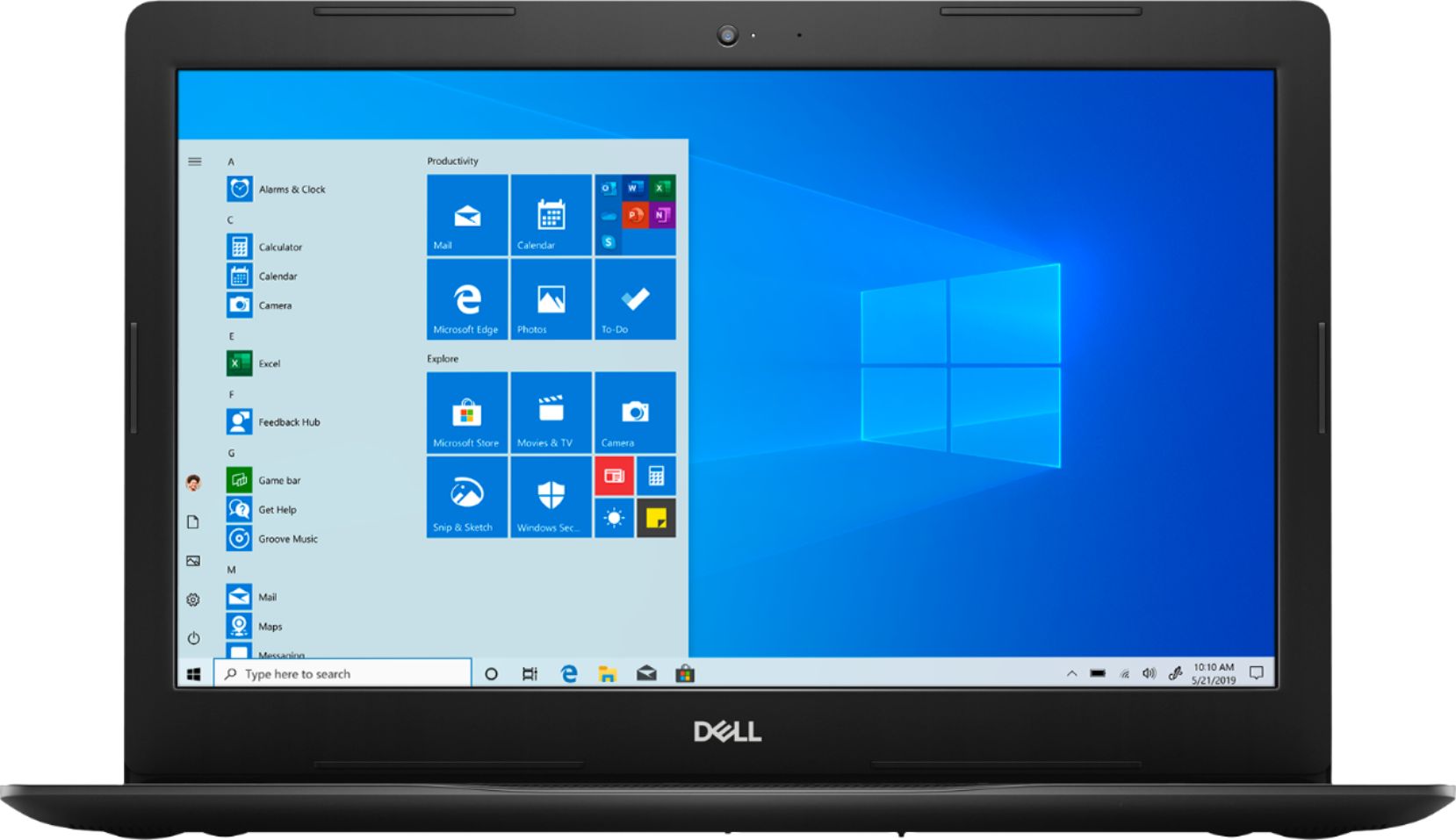
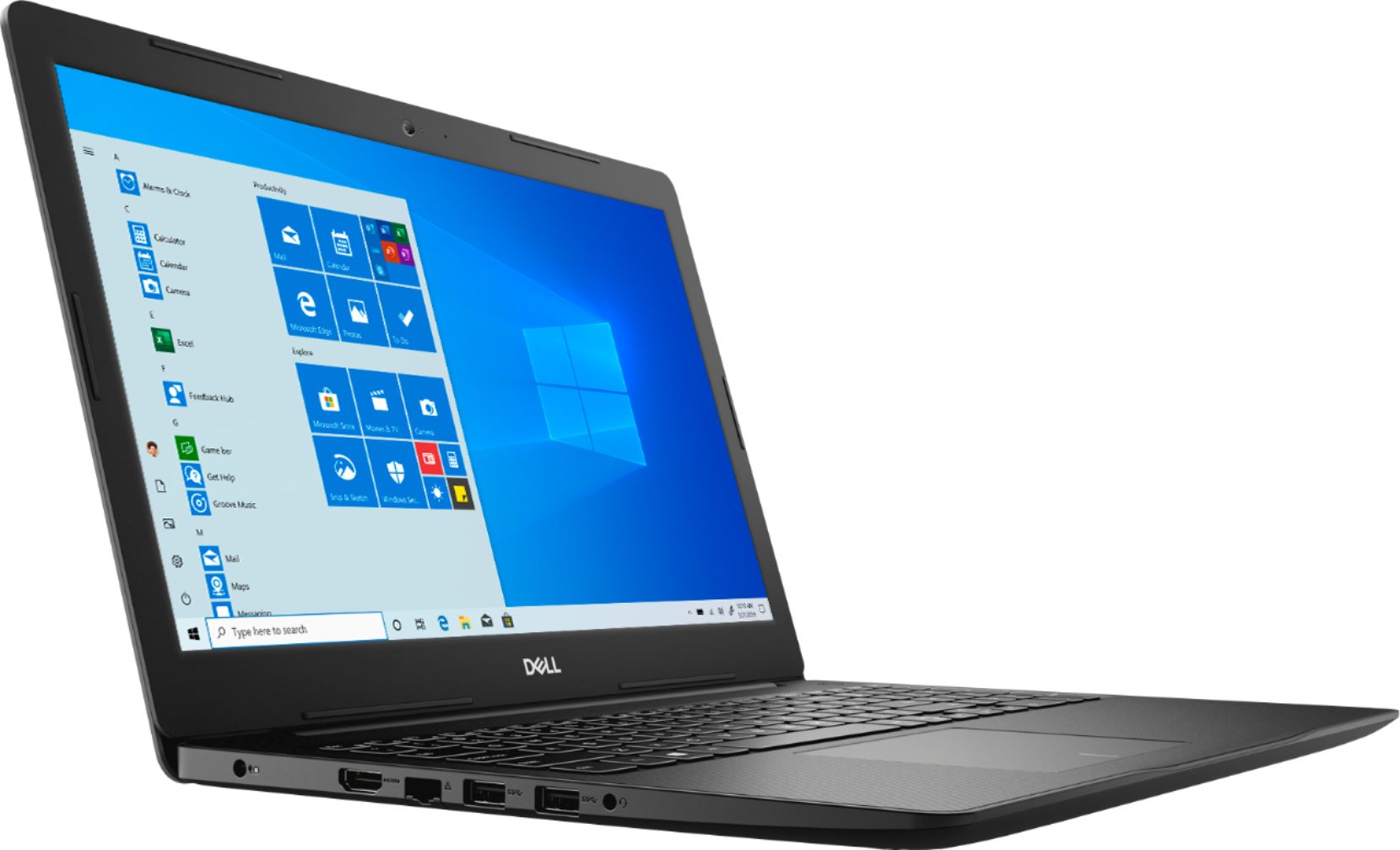


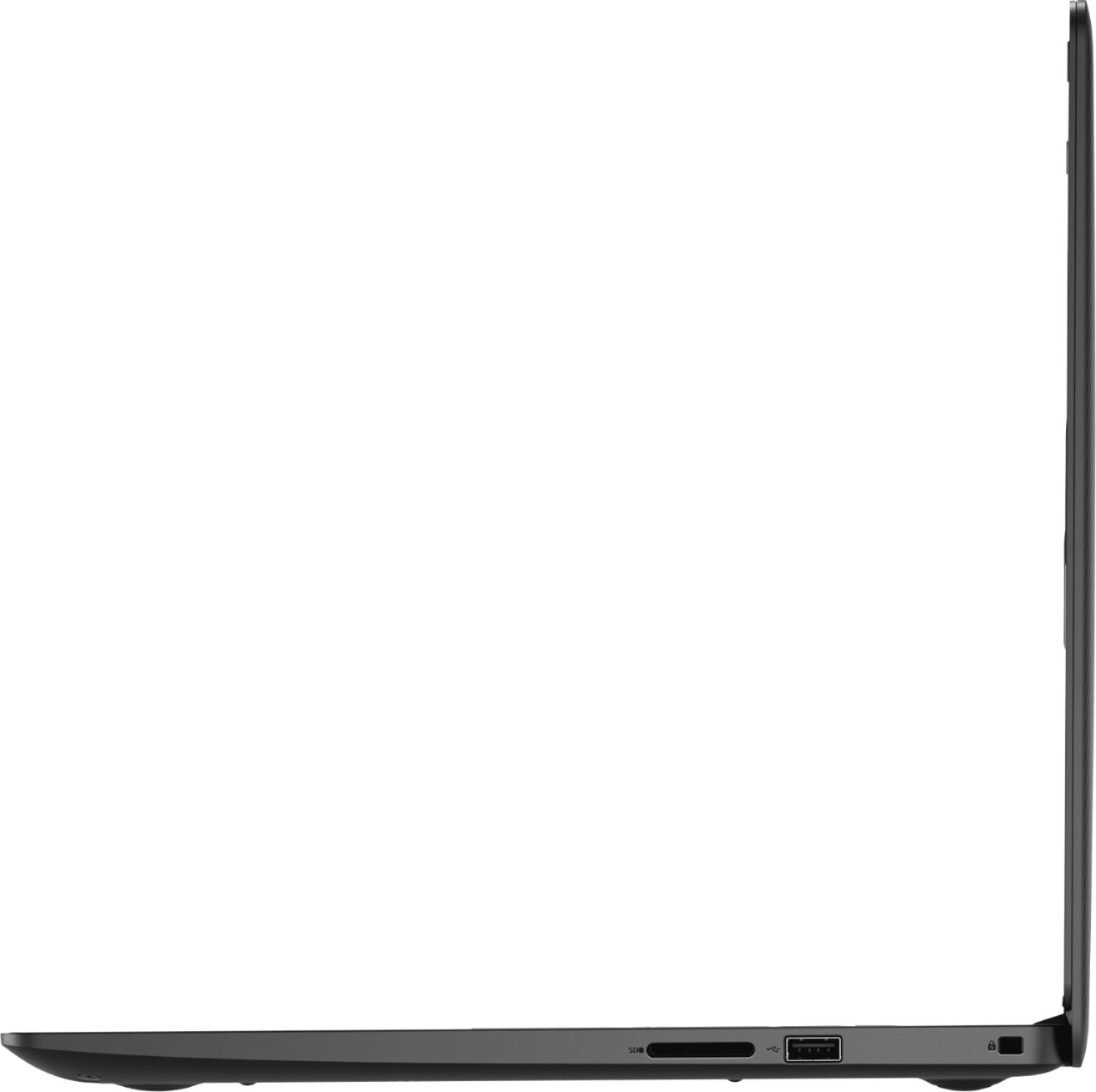
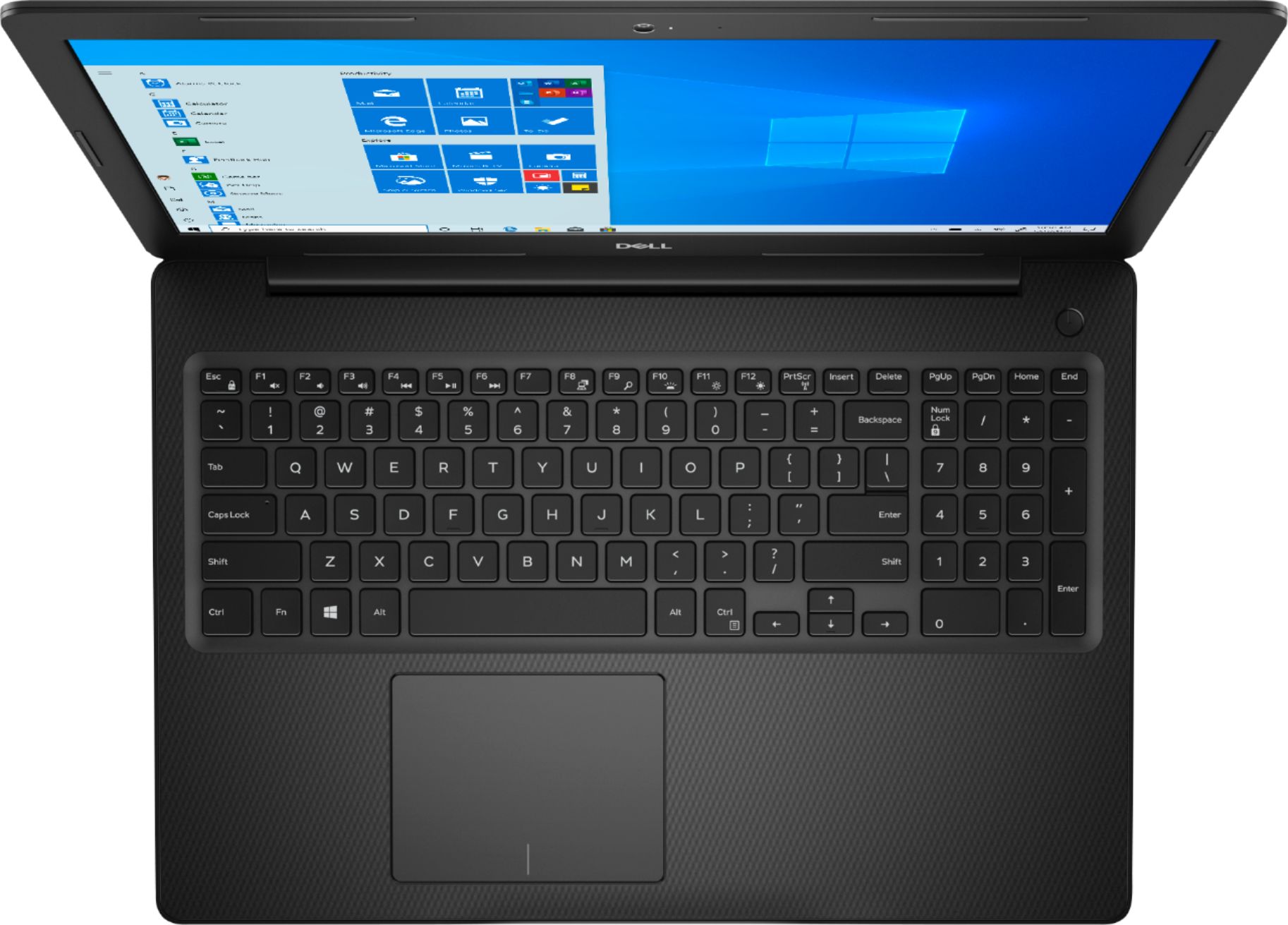
- Model:
- I3585-A831BLK-PUS
- SKU:
- 6391785
Rating by feature
- Battery Life
Rating 4.2 out of 5 stars
- Speed
Rating 4.2 out of 5 stars
- Display
Rating 4.4 out of 5 stars
Customers are saying
Customers appreciate the Inspiron 15.6" Touch-Screen Laptop for its reasonable price, user-friendly interface, and responsive touch screen. Many customers mentioned that it is a great laptop for basic tasks, working from home, and even gaming. However, some users have concerns about its battery life, limited storage capacity, and tendency to overheat.
This summary was generated by AI based on customer reviews.
My son loves ir
||Posted . Owned for 3 weeks when reviewed.This reviewer received promo considerations or sweepstakes entry for writing a review.Good choice excelente and creative, hope it last long
I would recommend this to a friendAwesome products
||Posted . Owned for 1 month when reviewed.This reviewer received promo considerations or sweepstakes entry for writing a review.Products works really good. Every feature is awesome.
I would recommend this to a friendEasy to use with a good size screen.
||Posted . Owned for 1 month when reviewed.This reviewer received promo considerations or sweepstakes entry for writing a review.Love it. Perfect for work and my daughter’s homework.
I would recommend this to a friendGreat.
||Posted . Owned for 1 month when reviewed.This reviewer received promo considerations or sweepstakes entry for writing a review.High satisfied. Much more I expected when bought it.
I would recommend this to a friendGreat computer at great price
||Posted . Owned for 3 weeks when reviewed.This reviewer received promo considerations or sweepstakes entry for writing a review.I bought this for my grown daughter and she loves it
I would recommend this to a friendGreat for teleworking
||Posted . Owned for 1 month when reviewed.This reviewer received promo considerations or sweepstakes entry for writing a review.Perfect for working from home. And for playtime too
I would recommend this to a friendall around good computer
||Posted .This reviewer received promo considerations or sweepstakes entry for writing a review.good computer and still learning things about it...
I would recommend this to a friendLOVE THT ITS TOUCH SCREEN
||Posted . Owned for 2 months when reviewed.This reviewer received promo considerations or sweepstakes entry for writing a review.LOVE MY NEW TOY easy to work great picture quality
I would recommend this to a friendworks great, no problems
||Posted . Owned for 1 month when reviewed.This reviewer received promo considerations or sweepstakes entry for writing a review.I would recommend for anyone. Really fast start up.
I would recommend this to a friendLove it !!
||Posted . Owned for 3 weeks when reviewed.This reviewer received promo considerations or sweepstakes entry for writing a review.This was the best choice and purchase I have done .
I would recommend this to a friendAwesome
||Posted .This reviewer received promo considerations or sweepstakes entry for writing a review.This laptop is awesome! I am very pleased with it.
I would recommend this to a friendPerfect
||Posted . Owned for 1 month when reviewed.This reviewer received promo considerations or sweepstakes entry for writing a review.I love it. It works great, battery is very strong.
I would recommend this to a friendGreat touch screen
||Posted . Owned for 1 month when reviewed.This reviewer received promo considerations or sweepstakes entry for writing a review.I love The operating system Great for my business
I would recommend this to a friendGreat lap top for beginners
||Posted . Owned for 3 weeks when reviewed.This reviewer received promo considerations or sweepstakes entry for writing a review.Great buy I would bye it again!!!!! Works good !!!
I would recommend this to a friendgreat laptop for my needs
||Posted . Owned for 3 weeks when reviewed.This reviewer received promo considerations or sweepstakes entry for writing a review.Had HP for years. Dell is so much better. Love it.
I would recommend this to a friendawesome
||Posted . Owned for 2 weeks when reviewed.This reviewer received promo considerations or sweepstakes entry for writing a review.i love it alott would buy it again in a heart beat
I would recommend this to a friend- Cons mentioned:Battery life
This laptop is 3 weeks old and does not hold a cha
||Posted . Owned for 3 weeks when reviewed.This reviewer received promo considerations or sweepstakes entry for writing a review.not happy with this product. For the price I paid for the laptop I would expect the battery to last longer than less than 2 hours.
No, I would not recommend this to a friendBrand response from YourDellTeam
Posted .JackDillon,
We're sorry that your computer is not staying charged as long as you'd like it to. Here are some tips to extend the life of your computer's battery:
Change the Power Plan:
1. On the notification area of the taskbar, right-click the Battery icon.
2. On the options list, click Power Options.
3. Select a power plan on the battery meter, such as Power Saver or Balanced. Windows 10 has a built in 'Battery Saver' mode that can be activated to extend your system's battery life. The Battery Saver mode will monitor and limit background activity and other features such as push notifications. You do have the option to enable or disable this mode within settings or within advanced Battery Saver settings, you can customize the mode to best suit your needs.
a) Click on the Action Center icon in the taskbar and select the tile for Battery Saver.
b) If running Cortana then type Battery Saver into the search box and select from the results.
Within the Battery Saver settings page, you will be able to turn on and off the feature and customize the feature to best meet your needs.
c) Turn Battery Saver On or Off.
d) Additional settings available via the Battery use and Battery saver settings links.
e) Battery use shows further info on apps and their power usage.
f) Battery Saver Settings screen allows you to customize further Battery Saver feature.
You can read the full article here - http://dell.to/2vfXWf4.
If you think that something is wrong with the power adapter, here are some things that you can look for:
1. Are you using a 3rd party or is a non-Dell branded AC adapter is connected to the PC or docking station?
2. Are you using an AC adapter with a lower wattage?
3. Is the AC adapter is not fully connected to the PC?
4. Check to see if the wall power cord is not fully connected to the AC adapter.
5. The AC adapter or PC's AC adapter port could be damaged.
6. The AC adapter is not recognized in BIOS (System Setup).
You can read the full article here: http://dell.to/2xQTan2.
Best,
Bryan
1-800-624-9896
I really wanted to love this
||Posted . Owned for 1 month when reviewed.This reviewer received promo considerations or sweepstakes entry for writing a review.It is a decent computer however.... like many others have said it gets hot!! The other thing I have found is that every 5-10 min or so the screen goes completely black for between 15-30 seconds the will go right back to where I was. I still have it in safe mode, however you cannot really do ANYTHING with it in that mode. My daughter needed zoom to be downloaded to speak with her teacher and I can’t even do that without taking it out of safe mode. Overall the product is decent but I wouldn’t recommend it.
No, I would not recommend this to a friendBrand response from YourDellTeam
Posted .SamH,
Thanks for your review. We're sorry to hear about the issues that you've had with your computer so far. Here are some tips to keep your computer operating at a lower temperature:
Tips for Proper Usage:
1. Dell does not recommend placing portable systems directly on your lap. Due to reductions in the thickness of modern portable systems, heat transfer can be an issue.
2. Using a portable system (Laptop) on a hard, flat, non-cloth surface will increase airflow and reduce heat from underneath and inside the system.
Using the portable system on a blanket, pillow, or other types of cloth will cover up the fan cause the computer to overheat and can cause permanent damage.
3. It is recommended to use the portable system in a Room temperature of 0°C to 35°C (32°F to 95°F) with a Humidity level no greater than 90%.
4. Use compressed air to clean the vents on a regular basis.
5. Using a cooling pad can decrease heat and increase performance.
6. If you want to know the temperature limitations for your system, go to the Dell Support Website, look up your system model then open the user guide under the manuals link.
You can read the full article here - http://dell.to/2uJ8AdG.
There is a driver update available for this model that may help with the screen black outs that you're experiencing, please visit this link in order to install the Intel UHD Graphics Driver (version 26.20.100.7463, A02): https://dell.to/36FfIYn.
Best,
Bryan
1-800-624-9896
- Cons mentioned:Battery life
Battery life is horrible
||Posted . Owned for 3 weeks when reviewed.This reviewer received promo considerations or sweepstakes entry for writing a review.Battery does not last 3 hours. Best Buy doesn’t have a replacement and Dell says there is nothing wrong with the battery. I have to keep it plugged all the time to use it.
I would recommend this to a friendBrand response from YourDellTeam
Posted .Veda,
We're sorry to hear about your computer's battery life so far. We'd recommend the following tips to help extend your computer's battery life:
Change the Power Plan:
1. On the notification area of the taskbar, right-click the Battery icon.
2. On the options list, click Power Options.
3. Select a power plan on the battery meter, such as Power Saver or Balanced. Windows 10 has a built in 'Battery Saver' mode that can be activated to extend your system's battery life. The Battery Saver mode will monitor and limit background activity and other features such as push notifications. You do have the option to enable or disable this mode within settings or within advanced Battery Saver settings, you can customize the mode to best suit your needs.
a) Click on the Action Center icon in the taskbar and select the tile for Battery Saver.
b) If running Cortana then type Battery Saver into the search box and select from the results.
Within the Battery Saver settings page, you will be able to turn on and off the feature and customize the feature to best meet your needs.
c) Turn Battery Saver On or Off.
d) Additional settings available via the Battery use and Battery saver settings links.
e) Battery use shows further info on apps and their power usage.
f) Battery Saver Settings screen allows you to customize further Battery Saver feature.
You can read the full article here - http://dell.to/2vfXWf4.
Best,
Bryan
1-800-624-9896
- Cons mentioned:Overheating
It’s okay
||Posted . Owned for 1 month when reviewed.This reviewer received promo considerations or sweepstakes entry for writing a review.The only reason I really don’t like this computer is because when you use it, it’s gets very hot on the bottom.
No, I would not recommend this to a friendBrand response from YourDellTeam
Posted .Amanda,
Thanks for your review. We're sorry that your computer is operating hotter than you'd like it to. Here are some tips to help control the temperature of your laptop:
Tips for Proper Usage:
1. Dell does not recommend placing portable systems directly on your lap. Due to reductions in the thickness of modern portable systems, heat transfer can be an issue.
2. Using a portable system (Laptop) on a hard, flat, non-cloth surface will increase airflow and reduce heat from underneath and inside the system.
Using the portable system on a blanket, pillow, or other types of cloth will cover up the fan cause the computer to overheat and can cause permanent damage.
3. It is recommended to use the portable system in a Room temperature of 0°C to 35°C (32°F to 95°F) with a Humidity level no greater than 90%.
4. Use compressed air to clean the vents on a regular basis.
5. Using a cooling pad can decrease heat and increase performance.
6. If you want to know the temperature limitations for your system, go to the Dell Support Website, look up your system model then open the user guide under the manuals link.
You can read the full article here - http://dell.to/2uJ8AdG.
Best,
Bryan
1-800-624-9896