Customer Ratings & Reviews


- Model:
- I3585-A831BLK-PUS
- SKU:
- 6391785
Rating by feature
- Battery Life
Rating 4.2 out of 5 stars
- Speed
Rating 4.2 out of 5 stars
- Display
Rating 4.4 out of 5 stars
Customers are saying
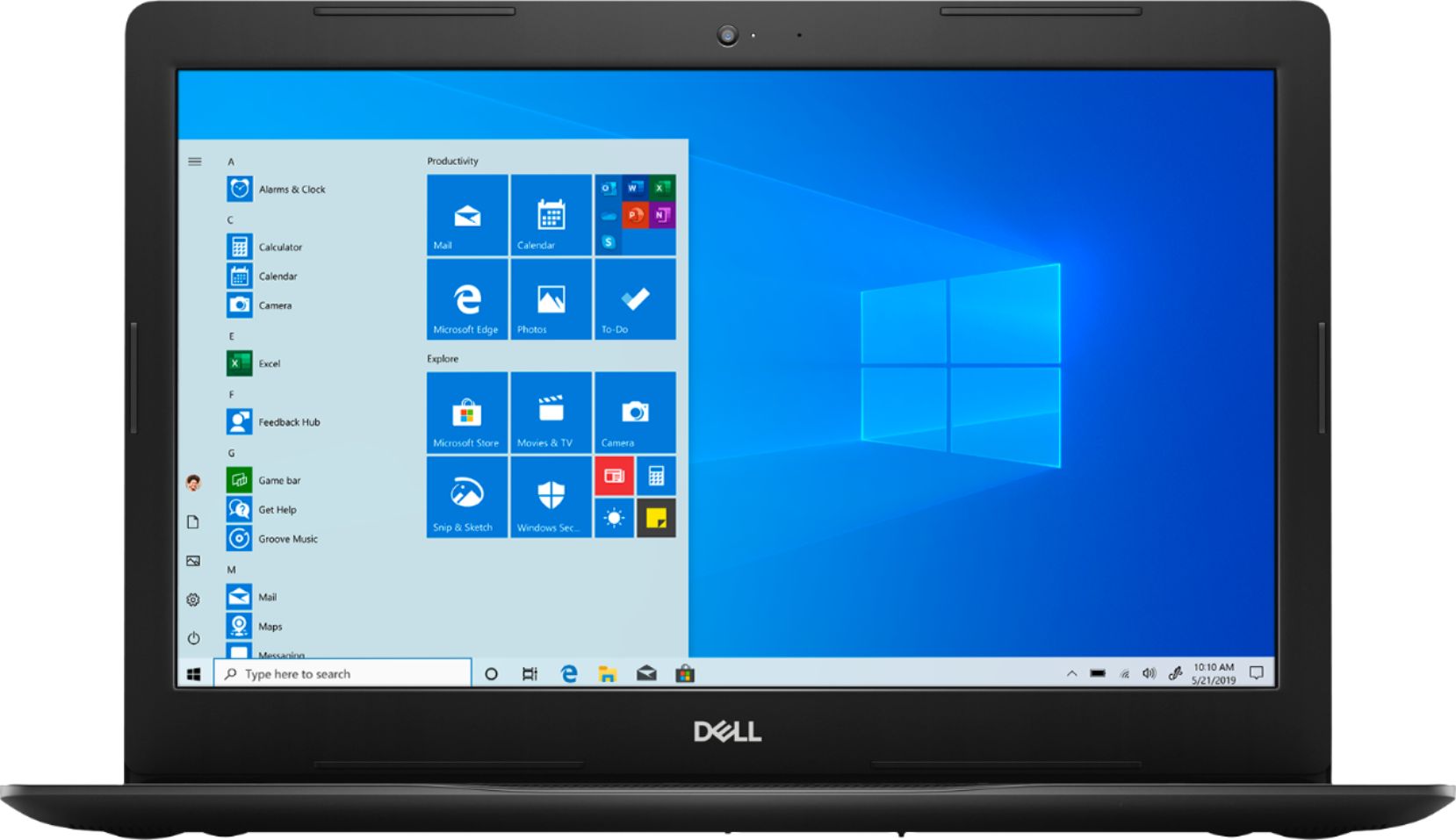
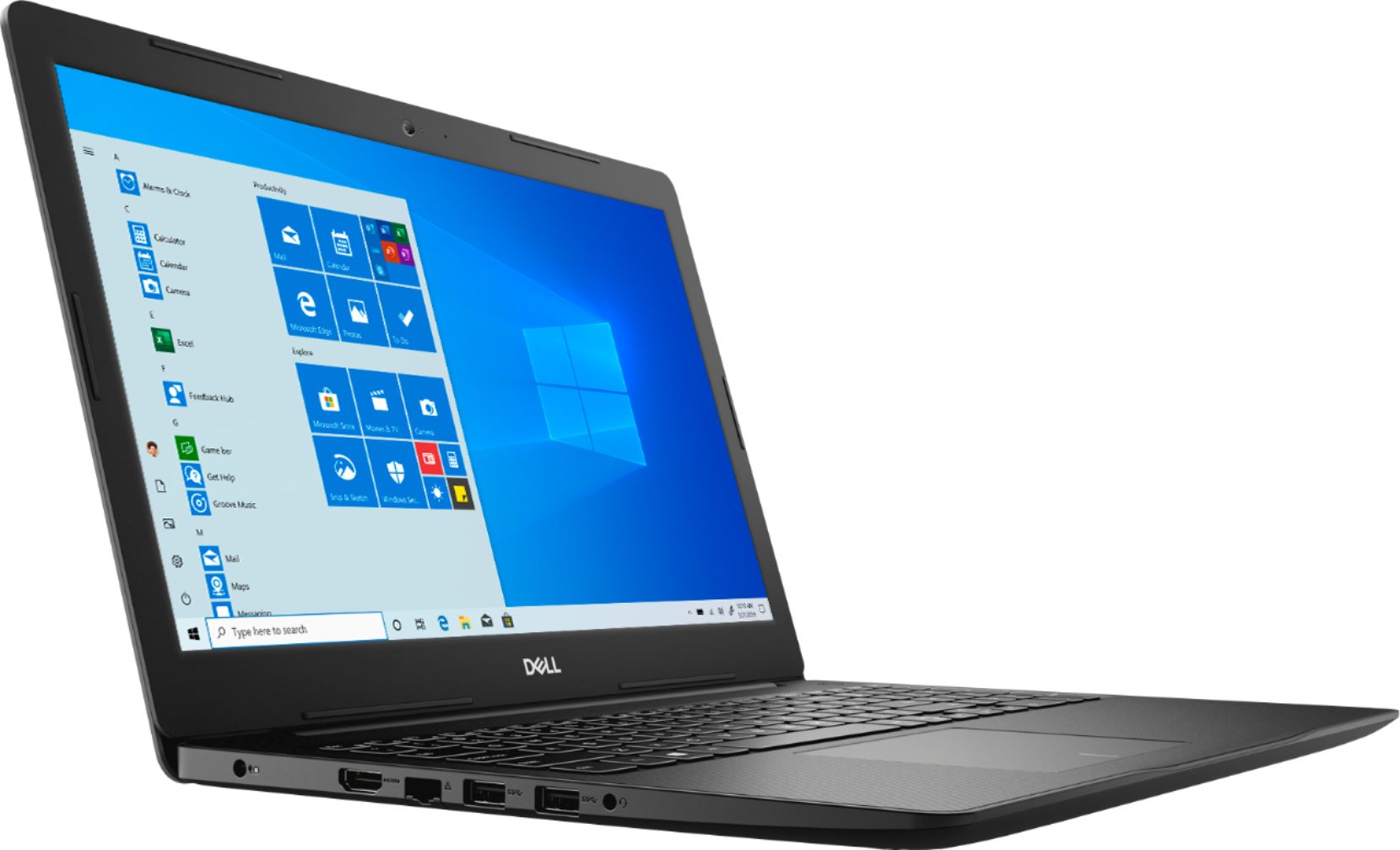
Customers appreciate the Inspiron 15.6" Touch-Screen Laptop for its reasonable price, user-friendly interface, and responsive touch screen. Many customers mentioned that it is a great laptop for basic tasks, working from home, and even gaming. However, some users have concerns about its battery life, limited storage capacity, and tendency to overheat.
This summary was generated by AI based on customer reviews.
Keyboard is terrible.
||Posted . Owned for 3 weeks when reviewed.This reviewer received promo considerations or sweepstakes entry for writing a review.Had the laptop for 1 week and the keyboard wasn’t working properly. Had to press the keys really hard in order for the letter to type out. I returned it, it’s cheap quality.
No, I would not recommend this to a friendJunk.
||Posted . Owned for 3 weeks when reviewed.This reviewer received promo considerations or sweepstakes entry for writing a review.I don't like this computer at all and I DESPISE the new One Drive. I wish I had not bought this computer.
No, I would not recommend this to a friendBrand response from YourDellTeam
Posted .Pixie,
Thanks for your review. We're sorry to hear that your computer is not performing the way you hoped it would. We'd recommend checking out our Product Support Page to find out more about your computer: https://dell.to/3429vUB.
You can also check out Dell's page that helps people transition to using the new Windows 10: http://dell.to/2wMZqyx.
Best,
Bryan
1-800-624-9896
The laptop did not work.
||Posted . Owned for 3 weeks when reviewed.This reviewer received promo considerations or sweepstakes entry for writing a review.When we turned the laptop on it immediately shutdown by it self. We tried a bunch of times. This is not typical of Dell products as we have purchased many over the years. This was an open box item.
No, I would not recommend this to a friendCan;t Use a Laptop without Power supply
||Posted . Owned for 3 weeks when reviewed.This reviewer received promo considerations or sweepstakes entry for writing a review.Never got to use the laptop as it was sent with no power supply and it was Certified by Geek Squad. Makes me wonder what they certified.
No, I would not recommend this to a friendBrand response from YourDellTeam
Posted .Chunky,
We're sorry to hear that your computer did not come with the necessary power supply. We'd recommend reaching out to Best Buy directly so you can see what your options are: http://bit.ly/2v2IVhI.
Best,
Bryan
1-800-624-9897
Horrible
||Posted . Owned for 1 year when reviewed.This reviewer received promo considerations or sweepstakes entry for writing a review.I wish I could give this no stars. Very slow, very minimal storage. This may be good for a pre-schooler but no one attempting to conduct business
No, I would not recommend this to a friendWorst experience ever
||Posted .This reviewer received promo considerations or sweepstakes entry for writing a review.Open box description was erroneous, imcomplete item and evidentely danaged computer, slow and inaccurate.
No, I would not recommend this to a friendBrand response from YourDellTeam
Posted .Hi,
We appreciate your review. I am sorry to hear that the product you received did not provide all the items you anticipated. I can understand how frustrating this could be. Please feel free to reach out to Best Buy Support to determine if they are able to send you the missing items or their return and exchange policy.
http://bit.ly/2v2IVhI
If you have any troubleshooting needs that we can assist with you are welcome to contact our Dell Support page as well,
http://dell.to/2sH7Qlm
Best,
Meridith 1-800-624-9896
dont buy this if you like to watch music vidos.
||Posted . Owned for 1 month when reviewed.This reviewer received promo considerations or sweepstakes entry for writing a review.it sucks, don't buy this now I am stuck with it. don't buy this if you like to watch music.
No, I would not recommend this to a friendBrand response from YourDellTeam
Posted .tweety,
We're sorry that your new laptop is not meeting your expectations. Please consider running the Windows Performance Troubleshooter to see if there are ways to speed up your computer:
1. Close all open windows.
2. Press the Windows logo key + X key on the keyboard.
3. Click Control Panel.
4. Click System and Security.
5. Under Security and Maintenance, select Troubleshoot common problems.
6. Under System and Security, click Run maintenance tasks.
7. Follow the on-screen instructions and prompts to complete the process.
8. Restart the PC.
You can read the full article here - http://dell.to/2tSulGV.
Best,
Bryan
1-800-624-9896
Poor service
||Posted . Owned for 1 month when reviewed.This reviewer received promo considerations or sweepstakes entry for writing a review.Poor service ...no quality in name brand....please dont buy this product
No, I would not recommend this to a friendBrand response from YourDellTeam
Posted .Victoriano65,
Thanks for your review and we're sorry that your new laptop is not meeting your needs. If you'd like to try to improve the performance of your laptop you can run the Windows Performance Troubleshooter:
1. Close all open windows.
2. Press the Windows logo key + X key on the keyboard.
3. Click Control Panel.
4. Click System and Security.
5. Under Security and Maintenance, select Troubleshoot common problems.
6. Under System and Security, click Run maintenance tasks.
7. Follow the on-screen instructions and prompts to complete the process.
8. Restart the PC.
You can read the full article here - http://dell.to/2tSulGV.
We hope that this helps your computer run better for you.
Best,
Bryan
1-800-624-9896
quit working
||Posted . Owned for 2 weeks when reviewed.This reviewer received promo considerations or sweepstakes entry for writing a review.It already quit turning on, taking it back for refund
No, I would not recommend this to a friendBrand response from YourDellTeam
Posted .wsb0419,
Thanks for your review and we're sorry that your computer is no longer turning on. We'd recommend the following tips to help turn your computer on:
1. If the computer is displaying the Dell logo and does not move past that point, it has probably failed POST.
2. If the power indicator lights up and it is amber or orange, this is usually an indicator that it has failed POST.
3. If you see text on a black screen, the computer is currently performing the POST. If the computer stays in that condition and does not move past it, it has probably failed POST.
4. If the video screen displayed anything at all during the startup process but is now black, this probably indicates that the computer failed POST.
5. If the computer is beeping or if Caps/Num/Scroll Locks are flashing, note if there is a particular pattern in which it beeps or flashes.
6. If the computer is not beeping and caps/num/scroll locks are not flashing, unplug all connections and remove all media communication devices (e.g. external monitors); reconnect one at a time and check if the computer functions.
7. For a notebook, press and hold the Fn key and then press the power button. This starts the pre-boot testing and will launch ePSA. In case you have a Desktop at the Dell logo screen tap the F12 key to enter One Time Boot Menu and use the arrow keys to highlight Diagnostics and press enter.
You can read the full article here - http://dell.to/2uj1Sby.
Best,
Bryan
1-800-624-9896
The computert doesn't work good.
||Posted . Owned for 1 month when reviewed.This reviewer received promo considerations or sweepstakes entry for writing a review.We have problems with this computer. Ir can't start , the problem is the charger.
No, I would not recommend this to a friendUnhappy with products
||Posted . Owned for 3 weeks when reviewed.This reviewer received promo considerations or sweepstakes entry for writing a review.Only worked for a week it is locked up . Can’t us & because of virus can’t get repaired
No, I would not recommend this to a friendBrand response from YourDellTeam
Posted .Cxxxxxxxk,
Thanks for your review. We're sorry to hear that you're locked out of your computer. Dell's Technical Support Team is on hand to help you if you need it: http://dell.to/2sH7Qlm.
We hope that you're able to gain access to your computer again soon.
Best,
Bryan
1-800-624-9896
trouble from day one
||Posted . Owned for 1 month when reviewed.This reviewer received promo considerations or sweepstakes entry for writing a review.Scree freezing slow then blue screen of death sending to geek squad for repair
No, I would not recommend this to a friendBrand response from YourDellTeam
Posted .Rick,
We're sorry to hear about the issues that you're having with your new computer. If your computer freezes in the future we'd recommend the following steps:
1. Run a Computer Diagnostic. To determine if your computer is experiencing a hardware problem, run the Dell Preboot System Assessment (PSA) Diagnostics. For information on how to run Diagnostics, and to determine the issue, refer to Dell Knowledge Base Article: http://dell.to/2iaiujA.
2. Check Safe Mode for Symptoms. To boot into safe mode, please follow the instructions below:
a) Start the computer.
b) Tap 'F8' on the keyboard immediately and every one second until the Dell logo screen disappears. From there you will see the Windows Advanced Options Menu on the screen. (If the Windows Advanced Options Menu does not appear, restart the system and try again.)
c) Select Safe mode with Networking and press Enter.
d) Log on as the administrator or as a user with administrative access.
e) Open applications and test the computer in safe mode. If the symptoms exist in safe mode, please continue the troubleshooting steps in this article. If the symptoms do not exist in safe mode, the issue is likely related to a driver or software and you may wish to complete step 3 to see if you are able to resolve the lockups or freezing.
3. Check for Malware. Malware (Virus, Spyware, etc.) can definitely cause a Windows system to lock up or appear to hang. To check for malware on your system and to ensure that your computer is up to date on security software, visit Dell Knowledge Base Article: http://dell.to/2wWP1zI.
You can read the full article here - http://dell.to/2tW5m33.
If you continue to experience Blue Screen Errors, please follow these steps:
1. At the desktop, click the Search the web and Windows box and type "problem reports".
2. Select View all problem reports to view a list of errors that have occurred on your computer and possible solutions for them, such as updating drivers, flashing your system BIOS, or checking for updates to the software.
3. Under the Source column, look for Windows and under Summary, look for Shut down unexpectedly.
4. Right-click the line item and select Check for a solution.
We'd also suggest checking to make sure that your software and drivers are up to date on Dell's Product Page - https://dell.to/2UhawFg.
You can read the full article here - http://dell.to/2u98Cct.
Best,
Bryan
1-800-624-9896
Unreliable
||Posted .This reviewer received promo considerations or sweepstakes entry for writing a review.shut off and won't come back on for a few minutes without notice.
No, I would not recommend this to a friend- Pros mentioned:Touch screen
Very good speed and the touchscreen rocks!
Posted .This reviewer received promo considerations or sweepstakes entry for writing a review.I'm pleasantly surprised how fast this laptop is, considering the price and the supposed "entry level" AMD processor. I got this laptop specifically for the big touchscreen display. I'm running touchscreen jukebox software called "Album Player", and then sending the audio to a sound system via bluetooth. It runs fast and flawlessly. The bluetooth audio sounds great and works seamlessly. I also installed an old version of Photoshop, and Office 2007, and they work perfect too. If you've never used a pc with a solid state drive, be prepared to be blown away. This thing boots up in just a few seconds, apps load fast and run smooth. One final note, I was also impressed how Dell ships this with no bloatware! No crap and unwanted popups trying to get me to upgrade or buy additional software. No stupid tips popping up treating the user like an idiot. Just turn this laptop on and it goes. Highly recommend this one.
I would recommend this to a friend - Pros mentioned:Price, Touch screen
Very nice for the price
Posted .This reviewer received promo considerations or sweepstakes entry for writing a review.Screen is huge, computer is fast, HD camera is great for what I need (I teach English online to Chinese students). Everything I needed. Price was awesome.
I would recommend this to a friend Good computer, most of the time.
Posted .This reviewer received promo considerations or sweepstakes entry for writing a review.I've liked Dell over the last few years, but I have to relate that twice on two different machines, the motherboard had to be replaced. The other Dell computers are still going strong, with the caveat that three of their power cords claim 'failure' trying to force the Dell owner to buy a new power cord. Quite annoying, particularly when changing a uefi/bios setting often corrects the issue so you can continue to use the cord. Anyway, this particular Dell laptop failed to turn on after a few months, had to return to Best Buy Geek Squad, who quickly dealt with the return to Dell, who quickly replaced the warranted motherboard, and had it back in about a week. Kudos for such quick service. The motherboard replacement on the other Dell, was also handled well by Dell. Other than what I've mentioned here, I've been quite satisfied with using Dell. The performance levels of all the Dells I've been working with have been quite good. All the Dells are active and working well, to date.
I would recommend this to a friendFive stars
Posted .This reviewer received promo considerations or sweepstakes entry for writing a review.Oretty good laptop, weve had it since 2020 and still very functional. Upgrading to newer model only because it broke. But even broken it works
I would recommend this to a friendGreat product
Posted .This reviewer received promo considerations or sweepstakes entry for writing a review.i have had great experience with this computer i still have it 5 years later.
I would recommend this to a friendAwesome laptop!
Posted .This reviewer received promo considerations or sweepstakes entry for writing a review.This laptop has high quality graphics card for gaming and also features quick multitasking capabilities.
I would recommend this to a friendMr
Posted .This reviewer received promo considerations or sweepstakes entry for writing a review.Good machine and work good And I pleased with it.
I would recommend this to a friend