Customer Ratings & Reviews

- Model:
- I3567-5949BLK-PUS
- SKU:
- 6299821
Rating by feature
- Battery Life
Rating 4.2 out of 5 stars
- Speed
Rating 4.5 out of 5 stars
- Display
Rating 4.8 out of 5 stars
Customers are saying
Customers commend the Inspiron 15.6" laptop for its budget-friendly price point and its incorporation of a touch screen feature. Many users also find the laptop easy to use and appreciate the performance boost provided by its solid-state drive. While some customers have concerns about the build quality and weight of the laptop, others express disappointment in the battery life and the lack of a CD drive.
This summary was generated by AI based on customer reviews.
Liked laptop should have dvd rom included
||Posted .This reviewer received promo considerations or sweepstakes entry for writing a review.Should include a dvd rom with laptop. Store customer service was great.
I would recommend this to a friendBrand response from Best Buy Customer Care
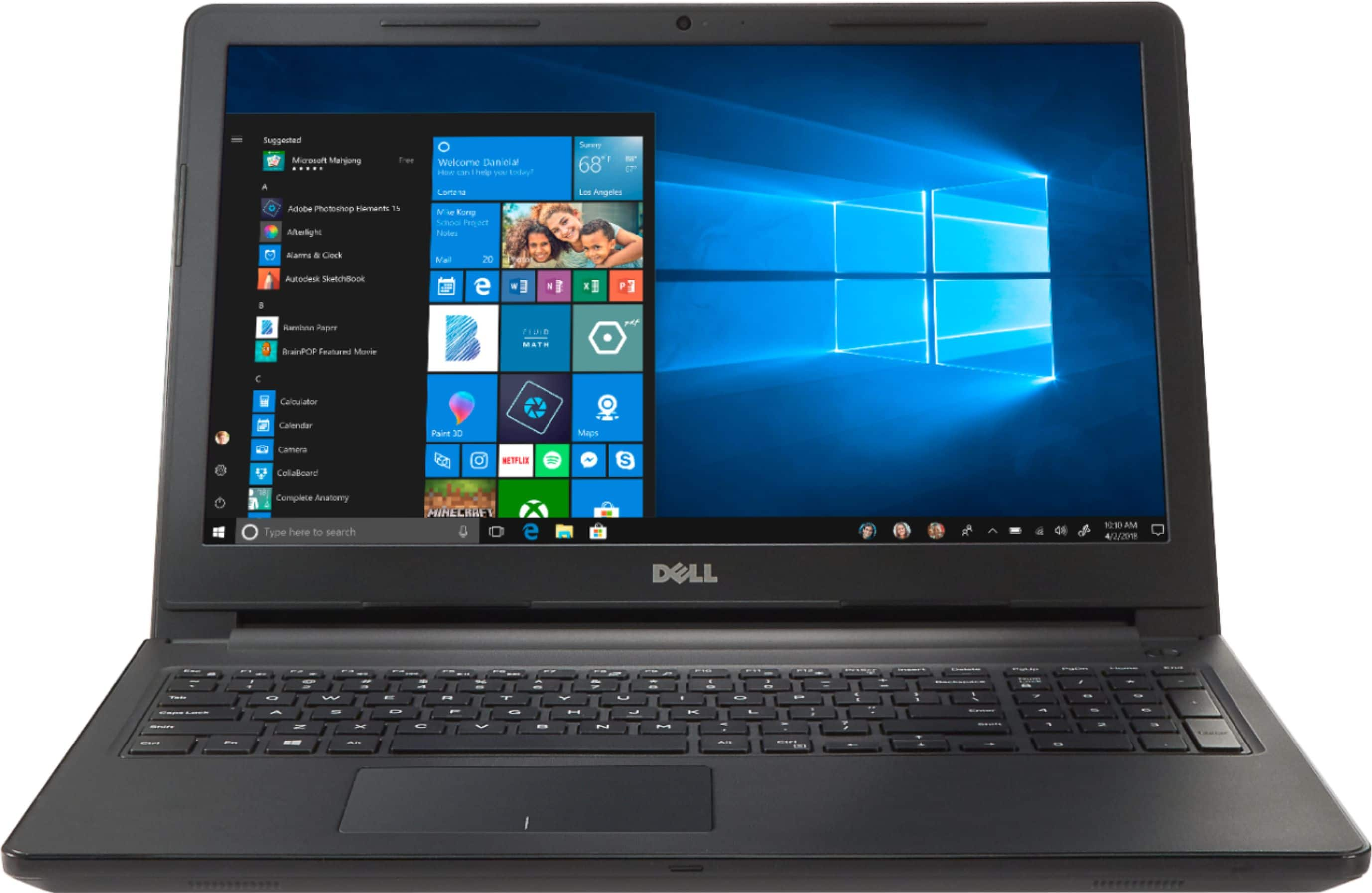
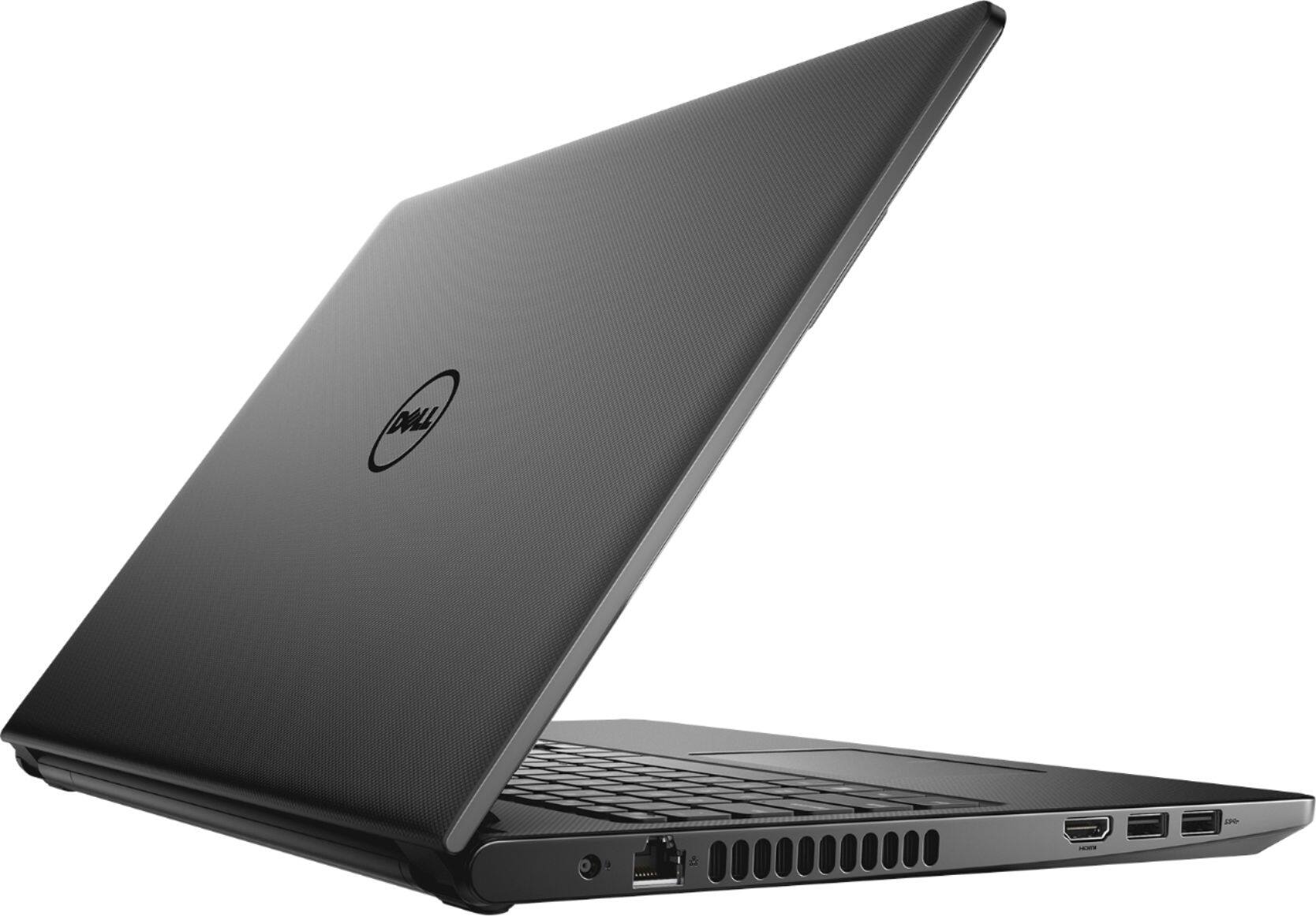
Posted .Thanks Frank. To clear up any confusion, previously this Dell laptop page included two images that showed a DVD-ROM drive door on the side of laptop. This was an inaccurate photo, as this device does not come with a DVD-ROM, which was accurately described in the “Specifications” section. Those images have been removed. The images on our website are now accurate. We apologize for any confusion these images may have caused.
Brand response from YourDellTeam
Posted .Hello Frank,
We're sorry that your laptop does not include a DVD drive. Best Buy has an external DVD drive from Dell that we would recommend you look into purchasing: http://bit.ly/2N8c7bq.
Best,
Bryan
1-800-624-9896
Basic unit
||Posted .This reviewer received promo considerations or sweepstakes entry for writing a review.Works fine but touchpad is challenging. Good for basic email and use.
I would recommend this to a friendBrand response from YourDellTeam
Posted .Cbyi,
Thanks for your review. We're sorry to hear that the touchpad has been giving you trouble. We'd recommend re-calibrating your touchpad with these steps: Some Notebooks and Tablets with Keyboards have added gesture features to the touchpad hardware and drivers. A few of these features are two or three finger scrolling, pinch zoom, circle zoom, rotate and swiping. These new features may be the reason for the erratic cursor movement since most are turned on by default. You can disable or modify the way the features work in the touchpad driver properties. Here are some tips to modify these settings:
1. In the Search box, type main.cpl.
2. Touch or click main.cpl in the list of programs.
3. Touch or click the Dell Touchpad tab.
4. Touch or click on the picture of the touchpad.
5. Touch or click Gestures (depending on your computer there may not be a Gestures option).
6. Change the options as preferred.
7. Touch or click Save.
8. Touch or click the X in the upper-right corner to close the Dell Touchpad Utility.
9. Touch or click OK on the Mouse Properties window.
10. If the touchpad still does not work after following the preceding steps, refer to Dell Knowledge Base article - http://dell.to/2iaiujA.
You can read the full article here - http://dell.to/2tqmS02.
We hope this helps your touchpad respond better for you.
Best,
Bryan
1-800-624-9896
Works fairly well
||Posted .This reviewer received promo considerations or sweepstakes entry for writing a review.The computer works pretty good. Wish it was a little faster though
No, I would not recommend this to a friendBrand response from YourDellTeam
Posted .Skinney,
Thanks for your review. We're sorry that your computer is not performing as fast as you'd like it to. We'd recommend running the Windows Performance Troubleshooter to see if it can perform faster for you:
1. Close all open windows.
2. Press the Windows logo key + X key on the keyboard.
3. Click Control Panel.
4. Click System and Security.
5. Under Security and Maintenance, select Troubleshoot common problems.
6. Under System and Security, click Run maintenance tasks.
7. Follow the on-screen instructions and prompts to complete the process.
8. Restart the PC.
You can read the full article here - http://dell.to/2tSulGV.
Best,
Bryan
1-800-624-9896
Ok for the money
||Posted .This reviewer received promo considerations or sweepstakes entry for writing a review.Christmas Present for my Husband. He won't get it until the 25th.
I would recommend this to a friendBrand response from YourDellTeam
Posted .Brink,
Thanks for letting us know that you're not able to review this product at this time. We're sure that your husband will love his new gift. If you have questions about the system you can always refer to our Product Support Page here: http://dell.to/2uBnCA3.
Best,
Bryan
1-800-624-9896
Not so good
||Posted .This reviewer received promo considerations or sweepstakes entry for writing a review.I didn’t like the material quality, but it has good configuration
I would recommend this to a friendBrand response from YourDellTeam
Posted .Abraao,
Thanks for your product feedback. We're happy that you like the configuration of your new computer. If you have any technical questions about your computer you can refer to our Product Support Page here: http://dell.to/2uBnCA3.
Best,
Bryan
1-800-624-9896
Great
||Posted .This reviewer received promo considerations or sweepstakes entry for writing a review.Mom likes her new laptop so far have not encountered any issues.
I would recommend this to a friendBrand response from YourDellTeam
Posted .Andy,
We're happy to hear that your mom's new laptop is working out well for you. If you do have any questions we'd recommend checking out our Product Support Page here: http://dell.to/2uBnCA3.
Best,
Bryan
1-800-624-9896
Value for money
||Posted .This reviewer received promo considerations or sweepstakes entry for writing a review.Good products and need more storage space than current it has
I would recommend this to a friendBrand response from YourDellTeam
Posted .PMNP,
We're glad that you're happy with your laptop for the most part. If you'd like to free up some storage you can store some of your files in the cloud using Microsoft's OneDrive. We'd also recommend looking through the installed programs on your computer to make sure that you plan to use all of them. If there are any programs that you'd like to remove you can follow these steps:
Uninstalling or removing software or applications that you do not use or do not need from your PC can help speed up your PC. Applications may include background processes, system services, context menu entries and other things that can slow down your PC.
Uninstall applications you no longer need using Programs and Features (previously called Add/Remove Programs). Unnecessary applications occupy space on your hard disk drive.
1. Press the Windows logo key + R on the keyboard.
2. In the Run dialog box, type appwiz.cpl and press the Enter key.
3. In the list, select a program and click Uninstall.
You can read the full article here - http://dell.to/2tSulGV.
Best,
Bryan
1-800-624-9896
Ok
||Posted .This reviewer received promo considerations or sweepstakes entry for writing a review.Machine is ok for the price....dont pay more than $300 for this
No, I would not recommend this to a friendBrand response from YourDellTeam
Posted .Sigrho,
We're glad that you're enjoying your new laptop. If you'd like to see if there are ways to speed up your computer you can run the Windows Performance Troubleshooter:
1. Close all open windows.
2. Press the Windows logo key + X key on the keyboard.
3. Click Control Panel.
4. Click System and Security.
5. Under Security and Maintenance, select Troubleshoot common problems.
6. Under System and Security, click Run maintenance tasks.
7. Follow the on-screen instructions and prompts to complete the process.
8. Restart the PC.
You can read the full article here - http://dell.to/2tSulGV.
Best,
Bryan
1-800-624-9896
Runs, Cheaply built
||Posted .This reviewer received promo considerations or sweepstakes entry for writing a review.For $500 it is OK. If you want a really cheap laptop it is OK.
I would recommend this to a friendBrand response from YourDellTeam
Posted .BigCheese,
We're sorry to see that you're not completely happy with your laptop purchase. We'd recommend checking out our Product Support Page for additional help if you need it: http://dell.to/2uBnCA3.
Best,
Bryan
1-800-624-9896
The speed is slow
||Posted .This reviewer received promo considerations or sweepstakes entry for writing a review.The speed is slow and below my expectations. It didn't meet.
No, I would not recommend this to a friendBrand response from YourDellTeam
Posted .Hi TheOwner,
We're sorry to hear that your new computer did not meet your expectations. It's possible that some software that was pre-installed on your computer may be programs that you may not use. Take a look through your programs and see if there are any programs that you can remove with the following steps: Uninstalling or removing software or applications that you do not use or do not need from your PC can help speed up your PC. Applications may include background processes, system services, context menu entries and other things that can slow down your PC.
Uninstall applications you no longer need using Programs and Features (previously called Add/Remove Programs). Unnecessary applications occupy space on your hard disk drive.
1. Press the Windows logo key + R on the keyboard.
2. In the Run dialog box, type appwiz.cpl and press the Enter key.
3. In the list, select a program and click Uninstall.
You can read the full article here - http://dell.to/2tSulGV.
Hopefully this will help with your computer's overall speed.
Best,
Bryan
1-800-624-9896
Decent laptop
||Posted .This reviewer received promo considerations or sweepstakes entry for writing a review.A decent laptop with regular features for daily use.
I would recommend this to a friendBrand response from YourDellTeam
Posted .Pook,
Thanks for your feedback. We're glad that your computer is meeting your needs. If you have any questions about your computer you can check out our Product Support Page here: http://dell.to/2uBnCA3.
Best,
Bryan
1-800-624-9896
Nice Laptop
||Posted .This reviewer received promo considerations or sweepstakes entry for writing a review.I like the design n touch screen. Not too big screen.
I would recommend this to a friendBrand response from YourDellTeam
Posted .Hello Venkata,
We're happy that you're satisfied with your new computer. If you have any questions you can check our Product Support Page here: http://dell.to/2uBnCA3.
Best,
Bryan
1-800-624-9896
Not up to the mark
||Posted .This reviewer received promo considerations or sweepstakes entry for writing a review.overall good compare to the price dell is offering..
No, I would not recommend this to a friendBrand response from YourDellTeam
Posted .Ulhas,
Thanks for your review. We're sorry that your computer is not performing exactly the way you hoped it would. If you have specific questions you can check out our Product Support Page here: http://dell.to/2uBnCA3.
Best,
Bryan
1-800-624-9896
Pretty good
||Posted .This reviewer received promo considerations or sweepstakes entry for writing a review.It is fast enough. Just needed to expand RAM to 16Gb.
I would recommend this to a friendBrand response from YourDellTeam
Posted .Otash,
Thanks for your review. We're glad to hear that your new Dell computer is meeting your needs. We'd recommend checking our Product Support Page if you have questions: http://dell.to/2uBnCA3.
Best,
Bryan
1-800-624-9896
Good for home use
||Posted .This reviewer received promo considerations or sweepstakes entry for writing a review.Good laptop for home use and great for a beginner!
I would recommend this to a friendBrand response from YourDellTeam
Posted .Thank you for taking the time to write a review on your Inspiron experience. We're glad to read that you seem to enjoy the laptop. If there is anything we can do - answer questions or concerns - please give us a call - at your convenience - 1 (800) 624-9897. Best, Chris
Good for kids
||Posted .This reviewer received promo considerations or sweepstakes entry for writing a review.This laptop good for Kids for rough and tough use.
No, I would not recommend this to a friendBrand response from YourDellTeam
Posted .Hello Babu,
Thanks for your review. We're glad to hear that your new laptop is working well for you. If you have any questions about your computer we'd recommend that you check out Dell's Product Support Page here: http://dell.to/2uBnCA3.
Best,
Bryan
1-800-624-9896
Not great
||Posted .This reviewer received promo considerations or sweepstakes entry for writing a review.I wanted to like this laptop - but, it generated a lot of heat, the resolution was poor, and the images intermittently became distorted. It may have been an isolated defect but I just returned it.
No, I would not recommend this to a friendBrand response from YourDellTeam
Posted .Hey Grace, we're sorry to learn that you had your Inspiron touch-screen generated heat. Our team hopes you find a product that meets your needs with computer temperatures. If you have any questions or concerns, please call us - at your convenience - 1 (800) 624-9897. Best, Chris
Problems out of the box
||Posted .This reviewer received promo considerations or sweepstakes entry for writing a review.My company recently purchased this laptop for an administrator when her previous laptop was determined to have hardware problems related to the speakers. We do quite a bit of remote collaboration and reliable speakers and microphones are crucial. Right out of the box, neither the speakers or the microphone were working. We checked for system and driver updates. Tried every message board suggestion. Ultimately we were able to get the speakers to work, but the microphone is still not detecting sound. We've tried external microphones as well to no avail. The time we have invested to try and resolve this problem is unacceptable for a brand new device.
No, I would not recommend this to a friendBrand response from YourDellTeam
Posted .Meagan,
We're sorry to hear about the audio troubles that you're having with your office's new Dell computer. It's great that you've been able to update all of the drivers on your computer and we're happy to hear that the speakers started working.
Please reach out to Dell's Technical Support Team for additional help with the computer microphone: http://dell.to/2sH7Qlm.
Best,
Bryan
1-800-624-9896
Horrible experience
||Posted .This reviewer received promo considerations or sweepstakes entry for writing a review.I returned this laptop within days of purchasing it. I couldn't even get the laptop to activate Windows properly. Speed seemed to be okay with the minimal time I was willing to put in to fixing the issue, but the numerous obstacles I experienced in getting it set up were too much and I brought it back to exchange for a Chromebook.
No, I would not recommend this to a friendBrand response from YourDellTeam
Posted .Robsquatch,
We're sorry to hear about the experience you had with your new laptop. If you experience these issues with a Dell computer in the future we'd recommend running the Dell Support Assist app on your computer to help with the set up.
Best,
Bryan
1-800-624-9896
Little disappointed
||Posted . Owned for 1.5 years when reviewed.This reviewer received promo considerations or sweepstakes entry for writing a review.Not even 2years old and the fan went. Did not buy extra warranty as Dell seemed to have quality products, so repair in a week is on my dime. I do expect items to last more than 19 months
No, I would not recommend this to a friend