Customer Ratings & Reviews



- Model:
- I7386-7007BLK-PUS
- SKU:
- 6295917
to a friend
Customers are saying
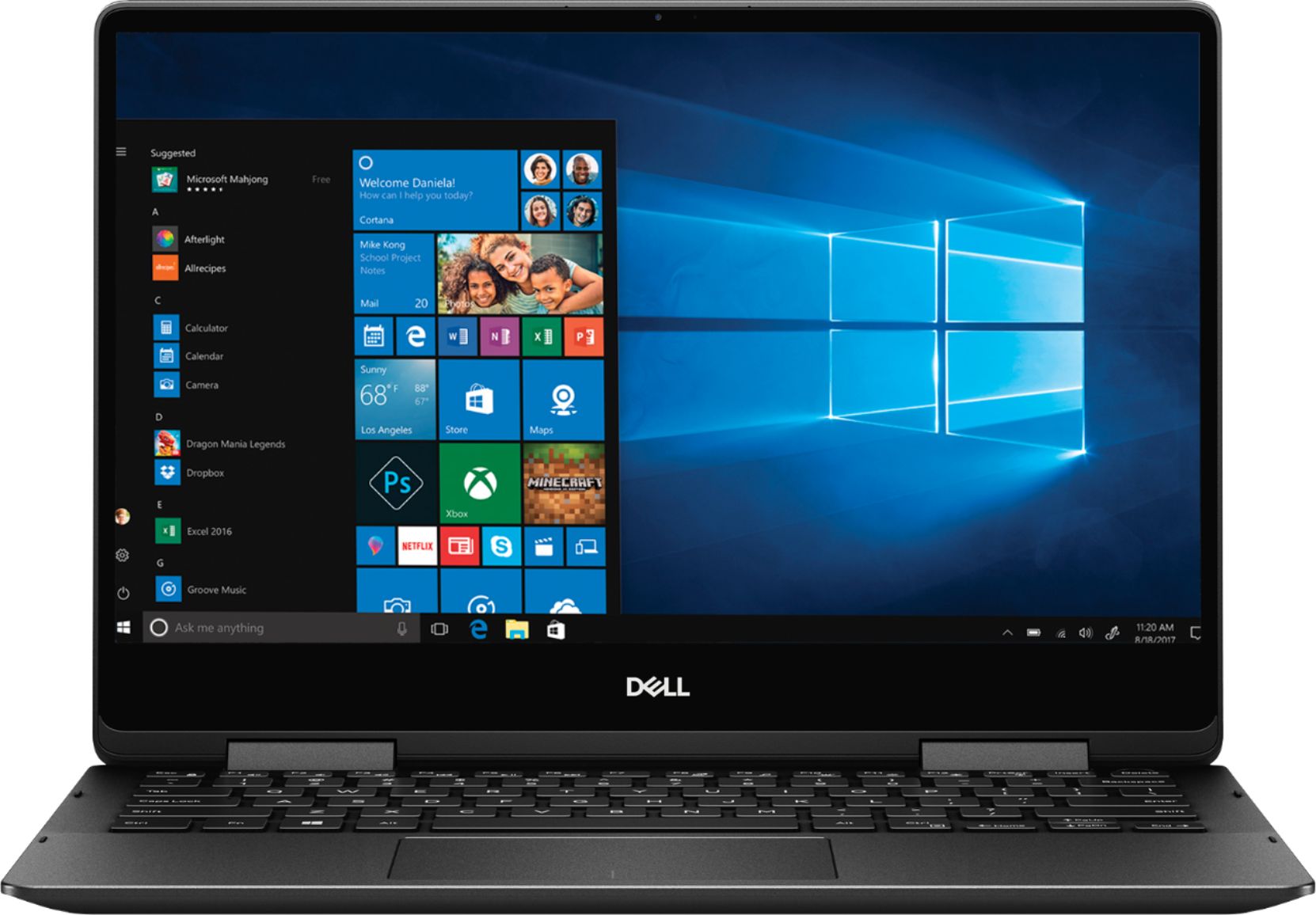
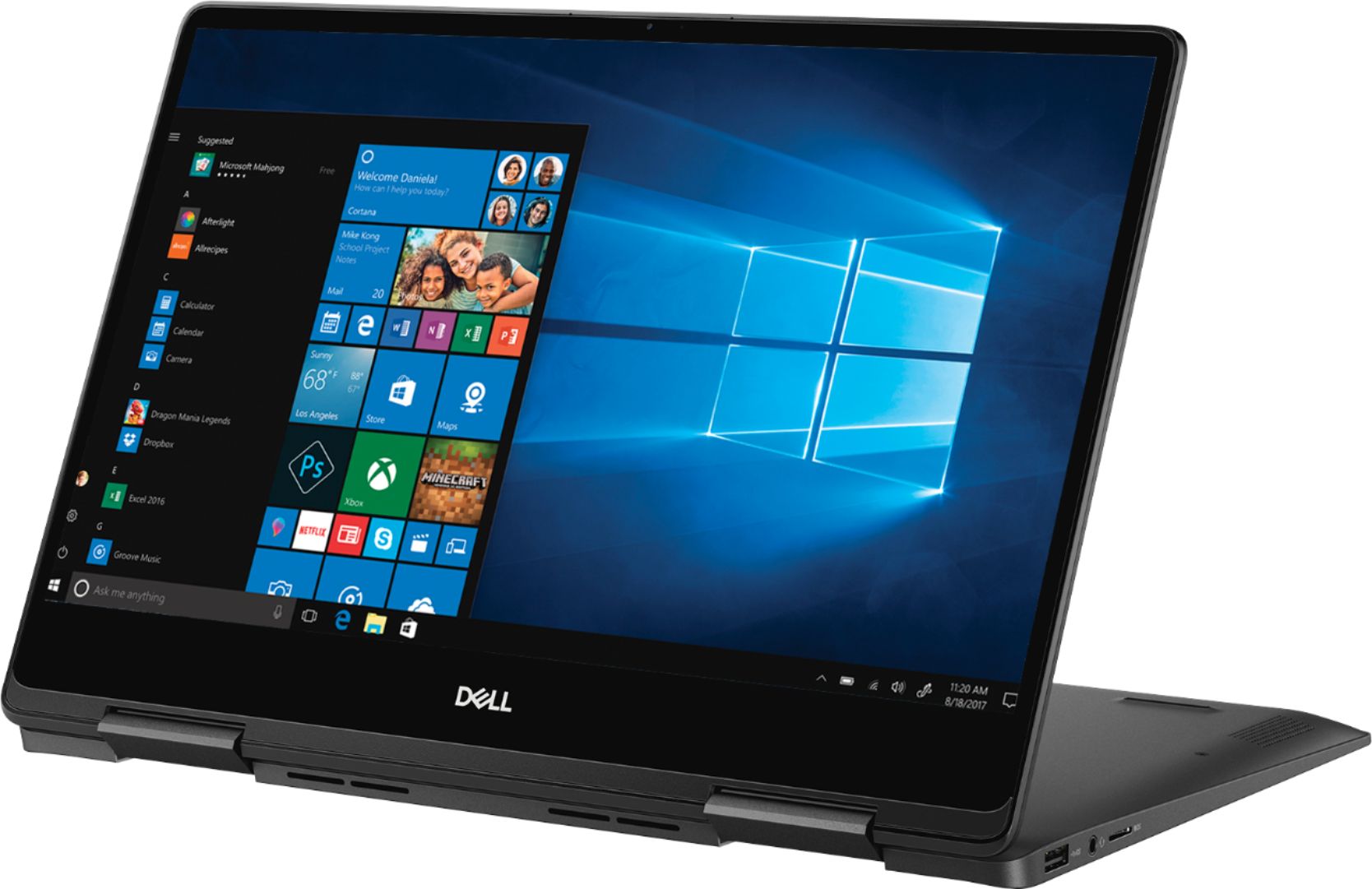
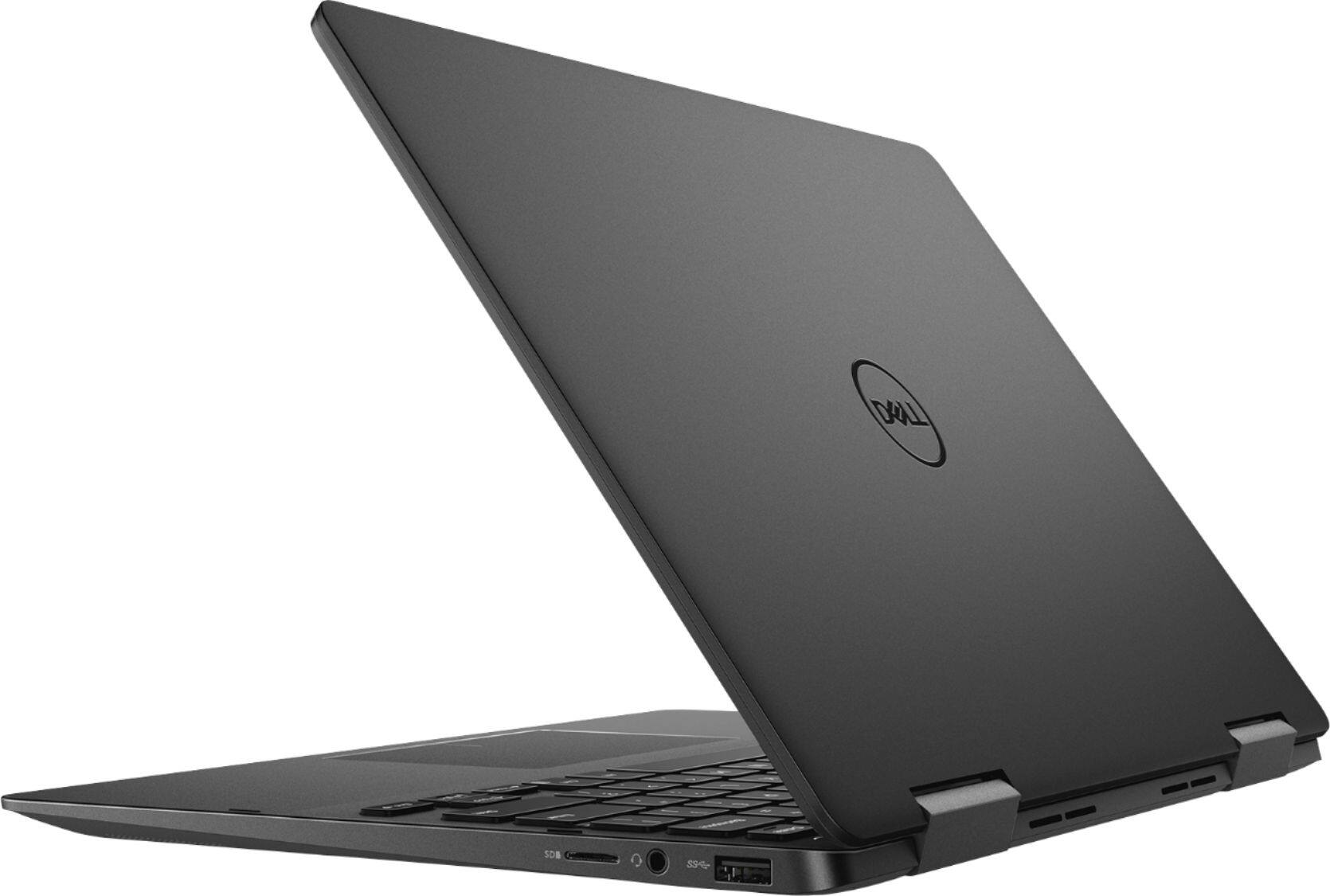
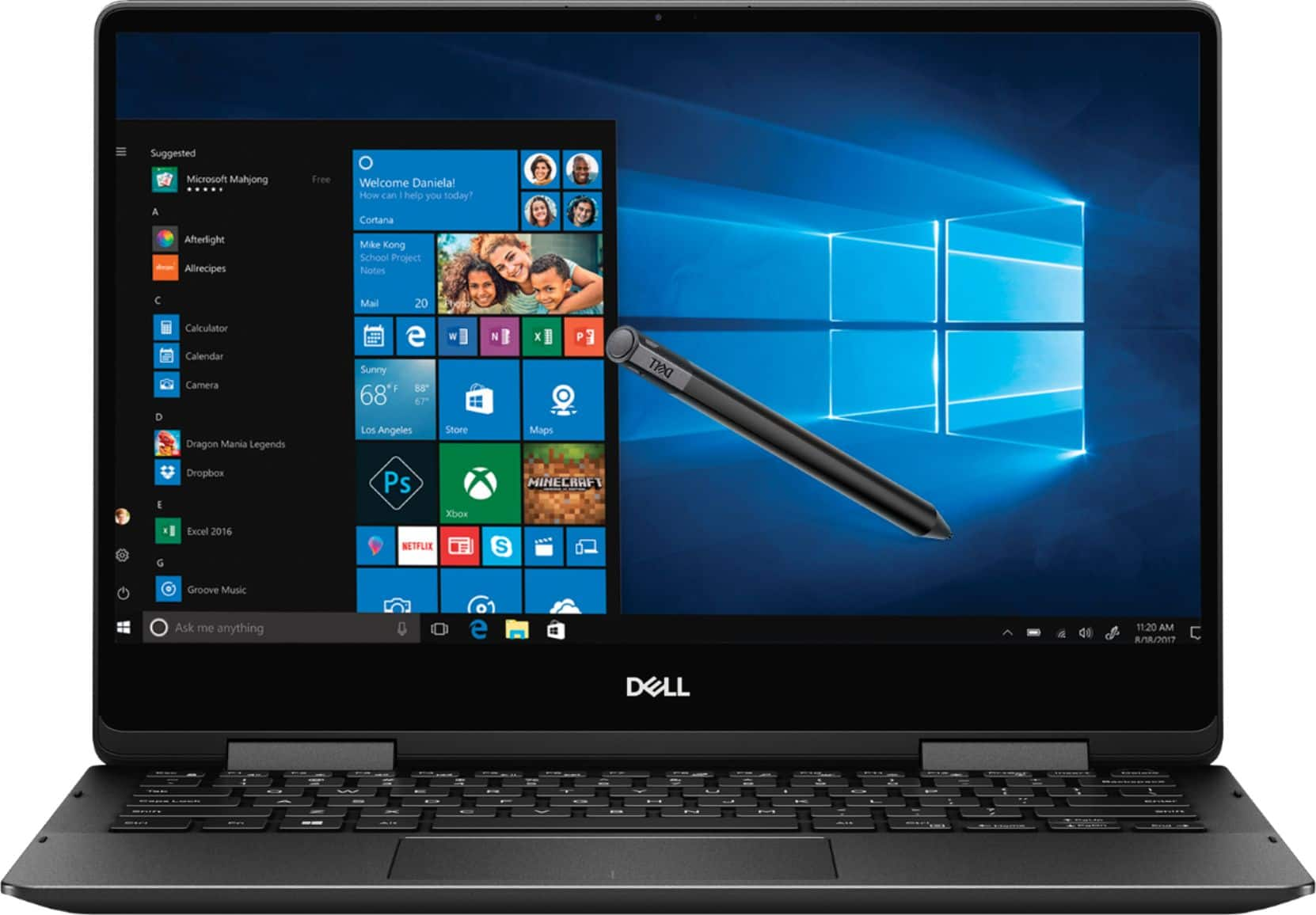
Customers recognize the Inspiron 2-in-1 laptop for its lightweight design, fast performance, and vibrant 4K display. They appreciate the convenience of the touch screen and find that the laptop offers great value for its price. However, customers have concerns about the laptop's battery life, which they say is extremely poor, as well as its tendency to overheat and produce excessive fan noise.
This summary was generated by AI based on customer reviews.
- Cons mentioned:Battery life
Returned this laptop
||Posted . Owned for 5 months when reviewed.This reviewer received promo considerations or sweepstakes entry for writing a review.Construction was solid if a little bit heavy. But the battery life was horrendous...less than 90 minutes! I traded in for a Lenovo Yoga 930.
No, I would not recommend this to a friend Not worth it.
||Posted . Owned for 9 months when reviewed.This reviewer received promo considerations or sweepstakes entry for writing a review.The Bluetooth component in the laptop sometimes doesn't work. It's a hardware issue that requires you to shut down your laptop, I've experienced this numerous times. The laptop also runs very hot with regular productivity usage. And the fans are placed on the underside of the keyboard in such a way where if you were to use the laptop on your lap, it would block the airflow. So I wouldn't advise working with this laptop on your lap.
No, I would not recommend this to a friend- Cons mentioned:Battery life
Good laptop with bad battery life
||Posted . Owned for 11 months when reviewed.This reviewer received promo considerations or sweepstakes entry for writing a review.The laptop is great. But the battery life is not good. Lasts only about an hour or so. Returned it.
No, I would not recommend this to a friend - Cons mentioned:Fan noise
The worst PC
||Posted . Owned for 3 months when reviewed.This reviewer received promo considerations or sweepstakes entry for writing a review.The PC fan will not stop and it crashes all the time. I sent it to be fixed and it came back the same.
No, I would not recommend this to a friend Nothing worked - returned to store.
||Posted .This reviewer received promo considerations or sweepstakes entry for writing a review.I went for Dell because of the longevity (12 years) of a previous laptop. This laptop however, did not work at all. It turned on and that was about it. Nothing could be done with touch screen, touch pad, or mouse. I returned it to Best Buy . They were great. They told me Dell used to be good, not so much anymore. I purchased a different brand and am using it right now. I doubt I will ever get another Dell. So very disappointed.
No, I would not recommend this to a friendDid not fit my needs
||Posted .This reviewer received promo considerations or sweepstakes entry for writing a review.As a photographer thisnlaptop did not fit my needs. After one photoshoot the drive would be full. Had to return it for a different laptop.
No, I would not recommend this to a friend- Cons mentioned:Battery life
Poor Performance
||Posted . Owned for 1 year when reviewed.This reviewer received promo considerations or sweepstakes entry for writing a review.Incredibly poor battery life and difficult to use - would never purchase again.
No, I would not recommend this to a friend Laptop
||Posted .This reviewer received promo considerations or sweepstakes entry for writing a review.Disappointed on the first week of use fan would heat up and not was not even streaming
No, I would not recommend this to a friendBrand response from YourDellTeam
Posted .Chanel,
Thanks for your review. We're sorry to hear that your computer is overheating. Here are some tips to keep your computer operating at a lower temperature:
Tips for Proper Usage:
1. Dell does not recommend placing portable systems directly on your lap. Due to reductions in the thickness of modern portable systems, heat transfer can be an issue.
2. Using a portable system (Laptop) on a hard, flat, non-cloth surface will increase airflow and reduce heat from underneath and inside the system.
Using the portable system on a blanket, pillow, or other types of cloth will cover up the fan cause the computer to overheat and can cause permanent damage.
3. It is recommended to use the portable system in a Room temperature of 0°C to 35°C (32°F to 95°F) with a Humidity level no greater than 90%.
4. Use compressed air to clean the vents on a regular basis.
5. Using a cooling pad can decrease heat and increase performance.
6. If you want to know the temperature limitations for your system, go to the Dell Support Website, look up your system model then open the user guide under the manuals link.
You can read the full article here - http://dell.to/2uJ8AdG.
If you'd like there to be less fan noise we'd recommend updating the BIOS on your computer: Update the BIOS: An out-of-date BIOS can cause loud fan noises by having an outdated temperature table for the system. Refer to update BIOS and follow the instructions to update the BIOS on your computer. You can also follow up with our Technical Support Team here - 1-800-624-9896.
You can read the full article here - http://dell.to/2ENlXfz.
Best,
Bryan
1-800-624-9896
expensive and a bad quality
||Posted . Owned for 1 year when reviewed.This reviewer received promo considerations or sweepstakes entry for writing a review.Dell warranty very bad, i send twice and the problem never fixed. I ask for a change and they don't do it. they send me a battery to be replaced and this dont fix the problem. Now is not in warranty and I have a bad computer. NEVER WILL BE PURCHASE A DELL AGAIN.
No, I would not recommend this to a friendKeeps shutting down
||Posted .This reviewer received promo considerations or sweepstakes entry for writing a review.I have had this laptop less than 2 months and it has started freezing up and shutting down randomly. I have had Geek Squad take it for 3 days and they said hardware and software are fine... get it back and next day freezes and shutdown.
No, I would not recommend this to a friendBrand response from YourDellTeam
Posted .Dear Valued Customer,
Thanks for your review and we're sorry to hear about the troubles that you've had with your computer so far. We'd recommend the following tips to help with your computer freezes:
1. Run a Computer Diagnostic. To determine if your computer is experiencing a hardware problem, run the Dell Preboot System Assessment (PSA) Diagnostics. For information on how to run Diagnostics, and to determine the issue, refer to Dell Knowledge Base Article: http://dell.to/2iaiujA.
2. Check Safe Mode for Symptoms. To boot into safe mode, please follow the instructions below:
a) Start the computer.
b) Tap 'F8' on the keyboard immediately and every one second until the Dell logo screen disappears. From there you will see the Windows Advanced Options Menu on the screen. (If the Windows Advanced Options Menu does not appear, restart the system and try again.)
c) Select Safe mode with Networking and press Enter.
d) Log on as the administrator or as a user with administrative access.
e) Open applications and test the computer in safe mode. If the symptoms exist in safe mode, please continue the troubleshooting steps in this article. If the symptoms do not exist in safe mode, the issue is likely related to a driver or software and you may wish to complete step 3 to see if you are able to resolve the lockups or freezing.
3. Check for Malware. Malware (Virus, Spyware, etc.) can definitely cause a Windows system to lock up or appear to hang. To check for malware on your system and to ensure that your computer is up to date on security software, visit Dell Knowledge Base Article: http://dell.to/2wWP1zI.
You can read the full article here - http://dell.to/2tW5m33.
Best,
Bryan
1-800-624-9896
Good price
||Posted .This reviewer received promo considerations or sweepstakes entry for writing a review.It is open box but I have problems with updated programming feature necessary from Dell because hardware problems. I have to return in 5 days for Bestbuy can fix it. I want it if they fixed
No, I would not recommend this to a friendBrand response from YourDellTeam
Posted .Tytoy,
Thanks for your review. We're sorry to hear about the updating issues that you had with your new computer. When you get your computer back we'd recommend using Dell's Support Assist App to make sure that you're using the most up to date software and drivers.
Best,
Bryan
1-800-624-9896
- Pros mentioned:Touch screenCons mentioned:Battery life
Perfect Price and Power
Posted .This reviewer received promo considerations or sweepstakes entry for writing a review.Beautiful screen with excellent image quality and bright enough for outdoor use. Powerful enough to do almost anything in a fast and reliable manner. You can take notes. The stylus nice and Wi-fi is fast. The battery life can be improved a bit but use battery saver mode when falling below 50% and it may give you 8 hours easily. Dell mobile connect is excellent to keep your phone connected to the desktop at ease. Dell has excellent customer support. BestBuy offers this in a incredible price. A little heavy but sturdy and strong. You can't go wrong with this one. Buy this and won't need a laptop for at least 5 years.
I would recommend this to a friend - Pros mentioned:Lightweight
An Excellent, Speedy, Useful, Beautiful 4k Laptop
Posted .This reviewer received promo considerations or sweepstakes entry for writing a review.:: The Search. I've spent about a week researching laptops to replace my long dead XPS 17" from back in the dark ages of 2012, and I have become somewhat of an expert on laptops from various manufacturers. This time I wanted something smaller and much more mobile with the intent on using it primarily for getting away from home, away from the internet, and focus solely on my writing and digital art. I intend on creating my graphic novel with this machine. After a lot of headaches from my research, going back and forth between reviews on websites, and watching countless videos on YouTube, I ended up purchasing this laptop, which I might add is the Inspiron 7000 13" 8th Gen Intel, 7386 model released Oct. 2018 (for some reason this costs hundreds MORE on Dell.com vs. Bestbuy.com). Just some quick out-of-the-way points: - It comes with 16GB, but you CANNOT upgrade the RAM on this year/model, but you CAN upgrade the M.2 PCIe SSD. Since I use "the cloud" for files and entertainment, storage is not an issue; the M.2 SSD speed is fast. - It has a full 4k 60Hz screen (Windows 10 default is set to 300% zoom which can be changed back to 100%), excellent wide viewing angles and it can get really bright in a sun-in-your-face kind of way without washing out the colors. The image quality and overall quality of the screen is quite unbelievable. Very excellent pixel density. - This DID come with an Active Pen (basic - white). The original page details didn't include that it came with one, so I bought the Premium pen from Dell (black), and because of that I never used the included pen. However the Premium pen from Dell works flawlessly, it's smooth and it feels very good when gripping. - Screen drawing with the Pen is surprisingly very nice, it feels natural, and works well with Photoshop and Krita. - The "real-life" battery life is not bad, nor great. Even turning down the brightness, turning off Bluetooth, WiFi, and just typing might provide about 5 hours of battery life (about 3 hours using Photoshop or Krita), but still much more than my Macbook Pro. - I am having an issue when closing the laptop lid, it remains on and it drains the battery (might be a settings issue, I just can't seem to find it). And it's inconsistent, sometimes it works, sometimes it doesn't. I have to turn it off all the way to save power, but right now it's not an issue since it boots up very quickly. :: The Experience. First I have to say that the pictures do not do it justice. It actually looks slimmer and smaller in person than it does in the pictures. Some of the pictures made it look chunkier and more rounded off on the corners than I'd like, but aesthetically speaking, seeing it in person is very pleasing once you unbox it and hold it in front of you. For the first few days I didn't want to touch it much because I didn't want to ruin it with fingerprints, smudges and dust. But I had to use it right? A 13" inch laptop in my opinion is perfect. I had some doubts that it would not be big enough screen wise, but I was wrong and this is just excellent. The low profile, low bezel look is most excellent. In the dark, it almost looks like an XPS and it's very comparable to the XPS in style. This laptop is very compact, it's 3 pounds light (but still feels hefty), the build quality is really good, it doesn't feel like its made up of cheap plasticky parts. The keys are backlit and you can choose from lights on, to brighter lights, to completely off. The keys have a good feel to them, and in my opinion much nicer than the Macbook Pro's keys. The spacing is good and the responsiveness is good. The track pad physically looks and feels nice, but it's easy to get lost when moving around and clicking (or tapping once on the main pad to simulate a click). Since I have a small Bluetooth mouse, I haven't used the track pad much. Because this is a 2-In-1, the hinges are pretty tough, so trying to open this with one hand isn't an easy task, but if you're like me, you'll try to find a way to open it with as little fingers as possible to avoid smudging it. It's a bit annoying at first but you'll get over it. :p Using it as a Tablet is about what you'd expect it to be, just a very thick tablet with a super nice screen. The keys are disabled when you flip it so you don't have to worry about accidentally pressing them and causing issues. Flipping it in the tent position is very useful for when you're drawing, as if it were a dedicated drawing tablet. And it works well in the kitchen while cooking and watching video tutorials. The built-in audio is really good for something this small. I expected below average tiny sound, but it actually has some range, and a bit of a kick to it -- a has more bass than I expected it to have. Overall it provides very clear, clean audio. :: Real World Use. Setting it up was a breeze, you get the standard Cortana introduction with Windows 10, you can set up the fingerprint scanner (which works very well) and you can set a Password and a PIN as backups. Right away I went from unboxing it, awe-ing it, to actually using it. Of course early on I did all the updates I could to make sure it was at it's best, and that wasn't an issue either. When I got setup, I installed some important apps such as Scrivener (1.9) for writing, Adobe Photoshop CC and Krita 4. These apps, which can be intensive, all perform very well on this Inspiron, much better than I expected it. Although I almost got a cheaper unit since I mostly intend on writing, I felt it was worth the extra money for the art I needed to produce. Just note that an issue with Scrivener 1.9 and newer laptops, causing them to freeze up or lag, is not the laptop's fault. I talked to the Scrivener support and the problem is that the old (current 1.9) Windows version uses an old version of "QT" that is no longer updated, Scrivener's Fullscreen uses this, but I can confirm that Scrivener Beta 3 fixes this issue. The 2-in-1 feature, turning it into a tablet or even a drawing tablet, I originally thought was going to be a gimmick, however just one quick drawing session changed my mind permanently. Now I am wondering how in the world I was able to live without such a feature. For awhile I was exploring buying an expensive drawing tablet such as a Wacom Cintiq, however I could never justify buying one simply to attach it to a Mac or PC and work on it as only an extended monitor to draw on. But I did want a draw-on-screen tablet, so I thought the investment, just a few hundred more compared to the non 2-in-1, would be worth it if it worked, and not a great loss if it didn't (after all I would still have a powerful useful laptop). I am glad I made this decision. Excellent drawing screen. I also mulled my options on a 13" vs 15" or 17". For me, I can say that 13" is perfect. Not too small as I thought it would be, but not too big and cumbersome to deal with when it comes to drawing. I have not used the camera, or the SD Card, USB ports and Headphone jack, but I have used Bluetooth on it with a wireless mouse and the performance is flawless; also the WiFi connectivity is flawless as well. After playing around with this laptop for about a week, and even taken it on an away trip, I can say that I am loving this more and more, and in fact I love it way more than any Macbook Pro I ever had. It looks nicer, it performs better, and it has better features. And this is coming from someone who grew up on Macs all his life, and still uses them at work for Web Application Development. :: Conclusion. I would 110% recommend this Dell Inspiron 7000 13" (7386) to anyone, coming from the perspective of an Apple user, a Web App Developer, a 20-year IT Tech Veteran, a 3D modeler, a Writer and soon-to-be Graphic Novel Artist. It's a stylish, beautiful and very functional piece of tech. I only wish I could afford a second one for my wife. Perhaps in due time, unless Santa Dell wants to surprise me this Xmas. :)
I would recommend this to a friend Completely broken in under 6 months
||Posted . Owned for 5 months when reviewed.This reviewer received promo considerations or sweepstakes entry for writing a review.The laptop never worked very well and is now completely broken and can't even boot up. Was embarrassed as I purchased this for a client.
No, I would not recommend this to a friendBrand response from YourDellTeam
Posted .Bmr86,
If you are having trouble starting up your computer you can follow these steps:
1. If the computer is displaying the Dell logo and does not move past that point, it has probably failed POST.
2. If the power indicator lights up and it is amber or orange, this is usually an indicator that it has failed POST.
3. If you see text on a black screen, the computer is currently performing the POST. If the computer stays in that condition and does not move past it, it has probably failed POST.
4. If the video screen displayed anything at all during the startup process but is now black, this probably indicates that the computer failed POST.
5. If the computer is beeping or if Caps/Num/Scroll Locks are flashing, note if there is a particular pattern in which it beeps or flashes.
6. If the computer is not beeping and caps/num/scroll locks are not flashing, unplug all connections and remove all media communication devices (e.g. external monitors); reconnect one at a time and check if the computer functions.
7. For a notebook, press and hold the Fn key and then press the power button. This starts the pre-boot testing and will launch ePSA. In case you have a Desktop at the Dell logo screen tap the F12 key to enter One Time Boot Menu and use the arrow keys to highlight Diagnostics and press enter.
You can read the full article here - http://dell.to/2uj1Sby.
Best,
Bryan
1-800-624-9896
- Cons mentioned:Battery life
Exactly What I Was Looking For
Posted .This reviewer received promo considerations or sweepstakes entry for writing a review.I have been using this for about two weeks, and I am thrilled with this laptop. 4K touchscreen, 8th gen i7, fantastic trackpad, incredibly fast SSD, and 16GB of RAM. I am used to using my Samsung ATIV Book 6, and I hated it for the entirety of my experience with it. Touchscreen never worked, phantom screen touches that would open programs, atrocious trackpad, and very slow. There is no reason to get a laptop with a hard drive anymore - SSD is simply worlds better. If you're concerned with space, get an external drive. This laptop starts instantly, Windows 10 is incredible, and there isn't much I would complain about. Battery life could be a bit better, but it is manageable with the battery saver and using lower brightness. I use Adobe Photoshop and Lightroom (with the included Dell pen, which is awesome). It's perfect for what I use it for. I often find myself using it in the tent mode with it in my lap. My wife tried to get me to buy a MacBook Pro - but the specs don't add up to what this offers. Plus the Mac doesn't have a touchscreen or the 2-in-1 capabilities. Pass. I was also able to price match a few days after I bought it! Couldn't be happier.
I would recommend this to a friend - Pros mentioned:PriceCons mentioned:Battery life
Great Specs poor Battery
Posted .This reviewer received promo considerations or sweepstakes entry for writing a review.Ok the specs are great and the price was right nabbed it for 699 on sale without office. However the battery life and operation frankly suck . Even powered full the status bar says only 3 hours and in real life maybe 2 with just surfing being done. But most frustrating the battery looses power when the laptop cover is shut. I guess you have to shut the computer down before closing every time to not loose battery time. I have contacted Dell we did a bios update and the tech remotely changed some power settings to no avail. The only reason i havent returned it price . Wihtout the battery issues this would be a super machine. O btw it is uHD but you can not stream from AMAZON in 4k to any computer evidently. another strike .
No, I would not recommend this to a friendBrand response from YourDellTeam
Posted .zugisland,
We're sorry to hear that your computer's battery life is not lasting as long as you hoped it would. Here are some tips to extend the battery life on your computer:
Change the Power Plan:
1. On the notification area of the taskbar, right-click the Battery icon.
2. On the options list, click Power Options.
3. Select a power plan on the battery meter, such as Power Saver or Balanced. Windows 10 has a built in 'Battery Saver' mode that can be activated to extend your system's battery life. The Battery Saver mode will monitor and limit background activity and other features such as push notifications. You do have the option to enable or disable this mode within settings or within advanced Battery Saver settings, you can customize the mode to best suit your needs.
a) Click on the Action Center icon in the taskbar and select the tile for Battery Saver.
b) If running Cortana then type Battery Saver into the search box and select from the results.
Within the Battery Saver settings page, you will be able to turn on and off the feature and customize the feature to best meet your needs.
c) Turn Battery Saver On or Off.
d) Additional settings available via the Battery use and Battery saver settings links.
e) Battery use shows further info on apps and their power usage.
f) Battery Saver Settings screen allows you to customize further Battery Saver feature.
You can read the full article here - http://dell.to/2vfXWf4.
Best,
Bryan
1-800-624-9896
I like it
Posted .This reviewer received promo considerations or sweepstakes entry for writing a review.I bought it from BestBuy when it was on sale for 900+ and also external CD drive. The battery died quickly. Ran the Dell updates including driver, BIOS updates and today I was able to watch one full movie (3hrs)and the laptop ran from 9am to 2pm. That is good for me. I love the 2in1 feature. So far I am liking everything about it. It came with a pen similar or same (I am not sure)to Surface pen. Bought an app 'Pen book' from MS app store. Wifi is good. Its a little heavier to its size but not heavy. I bought the black laptop. Like the size. I will be using this more than my iPad pro as the retina display is hurting my eyes. Not yet tested SD card. Keyboard is convenient, easy to type. I usually don't use laptop keyboard but this is good to type. For 1000 bucks this is a good deal to me. Camera is nice too. I specially like the fingerprint login feature. Voice recoginition is good. I tested it on notepad by dictating few lines. Except the weight being a little heavier I like all about it.
I would recommend this to a friend- Cons mentioned:Battery life
Great screen for editing & super light for school
Posted .This reviewer received promo considerations or sweepstakes entry for writing a review.This computer is super light which makes it perfect for traveling. The HD screen is exceptional and perfect for editing. The battery is okay obviously when you edit or run larger programs it will take from the battery life. The keyboard is also easy to type on and is comfortable to use. Fingerprint scanner as well is responsive. Only downside is that i had to turn off some settings in the bios that were causing the cpu to overclock constantly.
I would recommend this to a friend - Cons mentioned:Battery life, Fan noise
Worst PC purchase and experience
Posted .This reviewer received promo considerations or sweepstakes entry for writing a review.I do not write reviews regularly, this is one of the few I've ever written but I wanted to ensure that I was able to get my experience out to others. This PC was purchased in May 2019 and returned for warranty repairs in Oct 2019 (fan, motherboard both replaced). Upon return it worked no better than before - fan runs nearly constantly (VERY loud), battery life is unacceptable for any PC that costs over $200, and it gets way to hot. Dell was good with the warranty acceptance but they did not fix it and I am again having to deal with the repairs. Also, I would not recommend purchasing a computer from Best Buy as they are not willing to help you out once the first 30 days is over - Very seriously I will never purchase another computer from either Dell or Best Buy.
No, I would not recommend this to a friendBrand response from YourDellTeam
Posted .arpcbuyer,
We're sorry to hear about your experience with your Dell laptop. If your computer is continuing to have loud fan noise we'd recommend updating the BIOS on your computer:
Update the BIOS: An out-of-date BIOS can cause loud fan noises by having an outdated temperature table for the system. Refer to update BIOS and follow the instructions to update the BIOS on your computer. You can also follow up with our Technical Support Team here - 1-800-624-9896.
You can read the full article here - http://dell.to/2ENlXfz.
If your computer continues to run hot for you, we'd recommend these tips:
Tips for Proper Usage:
1. Dell does not recommend placing portable systems directly on your lap. Due to reductions in the thickness of modern portable systems, heat transfer can be an issue.
2. Using a portable system (Laptop) on a hard, flat, non-cloth surface will increase airflow and reduce heat from underneath and inside the system.
Using the portable system on a blanket, pillow, or other types of cloth will cover up the fan cause the computer to overheat and can cause permanent damage.
3. It is recommended to use the portable system in a Room temperature of 0°C to 35°C (32°F to 95°F) with a Humidity level no greater than 90%.
4. Use compressed air to clean the vents on a regular basis.
5. Using a cooling pad can decrease heat and increase performance.
6. If you want to know the temperature limitations for your system, go to the Dell Support Website, look up your system model then open the user guide under the manuals link.
You can read the full article here - http://dell.to/2uJ8AdG.
Best,
Bryan
1-800-624-9896
- Pros mentioned:WeightCons mentioned:Battery life
Frustrating experience
Posted .This reviewer received promo considerations or sweepstakes entry for writing a review.I bought this laptop in the last week of December 2018. The main reason was its weight, it is very easy to carry. After starting the laptop for the first time, I heard some noise inside the machine. It happened for the first two times, then it stopped. I thought the machine would cause no further problem. But after three months, the battery died without giving any hint. Such a frustrating experience. I am thinking not to buy Dell anymore.
No, I would not recommend this to a friendBrand response from YourDellTeam
Posted .sakib,
We're sorry to hear about the noise from your computer. We'd recommend updating the BIOS on your computer to see if there is less noise:
An out-of-date BIOS can cause loud fan noises by having an outdated temperature table for the system. Refer to update BIOS and follow the instructions to update the BIOS on your computer. You can also follow up with our Technical Support Team here - 1-800-624-9896.
You can read the full article here - http://dell.to/2ENlXfz.
If you'd like your battery to last longer after charging it we'd recommend the following: Change the Power Plan:
1. On the notification area of the taskbar, right-click the Battery icon.
2. On the options list, click Power Options.
3. Select a power plan on the battery meter, such as Power Saver or Balanced. Windows 10 has a built in 'Battery Saver' mode that can be activated to extend your system's battery life. The Battery Saver mode will monitor and limit background activity and other features such as push notifications. You do have the option to enable or disable this mode within settings or within advanced Battery Saver settings, you can customize the mode to best suit your needs.
a) Click on the Action Center icon in the taskbar and select the tile for Battery Saver.
b) If running Cortana then type Battery Saver into the search box and select from the results.
Within the Battery Saver settings page, you will be able to turn on and off the feature and customize the feature to best meet your needs.
c) Turn Battery Saver On or Off.
d) Additional settings available via the Battery use and Battery saver settings links.
e) Battery use shows further info on apps and their power usage.
f) Battery Saver Settings screen allows you to customize further Battery Saver feature.
You can read the full article here - http://dell.to/2vfXWf4.
Best,
Bryan
1-800-624-9896