Customer Ratings & Reviews



- Model:
- I7373-5558GRY-PUS
- SKU:
- 6083539
Rating by feature
- Value
Rating 4.2 out of 5 stars
- Quality
Rating 4.3 out of 5 stars
- Ease of Use
Rating 4.5 out of 5 stars
Customers are saying
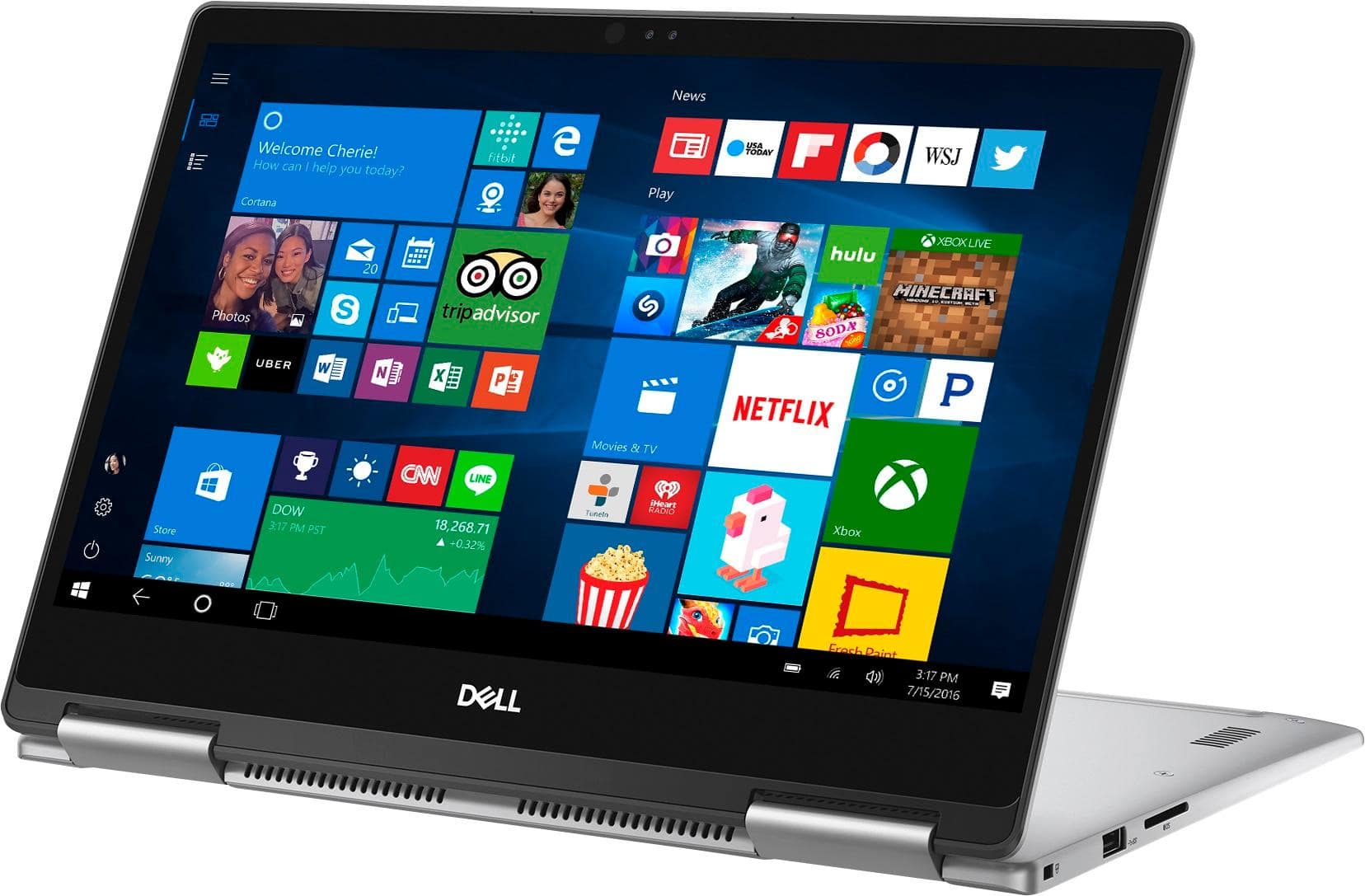
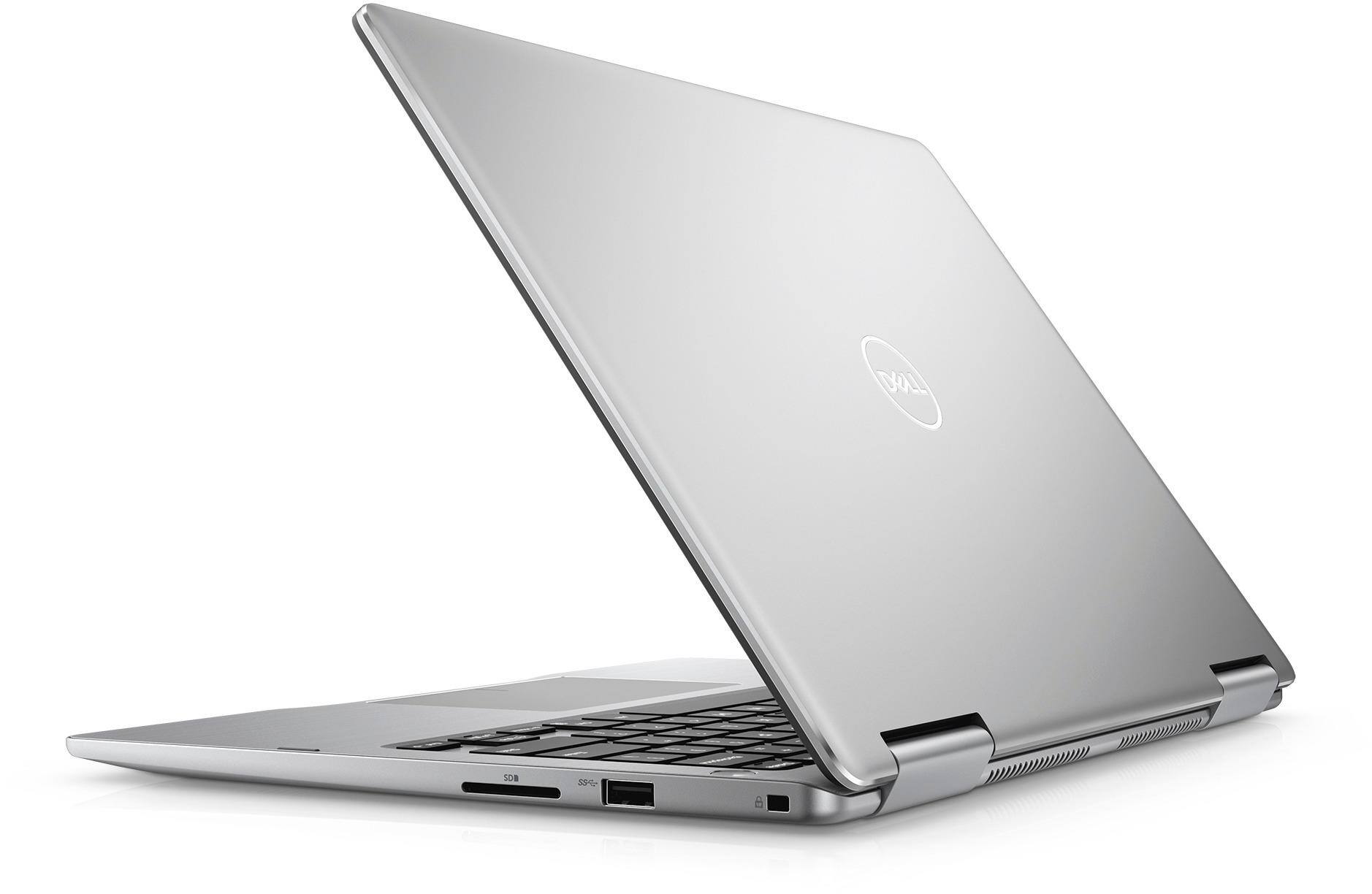
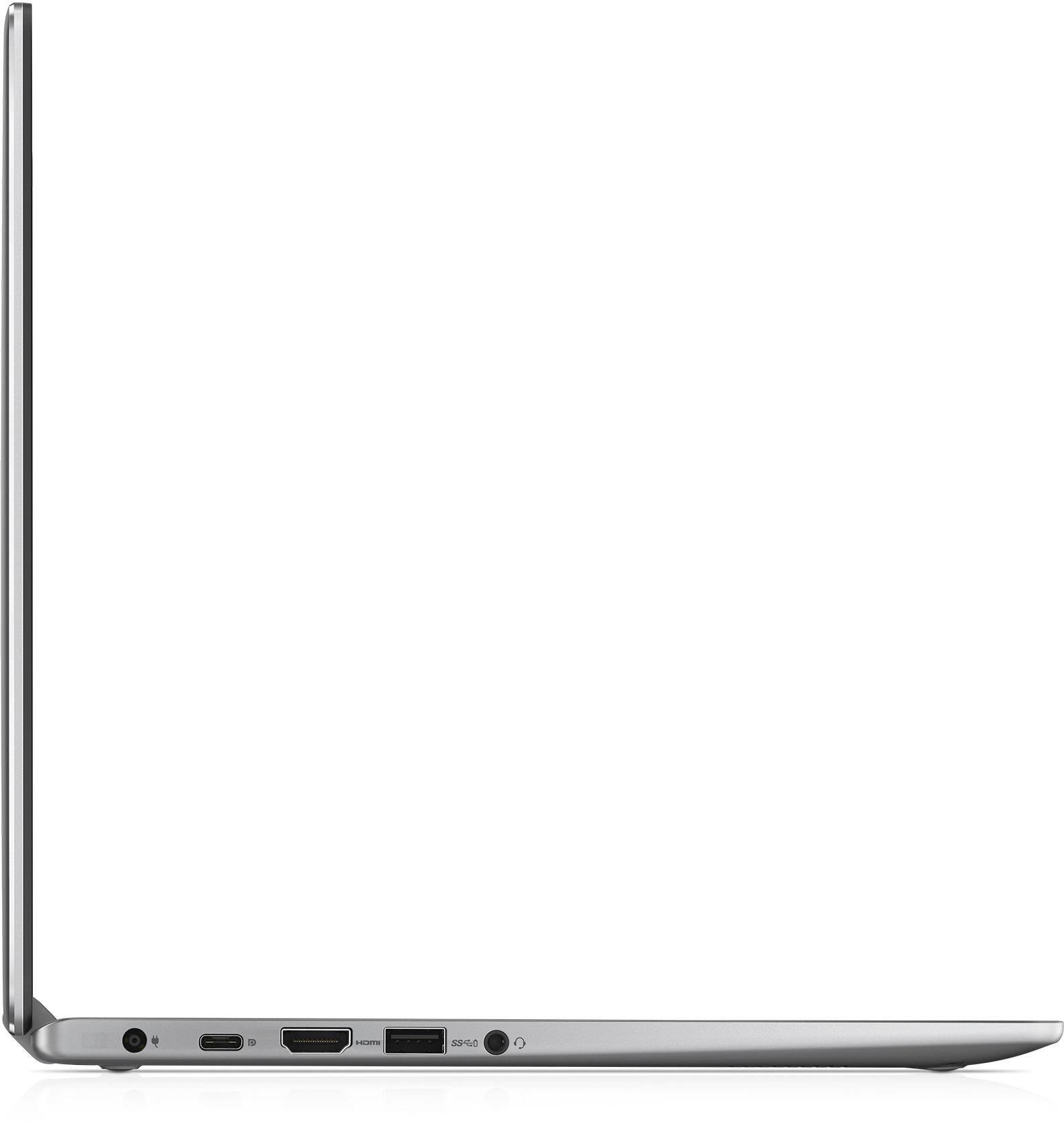
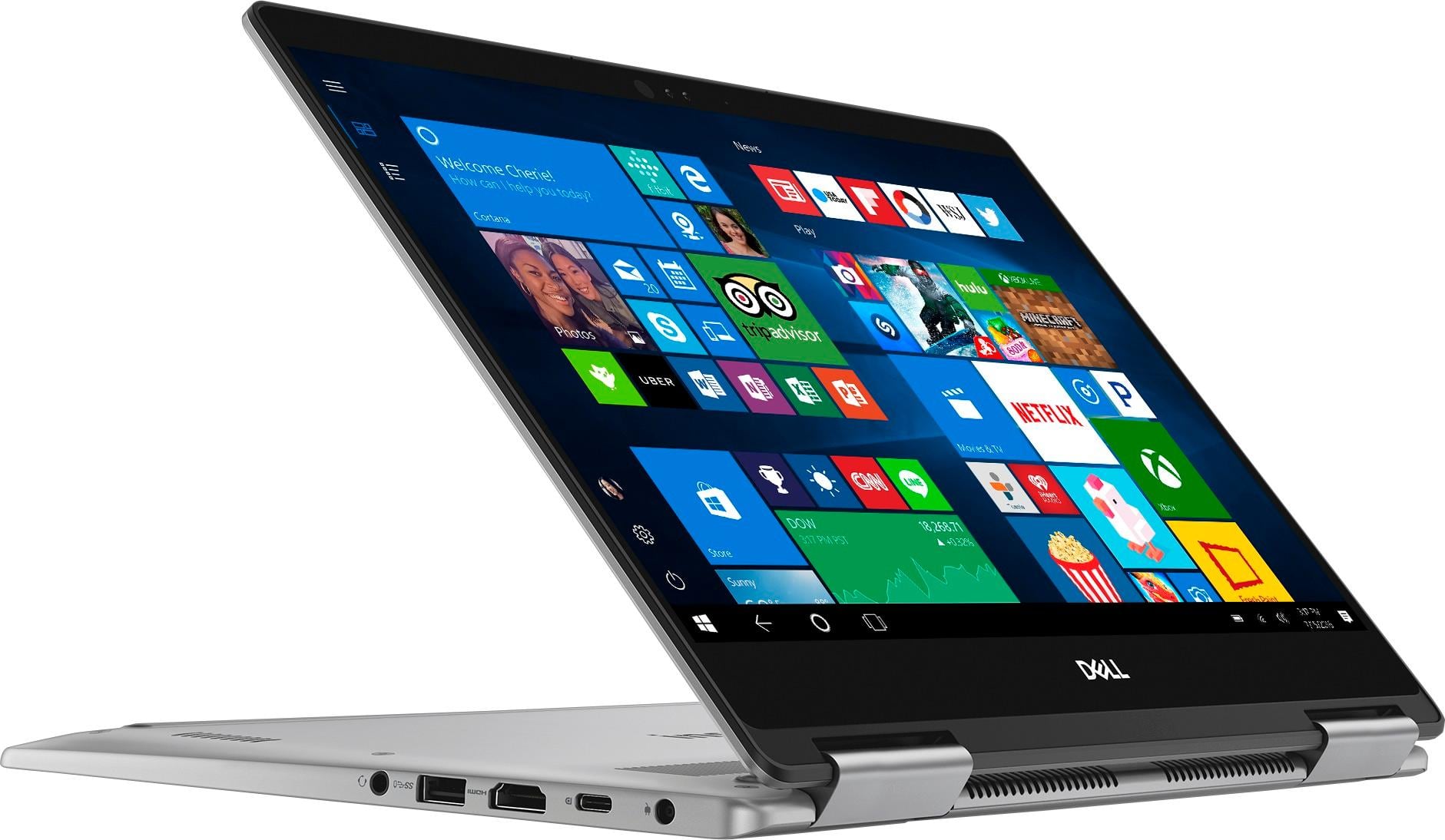
Customers express satisfaction with the Inspiron 2-in-1 13.3" Touch-Screen Laptop for its lightweight design, fast performance, and affordable price. Many users appreciate the convenience of the touchscreen and the overall size of the laptop. However, some customers have concerns about the battery life, heating issues, speaker quality, and fan noise.
This summary was generated by AI based on customer reviews.
- Cons mentioned:Battery life
I absolutely hate this computer
Posted .This reviewer received promo considerations or sweepstakes entry for writing a review.I bought this is August since it was on sale for back to school, it had good reviews and I was in need of a PC. I have had nothing but problems since I got it. I thought it was a bit slow at first but I didn't think it would be a problem. I bought this computer just two weeks before I started classes to get used to it. When I started using it for school all the problems started to show. I only use this for school and it can't even take writing a paper. The fan is so loud that it feels like the computer is going to explode when I have only used it for less than 2 hours. The battery can last max 2 hours on a full charge with battery saver on. In the first month, that I had it the touch screen stopped kept on not responding. The keyboard was delayed when I wrote. It also takes forever to load! I literally have to wait 5 minutes + in order to check my email. I don't even bother watching youtube videos on it because it just doesn't load. I know it is not my wifi because when I use my old computer it is fine. I honestly don't know what to do at this point. I bought as my old computer was barely hanging on but now I rather use my old computer since it is more reliable than this one.
No, I would not recommend this to a friendBrand response from YourDellTeam
Posted .Hi ASOU,
Thanks for your review. We're sorry to hear that your Dell computer is not working the way you hoped it would. If you'd like to quiet the fan noise on your computer we'd recommend updating the BIOS on your computer:
Update the BIOS: An out-of-date BIOS can cause loud fan noises by having an outdated temperature table for the system. Refer to update BIOS and follow the instructions to update the BIOS on your computer. You can also follow up with our Technical Support Team here - 1-800-624-9896.
You can read the full article here - http://dell.to/2ENlXfz.
If you'd like help extending the battery life on your computer we'd suggest the following tips:
Change the Power Plan:
1. On the notification area of the taskbar, right-click the Battery icon.
2. On the options list, click Power Options.
3. Select a power plan on the battery meter, such as Power Saver or Balanced. Windows 10 has a built in 'Battery Saver' mode that can be activated to extend your system's battery life. The Battery Saver mode will monitor and limit background activity and other features such as push notifications. You do have the option to enable or disable this mode within settings or within advanced Battery Saver settings, you can customize the mode to best suit your needs.
a) Click on the Action Center icon in the taskbar and select the tile for Battery Saver.
b) If running Cortana then type Battery Saver into the search box and select from the results.
Within the Battery Saver settings page, you will be able to turn on and off the feature and customize the feature to best meet your needs.
c) Turn Battery Saver On or Off.
d) Additional settings available via the Battery use and Battery saver settings links.
e) Battery use shows further info on apps and their power usage.
f) Battery Saver Settings screen allows you to customize further Battery Saver feature.
You can read the full article here - http://dell.to/2vfXWf4.
Lastly, if you'd ike to re-calibrate your touch screen you can follow these steps:
Below are the steps required to calibrate your Touchscreen.
1. Restart the Computer and the Monitor
2. Recalibrate the touch-screen. Steps to calibrate touch-screen:
3. Go to Control Panel and select Tablet PC Settings.
4. Under Display tab, select Calibrate.
5. Choose Pen or Touch input.
6. Perform the point calibration that appears on the screen to correct the linearity problems.
7. Save the calibrated data.
You can read the full article here - http://dell.to/2uLztub.
Best,
Bryan
1-800-624-9896
Already Frustrated
Posted .This reviewer received promo considerations or sweepstakes entry for writing a review.I am already experiencing problems with my computer after just a few months. It's pretty bad when the "Support Assistant" feature won't work! If I leave my desktop for any length of time while Publisher is up and running, it says "Not responding" and I have to shut Publisher down. I am constantly saving documents for fear it will do this. I think I've already had to force shutdown once. I wish I would have listened and bought another brand. This is too much money to already have these issues!
No, I would not recommend this to a friendBrand response from YourDellTeam
Posted .stullpj,
Thanks for your review. We're sorry that your computer is giving you problems. We'd recommend checking to make sure all of your software and drivers are up to date here: http://dell.to/2ij0l0u.
We hope that with updated drivers that you will not face the same problems.
Best,
Bryan
1-800-624-9896
Great Computer
Posted .This reviewer received promo considerations or sweepstakes entry for writing a review.This laptop is great. I wanted a small computer with a lot of bang for the buck. It meets all of my needs It's processor is super fast. Less than 30 seconds to boot up.
I would recommend this to a friendGood device with various features
Posted .This reviewer received promo considerations or sweepstakes entry for writing a review.Good device with various features. Would be nice to have DVD player and program to play DVDs since expensive product and 2018.
I would recommend this to a friendPoor Battery Life, even worse charger
Posted .This reviewer received promo considerations or sweepstakes entry for writing a review.I do really enjoy the hardware and design for this laptop. Internet is fast, and the camera works well. However, the reason I am writing this is because the battery life is absolutely atrocious. It says 5 hours, but it honestly is closer to 3, and that's with battery saver on. Not ideal for college students who need computer access all day for class. The poor battery life wouldn't be so difficult to handle if the charger was not so cheap either. The AC adapter part of my charger, which came with my laptop, stopped working, so now my laptop won't charge at all. All of the Dell replacement 45w chargers I've purchased haven't worked, so I called warranty, and I had to pay over 50$ for a new charger! I thought this was going to be a great laptop for school, with its' size and internet capacity, however it has just caused me problems.
No, I would not recommend this to a friendBrand response from YourDellTeam
Posted .Hi daniellecharlie96,
Thanks for your review. We're sorry to hear that the battery life of your computer is not what you were hoping for. Here are some tips to help improve your battery life:
Change the Power Plan:
1. On the notification area of the taskbar, right-click the Battery icon.
2. On the options list, click Power Options.
3. Select a power plan on the battery meter, such as Power Saver or Balanced. Windows 10 has a built in 'Battery Saver' mode that can be activated to extend your system's battery life. The Battery Saver mode will monitor and limit background activity and other features such as push notifications. You do have the option to enable or disable this mode within settings or within advanced Battery Saver settings, you can customize the mode to best suit your needs.
a) Click on the Action Center icon in the taskbar and select the tile for Battery Saver.
b) If running Cortana then type Battery Saver into the search box and select from the results.
Within the Battery Saver settings page, you will be able to turn on and off the feature and customize the feature to best meet your needs.
c) Turn Battery Saver On or Off.
d) Additional settings available via the Battery use and Battery saver settings links. e) Battery use shows further info on apps and their power usage.
f) Battery Saver Settings screen allows you to customize further Battery Saver feature.
You can read the full article here - http://dell.to/2vfXWf4.
We hope these tips help your battery last longer.
Best,
Bryan
1-800-624-9896
Good laptop but it got a problem after 2 months
Posted .This reviewer received promo considerations or sweepstakes entry for writing a review.I bought this laptop in store. Laptop is light weight and easy to carry and flexible to use at any place. But unfortunately, laptop got screen flickering issue after 2 months of buying. It was repaired by Dell customer care as it is under warranty. Now everything works perfect. Hope i don't get any new issues with my laptop.
I would recommend this to a friendBrand response from YourDellTeam
Posted .Naresh,
We're glad that Dell's Support Team was able to assist with the screen flickering that you were experiencing. We hope that everything will now work the way you hoped it would. If you have additional questions about your computer you can check our Product Support Page here: http://dell.to/2BE6VqB.
Best,
Bryan
1-800-624-9896
Please do not waste your money
Posted .This reviewer received promo considerations or sweepstakes entry for writing a review.I was very excited about this computer at first. It ran fast, battery life lasted all day and overall it just seemed great for the price. After about a month or so the battery only lasted three hours or so, which was no big deal really because I use it for school and outlets are always close. Fast forward to less than a month later and the computer would not come on without being plugged into the charger. I received a notification saying, "battery not detected". The battery does not come out, so I contacted Dell I.T. and they tried to help fix the problem with no luck. I had to send it off to get fixed, got it back and it worked fine. Shortly after I started having the same problem again. I'm in college and really need my laptop, so it is inconvenient to have to send it off again, so I guess I will just deal with it until I can buy another computer. I have never had any issues will Dell products before, but after this I will definitely never buy another Dell. I'm also starting to get a lot of blue screen errors. Please, please, please do not waste your money on this laptop.
No, I would not recommend this to a friendBrand response from YourDellTeam
Posted .Hello Mpowell,
We're sorry to hear about the issues that you've had with your new Dell computer. If you do need to reach out to Dell's Technical Support Team again you can reach them here: http://dell.to/2sH7Qlm.
If you'd like to try to extend the life of your battery, we'd recommend these tips: Change the Power Plan:
1. On the notification area of the taskbar, right-click the Battery icon.
2. On the options list, click Power Options.
3. Select a power plan on the battery meter, such as Power Saver or Balanced. Windows 10 has a built in 'Battery Saver' mode that can be activated to extend your system's battery life. The Battery Saver mode will monitor and limit background activity and other features such as push notifications. You do have the option to enable or disable this mode within settings or within advanced Battery Saver settings, you can customize the mode to best suit your needs.
a) Click on the Action Center icon in the taskbar and select the tile for Battery Saver.
b) If running Cortana then type Battery Saver into the search box and select from the results.
Within the Battery Saver settings page, you will be able to turn on and off the feature and customize the feature to best meet your needs.
c) Turn Battery Saver On or Off.
d) Additional settings available via the Battery use and Battery saver settings links.
e) Battery use shows further info on apps and their power usage.
f) Battery Saver Settings screen allows you to customize further Battery Saver feature.
You can read the full article here - http://dell.to/2vfXWf4.
Lastly, if you'd like to diagnose your Blue Screen Errors, here are the steps:
1. At the desktop, click the Search the web and Windows box and type "problem reports".
2. Select View all problem reports to view a list of errors that have occurred on your computer and possible solutions for them, such as updating drivers, flashing your system BIOS, or checking for updates to the software.
3. Under the Source column, look for Windows and under Summary, look for Shut down unexpectedly.
4. Right-click the line item and select Check for a solution.
We'd also suggest checking to make sure that your software and drivers are up to date on Dell's Product Page - http://dell.to/2ij0l0u.
You can read the full article here - http://dell.to/2u98Cct.
Best,
Bryan
1-800-624-9896
Disposable Laptop!! Works for almost 1 year!!
Posted .This reviewer received promo considerations or sweepstakes entry for writing a review.I don't know how they mange to stay in business!! Here is my story: >> I bought a Dell Inspiron 7000 Series 13 for my wife in 2016 August. >> The screen started giving me issues in May-June 2017. It was showing the touch dots at the same spot, even without touching, and hence touch screen functionality stopped working. >> In addition to this, the speakers were sounding very very low. >> Thankfully, these happened within a year and hence warranty was applicable. They replaced the screen and speakers with REFURBISHED parts, in July 2017. I think they always replace faulty parts with refurbished parts, during warranty period. >> Come Feb 2018, the screen is giving me issues again. When i turn it on from sleep, i see a just white screen and several lines. It stays on for several minutes and then the screen starts working again. Also, once it starts working, the areas near the top corners do not work properly. Dell Supports now wants me to pay $129 to fix this issue. Sorry mate, this piece is going to trash. You are not gonna make any more dollars from me every again!! STAY AWAY, GUYS!! JUST STAY AWAY!!
No, I would not recommend this to a friendKills external displays!
Posted .This reviewer received promo considerations or sweepstakes entry for writing a review.Do not buy this if you plan to use an external monitor. On the 2nd day that I brought this home from BestBuy, my Samsung external monitor would flicker and go blank intermittently. I'd toggle the display mode, reboot, etc. Eventually it'd come back but after repeating this a few times during the ensuing day, my monitor blanked out again but this time never came back. I connected it to my old laptop and it doesn't work with that either. My old laptop has a VGA display port. That still works fine but this new Inspirion doesn't have VGA. I first assumed that my monitor just gave out. It's just 2 years old. I traded out my monitor for my wife's, also a 2 year old Samsung. I started having the same problem. Each time, I'd just reboot and it would work. This went on for about another week. Then that monitored died too. It works on VGA but not on HDMI. So here I am with a just over 2 week old Dell Inspirion and I'm using my 10 yr old laptop with my monitor on the VGA port! I tried to return to BestBuy but they said I only had 15 days vs. my 17! Plus I'm out $300 worth of monitors.
No, I would not recommend this to a friendBrand response from YourDellTeam
Posted .Hello Valued Customer,
We're very sorry to hear about the experience that you've had with your new Dell 2-in-1. We'd recommend that you check out Dell's One Year Limited Warranty policy to see if your computer qualifies: http://dell.to/2tNsVOs.
You can also reach out to Dell's Technical Support Team to see if they are able to help you at all: http://dell.to/2sH7Qlm.
We hope that your 2-in-1 will perform the way you wanted it to soon.
Best,
Bryan
1-800-624-9896
- Cons mentioned:Fan noise
Common issue
Posted .This reviewer received promo considerations or sweepstakes entry for writing a review.I'm sure not every unit has this issue, but the 2 that I purchased definitely did. The fan noise is too much. A number of people reported this. Considering its price, a fix should've been applied before its purchase. Had to trade this 1 out and pay extra for the Yoga.
No, I would not recommend this to a friendBrand response from YourDellTeam
Posted .AJFab,
We're sorry to hear that you were unhappy with the fan noise on your Dell computer. We'd recommend that if you experience this issue with a Dell computer in the future that you update the Bios with the following steps:
Update the BIOS: An out-of-date BIOS can cause loud fan noises by having an outdated temperature table for the system. Refer to update BIOS and follow the instructions to update the BIOS on your computer. You can also follow up with our Technical Support Team here - 1-800-624-9896.
You can read the full article here - http://dell.to/2ENlXfz.
Best,
Bryan
1-800-624-9896
Bad display, worse customer service from dell
Posted .This reviewer received promo considerations or sweepstakes entry for writing a review.After 3 weeks the video display turned very darked and flickers like lightning flashes constantly. At the store, the Best Buy technician determined the display was bad. Over the phone the dell representative walked me through diagnostics and determined the video display was bad. As instructed, I sent it to Texas for repair. 12 days later, it was returned with a notice that dell had reinstalled operating system. Nothing had been done to the display and nothing had improved about the problem! My child has been at college with no computer for 2 weeks and we are no better off than before I called dell. Totally unacceptable.
No, I would not recommend this to a friendBrand response from YourDellTeam
Posted .Hello Drew,
We're sorry to hear about the screen flickering that you've been experiencing. Since the issue is continuing we'd recommend running the following LG tool to see if this helps with the flickering: https://www.dell.com/support/home/us/en/19/drivers/driversdetails?driverId=R6TNF.
We hope this helps the screen flickering that you've been experiencing.
Best,
Bryan
1-800-624-9896
nice laptop with consistent sound issue
Posted .This reviewer received promo considerations or sweepstakes entry for writing a review.i got dell i7373, i had sound issue and went back and replaced it. the new one arrived but still, after 2 days of use the sound is breaking and rustling like broken speaker. I think i will return it very soon
No, I would not recommend this to a friendmanifacturing issue
Posted .This reviewer received promo considerations or sweepstakes entry for writing a review.I purchased the core I 3 it was great , after one week I would change to core I 5 because I need more powerful processor !!!the issue is when you watch youtube or listen to music and unplug the charger there is sound destortion !!!!! i went back to bestbuy and change it with new one and still have the same issue , i would love this dell so i went back to replace it with new one again still same problem !!!!! then i swiched to ASUS that has more specs. with good price
No, I would not recommend this to a friendBuy only if you need a laptop for year or two
Posted .This reviewer received promo considerations or sweepstakes entry for writing a review.I bought Dell Inspiron 13 7000 series 2-in-1 laptop model 7368 in July 2016. For the last three months I have had issues with the laptop. First, the laptop wouldn't charge even if it is plugged in, and second, the screen would flicker sometimes. Today, in less than two years, the laptop completely stopped working. I wonder why would someone pay $800 for a product so cheap that it stops working within two years. On the contrary, the MacBook I bought for my wife works just like new even after three years. Perhaps, I need to make better choices henceforth.
No, I would not recommend this to a friendBrand response from YourDellTeam
Posted .Hello DronMandhana,
We're sorry to hear that your computer has stopped working for you. Here is a link to a power adapter that you can purchase from Best Buy if yours has stopped charging your computer: http://bit.ly/2GtkQGe. If you are having trouble turning on your computer you can follow these steps once your computer is fully charged:
1. If the computer is displaying the Dell logo and does not move past that point, it has probably failed POST.
2. If the power indicator lights up and it is amber or orange, this is usually an indicator that it has failed POST.
3. If you see text on a black screen, the computer is currently performing the POST. If the computer stays in that condition and does not move past it, it has probably failed POST.
4. If the video screen displayed anything at all during the startup process but is now black, this probably indicates that the computer failed POST.
5. If the computer is beeping or if Caps/Num/Scroll Locks are flashing, note if there is a particular pattern in which it beeps or flashes.
6. If the computer is not beeping and caps/num/scroll locks are not flashing, unplug all connections and remove all media communication devices (e.g. external monitors); reconnect one at a time and check if the computer functions.
7. For a notebook, press and hold the Fn key and then press the power button. This starts the pre-boot testing and will launch ePSA. In case you have a Desktop at the Dell logo screen tap the F12 key to enter One Time Boot Menu and use the arrow keys to highlight Diagnostics and press enter.
You can read the full article here - http://dell.to/2uj1Sby.
Best,
Bryan
1-800-624-9896
Overheats and Fan Runs Constantly - returning!
Posted .This reviewer received promo considerations or sweepstakes entry for writing a review.Unit overheats after being on for more than 5 minutes - even running the most minimal of programs. It's too hot to sit on your lap, and even if you have it on a table, the fan is noisy and runs constantly. Tech support told me not to put it in tablet mode as it could damage the screen when it's warm. The alternative is to lower the processing power - if I wanted that I would have bought a much cheaper, slower unit! Returning today :(
No, I would not recommend this to a friendScreen flickers out of the box
Posted .This reviewer received promo considerations or sweepstakes entry for writing a review.I bought this "open box" brand new Geek Squad certified to be in perfect operating condition yesterday. After installing all the endless windows updates, the screen flickers out of control and sometime it flickers so much you can't turn it off. Crazy. BRAND NEW??? THat's a poor refection on the state of affairs in this world today. Nothing works, no matter what you pay, and you spend hours trying to rectify the mess.
No, I would not recommend this to a friendBrand response from YourDellTeam
Posted .NanDee,
Thanks for your review and we're sorry to hear that your computer screen is flickering. Please visit our Product Support Page to make sure that all of your software and drivers are up to date for your computer: http://dell.to/2ij0l0u.
We hope these updates will help your screen to stop flickering.
Best,
Bryan
1-800-624-9896
Manufacture Defects
Posted .This reviewer received promo considerations or sweepstakes entry for writing a review.I purchased a computer this morning, got it home and the speakers were completely distorted and useless, they sounded blown. Took it back and got another later on in the day. The same thing happened with the replacement so I don’t know what is going on. Yes I updated the bios, drivers, audio, etc, etc.. it’s clearly a problem with the batch that was sent to my Best Buy. Guess I’ll try out the flickering Lenovo next.
No, I would not recommend this to a friendBrand response from YourDellTeam
Posted .Justin,
Thanks for your feedback on your new laptop. Have you had a chance to reach out to Dell's Technical Support Team to see if they have any suggestions on a way to help with your computer's sound? You can reach them here: http://dell.to/2sH7Qlm.
Best,
Bryan
1-800-624-9896
Touchscreen issue
Posted .This reviewer received promo considerations or sweepstakes entry for writing a review.After the laptop's been on for a couple hours, the touchscreen stops working. I took it back to the store, and even the display model had the same issue. It works fine after you reset the laptop. But hours later, goes right back to having a defect.
No, I would not recommend this to a friendBrand response from YourDellTeam
Posted .Dharper,
We're very sorry to hear about the touchscreen issues that you're experiencing. We'd recommend that you try to re-calibrate the touchscreen by following these steps:
Below are the steps required to calibrate your Touchscreen.
1. Restart the Computer and the Monitor
2. Recalibrate the touch-screen. Steps to calibrate touch-screen:
3. Go to Control Panel and select Tablet PC Settings.
4. Under Display tab, select Calibrate.
5. Choose Pen or Touch input.
6. Perform the point calibration that appears on the screen to correct the linearity problems.
7. Save the calibrated data.
You can read the full article here - http://dell.to/2uLztub.
If this does not help you, feel free to reach out to Best Buy's Customer Service team if you are still within your return period in order to see if you can exchange it for a new Dell computer - http://bit.ly/2v2IVhI.
Best,
Bryan
1-800-624-9896
Worst than worse
Posted .This reviewer received promo considerations or sweepstakes entry for writing a review.Dont waste your money on buying this laptop. touchscreen does not work perfectly. usb ports work on and off (usually didnt recognize my external hard drive). processor is too slow. had a lot of trouble with this laptop.
No, I would not recommend this to a friendBrand response from YourDellTeam
Posted .Hello Shak,
Thank you for your review. We are sorry to hear that your touchscreen is not working well for you. If you'd like help re-calibrating your touchscreen you can follow these steps:
1. Restart the Computer and the Monitor
2. Recalibrate the touch-screen. Steps to calibrate touch-screen:
3. Go to Control Panel and select Tablet PC Settings.
4. Under Display tab, select Calibrate.
5. Choose Pen or Touch input.
6. Perform the point calibration that appears on the screen to correct the linearity problems.
7. Save the calibrated data.
You can read the full article here - http://dell.to/2uLztub. If you'd like to run Windows Performance Troubleshooter to see how your computer can run faster for you, here are the steps:
1. Close all open windows.
2. Press the Windows logo key + X key on the keyboard.
3. Click Control Panel.
4. Click System and Security.
5. Under Security and Maintenance, select Troubleshoot common problems.
6. Under System and Security, click Run maintenance tasks.
7. Follow the on-screen instructions and prompts to complete the process.
8. Restart the PC.
You can read the full article here - http://dell.to/2tSulGV.
Best,
Bryan
1-800-624-9896
Wifi issues
Posted .This reviewer received promo considerations or sweepstakes entry for writing a review.Bought this open box. Was assured that its been checked. This thing barely kept a signal which is why I'm guessing it got returned in the 1st place. Switched it out with a Yoga with the same specs. So far so good.
No, I would not recommend this to a friend