Customer Ratings & Reviews
- Model:
- I7386-5038SLV-PUS
- SKU:
- 6295914
Rating by feature
- Battery Life
Rating 3.3 out of 5 stars
- Speed
Rating 4.2 out of 5 stars
- Display
Rating 4.3 out of 5 stars
Customers are saying
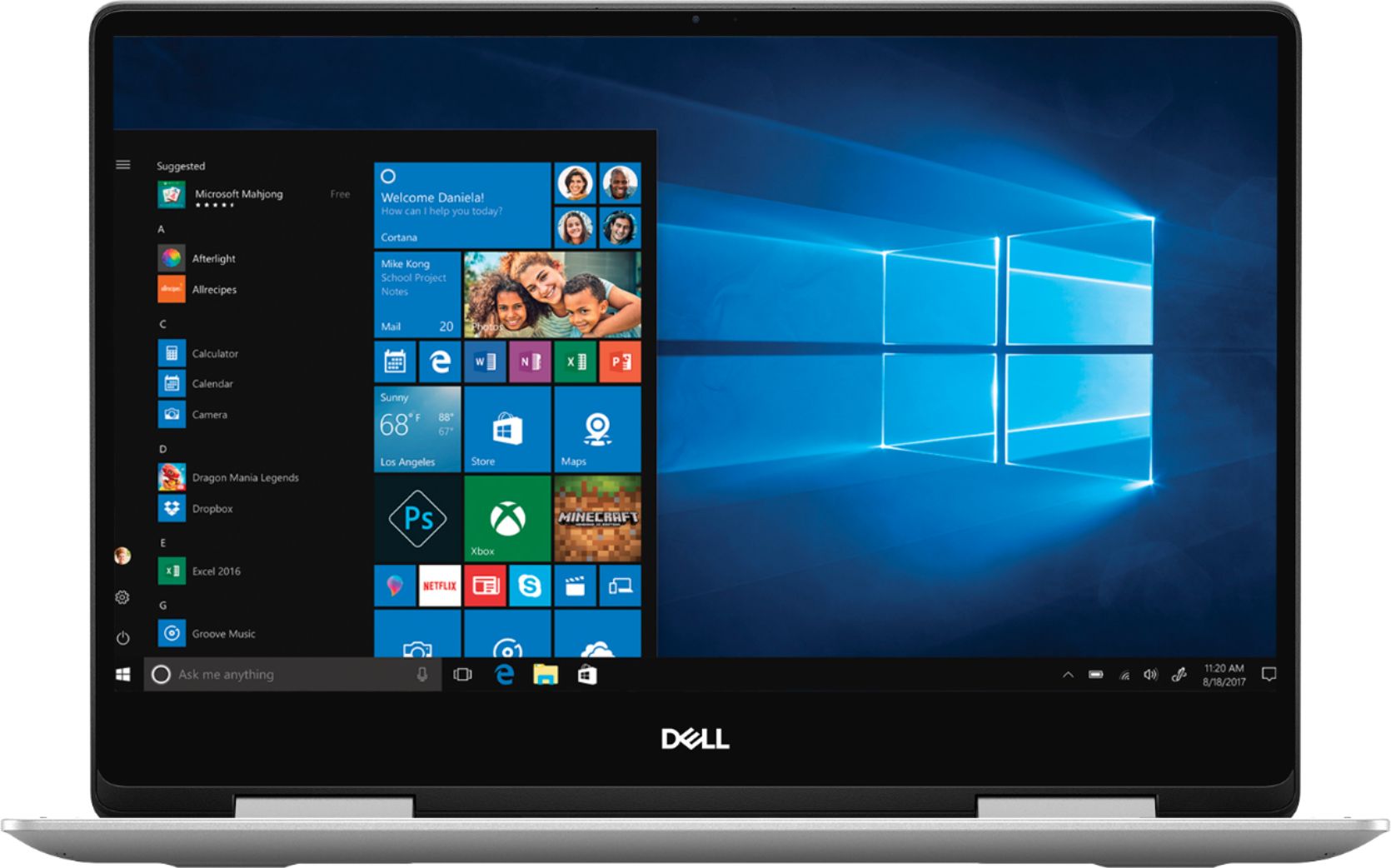
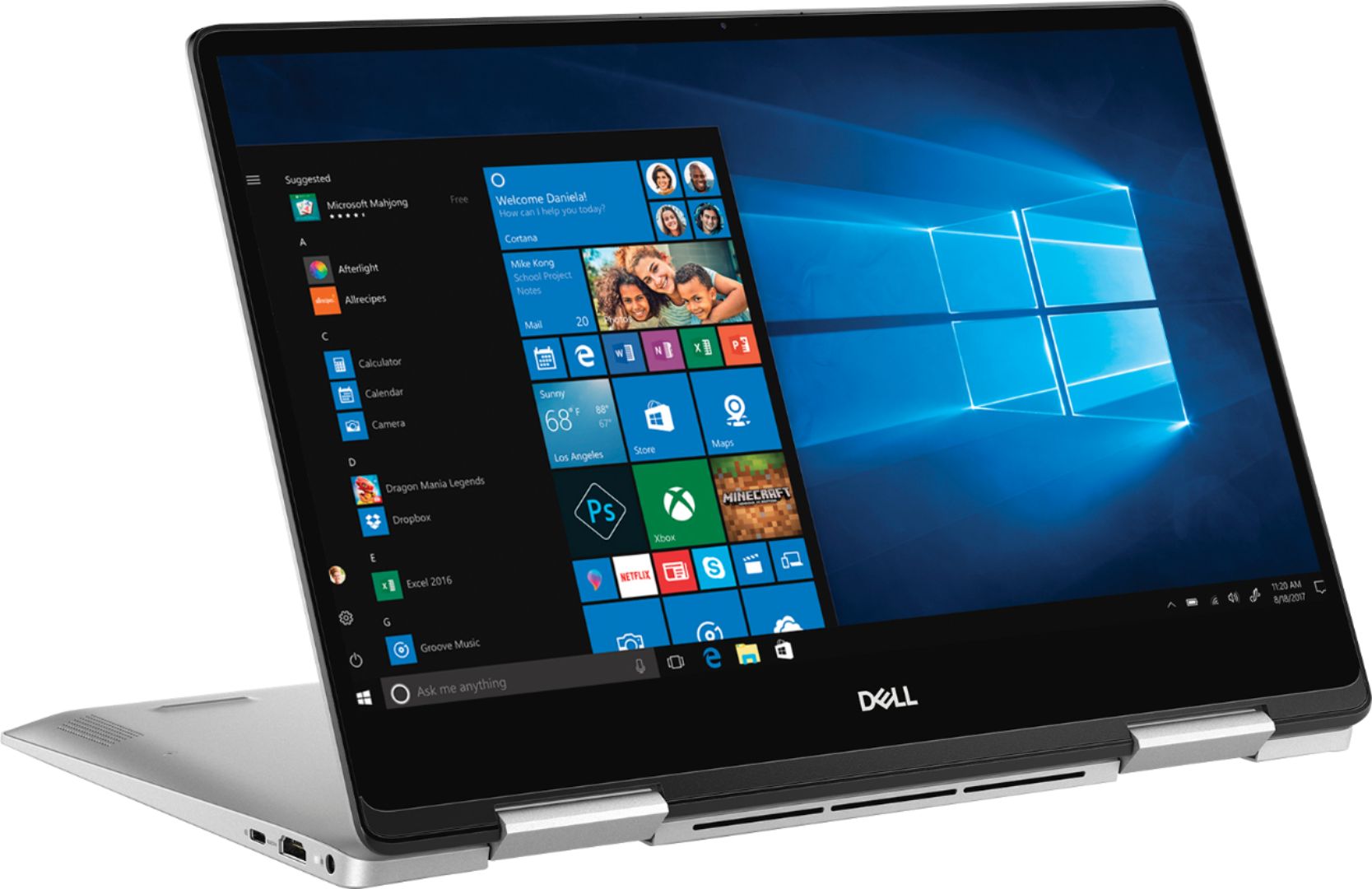
Customers have good things to say about the Inspiron 2-in-1 13.3" Touch-Screen Laptop. They appreciate its lightweight design, responsive touch screen, and affordable price. Many users also find it easy to use and are impressed with its overall performance. However, some customers have concerns about the battery life, fan noise, weight, fingerprint scanner, and overheating issues.
This summary was generated by AI based on customer reviews.
Great laptop.
Posted .This reviewer received promo considerations or sweepstakes entry for writing a review.This has been a good laptop for me for the last 5 years. It is time for an upgrade. Looking at what’s out there now.
I would recommend this to a friend- Pros mentioned:Lightweight

One Word: Amazing!
|Posted .This reviewer received promo considerations or sweepstakes entry for writing a review.This laptop packs a punch for its compact size and versatility. It’s not going to run any graphics intense games, but as a portable laptop it’s a home run.
I would recommend this to a friend - Cons mentioned:Battery life
Horrid Battery Life
Posted .This reviewer received promo considerations or sweepstakes entry for writing a review.I tend not to write reviews but after having a Dell laptop for many months now I'd like to share some of the issues with these laptops. To start off the laptop has an amazing 1080p, FHD screen, with great brightness indoors. Outdoors there will be plenty of glare, however it is still very useable. My chief complaint with this laptop is the battery life. It is nowhere near the advertised time frame. It has never been even when I got it brand new. For example today I charged it while I was away from home. At 6:00 I used it for some YouTube videos, and by 7:15 it already died on me. I currently have it charging and this is on 25% brightness, back-lit keyboard off and no other running applications. This is a wonderful laptop, and if you can get it for a stellar price, definitely below MSRP I would highly recommend it. Just be prepared for the frustration of a horrible battery life. Either carry the charger with you, or have the portable battery from Dell on hand. Hope this helps with your potential purchase. I understand this review only addresses one aspect of this ultrabook.
No, I would not recommend this to a friendBrand response from YourDellTeam
Posted .Hello jpao94,
Thanks for your review. We're sorry to hear that the battery life is not what you were hoping for. We'd recommend the following tips to help extend the life of your computer's battery:
Change the Power Plan:
1. On the notification area of the taskbar, right-click the Battery icon.
2. On the options list, click Power Options.
3. Select a power plan on the battery meter, such as Power Saver or Balanced. Windows 10 has a built in 'Battery Saver' mode that can be activated to extend your system's battery life. The Battery Saver mode will monitor and limit background activity and other features such as push notifications. You do have the option to enable or disable this mode within settings or within advanced Battery Saver settings, you can customize the mode to best suit your needs.
a) Click on the Action Center icon in the taskbar and select the tile for Battery Saver.
b) If running Cortana then type Battery Saver into the search box and select from the results.
Within the Battery Saver settings page, you will be able to turn on and off the feature and customize the feature to best meet your needs.
c) Turn Battery Saver On or Off.
d) Additional settings available via the Battery use and Battery saver settings links.
e) Battery use shows further info on apps and their power usage.
f) Battery Saver Settings screen allows you to customize further Battery Saver feature.
You can read the full article here - http://dell.to/2vfXWf4.
Best,
Bryan
1-800-624-9896
- Pros mentioned:Price, Speed
Excellent Laptop!
Posted .This reviewer received promo considerations or sweepstakes entry for writing a review.I have had this computer about a week now. Got it on sale at a great price at Best Buy. I LOVE everything about it. Very sleek and stylish. Very fast and a great display. Best laptop I have ever owned.
I would recommend this to a friend good
Posted .This reviewer received promo considerations or sweepstakes entry for writing a review.good laptop lasts a while good touch screen very useful
I would recommend this to a friend- Cons mentioned:Battery life, Fan noise
Short battery life; Fan runs alot
Posted .This reviewer received promo considerations or sweepstakes entry for writing a review.I've used Dell's for years and this is the first one that has a short battery life. You may get 4 hrs. Also, the fan is almost constantly running which makes for a noisy day and you are always wondering if the laptop is dying. If you can get past these 2 things, it's a good laptop.
No, I would not recommend this to a friendBrand response from YourDellTeam
Posted .Hi DellUser,
Thanks for your review. We're sorry that your computer's battery life is not lasting as long as you hoped it would. If you'd like some tips on extending the life of your battery, please consider these:
Change the Power Plan:
1. On the notification area of the taskbar, right-click the Battery icon.
2. On the options list, click Power Options.
3. Select a power plan on the battery meter, such as Power Saver or Balanced. Windows 10 has a built in 'Battery Saver' mode that can be activated to extend your system's battery life. The Battery Saver mode will monitor and limit background activity and other features such as push notifications. You do have the option to enable or disable this mode within settings or within advanced Battery Saver settings, you can customize the mode to best suit your needs.
a) Click on the Action Center icon in the taskbar and select the tile for Battery Saver.
b) If running Cortana then type Battery Saver into the search box and select from the results.
Within the Battery Saver settings page, you will be able to turn on and off the feature and customize the feature to best meet your needs.
c) Turn Battery Saver On or Off.
d) Additional settings available via the Battery use and Battery saver settings links.
e) Battery use shows further info on apps and their power usage.
f) Battery Saver Settings screen allows you to customize further Battery Saver feature.
You can read the full article here - http://dell.to/2vfXWf4.
If you update the BIOS on your computer it should help with the fan noise that you're experiencing: Update the BIOS: An out-of-date BIOS can cause loud fan noises by having an outdated temperature table for the system. Refer to update BIOS and follow the instructions to update the BIOS on your computer. You can also follow up with our Technical Support Team here - 1-800-624-9896.
You can read the full article here - http://dell.to/2ENlXfz.
Best,
Bryan
1-800-624-9896
Excellent laptop
Posted .This reviewer received promo considerations or sweepstakes entry for writing a review.Excellent laptop, high quality and nice looking hardware
I would recommend this to a friendFinally figured out why it was getting so hot
Posted .This reviewer received promo considerations or sweepstakes entry for writing a review.I've had this computer since January 2019. Very early on I noticed that the keyboard would become uncomfortably hot, enough to actually burn my fingertips, and the bottom of the computer was too hot to even touch. A chiller pad underneath with a USB-powered fan did not seem to make any difference. I searched high and low online, and this is apparently a very common issue with Dell laptops. I followed all the "official" suggestions including updating the BIOS and installing all recommended Dell updates. Still too hot. I even opened the case to check the fan for dust. No dust. Finally I found a suggestion on a non-Dell website to disable the Intel Turbo Boost Max technology in the BIOS. If I understand it correctly, this feature is enabled by default, and it basically overclocks the CPU, which makes it run hot. So I disabled that and now it's running much cooler. (I found it in the BIOS under "Performance." Your mileage may vary.) Now the keyboard isn't burning my fingers anymore, and the bottom of the computer is barely lukewarm. My neighbor said, but won't that slow down the computer? I said, better a slightly slower computer than burned fingers, and he conceded that I had a point. I don't know whether Dell's specifications for this computer include its supposed speed with the Turbo Boost running. If so, I would call that misleading. Yeah, it might run faster, but what kind of damage might the excessive heat be doing to the innards, not to mention the user's fingers, and shortening the life of the machine? It is because of this issue that I give it 4 stars instead of 5. And I would only recommend it to a friend with the caveat that they need to disable the Turbo Boost. I would suggest that Dell ship these laptops without that "feature" enabled, but then they would have to give straight answers about the actual unboosted clock speed, and that might put a dent in the sales. I would also suggest that the Best Buy sales staff alert buyers of any Dell laptop that this is a well-known issue, and perhaps create a handout that explains how to disable the Turbo Boost, or offer to have the Geek Squad do it for free. It only takes a minute to fix it. And I have gone onto every Dell community support thread I can find that mentions excessive heat (there are a LOT) in this model and others, and given information about the solution I found, so hopefully future users will find the solution more quickly than I did.
I would recommend this to a friendGood
Posted .This reviewer received promo considerations or sweepstakes entry for writing a review.Good sooper laptop go for it still using it kinldy
I would recommend this to a friend- Pros mentioned:Lightweight
This is the one!!
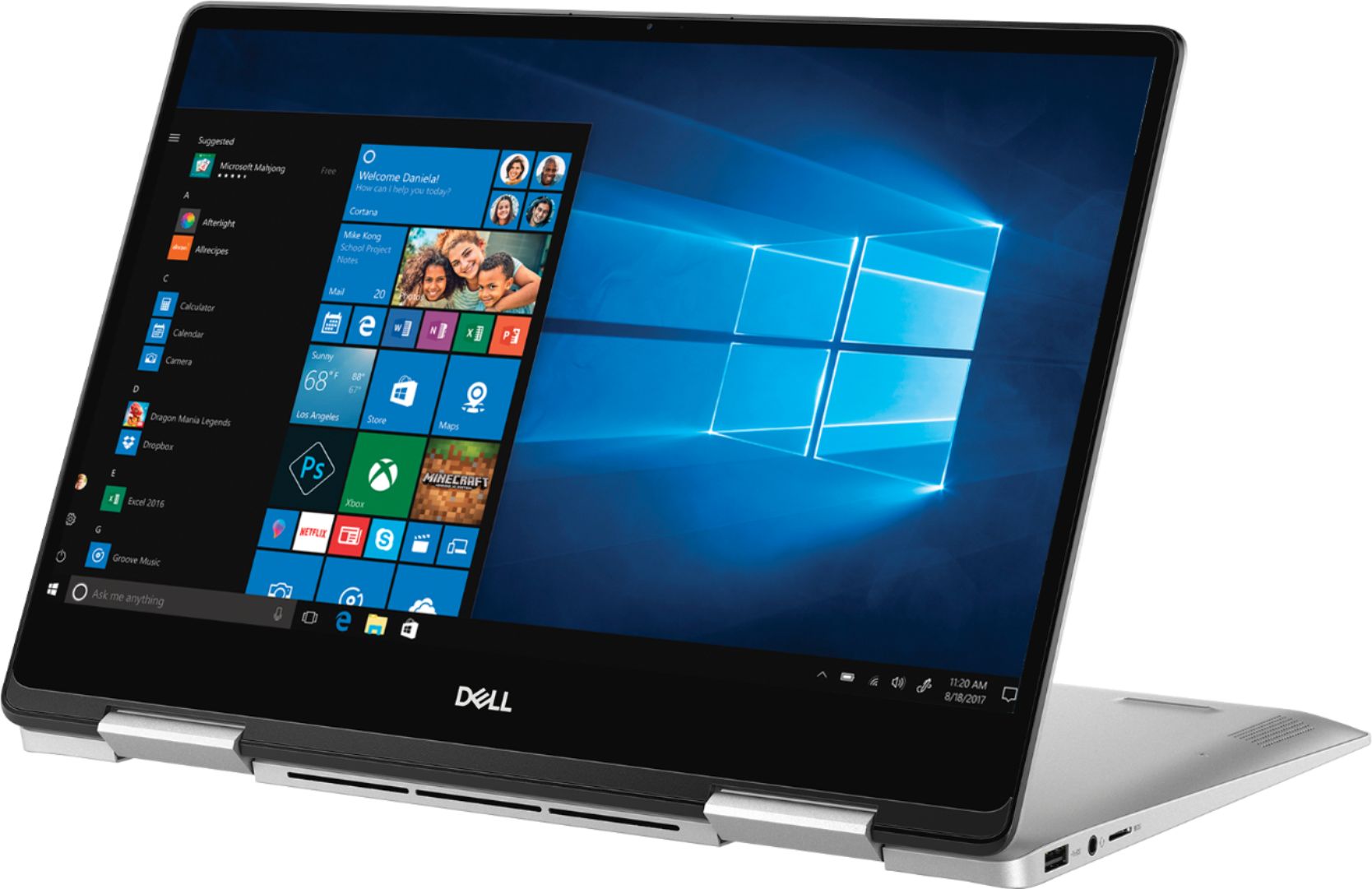
Posted .This reviewer received promo considerations or sweepstakes entry for writing a review.I've been recently searching for a laptop and decided with the HP Spectre 360. However, the HP didn't live up to its name. I stumbled across this Dell laptop and I have not been disappointed. I don't know much about computers but this laptop has not disappointed me yet. It stays nice and cool, low fan--or the fan doesn't make sounds at all (it usually makes sounds when it's updating) and its the perfect size for people who want to carry the laptop to and from (especially for college students). It can also turn into a tablet! Windows isn't downloaded so you have to get it installed. The laptop is lightweight and easy on the eyes.
I would recommend this to a friend Great laptop
Posted .This reviewer received promo considerations or sweepstakes entry for writing a review.Great laptop, I have been using same serie for five years.
I would recommend this to a friend- Cons mentioned:Battery life
It's decent but beware of short battery life!!!
Posted .This reviewer received promo considerations or sweepstakes entry for writing a review.I waited FIVE years to finally buy a personal laptop instead of using/borrowing my jobs MacBook pro and Chromebook and was excited when I purchased this product. This laptop is nice, has plenty of decent storage and runs well but I'm extremely disappointed in the short battery life. It didn't even give me four full hours before I had to charge it again :( Really wish I had read the reviews before buying since I'll be using it for work purposes overseas. I just assumed it would give me at LEAST 6 hours of web browsing which is mainly what it's used for. I've NEVER written a review for anything I've purchased but since I spent almost $1,000 (added protection plan, Geek squad etc.-thought I would have it for a long time!) it's only right to let others know about the short battery life. I miss the MacBook and never thought I'd miss the Chromebook lol but at least it lasted more than four hours.
No, I would not recommend this to a friendBrand response from YourDellTeam
Posted .ErinM,
Thanks for your review. We're sorry to hear that your computer's battery life has not been lasting as long as you hoped it would. We'd recommend the following tips to help your computer's battery last longer:
Change the Power Plan:
1. On the notification area of the taskbar, right-click the Battery icon.
2. On the options list, click Power Options.
3. Select a power plan on the battery meter, such as Power Saver or Balanced. Windows 10 has a built in 'Battery Saver' mode that can be activated to extend your system's battery life. The Battery Saver mode will monitor and limit background activity and other features such as push notifications. You do have the option to enable or disable this mode within settings or within advanced Battery Saver settings, you can customize the mode to best suit your needs.
a) Click on the Action Center icon in the taskbar and select the tile for Battery Saver.
b) If running Cortana then type Battery Saver into the search box and select from the results.
Within the Battery Saver settings page, you will be able to turn on and off the feature and customize the feature to best meet your needs.
c) Turn Battery Saver On or Off.
d) Additional settings available via the Battery use and Battery saver settings links.
e) Battery use shows further info on apps and their power usage.
f) Battery Saver Settings screen allows you to customize further Battery Saver feature.
You can read the full article here - http://dell.to/2vfXWf4.
Best,
Bryan
1-800-624-9896
Very good laptop
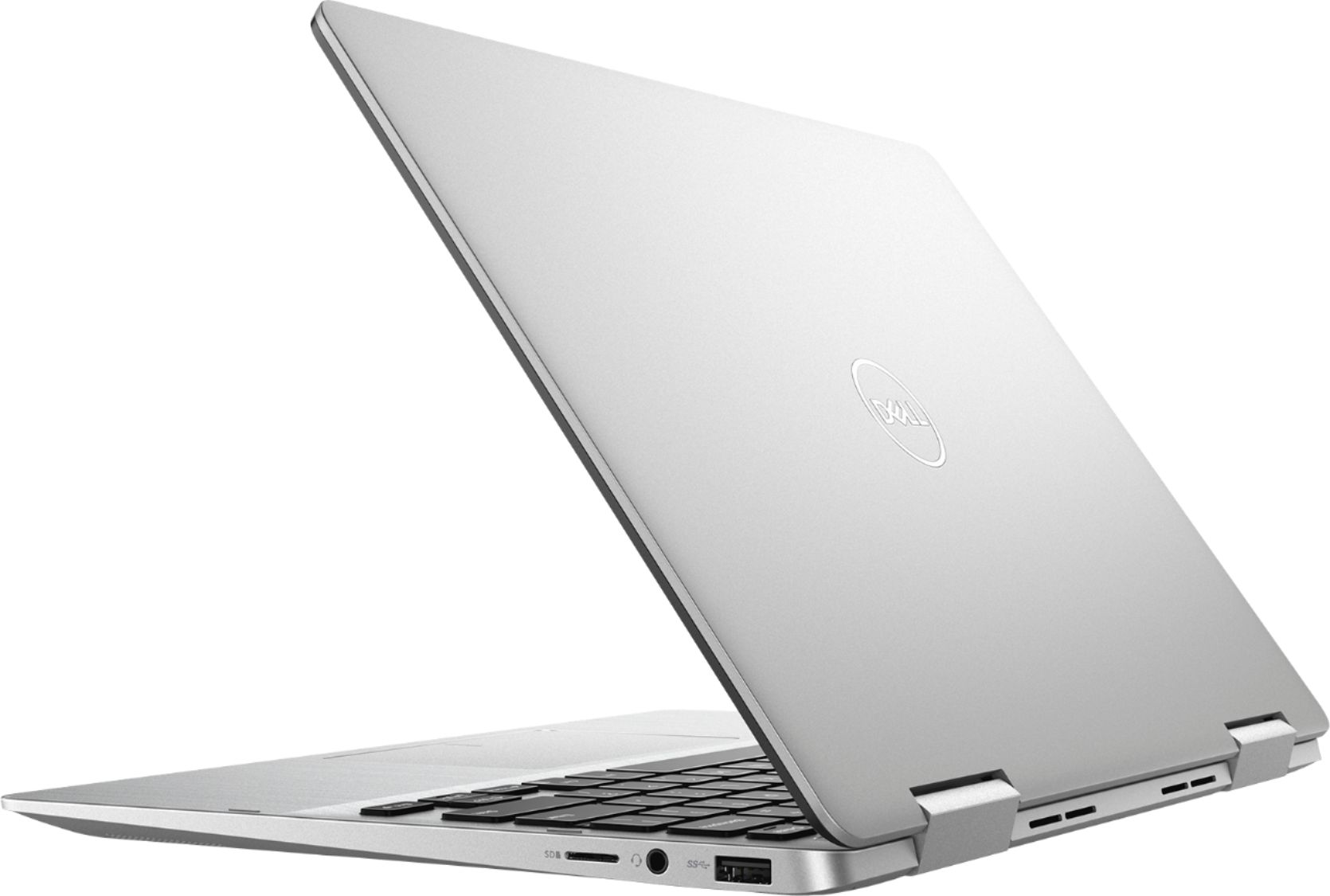
Posted .This reviewer received promo considerations or sweepstakes entry for writing a review.Nothing really negative to say about this laptop. I’ve had it for few weeks and so far, so good. I only wish there was more than one USB 3.0 Type A port. It comes with one of each (USB 3.0 Type A, USB 3.1 Type C and HDMI). I’ll need to purchase a USB hub for a few extra ports (not a big deal). I’m using this as my second home PC and have it connected to a Monitor, Key board and mouse, so there are no empty slots for a thumb drive. It’s nice to have two screens in extended monitor mode. Connecting to my home Network to see my other desktop system was a breeze. Next purchase will be a USB DVD drive (another reason for an extra USB port). I’m not concern with all the reviews that talk about poor battery life, as mine is plugged in 80% of the time. For me, 5 hours of battery life during a flight is fine. Over all, it's a very good laptop. I'm thinking of purchasing a second one for my son.
I would recommend this to a friend- Pros mentioned:Price
Solid Computer
Posted .This reviewer received promo considerations or sweepstakes entry for writing a review.Great computer with great specs for a reasonable price.
I would recommend this to a friend - Cons mentioned:Fan noise
Good but bad habit?
Posted .This reviewer received promo considerations or sweepstakes entry for writing a review.I got this laptop about a month ago, maybe more. At first it was great, very smooth and all. But now, my audio is making this cracking sound when I play YouTube or something. The fan is extremely loud and embarrassing with just 3 tabs open. Maybe a 2 weeks ago, this would have been a 5 star, but this laptop is already giving me problems in this short period of time.
No, I would not recommend this to a friendBrand response from YourDellTeam
Posted .Rhaina,
Thanks for your feedback on your laptop. For the audio quality we'd recommend checking to make sure that all of your software and drivers are up to date here: https://dell.to/2SNPOPn.
For the fan noise we'd recommend updating the BIOS on your computer:
An out-of-date BIOS can cause loud fan noises by having an outdated temperature table for the system. Refer to update BIOS and follow the instructions to update the BIOS on your computer. You can also follow up with our Technical Support Team here - 1-800-624-9896.
You can read the full article here - http://dell.to/2ENlXfz.
Best,
Bryan
1-800-624-9896
- Cons mentioned:Battery life
BATTERY LIFE
Posted .This reviewer received promo considerations or sweepstakes entry for writing a review.Battery life is not good. I need to keep on charging to keep it open longer. It doesn’t last long. it feels like i have it in a long years or been using it for hour many hours. I only used like a week to watch at night for less than 2 hours then after that i need to chrge it every now and then. i bought it 2019 just reviewing now when i opened this account
No, I would not recommend this to a friend Perfect 13inch laptop
Posted .This reviewer received promo considerations or sweepstakes entry for writing a review.This is new model, released about month ago and has better features than older I7373-5558GRY-PUS. Comes with IPS screen, very latest i5 - 8265U chip, silver finish and higher model wifi card.
I would recommend this to a friendBest Laptop for the Money
Posted .This reviewer received promo considerations or sweepstakes entry for writing a review.I first purchased a cheaper version of this with a AMD processor, after countless blue screen errors and shutdowns I decided to return it and spend the extra 200 dollars for the Intel. I am not a tech and this is for home use but my opinion is this pc is close to perfect. The SSD makes it lightning fast at startup also very easy to setup. Highly recommend
I would recommend this to a friend- Cons mentioned:Fan noise
Looks good but the fan is noisy
Posted .This reviewer received promo considerations or sweepstakes entry for writing a review.I just purchase the laptop and it seems pretty good but I don’t like the noise from the fan. I think it will be the reason I will need to return it. If it’s any means or help I can get on how to eliminate the noise then I can see how best I can works with it. I will be happy to hear from a agent ASAP.
No, I would not recommend this to a friendBrand response from YourDellTeam
Posted .Shad,
Thanks for your feedback about your laptop. If you'd like to cut down on the fan noise, we'd recommend that you update your computer's BIOS here:
An out-of-date BIOS can cause loud fan noises by having an outdated temperature table for the system. Refer to update BIOS and follow the instructions to update the BIOS on your computer. You can also follow up with our Technical Support Team here - 1-800-624-9896.
You can read the full article here - http://dell.to/2ENlXfz.
Best,
Bryan
1-800-624-9896
- Cons mentioned:Battery life
its ok
Posted .This reviewer received promo considerations or sweepstakes entry for writing a review.battery died after only 2 years but works well for my teenage daughter
I would recommend this to a friend