Customer Ratings & Reviews





- Model:
- i7420-7976SLV-PUS
- SKU:
- 6504381
Rating by feature
- Battery Life
Rating 4.5 out of 5 stars
- Speed
Rating 4.7 out of 5 stars
- Display
Rating 4.7 out of 5 stars
Customers are saying
Customers often highlight the Inspiron 2-in-1's impressive performance, responsive touchscreen, and ease of use. Its lightweight design and good battery life are also frequently praised, making it a portable and convenient option. While some users noted the fan can be noisy at times and the speakers could be improved, the overall experience is largely positive. Many appreciate the value for the price.
This summary was generated by AI based on customer reviews.
- Pros mentioned:Touch screen, Weight

A Solid, Decent Laptop
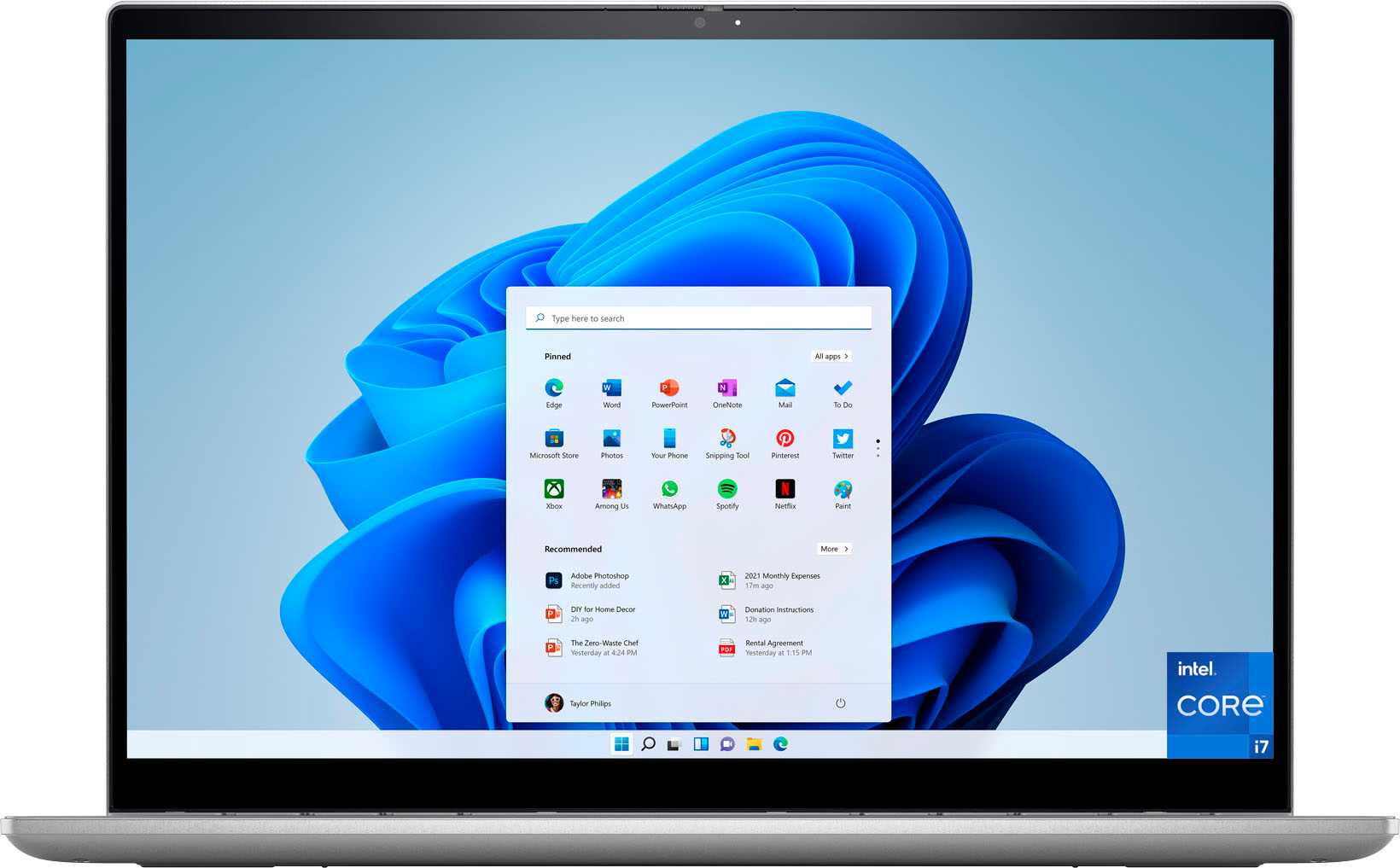
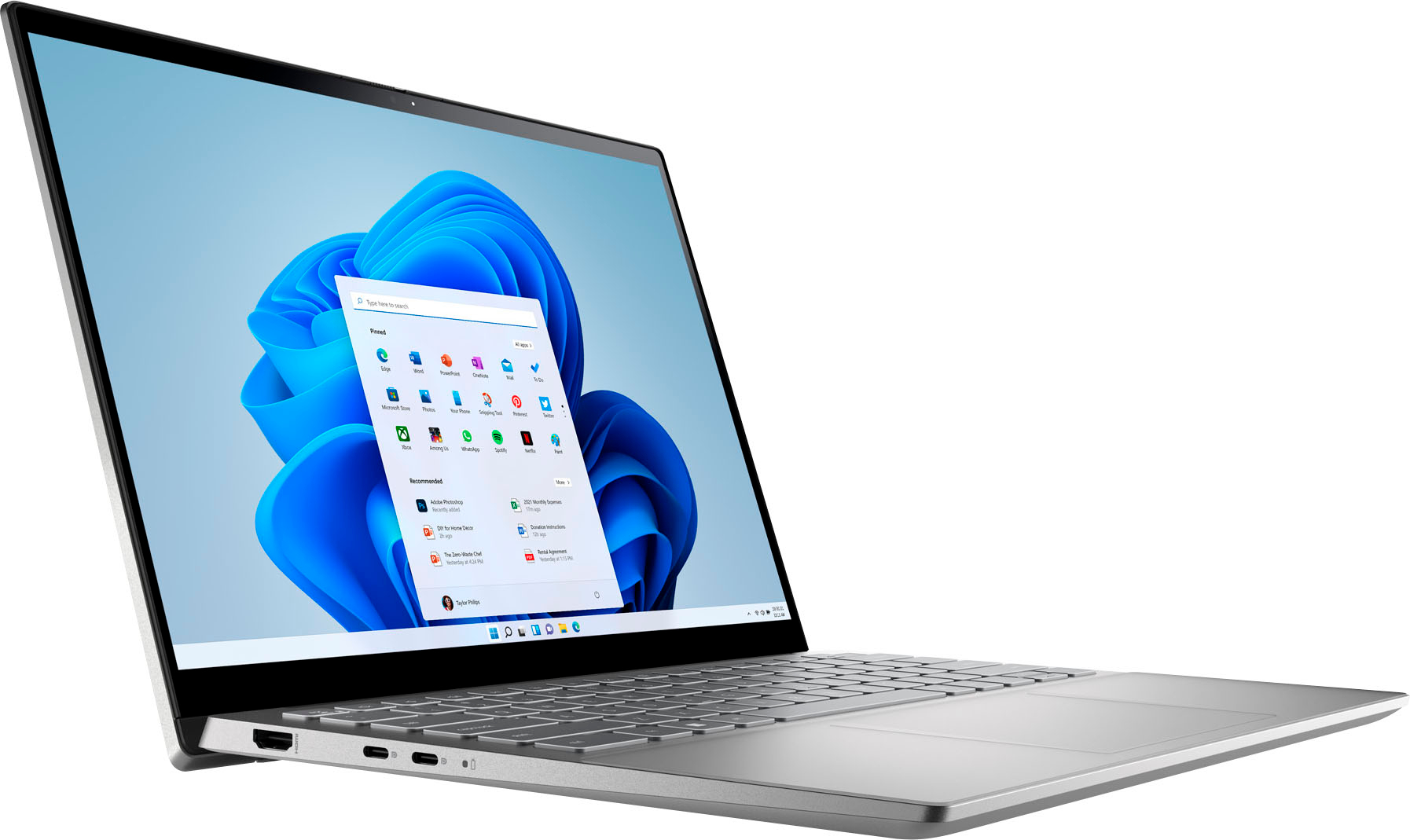
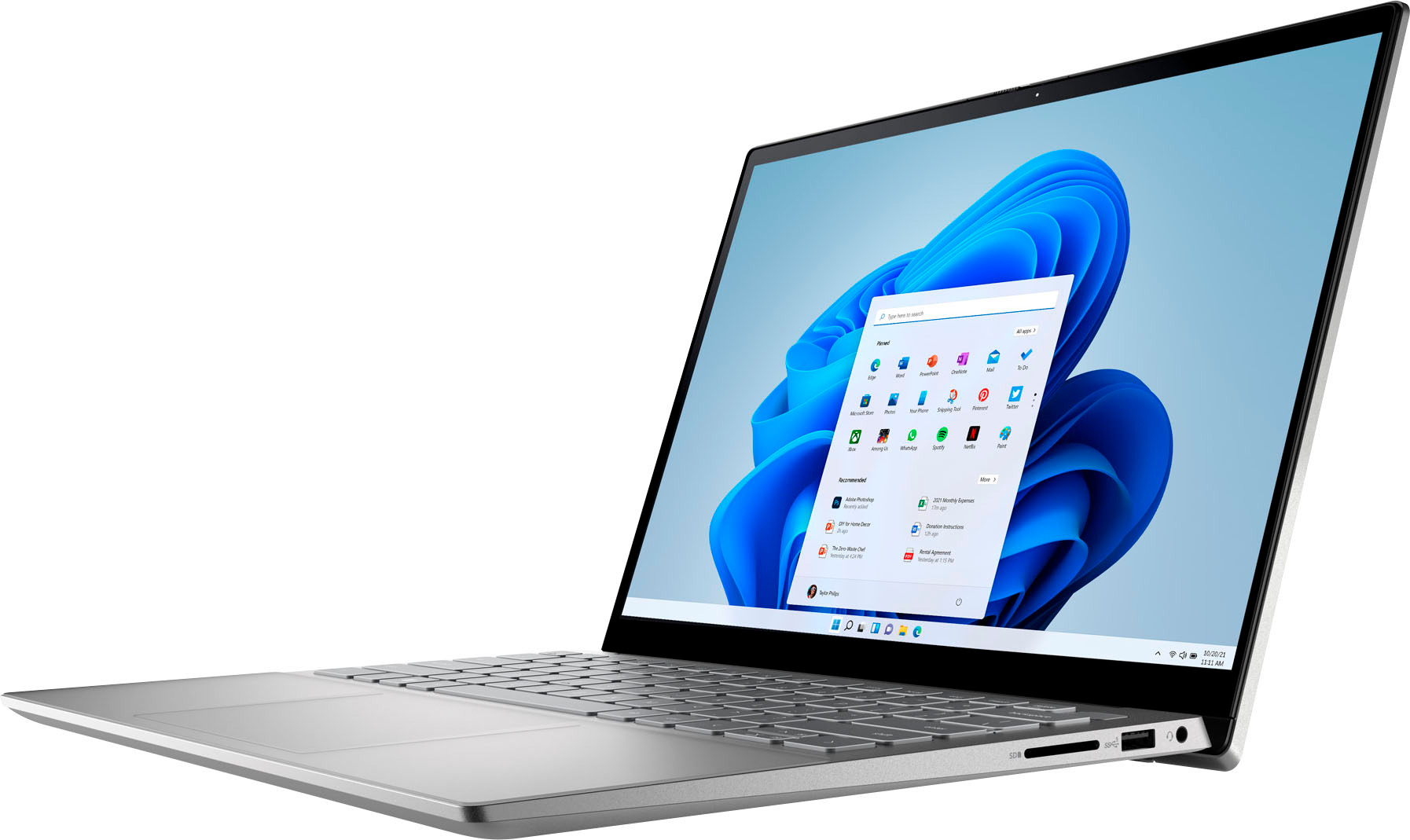
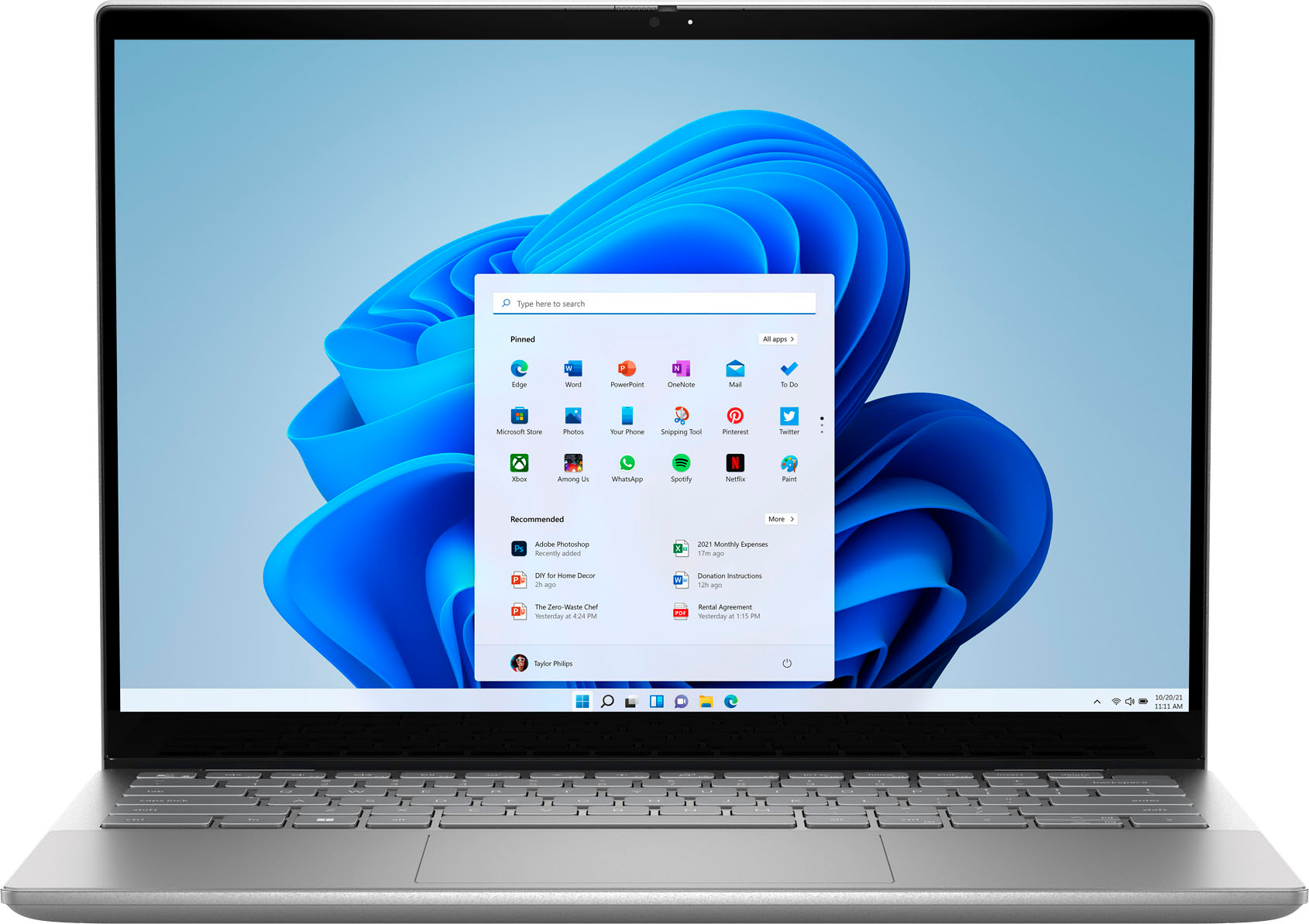
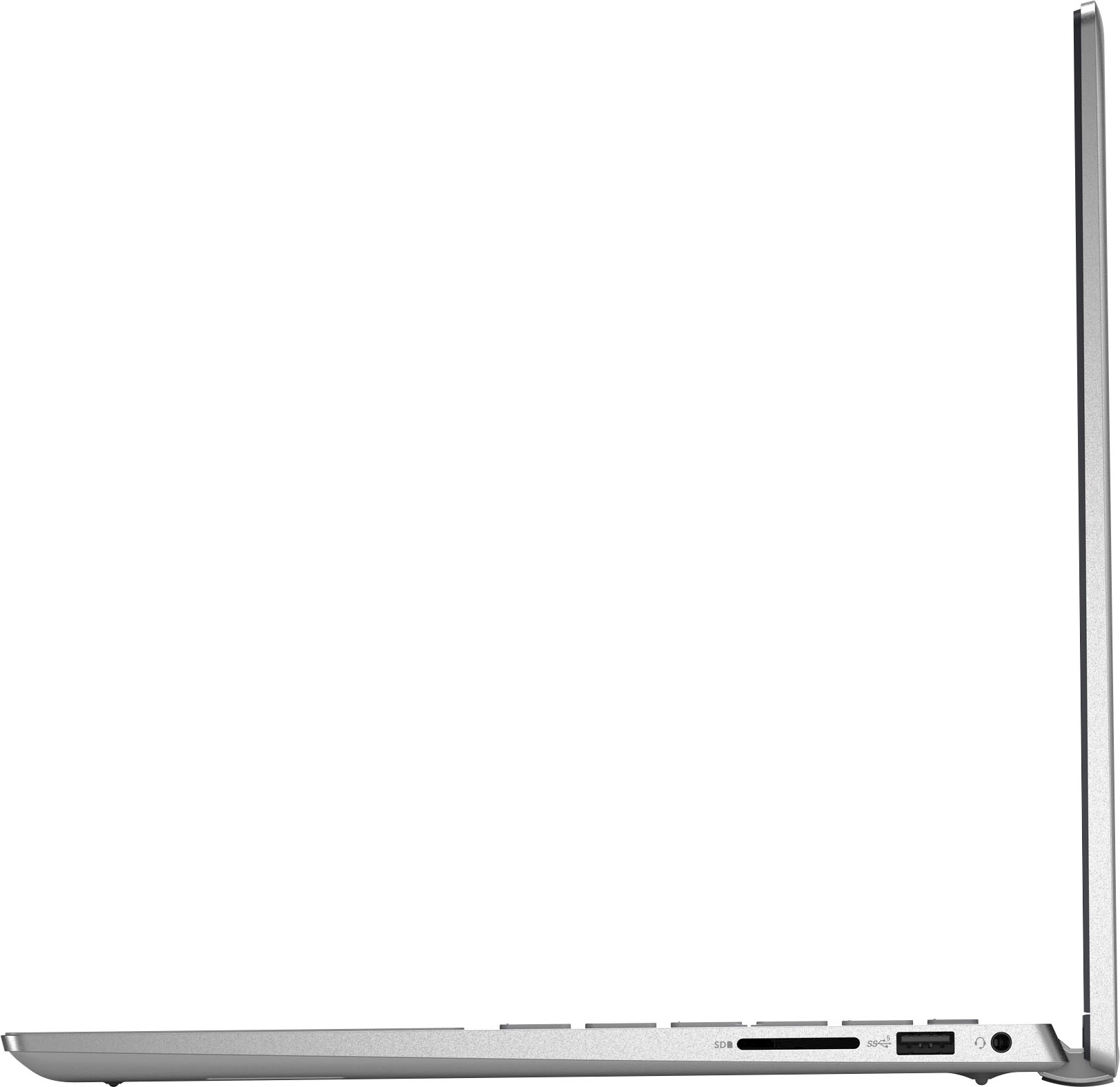
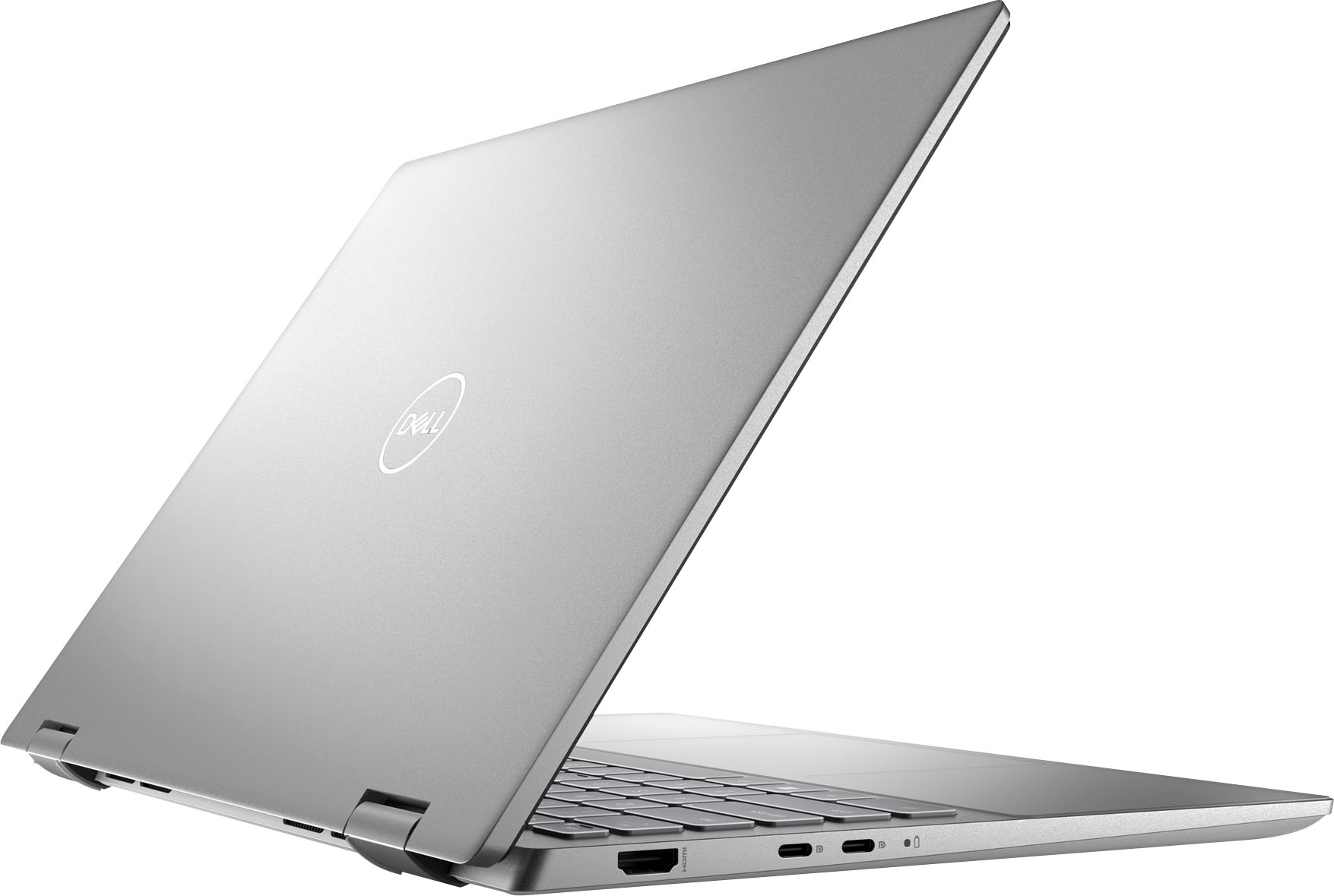
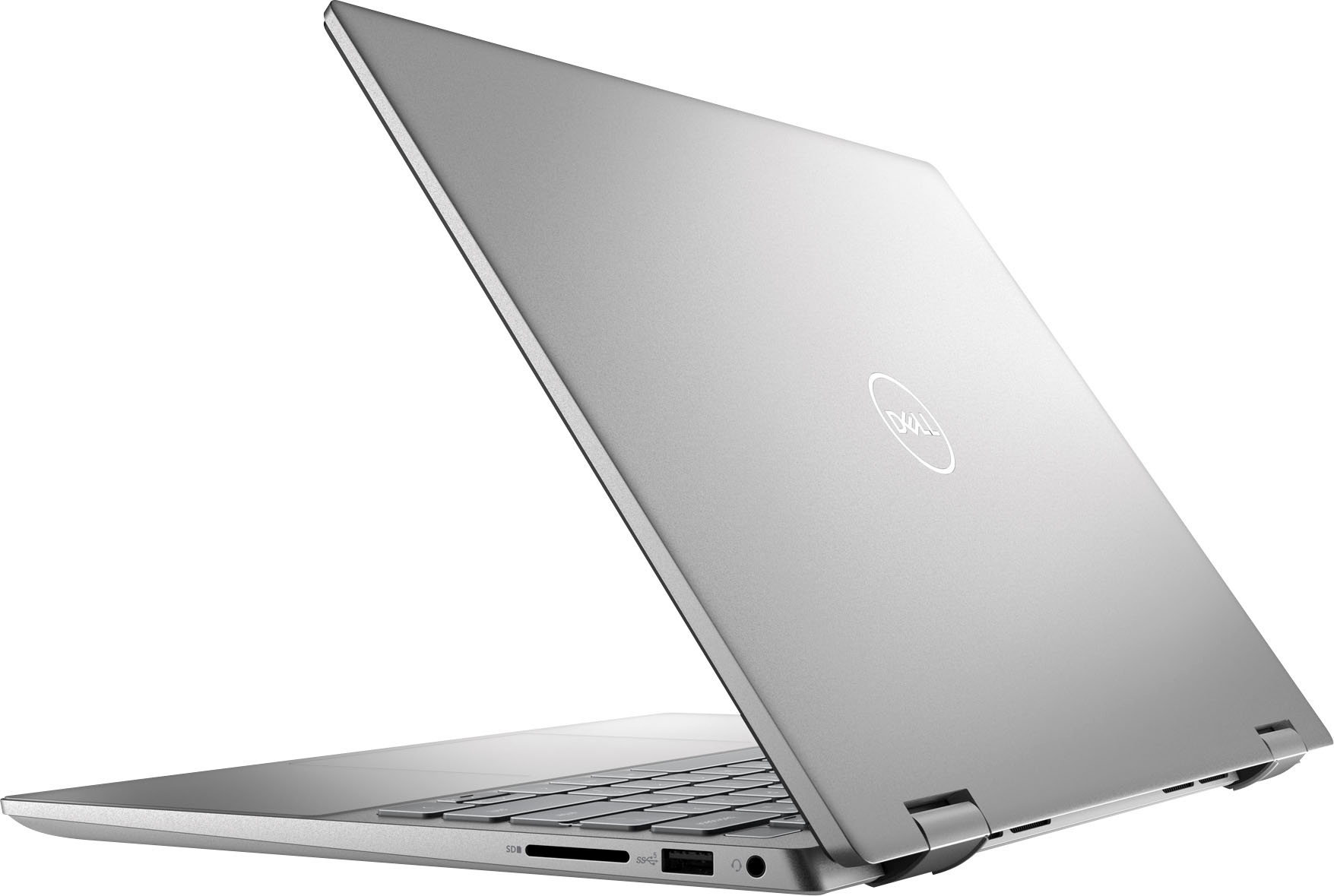
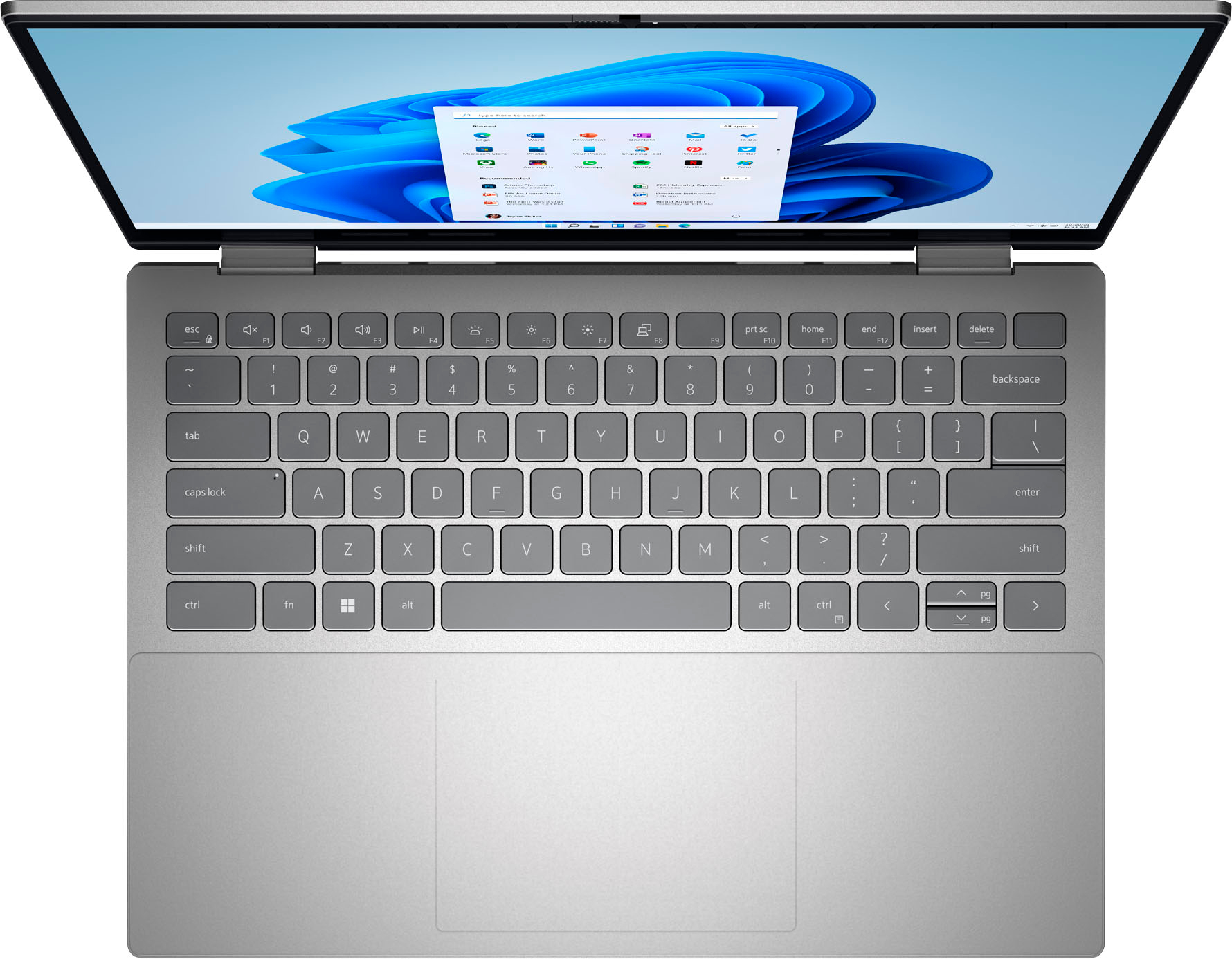
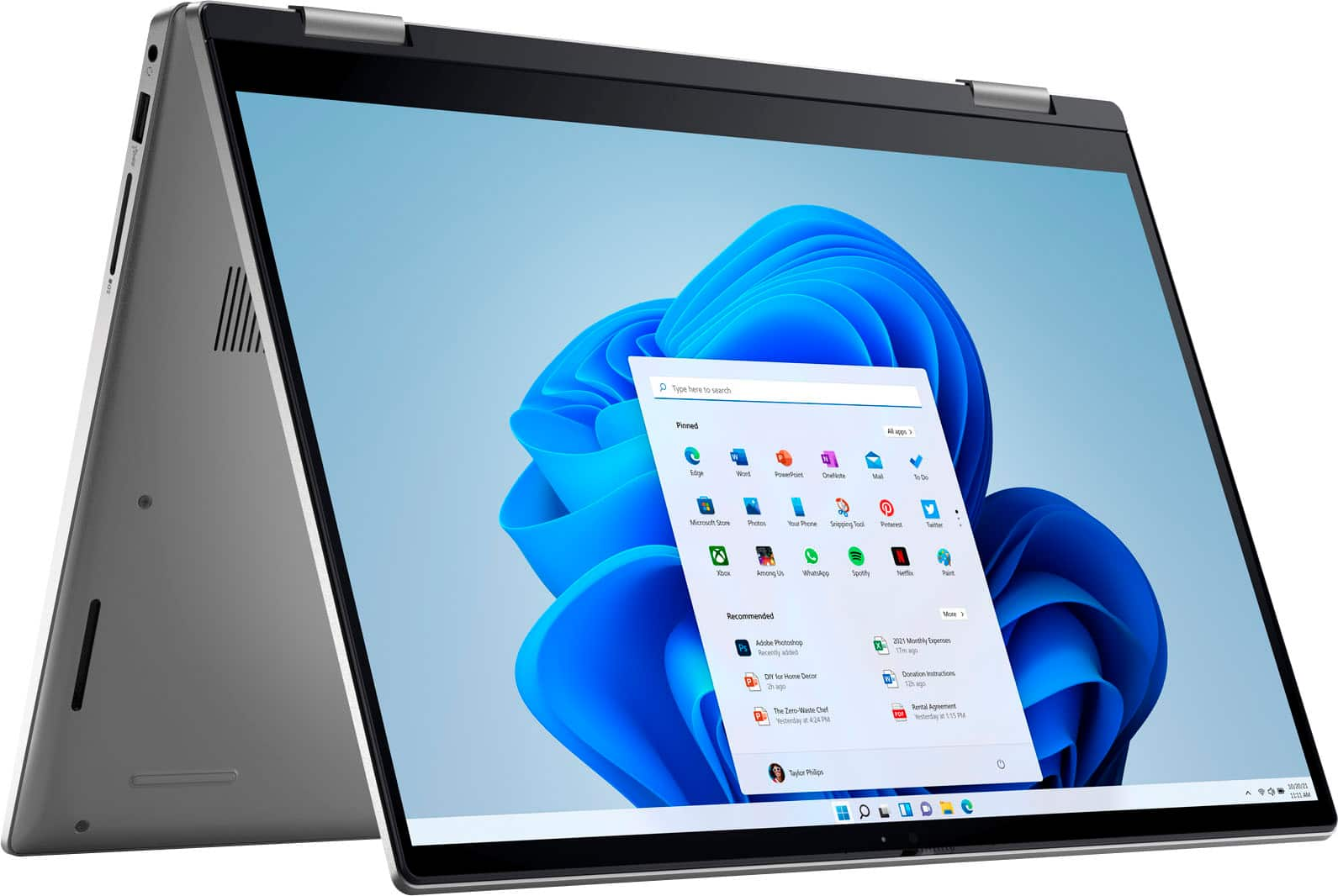
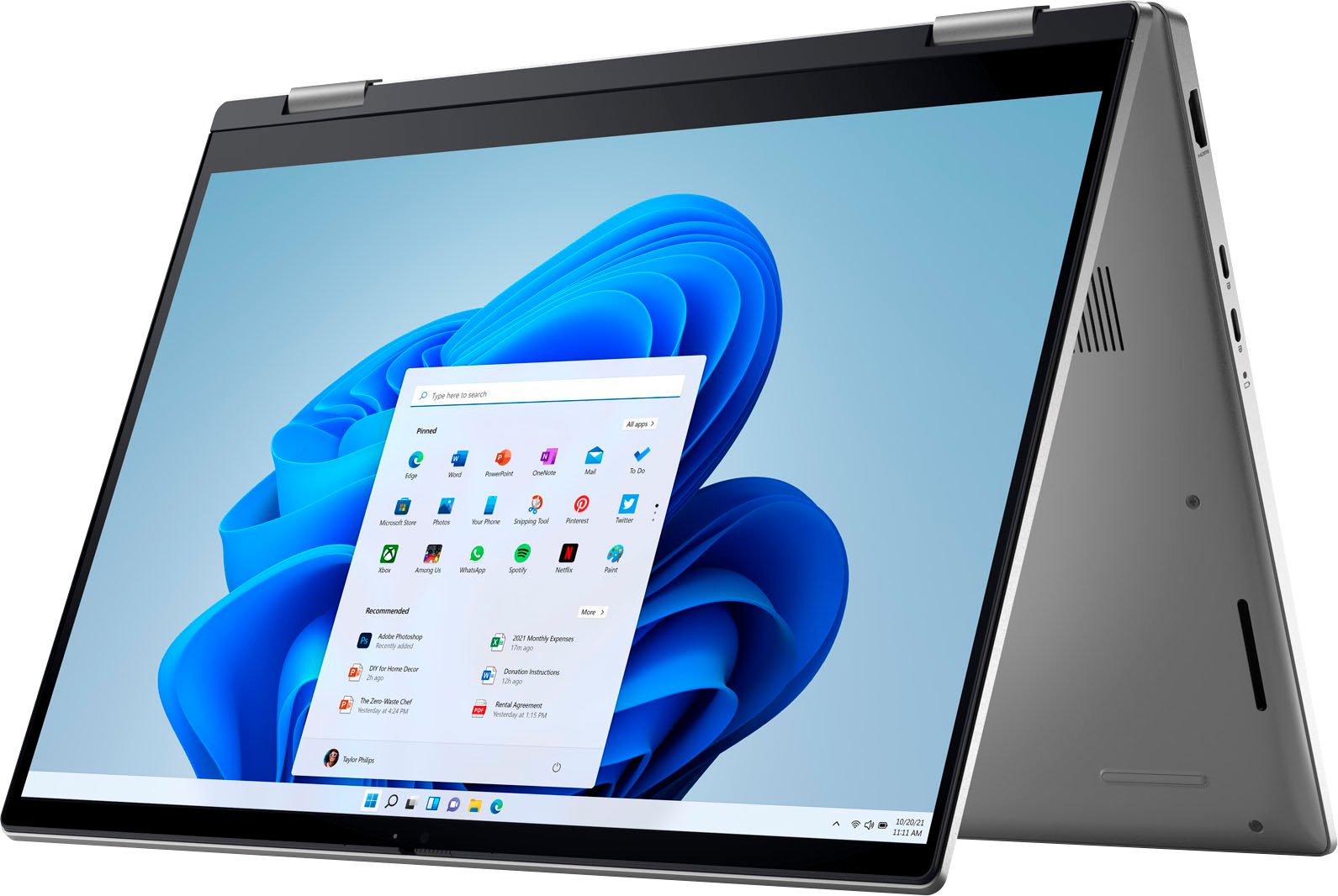
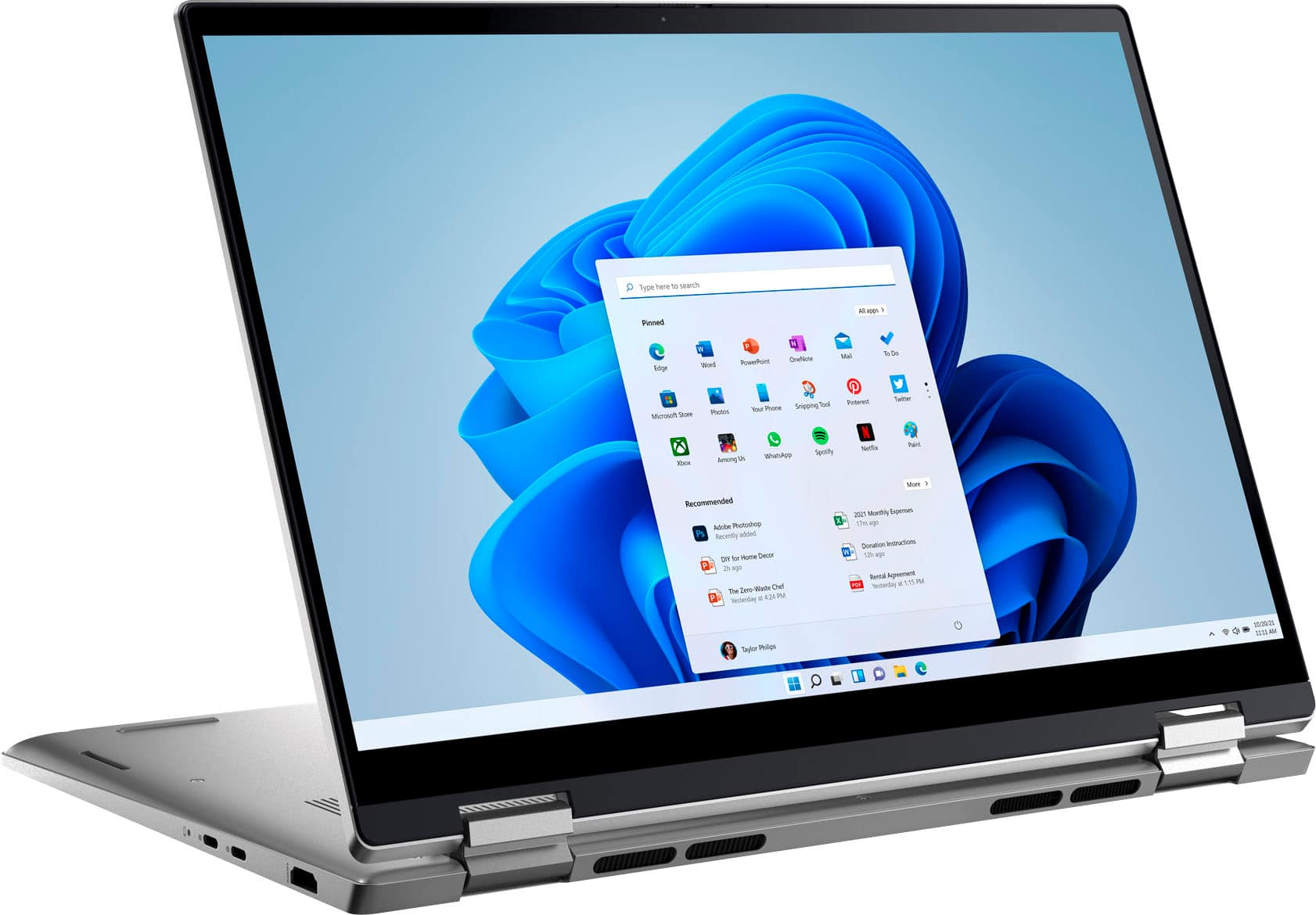
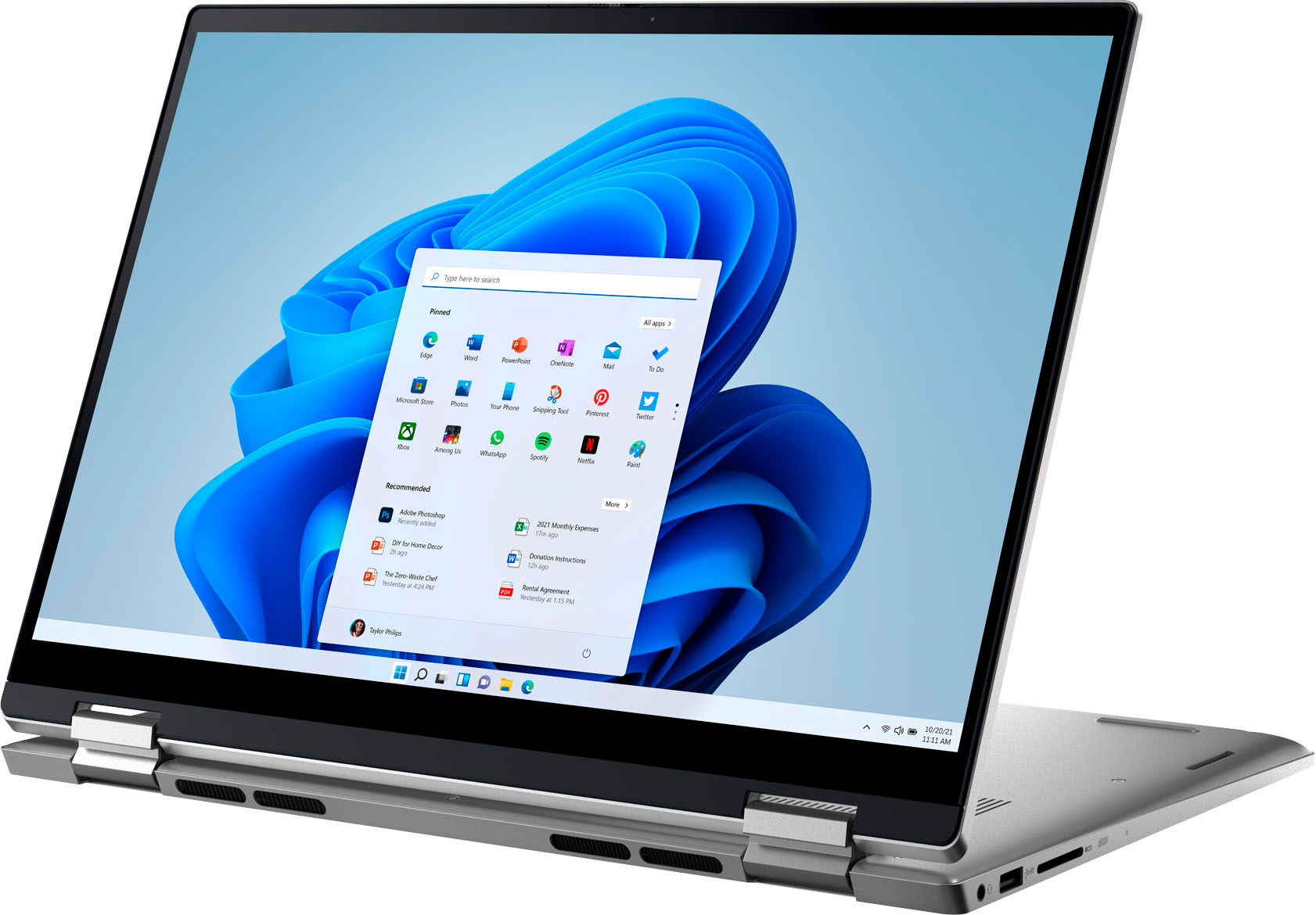
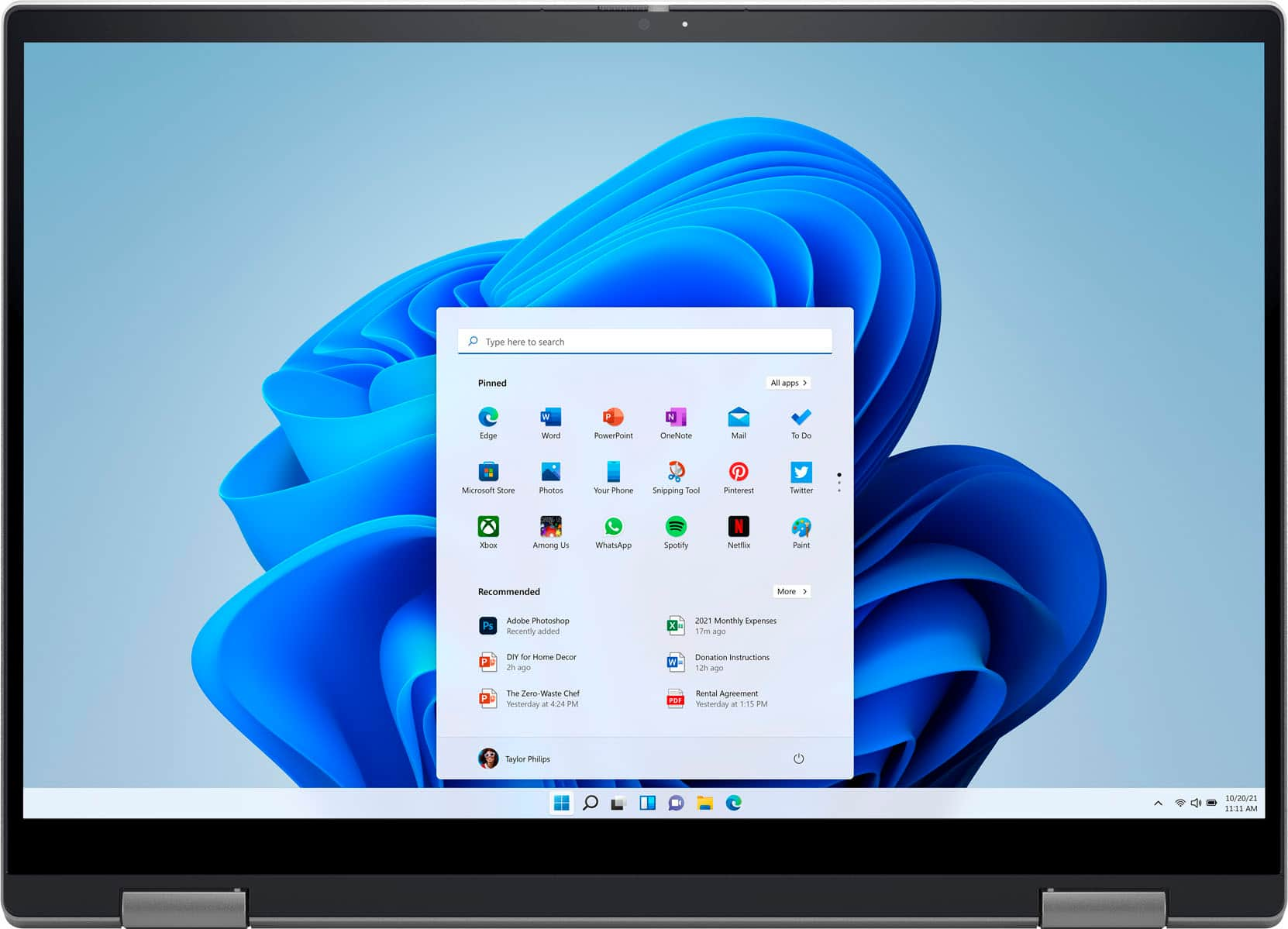
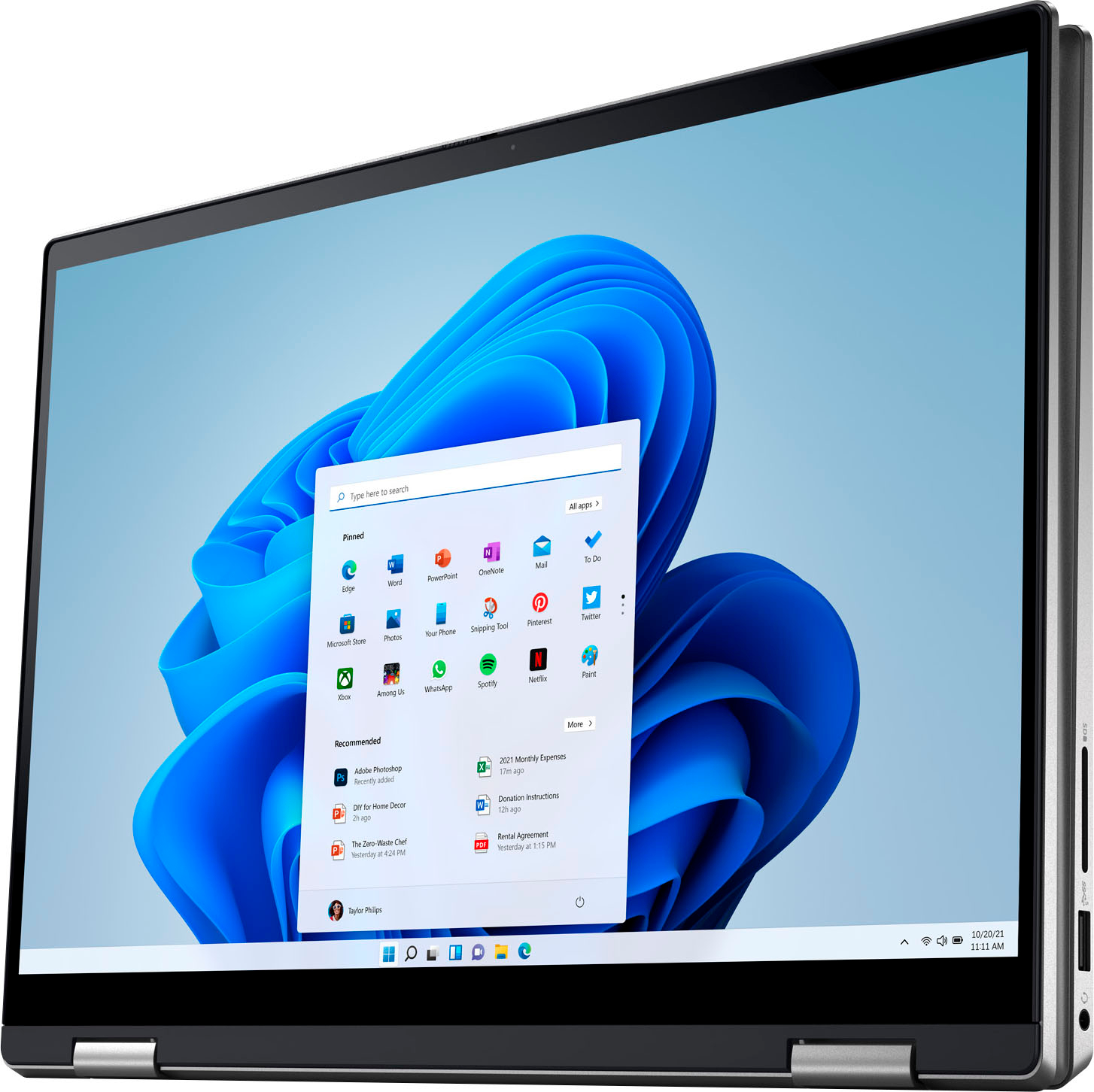
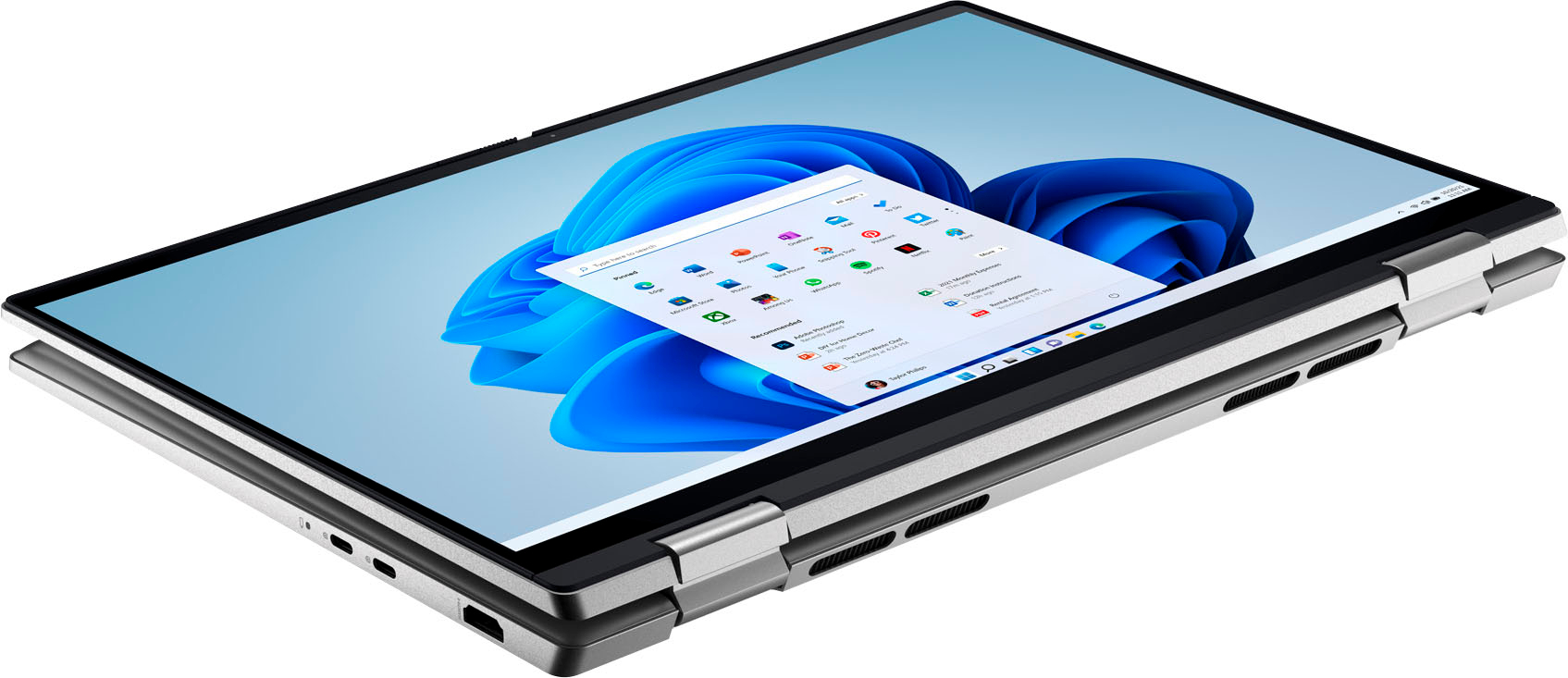
|Posted .This reviewer received promo considerations or sweepstakes entry for writing a review.I have a long history with Dell computers, going back to the first desktops in the 1980s. When laptops became the computing device to have, my university entered into an agreement with Dell, so I used them for work for a couple of decades. I have always found them to be solid, reliable computers, and the model that I am reviewing, the Inspiron 14 7420 2-in-1 is no exception. My preference for laptops is that they be thin and light, easy to carry along on trips. The Dell Inspiron 14 7420 is not bad in this category. The company lists it as 1735 grams, but my home scale says it weighs in at 1656 grams, and I'll use that figure to compare to other laptops I've recently owned. It is not as light as my favorite laptop of all time, a 14" HP Spectre at 1271 grams or its successor, a 13" HP Spectre at 1247 grams. But much lighter than the ASUS Zenbook Flip 15 at 1993 grams. These are all i7 processor, touchscreen, tablet-convertible laptops with slightly different screen sizes. The Dell Inspiron does hit a sweet spot with a reasonably large screen (although I would not use any of these laptops as tablets--they are just too bulky) at a relatively light weight. Like the HPs, it copies the silver appearance of a MacBook, much more attractive than the ASUS gray. In my view, brand-new computers should boot up very quickly, as they have not yet been filled up yet with a bunch of apps that hog CPU space and memory. The Dell Inspiron 14-7420 was not particularly speedy in start-up. In fact, it felt sluggish from the moment I pressed the ON button (which I finally figured out is a blank key in the upper right of the keyboard, below a sticker with a fingerprint). (The fingerprint reader took a while to set up, but once set up, it worked well.) The screen was black for quite a few seconds, and I could not tell if it had been turned on. Later I noticed that a tiny dot of white light appears on the caps lock key when the laptop is powered on but before the screen lights up. Boot-up continued to be slow, but I think this was due to the usual Windows processes culprits. After using the laptop for a while and installing updates, the machine ran more quickly on subsequent boot-ups. Like all computers, the Inspiron 14 contains some built-in Dell software such as CinemaColor, Customer Connect, Digital Delivery, Support Assistant, Dell Update, and MyDell. Although some of these processes beg you to use them until you do or say no, I don't think they are unreasonable bloatware. Each has a useful purpose. However, I immediately deleted the trial versions of McAfee and MS Office. The built-in Windows protection makes the expensive McAfee unnecessary, and my work provides MS Office tools. Of course there are free alternatives to MS Office as well. I normally use an external mouse instead of a laptop's touchpad, but I could see using the excellent touchpad on the Dell Inspiron. It is large and responsive, and in some ways works better than my Bluetooth mouse. One super-nice feature of this laptop that is not included in many modern laptops is a built-in HDMI port. Much more convenient and reliable than a dongle. A surprise port is an SD slot. I rarely use that media anymore, but it's nice to know it is there. There is also one USB 3.2 Type A Port on the right side of the laptop and two USB 3.2 Type C Ports on the left side of the laptop (one of which must be used for the AC power supply). I wish that laptop manufacturers would place one USB C port on each side of my laptops, as Murphy's Law guarantees that your AC outlet will always be on the opposite side of the side the two USB C ports are on. I put the screen through some video and color tests and the speaker system through some audio tests, and everything looked and sounded fine. In fact, the sound was a little richer than the sound on other laptops I have owned. All in all, as is typical for Dell computers, the Inspiron 14 is a very solid machine, a good choice for a medium-priced laptop.
I would recommend this to a friend System
||Posted . Owned for 9 months when reviewed.This reviewer received promo considerations or sweepstakes entry for writing a review.At first use chrash system and didn't work so, recommended to buy a separate insurance for this one.
No, I would not recommend this to a friendBrand response from YourDellTeam
Posted .Hi MariaR,
We appreciate you taking the time to leave us your review. We sincerely apologize for the crashing issues that you are experiencing with your Inspiron touch laptop. It's important for us to hear about inconsistencies in our products for consideration of future development. Below I have provided troubleshooting instructions with the full article that can help resolve this issue.
Here are the steps to help resolve your crashing issue:
1. At the desktop, click the Search the web and Windows box and type "problem reports".
2. Select View all problem reports viewing a list of errors that have occurred on your computer and possible solutions for them, such as updating drivers, flashing your system BIOS, or checking for updates to the software.
3. Under the Source column, look for Windows and under Summary, look for Shut down unexpectedly.
4. Right-click the line item and select Check for a solution.
We'd also suggest checking to make sure that your software and drivers are up to date on Dell's Product Page here: https://dell.to/3khR75H
You can read the full article on solving PC crashing issues here: http://dell.to/2u98Cct
If you still experience any issues after you have finished troubleshooting your device using the steps above, please reach out to us at: https://bit.ly/DellSupportTeam.
Chat or call: https://bit.ly/DellSupportTeam
Phone number to Dell: 1-800-624-9896
Best,
Summer@Dell
Rip-off
||Posted . Owned for 3 weeks when reviewed.This reviewer received promo considerations or sweepstakes entry for writing a review.Mic is busted after a month. Tons of bugs, my IT people want me to throw it in the trash. I wish I could return it.
No, I would not recommend this to a friendBrand response from YourDellTeam
Posted .Hi HetinderG,
Thank you for taking the time to leave a review of your Inspiron 7420. We are sorry to hear that your microphone busted. That is not the type of feedback we like to hear from our customers, or they type of product Dell intends to deliver. We have noted the details of your statement and will use them to improve current and future products. If you need further assistance I have provided the toll-free number and chat link below.
Should you need further assistance; we recommend that you contact Dell directly with the information below.
Chat or call: https://bit.ly/DellSupportTeam
Phone number to Dell: 1-800-624-9896
Best,
Summer@Dell
Dell Inspiron
||Posted . Owned for 3 weeks when reviewed.This reviewer received promo considerations or sweepstakes entry for writing a review.Hardware and screen issues in the laptop.so I feel Dell laptop quality is going bad day by day
No, I would not recommend this to a friendBrand response from YourDellTeam
Posted .Hi There AdnanS,
Thank you for taking the time to leave a review of your Inspiron 7420. We are sorry to hear that you are experiencing an issue with your hardware and screen. That is not the type of feedback we like to hear from our customers. We would love to help you resolve your issue but will need a little more information. Below I have provided the toll-free number and chat link to reach a member of our support team at your convenience.
We recommend that you contact Dell directly with the information below if you need further assistance.
Chat or call: https://bit.ly/DellSupportTeam
Phone number to Dell: 1-800-624-9896.
Best,
Summer@Dell
- Pros mentioned:Speed
Good performing laptop, terrible case design
|Posted .This reviewer received promo considerations or sweepstakes entry for writing a review.GOOD - User upgradeable SSD and RAM - Still has HDMI and USB-A ports BAD - Sharp edges and corners on case In terms of hardware and computing performance, there's not much to say on this particular Inspiron. It's a 12th-gen i7 mobile CPU, 16GB of RAM, and a 512 GB NVMe drive. So it's snappy and more than adequate for just about anything you'd want a laptop for. Really, most people would be more than well served with the less expensive i5 model. To make things better, the bottom shell is easily removed without special tools and both the RAM and M.2 drive can be upgraded ( 2242 and 2280 length drives ). The integrated graphics are enough for light gaming if you really want to, but gaming is certainly not what this laptop is designed for or marketed toward. The display is nice quality and is 1920 x 1200 resolution. Usually I love 16:10 displays because they're more conducive to productivity work, though on a 14" screen that's not really going to happen much. Thankfully, Dell left a full-size HDMI port for ease in connecting external displays ( along with two DisplayPort enabled USB-C ports ). The keyboard is backlit, which I consider a must these days, but I'm not a fan of the power button location. It's on the top right corner of the keyboard, which moves the Delete key one space to the left from it's familiar corner. Other general features are one USB-A port for legacy device ease and an SD card slot, which Dell still puts on just about every machine they make. In terms of fit and finish, I think Dell has taken a few steps back, unfortunately. The case has a lot of sharp edges on it. Nothing sharp enough to worry about cuts, but it's far from comfortable to carry around. The bottom plastic panel is slightly inset of the aluminum band that wraps around the edges housing the I/O ports, leaving the metal corners exposed. The fan vent ports on the keyboard half or on the hinge side, and they angle upward which helps the laptop breathe while it's open and in use. But when closed, this puts another sharp angle prominently where you usually grasp the laptop to carry it. All in all, it strikes me as a very basic laptop. Computing performance is great and usability is fine. It has better than average expansion for peripherals and external displays. Apart from some questionable calls on the external finish, there's not a lot to complain about. I do wish they would offer a model without a touchscreen ( for lower cost ) since it's ridiculous trying to use something this big and heavy as a tablet.
I would recommend this to a friend Open Box exellent, definitely not exellent.
||Posted .This reviewer received promo considerations or sweepstakes entry for writing a review.there are too many scratches. I gave it back after 2 hours drive for pick up :(
No, I would not recommend this to a friend- Pros mentioned:Performance, Weight
Great Laptop for Almost Everyone
|Posted .This reviewer received promo considerations or sweepstakes entry for writing a review.When it comes to laptops, this 2-in-1 does everything you could want, plus it doubles as a tablet. I like pretty much everything about it and think it's a great deal for a convertible laptop. As for the outside of the laptop, it's plastic manufactured to look like anodized aluminum. That likely keeps things lightweight, though it isn't as nice feeling as actual aluminum. 2 USB-Cs on the left along with an HDMI port, then USB-A, SD card slot, and headphone on the other. It's definitely well-ventilated with a grill on the bottom and large slotted vents in the rear. If you're in an especially dusty environment, this may be an issue. The hinge is exceptionally solid, in a good way. Opens to the position you put it in and holds there, not flimsy at all, which is especially important if you're using as a tablet or media player. Slight bezel surrounds the display, with a uniform panel across the whole front. The touchpad is very large and the fingerprint sensor is tiny and out of the way. Chiclet keys. As for interacting with the laptop, the keyboard is great, feels durable and keystrokes can be confidently made. I'm struggling a little with the fingerprint sensor sometimes not recognizing my finger. Probably need to re-configure and that process has been pretty straightforward. The touchpad clicking isn't quite as intuitive/responsive as I'd like, but it does the job once you get used to it. You have to push harder than normal and it does make an audible click, but something is just not exactly the way I'd like it. The multi-touch panel is great and I've been clicking there instead most of the time. Setup, charging, and performance are all great. I didn't notice anything going slower than expected, took about 10 mins to setup and update. I'd prefer manufactures not install a bunch of third-party software, but that's been the case on PC laptops for decades now. It comes with McAfee and some Dell media-playing apps, which were easy to uninstall/deactivate. I think anyone looking for something (relatively) affordable that looks great (professional) and can double as a big tablet should definitely consider this Dell laptop.
I would recommend this to a friend I hate your online service
||Posted . Owned for 1 month when reviewed.This reviewer received promo considerations or sweepstakes entry for writing a review.I hate this stupid service !!! U guys suck! !!!!!!!!!
No, I would not recommend this to a friendIt's Okay
||Posted .This reviewer received promo considerations or sweepstakes entry for writing a review.It's a good laptop to start off with.I have no issues so far.
No, I would not recommend this to a friendBrand response from YourDellTeam
Posted .Hello Valued Customer,
Thank you very much for your valued feedback. We appreciate your kind words and are happy to know you're enjoying your Dell Inspiron 7420 2-in-1 laptop.
If you come across any questions, issues, or concerns, please use the information below to contact Dell at your earliest convenience.
Best,
Katarina@Dell
Should you need further assistance, you can contact Dell directly with the information below.
Chat or call: https://bit.ly/DellSupportTeam
Phone number to Dell 1-800-624-9896
- Pros mentioned:Speed
Versatile, Quick Laptop Built for a Mobile World
|Posted .This reviewer received promo considerations or sweepstakes entry for writing a review.Target User Profile: Someone who needs a laptop that can multi-task and can be easily carried. Good for a basic gamer, or someone who does a decent amount of audio/video work, or a professional who works on several programs at the same time. If you are looking for a laptop just to watch videos, browse the internet, and check emails, you wouldn't be using this laptop to its full potential. Therefore I'd recommend looking at a less powerful processor with less RAM. Pros: -Great build quality - feels solid in your hands -Comes with built in webcam shutter/cover -Minimalist design - thin bezel/border on screen, looks very sleek and premium -Smaller footprint makes it easy to carry around. Fits perfectly in a small backpack without taking too much space -Works quietly, no loud fan noise that makes it sounds like a plane about to takeoff -Very fast - handles multiple programs, displays, peripherals without any loss in speed or efficiency. I hooked this laptop up to a wireless keyboard/mouse, USB headphones/mic, 2 monitors (1 via HDMI and 1 via USB-C), audio speaker system, and it worked flawlessly -2-in-1 design - can be placed in a normal laptop form, tablet, tent, or stand -Very thin design -Comes with fingerprint reader -Backlit keyboard -Comes with 2 USB 3.2 Type C Ports and 1 USB 3.2 Type A Port and 1 HDMI port and 1 Headphone jack Cons: -A bit heavier than I anticipated, particularly for its size/footprint -No optical drive or separate numeric keypad (though that would likely increase the size/profile of the laptop if it was included)
I would recommend this to a friend - Pros mentioned:Performance
Does what it says it will
|Posted .This reviewer received promo considerations or sweepstakes entry for writing a review.I got this laptop to replace a 4-year-old machine that was just looking a bit beat up and starting to get a bit slow. The screen was a bit smaller but that was the trade off to get the i7 instead on an i5. I like the laptop a lot and it does exactly what I wanted it to do. I have a few things to get used to, but none are a deal breaker. First thing is that the keyboard is very small to the base. There is a lot of dead space that might have been able to be used better with a different shape to the keyboard and track pad. The fingerprint reader for Windows Hello is also the power button so don't press too hard. Third was that it does not offer Windows Hello facial log in. I will miss that as it was faster than the fingerprint methods. Performance was really good and I was able to play a MMO on the highest settings that I would have used on my gaming desktop with only a few dropped frames. I will say that it maxed out at 12 fps but if I had tuned a few of the settings I'm sure I would have been back up to at least 60 fps again but it was still playable. Battery life was good, I was able to use it for normal things for about 4.5 hours before it started really complaining that it was able to shut down. I could have extended that too with a few tweaks but that was plenty of time for me. Overall, this is a solid laptop.
I would recommend this to a friend Unreliable laptop
||Posted . Owned for 2 months when reviewed.This reviewer received promo considerations or sweepstakes entry for writing a review.Bought this less than 3 months ago for a student. Within days the sound wasn’t working. Figured out how to resolve that and now the laptop keeps restarting itself and then locks you out for 2 hours. I seem to have terrible luck with laptops ed at Best Buy. This Dell is the most disappointing. I guess the Mac is the way to go. Ifeel luke i flushed money down the toilet.
No, I would not recommend this to a friendBrand response from YourDellTeam
Posted .Hi Frenchfry,
Thank you very much for your feedback. We are sorry to hear that you came across some trouble with your Dell Inspiron 7420 2-in1 laptop because first, you had problems with its audio, and now it is randomly restarting.
This is certainly not the experience that we like to hear from our customers. We will share your feedback with our quality team so that improvements can be made to our current and future products and services.
Below I have provided troubleshooting steps with the full article that can help resolve the issue with random restarts:
1. Search for Windows Error Codes.
2. Run a Computer Diagnostic.
3. Run Routine System Maintenance.
4. Update Drivers and BIOS.
5. Check Air Vents.
6. Check Safe Mode Symptoms.
7. Update Windows.
8. Uninstall, Reinstall and Update Software.
9. Look for Multiple Anti-Virus Programs.
10. Check for Malware.
11. Use System Restore.
12. Factory Install or Reinstall Microsoft Windows.
Computer restarts or shuts down intermittently, locks up, stops responding or an error occurs: https://dell.to/33Y2KFn
We also recommend that all drivers are current and updated. Please see the link below for the drivers and downloads page for your Inspiron, where you can check for any applicable updates.
Drivers and Downloads Page: https://dell.to/3QJLpaJ
If you continue to experience issues with your Inspiron, please reach out to Dell Support directly by using the information provided below for further guidance.
Best,
Katarina@Dell
Should you need further assistance, you can contact Dell directly with the information below.
Chat or call: https://bit.ly/DellSupportTeam
Phone number to Dell: 1-800-624-9896
Laptop crashes every day and multiple times a day
||Posted . Owned for 2 months when reviewed.This reviewer received promo considerations or sweepstakes entry for writing a review.Bought this for my son who has just started college as a freshman. The laptop crashes just about every day and we can't figure out why. Unfortunately we are out of warranty period. It has been a complete waste of money for us and a huge hassle for my son who can't do any of his work on this laptop.
No, I would not recommend this to a friendBrand response from YourDellTeam
Posted .Hi Toby,
Thank you very much for your feedback. We are sorry to hear you are experiencing problems with your Dell Inspiron 7420 2-in1 laptop because it is randomly crashing. This is certainly not the experience that we like to hear from our customers. We appreciate your feedback and will use it to help improve our current and future products.
Please make sure you have downloaded the latest system update from the product page and that software you are using meets all system requirements. I have provided a link to the drivers and downloads page where you can check for any applicable updates.
Drivers and Downloads Page: https://dell.to/3QJLpaJ
To help resolve the issues with crashing, I have provided a link below to help troubleshoot and resolve this issue:
1. Run a Computer Diagnostic. To determine if your computer is experiencing a hardware problem, run the Dell Preboot System Assessment (PSA) Diagnostics. For information on how to run Diagnostics, and to determine the issue, refer to Dell Knowledge Base Article: http://dell.to/2iaiujA
2. Check Safe Mode for Symptoms. To boot into safe mode, please follow the instructions below:
a) Start the computer.
b) Tap 'F8' on the keyboard immediately and every second until the Dell logo screen disappears. From there you will see the Windows Advanced Options Menu on the screen. (If the Windows Advanced Options Menu does not appear, restart the system and try again.)
c) Select Safe mode with Networking and press Enter.
d) Log on as the administrator or as a user with administrative access.
e) Open applications and test the computer in safe mode. If the symptoms exist in safe mode, please continue the troubleshooting steps in this article. If the symptoms do not exist in safe mode, the issue is likely related to a driver or software and you may wish to complete step 3 to see if you are able to resolve the lockups or freezing.
3. Check for Malware. Malware (Virus, Spyware, etc.) can definitely cause a Windows system to lock up or appear to hang. To check for malware on your system and to ensure that your computer is up to date on security software, visit Dell Knowledge Base Article: http://dell.to/2wWP1zI
The computer restarts or shuts down intermittently, locks up, stops responding or an error occurs: https://dell.to/3GX6BVf
If the issue with your computer is still not resolved after utilizing the troubleshooting options above, please contact the Dell Support Team at 1-800-624-9896 for further guidance.
Best,
Katarina@Dell
Should you need further assistance, you can contact Dell directly with the information below.
Chat or call: https://bit.ly/DellSupportTeam
Phone number to Dell: 1-800-624-9896
Bad Purchase
||Posted . Owned for 4 months when reviewed.This reviewer received promo considerations or sweepstakes entry for writing a review.Bought this laptop not knowing it had a known issue with the integrated WiFi adapter, which has not worked properly since purchased. Even after having Dell Support troubleshoot the device, there's no resolution.
No, I would not recommend this to a friendBrand response from YourDellTeam
Posted .Hey CharlesB,
Thank you for taking the time to leave a review of your Inspiron 7420. We are sorry to hear that you are experiencing an issue with your Wifi Adapter. That is not the type of feedback we like to hear from our customers. We have noted the details of your statement and will use them to help improve our current and future products. If you need further assistance we recommend reaching out to a member of our support team with the contact information provided below.
Best,
Summer@Dell
Should you need further assistance; you can contact Dell directly with the information below.
Chat or call: https://bit.ly/DellSupportTeam
Phone number to Dell: 1-800-624-9896.
- Pros mentioned:Touch screen
Versatile workflow and entertainment
|Posted .This reviewer received promo considerations or sweepstakes entry for writing a review.Compact, feature rich laptop that is ready to go wherever you want. I have used this laptop in tablet mode numerous times while in bed to watch videos and switched it back to a traditional laptop to send e-mails etc. The 14” screen is a perfect balance for work and entertainment. I enjoyed the fingerprint unlock feature since I am not a big fan of the face ID type of log in feature that is being pushed b windows now. In terms of specs you won’t find anything crazy special here but it will get the job done. You will not be gaming on here but in terms of typical productivity and entertainment you will be hard pressed to find something better. The track pad is responsive, the keyboard is well though out, the speakers are sufficient to listen to music or watch videos, and the backlit keyboard makes it very easy to work in dim conditions. In addition you can go full touchscreen/tablet mode which I enjoy using more often than I though I would like. The battery life is about what I'd expect from a laptop of this size, and the USB C charger solution is preferred. The versatility and portability is what puts this 14” notebook over the top.
I would recommend this to a friend Amazon fire laptop
||Posted . Owned for 3 weeks when reviewed.This reviewer received promo considerations or sweepstakes entry for writing a review.It was cheap but I don't like it at all. It is slow, difficult to slide the pages and cannot watch Insta videos on it. I would not buy another one or recommend it to anyone.
No, I would not recommend this to a friendBrand response from YourDellTeam
Posted .Greetings zsuzsa,
Thank you for taking the time to leave a review of your Inspiron 7420 laptop. We are sorry to hear that you are experiencing an issue with the performance of your device. That is not the type of product Dell intends to deliver or the type of feedback we like to hear from our customers. Your feedback about discrepancies in our products helps us improve with future developments. Below I have provided steps to help resolve your issue.
Here are the steps to help you with slow performance issues:
1. Run the automated tools in SupportAssist to ensure that the drivers are up to date and your computer is optimized.
2. Restart the computer
3. Run a hardware diagnostic test
4. Scan your computer for malware
5. Restore the computer using Windows System Restore
6. Restore the computer to factory default settings
You can read the article that can help you with slow performance issues here: https://dell.to/3yqre8r
Should you need further assistance; we recommend that you contact Dell directly with the information below.
Chat or call: https://bit.ly/DellSupportTeam
Phone number to Dell: 1-800-624-9896.
Best,
Summer@Dell
Wasted money and time
||Posted . Owned for 1 week when reviewed.This reviewer received promo considerations or sweepstakes entry for writing a review.Purchased 12/22/2022 and it crashed this morning. "HARD DRIVE NOT INSTALLED" now it will not do anything but light up the key board, no screen activity or nothing.
No, I would not recommend this to a friendBrand response from YourDellTeam
Posted .Hey There IHS93,
We value your feedback and want to thank you for taking the time to leave a review of your Inspiron 7420. We are sorry to hear that you are experiencing an issue with your system crashing. We have noted the details of your system and will use them to improve current and future products. Below I have provided a troubleshooting link to help resolve your issue.
System Troubleshooting Link: https://dell.to/3fXlNqd
Should you need further assistance; we recommend that you contact Dell directly with the information below.
Chat or call: https://bit.ly/DellSupportTeam
Phone number to Dell: 1-800-624-9896.
Best,
Summer@Dell
Sound stopped working one month in
||Posted . Owned for 1 month when reviewed.This reviewer received promo considerations or sweepstakes entry for writing a review.Sound stopped working one month into having this laptop. Brought it to Geek Squad and they can’t figure it out so they’ll need to ship it out for repairs which will take several weeks. It’s really unacceptable since this is needed for school work. Highly disappointed.
No, I would not recommend this to a friendBrand response from YourDellTeam
Posted .Hello Tgal,
We appreciate you taking the time to leave us your review. We are sorry to hear about the audio issues you have come across with your Dell Inspiron 7420 laptop because the audio stopped working only after a month of owning this laptop. We apologize that the repair will take a few weeks. We understand how frustrating this could be. We will share your comment about this issue with our quality team so improvements can be made now and in the future.
For your reference, I have provided the steps to run the Microsoft Sound Troubleshooter. I have also included the full article link that has more options if they are needed. We also suggest making sure the audio drivers are up to date on your PC. I have given you a link to the Drivers and Downloads page for your computer below so you can check for and do any applicable updates.
How to run the Windows Sound Troubleshooter in Microsoft Windows 10
1. Click Start, and then select Settings (gear icon).
2. Click Update & Security and select Troubleshoot.
3. Click Playing Audio and then click Run the troubleshooter.
4. Follow the on-screen instructions to complete the troubleshooting process.
How to Troubleshoot Audio Issues or Sound Playback Issues: https://dell.to/3u4pzmX
Drivers and Downloads Page: https://dell.to/3QJLpaJ
If you come across any questions or have concerns about this product, please don’t hesitate to contact Dell Support Team at the information provided below.
Best,
Katarina@Dell
Should you need further assistance, you can contact Dell directly with the information below.
Chat or call: https://bit.ly/DellSupportTeam
Phone number to Dell: 1-800-624-9896
Disappointed
||Posted . Owned for 1 month when reviewed.This reviewer received promo considerations or sweepstakes entry for writing a review.Computer does not recognize or pick up 5G wifi. The support is poor. They say the software is not covered and that is now my problem. It was sold with the software operating system installed on it so shouldn't a buyer expect support and a working system?
No, I would not recommend this to a friendBrand response from YourDellTeam
Posted .Hello Valued Customer,
We would like to thank you for taking the time to provide us with your feedback. We are sorry to hear about the problems you have come across with your new Dell Inspiron 7420 2-in-1 computer and we apologize that the support team member was not able to help you. This is certainly not the experience that we like to hear from our customers. We appreciate your feedback and will use it to help improve our current and future products and services.
Please use the information below to contact the Dell Support Team at your earliest convenience. We hope that the next representative you speak with can help you to resolve this issue to your satisfaction.
Best,
Katarina@Dell
Should you need further assistance, you can contact Dell directly with the information below.
Chat or call: https://bit.ly/DellSupportTeam
Phone number to Dell: 1-800-624-9896
Dell-Inspiron 2-in-11r" FHD Laptop
||Posted . Owned for 3 weeks when reviewed.This reviewer received promo considerations or sweepstakes entry for writing a review.The dell connected to the internet out of the box 1 time, then it would not connect again. We were on the telephone with 2 different techs and neither could get it to connect. We took it back after less than 1 week.
No, I would not recommend this to a friendBrand response from YourDellTeam
Posted .Hello Valued Customer,
We would like to thank you for taking the time to provide us with your feedback. We apologize for the issues you have come across with your Dell Inspiron 7420 2-in-1 computer and that the Tech Support Team was not able to help you to resolve this issue and that you have ultimately decided to return this system. This is certainly not the experience that we like to hear from our customers. We appreciate your feedback and will use it to help improve our current and future products.
In the future, if you come across any questions about Dell products, please don’t hesitate to contact Dell Support Team at the information provided below.
Best,
Katarina@Dell
Should you need further assistance, you can contact Dell directly with the information below.
Chat or call: https://bit.ly/DellSupportTeam
Phone number to Dell: 1-800-624-9896