Customer Ratings & Reviews





- Model:
- i7425-A242PBL-PUS
- SKU:
- 6503229
Rating by feature
- Battery Life
Rating 4.4 out of 5 stars
- Speed
Rating 4.6 out of 5 stars
- Display
Rating 4.6 out of 5 stars
Customers are saying
Customers find value in the Inspiron 2-in-1 laptop's touchscreen, ease of use, and performance. Many appreciate its lightweight design, good battery life, and appropriate size. Positive feedback also highlights the fast SSD and competitive price point. While some users noted fan noise, the overall customer sentiment is overwhelmingly positive.
This summary was generated by AI based on customer reviews.
- Pros mentioned:Touch screen, Weight

Slim Fast Powerful Second Screen Great
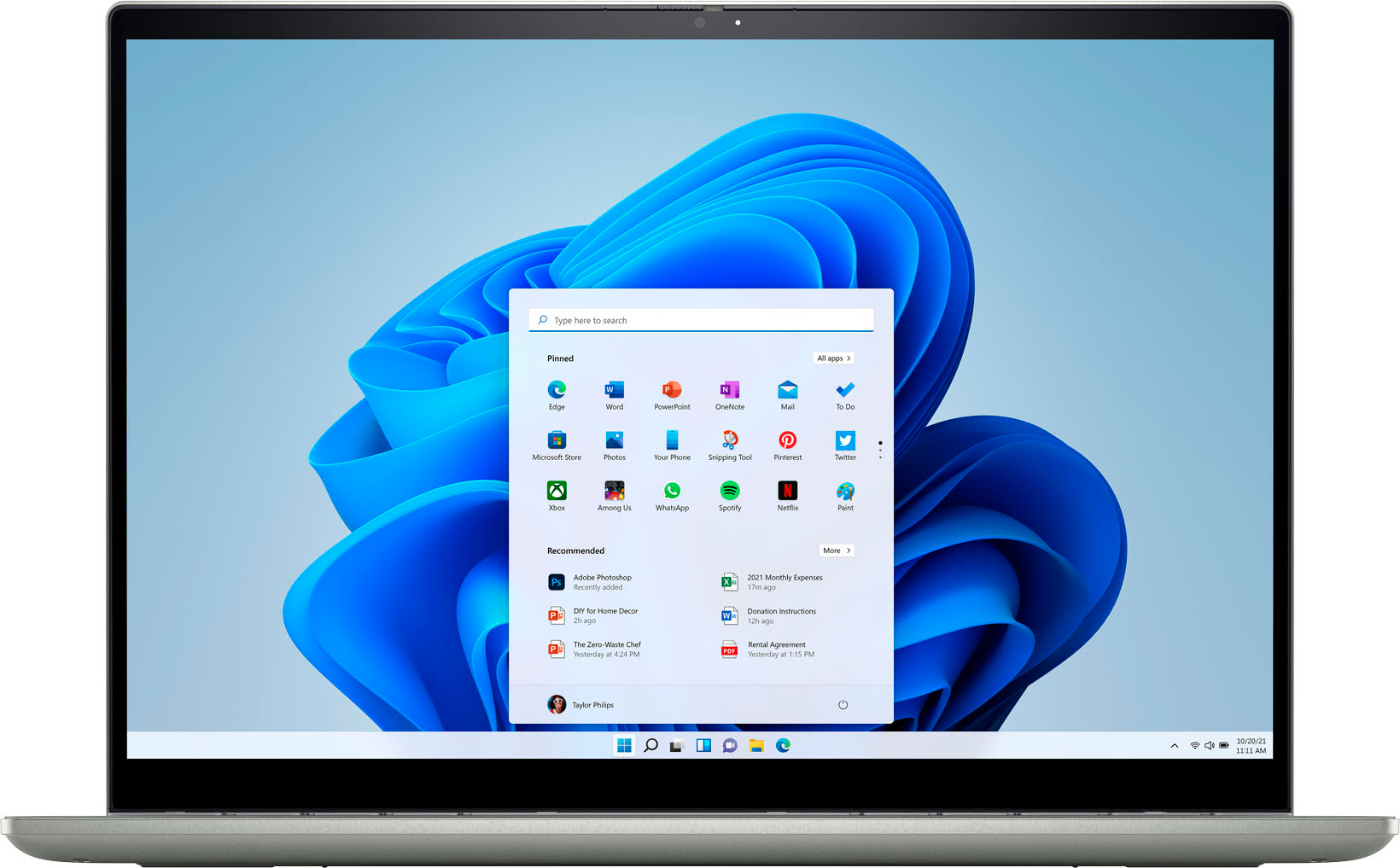
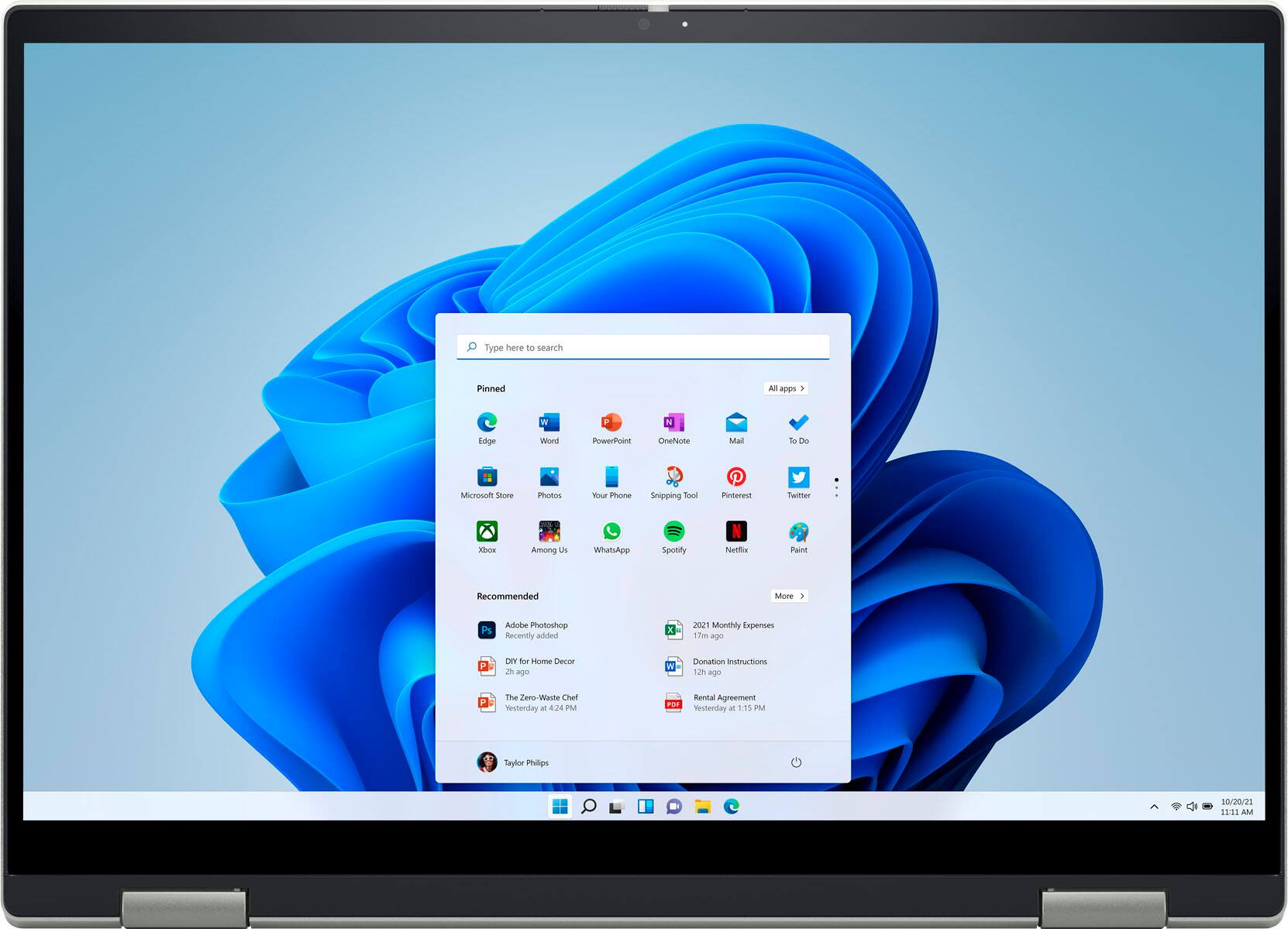
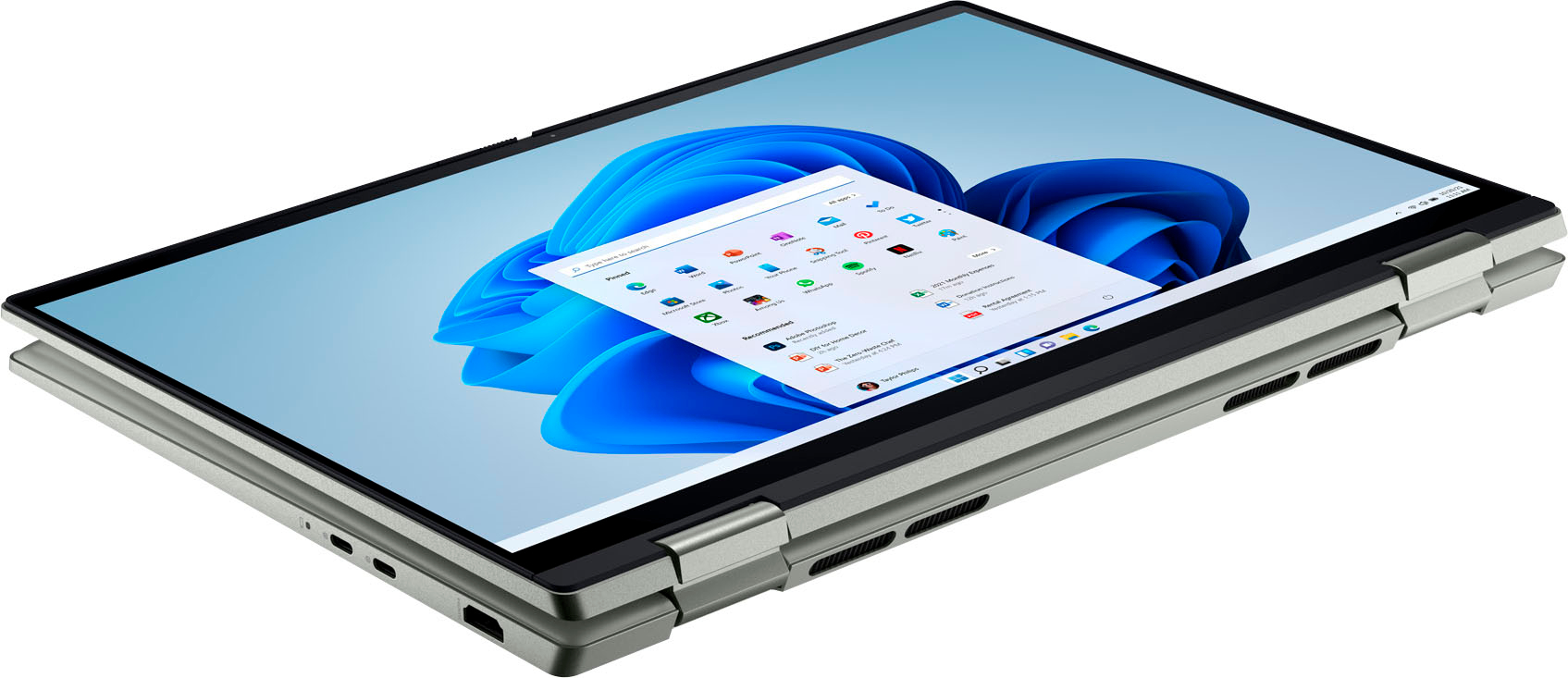
|Posted .This reviewer received promo considerations or sweepstakes entry for writing a review.So happy to have and use this new touch screen Windows 11 Dell Inspiron 2-in-1 FHD Touch Laptop notebook slim computer. The 14" screen is bright and clear. I have connected it to a 2nd monitor using the HDMI video output with good results. At some point I will also try it with a new USB-C video input monitor I own and expect it will also work very well. The very large mouse pad is easy to get used to but there is also a Type A USB port to connect any wired mouse as well as having Bluetooth onboard for one of the newer BT mice. You can also install one of the wireless mice that work with Windows. I have used it with many of my online accounts and see no detrimental issues using Windows 11 with any of the sites. The screen can be pushed / turned completely to the back (what Dell calls "convertible laptop") to make a tablet format of the computer if desired. The touch screen has a resolution of 1920 x 1200 and has a full HD webcam also for good quality video meetings. It utilizes the AMD Ryzen 5000 series CPU with AMD Radeon Graphics. It easily powers the 14" screen and a 27" monitor I tried as noted above. The keyboard is illuminated and includes a Delete key which some lessor Chromebooks do not have as well as the Backspace key (I had to use a Chromebook recently and that annoyance is why I mention it here). Easily recommend to anyone who appreciates a slim, light, computer in their life.
I would recommend this to a friend Dell
||Posted . Owned for 1 month when reviewed.This reviewer received promo considerations or sweepstakes entry for writing a review.Battery has issue and Dell has taken over a week to fix it
No, I would not recommend this to a friendBrand response from YourDellTeam
Posted .Dear JessicaV,
We would like to thank you for taking the time to provide us with your feedback. We are sorry to hear that you experienced battery issues with your Dell Inspiron 7425 2-in-1 laptop computer and that Dell Support took a long time to fix it.
We appreciate your feedback and will use it to help improve our current and future products and services.
It sounds like you did end up getting the issue resolved, but if you do need technical support in the future, please use the information below to contact the Dell Support Team:
Chat or call: https://bit.ly/DellSupportTeam
Phone number to Dell: 1-800-624-9896.
Best Regards,
Katarina@Dell
- Pros mentioned:Weight
Affordable 2-in-1 laptop
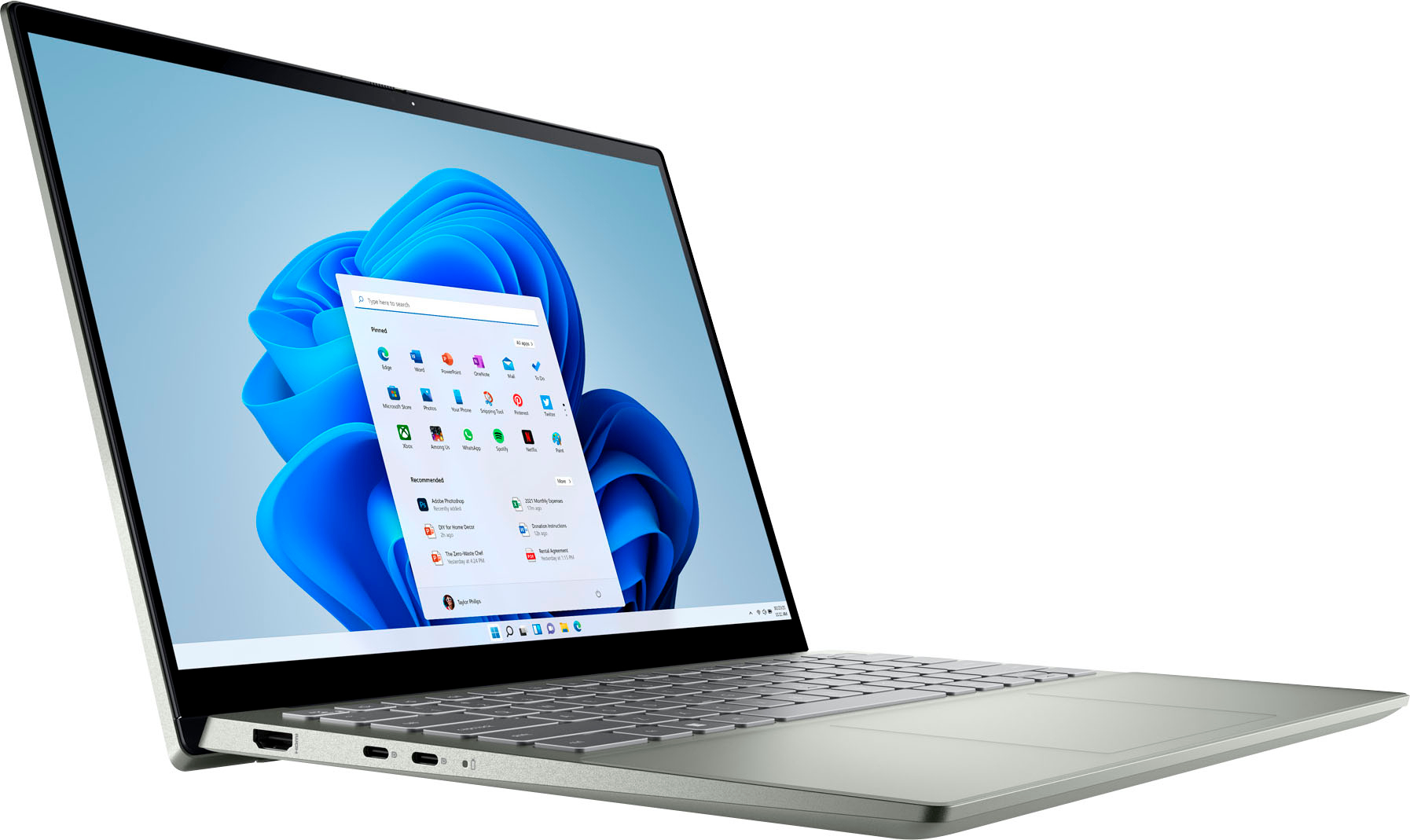
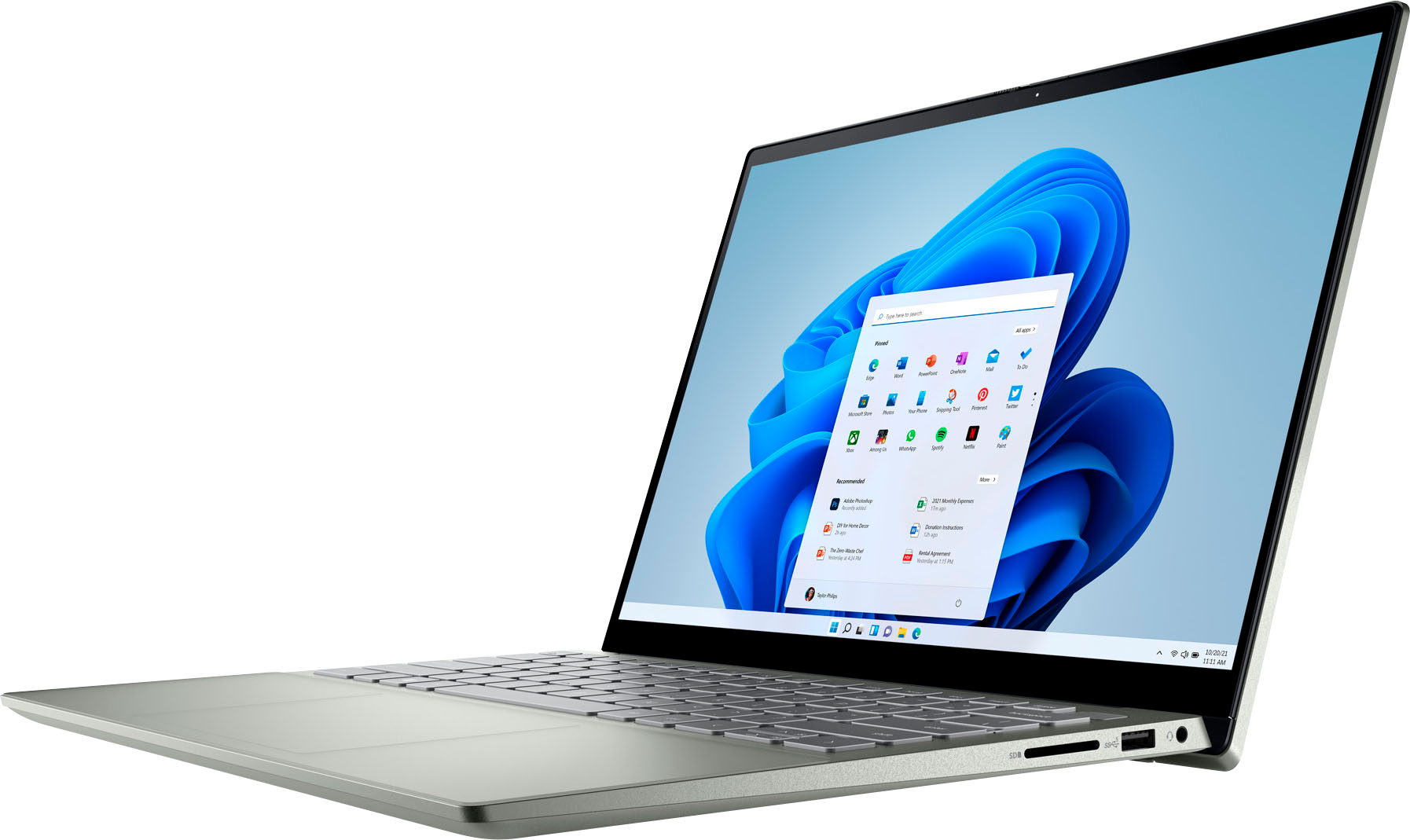
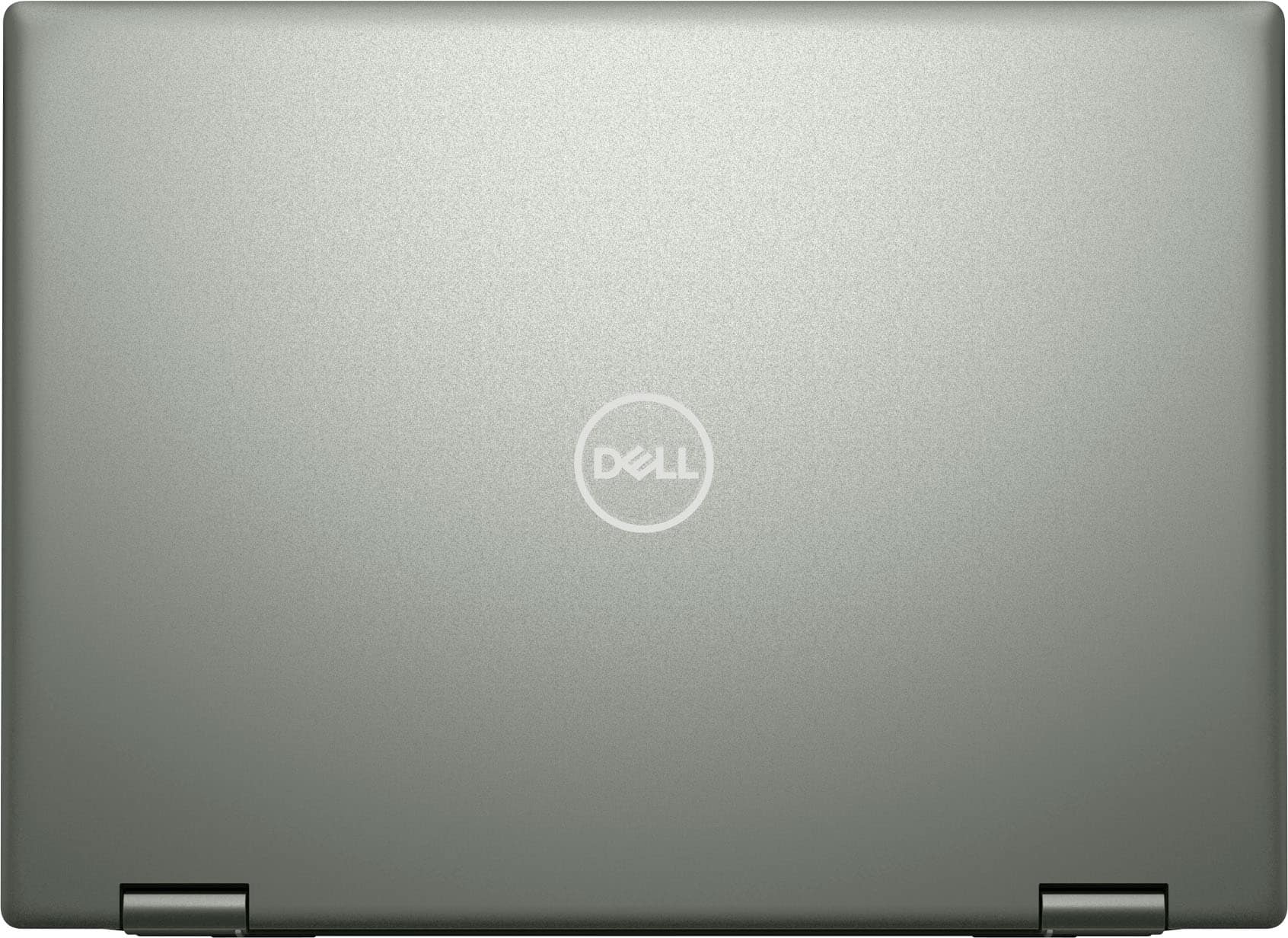
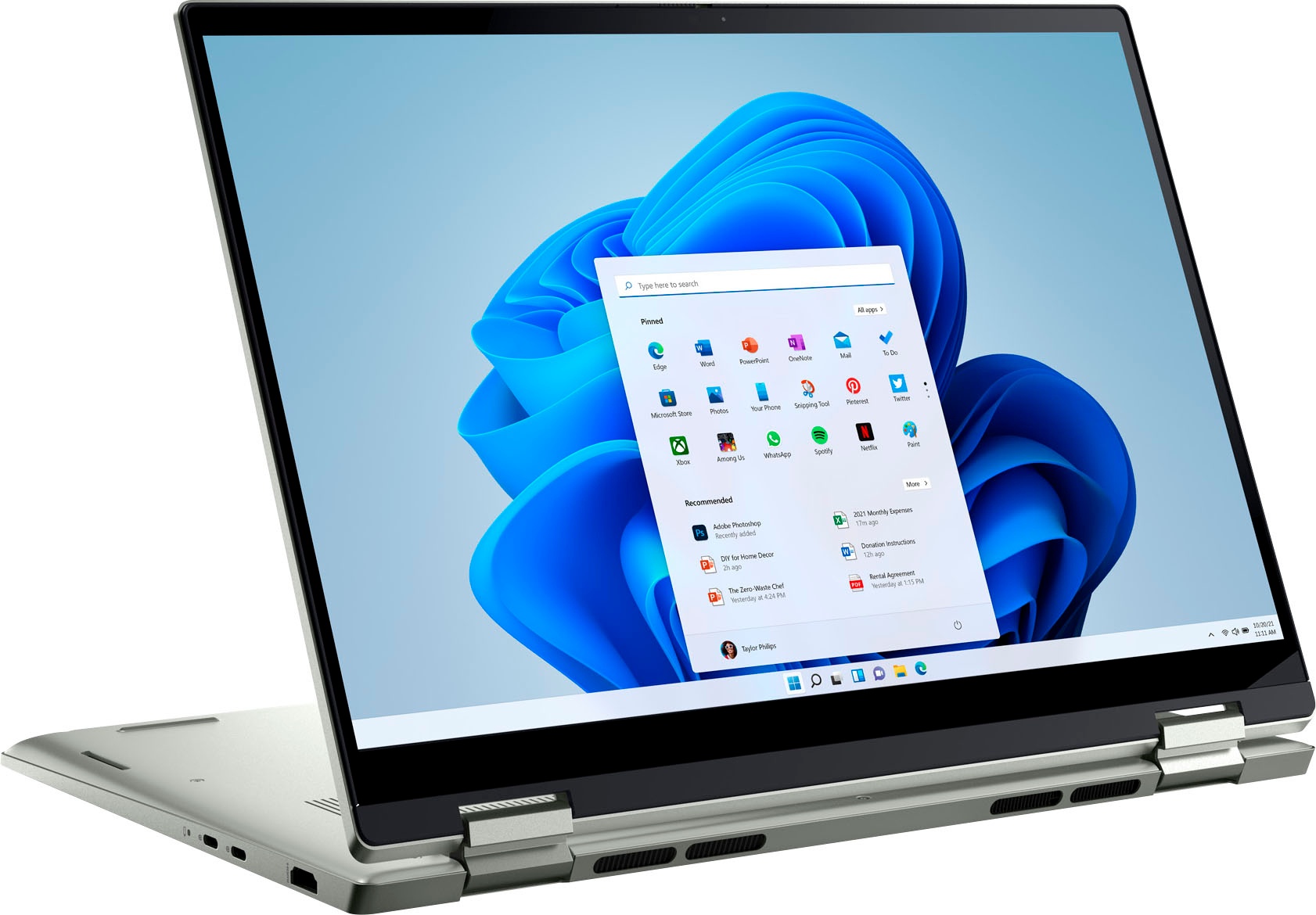
|Posted .This reviewer received promo considerations or sweepstakes entry for writing a review.Dell - Inspiron 2-in-1 14.0" Touch Laptop - AMD Ryzen 5 - 8GB Memory - 512GB Solid State Drive - Pebble Green This 2-in-1 touch-screen laptop comes with lots of nice features. It has an AMD Ryzen 5000 processor with Radeon Graphics and WiFi6. There’s 8GB of memory and a 512GB Solid State Drive. The responsive 14” 1920x1200 touch screen display is (pardon the pun) a welcome nice touch. It has a built-in microphone as well as an FHD web camera with a built-in privacy shutter for Zoom or other virtual meetings or calls. The built-in stereo speakers have surprisingly good sound for a laptop at this price point. Finally, it comes with Windows 11 Home and Amazon Alexa. It’s lightweight enough to take on the road without weighing you down (3.61 pounds). The lighted keyboard provides a nice feel, and you can log on using the fingerprint reader located on the keyboard’s power button. That’s much easier and faster when you compare it to logging on using the old password method. Since it’s a 2-in-one, you can use it as either a conventional laptop or a tablet, whichever works best for you. There are two USB-C ports, one USB-A port and an SD card reader. There’s also a headphone and microphone jack connector. If you’re looking for a nice affordable mid-level computer, this Dell Inspiron 14” 2-in-1 laptop, with its one-year parts and labor warranty, may well check all the boxes for you. It certainly has a whole lot going for it and should prove to be more than adequate for most needs. I would certainly recommend it for all but the highest-level requirements.
I would recommend this to a friend Very bad display for the price
||Posted .This reviewer received promo considerations or sweepstakes entry for writing a review.Worst display. Yellow tint and whites are off on this ridiculous display which spoils this laptop which is otherwise a good laptop. A display is one of key components in laptop and seeing that dull yellowish display after using for 20 mins i decided to return this thing
No, I would not recommend this to a friendBrand response from YourDellTeam
Posted .Hello Ravi,
We would like to thank you for taking the time to provide us with your feedback. We are sorry to hear that you were not too happy with your Dell Inspiron 7425 2-in-1 computer because of its display colors and that you have ultimately decided to return this product. This is certainly not what we like to hear from our loyal customers. We will share your review with our quality team so improvements can be made now and in the future. In the future, we would love the opportunity to help troubleshoot any problems you may be facing.
If you come across any questions or have concerns about Dell products, please don’t hesitate to contact Dell Support Team at the information provided below.
Best,
Katarina@Dell
Should you need further assistance, you can contact Dell directly with the information below.
Chat or call: https://bit.ly/DellSupportTeam
Phone number to Dell: 1-800-624-9896
- Pros mentioned:Touch screen
Great Laptop for basic home use
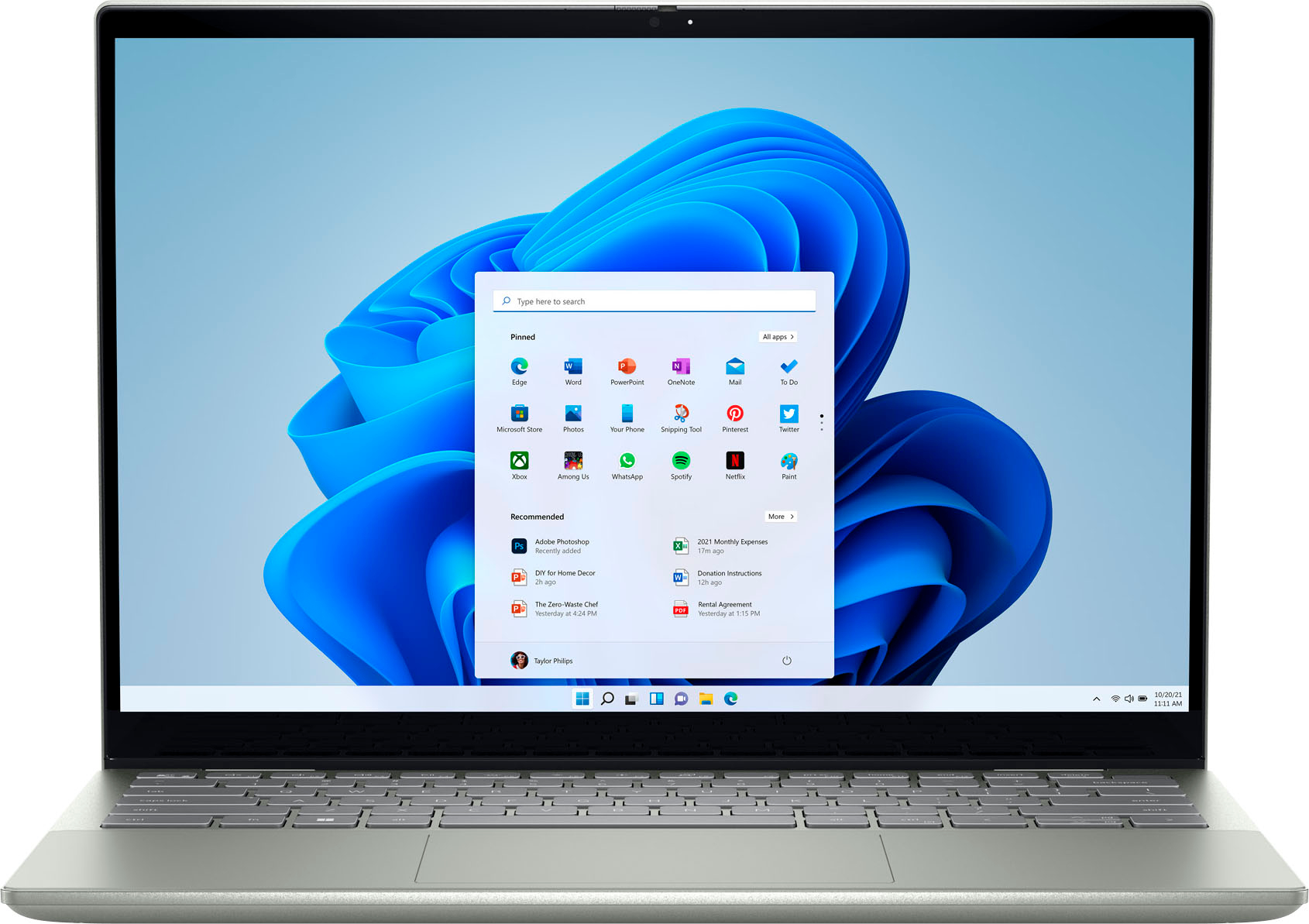
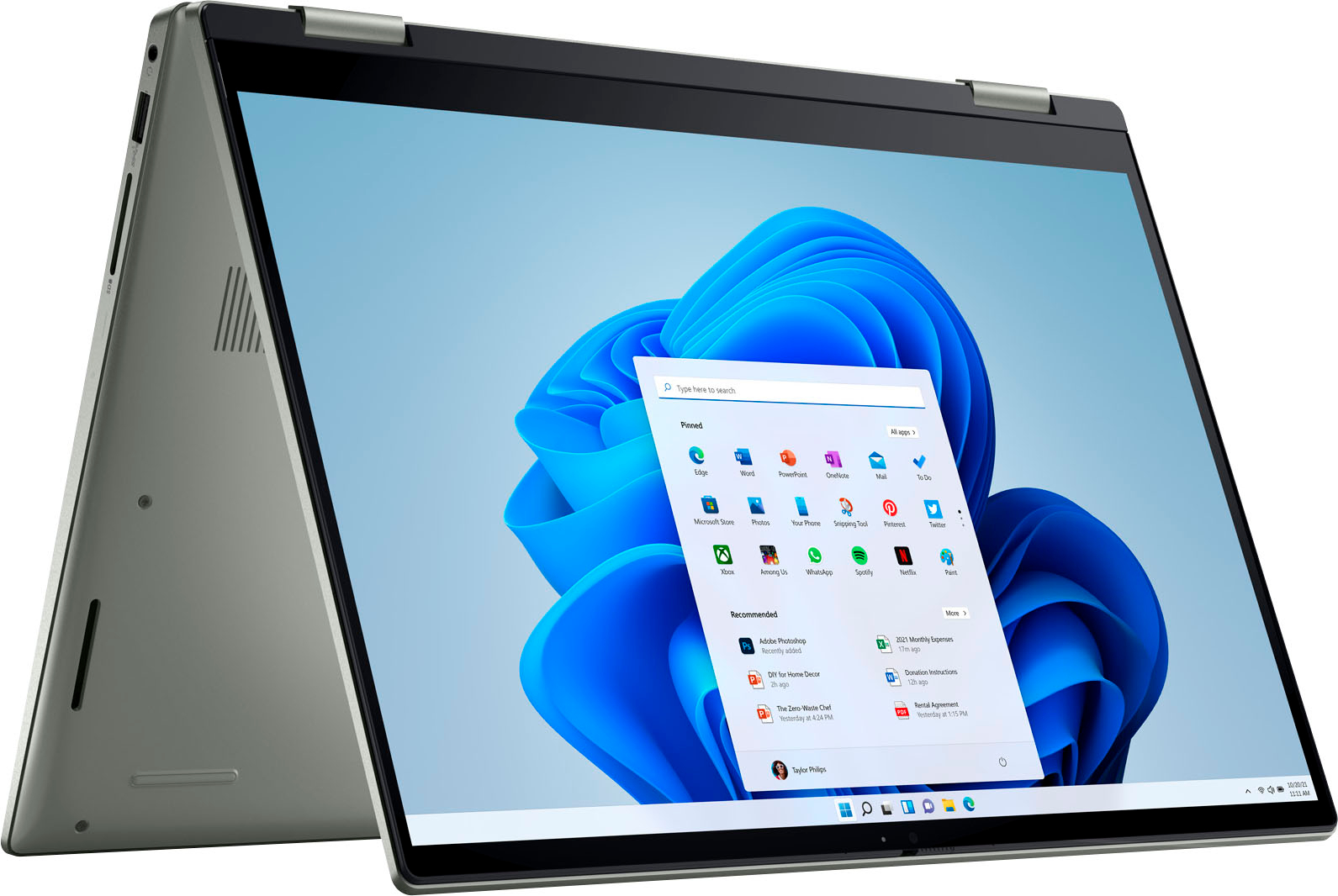
|Posted .This reviewer received promo considerations or sweepstakes entry for writing a review.I'm a 55 year old that just needed a computer upgrade for everyday home use. This new Dell Inspirion offered all that I needed. It has a 14 inch touch screen with a resolution of 1920 x 1200 pixels, very thin bezels, at just over 1080p. Since it’s just a 14 inch size, this resolution looks really nice on it, being sharp for text, colorful for photos, and bright. It’s hinged and can bend back into a “tent” mode for better media viewing, or, all the way back into tablet mode if you prefer that. You get a moderate 8 gigs of RAM, AMD Ryzen 5/5000 processor, and integrated AMD Radeon Graphics; all together these make for a pretty good midrange computer, capable of the basics I use like office apps, surfing, email, photo editing and video watching. The 512 gig SSD hard drive is speedy and has enough space for most tasks that I plan to use. It offers 1 USB port and 1 HDMI port. The software is Windows 11 Home and runs all of my programs quickly. The keyboard is backlit and has a fingerprint reader for powering on. My model is the Pebble Green which is a nice subtle almost gray tone color. Set up was easy for me by following built in directions. The only cons are that it is on the heavier side for carrying/transporting while traveling and the screen can have a glare when the lighting in your space is bright. Other than that, this laptop has been a great upgrade for me.
I would recommend this to a friend - Pros mentioned:Touch screen
Excellent Portable Performer for Productivity
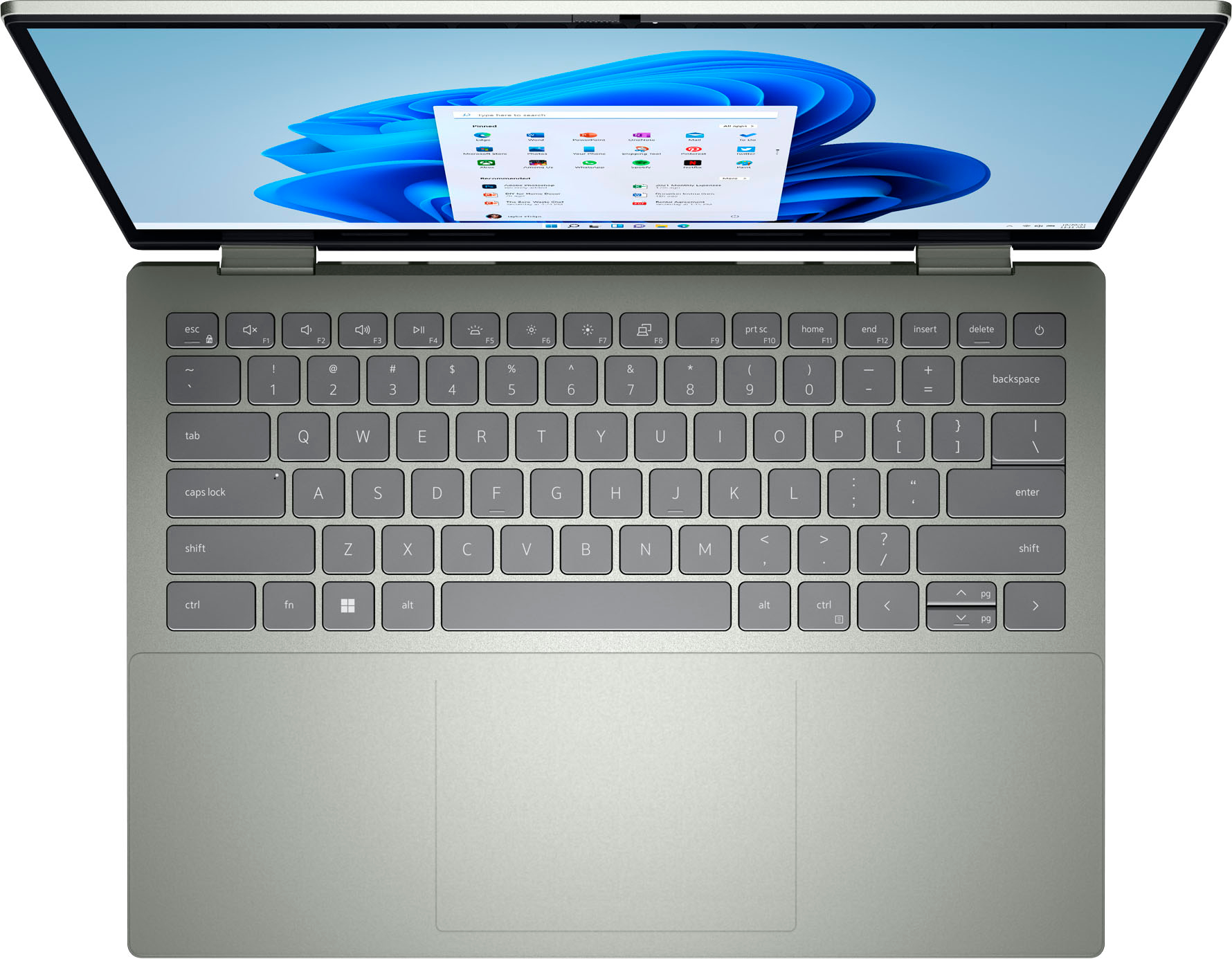
|Posted .This reviewer received promo considerations or sweepstakes entry for writing a review.Starting out, the overall construction and design of the Dell Inspiron 7425 2-in-1 14” laptop is top-end. The aluminum chassis is very sleek and has a premium feel. The convertible screen hinge has just the right amount of resistance to it with absolutely zero slop. The Pebble Green finish is attractive and does not show fingerprints. The back-lit, chicklet-style keyboard is laid out well and has a good feel to it. And the touchpad is large and very nice to work with. Once fully setup, boot time (cold to login) has been very speedy at about 18 seconds. The fingerprint reader is conveniently placed and has performed super fast and accurately. The IPS screen is beautiful: Colors are vibrant and images crisp with plenty of brightness, contrast, and excellent viewing angles. The 16:10 ratio makes the screen taller than competing laptops, but this difference shines when working with things like documents or spreadsheets. App loading and switching has been very fast. Wifi range has been satisfactory. The touchscreen has been very responsive and accurate. The on-board speakers are very clear and offer plenty of volume. Battery life has been phenomenal: I streamed a 3 hour movie at full brightness and had 75% left afterwards. And the unit is super quiet with minimal fan noise. Just a few other points: - The inclusion of a full SD Card reader and a 3.5mm headphone jack are greatly appreciated. - Charging utilizes one-of-two USB-C ports, reducing connectivity options while charging. - The integrated privacy screen for the webcam is a nice touch. - There is some software-bloat installed, including Spotify, Disney+, Clipchamp, TikTok, and others. All in all, the Dell Inspiron 7425 is an excellent laptop choice for productivity and media consumption on the go at a good price point.
I would recommend this to a friend - Pros mentioned:Speed, Touch screen
Whole lotta bang for your buck
|Posted .This reviewer received promo considerations or sweepstakes entry for writing a review.This has got to be an almost perfect tool for anyone especially for a student.. The Dell 2 in 1 laptop is has the power to do most task and do it well. I've had this laptop for awhile now and it has yet to fail me. The screen is still as crisp and clear as the day I got it and I've put it through a lot. I even shared this computer with my son for a short period of time when his own laptop went down. He absolutely loved all the features and the speed of the computer. Considering it is a more compact size, it had enough ports for most users. 1 hdmi, 2-usb C, Sd card reader, Usb and a headphone jack. Touchscreen was very responsive and being able to flip it into a tablet made it way more versatile. My son took it to college for a while and loved the fact that he could change it so many ways depending on what he was trying to do. He also mentioned how good the keys felt. I have to agree, the keys felt very tactile and not mushy like some other laptops I've owned. Also the trackpad was very spacious and smooth. It had a great feel to it as well. The only negative I can really say about this unit is the weight. Maybe packing all those nice specs makes it heavy, but in return it also feels solid. I liked the weight but my son felt it was too much, especially in his backpack. But we both agreed the pros far outweigh the cons with this computer.
I would recommend this to a friend Bad refurbish item
||Posted . Owned for 1 week when reviewed.This reviewer received promo considerations or sweepstakes entry for writing a review.I bought this item as a refurbished product. It was listed as like new with original packaging. I bought this laptop for my wife as a surprise and when she opened the box, I was very embarrassed to find a banged up, no instructions and even worse, the previous owner log in info still on this laptop top. One star because of the great customer service I received on returning this item.
No, I would not recommend this to a friendBad, very bad.
||Posted . Owned for 1 month when reviewed.This reviewer received promo considerations or sweepstakes entry for writing a review.The worst computer in the world. I can guarantee that. It literally doesn’t work. Wifi doesn’t turn on don’t matter what I do, keyboard doesn’t work (it’s frozen). I’m only being able to use the mouse. This is ridiculous. It’s the 3rd time I’m using it.
No, I would not recommend this to a friendBrand response from YourDellTeam
Posted .Hi Mirela,
Thank you for taking the time to leave us your review. We're sorry to hear that you experienced issues with your Dell Inspiron Laptop. This is certainly not the experience we like to hear from our customers. To help resolve this issue I have provided troubleshooting steps and article below:
1. If the computer is displaying the Dell logo and does not move past that point, it has probably failed POST.
2. If the power indicator lights up and it is amber or orange, this is usually an indicator that it has failed POST.
3. If you see text on a black screen, the computer is currently performing the POST. If the computer stays in that condition and does not move past it, it has probably failed POST.
4. If the video screen displayed anything at all during the startup process but is now black, this probably indicates that the computer failed POST.
5. If the computer is beeping or if Caps/Num/Scroll Locks are flashing, note if there is a particular pattern in which it beeps or flashes.
6. If the computer is not beeping and caps/num/scroll locks are not flashing, unplug all connections and remove all media communication devices (e.g. external monitors); reconnect one at a time and check if the computer functions.
7. For a notebook, press and hold the Fn key and then press the power button. This starts the pre-boot testing and will launch ePSA. In case you have a Desktop at the Dell logo screen tap the F12 key to enter One Time Boot Menu and use the arrow keys to highlight Diagnostics and press enter.
You can read the full article here - http://dell.to/2uj1Sby.
If the issues with your Inspiron computer are still not resolved after utilizing the troubleshooting options above, please contact the Dell Support Team at 1-800-624-9896 for further guidance.
Best,
Danielle@Dell
- Pros mentioned:Speed, Touch screen
Great so far
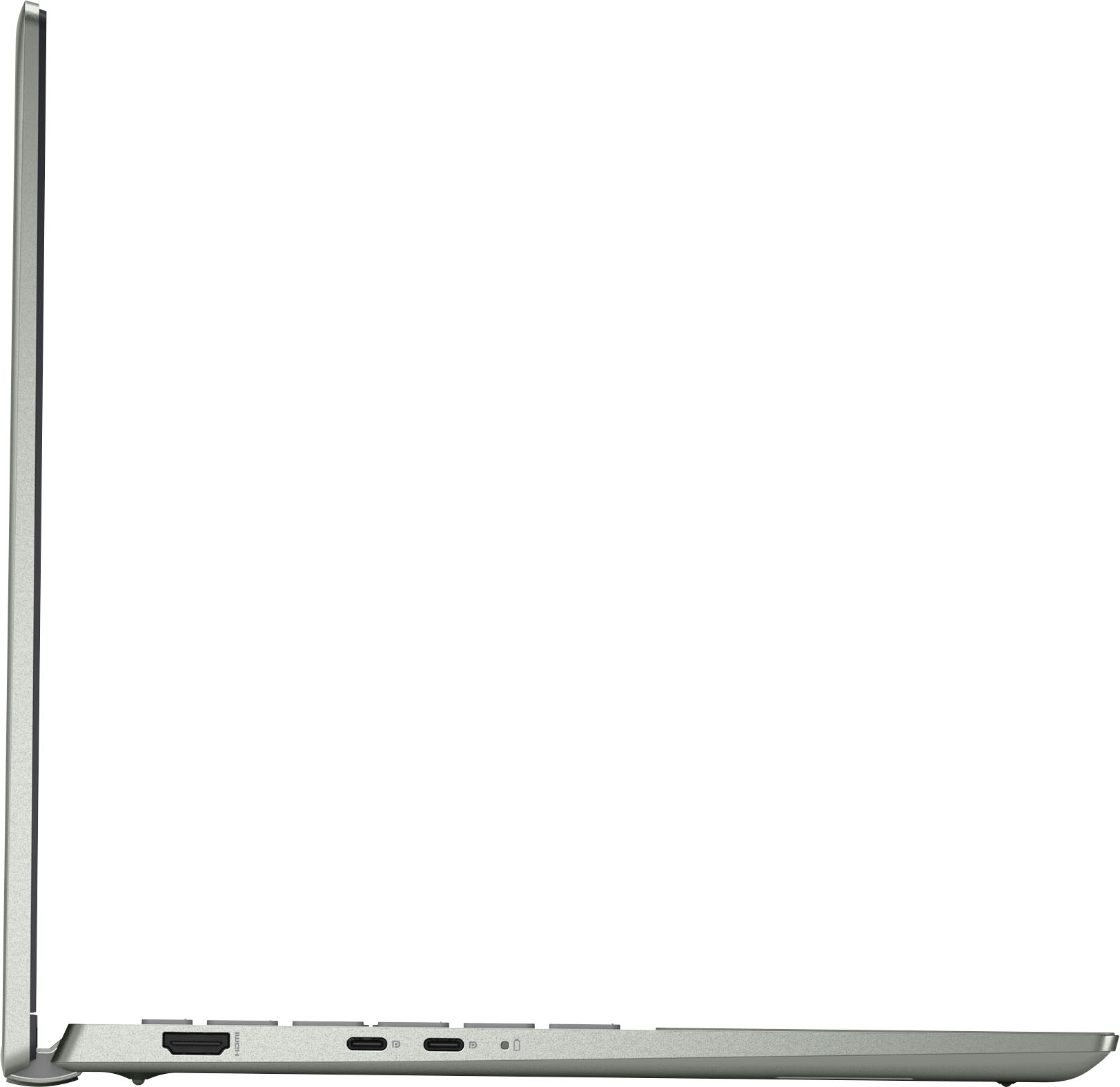
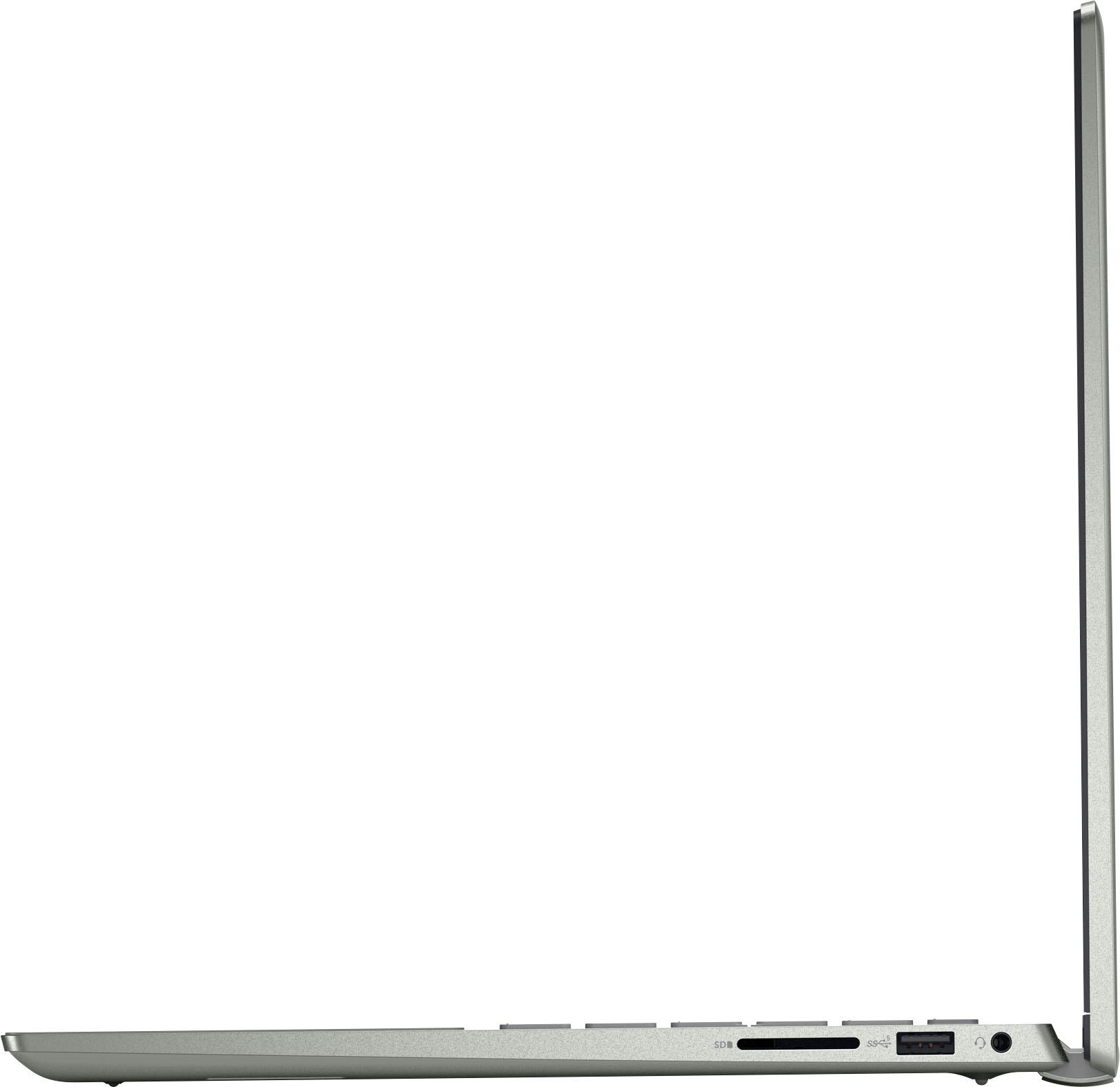
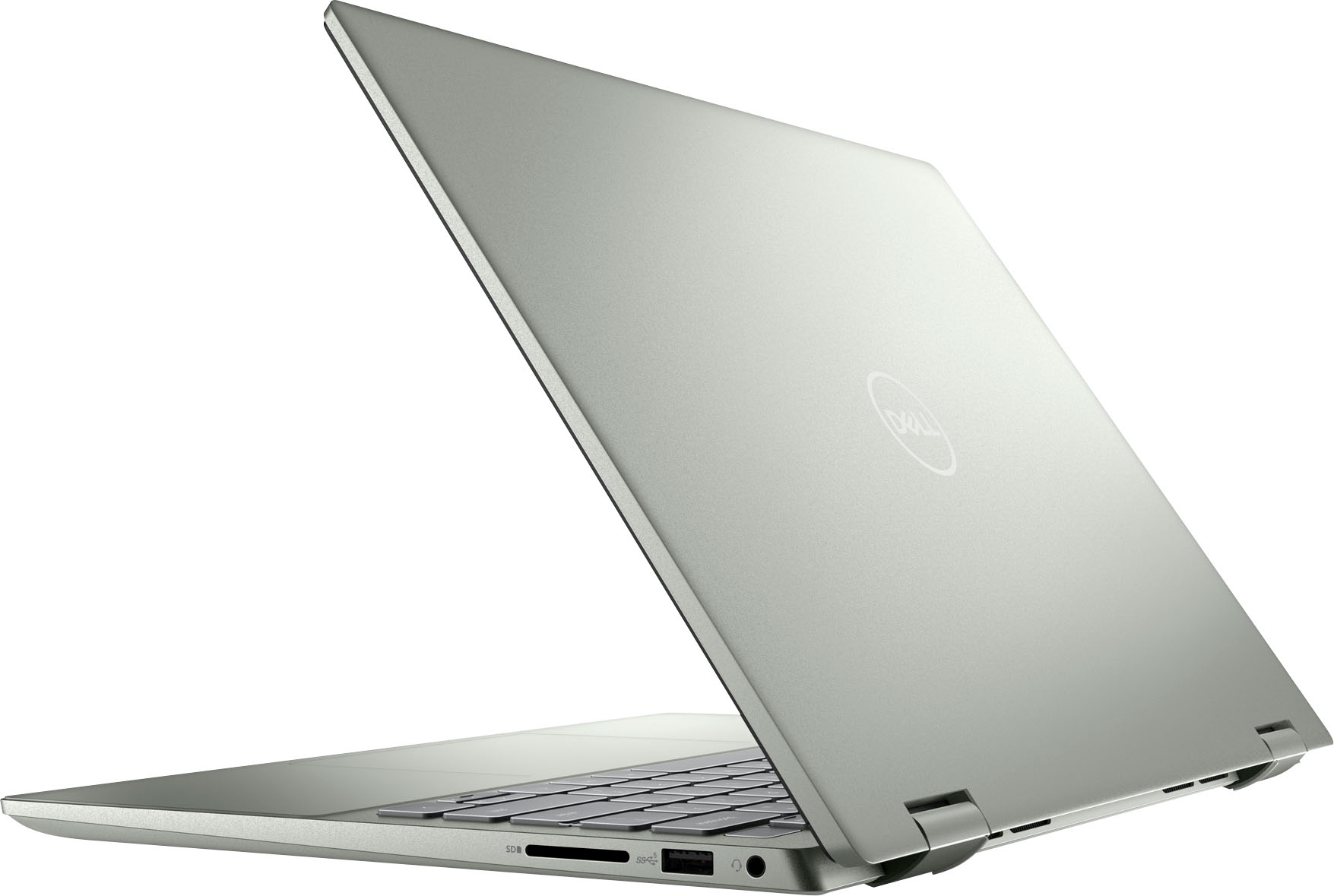
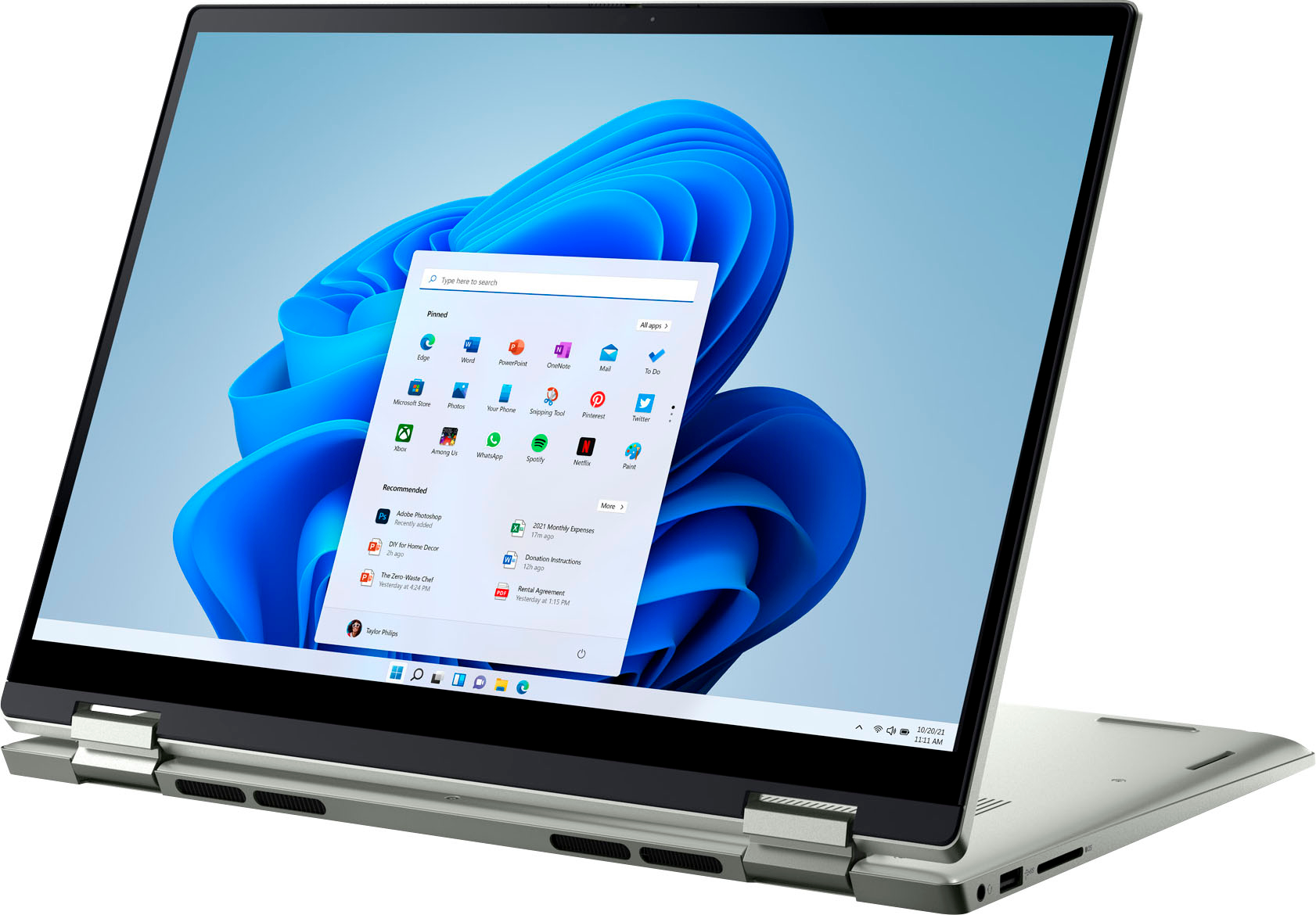
|Posted .This reviewer received promo considerations or sweepstakes entry for writing a review.I have been looking for a two in one laptop that can be used for my son's games and apps because it has the functionality to be both a tablet and laptop. This laptop has a 14 inch screen so it's decent sized for every day use. It uses a USB-C charger cable that's included in the box. The ports on the left include an HDMI and two USB-C's. The right side has a standard USB port, headphone jack, and SD port for memory cards. The screen is HD and has great visuals for art projects, gaming or high quality images. One great feature I love is it has the fingerprint capability for logging in that helps prevent getting locked out, especially for my six year old son as it makes it quick and easy for him to get into his computer. We use this mainly for gaming on Steam and Roblox. It does a great job of keeping up with games that require a lot of bandwidth or make our other devices lag. This laptop is a great option for a two in one laptop that can be used as both a computer and tablet. The screen is great quality visually and sensitive to touch when using as both options.
I would recommend this to a friend decent mid grade computer
|Posted .This reviewer received promo considerations or sweepstakes entry for writing a review.I travel fairly often for work, and I need a portable and durable to take with me. I can have long flights, delays and hotel WiFi. This falls in line with mid grade laptops, not the best but for sure also not the worst. This is heavier than you might expect, this is almost a pound more than my previous Dell 2n1. In laptop mode that is fine, if you have this in tablet mode and carrying it with one hand you may notice it. The materials have a metal feel. When you turn on the laptop as you would expect, there is a pretty immediate turn on. This does have Windows 11. As always be prepared to spend an hour or so doing downloads etc. The webcam is at the top of the screen and is pretty decent if you want to just use zoom for the office etc.. The screen has a lower nit value I was not expecting, maybe this is to save battery life? If you use this in a place with lower background light it would be better. Speaking of the battery, I got about 6 hours with it not plugged in. Your time may vary of course. For me a 500GB hard drive is fine, most of my work is in the cloud. I would not see a reason to upgrade it. This comes with 8GB of RAM, I may upgrade that to 16GB. You have 2 DIMMs and the 8 in here now only take 1. That is a pretty cheap upgrade you can do yourself. This does come with 2 USB-C, unfortunately they are next to each other on the left of the laptop. Also there is a headphone jack and an SD card slot, both pretty useless these days and another USB-C would have been a great addition This does come preloaded with anti-virus (expired), not a super big deal but just a heads up. Also, mine was shipped with Dell basic warranty, I always suggest a warranty upgrade if you are going to travel with something like this
I would recommend this to a friendGarbage and support is less than worthless
||Posted . Owned for 1 month when reviewed.This reviewer received promo considerations or sweepstakes entry for writing a review.The original as well as the replacement laptop have the same issue with the wifi adapter failing. The only resolution is to reinstall the driver, which will then fail again within a day. Manufacturer support will not help.
No, I would not recommend this to a friendMr
||Posted . Owned for 1 month when reviewed.This reviewer received promo considerations or sweepstakes entry for writing a review.Since purchased had major issues with Wi-Fi connection at home. Have been working with dell Customer Service for 3 weeks on this issue. They advise it is not a hardware issue but a software problem. I must now pay an additional $99 to fix this issue. Can someone please help.
No, I would not recommend this to a friendBrand response from YourDellTeam
Posted .Dear Mohamed,
We would like to thank you for taking the time to provide us with your feedback. We apologize for the WIFI connection issues you have come across with your Dell Inspiron 7425 2-in-1 laptop and that the Dell support team member was not able to resolve these issues for you. This is certainly not the experience that we like to hear from our customers. We appreciate your feedback and will use it to help improve our current and future products.
Below I have provided some resolutions to this issue. I have also provided the full article link, which has more options if they are needed. I have also included a link to the Drivers and Downloads page for your PC so you can check for applicable updates to the WIFI drivers.
1. Download and install the latest Wireless Card driver. (https://dell.to/2th3Tpe) After updating the driver, re-establish the connection with the Wireless Access Point and check the wireless performance.
2. If the issue persists, proceed to step 3.
3. Power-cycle the local network. Shut down the Dell system, the Wireless Access Point/Router, and the Modem. Wait a minimum of 60 seconds before powering up the components in the following order:
4. Power ON the Modem and wait for it to boot fully.
5. Power ON the Wireless Access Point/Router and wait for it to boot fully.
6. Power ON the Dell system.
7. Open Network and Sharing Center
8. In the left-side navigation pane, click on Change Adapter Settings
9. Right-click on the wireless connection icon and select Properties followed by the Configure button
10. Under Wireless Options, select the Wireless N mode
11. For Windows 8 or later systems click the Advanced tab and look for 802.11n Mode on the right you will be given the option to Enable or Disable. If the mode is not visible you may need to update your drivers and firmware.
12. From the drop-down menu, choose Disable followed by Ok
13. This should restore the wireless download and upload speed. Internet speed can be tested at http://speedtest.net
Full article link: https://dell.to/2RefLVN
Drivers and Downloads page: https://dell.to/3PgLPnq
After utilizing the troubleshooting options provided, if the problem persists, please reach out to our support team for further guidance here: 1-800-624-9896. We hope that the next representative you speak with can help you to resolve these issues to your satisfaction.
Best,
Katarina@Dell
Should you need further assistance, you can contact Dell directly with the information below.
Chat or call: https://bit.ly/DellSupportTeam
Phone number to Dell: 1-800-624-9896
Bummer
||Posted . Owned for 2 weeks when reviewed.This reviewer received promo considerations or sweepstakes entry for writing a review.Poor quality. Locks out and prevents sign in. Out of comission 24 hours at a time have to rent computer st fed ex. Keys stick does not type what is entered. No instructiond. Forced to research o n internet and soend hours tryinv to fix. No repair phond. Internet with lots of problems reported.
No, I would not recommend this to a friendBrand response from YourDellTeam
Posted .Hello There CraigA,
Thank you for your review of your Inspiron 7425. We are sorry to hear that you are experiencing an issue signing into your device and with your keyboard. That is not the type of feedback we like to hear from our customers. Below I have provided a troubleshooting link to help resolve your issue.
Keyboard Troubleshooting Link: https://dell.to/3PUvBSl.
Should you need further assistance; we recommend that you contact Dell directly with the information below.
Chat or call: https://bit.ly/DellSupportTeam
Phone number to Dell: 1-800-624-9896.
Sincerely,
Summer@Dell
Bad camera
||Posted . Owned for 1 month when reviewed.This reviewer received promo considerations or sweepstakes entry for writing a review.After my 15 day return was up the computer camera stopped working properly
No, I would not recommend this to a friendBrand response from YourDellTeam
Posted .Hello Valued Customer,
Thank you very much for your feedback. We are sorry to hear about the camera issues you are experiencing with your Dell Inspiron 7425 2-in-1 computer. This is certainly not the experience that we like to hear from our customers. We appreciate your feedback and will use it to help improve our current and future products.
Please make sure you have downloaded the latest system update. I have provided a link to the Drivers and Downloads Page below where you can check for any applicable updates:
Drivers and Downloads page: https://dell.to/3PgLPnq
I have included a link to an article, which includes troubleshooting tips that should help your camera perform better. I have also included a link to Camera Set Up and Specification Guide for your computer.
Using, Troubleshooting, and Resolving Driver Issues on your Dell Webcam: https://dell.to/32ccZIG
Camera Set Up and Specification (Inspiron 7425 2-in-1): https://dell.to/3Sw7V7b
If the problem with your camera is not resolved after applying the troubleshooting tips above, please reach out to our support team here for further guidance: 1-800-624-9896.
Best,
Katarina@Dell
Should you need further assistance, you can contact Dell directly with the information below.
Chat or call: https://bit.ly/DellSupportTeam
Phone number to Dell: 1-800-624-9896
Bad experience with Best Buy
||Posted . Owned for 1 month when reviewed.This reviewer received promo considerations or sweepstakes entry for writing a review.Bought it and had to return it because it had issues with the sound. The second laptop had the same problem, so I requested my money back.
No, I would not recommend this to a friendBrand response from YourDellTeam
Posted .Hey MariasalomeG,
We want to thank you for taking the time to leave a review of your Inspiron 7425. We are sorry to hear that you were experiencing an issue with your audio and made the decision to return your laptop. That is not the type of feedback that we like to hear from our customers. We have noted the details of your statement and will use them to help improve our current and future products. If you need further assistance, we recommend reaching out to a member of our support team with the toll-free number or chat link below.
Best,
Summer@Dell
Should you need further assistance; we recommend that you contact Dell directly with the information below.
Chat or call: https://bit.ly/DellSupportTeam
Phone number to Dell: 1-800-624-9896.
Charger missing
||Posted . Owned for 3 weeks when reviewed.This reviewer received promo considerations or sweepstakes entry for writing a review.My laptop came without a charger. I actually bought it and shipped it to my sister who lives in another country, when it arrived there was no charger in a brand new charger
No, I would not recommend this to a friendBrand response from YourDellTeam
Posted .Dear Estherez,
Thank you very much for your valued feedback. We apologize for the issues you have come across with the purchase of your new Dell Inspiron 7425 2-in-1 computer because there was no charger included in the box. This is certainly not the experience that we like to hear from our customers. We appreciate your feedback and will use it to help improve our current and future products.
Please take a moment to contact Dell Support Team at the information provided below at your earliest convenience so we can resolve this issue to your satisfaction.
Best,
Katarina@Dell
Should you need further assistance, you can contact Dell directly with the information below.
Chat or call: https://bit.ly/DellSupportTeam
Phone number to Dell: 1-800-624-9896
Do yoursel a favor don't buy a Dell laptop.
||Posted . Owned for 3 weeks when reviewed.This reviewer received promo considerations or sweepstakes entry for writing a review.The Dell system sucks. The laptop touch screen only works sometimes. The mouse on the laptop is a joke. You can right click with it.
No, I would not recommend this to a friendBrand response from YourDellTeam
Posted .Hi youdontneedmyname,
We value your feedback and want to thank you for taking the time to leave a review of your Inspiron 7425 touch laptop. We are sorry to hear that you are experiencing an issue with your touchscreen and your touchpad. Below I have provided troubleshooting steps to help calibrate your touchscreen and a troubleshooting link to help with your touchpad.
Below are the steps required to calibrate your Touchscreen:
1. Restart the Computer and the Monitor
2. Go to Control Panel and select Tablet PC Settings.
3. Under Display tab, select Calibrate.
4. Choose Pen or Touch input.
5. Perform the point calibration that appears on the screen to correct the linearity problems.
6. Save the calibrated data.
You can read the full article here - http://dell.to/2uLztub.
Touchpad Troubleshooting Link: http://dell.to/2tqmS02
Should you need further assistance; we recommend that you contact Dell directly with the information below.
Chat or call: https://bit.ly/DellSupportTeam
Phone number to Dell: 1-800-624-9896.
Best,
Summer@Dell
Terrible
||Posted . Owned for 1 month when reviewed.This reviewer received promo considerations or sweepstakes entry for writing a review.Nice product and pretty cool. BUT Only had it a month and all it does is crash.
No, I would not recommend this to a friendBrand response from YourDellTeam
Posted .Hi Valerie,
Thank you very much for your feedback. We are sorry to hear you are experiencing problems with your Dell Inspiron 7425 2-in-1 laptop because it is crashing. Please make sure you have downloaded the latest system update and that software you are using meets all system requirements. I have provided a link to the drivers and downloads page where you can check for any applicable updates.
Drivers and Downloads page: https://dell.to/3PgLPnq
For the issues with crashing, I have provided a link below to help troubleshoot and resolve this issue.
Resolutions
1. Run a Computer Diagnostic. To determine if your computer is experiencing a hardware problem, run the Dell Preboot System Assessment (PSA) Diagnostics. For information on how to run Diagnostics, and to determine the issue, refer to Dell Knowledge Base Article: http://dell.to/2iaiujA
2. Check Safe Mode for Symptoms. To boot into safe mode, please follow the instructions below:
a) Start the computer.
b) Tap 'F8' on the keyboard immediately and every one second until the Dell logo screen disappears. From there you will see the Windows Advanced Options Menu on the screen. (If the Windows Advanced Options Menu does not appear, restart the system and try again.)
c) Select Safe mode with Networking and press Enter.
d) Log on as the administrator or as a user with administrative access.
e) Open applications and test the computer in safe mode. If the symptoms exist in safe mode, please continue the troubleshooting steps in this article. If the symptoms do not exist in safe mode, the issue is likely related to a driver or software and you may wish to complete step 3 to see if you are able to resolve the lockups or freezing.
3. Check for Malware. Malware (Virus, Spyware, etc.) can definitely cause a Windows system to lock up or appear to hang. To check for malware on your system and to ensure that your computer is up to date on security software, visit Dell Knowledge Base Article: http://dell.to/2wWP1zI
The computer restarts or shuts down intermittently, locks up, stops responding or an error occurs: https://dell.to/3GX6BVf
If the issue with your computer is still not resolved after utilizing the troubleshooting options above, please contact the Dell Support Team at 1-800-624-9896 for further guidance.
Best,
Katarina@Dell
Should you need further assistance, you can contact Dell directly with the information below.
Chat or call: https://bit.ly/DellSupportTeam
Phone number to Dell 1-800-624-9896
stay away - return period much too short
||Posted . Owned for 1 month when reviewed.This reviewer received promo considerations or sweepstakes entry for writing a review.Blue screen, over and over again. Not sure what is going on. The problem developed after the 2 weeks return period had expired.
No, I would not recommend this to a friendBrand response from YourDellTeam
Posted .Hello Valued Customer,
Thank you very much for your feedback. We are sorry to hear you are experiencing blue screen errors on your Dell Inspiron 7425 2-in-1 laptop. We understand how frustrating this can be. Below I have provided steps to help troubleshoot and resolve this issue and the link to a full article.
1. At the desktop, click the Search the web and Windows box and type ""problem reports"".
2. Select View all problem reports to view a list of errors that have occurred on your computer and possible solutions for them, such as updating drivers, flashing your system BIOS, or checking for updates to the software.
3. Under the Source column, look for Windows and under Summary, look for Shut down unexpectedly.
4. Right-click the line item and select Check for a solution.
We'd also suggest checking to make sure that your software and drivers are up to date. I have provided a link to the Drivers and Downloads Page here: https://dell.to/3PgLPnq
You can read the full article here - http://dell.to/2u98Cct
If the issue with your computer is still not resolved after utilizing the troubleshooting options above, please contact the Dell Support Team at 1-800-624-9896 for further guidance.
Best,
Katarina@Dell
Should you need further assistance, you can contact Dell directly with the information below.
Chat or call: https://bit.ly/DellSupportTeam
Phone number to Dell: 1-800-624-9896