Customer Ratings & Reviews
- Model:
- I7586-5045SLV-PUS
- SKU:
- 6295913
Rating by feature
- Battery Life
Rating 3.8 out of 5 stars
- Speed
Rating 4.1 out of 5 stars
- Display
Rating 4.7 out of 5 stars
Customers are saying
Customers are satisfied with the Inspiron 2-in-1 15.6" Touch-Screen Laptop for its touchscreen capabilities, lightweight design, user-friendly interface, and affordable price. While some users have concerns about battery life, fingerprint scanner reliability, limited port selection, Windows 10 compatibility, and gaming performance, the overall positive feedback suggests that this laptop meets the needs and expectations of many users.
This summary was generated by AI based on customer reviews.
good laptop
||Posted . Owned for 1 month when reviewed.This reviewer received promo considerations or sweepstakes entry for writing a review.fair purchase, but not fully explained as too what the next step should be to make it fully operational
I would recommend this to a friendBrand response from YourDellTeam
Posted .retired,
Thanks for your review and we're sorry that you're not getting the full performance out of your new computer. Here's a link to the computer's manual so you can find out more about it: https://dell.to/2KO2L8c.
Best,
Bryan
1-800-624-9896
had to return first after 2 days.
||Posted . Owned for 2 weeks when reviewed.This reviewer received promo considerations or sweepstakes entry for writing a review.Should not have taken 3 days to get replacement. Had to be "diagnosed" before a replacement.
I would recommend this to a friend- Cons mentioned:Customer service
Never ever by Dell CRAP again
||Posted . Owned for 4 months when reviewed.This reviewer received promo considerations or sweepstakes entry for writing a review.Purchased in late September, now Dell wants to charge me to figure out why it keeps shutting down with a video failure stop code. Nope, not gonna happen. This is the worst customer experience since calling BOA and going into 20 transfers before they hang up.
No, I would not recommend this to a friendBrand response from YourDellTeam
Posted .pissedoff,
Thanks for your review. We're sorry to hear about your computer crashing. Here are some ways to diagnose the crashes:
1. At the desktop, click the Search the web and Windows box and type "problem reports".
2. Select View all problem reports to view a list of errors that have occurred on your computer and possible solutions for them, such as updating drivers, flashing your system BIOS, or checking for updates to the software.
3. Under the Source column, look for Windows and under Summary, look for Shut down unexpectedly.
4. Right-click the line item and select Check for a solution.
We'd also suggest checking to make sure that your software and drivers are up to date on Dell's Product Page - https://dell.to/2OTHnLy.
You can read the full article here - http://dell.to/2u98Cct.
Best,
Bryan
1-800-624-9896
Text too light to read
||Posted . Owned for 1 month when reviewed.This reviewer received promo considerations or sweepstakes entry for writing a review.Pale text makes reading very difficult. Otherwise I would give this a higher rating.
No, I would not recommend this to a friendBrand response from YourDellTeam
Posted .Anna,
We're sorry to hear about the text being too light on your computer. We'd recommend the following steps to change the color of the text in Windows 10:
1. Right click on desktop and select Personalize at the bottom of the drop down menu.
2. In the PERSONALIZATION window that opens up click on Themes (left column).
3. Click Theme settings (in the right column – image above) to open another Personalization window (below).
4. Click on any of the four High Contrast themes (marked in a red square in the image above).
5. Press Win+R on your keyboard to open the Run command window.
6. Type control color (as in the image above) and click OK. This opens up the following Color and Appearance window. Color and Appearance window allows you to choose colors of windows background, text, hyperlinked text, disabled text; and both foregrounds and backgrounds of selected text, active window titles, inactive window titles and buttons.
7. Click on the corresponding button (second or third column) to get the Color window.
8. Select one of the 48 basic colors or find your favorite color by clicking on it in the square color palette to the right.
9. Click OK. Repeat Steps 7 to 9 until you are fully happy with the colors of your new theme.
10. Click Apply in the Color and Appearance window.
11 . Click Save Changes. When you’ve clicked on Save Changes in the Color and Appearance window, your new theme should appear at the top of your Personalization window, under the My Themes heading as the Unsaved Theme.
Until you give the Unsaved Theme another name you can continue making changes to it: the Unsaved Theme should be highlighted, if not click on it and proceeding from the Step 5 above.
Best,
Bryan
1-800-624-9896
laptop
||Posted . Owned for 1 year when reviewed.This reviewer received promo considerations or sweepstakes entry for writing a review.works well I had to take it in a few times for software
No, I would not recommend this to a friendDisappointing Display for the price and specs
||Posted .This reviewer received promo considerations or sweepstakes entry for writing a review.With the price and with powerful and promising specs this laptop fails on the display . One of the dimmest displays ever seen on a laptop . Even at max brightness the screen and the contents appear dark . The colors replicated on the screen is way far from the original . If you are display centric please avoid this laptop.
No, I would not recommend this to a friendBrand response from YourDellTeam
Posted .Ramesh,
Thanks for your review. We're sorry that the brightness on your screen is not meeting your needs. We'd recommend checking our Product Support Page for answers to questions you may have about your new laptop: https://dell.to/2Qt7ydO.
Best,
Bryan
1-800-624-9896
Dell Inspirion Laptop
||Posted .This reviewer received promo considerations or sweepstakes entry for writing a review.Works well, personally not a fan of DELL. Would not recommend to a friend
No, I would not recommend this to a friendBrand response from YourDellTeam
Posted .Hi Marty,
Thanks for your honest feedback about your new laptop. If you have any technical questions about it we'd recommend checking out our Product Support Page here: https://dell.to/2Qt7ydO.
Best,
Bryan
1-800-624-9896
ok
||Posted . Owned for 1 month when reviewed.This reviewer received promo considerations or sweepstakes entry for writing a review.learning to navigate all over again. the keyboard has a nice touch.
I would recommend this to a friendBrand response from YourDellTeam
Posted .bug5,
Thanks for your review and we're sorry to hear that navigating your new computer has been difficult. Here's a link to Dell's page about Windows 10: http://dell.to/2wMZqyx.
If you have questions about your computer you can check our Product Support Page here: https://dell.to/2Qt7ydO.
Best,
Bryan
1-800-624-9896
Terrible
||Posted . Owned for 1 year when reviewed.This reviewer received promo considerations or sweepstakes entry for writing a review.This is a piece of crap. Updated it and now is junk. Had my computer expert try to fix and replaced network card and still doesn't have wifi. I would not recommend it.
No, I would not recommend this to a friendMonth review
||Posted . Owned for 1 month when reviewed.This reviewer received promo considerations or sweepstakes entry for writing a review.When I purchased this laptop I was really hoping it would be nice for school. That was not the case. It’s super slow and freezes on me all the time. 9/10 times, the finger sensor doesn’t work.
No, I would not recommend this to a friendBrand response from YourDellTeam
Posted .Our team understands the importance of having a computer that isn't slow for a student. We'd like to offer you assistance with steps below:
RE: Slow Speeds
Please download the BIOS update:
1. Restart the system and press F12 when the Dell Splash logo appears to display the One Time Boot Menu.
2. Using arrow keys, select USB Storage Device and press Return
3. The system will boot to a Diag C:\> prompt
4. Run the file by typing the full filename e.g. O9010A12.exe and hit Return
5. The BIOS Update Utility will load, follow the instructions on the screen.
RE: Finger Sensor
1. Go to Settings > Accounts.
2. Scroll to Windows Hello and click Set Up in the Fingerprint section.If you don't have a PIN, you will need to create one to set up the fingerprint reader.
3.Click Get Started.
4. Enter your PIN.
5. Scan your finger on the fingerprint reader.6. Click Add Another if you want to repeat the process with another finger, or close the program.
We welcome you - at your convenience - to call our tech support at 1 (800) 999-3355 and thank you for your review. - Chris
Save your money
||Posted . Owned for 3 weeks when reviewed.This reviewer received promo considerations or sweepstakes entry for writing a review.The computer keeps locking up and I have to do a hard teset to get it working again. Dell self-diagnostics report no probles and The Geek Squad daid they found no problems either.
No, I would not recommend this to a friendBrand response from YourDellTeam
Posted .Ahuskerboy,
We're sorry to hear that your computer keeps locking up on you. We'd recommend the following tips to help keep your computer from locking up:
1. Run a Computer Diagnostic. To determine if your computer is experiencing a hardware problem, run the Dell Preboot System Assessment (PSA) Diagnostics. For information on how to run Diagnostics, and to determine the issue, refer to Dell Knowledge Base Article: http://dell.to/2iaiujA.
2. Check Safe Mode for Symptoms. To boot into safe mode, please follow the instructions below:
a) Start the computer.
b) Tap 'F8' on the keyboard immediately and every one second until the Dell logo screen disappears. From there you will see the Windows Advanced Options Menu on the screen. (If the Windows Advanced Options Menu does not appear, restart the system and try again.)
c) Select Safe mode with Networking and press Enter.
d) Log on as the administrator or as a user with administrative access.
e) Open applications and test the computer in safe mode. If the symptoms exist in safe mode, please continue the troubleshooting steps in this article. If the symptoms do not exist in safe mode, the issue is likely related to a driver or software and you may wish to complete step 3 to see if you are able to resolve the lockups or freezing.
3. Check for Malware. Malware (Virus, Spyware, etc.) can definitely cause a Windows system to lock up or appear to hang. To check for malware on your system and to ensure that your computer is up to date on security software, visit Dell Knowledge Base Article: http://dell.to/2wWP1zI.
You can read the full article here - http://dell.to/2tW5m33.
Best,
Bryan
1-800-624-9896
Lousy sound
||Posted .This reviewer received promo considerations or sweepstakes entry for writing a review.Sound would periodically quit.The last time it quit was for a day and a half and then started to work again . It definitely had a problem .
No, I would not recommend this to a friendBrand response from YourDellTeam
Posted .WayneL,
We appreciate your review. We're sorry to hear about the sound quality on your computer. We'd recommend checking out the Software and Driver update page for your computer here: https://dell.to/2OTHnLy.
We hope that by updating your drivers that you will no longer experience sound issues.
Best,
Bryan
1-800-624-9896
system never reboot
||Posted .This reviewer received promo considerations or sweepstakes entry for writing a review.This was an open box product inspected by geek squad, I drove 50 min to pick it up and system never reboot after several tries.
No, I would not recommend this to a friendBrand response from YourDellTeam
Posted .Guzy,
We're sorry that your computer is not turning on the way that it should. Here are some steps to try in order to get your computer to turn on:
1. If the computer is displaying the Dell logo and does not move past that point, it has probably failed POST.
2. If the power indicator lights up and it is amber or orange, this is usually an indicator that it has failed POST.
3. If you see text on a black screen, the computer is currently performing the POST. If the computer stays in that condition and does not move past it, it has probably failed POST.
4. If the video screen displayed anything at all during the startup process but is now black, this probably indicates that the computer failed POST.
5. If the computer is beeping or if Caps/Num/Scroll Locks are flashing, note if there is a particular pattern in which it beeps or flashes.
6. If the computer is not beeping and caps/num/scroll locks are not flashing, unplug all connections and remove all media communication devices (e.g. external monitors); reconnect one at a time and check if the computer functions.
7. For a notebook, press and hold the Fn key and then press the power button. This starts the pre-boot testing and will launch ePSA. In case you have a Desktop at the Dell logo screen tap the F12 key to enter One Time Boot Menu and use the arrow keys to highlight Diagnostics and press enter.
You can read the full article here - http://dell.to/2uj1Sby.
Best,
Bryan
1-800-624-9896
Don't like the Dell laptop
||Posted . Owned for 3 weeks when reviewed.This reviewer received promo considerations or sweepstakes entry for writing a review.I'll never buy a Dell laptop again. It's much too sensitive and hard to type anything and I type for a living. Plus they want you to pay just to try to write a letter.
No, I would not recommend this to a friendBrand response from YourDellTeam
Posted .notimpressed,
We're sorry that your computer is not performing the way that you'd like it to. If you have specific questions about your laptop you can visit our Product Support Page here: https://dell.to/2Qt7ydO.
Best,
Bryan
1-800-624-9896
Good but it’s not working well right now.
||Posted . Owned for 1 month when reviewed.This reviewer received promo considerations or sweepstakes entry for writing a review.We purchased this laptop so that when I go back to school I will get to use it. After a month of purchase it has been acting up. Hoping that it will work good again.
No, I would not recommend this to a friendBrand response from YourDellTeam
Posted .Dhel,
We're glad that your computer is working well for you. If you'd like to check out our Product Support Page with some questions that you have, you can visit it here: https://dell.to/2Qt7ydO.
If you'd like to speak with a member of Dell's Technical Support Team you can contact them here: http://dell.to/2sH7Qlm.
Best,
Bryan
1-800-624-9896
Had to return
||Posted .This reviewer received promo considerations or sweepstakes entry for writing a review.I had to return this laptop because once I got it setup, there was no sound from the speakers. I went online to the Dell community and found that this was a common problem with this model.
No, I would not recommend this to a friendDell lap top
||Posted .This reviewer received promo considerations or sweepstakes entry for writing a review.It was a lemon had to take it back. Bestbuy stood behind this product and made it good for me.
I would recommend this to a friend- Cons mentioned:Customer service
don't buy it
||Posted . Owned for 1 month when reviewed.This reviewer received promo considerations or sweepstakes entry for writing a review.BestBuy they selling garbage, and they don't care about their customer
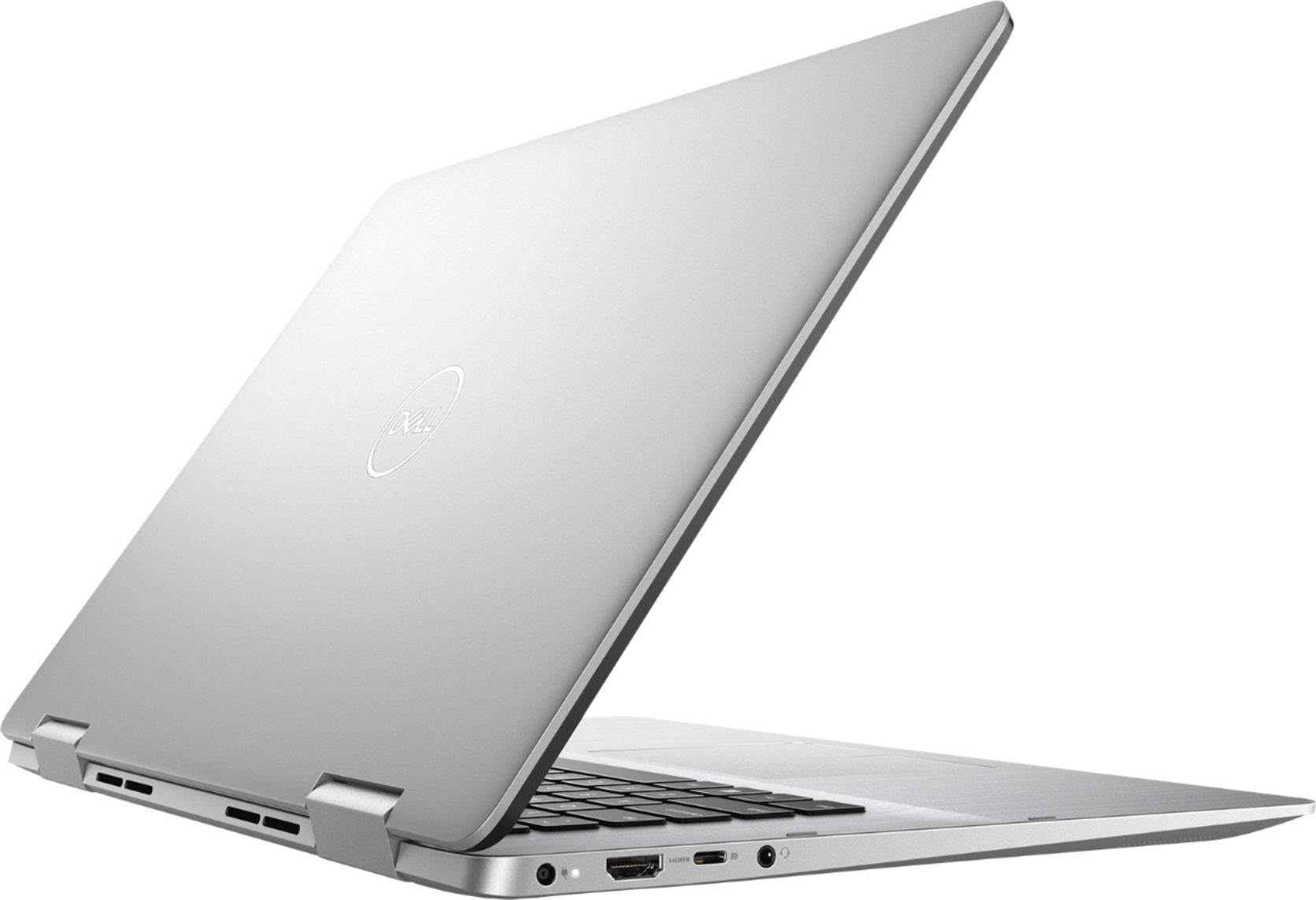
I would recommend this to a friend No Ethernet Port, wifi card is failing.
||Posted . Owned for 10 months when reviewed.This reviewer received promo considerations or sweepstakes entry for writing a review.Wifi driver is failing. No Ethernet port. Now have to use external wifi adapter.
No, I would not recommend this to a friendNO NUMBERS KEYBOARD
||Posted .This reviewer received promo considerations or sweepstakes entry for writing a review.I ASKED FOR A LAPTOP WITH NUMBER KEYS ON THE SIDE...AFTER GETTING IT UNPACKED......THERE WERE NO NUMBERS KEYBOARD
No, I would not recommend this to a friendBrand response from YourDellTeam
Posted .awylde1,
We're sorry that your new laptop's keyboard is not meeting your needs. We'd recommend looking at other computers that Dell has to offer that do include a number pad on the keyboard.
Best,
Bryan
1-800-624-9896