Customer Ratings & Reviews
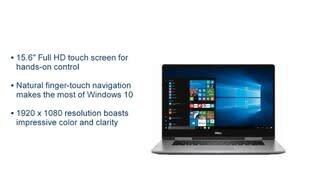


- Model:
- I7573-5104GRY-PUS
- SKU:
- 6083543
Rating by feature
- Value
Rating 4.0 out of 5 stars
- Quality
Rating 4.2 out of 5 stars
- Ease of Use
Rating 4.4 out of 5 stars
Customers are saying
Customers often highlight the Inspiron 2-in-1 laptop's touch screen as a favorite feature, praising its convenience and ease of use. The affordable price point and impressive storage capacity are also well-received. While some users express concerns about the battery life, the overall sentiment towards this laptop remains positive.
This summary was generated by AI based on customer reviews.
Fantastic!
||Posted .This reviewer received promo considerations or sweepstakes entry for writing a review.Dell continues to come through for me! Solid core, well built. Have bought Dell for years and they didn’t disappoint with this little baby!
I would recommend this to a friendGood computer for my kid
||Posted .This reviewer received promo considerations or sweepstakes entry for writing a review.Got this on sale and ended up being a decent buy. Processing speed can be slow but I kind of new that when I bought it. One pain point is at start up but it seems to run decent once it's up and going but we'll see if it slows over time. I definitely like the fact that it has the tablet function and is pen compatible. For the hardware, it's built pretty solid and the keyboard has a good layout (I'm picky with laptop keyboards).
I would recommend this to a friendBrand response from YourDellTeam
Posted .BK79,
Thanks for your review. We're glad that for the most part, this 2-In-1 is working for your son. If there are programs that you'd like to limit at start-up you can follow these steps here:
1. Close all open windows.
2. Press CTRL + Shift + ESC key together on the keyboard.
3. In the Task Manager window, click Startup tab.
4. Select the program or application that you want to disable from loading during startup.
5. Right-click and select Disable.
6. Repeat Step 4 & 5 for all the programs or applications that you want to disable from loading during startup.
7. Restart your PC.
You can read the full article here - http://dell.to/2tSulGV.
We hope these tips help your computer start up smoother for you.
Best,
Bryan
1-800-624-9896
Beauty
||Posted .This reviewer received promo considerations or sweepstakes entry for writing a review.Love how quickly it powers up. Very easy and quick to complete initial setup, and travels well. Not too heavy at all. It was easy to learn the newer version of Windows too. I'm very pleased with the interface and speed.
I would recommend this to a friendVery pleased with this laptop!
||Posted .This reviewer received promo considerations or sweepstakes entry for writing a review.I am very pleased with this laptop. This laptop offers many different functions, which I’m still learning about all it has to offer!
I would recommend this to a friend- Cons mentioned:Speakers
What did I pay so much for?
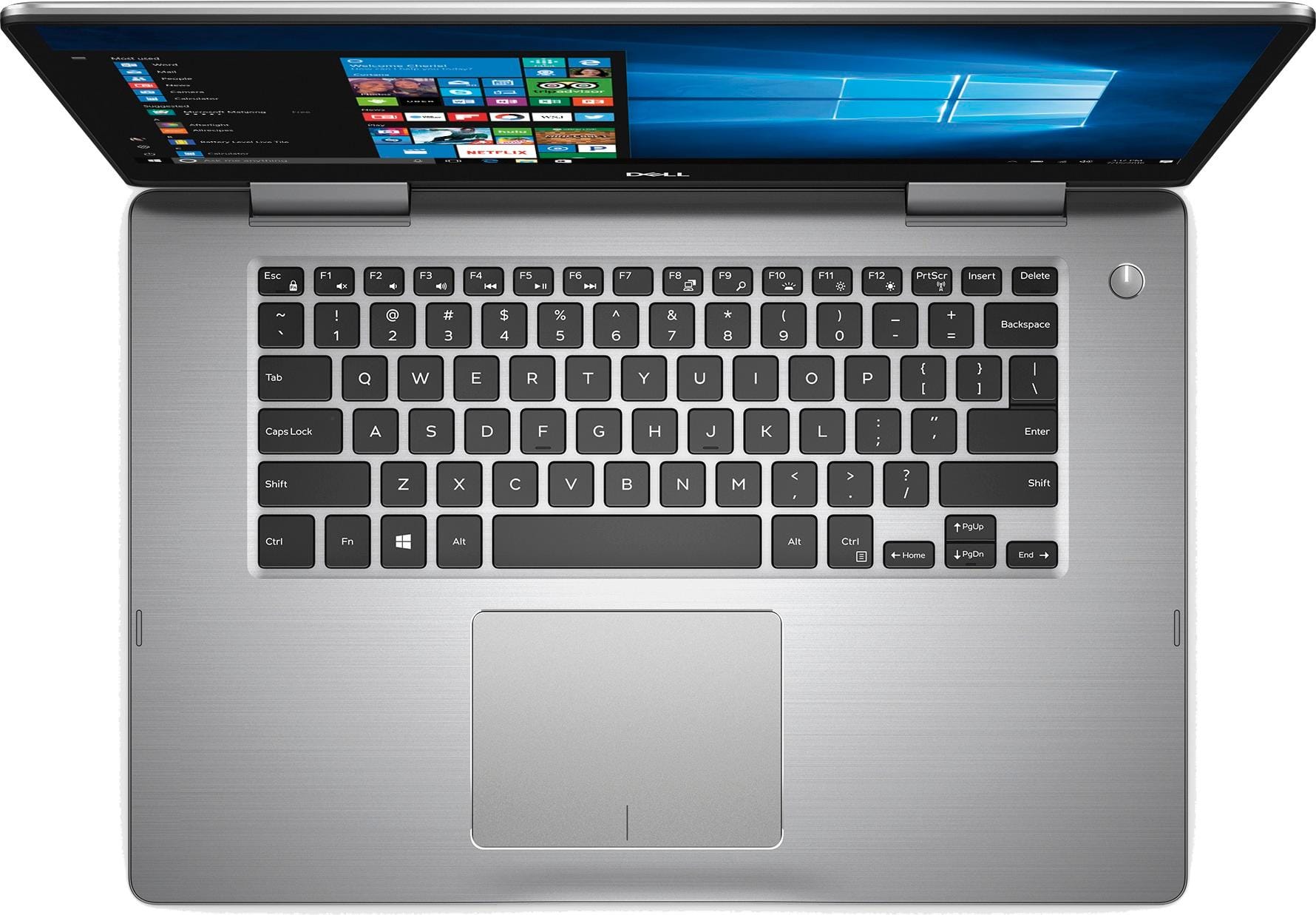
||Posted .This reviewer received promo considerations or sweepstakes entry for writing a review.Eager to have a better processor and 2 TB of hard drive, I was all in with this laptop. However, I am very disappointed. My speakers do not work at all. It sounds like static coming from a walkie-talkie. I don't know what I paid so much money for. No numeric keys and no cd/dvd drive. I could have had a custom laptop built for this same price.
No, I would not recommend this to a friendBrand response from YourDellTeam
Posted .Dear Lynn, Thank you for your review and for your recent Dell 2-in-1 purchase. We'd recommend updating the audio driver on your computer in hopes of improving the sound quality. Here's a link to the drivers page for your computer: http://dell.to/2yuPeJ9. We hope that a new driver will help your speakers sound the way you had anticipated.
You can also run Dell's Support Assist app in order to make sure that your other drivers and software are up to date. We hope these tips help your computer perform better for you. - Bryan
Great
||Posted .This reviewer received promo considerations or sweepstakes entry for writing a review.My son loves his new laptop. Although the price was higher than elsewhere but he needed it that day so we paid the extra amount.
I would recommend this to a friendLaptop
||Posted .This reviewer received promo considerations or sweepstakes entry for writing a review.Overall the laptop is fine but the face recognition doesn't always work. Frustrating, especially if you forget the password.
I would recommend this to a friendGreat laptop
||Posted .This reviewer received promo considerations or sweepstakes entry for writing a review.This laptop runs like a dream. I play a lot of MMORPGs (World of Warcraft, Final Fantasy 14, etc.), and this laptop runs those games so smoothly. The display on in is really good, everything looks crisp and vivid.
I would recommend this to a friendAverage
||Posted .This reviewer received promo considerations or sweepstakes entry for writing a review.The power adapter should be sturdier, seems like a toy. Overall, feels very compact for a 15.6". It's OK for the price.
I would recommend this to a friend- Cons mentioned:Cd drive
Ok
||Posted .This reviewer received promo considerations or sweepstakes entry for writing a review.I should have asked about a CD drive before I purchased the lapop. It doesn't have one.
No, I would not recommend this to a friendBrand response from YourDellTeam
Posted .Hello Cathy,
We're sorry that your new computer does not have a CD Drive as you had hoped for. If you do have additional questions or concerns about your computer you can check our Product Support Page here - http://dell.to/2F1mrhh.
Best,
Bryan
1-800-624-9896
Nice laptop for the price
||Posted .This reviewer received promo considerations or sweepstakes entry for writing a review.This laptop is a pretty good bargain for the price. I wish I would have gotten an i7 instead but this one is adequate.
I would recommend this to a friendGreat 2 in 1
||Posted .This reviewer received promo considerations or sweepstakes entry for writing a review.I recommend this 2 in 1 for all. Great battery life. Excellent picture quality. Great for the business person on the go.
I would recommend this to a friendGreat affordable labtop
||Posted .This reviewer received promo considerations or sweepstakes entry for writing a review.The manager from electronics helped us with the purchase he was really knowledgeable and didnt push us to buy the top dollar labtop like some will, labtop is great for going to school or any personal need
I would recommend this to a friendGood laptop for beginners!
||Posted . Owned for more than 2 years when reviewed.This reviewer received promo considerations or sweepstakes entry for writing a review.Good value laptop for entry level computing needs. Does an adequate job for basic tasks.
I would recommend this to a friendGreat student laptop
||Posted .This reviewer received promo considerations or sweepstakes entry for writing a review.This is for my riding sernior daughter. It’s great right out of the box. Best Buy has the best selection of computers around and with the 6 months free financing, it was super easy. Thanks BB partners.
I would recommend this to a friendOur Dell Inspiron Laptop works as expected.
||Posted .This reviewer received promo considerations or sweepstakes entry for writing a review.We are longtime users of Dell workstations and laptops. Our Inspiron laptop is a great performer at a reasonable price.
I would recommend this to a friendExtremely Multifunctional
||Posted .This reviewer received promo considerations or sweepstakes entry for writing a review.I needed the computer for work. It allows me to do everythinig that I need for busines, while also being neat to use for play. From games to social media, im able to access everything I want and need.
I would recommend this to a friendI am loving this computer
||Posted .This reviewer received promo considerations or sweepstakes entry for writing a review.The Best Buy Team was great in helping me buy the computer because I am not computer knowledgeable. The Geek Squad were wonderful (Chris & Sara) in helping me feel comfortable in using a new computer.
I would recommend this to a friend- Cons mentioned:Battery life
Good computer
||Posted .This reviewer received promo considerations or sweepstakes entry for writing a review.But it has its flaws for me it be dying to fast got to charge it every 2 hours
No, I would not recommend this to a friendBrand response from YourDellTeam
Posted .Hello Kikoalex,
Thanks for your review. Here are a few tips to help with the battery life of your new Dell laptop: Change the Power Plan:
1. On the notification area of the taskbar, right-click the Battery icon.
2. On the options list, click Power Options.
3. Select a power plan on the battery meter, such as Power Saver or Balanced. Windows 10 has a built in 'Battery Saver' mode that can be activated to extend your system's battery life. The Battery Saver mode will monitor and limit background activity and other features such as push notifications. You do have the option to enable or disable this mode within settings or within advanced Battery Saver settings, you can customize the mode to best suit your needs.
a) Click on the Action Center icon in the taskbar and select the tile for Battery Saver.
b) If running Cortana then type Battery Saver into the search box and select from the results.
Within the Battery Saver settings page, you will be able to turn on and off the feature and customize the feature to best meet your needs.
c) Turn Battery Saver On or Off.
d) Additional settings available via the Battery use and Battery saver settings links.
e) Battery use shows further info on apps and their power usage.
f) Battery Saver Settings screen allows you to customize further Battery Saver feature.
You can read the full article here - http://dell.to/2vfXWf4.
Best,
Bryan
1-800-624-9896
Great
||Posted .This reviewer received promo considerations or sweepstakes entry for writing a review.I purchased this laptop.. pretty good for day to day activities.. good for browsing.. happy with the product so far
I would recommend this to a friend