Customer Ratings & Reviews




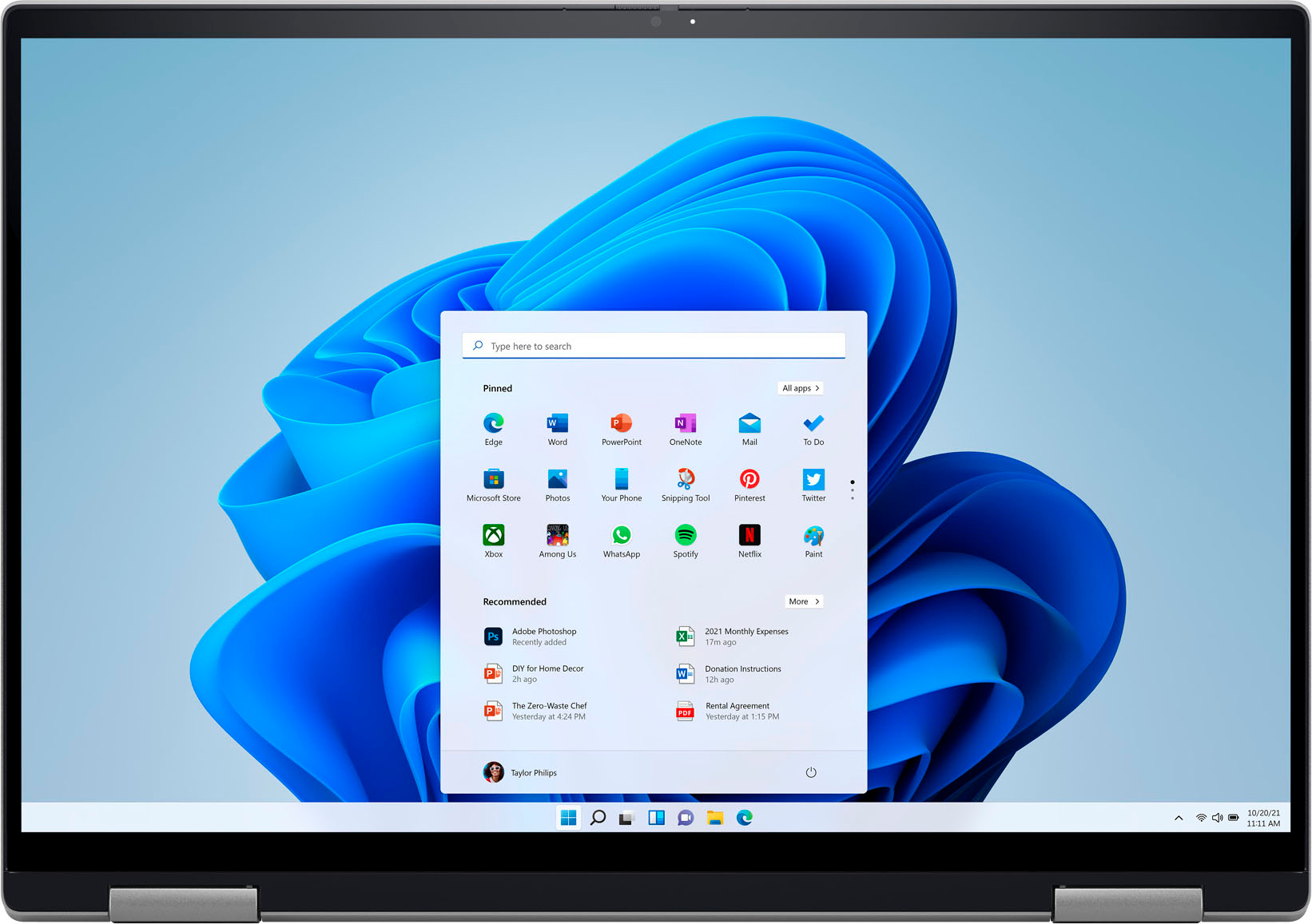






- Model:
- i7620-7631SLV-PUS
- SKU:
- 6504380
Rating by feature
- Battery Life
Rating 4.6 out of 5 stars
- Speed
Rating 4.7 out of 5 stars
- Display
Rating 4.7 out of 5 stars
Customers are saying
Customers have good things to say about the screen size, ease of use, performance, battery life, weight, and price of the Inspiron 2-in-1 laptop. Many appreciate its lightweight design and powerful performance for everyday tasks. However, some users experienced issues with the touchpad and reported occasional excessive fan noise. A few also mentioned problems with the speakers.
This summary was generated by AI based on customer reviews.
- Pros mentioned:Screen size
Good value
Posted .This reviewer received promo considerations or sweepstakes entry for writing a review.Excellent value . Touch screen very good. Strong and beautful case.
I would recommend this to a friend - Pros mentioned:Performance
Very happy.
Posted .This reviewer received promo considerations or sweepstakes entry for writing a review.Upgrade from previous version. I love it. Performs wonderfully. Highly recommend.
I would recommend this to a friend - Pros mentioned:Performance
Keeper
Posted .This reviewer received promo considerations or sweepstakes entry for writing a review.I love my computer. It has everything I need and more.
I would recommend this to a friend - Pros mentioned:Processor speed
Satisfied customer
Posted .This reviewer received promo considerations or sweepstakes entry for writing a review.Great computer! excellent speed and good memory capacity
I would recommend this to a friend Dell Inspiron two in one- Excellent!
Posted .This reviewer received promo considerations or sweepstakes entry for writing a review.This computer has the features and power I was looking for. The big touchscreen is easy to use, and this computer was more affordable than others with the same features. I can use it as a laptop or tablet. Excellent!
I would recommend this to a friend- Cons mentioned:Touchpad
Better laptops for the same price or less
Posted .This reviewer received promo considerations or sweepstakes entry for writing a review.I bought this laptop on May 26th 2022 for just over $1,700.00 and today is April 7th 2025 and it did not hold up well at all. Not worth the price. The touch pad hardly works at all, i have to use a USB mouse, the USBC charger port and or battery has an issue where it is causing my chargers to over heat and burn out. I have had to replace the charger 4 times. Not cheap off brand chargers either. The screen does not stay in the correct orientation because of a senor issue.
No, I would not recommend this to a friend Open Box Laptop is a Great Deal!
Posted .This reviewer received promo considerations or sweepstakes entry for writing a review.Great laptop even as open box. It was used like new, but appears to be brand new just opened. My 3rd open box laptop from Best Buy and have never had any issues.
I would recommend this to a friendExcellent labtop in budget
Posted .This reviewer received promo considerations or sweepstakes entry for writing a review.Very usefull labtop for students and everyone ,features are very good ,i like to use this labtop for my college purpose .
I would recommend this to a friendReal Service
Posted .This reviewer received promo considerations or sweepstakes entry for writing a review.Steve recommended this computer, delivered it, and completed the setup. I really appreciate him and this available service.
I would recommend this to a friendDell Purchase
Posted .This reviewer received promo considerations or sweepstakes entry for writing a review.Switched from HP to Dell. Total Tech crew were very helpful and knowledgeable.
I would recommend this to a friendLove Dell
Posted .This reviewer received promo considerations or sweepstakes entry for writing a review.Great product and service. Store staff was super!!
I would recommend this to a friend- Cons mentioned:Touchpad
WARNING
Posted .This reviewer received promo considerations or sweepstakes entry for writing a review.Please google 'dell inspiron erratic mouse issue' before buying this. Please. I beg you. I've had this since June 2023 and the touchpad is absolutely useless now. After some Googling, it's a widespread issue for Dell Inspiron laptops where the mouse isn't grounded properly and causes erratic mouse behavior, rendering it virtually unuseable.
No, I would not recommend this to a friendBrand response from YourDellTeam
Posted .Hi BobbyB,
We value your feedback and want to thank you for taking the time to leave a review of your Inspiron 7620. We are sorry to hear that you are having touchpad sensitivity issues. This is certainly not the experience that we like to hear from our customers. We will share your concern with our quality team so that improvements can be made to our current and future products and services. Below I have provided troubleshooting instructions with the full article that may be able to resolve the issue.
Here are the steps to help resolve your touchpad issue:
1. Ensure the touchpad and your finger do not have any dirt, grease, liquids, or food on them (the touchpad has to make good contact with your finger to work correctly).
2. Ensure that the touchpad is turned on.
3. Save any data, close any open programs and restart the computer by using a wired USB mouse (if available) or Bluetooth mouse if it is already installed, if not, press hold the power button for at least 15 seconds to turn the computer off.
4. Unplug everything except the power cable.
5. Turn the computer back on and retest the touchpad.
6. When the cursor does work correctly, attach one device at a time, and test the cursor movement to see which one may have caused the issue.
7. Ensure that the BIOS and Chipset drivers are updated to the latest version.
Touchpad Usage and Troubleshooting Guide: https://dell.to/3zwM1rp
If you continue to experience issues, please reach out to Dell Support directly by using the information provided below.
Chat or call: https://bit.ly/DellSupportTeam
Phone number to Dell: 1-800-624-9896
Best,
Summer@Dell
- Cons mentioned:Touchpad
Dell laptop
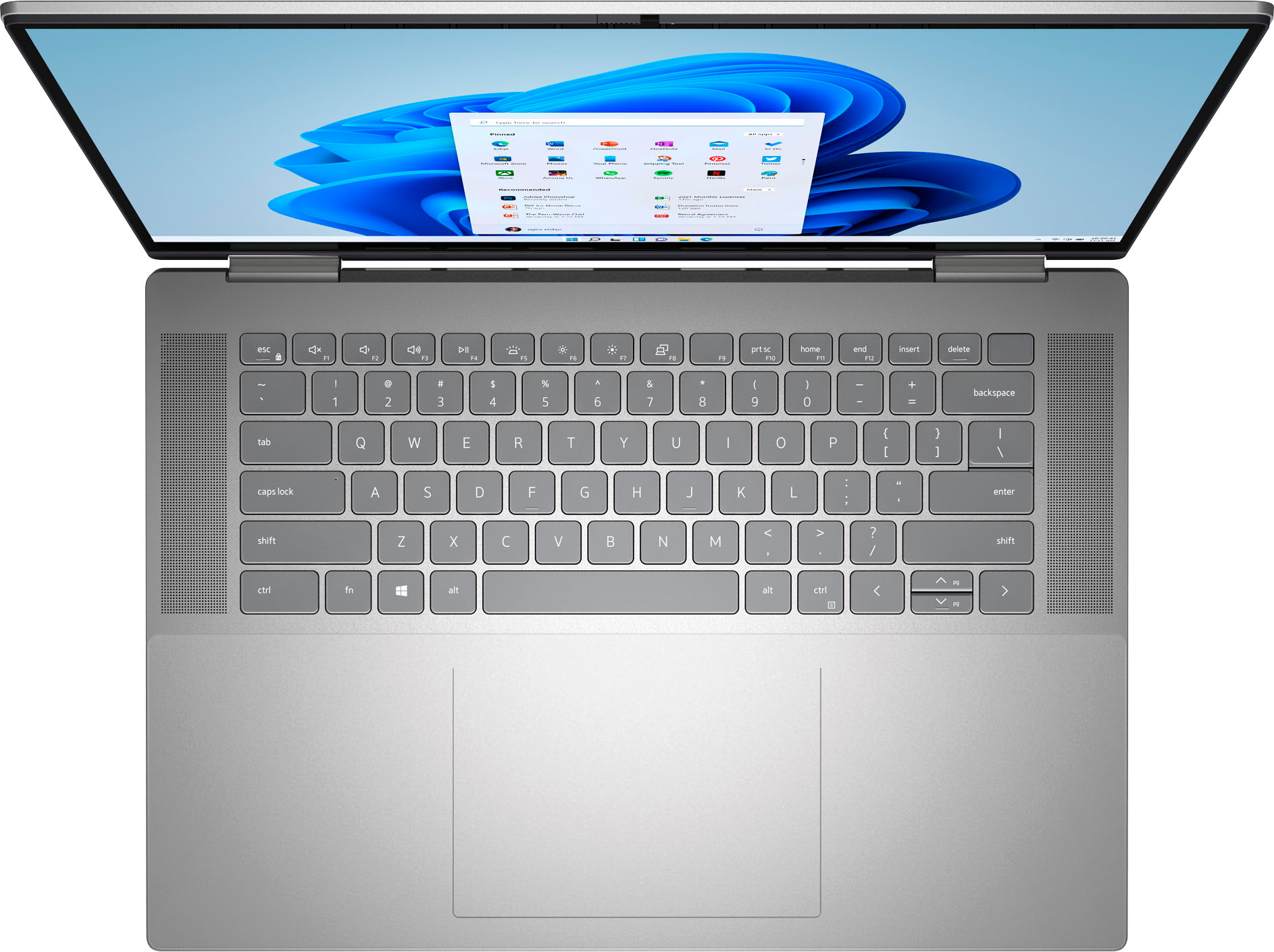
Posted .This reviewer received promo considerations or sweepstakes entry for writing a review.only additional feature I would have loved is the number pad on the right side of the keyboard
I would recommend this to a friend - Pros mentioned:Processor speed
Lap top
Posted .This reviewer received promo considerations or sweepstakes entry for writing a review.Love it. Super fast. Easy purchase. Salesman was nice.
I would recommend this to a friend Horrible
Posted .This reviewer received promo considerations or sweepstakes entry for writing a review.I purchased this laptop almost 1 yr ago. Recently, the processor stop working when the cooling fan started. This cooling fan starts every time I start using this laptop. It makes a loud noise, and won't stop for at least 30 min during my use. The speed of the processor became like 30 yrs ago dial-up speed. I won't be considering buying another Dell laptop.
No, I would not recommend this to a friendBrand response from YourDellTeam
Posted .Hi Robinbl,
Thank you for taking the time to leave us your review. We apologize for the fan noise issues that you are experiencing with your Inspiron 7620. It's important for us to hear about discrepancies in our products for consideration of future development. Below I have provided troubleshooting instructions with the full article that can help resolve this issue.
Here are the steps to help resolve your fan noise issue:
1. Check and clean air vents.
2. Provide proper ventilation.
3. Run a hardware diagnostic test.
4. Update the BIOS and device drivers.
5. Download and install Microsoft Windows Updates.
6. Run optimize my computer using Dell Support Assist.
7. Limit startup programs.
8. Scan your computer for malware.
How to Troubleshoot Fan Issues: https://dell.to/33NYLLE
If you continue to experience issues, please reach out to Dell Support directly by using the information provided below.
We recommend that you contact Dell directly with the information below if you need further assistance.
Chat or call: https://bit.ly/DellSupportTeam
Phone number to Dell: 1-800-624-9896.
Best,
Summer@Dell
- Cons mentioned:Touchpad
Every problem imaginable
Posted .This reviewer received promo considerations or sweepstakes entry for writing a review.By far my least favorite laptop that I have ever purchased. Pretty much from day 1, I have experienced problem after problem. It first started with a faulty charger. After about a week the trackpad just started clicking on random stuff and not working properly. Then my audio jack went faulty. After that, the computer was incapable of playing a simple video game for more than 20 minutes without glitching out. And finally, the finger print reader only works a third of the time. I have only owned this laptop for about 6 months. This is unacceptable of something I paid this much money for.
No, I would not recommend this to a friendBrand response from YourDellTeam
Posted .Hi MarkM,
We appreciate you taking the time to leave us your review. We are sorry to hear about all the issues you have come across with your Dell Inspiron 7620 2-in-1 computer because its charger is not functioning, the touchpad is not reliable, the audio and fingerprint reader are not working properly, and it is glitchy. This is certainly not the experience that we like to hear from our customers. We appreciate your feedback and will use it to help improve our current and future products.
We recommend making sure drivers for your Inspiron are updated. I have provided a link to the drivers and downloads page where you can check for any applicable updates.
Drivers and Downloads page: https://dell.to/3m0jfty
Some Notebooks and Tablets with Keyboards have added gesture features to the touchpad hardware and drivers. A few of these features are two or three-finger scrolling, pinch zoom, circle zoom, rotation, and swiping. These new features may be the reason for the erratic cursor movement since most are turned on by default. You can disable or modify the way the features work in the touchpad driver properties. Here are some tips to modify these settings:
1. In the Search box, type main.cpl.
2. Touch or click main.cpl in the list of programs.
3. Touch or click the Dell Touchpad tab.
4. Touch or click on the picture of the touchpad.
5. Touch or click Gestures (depending on your computer there may not be a Gestures option).
6. Change the options as preferred.
7. Touch or click Save.
8. Touch or click the X in the upper-right corner to close the Dell Touchpad Utility.
9. Touch or click OK on the Mouse Properties window.
10. If the touchpad still does not work after following the preceding steps, refer to Dell Knowledge Base article - http://dell.to/2iaiujA.
You can read the full article here - http://dell.to/2tqmS02.
Below I have provided the steps to run the Microsoft Sound Troubleshooter which should help with audio issues. I have also included the full article link that has more options if they are needed.
How to run the Windows Sound Troubleshooter
1. Click Start, and then select Settings (gear icon).
2. Click Update & Security and select Troubleshoot.
3. Click Playing Audio and then click Run the troubleshooter.
4. Follow the on-screen instructions to complete the troubleshooting process.
How to Troubleshoot Audio Issues or Sound Playback Issues: https://dell.to/3u4pzmX
I have provided a link below with recommendations on the best way to use the fingerprint reader. I have also included a link to help troubleshoot and resolve the security feature issues.
Fingerprint reader Best Practices: https://dell.to/3Ad6DVG
How to Troubleshoot Fingerprint Reader and Security Issues: https://dell.to/3BwO7rR
If the issues with your Inspiron computer are still not resolved after utilizing the troubleshooting option above, please contact the Dell Support Team at 1-800-624-9896 for further guidance.
Best,
Katarina@Dell
Should you need further assistance, you can contact Dell directly with the information below.
Chat or call: https://bit.ly/DellSupportTeam
Phone number to Dell: 1-800-624-9896
My Dell Laptop
Posted .This reviewer received promo considerations or sweepstakes entry for writing a review.Best Buy Geek Agent was excellent in technical matters and instruction, he was friendly and courteous. i am satisfied with the lap top computer.
I would recommend this to a friendLove my Dell Laptop
Posted .This reviewer received promo considerations or sweepstakes entry for writing a review.Love my Dell laptop. Also need tech help on setup, which was exceptional.
I would recommend this to a friendWill Never Buy Dell Again.
Posted .This reviewer received promo considerations or sweepstakes entry for writing a review.If I could give this laptop and Dell Customer support 0 starts I would. I bought this laptop looking to upgrade from my previous Dell Latitude with high hopes for its performance. But out of the box, it was finicky and would run extremely slow. I reinstalled windows hoping to resolve the issue but after a week the laptop would crash and give me a blue screen. I reached out to dell customer support to hopefully resolve the issues and they did help me reinstall windows a second time within 10 days of buying a $1200 laptop. I hoped this would resolve the issues but it did not. Dell customer support did reach out again a few days later to see if the issue was fixed and upon hearing that it was not they elevated the matter to have an in-person tech come and replace the motherboard and hard drive. But now a month later and still waiting I find they resolved my ticket because they weren't able to find a tech. I am hard-pressed to imagine Dell a company worth $27.6 billion dollars does not have a technician on the eastern seaboard of the US. So as of today I am left with a computer that only operates when it sees fit and a once devote Dell customer will never purchase one again.
No, I would not recommend this to a friendBrand response from YourDellTeam
Posted .Hi Carter,
We would like to thank you for taking the time to provide us with your feedback. We are sorry to hear about all the troubles you have come across with your Dell Inspiron 7620 2-in-1 computer. We apologize that the Dell technician was not able to help you to resolve these problems. This is certainly not the experience that we like to hear from our customers. We appreciate your feedback and will use it to help improve our current and future products and services.
Please take a moment to contact the Dell Support Team at your earliest convenience at the information provided below. We hope that the next representative you speak with can help you to resolve these issues to your satisfaction.
Best,
Katarina@Dell
Should you need further assistance, you can contact Dell directly with the information below.
Chat or call: https://bit.ly/DellSupportTeam
Phone number to Dell: 1-800-624-9896
Avoid at all cost!
Posted .This reviewer received promo considerations or sweepstakes entry for writing a review.Do not buy this laptop! Hinges broke and warranty doesn't cover it. $900 dlls for repairs at best buy. There's a class action lawsuit for this problem.
No, I would not recommend this to a friendBrand response from YourDellTeam
Posted .Hey Rtrejo,
We value your feedback and want to thank you for taking the time to leave a review of your Inspiron 7620. We are sorry to hear that your hinges are broken. That is not the type of feedback we like to hear from our customers, or the type of product Dell intends to deliver. We have noted the details of your statement and will use them to improve current and future products.
If you need further assistance, we recommend using the toll-free number or chat link below at your convenience to reach a member of our Dell Support Team.
Chat or call: https://bit.ly/DellSupportTeam
Phone number to Dell: 1-800-624-9896
Best,
Summer@Dell