Customer Ratings & Reviews

- Model:
- I7790-7012SLV-PUS
- SKU:
- 6373025
Rating by feature
- Value
Rating 4.4 out of 5 stars
- Quality
Rating 4.6 out of 5 stars
- Ease of Use
Rating 4.6 out of 5 stars
Customers are saying
Customers have good things to say about the Inspiron 27" All-in-One's large screen size and ease of use. Many appreciate its performance and the inclusion of features like the touchscreen and solid-state drive, contributing to a positive user experience. The sleek design also receives praise. There are no negative customer comments reported.
This summary was generated by AI based on customer reviews.
- Pros mentioned:Processor speed, Screen size

My New Best Friend
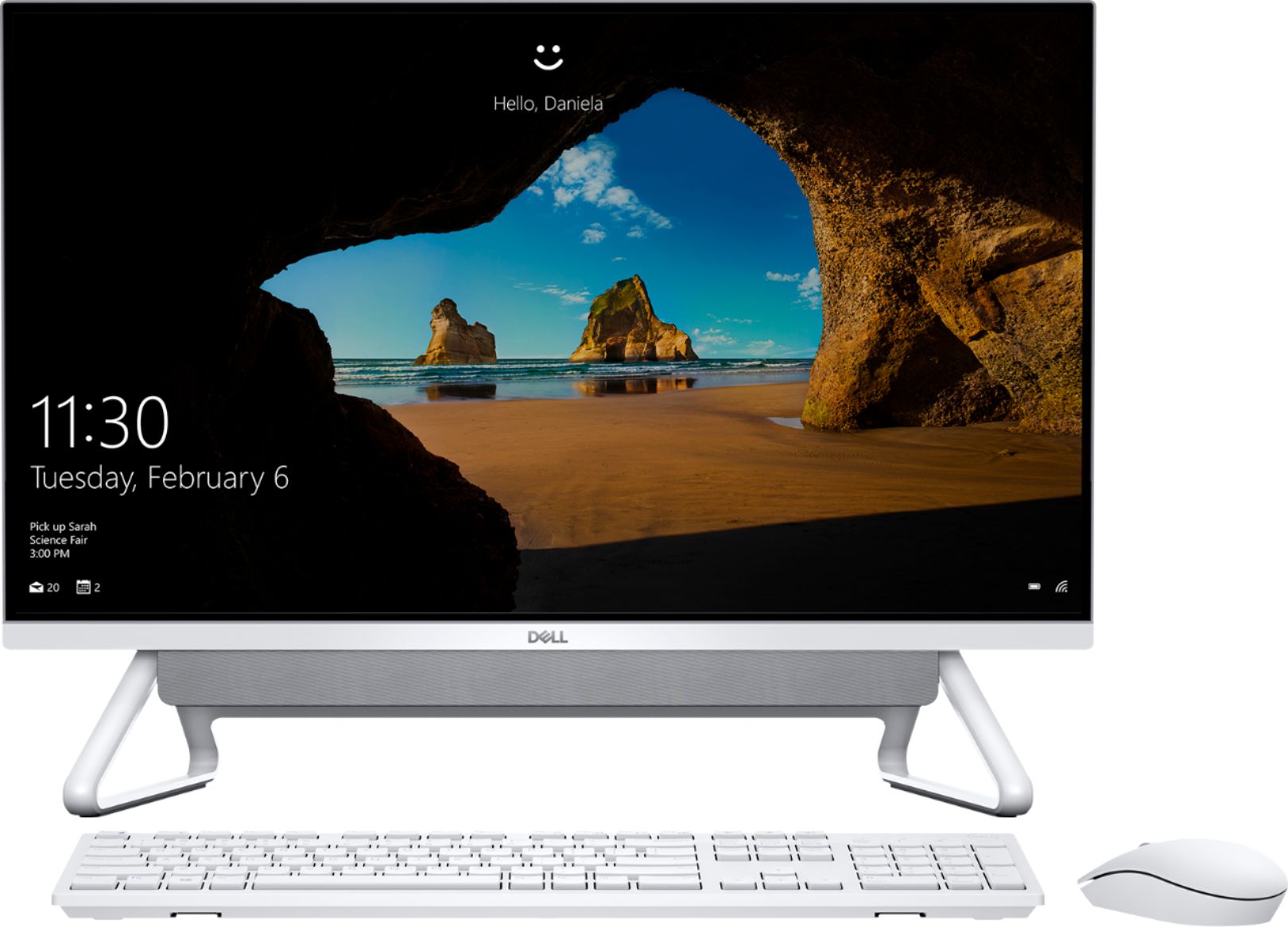
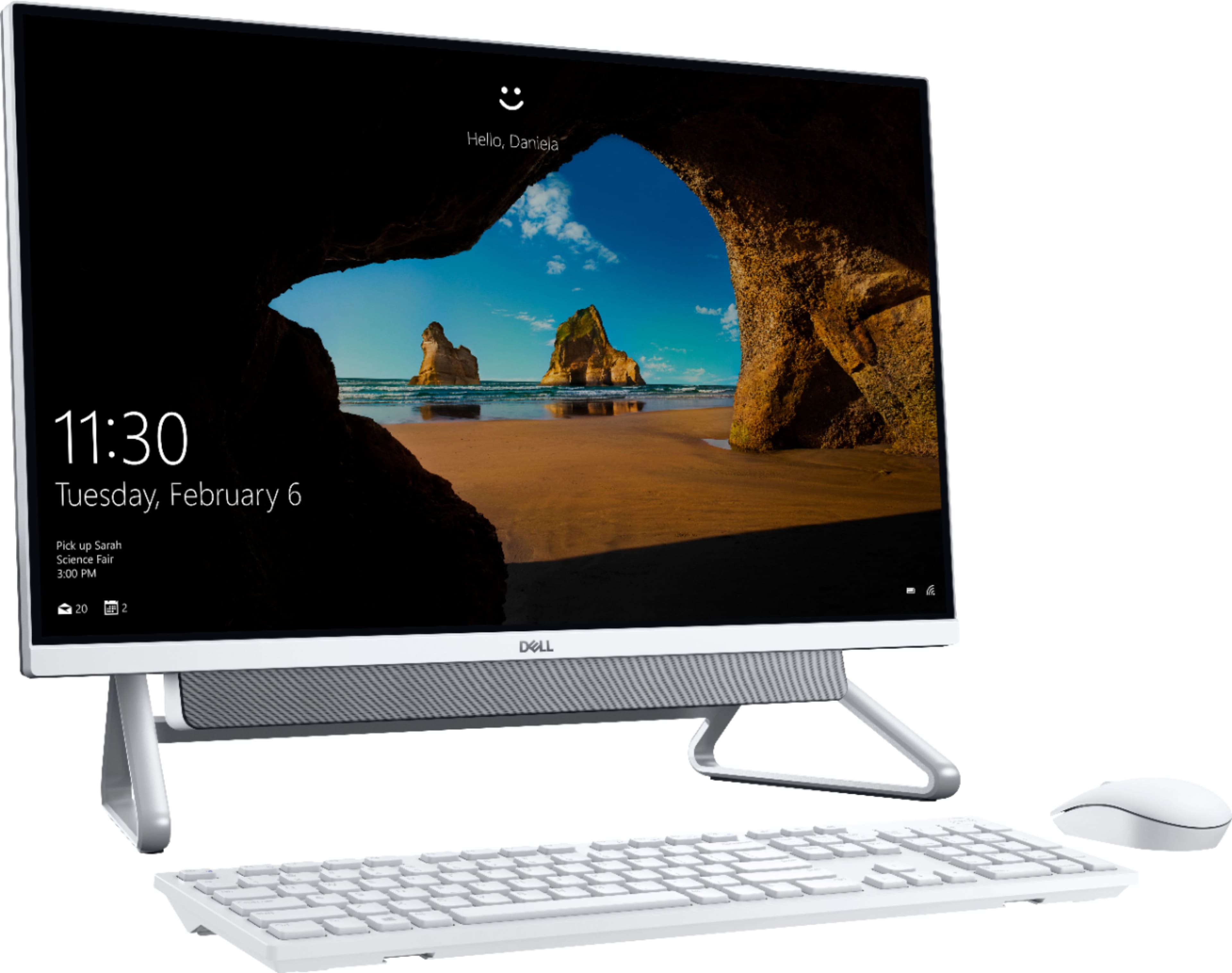
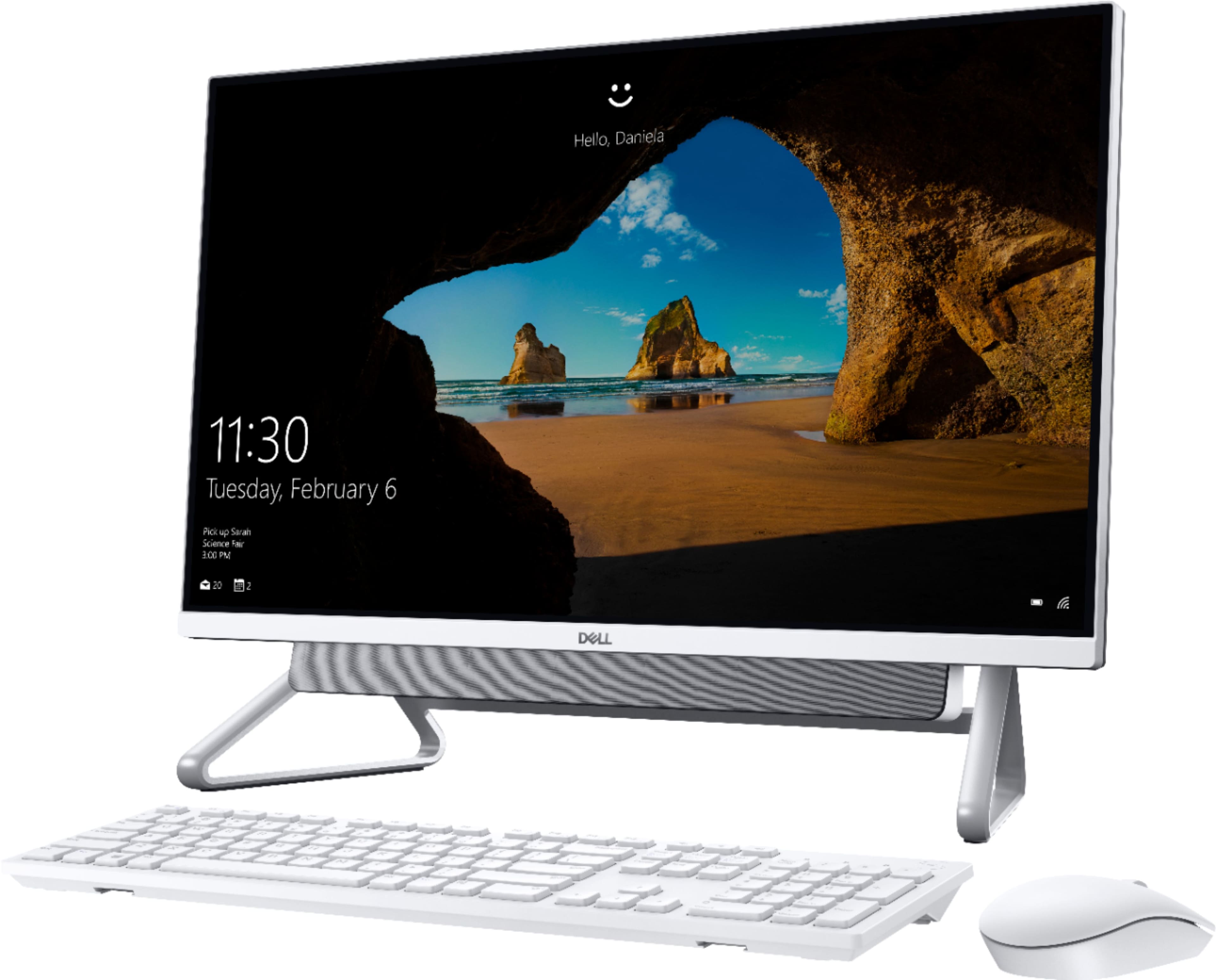
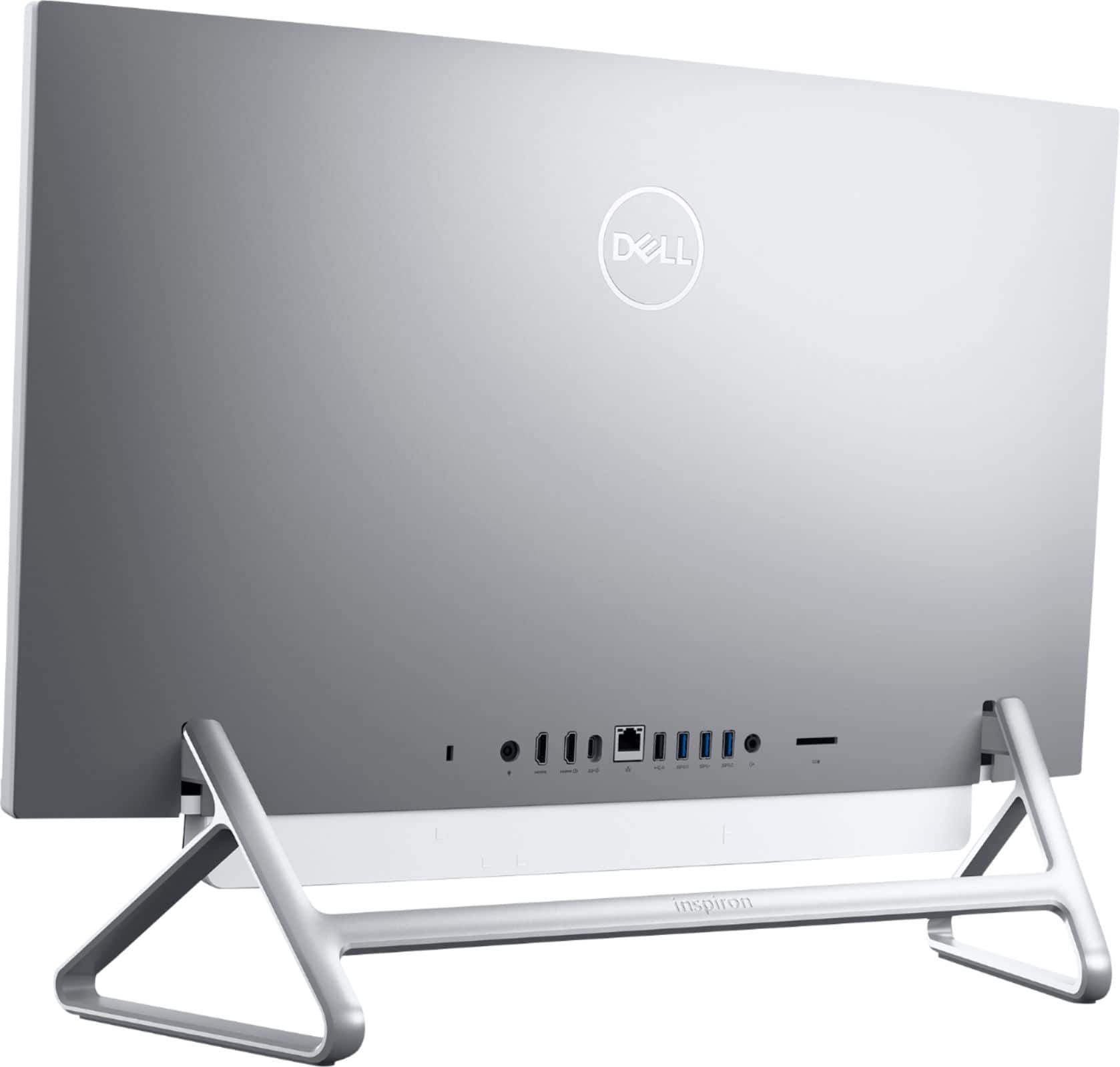
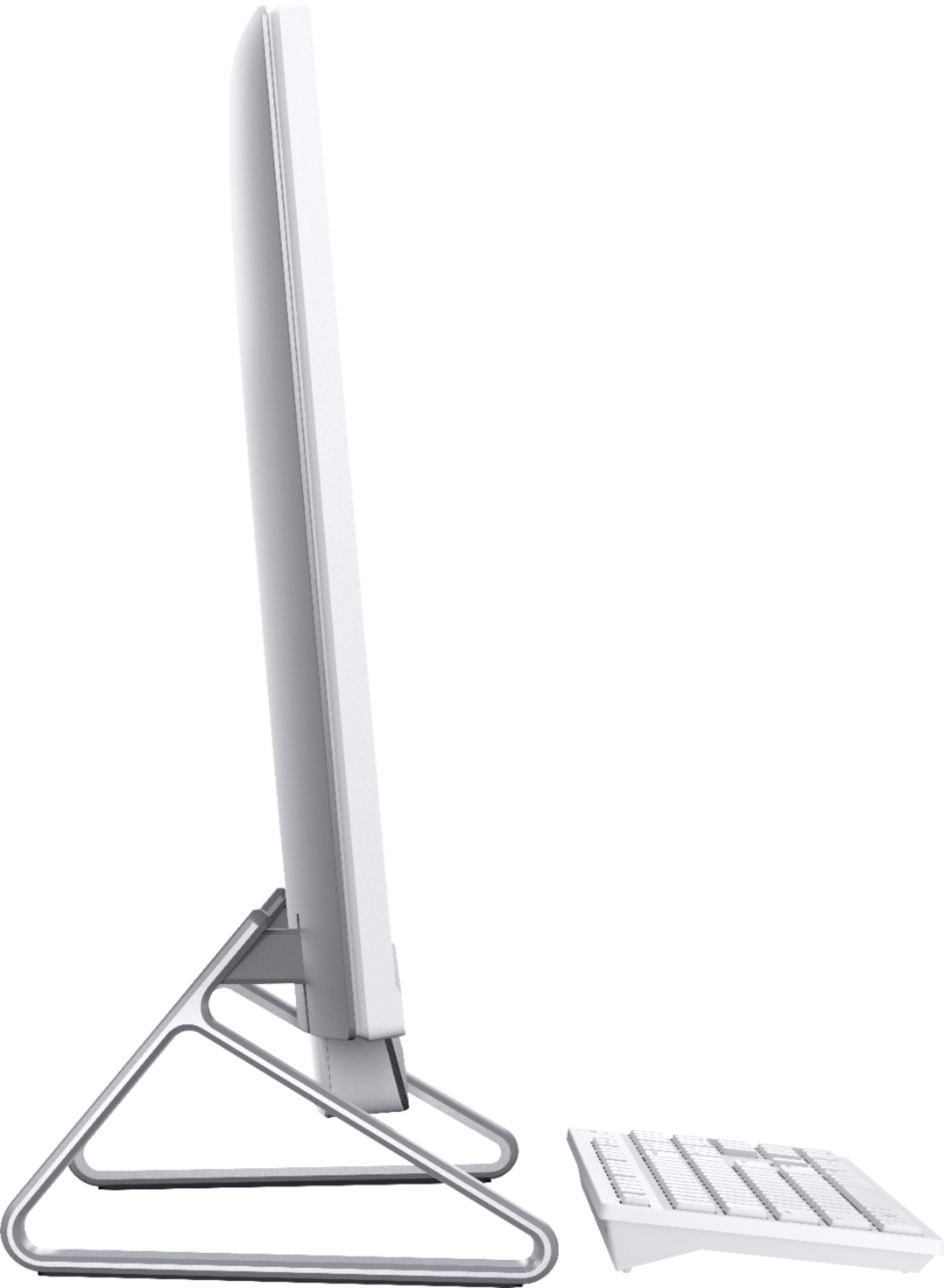
|Posted .This reviewer received promo considerations or sweepstakes entry for writing a review.Dell has long been known for top-self computing products. They don’t come cheap, but you get a lot for the money. Dell’s new Inspiron 27 AIO upholds the Dell tradition. With the AIO, there are only four items in the box: keyboard, mouse, monitor-CPU and power cord. Set up is easy and amazingly quick. In fact, the computer does most of the work. Also, it was a very nice surprise to discover all my document files were automatically loaded via Dropbox. So, in a very short time, pretty much all was ready to go. While the AIO isn’t perfect, there’s a lot to like about it. Pros and cons include the following: Keyboard: Right out of the box, it looks a bit cheesy. It’s very small in size, so it doesn’t take up much desk space. Caps Lock has an on light, but it is not on the Caps key. It’s located over the numeric pad next to the Num Lock light. Being an old-fashioned rectangle, it is not ergonomic and can become uncomfortable with extended use. The Num Lock light goes off a few seconds after activation, but the functionality continues. Perhaps, that is to reduce battery usage in some small way. There is an on/off switch on the underside of the keyboard, which is a nice feature for power saving when not in use. Mouse: The mouse is quick and more comfortable to use than the keyboard. It’s fits nicely into the hand and is easy to move on the mouse pad. It also has an on/off power switch. For me, my hand aches with usage over an extended period. Fortunately, I already have a highly ergonomic mouse and keyboard that I can use. Monitor-CPU: This is where the AIO shines! As already mentioned, the quick easy set up. The monitor’s 27-inch full HD touch screen produces excellent viewing, and only a light touch is needed for operation. Pen input is also available. In a word, it’s great! The 10th generation i7 processor combined with 12GB of RAM produces excellent processing power, even with multiple screens open. Add 512GB of storage, and you’re riding a stallion. There’s also Bluetooth 5.0 and facial recognition login access via the pop-up camera. Via Wi-Fi, the AIO connected very quickly with my printer, another plus. The only quarrel I have is that the multiple USB/HDI/etc. slots are located on the rear of the monitor, making them difficult to get to without having to turn the heavy monitor/CPU around each time you want to plug/unplug. To minimize that annoyance, I am using a plug-in device with multiple slots that can be utilized form the front. Easy resolution. Minor issues aside, I love the AIO and certainly would recommend it to a friend.
I would recommend this to a friend Brokenlegcomputer
||Posted .This reviewer received promo considerations or sweepstakes entry for writing a review.When i got the dell computer by mail one of the legs was broken.
I would recommend this to a friendBrand response from YourDellTeam
Posted .Brokenleg,
We're sorry to hear about the condition that your computer was received in. We'd recommend reaching out directly to Best Buy to see what your options are: http://bit.ly/2v2IVhI.
Best,
Bryan
1-800-624-9896
It broke on the first day
||Posted . Owned for 2 weeks when reviewed.This reviewer received promo considerations or sweepstakes entry for writing a review.It broke on the first day, and had to pay probably $600 to repair. I am not happy about it.
No, I would not recommend this to a friendBrand response from YourDellTeam
Posted .qsystems,
Thanks for your review. We're sorry to hear about your computer. Dell does offer a One Year Limited Warranty on our products that you can read more about here: http://dell.to/2tNsVOs.
If you have additional questions about your computer you can check our Product Support Page here: https://dell.to/30Vlu57.
Best,
Bryan
1-800-624-9896
desktop
||Posted . Owned for 1 month when reviewed.This reviewer received promo considerations or sweepstakes entry for writing a review.quality picture not clear , problems with bluetooth, look cheap frame and keyboard..
No, I would not recommend this to a friendBrand response from YourDellTeam
Posted .tran,
Thanks for your review. We're sorry that your computer is not everything you had hoped it would be. If you'd like to see if you can improve the picture quality of your monitor you can read this article: https://dell.to/2CLF6yC.
Please feel free to reach out to Dell's Technical Support Team if you continue to experience issues with the Bluetooth connection on your All-In-One: http://dell.to/2sH7Qlm.
Best,
Bryan
1-800-624-9896
Great product
||Posted . Owned for 3 weeks when reviewed.This reviewer received promo considerations or sweepstakes entry for writing a review.Was open box but never received a box or instructions so was a bit tricky
I would recommend this to a friendBrand response from YourDellTeam
Posted .Rachel,
Thanks for your review and for purchasing a Dell All-In-One. Here's a link to the instructions for your new computer from Dell's Product Support Page: https://dell.to/3f5nG1l.
Best,
Bryan
1-800-624-9896
so so
||Posted . Owned for 1 month when reviewed.This reviewer received promo considerations or sweepstakes entry for writing a review.For the product being new, it shuts down alot by itself.
No, I would not recommend this to a friendBrand response from YourDellTeam
Posted .Hello Anselmo,
We are sorry to hear you are experiencing difficulties with your Inspiron and apologize for the inconvenience. To resolve most common issues, we suggest running the suite of tools found within the 'SupportAssist' application that came pre-installed with your PC. It will not only perform diagnostics to determine what may be causing errors but also install the latest updates and drivers. This will ensure you have the best experience to date.
Here is the link to the full article to assist with your performance issue: https://dell.to/32wo0Ss.
Best regards,
Wendy C.
For further assistance, you can contact Dell directly with the information below Chat or Call:
https://bit.ly/DellSupportTeam
Phone number to Dell: 1-800-264-9896
- Pros mentioned:Screen size
Nice Touch Screen
|Posted .This reviewer received promo considerations or sweepstakes entry for writing a review.This is the first touch screen that I have owned. This is a pretty sleek unit. right out of the box there is only the power wire that needs to be connected. To connect the wireless keyboard and mouse there is a USB dongle that is hidden in the mouse. The keyboard and mouse are ok, nothing that says wow. With the advent of many computers that have wireless/Bluetooth functionality built-in I was surprised to see that you have to waste a USB port on a dongle for the mouse and keyboard The product description states that it is silver, well it is except for the bezel, mouse, and keyboard. There are plenty of USB ports (except the one you need to use for the dongle), also there is an SD card reader. The problem that I have with the SD card reader is that it is on the back of the PC. Why not put it on the front or side for easier access? There is plenty of space inside the case to have placed it somewhere better suited for ease of use. The biggest downside to this or any storebought mass-produced PC is the bloatware. Dell's utilities and McAfee are pre-installed I would have preferred not to have the antivirus and been able to install one of my choices. Overall for the price, it is not a bad computer. I look forward to many years of use. I plan on upgrading the minimal 12GB of memory to the full 32GB that this will allow as well as adding a larger second drive for the actual storage of large files that won't eat up the main drive.
I would recommend this to a friend HORRIBLE cust srv, do NOT purchase ‘open box’
||Posted . Owned for 1 week when reviewed.This reviewer received promo considerations or sweepstakes entry for writing a review.Bought open box item, without cord and was advised which power cord to buy online. Once received $75 cord, computer would not even turn on. Called same store and they said not true I was doing ‘something’ wrong. Took to local computer shop and was told it was completely dead, another $50. Took back to store, another hour plus ordeal, and was informed it has been Geek certified so I just asked for money back. Best Buy use to be better than this and the store has HORRIBLE customer service! Not friendly and no one wants to wait on you!
No, I would not recommend this to a friendNot worth it in my opinion
||Posted . Owned for 3 weeks when reviewed.This reviewer received promo considerations or sweepstakes entry for writing a review.Pc itself has some nice display features. However Dell is a horrible company & dropped the ball with this one. Bluetooth is a big defective issue with this pc especially when updating to windows 11
No, I would not recommend this to a friendBrand response from YourDellTeam
Posted .Hi MercedesM,
We appreciate you taking the time to leave us your review. We sincerely apologize for the Bluetooth connectivity issues you are experiencing. Below I have provided a link to an article to help troubleshoot and resolve this problem when trying to pair your devices in Windows 11 or Windows 10.
How to Pair Bluetooth Devices in Windows 11, Windows 10: https://dell.to/3bHojMR
After you have finished troubleshooting your system, if the problem persists, please reach out to our support team here at your earliest convenience: https://bit.ly/DellSupportTeam.
Should you require further assistance, you can contact Dell directly with the information below.
Chat or call: https://bit.ly/DellSupportTeam
Phone number to Dell 1-800-624-9896
Best,
Ashley@Dell
- Pros mentioned:Screen size
Lovely looking all in one
|Posted .This reviewer received promo considerations or sweepstakes entry for writing a review.I really love the design of this computer. It's a bit unlike any other I've used. It has the aesthetic of a nice television that can tilt on its stand (why can't actual TVs do this??) and the speaker looks like a cool little floating soundbar. I'm happy with how the machine is spec'd and performing so far. It boots quickly and I haven't ran anything that felt sluggish. The keyboard and mouse look quite nice and white and are more than adequate, although you may want something more ergonomic if you're going to be use them for extended periods of time. Why 4 stars? Well, working on this big 27 inch screen is going to make it difficult to be on another computer that's smaller. Because of this I wish it had a little more punch and clarity to it. I've got an inexpensive external monitor attached and side by side you can see that the Dell's screen just isn't quite as clear or sharp. It makes me wish they had just really gone all the way with it and used a higher end panel. Additionally, I may be alone but I still like having a few port options on the side of a machine like this so that I don't have to lean over the back of it every time I want to plug something in. It's hard to see from that angle and depending on how your desk is set up it's not always easy to just flip the entire unit around. That's it! I think it's going to be a great machine even with those few minor nitpicks.
I would recommend this to a friend - Pros mentioned:Processor speed
Pretty good so far
|Posted .This reviewer received promo considerations or sweepstakes entry for writing a review.This is a great computer for general websurfing, watching videos and basic (and I mean basic since it's integrated graphics) gaming. Compared to other PC's out there the HD is small and the OS takes up quite a bit of space. If you plan on storing a lot on this, get an external HD. Since I'm a bit old school, 12GB of RAM seems weird (I'm an 8 or 16 kind of guy) It does boot up fast and runs smoothly though. The touch screen is... well I'm still getting used to it. While it may become more popular in the future, it's odd to be able to type on a keyboard and be able to use the touchscreen like a tablet.Speaking of, the included wireless keyboard and mouse lend to a clean looking area. My complaint is white shows dirt something fierce, the keys are mushy, and there's a bit of lag input from the mouse and keyboard. The built in wireless syncs up easily. I have not tried connecting Bluetooth headphones to it yet, but if it syncs up as well as the wireless ,it'll be amazing. Lastly the 27inch screen resolution is great. All in all, a good choice for an all around PC. Without the cheap feeling keyboard and mouse, I'd give it 5 stars.
I would recommend this to a friend Problems from the start
||Posted . Owned for 3 weeks when reviewed.This reviewer received promo considerations or sweepstakes entry for writing a review.Within five days of purchase, the computer became sluggish and on day six the white screen of death showed up. In researching the cause on my cell phone, I tracked down the cause to an overheated fan. We packed up the computer and returned it to Best Buy. Thank goodness this all occurred within the 14 day exchange/return policy.
No, I would not recommend this to a friend- Pros mentioned:Screen size
Great Computer (unfortunately it includes bloat)
|Posted .This reviewer received promo considerations or sweepstakes entry for writing a review.This is great computer. I have avoided all-in-ones in the past because they were basically laptops that were so large you couldn’t carry them around. So you sacrifice your upgrade potential for no portability. More recently, upgrading computers doesn’t get you as far as it used to. Growing up in the 90s I felt that even your new mid range games required an upgrade to play at basic settings. Now days not so much, so an all-in-one isn’t really as big a draw back as it used to be. Set up was easy and everything works right out of the box. Unfortunately Dell and Microsoft still try to push everything down your throat, which is annoying, but you get the same thing with all the other companies too so no loss of stars for this. It was annoying that I HAD to have a Microsoft account to even get past the first few screens. Irritating as it was, once I was in I could create a local admin account and delete the Microsoft user to keep the computer from being tied to an account. I also spent a couple hours deleting all the trial versions of the software I’m never going to buy, loading all my own programs on, and tweaking it so it was set up just the way I like it. Again, every other company has the same issue so I’m not dropping any stars for this. Heck, some people even like the company's “suggestions”, but to each their own I guess. Now that I have it set up the way I want everything works like a charm. My daughter thinks its much more stylish than the huge monstrosities that I usually build myself. I also like that the built in webcam retracts into the monitor. You press the cam down and it locks inside the monitor, then press it again for the spring to pop it back up. My wife thinks its creepy to think a hacker or app will get permission for the webcam and watch you without you knowing. On this computer you have to physically pop the camera up so there’s no chance someone could be watching you without you knowing it. The keyboard and mouse are battery operated, so you have to have spares around in case it dies on you in the middle of a project, but I prefer that to charging versions that you have to just sit around and wait for it to recharge. It’s also great for those that have limited outlets since it just uses one plug for everything. Overall great computer that I would recommend to anyone wanting a nice large screen that includes everything you’ll need and works right out of the box.
I would recommend this to a friend good computer but hard to get to come on
||Posted . Owned for 3 weeks when reviewed.This reviewer received promo considerations or sweepstakes entry for writing a review.it tends not to want to open up. i've had to try 10 or more times to get the screen 'on'
No, I would not recommend this to a friendBrand response from YourDellTeam
Posted .omaha,
We're sorry to hear about the issues that you've had trying to turn your computer on. We'd recommend the following tips to help start your computer:
1. If the computer is displaying the Dell logo and does not move past that point, it has probably failed POST.
2. If the power indicator lights up and it is amber or orange, this is usually an indicator that it has failed POST.
3. If you see text on a black screen, the computer is currently performing the POST. If the computer stays in that condition and does not move past it, it has probably failed POST.
4. If the video screen displayed anything at all during the startup process but is now black, this probably indicates that the computer failed POST.
5. If the computer is beeping or if Caps/Num/Scroll Locks are flashing, note if there is a particular pattern in which it beeps or flashes.
6. If the computer is not beeping and caps/num/scroll locks are not flashing, unplug all connections and remove all media communication devices (e.g. external monitors); reconnect one at a time and check if the computer functions.
7. For a notebook, press and hold the Fn key and then press the power button. This starts the pre-boot testing and will launch ePSA. In case you have a Desktop at the Dell logo screen tap the F12 key to enter One Time Boot Menu and use the arrow keys to highlight Diagnostics and press enter.
You can read the full article here - http://dell.to/2uj1Sby.
Best,
Bryan
1-800-624-9896
camera location is risky for kids
||Posted . Owned for 1 month when reviewed.This reviewer received promo considerations or sweepstakes entry for writing a review.the camera has possibility to be broken with the kids smaking down back into the pc.
No, I would not recommend this to a friendBrand response from YourDellTeam
Posted .sybal,
Thanks for your review and for your All-In-One purchase. If you have any technical questions about your computer you can check our Product Support Page here: https://dell.to/2ExymZj.
Best,
Bryan
1-800-624-9896
The product did not arrive complete.
||Posted . Owned for 3 weeks when reviewed.This reviewer received promo considerations or sweepstakes entry for writing a review.I'm giving no stars if that's possible. Huge disappointment as the computer did not come complete with all required components. Seemed it was a return and just placed back in the shelf. It was a birthday gift. Thanks Best Buy for ruining the occasion.
No, I would not recommend this to a friendBrand response from YourDellTeam
Posted .Ruined,
Thanks for your review and we're sorry to hear that this computer did not arrive in the condition that you hoped for. Please reach out to Best Buy's Support Team for additional help with your options: http://bit.ly/2v2IVhI.
Best,
Bryan
1-800-624-9896
Had product available
||Posted . Owned for 3 weeks when reviewed.This reviewer received promo considerations or sweepstakes entry for writing a review.Issue with price match and how Best Buy defines what they will match
No, I would not recommend this to a friendBrand response from YourDellTeam
Posted .HUFFMISTER,
Thanks for your review. We're sorry to hear about the price matching issue that you had with Best Buy. We'd recommend reaching out directly to Best Buy to find out what their options are: http://bit.ly/2v2IVhI.
Here is a link to their price match guarantee policy: http://bit.ly/3ale7cM.
Best,
Bryan
1-800-624-9896
Computer was damaged
||Posted . Owned for 3 weeks when reviewed.This reviewer received promo considerations or sweepstakes entry for writing a review.Geek Squad certified Open Box Apparently not certified by anyone. Computer was broken/damaged What a waste of time between shipping, tracking and paying someone to be at the house to sign for the package. That will never happen again.
No, I would not recommend this to a friendBrand response from YourDellTeam
Posted .John265,
Thanks for your review. We're sorry to hear that your package was received in damaged condition. Please take a moment to reach out to Best Buy directly in order to find out what your options are: http://bit.ly/2v2IVhI.
Best,
Bryan
1-800-624-9896
- Pros mentioned:Performance
Best All-in-one out there.
Posted .This reviewer received promo considerations or sweepstakes entry for writing a review.I'm writing this review four years after purchase. All I can say is it's all worth it. I would normally start shopping for a new one, but this held on pretty well. I had no issues with it, and it still works like brand new. It has not failed, not even once. It never slowed down. Just make sure that the system required updates are done. I will surely buy another Dell Inspiron All-in-one system when this one when the one i have needs to be replaced.
I would recommend this to a friend Too noisy
||Posted . Owned for 1 month when reviewed.This reviewer received promo considerations or sweepstakes entry for writing a review.I always prefer new computer but got this because it was out of stock sorry but this machine was making too much noise end-up returning
No, I would not recommend this to a friendBrand response from YourDellTeam
Posted .Hello Fany,
Thank you for taking the time to share your feedback and review. We apologize for the issues you had with the system noise. If needed in the future, we have provided below steps to run a pre-boot diagnostic test that can help.
Here are the recommended steps for troubleshooting the noise issue:
1. Restart your Dell PC.
2. When the Dell logo appears, press F12 key to enter One-time Boot Menu.
3. Use the arrow keys to select Diagnostics and press Enter key on the keyboard.
4. Follow the on-screen prompts and respond appropriately to complete the diagnostics.
5. If the test fails, ensure to write down the error code and validation code.
6. This article can be used to further assist: http://dell.to/38XbfCV.
We recommend following the steps above to resolve your issue. If the issue continues, please contact our support team here: https://bit.ly/DellSupportTeam.
Best,
Wendy C.
https://bit.ly/DellSupportTeam.
Phone number to Dell: 1-800-264-9896.