Customer Ratings & Reviews



- Model:
- i7720-7135WHT-PUS
- SKU:
- 6537112
Rating by feature
- Value
Rating 4.7 out of 5 stars
- Quality
Rating 4.7 out of 5 stars
- Ease of Use
Rating 4.7 out of 5 stars
Customers are saying
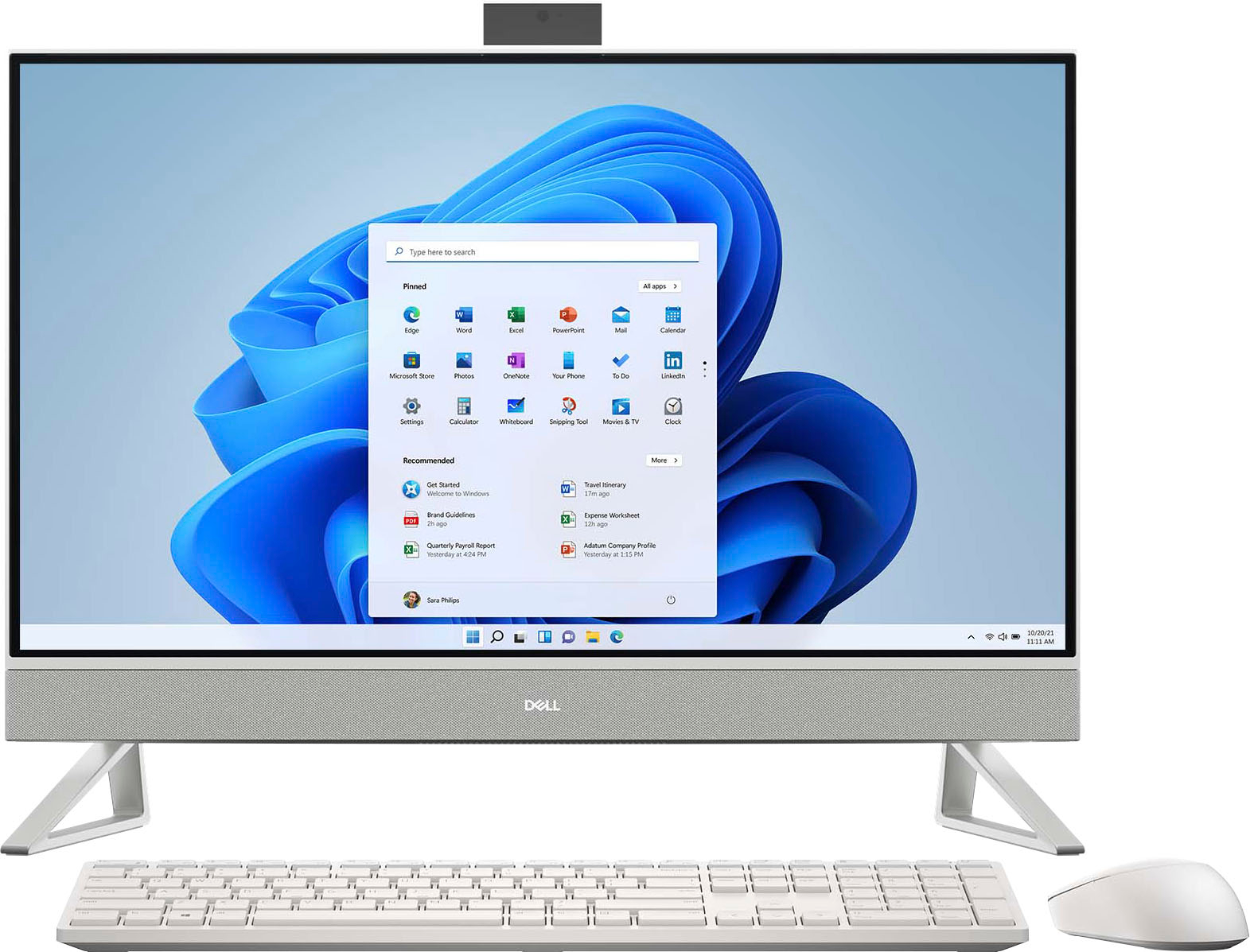
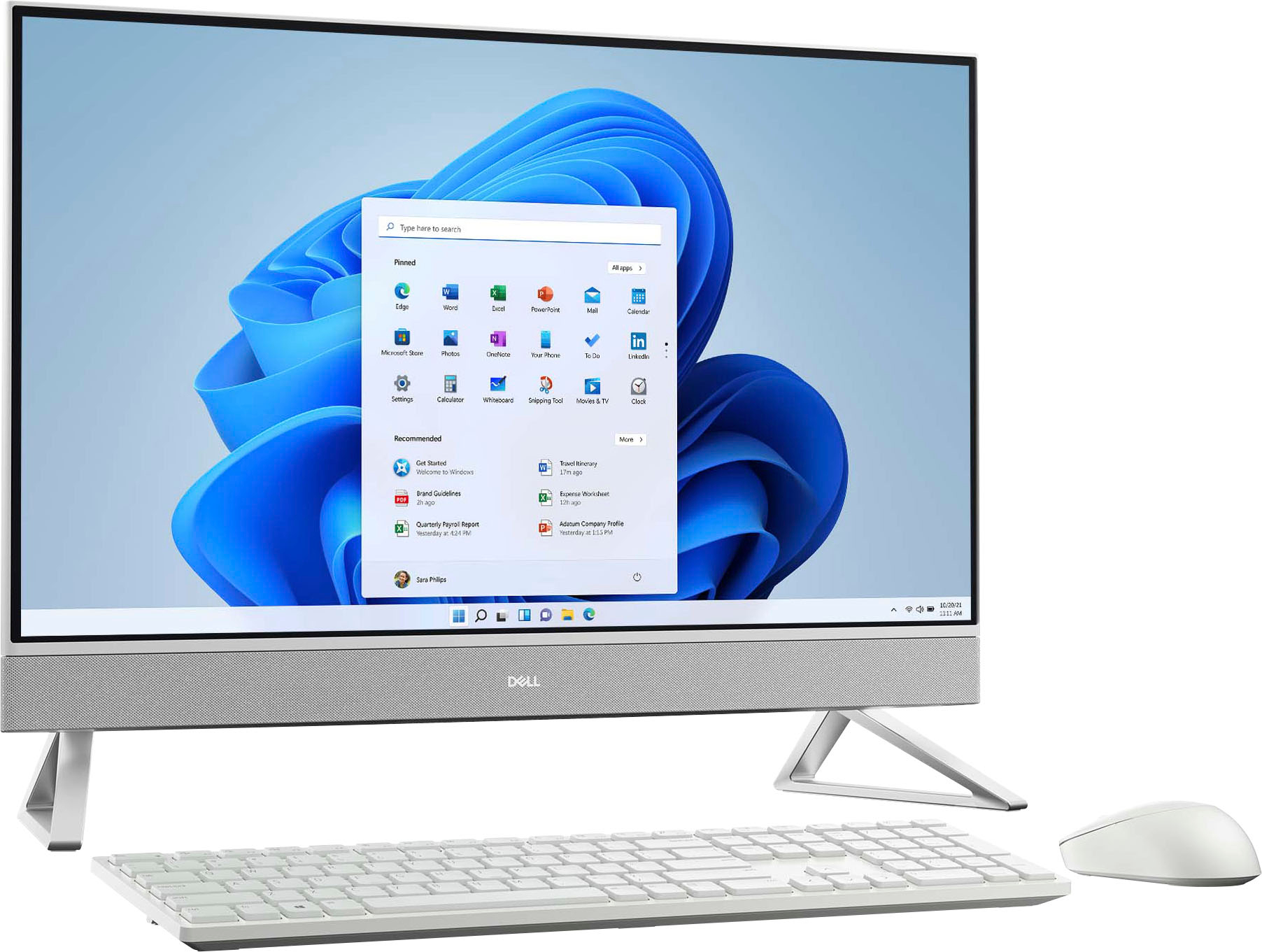
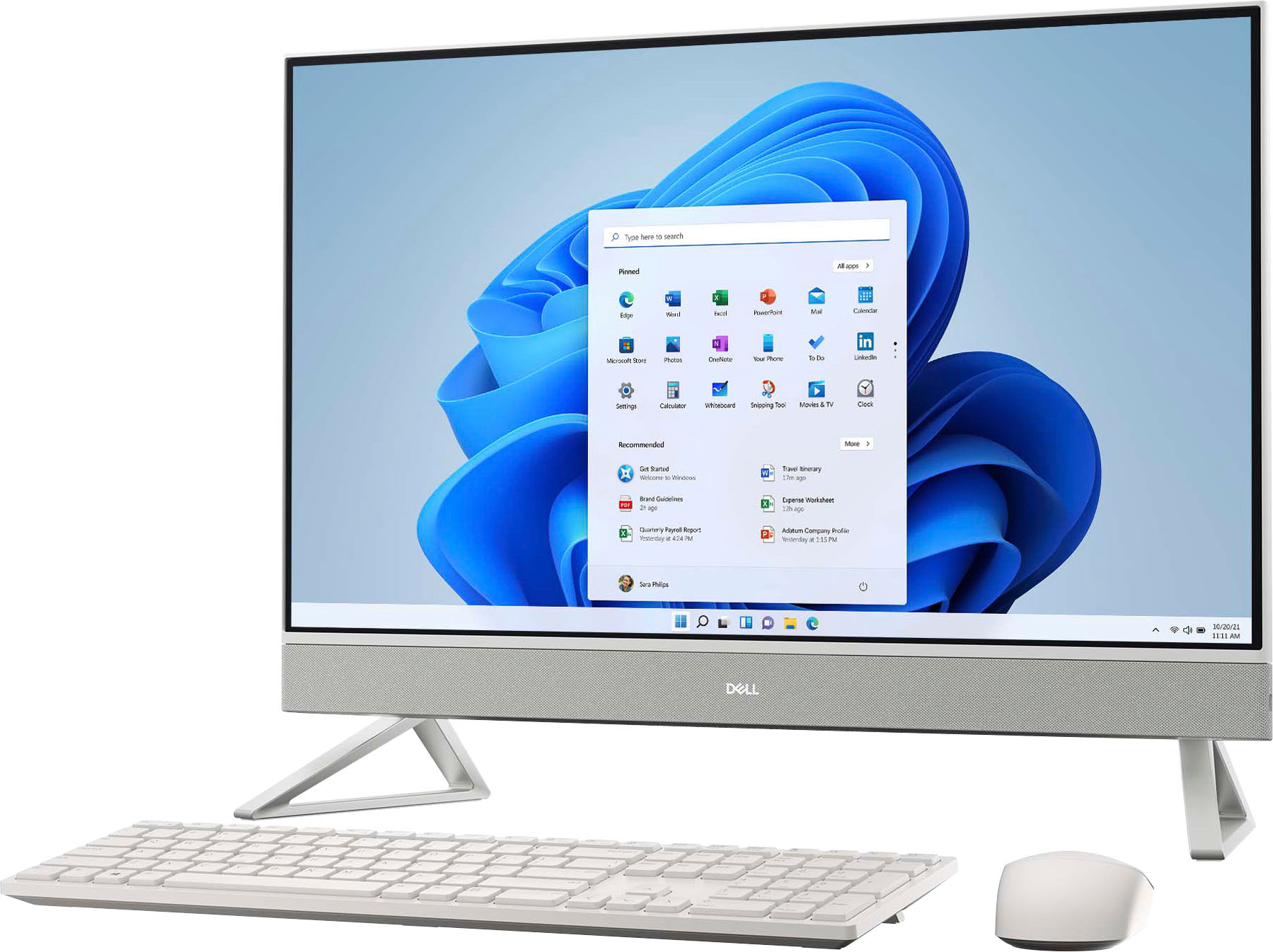
Customers value the large screen size and the ease of use of the Inspiron 27" All-in-One. They also appreciate the performance, sleek design, and responsive touchscreen. While some users expressed minor concerns about the included mouse, the positive feedback on other features outweighs these issues.
This summary was generated by AI based on customer reviews.
Good computer
||Posted . Owned for 1 week when reviewed.This reviewer received promo considerations or sweepstakes entry for writing a review.Good computer for office work. Touch screen is nice and screen is big
I would recommend this to a friendReview
||Posted . Owned for 2 months when reviewed.This reviewer received promo considerations or sweepstakes entry for writing a review.Needed a computer. Was a great buy for school and work
I would recommend this to a friendFan noise is terrible!
||Posted . Owned for less than 1 week when reviewed.This reviewer received promo considerations or sweepstakes entry for writing a review.The fan runs constantly and the noise is annoying. Does anyone else have this issue? Dell support said this was normal. My 7 yr old Dell laptop with the same specs is super quiet compared to this.
No, I would not recommend this to a friendBrand response from YourDellTeam
Posted .Hi Kat123,
Thank you for taking the time to leave us your review. We apologize for the fan noise issues that you are experiencing with your Inspiron touch screen all in one desktop. It's important for us to hear about discrepancies in our products for consideration of future development. Below I have provided troubleshooting instructions with the full article that can help resolve this issue.
Here are the steps to help resolve your fan noise issue:
1. Check and clean air vents.
2. Provide proper ventilation.
3. Run a hardware diagnostic test.
4. Update the BIOS and device drivers.
5. Download and install Microsoft Windows Updates.
6. Run optimize my computer using Dell Support Assist.
7. Limit startup programs.
8. Scan your computer for malware.
How to Troubleshoot Fan Issues: https://dell.to/33NYLLE
If you need further assistance, please reach out to Dell Support directly by using the information provided below.
Chat or call: https://bit.ly/DellSupportTeam
Phone number to Dell: 1-800-624-9896
Best,
Summer@Dell
- Pros mentioned:Processor speed, Screen size

Good All-In-One
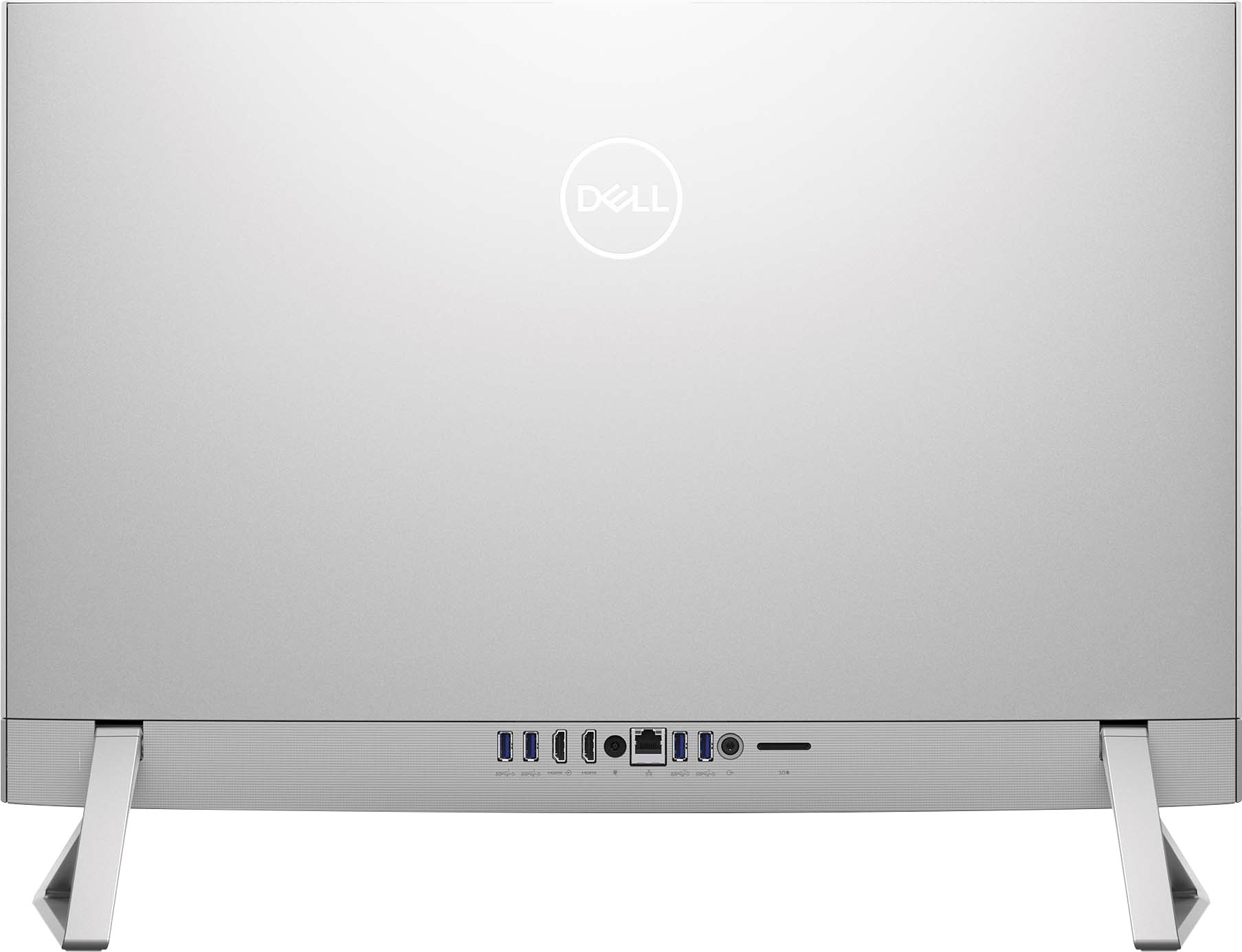
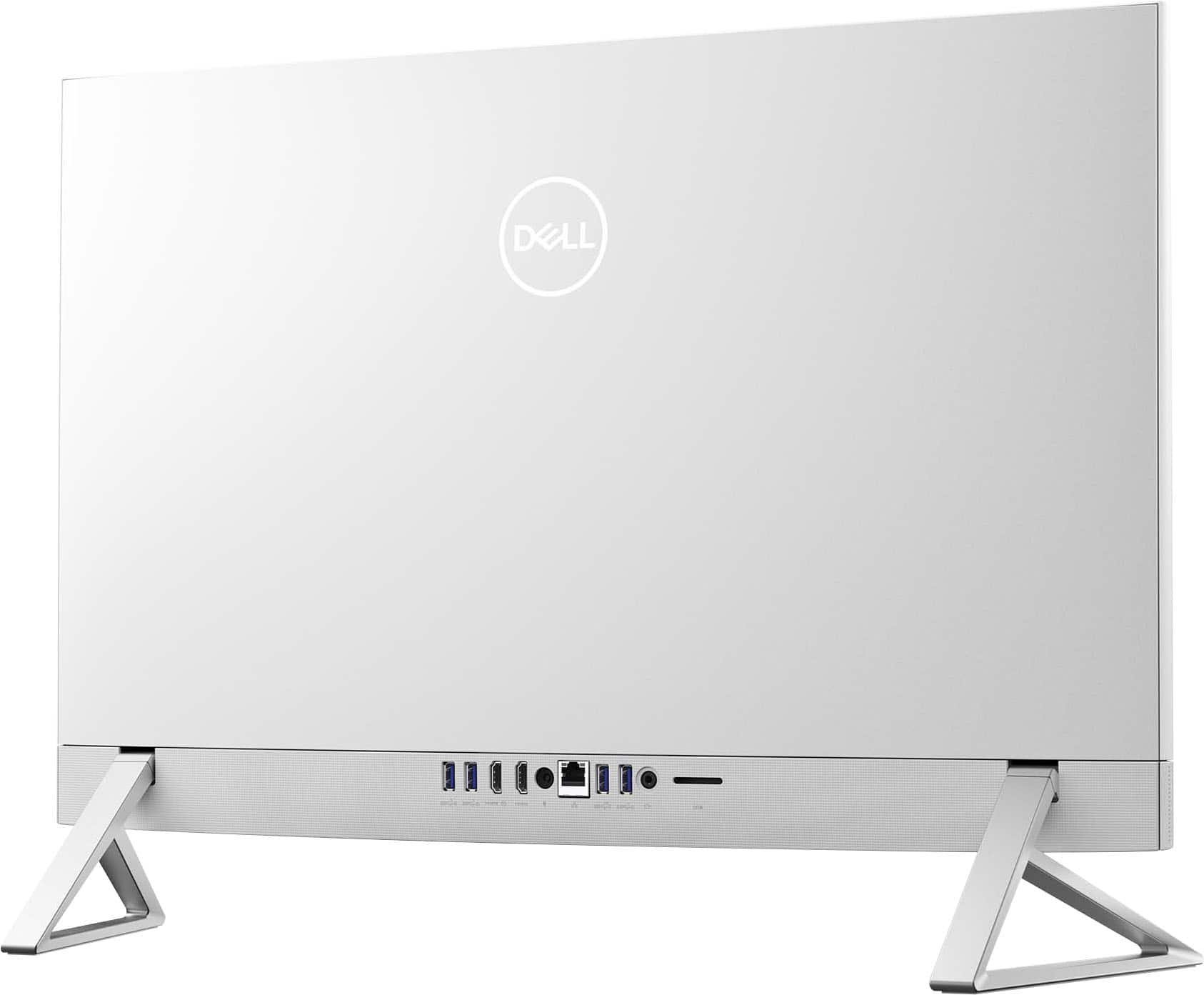
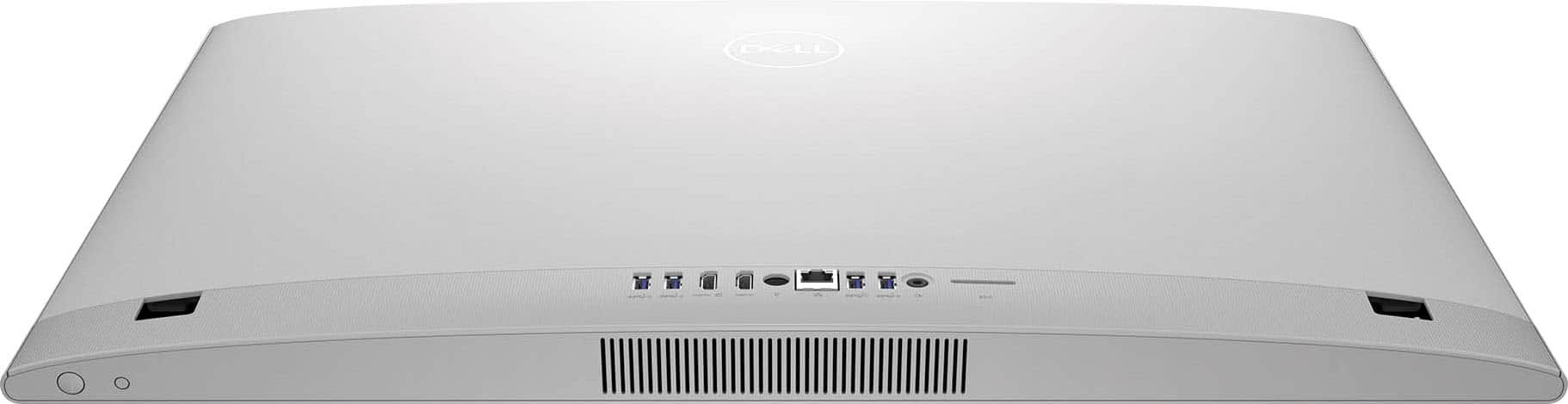
|Posted .This reviewer received promo considerations or sweepstakes entry for writing a review.The Dell Inspiron All-In-One has changed the game for performance in the segment. In my experience, I always stayed away from Window’s Based All-In-One pcs (not mac) due to sub-par performance and premium price tags for mid-tier to low specs. I also always recommended for others to stay away from All-In-Ones. This was all until I fell in love with this Inspiron. This bad boy has proved me wrong when it comes to a window’s-based All-In-Ones. Packed with a punch for anyone at home, in business, or in need of a slim but large screen platform. The paired specs really drives the performance of this PC. Specs include a 13th Gen I7-1355u processor, 16gb of DDR3 Ram, and a Nvidia GeForce MX550 graphics card (2GB) drives the smoothness of this systems. I was able to do everything I want without compromise. The reason for 4 stars: The 1920x1080 full HD touch screen is a whopping 27 inches which gives you plenty of real estate; however, I beg for it to be 2k or 4k. Being up close with such a large screen having a high resolution goes a long way and because it is only Full HD you can see pixels and it is not as sharp as some may want. This is the only reason I provided 4 stars. This Inspiron can support dual screens with an HDMI in/out port located in the back of the PC. Touch screen is nice to have on such a large screen. Reach out and select something when you need to do it quick. Other noteworthy specs and options: The latest in Wi-Fi including an Intel Wi-Fi- 6E, large internal storage with 1TB of SSD, 5 in 1 card reader, a USB type c port on the right-hand side edge of the screen for easy access, plenty of ports in the back including USB Type A, HMDI in/out, and a ethernet port. Only one USB C port on the side is not enough which in my opinion should be used for quick and temporary access. An additional USB C port on the back should be available. Built in speakers are good for the segment. Coolest feature: The Built in Webcam pops up from the top of the screen. All you have to do it manually click it and will pop up.
Still need more time
||Posted . Owned for 6 months when reviewed.This reviewer received promo considerations or sweepstakes entry for writing a review.Looks nice, but bought out the box having a couple issues
I would recommend this to a friendNot comfortable at all with this
||Posted . Owned for 3 weeks when reviewed.This reviewer received promo considerations or sweepstakes entry for writing a review.I have already had a few problems with a brand-new computer that's supposed to be protect a shutdown then a hacker issue I have never had this happen so how with this brand-new pc makes me uncomfortable.
No, I would not recommend this to a friendBrand response from YourDellTeam
Posted .Hello TeresaV,
Thank you for taking the time to leave us a review of your Dell Inspiron 27” all in one touchscreen desktop. We are sorry to hear that you are experiencing an issue with your device intermittently shutting down. That is not the type of feedback we like to hear from our customers, or the type of product Dell intends to deliver. We have noted the details of your statement and will use them to improve current and future products. Below I have provided troubleshooting steps to help resolve your issue.
Here's the steps to help resolve your issue:
1. Search for Windows Error Codes.
2. Run a Computer Diagnostic.
3. Run Routine System Maintenance.
4. Update Drivers and BIOS.
5. Check Air Vents.
6. Check Safe Mode Symptoms.
7. Update Windows.
8. Uninstall, Reinstall and Update Software.
9. Look for Multiple Anti-Virus Programs.
10. Check for Malware.
11. Use System Restore.
12. Factory Install or Reinstall Microsoft Windows.
Computer restarts or shuts down intermittently, locks up, stops responding or an error occurs: https://dell.to/33Y2KFn
If you need further assistance, please reach out to Dell Support directly by using the information provided below.
Chat or call: https://bit.ly/DellSupportTeam
Phone number to Dell: 1-800-624-9896
Best,
Summer@Dell
Review
||Posted . Owned for 3 weeks when reviewed.This reviewer received promo considerations or sweepstakes entry for writing a review.It has been very difficult for me to learn the basic operations. There is no operator's guide with the new equipment and a dummy like me has many difficult hours trying to learn very basic operations.
No, I would not recommend this to a friendBrand response from YourDellTeam
Posted .Greetings JamesR,
We value your feedback and want to thank you for taking the time to leave us a review of your Inspiron 27” touch screen all-in-one desktop. We are sorry to hear that you did not receive an operators guide with your device. That is not the type of feedback we like to hear from our customers, or the type of product Dell intends to deliver. We have noted the details of your statement and will use them to improve current and future products. Below I have provided the Troubleshooting and operating guide for your device.
Inspiron 7720 Usage & Troubleshooting Guide: https://url.dell.com/9a7bed
If you continue to experience issues, please reach out to Dell Support directly by using the information provided below.
Chat or call: https://bit.ly/DellSupportTeam
Phone number to Dell: 1-800-624-9896
Best,
Summer@Dell
Mike h
||Posted . Owned for 10 months when reviewed.This reviewer received promo considerations or sweepstakes entry for writing a review.Worked great for almost 11 months now it won’t boot up, I’m hoping it’s under warranty
No, I would not recommend this to a friendAll in one
||Posted . Owned for 2 weeks when reviewed.This reviewer received promo considerations or sweepstakes entry for writing a review.Unable to upgrade Ram in for some reason. The blue tooth keyboard sensor was not in the package
I would recommend this to a friendBrand response from YourDellTeam
Posted .Hi Isaac,
We're sorry to hear about the difficulty that you had with Dell. This is certainly not the experience we like to hear from our customers. We will share your feedback with our quality team to help improve our current and future products and services. Please call, or chat with a Dell Support Representative at your earliest convenience so they can help you with your concerns: https://bit.ly/DellSupportTeam.
Chat or call: https://bit.ly/DellSupportTeam
Phone number to Dell: 1-800-624-9896
Best,
Jay@Dell
It’s a 50/50
||Posted . Owned for 7 months when reviewed.This reviewer received promo considerations or sweepstakes entry for writing a review.Works fine but expect more tbh … quality is kinda low for the amount of money being spent not recommended for gaming
I would recommend this to a friendBrand response from YourDellTeam
Posted .Hello GabrielD,
We appreciate you taking the time to leave a review of your Dell Inspiron 27” all-in-one desktop. We are sorry to hear that you are not completely satisfied with the quality of your device. That is not the type of feedback we like to hear from our customers, or the type of product Dell intends to deliver. We have noted the details of your statement and will use them to improve current and future products.
If you continue to experience issues, please reach out to Dell Support directly by using the information provided below.
Chat or call: https://bit.ly/DellSupportTeam
Phone number to Dell: 1-800-624-9896
Best,
Summer@Dell
Good value
||Posted . Owned for 3 weeks when reviewed.This reviewer received promo considerations or sweepstakes entry for writing a review.Bare bones wireless Dell pc. Great price. Still haven’t figured out the wireless mouse.
I would recommend this to a friendBrand response from YourDellTeam
Posted .Dear LeeConradi,
Thank you for taking the time to leave a review of your Inspiron 7720. We hope that once you figure out your wireless mouse that you will leave us another review with your opinion. We look forward to hearing from you. If you come across questions or concerns we recommend using the toll-free number or chat link below to reach a member of our support team.
If you continue to experience issues, please reach out to Dell Support directly by using the information provided below.
Chat or call: https://bit.ly/DellSupportTeam
Phone number to Dell: 1-800-624-9896
Best,
Summer@Dell
- Pros mentioned:Processor speed, Screen size
The Inspiron 27 7720 All-in-One hits the mark!
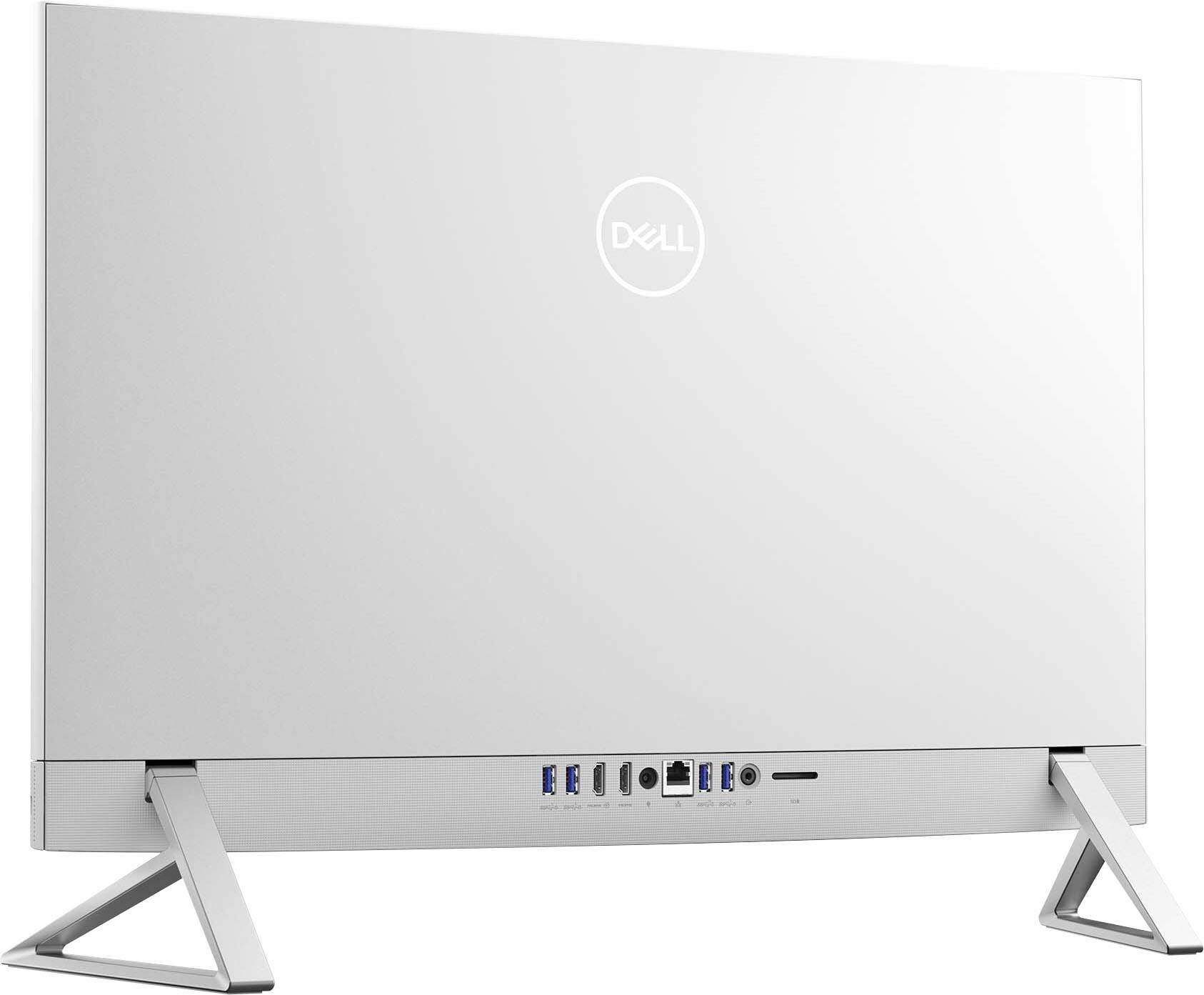
|Posted .This reviewer received promo considerations or sweepstakes entry for writing a review.Desktop computers are not as popular as they once were, since laptops and tablets let you do your computing anywhere you want. But there is still a case for desktop computers that provide bigger screens for viewing and editing pictures and videos, detailed CAD work, etc. Having a tower and large screen can take up precious room in a home or work office. That is where the Dell All-in-One comes in. Combining the screen with the Tower’s computing components only requires the area on a desk normally occupied by the screen alone. The Inspiron 27 7720 All-in-One is not an entry level desktop either. The 7720 that I have, came with a 27” touch screen, 512GB Solid State Drive, 16GB of RAM and a 13th generation I5 processor and will meet all but the highest levels of computing. The screen The 27” screen is large and has touch capabilities. The Screens size allows you to open two windows next to each other and work on both and still be able to view them clearly on the same screen. Whether working on documents, spreadsheets, editing pictures, or watching videos, the screen displays bright, clean images. The graphics are handled by Intel’s on board UHD graphics, which is about the only entry level component of this Dell desktop. The only area that may potentially cause someone a problem is the screen can be a bit reflective in brightly lit rooms. Connectivity If you are concerned that you will not have enough inputs for all of your peripherals, the Inspiron 27 has that covered as well. On the right side there is one 3.2 USB-C input. On the back of the PC, you have four 3.2 USB-A inputs, one RJ45 Ethernet port, one headset jack and a HDMI in and output. Keep in mind that one of the USB-A slots is used for the dongle for the included wireless keyboard and mouse. With the HDMI inputs, you can connect to your cable or other streaming devices. The HDMI output allows you to have a second screen for more versatility. There is an SD card slot on the back to accommodate your camera memory so you can view and upload your pictures and videos. The included pop-up camera handles Windows Hello and video conferencing with a clean detailed picture. This PC is up to the task when it comes to connectivity. Processor and OS With the 13th generation i5 processor, the Dell 27 can handle most people’s computing needs and basic gaming with quick response. 16GB of RAM makes multi-tasking an ease. For the operating system. Dell includes Windows 11 Home version, which meets most people's needs. Storage The 7720 comes with 512GB of storage on the Solid-State Drive that is very responsive and should take care of most of your storage necessities. General use thoughts Though I have been using the 7720 for about a week now, The Dell 27 hasn’t skipped a beat and has been able to handle everything I’ve thrown at it. Whether working on MS office or editing pictures to creating picture videos it hasn’t faltered. If I were a hard-core gamer, then I would have gone for the better processor and video card. The reflections on the screen can be distracting at times. However, for my PC usage the 7720 exceeds my expectations and should be a great addition to any home office.
- Cons mentioned:Mouse
Will not turn on
||Posted . Owned for 3 weeks when reviewed.This reviewer received promo considerations or sweepstakes entry for writing a review.Its only o ne month old and does not boot up….mouse dead, keyboard dead and blank screen
No, I would not recommend this to a friendBrand response from YourDellTeam
Posted .Hello DorothyB,
We would like to thank you for taking the time to provide us with your feedback. We apologize for the booting issues you have experienced with your Dell Inspiron 27 AIO computer. We are also sorry to hear that also the mouse and the keyboard are not working.
It's important for us to hear about inconsistencies in our products for consideration of future development.
Below I have provided troubleshooting instructions with the full article that can help resolve booting/start-up issues:
1. Remove any discs from the disc drive, memory cards from the card reader slot, and USB drives. Incorrect boot settings may cause the computer to boot to one of these devices which may cause startup issues.
NOTE: Do not disconnect the keyboard, mouse, or monitor.
2. Perform a hard reset. A hard reset helps drain static electricity that may cause boot-related issues.
If the computer starts after the hard reset, reconnect the devices one at a time to determine which device is causing the problem.
If the computer fails to startup or boot, go to the next step to reset the BIOS to factory default settings
3. Reset the BIOS or UEFI to factory default settings. Incorrect boot settings in the BIOS or UEFI can cause startup or boot issues.
4. Run a preboot diagnostic test on the computer. A potential hardware failure with the hard drive or system memory (RAM) can cause a boot issue.
5. Run the Windows Startup Repair utility. Windows Startup Repair can fix common issues with corrupt registry entries or system files.
6. Repair or reset the computer using SupportAssist OS Recovery on supported Dell computers. SupportAssist OS Recovery consists of tools to diagnose hardware issues, repair the computer, or restore the computer factory defaults.
Resolve Booting Issues with Your Dell Computer: https://dell.to/3Eu76aR
To help resolve the issues with the mouse and keyboard, please make sure all Drivers are updated. I have included a link to the Drivers and Downloads page, where you can check for any applicable updates. I have also included links to the troubleshooting articles for the mouse and the keyboard:
Drivers and Downloads Page: https://dell.to/3OLCUeY
Mouse Usage and Troubleshooting Guide: https://dell.to/3YmyYnH
Keyboard Usage and Troubleshooting Guide: https://dell.to/3mgTNUq
If these issues are still not resolved, please contact the Dell Support Team for further guidance.
Chat or call: https://bit.ly/DellSupportTeam
Phone number to Dell: 1-800-624-9896
Best,
Katarina@Dell
Terrible Remote -In support
||Posted . Owned for 1 month when reviewed.This reviewer received promo considerations or sweepstakes entry for writing a review.I purchased this computer for our kitchen to use as both a tv and computer. My TV service is YouTube TV streaming. It will not stream using any browser (Firefox, Chrome, or Explorer). My previous all-in-one by HP from your store works just fine with any browser as with my phone, office computer and our tvs. You Tube support could find no application setting interfering with the streaming function so I tried using Geek Squad remote-in. That was a waste of time. The BB agent updated my browsers and ended the remote session...told my to call You Tube. What a waste of time and money for the tech support membership!
No, I would not recommend this to a friendBrand response from YourDellTeam
Posted .Greetings Salty,
Thank you for taking the time to leave a review of your Inspiron 27” touch screen all-in-one desktop. We are sorry to hear that you did not have a good experience with customer support and receive the help that you needed. That is not the type of feedback we like to hear from our customers, or the type of product Dell intends to deliver. We have noted the details of your statement and will use them to improve current and future products. Below I have provided the toll-free number or chat link below to reach another member of our support team at your convenience.
If you still experience any issues after you have finished troubleshooting your device using the steps above, please reach out to us at: https://bit.ly/DellSupportTeam.
Chat or call: https://bit.ly/DellSupportTeam
Phone number to Dell: 1-800-624-9896
Best,
Summer@Dell
- Pros mentioned:Design, Screen size
A super, compact desktop
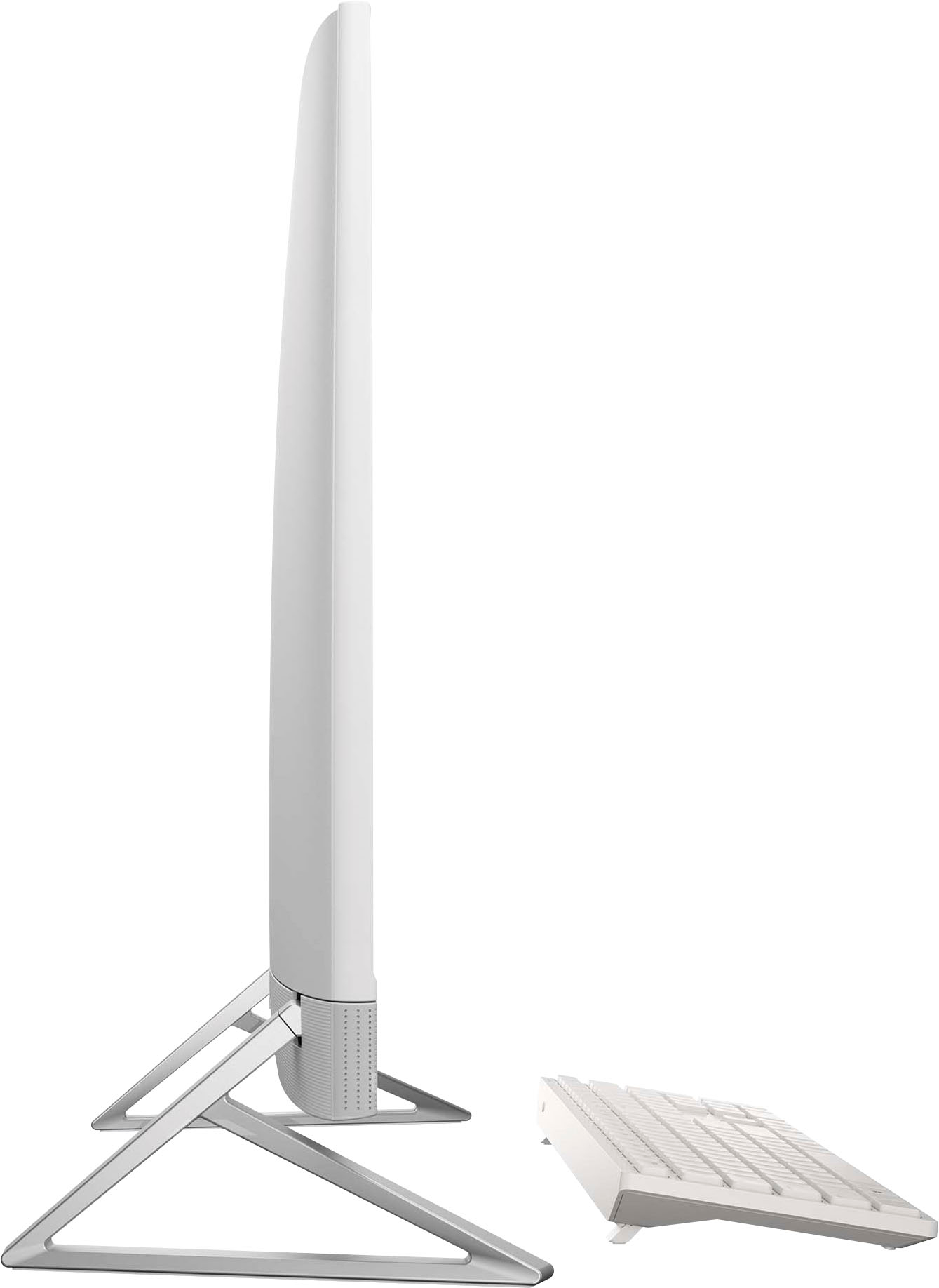
|Posted .This reviewer received promo considerations or sweepstakes entry for writing a review.I’m a big fan of these Dell all-in-one (AIO) desktops. I’ve had a 24” version for the last two years on my work-at-home desk that I use every day. The AIO is such a great, compact design that takes up minimal space on a desk. I’m planning to use this one on a small desk area built into our kitchen/dining room area. It fits nearly against the wall and the keyboard and mouse tuck neatly underneath when not in use. Speaking of when it’s not in use, this model has a feature that’s new to me: When it’s shutdown, you can plug a laptop or some other device into an HDMI port on the back and use it as an external monitor. I think this will be really handy for visitors (and occasionally, us) using laptops. Now, we can plop down a laptop and quickly make use of the 27” screen. Another useful feature for me is the SD card slot included on the back. I have a GoPro camera and a drone that both use microSD cards to record video and pics. The fastest and easiest way for me to transfer files from them has been to pull the microSD out and put it into a small laptop I have. Now, I can transfer it directly to this AIO and view everything on the nice 27” screen. I have a spare SD to microSD adapter that I just leave in the slot on the back so it’s always handy. The CPU, memory, and storage specs are great. The i7, 16GB of RAM, and 1TB SDD give it plenty of power and storage. Using Steam, I've done some light gaming on it, including Flight Sim X, and it's worked perfectly. The CPU, memory, and storage on this model are a little trimmed down from top-of-the-line (i5, 8GB RAM, 512GB SDD), but for moderate use it should be fine. I’m using it for web browsing, O365 applications, and some video editing and it works great. I’ve also done some Zoom and Teams meetings that worked fine. The camera pops up from the top of the computer, so it’s completely hidden (and video blocked) when not in use. The built-in microphone is on the bottom panel between the speakers. On the video meetings, people commented that the camera was very clear, and their audio through the speakers sounded great. Music also sounds great even though the speakers are small and built-in. I’m super happy with the AIO desktop. The cooling fan, when it runs at all, is quiet. It’s got the latest Wi-Fi 6e built in for networking. The touch screen is nice. There really isn’t anything so far that I dislike or an additional feature I wish it had.
I would recommend this to a friend Gives off bad sound
||Posted . Owned for 3 weeks when reviewed.This reviewer received promo considerations or sweepstakes entry for writing a review.The computer gives off a humming sound every time I turn it on. Twice it shut down abruptly. I don’t if this is an issue unqiue to the piece I have or if this is common to all computers of this brand.
No, I would not recommend this to a friendBrand response from YourDellTeam
Posted .Hey There SamP,
Thank you for taking the time to leave us your review. We apologize for the fan noise you are having with your Inspiron 7720. It's important for us to hear about discrepancies in our products for consideration of future development. Below I have provided troubleshooting instructions with the full articles that can help resolve this issue.
Here's the steps to help resolve your fan noise issue:
1. Use Dell Power Manager to adjust the thermal settings on the box to an option that suits you best. This tool adjusts the fans and processor power to make the system cooler, quieter, or more powerful.
2. Update the BIOS and device drivers.
3. Run a hardware diagnostic test.
4. Download and install Microsoft Windows Updates.
6. Run optimize my computer using Dell Support Assist.
7. Scan your computer for malware.
How to use Dell Power Manager: https://bit.ly/48MAxRY
How to Troubleshoot Fan Issues: https://dell.to/33NYLLE
If you continue to experience an issue and need further assistance, we recommend using the toll-free number or chat link below to reach a member of our Dell Support Team.
Chat or call: https://bit.ly/DellSupportTeam
Phone number to Dell: 1-800-624-9896
Best,
Summer@Dell
Do not risk it
||Posted . Owned for 6 months when reviewed.This reviewer received promo considerations or sweepstakes entry for writing a review.Absolute Crap. Lasted 6 months and then started having issues. By 8 months I am stuck with a machine who needs a new motherboard. Not sure if a refurb and no one said so or what but I quickly went to Apple and bought the new purple M4 on pre order. Should see it this week.
No, I would not recommend this to a friendPennPa
||Posted . Owned for 1 week when reviewed.This reviewer received promo considerations or sweepstakes entry for writing a review.Do not like this system, because the green not clear when you edit images.
No, I would not recommend this to a friendBrand response from YourDellTeam
Posted .Hello Canon,
Thank you for taking the time to leave us your review. We are sorry you are having issues with your Inspiron 27 Touch screen All-In-One Desktop. This is certainly not the experience that we like to hear from our customers. With a little more information, we would like to help you as soon as possible. Please take a moment to call or chat with a Dell Support Representative at your earliest convenience so that they can help you with your concerns: https://bit.ly/DellSupportTeam.
Chat or call: https://bit.ly/DellSupportTeam
Phone number to Dell: 1-800-624-9896
Best,
Jay@Dell
Price match
||Posted . Owned for 2 months when reviewed.This reviewer received promo considerations or sweepstakes entry for writing a review.I should have received a price match for 400.00 because when i purchased it and the price dropped 400.00 the next day I so to talk with someone and were told i could receive a store credit or a check in the mail
No, I would not recommend this to a friendBrand response from YourDellTeam
Posted .Hey There MichaelP,
Thank you for taking the time to leave a review of your Inspiron 27” all-in-one desktop. We are sorry to hear that the price changed after your purchase. That is not the type of feedback we like to hear from our customers. We have noted the details of your statement and will use them to improve current and future products.
If you need further assistance, we recommend using the toll-free number or chat link below to reach a member of our Dell Support Team.
Chat or call: https://bit.ly/DellSupportTeam
Phone number to Dell: 1-800-624-9896
Best,
Summer@Dell
Home user
||Posted . Owned for 3 weeks when reviewed.This reviewer received promo considerations or sweepstakes entry for writing a review.Waiting for 2 1/2 days to sign for it on a 1day promised delivery. The machine would not work out of the box. The reboot diagnosis indicated a bad board.
No, I would not recommend this to a friendBrand response from YourDellTeam
Posted .Hello LarryW,
Thank you for taking the time to leave us your review. We sincerely apologize for the trouble you have encountered with your Dell Inspiron 27 Touch screen All-In-One Desktop. This is certainly not the type of feedback we like to hear from our valued customers, or the type of product Dell intends to deliver.
Your feedback will be shared with our quality team for consideration in future enhancements in products.
If you are still experiencing issues, with a little more information from you, we would like to help you resolve issues you may be facing to your satisfaction. Please do not hesitate to get in touch with a Dell representative using the information provided below.
Chat or call: https://bit.ly/DellSupportTeam
Phone number to Dell: 1-800-624-9896
Best,
Minhaj@Dell