Customer Ratings & Reviews



- Model:
- i3020-5234BLU-PUS
- SKU:
- 6537087
Rating by feature
- Value
Rating 4.7 out of 5 stars
- Quality
Rating 4.6 out of 5 stars
- Ease of Use
Rating 4.6 out of 5 stars
Customers are saying
Customers praise the Inspiron 3020 Desktop for its ease of use, performance, and affordability. Many appreciate its compact size and fast SSD drive, while some users note limitations in graphics capabilities and potential challenges with sleep mode. A few also mention pre-installed software as a drawback. Overall, the positive feedback on performance and ease of setup outweighs the reported minor issues.
This summary was generated by AI based on customer reviews.
Alex was great.
||Posted . Owned for 1 month when reviewed.This reviewer received promo considerations or sweepstakes entry for writing a review.Good, I am just getting into this so it will take some time.
I would recommend this to a friendGood Value and Quality
||Posted . Owned for 1 month when reviewed.This reviewer received promo considerations or sweepstakes entry for writing a review.Good value here. Dell quality is good. Specs were good as well.
I would recommend this to a friendPoor power supply
||Posted . Owned for 3 weeks when reviewed.This reviewer received promo considerations or sweepstakes entry for writing a review.Needs larger power source, with 6-pin + 6-pin PCI-E
I would recommend this to a friendDesktop
||Posted . Owned for 1 month when reviewed.This reviewer received promo considerations or sweepstakes entry for writing a review.The person was unable to transfer some itens from one computer to the other
I would recommend this to a friendDell Inspiron computer
||Posted . Owned for 1 month when reviewed.This reviewer received promo considerations or sweepstakes entry for writing a review.Has the features I needed at a good price. Not thrilled with Windows 11.
I would recommend this to a friendDell-Inspiron
||Posted . Owned for 2 months when reviewed.This reviewer received promo considerations or sweepstakes entry for writing a review.Leaving the lap top and going back to a desk top has been a good decision.
I would recommend this to a friendFor my personal used
||Posted . Owned for 3 weeks when reviewed.This reviewer received promo considerations or sweepstakes entry for writing a review.I am very happy with my new computer Thanks for your help
I would recommend this to a friendDead after a few months.
||Posted . Owned for 2 months when reviewed.This reviewer received promo considerations or sweepstakes entry for writing a review.Bought this dell in November 2023, died February 7 2024. Just used as a desktop business computer, no games, no videos. Turns on, lights flash a couple of times and turns off. Unplugged all accessories, same thing. Now trying to figure out how to return this large paper weight.
No, I would not recommend this to a friendBrand response from YourDellTeam
Posted .Dear Carlton,
Thank you for taking the time to leave us your review. We apologize for the shutdown issues you are having with your Inspiron Desktop. It's important for us to hear about inconsistencies in our products for consideration of future development. Below I have provided steps with the full article that can help resolve this issue.
Here's the steps to help resolve your issue:
1. Search for Windows Error Codes.
2. Run a Computer Diagnostic.
3. Run Routine System Maintenance.
4. Update Drivers and BIOS.
5. Check Air Vents.
6. Check Safe Mode Symptoms.
7. Update Windows.
8. Uninstall, Reinstall and Update Software.
9. Look for Multiple Anti-Virus Programs.
10. Check for Malware.
11. Use System Restore.
12. Factory Install or Reinstall Microsoft Windows.
Computer restarts or shuts down intermittently, locks up, stops responding or an error occurs: https://dell.to/33Y2KFn
If you need further assistance, we recommend using the toll-free number or chat link below to reach a member of our Dell Support Team.
Chat or call: https://bit.ly/DellSupportTeam
Phone number to Dell: 1-800-624-9896
Best,
Summer@Dell
Dell desktop
||Posted . Owned for 3 weeks when reviewed.This reviewer received promo considerations or sweepstakes entry for writing a review.This hard drive is awesome so far. It’s very fast.
I would recommend this to a friendMr.
||Posted . Owned for 3 weeks when reviewed.This reviewer received promo considerations or sweepstakes entry for writing a review.Good machine except it came in with instructions in Chinese
I would recommend this to a friend- Pros mentioned:Speed, SsdCons mentioned:Graphics

A Reliable All-Around Home computer!
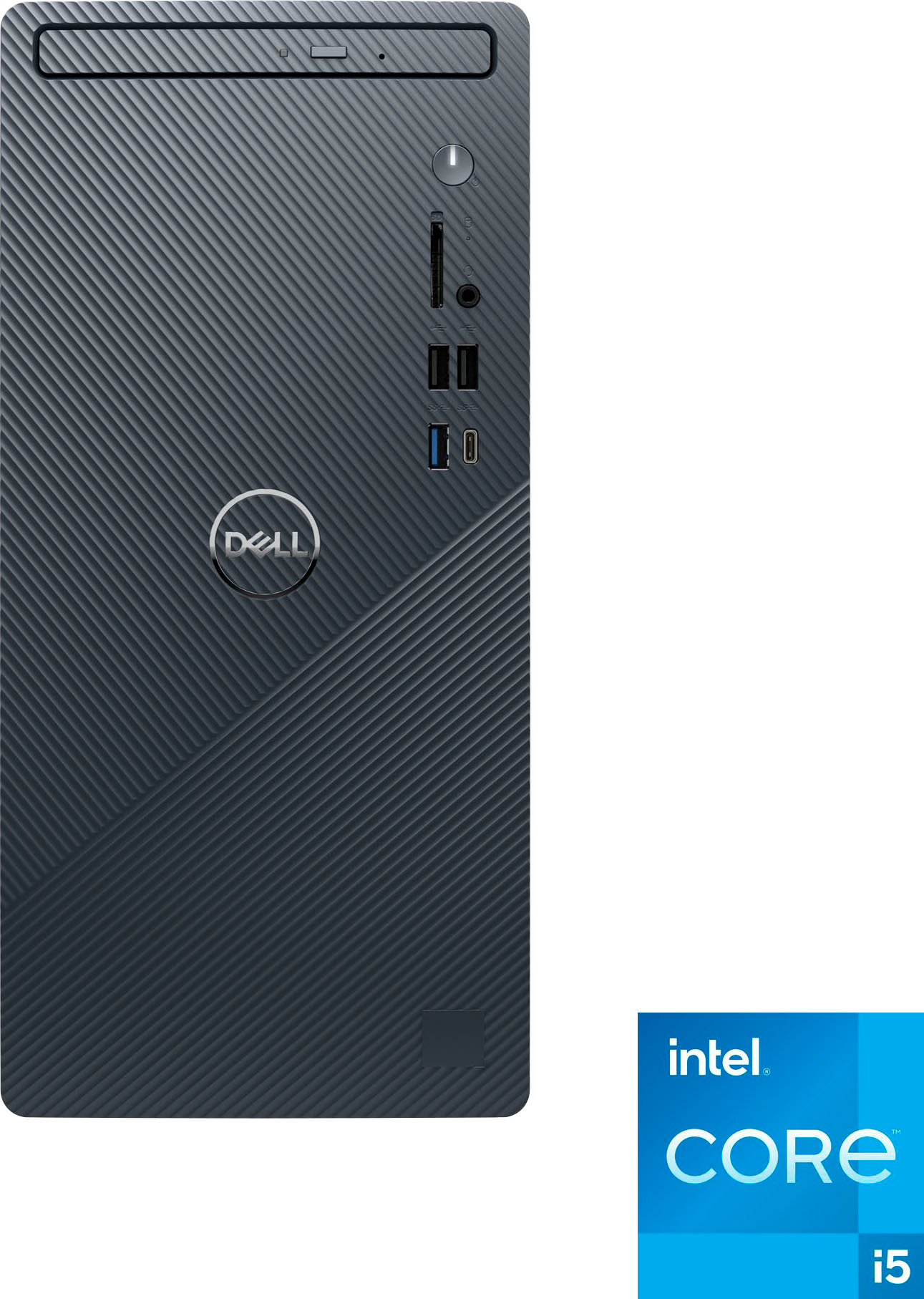
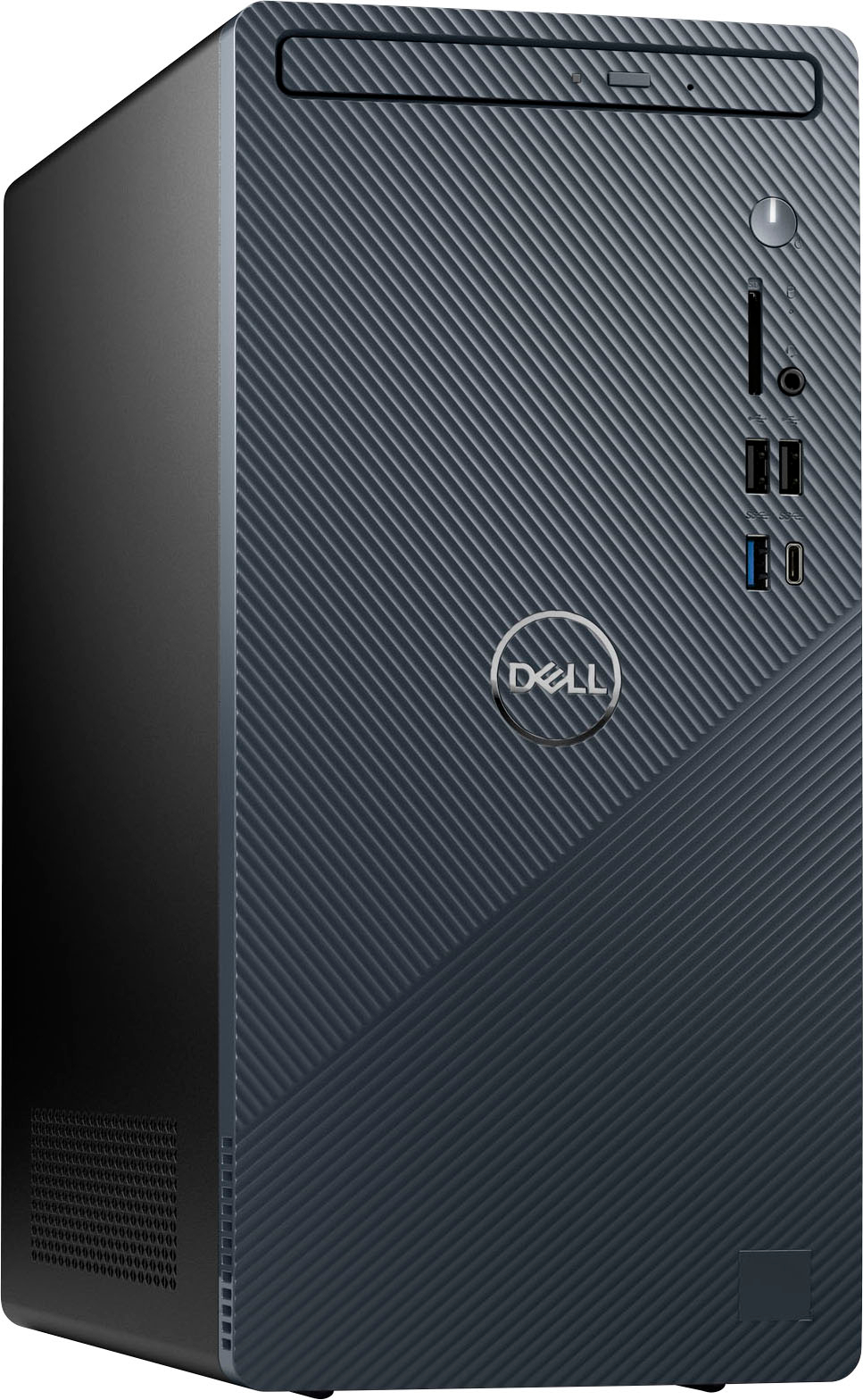
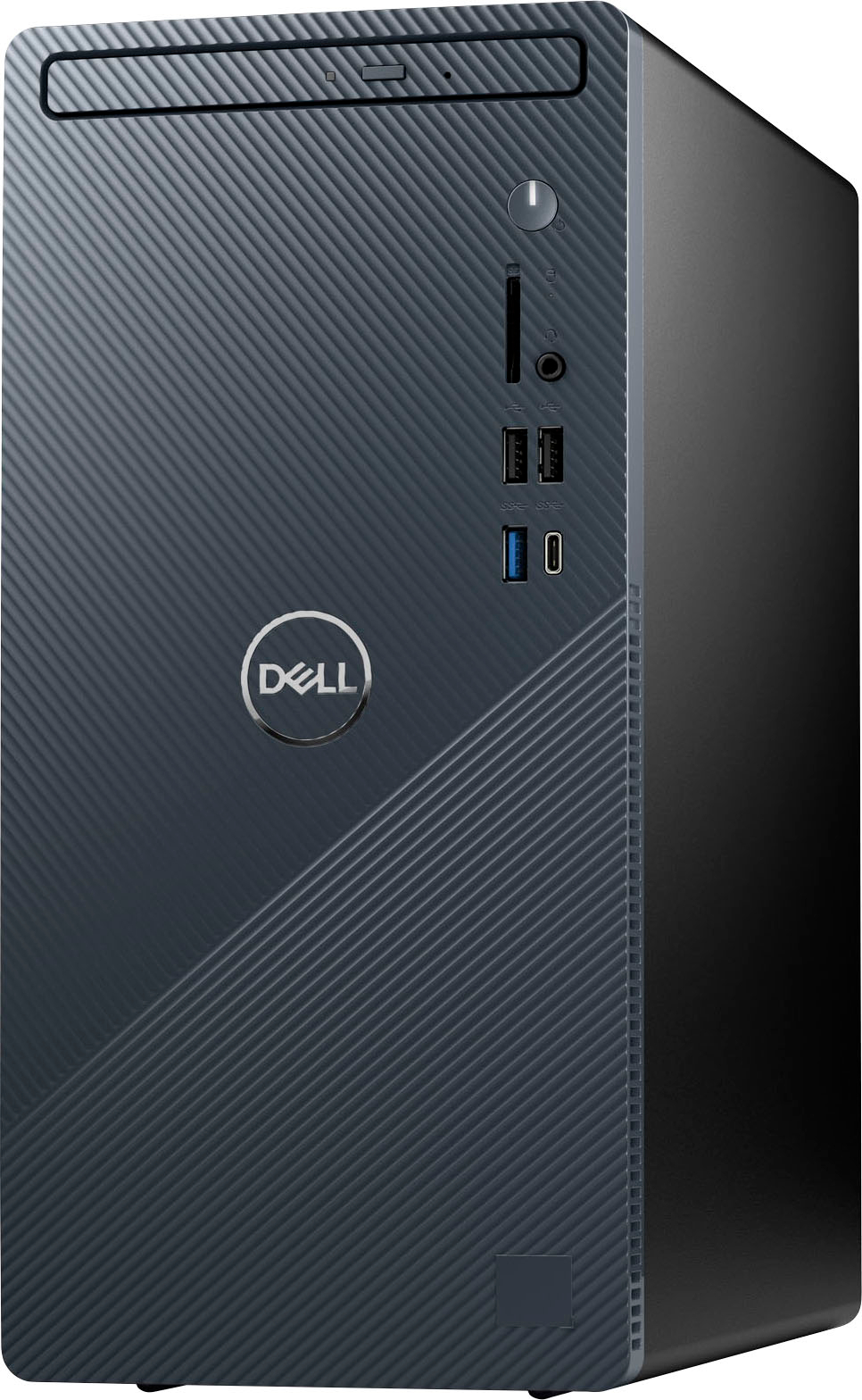
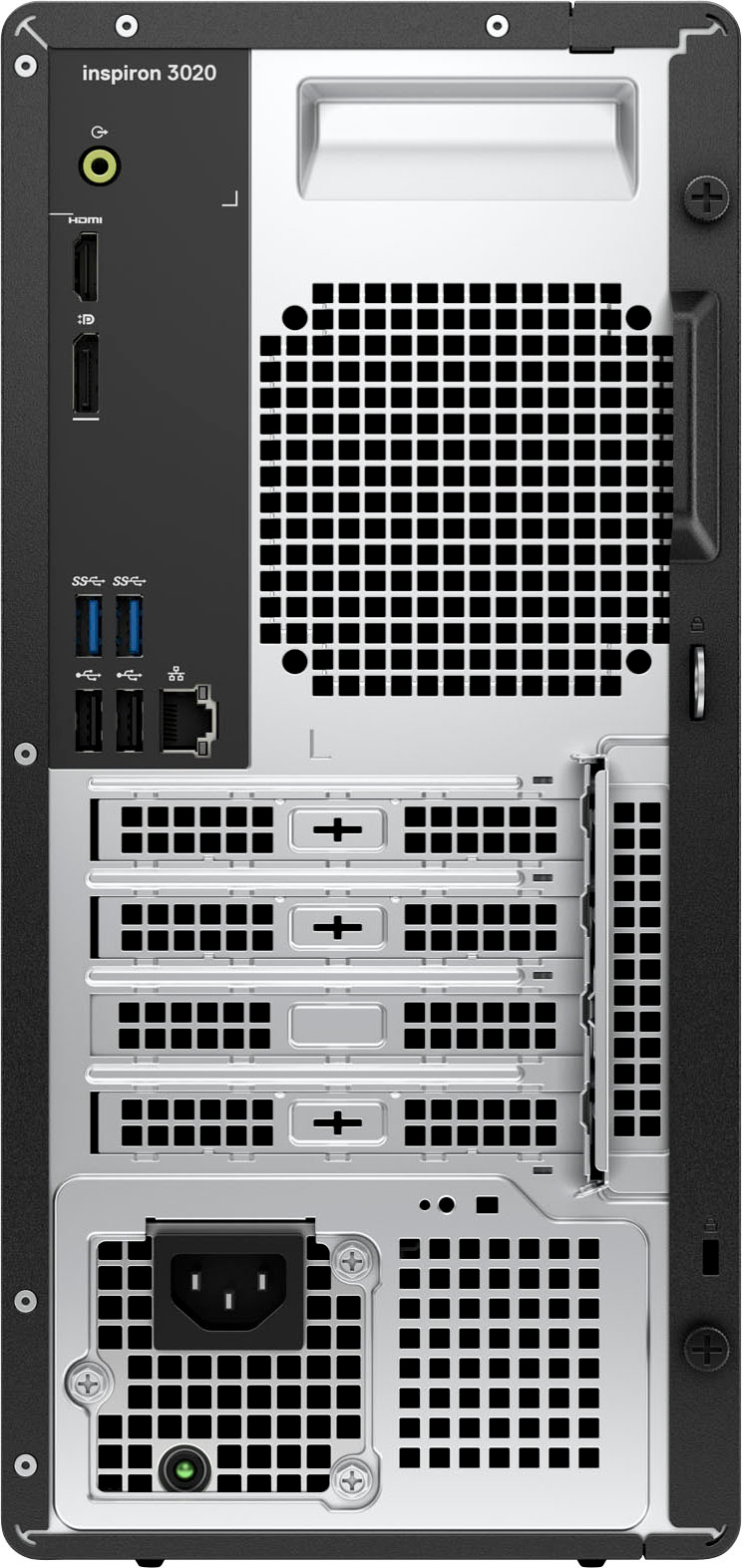
|Posted .This reviewer received promo considerations or sweepstakes entry for writing a review.Introduction: The Dell Inspiron 3020 desktop computer is a dependable and versatile machine designed for general home use. This computer offers a balanced blend of reliability, performance and affordability. While it may not cater to the gaming crowd, it excels in providing a seamless computing experience for everyday users. Performance and Specifications: Powered by an Intel Core i5 processor and 8GB of RAM, the Dell Inspiron 3020 is perfect for everyday computing tasks. I was able to seamlessly multitask, web browsing, edit spreadsheets and documents, as well as stream music at the same time. Out of curiosity, I did try playing a game on it to see how the Intel Graphics would handle it. I installed Valorant and Roblox, as I expected, it wasn’t too good, I was having lag issues. I’ll be sure to stick to Office applications, web surfing and YouTube! The system has a 512GB SSD drive in it, that’s perfect for my needs as most of my files are stored on a NAS. I would use the SSD for installation of software applications. Design and Build Quality: The Dell Inspiron 3020 boasts a sleek and minimalist design, its compact form factor ensures it doesn't occupy excessive desk space, making it suitable for smaller setups. The side panel comes off easily without any tools. Inside, there is space for an additional memory (total of 2 memory slots) and a PCIe slot for a graphics card. As with other Dell desktops I’veowned, the build quality is reliable, with sturdy construction that will last. This desktop computer offers a reasonable selection of ports and connectivity options. It includes 3 USB type A and 1 USB-C ports on the front, another 4 USB ports on the back, HDMI and display port output for connecting to external displays and an Ethernet port for wired internet connectivity. In addition, there is also a DVD drive and a convenient SD card slot on the front. The ports allows users to connect various peripherals and expand the system's functionality as needed. I was a bit surprised there are so many USB type A ports and not many USB-C ports. Conclusion: The Dell Inspiron 3020 i5 desktop computer is an excellent choice for individuals seeking a reliable, all-around home computer. Its performance, affordability, and versatility make it well-suited for everyday tasks like web browsing, document editing and multimedia. While not suitable for gaming enthusiasts, this desktop delivers a seamless computing experience for general users.
I would recommend this to a friend Windows 11 does not support Photoshop!
||Posted . Owned for 1 week when reviewed.This reviewer received promo considerations or sweepstakes entry for writing a review.It has a hard to find a built in DVD writer and an SD card reader, which this has. So i guess, the unit is OK. However, i didn't use it much since Win 11 does not support Photoshop. Thus, the unit is useless for me. I gave it two stars just to draw you attention to this fact. however, it might serve well for other purposes
No, I would not recommend this to a friendBrand response from YourDellTeam
Posted .Greetings AndrewT,
Thank you for taking the time to leave a review of your Dell Inspiron 3020 desktop. We are sorry to hear that you are not completely satisfied with your device. That is not the type of feedback we like to hear from our customers, or the type of product Dell intends to deliver. We have noted the details of your statement and will use them to improve current and future products. If you need further assistance, we recommend using the toll- free number or chat link below to reach a member of our support team.
If you continue to experience issues, please reach out to Dell Support directly by using the information provided below.
Chat or call: https://bit.ly/DellSupportTeam
Phone number to Dell: 1-800-624-9896
Best,
Summer@Dell
Disappointed.
||Posted . Owned for 3 weeks when reviewed.This reviewer received promo considerations or sweepstakes entry for writing a review.I purchased this computer over a Mac and was disappointed. When I unboxed it and began to set it up, i immediately received error messages such as "IP address not found" "No Hard Drive Found". I had to take it back to Best Buy twice in order for them to determine that it was defective.
No, I would not recommend this to a friendBrand response from YourDellTeam
Posted .Hello JessicaB,
We would like to thank you for taking the time to provide us with your feedback. We are sorry to hear about the error message issues you experienced with your Dell Inspiron 3020 desktop computer. We apologize that you had to bring it back to the store two times in order to get help with this defective computer.
This is certainly not the experience we like to hear from our valued customers. We will share your review with our quality team, so improvements can be made in the future.
If you are still experiencing issues, please take a moment to contact the Dell Support Team at the information provided below.
Chat or call: https://bit.ly/DellSupportTeam
Phone number to Dell: 1-800-624-9896
Best,
Katarina@Dell
New Windows bad
||Posted . Owned for 3 weeks when reviewed.This reviewer received promo considerations or sweepstakes entry for writing a review.The new Windows is very difficult to use. The computer turns off if I am not using it for a long time.
No, I would not recommend this to a friendBrand response from YourDellTeam
Posted .Greetings ElaineG,
Thank you for taking the time to leave a review of your Dell Inspiron 3020 Desktop. We are sorry to hear that you are experiencing an issue with using the new Microsoft Windows. That is not the type of feedback we like to hear from our customers, or the type of product Dell intends to deliver. We have noted the details of your statement and will use them to improve current and future products. Below I have provided a troubleshooting link to help you navigate the new windows. After visiting the link if you require further assistance I have provided the toll-free number or chat link below to reach a member of our Dell Support Team.
Troubleshooting Windows: https://url.dell.com/f0687e
If you continue to experience issues, please reach out to Dell Support directly by using the information provided below.
Chat or call: https://bit.ly/DellSupportTeam
Phone number to Dell: 1-800-624-9896
Best,
Summer@Dell
Confused
||Posted . Owned for 1 month when reviewed.This reviewer received promo considerations or sweepstakes entry for writing a review.Don’t know. I guess it’s ok. But I am 80 years old having trouble getting it to work.
I would recommend this to a friendBrand response from YourDellTeam
Posted .Hey MaryA,
Thank you for taking the time to leave a review of your Inspiron 3020 desktop. We are sorry to hear that you are experiencing issues getting your device to work. That is not the type of feedback we like to hear from our customers, or the type of product Dell intends to deliver. Below I have provided a troubleshooting link to help resolve any issues you may be experiencing.
Inspiron 3020 Desktop Usage & Troubleshooting Guide: https://bit.ly/4aYSTAj
If you still experience any issues after you have finished troubleshooting your laptop using the steps above, please reach out to us at: https://bit.ly/DellSupportTeam.
We look forward to making this right for you!
If you need further assistance, please reach out to us at: https://bit.ly/DellSupportTeam.
Chat or call: https://bit.ly/DellSupportTeam
Phone number to Dell: 1-800-624-9896
Best,
Summer@Dell
Mr
||Posted . Owned for 1 month when reviewed.This reviewer received promo considerations or sweepstakes entry for writing a review.It does what I need. It's average. Here's a minimum of 50 characters.
I would recommend this to a friendBrand response from YourDellTeam
Posted .Hello TerenceF,
We would like to thank you for taking the time to leave us your review. We are sorry to hear that you are not 100% satisfied with your Dell Inspiron 3020 Desktop.
Furthermore, we always strive to get better and reviews like yours help us develop products our customers love.
If you are experiencing any issues or have any concerns or questions, please do not hesitate to get in touch with Dell using the information provided below so that we can help you resolve the issue to your satisfaction.
Chat or call: https://bit.ly/DellSupportTeam
Phone number to Dell: 1-800-624-9896
Best,
Minhaj@Dell
Would not recommend
||Posted . Owned for 2 months when reviewed.This reviewer received promo considerations or sweepstakes entry for writing a review.Not my favorite. I bought this in march and 2 months after the return window, I keep getting a lot of faulty startups where I need to force it to turn on and off which makes it go into recovery mode. This happens often and its quite frustrating.
No, I would not recommend this to a friendBrand response from YourDellTeam
Posted .Hello KatherineC,
Thank you for taking the time to us your review. We sincerely apologize for the trouble you have encountered with your Dell Inspiron 3020 Desktop. We can assure you that Dell takes pride in manufacturing quality products. This is certainly not the experience we like to hear from our valued customers.
We always strive to get better and reviews like yours help us develop products our customers love. Your feedback will be shared with our quality team for consideration in future enhancements in products.
To assist you with the error issues that you are experiencing with your system, I have provided troubleshooting steps with the full article that can resolve the issue.
Here are the steps :
1. Run a Computer Diagnostic.
2. Run Routine System Maintenance.
3. Update Drivers and BIOS.
4. Check Air Vents.
5. Check Safe Mode Symptoms.
6. Update Windows.
7. Uninstall, Reinstall and Update Software.
8. Look for Multiple Anti-Virus Programs.
9. Check for Malware.
10. Use System Restore.
11. Factory Install or Reinstall Microsoft Windows.
You can read the full article on solving error issues using the below link:
https://dell.to/33Y2KFn
Troubleshoot Blue Screen or STOP Error Code on a Dell Computer:
http://dell.to/2u98Cct
If you are still experiencing issues, we will need more information to help you resolve these problems to your satisfaction. Please do not hesitate to get in touch with Dell using the information provided below.
Chat or call: https://bit.ly/DellSupportTeam
Phone number to Dell 1-800-624-9896
Best,
Minhaj@Dell
computer is great but not a fan of its software
||Posted . Owned for 2 weeks when reviewed.This reviewer received promo considerations or sweepstakes entry for writing a review.computer is great but am not a fan of its software.
No, I would not recommend this to a friendBrand response from YourDellTeam
Posted .Hey There MarieT,
Thank you for taking the time to leave a review of your Dell Inspiron 3020 Desktop. We are sorry to hear that you are not completely satisfied with the software on your device. That is not the type of feedback we like to hear from our customers, or the type of product Dell intends to deliver. We have noted the details of your statement and will use them to improve current and future products.
If you need further assistance, please reach out to Dell Support directly by using the information provided below.
Chat or call: https://bit.ly/DellSupportTeam
Phone number to Dell: 1-800-624-9896
Best,
Summer@Dell
Disappointed at best.
||Posted . Owned for 1 month when reviewed.This reviewer received promo considerations or sweepstakes entry for writing a review.Very disappointed! Slow. I was excited to replace my old unit. This one I would not buy again. Seems every item I’ve bought at Best Buy the employees steer me away from my requests. The tv too will not purchase At Best Buy going forward this includes the microwave
No, I would not recommend this to a friendBrand response from YourDellTeam
Posted .Hey ReneeB,
Thank you for taking the time to leave us your review. We are sorry to hear that you are experiencing slow performance issues with your Inspiron 3020 desktop. It's important for us to hear about inconsistencies in our products for consideration of future development. Below I have provided steps with the full article that can help you with slow performance issues with your laptop.
Here are the steps to help you with slow performance issues:
1. Run the automated tools in SupportAssist to ensure that the drivers are up to date and your computer is optimized.
2. Restart the computer
3. Run a hardware diagnostic test
4. Scan your computer for malware
5. Restore the computer using Windows System Restore
6. Restore the computer to factory default settings
You can read the article that can help you with slow performance issues here: https://dell.to/3yqre8r
If you continue to experience issues, please reach out to Dell Support directly by using the information provided below.
Chat or call: https://bit.ly/DellSupportTeam
Phone number to Dell: 1-800-624-9896
Best,
Summer@Dell
Review
||Posted . Owned for 2 weeks when reviewed.This reviewer received promo considerations or sweepstakes entry for writing a review.Good computer, nothing fancy. Lightweight and nice design.
No, I would not recommend this to a friendBrand response from YourDellTeam
Posted .Hi Cody,
Thank you for taking the time to leave us your review. We appreciate your feedback and will use it to help improve future Dell products. If you come across any further questions, issues, or concerns, please use the information below to contact Dell Support at your earliest convenience.
Chat or call: https://bit.ly/DellSupportTeam
Phone number to Dell: 1-800-624-9896
Best,
Jay@Dell